
Bootstrap-CL:警告
| ylbtech-Bootstrap-CL:警告 |
| 1.返回顶部 |
Bootstrap 警告(Alerts)
本章将讲解警告(Alerts)以及 Bootstrap 所提供的用于警告的 class。警告(Alerts)向用户提供了一种定义消息样式的方式。它们为典型的用户操作提供了上下文信息反馈。
您可以为警告框添加一个可选的关闭按钮。为了创建一个内联的可取消的警告框,请使用 警告(Alerts) jQuery 插件。
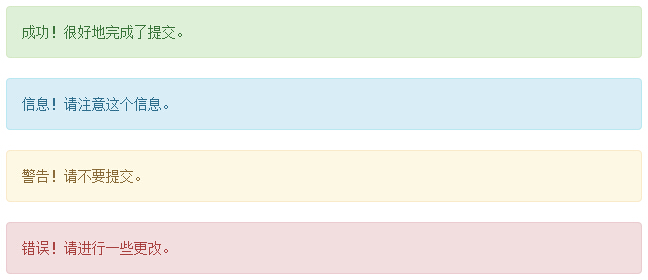
您可以通过创建一个 <div>,并向其添加一个 .alert class 和四个上下文 class(即 .alert-success、.alert-info、.alert-warning、.alert-danger)之一,来添加一个基本的警告框。下面的实例演示了这点:
实例
<div class="alert alert-success">成功!很好地完成了提交。</div>

<div class="alert alert-info">信息!请注意这个信息。</div>

<div class="alert alert-warning">警告!请不要提交。</div>

<div class="alert alert-danger">错误!请进行一些更改。</div>
结果如下所示:
可取消的警告(Dismissal Alerts)
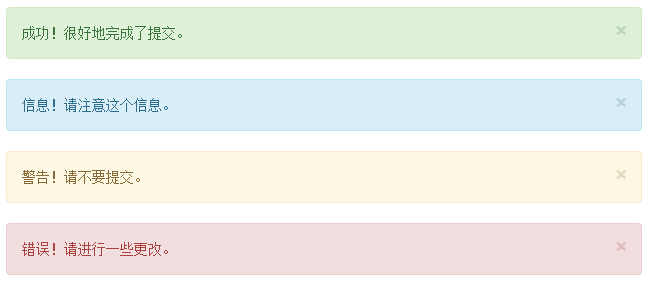
创建一个可取消的警告(Dismissal Alert)步骤如下:
- 通过创建一个 <div>,并向其添加一个 .alert class 和四个上下文 class(即 .alert-success、.alert-info、.alert-warning、.alert-danger)之一,来添加一个基本的警告框。
- 同时向上面的 <div> class 添加可选的 .alert-dismissable。
- 添加一个关闭按钮。
下面的实例演示了这点:
实例
<div class="alert alert-success alert-dismissable">
<button type="button" class="close" data-dismiss="alert"
aria-hidden="true">
×
</button>
成功!很好地完成了提交。
</div>
<div class="alert alert-info alert-dismissable">
<button type="button" class="close" data-dismiss="alert"
aria-hidden="true">
×
</button>
信息!请注意这个信息。
</div>
<div class="alert alert-warning alert-dismissable">
<button type="button" class="close" data-dismiss="alert"
aria-hidden="true">
×
</button>
警告!请不要提交。
</div>
<div class="alert alert-danger alert-dismissable">
<button type="button" class="close" data-dismiss="alert"
aria-hidden="true">
×
</button>
错误!请进行一些更改。
</div>
请确保使用带有 data-dismiss="alert" data 属性的 <button> 元素。
结果如下所示:
警告(Alerts)中的链接
在警告(Alerts)中创建链接的步骤如下:
- 通过创建一个 <div>,并向其添加一个 .alert class 和四个上下文 class(即 .alert-success、.alert-info、.alert-warning、.alert-danger)之一,来添加一个基本的警告框。
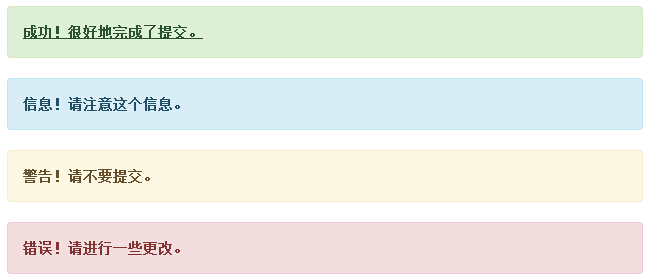
- 使用 .alert-link 实体类来快速提供带有匹配颜色的链接。
实例
<div class="alert alert-success">

    <a href="#" class="alert-link">成功!很好地完成了提交。</a>

</div>

<div class="alert alert-info">

    <a href="#" class="alert-link">信息!请注意这个信息。</a>

</div>

<div class="alert alert-warning">

    <a href="#" class="alert-link">警告!请不要提交。</a>

</div>

<div class="alert alert-danger">

    <a href="#" class="alert-link">错误!请进行一些更改。</a>

</div>
结果如下所示:
| 2.返回顶部 |
| 3.返回顶部 |
| 4.返回顶部 |
| 5.返回顶部 |
| 11.返回顶部 |
 |
作者:ylbtech 出处:http://ylbtech.cnblogs.com/ 本文版权归作者和博客园共有,欢迎转载,但未经作者同意必须保留此段声明,且在文章页面明显位置给出原文连接,否则保留追究法律责任的权利。 |
Bootstrap-CL:警告的更多相关文章
- bootstrap错误警告信息提示
bootstrap提供了成功执行.警告和错误信息的样式. 在使用该功能的时候需要引入以下几个文件: bootstrap.css jquery.js(需放在bootstrap.js之前) bootstr ...
- bootstrap的警告框
.alert 基础警告框 .alert-danger 红色警告框 .alert-dismissable 修饰警告框 alert-dismiss="alert" 触发警告框 // ...
- Bootstrap 缩略图 警告框
@{ Layout = null;}<!DOCTYPE html><html><head> <meta name="viewport&q ...
- bootstrap 处理警告
$("#id").bootstrapValidator({}).on('success.field.bv', function (e, data) { })
- Bootstrap <基础二十五>警告(Alerts)
警告(Alerts)以及 Bootstrap 所提供的用于警告的 class.警告(Alerts)向用户提供了一种定义消息样式的方式.它们为典型的用户操作提供了上下文信息反馈. 您可以为警告框添加一个 ...
- 第二百四十六节,Bootstrap弹出框和警告框插件
Bootstrap弹出框和警告框插件 学习要点: 1.弹出框 2.警告框 本节课我们主要学习一下 Bootstrap 中的弹出框和警告框插件. 一.弹出框 弹出框即点击一个元素弹出一个包含标题和内容的 ...
- BootStrap母版页布局.子页面布局.BootstrapTable.模态框.警告框.html导出tabl生成Excel.HTML生成柱图.饼图.时间控件中文版
如上就是很多后台管理系统的母版页布局. 左边一列模板.上面一列系统标识. 空白处充填子页面 以ASP.NET MVC为基础 引入bootstrap.js.bootstrap.css body: < ...
- Bootstrap 警告框(Alert)插件
<!DOCTYPE html> <html> <head> <meta charset="utf-8"> <title> ...
- Bootstrap组件
1.Bootstrap组件——Glyphicons图标字体 图标字体:可以表示的文字不是abcd或1234,而是一个又一个图形符号,比直接使用图片好处:可以任意放大不会失真:所有能使用文字的地方都可以 ...
- 快速学习bootstrap前台框架
W3c里的解释 使用bootstrap需要注意事项 1. 在html文件第一行要加上<!doctype html>[s1] 2. 导入bootstrap.min.css文件 3. 导 ...
随机推荐
- Matlab绘图基础——利用axes(坐标系图形对象)绘制重叠图像 及 一图多轴(一幅图绘制多个坐标轴)
描述 axes在当前窗口中创建一个包含默认属性坐标系 axes('PropertyName',propertyvalue,...)创建坐标系时,同时指定它的一些属性,没有指定的使用DefaultAxe ...
- Java中含有静态成员的的初始化顺序
class Bowl{ Bowl(int marker){ System.out.println("Bowl(" + marker + ")" ); } voi ...
- poj 3630 Phone List trie树
Phone List Description Given a list of phone numbers, determine if it is consistent in the sense tha ...
- js中对象的一些特性,JSON,scroll家族
一.js中对象的一些特性 对象的动态特性 1.当对象有这个属性时,会对属性的值重写 2.当对象没有这个属性时,会为对象创建一个新属性,并赋值 获得对象的属性的方式 为元素设置DOM0级事件 二.JSO ...
- MQ选型对比RabbitMQ RocketMQ ActiveMQ Kafka
几种MQ产品说明: ZeroMQ : 扩展性好,开发比较灵活,采用C语言实现,实际上他只是一个socket库的重新封装,如果我们做为消息队列使用,需要开发大量的代码 RabbitMQ :结合erla ...
- [转]PowerDesigner 把Comment写到name中 和把name写到Comment中 pd7以后版本可用
http://www.cnblogs.com/cxd4321/archive/2009/03/07/1405475.html 在使用PowerDesigner对数据库进行概念模型和物理模型设计时,一般 ...
- StringUtils 正则校验
public class StringUtils { /** * 如果str为null,返回“”,否则返回str * @param str * @return */ public static Str ...
- 部署到VM的虚拟机提示“未连接到网络”
以下可以看到网络图标为叉叉
- offsetParent.scrollTop IE下一直报错,说“缺少对象”
<div style="position:fiexd; top:135px;_position: absolute; right: 0pt; _top:expression_r(off ...
- 唯一索引 && 主键索引
唯一索引唯一索引不允许两行具有相同的索引值. 如果现有数据中存在重复的键值,则大多数数据库都不允许将新创建的唯一索引与表一起保存. 当新数据将使表中的键值重复时,数据库也拒绝接受此数据.例如,如果在 ...