
【代码笔记】iOS-FMDBDemo
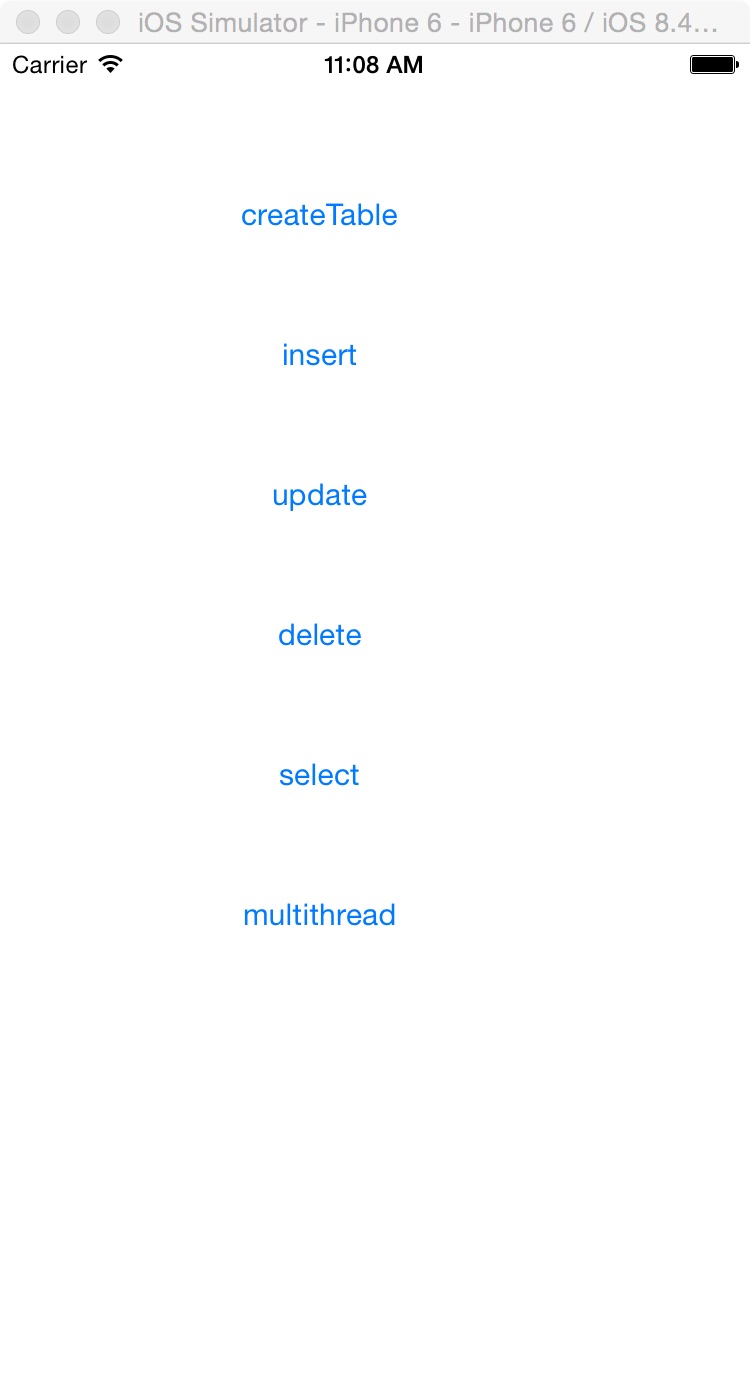
一,效果图。
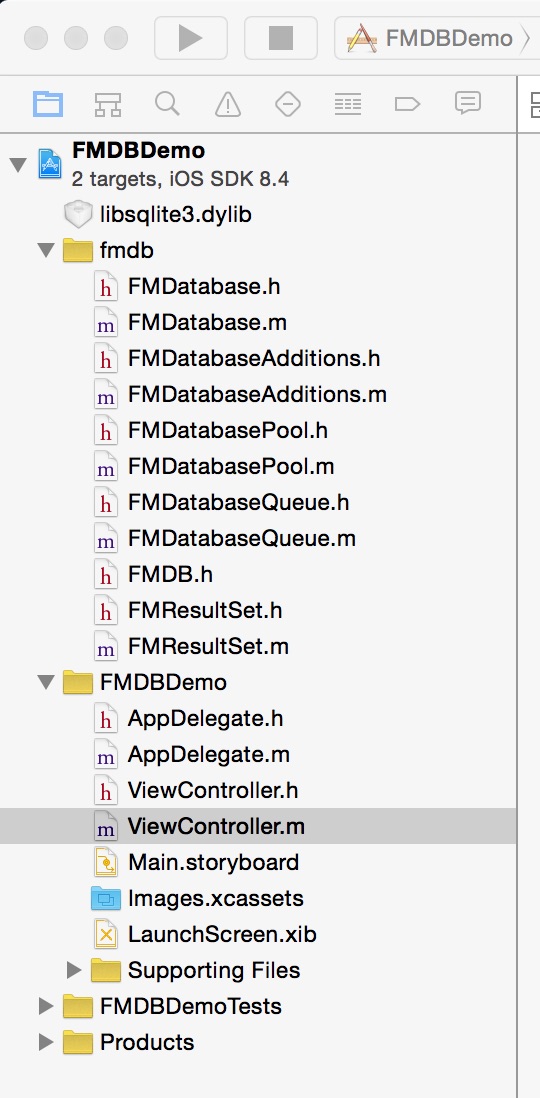
二,工程图。
三,代码。
ViewController.h

#import <UIKit/UIKit.h>

#import "FMDatabase.h"

#import "FMDatabaseQueue.h"

@interface ViewController : UIViewController

{

    FMDatabase *db;

    NSString *database_path;

}

@end
ViewController.m
#import "ViewController.h"

#define DBNAME    @"personinfo.sqlite"

#define ID        @"id"

#define NAME      @"name"

#define AGE       @"age"

#define ADDRESS   @"address"

#define TABLENAME @"PERSONINFO"

@interface ViewController ()

@end

@implementation ViewController

- (void)viewDidLoad {

    [super viewDidLoad];

    // Do any additional setup after loading the view, typically from a nib.

    //初始化数据库存放目录

    [self addDocumentPath];

    //初始化界面

    [self addView];

    [super viewDidLoad];

}

#pragma -mark -functions

//初始化数据库存放目录

-(void)addDocumentPath

{

    //获得Documents目录

    NSArray *paths = NSSearchPathForDirectoriesInDomains(NSDocumentDirectory, NSUserDomainMask, YES);

    NSString *documents = [paths objectAtIndex:0];

    NSLog(@"--documents--%@",documents);

    //添加/号,使之变成一个完整的路径

    database_path = [documents stringByAppendingPathComponent:DBNAME];

    NSLog(@"--database_path---%@",database_path);

    db = [FMDatabase databaseWithPath:database_path];

}

//初始化用户界面

-(void)addView

{

    //新建数据库

    UIButton *createBtn=[UIButton buttonWithType:UIButtonTypeRoundedRect];

    createBtn.frame=CGRectMake(60, 60, 200, 50);

    [createBtn addTarget:self action:@selector(doClickCreateButton) forControlEvents:UIControlEventTouchUpInside];

    [createBtn setTitle:@"createTable" forState:UIControlStateNormal];

    [self.view addSubview:createBtn];

    //插入数据库

    UIButton *insterBtn=[UIButton buttonWithType:UIButtonTypeRoundedRect];

    insterBtn.frame=CGRectMake(60, 130, 200, 50);

    [insterBtn addTarget:self action:@selector(doClickInsertButton) forControlEvents:UIControlEventTouchUpInside];

    [insterBtn setTitle:@"insert" forState:UIControlStateNormal];

    [self.view addSubview:insterBtn];

    //更新数据库

    UIButton *updateBtn=[UIButton buttonWithType:UIButtonTypeRoundedRect];

    updateBtn.frame=CGRectMake(60, 200, 200, 50);

    [updateBtn addTarget:self action:@selector(doClickUpdateButton) forControlEvents:UIControlEventTouchUpInside];

    [updateBtn setTitle:@"update" forState:UIControlStateNormal];

    [self.view addSubview:updateBtn];

    //删除数据库

    UIButton *deleteBtn=[UIButton buttonWithType:UIButtonTypeRoundedRect];

    deleteBtn.frame=CGRectMake(60, 270, 200, 50);

    [deleteBtn addTarget:self action:@selector(doClickDeleteButton) forControlEvents:UIControlEventTouchUpInside];

    [deleteBtn setTitle:@"delete" forState:UIControlStateNormal];

    [self.view addSubview:deleteBtn];

    //查看数据库

    UIButton *selectBtn=[UIButton buttonWithType:UIButtonTypeRoundedRect];

    selectBtn.frame=CGRectMake(60, 340, 200, 50);

    [selectBtn addTarget:self action:@selector(doClickSelectButton) forControlEvents:UIControlEventTouchUpInside];

    [selectBtn setTitle:@"select" forState:UIControlStateNormal];

    [self.view addSubview:selectBtn];

    //多线程

    UIButton *multithreadBtn=[UIButton buttonWithType:UIButtonTypeRoundedRect];

    multithreadBtn.frame=CGRectMake(60, 410, 200, 50);

    [multithreadBtn addTarget:self action:@selector(doClickMultithreadButton) forControlEvents:UIControlEventTouchUpInside];

    [multithreadBtn setTitle:@"multithread" forState:UIControlStateNormal];

    [self.view addSubview:multithreadBtn];

}

#pragma -mark -doClickAction

//新建数据库

- (void)doClickCreateButton{

    //sql 语句

    if ([db open]) {

        NSString *sqlCreateTable =  [NSString stringWithFormat:@"CREATE TABLE IF NOT EXISTS '%@' ('%@' INTEGER PRIMARY KEY AUTOINCREMENT, '%@' TEXT, '%@' INTEGER, '%@' TEXT)",TABLENAME,ID,NAME,AGE,ADDRESS];

        BOOL res = [db executeUpdate:sqlCreateTable];

        if (!res) {

            NSLog(@"error when creating db table");

        } else {

            NSLog(@"success to creating db table");

        }

        [db close];

    }

}

//插入数据库

-(void)doClickInsertButton{

    if ([db open]) {

        NSString *insertSql1= [NSString stringWithFormat:

                               @"INSERT INTO '%@' ('%@', '%@', '%@') VALUES ('%@', '%@', '%@')",

                               TABLENAME, NAME, AGE, ADDRESS, @"张三", @"13", @"济南"];

        BOOL res = [db executeUpdate:insertSql1];

        if (!res) {

            NSLog(@"error when insert db table");

        } else {

            NSLog(@"success to insert db table");

        }

        NSString *insertSql2 = [NSString stringWithFormat:

                                @"INSERT INTO '%@' ('%@', '%@', '%@') VALUES ('%@', '%@', '%@')",

                                TABLENAME, NAME, AGE, ADDRESS, @"李四", @"12", @"济南"];

        BOOL res2 = [db executeUpdate:insertSql2];

        if (!res2) {

             NSLog(@"error when insert db table");

        }else{

             NSLog(@"success to insert db table");

        }

        [db close];

    }

}

//修改数据库

-(void)doClickUpdateButton{

    if ([db open]) {

        NSString *updateSql = [NSString stringWithFormat:

                               @"UPDATE '%@' SET '%@' = '%@' WHERE '%@' = '%@'",

                               TABLENAME,   AGE,  @"15" ,AGE,  @"13"];

        BOOL res = [db executeUpdate:updateSql];

        if (!res) {

            NSLog(@"error when update db table");

        } else {

            NSLog(@"success to update db table");

        }

        [db close];

    }

}

//删除数据库

-(void)doClickDeleteButton{

    if ([db open]) {

        NSString *deleteSql = [NSString stringWithFormat:

                               @"delete from %@ where %@ = '%@'",

                               TABLENAME, NAME, @"张三"];

        BOOL res = [db executeUpdate:deleteSql];

        if (!res) {

            NSLog(@"error when delete db table");

        } else {

            NSLog(@"success to delete db table");

        }

        [db close];

    }

}

//查看数据库

-(void)doClickSelectButton{

    if ([db open]) {

        NSString * sql = [NSString stringWithFormat:

                          @"SELECT * FROM %@",TABLENAME];

        FMResultSet * rs = [db executeQuery:sql];

        while ([rs next]) {

            int Id = [rs intForColumn:ID];

            NSString * name = [rs stringForColumn:NAME];

            NSString * age = [rs stringForColumn:AGE];

            NSString * address = [rs stringForColumn:ADDRESS];

            NSLog(@"id = %d, name = %@, age = %@  address = %@", Id, name, age, address);

        }

        [db close];

    }

}

//多线程操作数据库

-(void)doClickMultithreadButton{

    FMDatabaseQueue * queue = [FMDatabaseQueue databaseQueueWithPath:database_path];

    dispatch_queue_t q1 = dispatch_queue_create("queue1", NULL);

    dispatch_queue_t q2 = dispatch_queue_create("queue2", NULL);

    dispatch_async(q1, ^{

        for (int i = 0; i < 50; ++i) {

            [queue inDatabase:^(FMDatabase *db2) {

                NSString *insertSql1= [NSString stringWithFormat:

                                       @"INSERT INTO '%@' ('%@', '%@', '%@') VALUES (?, ?, ?)",

                                       TABLENAME, NAME, AGE, ADDRESS];

                NSString * name = [NSString stringWithFormat:@"jack %d", i];

                NSString * age = [NSString stringWithFormat:@"%d", 10+i];

                BOOL res = [db2 executeUpdate:insertSql1, name, age,@"济南"];

                if (!res) {

                    NSLog(@"error to inster data: %@", name);

                } else {

                    NSLog(@"succ to inster data: %@", name);

                }

            }];

        }

    });

    dispatch_async(q2, ^{

        for (int i = 0; i < 50; ++i) {

            [queue inDatabase:^(FMDatabase *db2) {

                NSString *insertSql2= [NSString stringWithFormat:

                                       @"INSERT INTO '%@' ('%@', '%@', '%@') VALUES (?, ?, ?)",

                                       TABLENAME, NAME, AGE, ADDRESS];

                NSString * name = [NSString stringWithFormat:@"lilei %d", i];

                NSString * age = [NSString stringWithFormat:@"%d", 10+i];

                BOOL res = [db2 executeUpdate:insertSql2, name, age,@"北京"];

                if (!res) {

                    NSLog(@"error to inster data: %@", name);

                } else {

                    NSLog(@"succ to inster data: %@", name);

                }

            }];

        }

    });

}

- (void)didReceiveMemoryWarning {

    [super didReceiveMemoryWarning];

    // Dispose of any resources that can be recreated.

}

@end
【代码笔记】iOS-FMDBDemo的更多相关文章
- IOS开发笔记 IOS如何访问通讯录
IOS开发笔记 IOS如何访问通讯录 其实我是反对这类的需求,你说你读我的隐私,我肯定不愿意的. 幸好ios6.0 以后给了个权限控制.当打开app的时候你可以选择拒绝. 实现方法: [plain] ...
- 【hadoop代码笔记】Mapreduce shuffle过程之Map输出过程
一.概要描述 shuffle是MapReduce的一个核心过程,因此没有在前面的MapReduce作业提交的过程中描述,而是单独拿出来比较详细的描述. 根据官方的流程图示如下: 本篇文章中只是想尝试从 ...
- 【hadoop代码笔记】hadoop作业提交之汇总
一.概述 在本篇博文中,试图通过代码了解hadoop job执行的整个流程.即用户提交的mapreduce的jar文件.输入提交到hadoop的集群,并在集群中运行.重点在代码的角度描述整个流程,有些 ...
- 【Hadoop代码笔记】目录
整理09年时候做的Hadoop的代码笔记. 开始. [Hadoop代码笔记]Hadoop作业提交之客户端作业提交 [Hadoop代码笔记]通过JobClient对Jobtracker的调用看详细了解H ...
- 笔记-iOS 视图控制器转场详解(上)
这是一篇长文,详细讲解了视图控制器转场的方方面面,配有详细的示意图和代码,为了使得文章在微信公众号中易于阅读,seedante 辛苦将大量长篇代码用截图的方式呈现,另外作者也在 Github 上附上了 ...
- <Python Text Processing with NLTK 2.0 Cookbook>代码笔记
如下是<Python Text Processing with NLTK 2.0 Cookbook>一书部分章节的代码笔记. Tokenizing text into sentences ...
- [学习笔记] SSD代码笔记 + EifficientNet backbone 练习
SSD代码笔记 + EifficientNet backbone 练习 ssd代码完全ok了,然后用最近性能和速度都非常牛的Eifficient Net做backbone设计了自己的TinySSD网络 ...
- DW网页代码笔记
DW网页代码笔记 1.样式. class 插入类样式 标签技术(html)解决页面的内容样式技术(css)解决页面的外观脚本技术 解决页面动态交互问题<form> ...
- 前端学习:JS(面向对象)代码笔记
前端学习:JS(面向对象)代码笔记 前端学习:JS面向对象知识学习(图解) 创建类和对象 创建对象方式1调用Object函数 <body> </body> <script ...
- 离屏渲染学习笔记 /iOS圆角性能问题
离屏渲染学习笔记 一.概念理解 OpenGL中,GPU屏幕渲染有以下两种方式: On-Screen Rendering 意为当前屏幕渲染,指的是GPU的渲染操作是在当前用于显示的屏幕缓冲区中进行. O ...
随机推荐
- flask框架--模板
今天又是一个精彩又无聊的一天,不过随着知识的缓慢的增加我的内心也充满了干劲,虽然前进的有些缓慢 但我不会这么容易放弃的,一定要相信自己,不要灰心 好了 ~ 不说废话了 , 我自己听的都有些受不了了 . ...
- java 简单认识移位运算符和位运算符
移位运算符和位运算符本质上都是操作二进制位,因为计算机存储的是二进制数据,运算效率相对较高. 移位运算符:把整数的二进制位进行左移或右移 .左移一位,相当于这个数乘以2, 右移一位,相当于这个数除以2 ...
- WebDriver高级应用实例(5)
5.1对象库(UI Map) 目的:能够使用配置文件存储被测试页面上的元素的定位方式和定位表达式,做到定位数据和程序的分离.方便不具备编码能力的测试人员进行修改和配置. 被测网页的网址: http:/ ...
- 检查iOS项目中是否使用了IDFA
(1)什么是IDFA 关于IDFA,在提交应用到App Store时,iTunes Connect有如下说明: 这里说到检查项目中是否包含IDFA,那如何来对iOS项目(包括第三方SDK)检查是否 ...
- windows 系统安装git的方法
windows 系统安装git的方法 msysgit是Windows版的Git,从https://git-for-windows.github.io下载 安装默认步骤,一步步安装即可 安装完成后,在开 ...
- java中result和resultSet
ResultSet: 1,定义 public interface ResultSet 表示数据库结果集的数据表,通常通过执行查询数据库的语句生成. 2,获得 State ...
- sql server 主从库设计和数据库镜像设计
sql server 主从设计可以通过sql server 的发布订阅实现,在大数据量的时候不要用快照发布,要使用事务发布的方式实现. 主从的设计后,要将数据库的读写分离,实现数据库效率的提示 而数据 ...
- iOS 8.0 bluetooth peripheral manager giving no callback for addService
I am adding the service using: [self.peripheralManager addService:myService]; Is this method depreca ...
- 【转】Intellij IDEA使用总结
原文地址:http://totohust.iteye.com/blog/1035550 1. IDEA内存优化 先看看你机器本身的配置而配置. \IntelliJ IDEA 8\bin\idea.ex ...
- 编写自己的SpringBoot-starter
前言 我们都知道可以使用SpringBoot快速的开发基于Spring框架的项目.由于围绕SpringBoot存在很多开箱即用的Starter依赖,使得我们在开发业务代码时能够非常方便的.不需要过多关 ...