
Spring自定义注解(验证身份证+性别+地区)
第一步:定义注解

PersonFormId:
package com.wbg.maven1128.demo_formatter;

import java.lang.annotation.*;

@Documented

@Target({ElementType.TYPE,ElementType.FIELD,ElementType.PARAMETER})

@Retention(RetentionPolicy.RUNTIME)

public @interface PersonFormId {

}
第二步:创建实体类
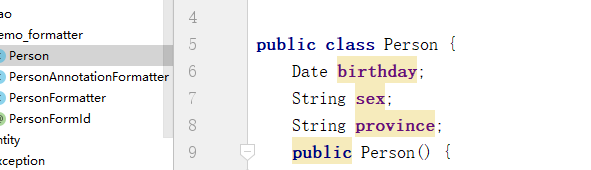
Person:
package com.wbg.maven1128.demo_formatter;

import java.util.Date;

public class Person {

    Date birthday;

    String sex;

    String province;

    public Person() {

    }

    @Override

    public String toString() {

        return "Person{" +

                "birthday='" + birthday + '\'' +

                ", sex='" + sex + '\'' +

                ", province='" + province + '\'' +

                '}';

    }

    public Person(Date birthday, String sex, String province) {

        this.birthday = birthday;

        this.sex = sex;

        this.province = province;

    }

    public Date getBirthday() {

        return birthday;

    }

    public void setBirthday(Date birthday) {

        this.birthday = birthday;

    }

    public String getSex() {

        return sex;

    }

    public void setSex(String sex) {

        this.sex = sex;

    }

    public String getProvince() {

        return province;

    }

    public void setProvince(String province) {

        this.province = province;

    }

}
第三步:创建实现类调用接口Formatter<Person>

PersonFormatter:
package com.wbg.maven1128.demo_formatter;

import org.springframework.format.Formatter;

import java.text.ParseException;

import java.util.Calendar;

import java.util.HashMap;

import java.util.Locale;

import java.util.Map;

public class PersonFormatter implements Formatter<Person> {

    @Override

    public String print(Person object, Locale locale) {

        return null;

    }

    @Override

    public Person parse(String text, Locale locale) throws ParseException {

        if(text.length()!=18){

            throw new ParseException("请输入18位身份证",59);

        }

        else if(text.length()==18&&Verification(text)){

            return  getPerson(text);

        }else {

            throw new ParseException("身份证输入错误",59);

        }

    }

    Person getPerson(String text){

         Person person=new  Person();

        Calendar instance = Calendar.getInstance();

        int year=Integer.parseInt(text.substring(6,10));

        int month=Integer.parseInt(text.substring(10,12))-1;

        int date=Integer.parseInt(text.substring(12,14));

        instance.set(year,month,date);

        person.setBirthday(instance.getTime());

        person.setProvince(provinces.get(Integer.parseInt(text.substring(0,2))));

        person.setSex(Integer.parseInt(text.substring(16,17))%2==0?"女":"男");

        return person;

    }

    static Map<Integer,String> provinces = new HashMap<Integer, String>(){{

        this.put(11,"北京市");

        this.put(12,"天津市");

        this.put(13,"河北省");

        this.put(14,"山西省");

        this.put(15,"内蒙古自治区");

        this.put(21,"辽宁省");

        this.put(22,"吉林省");

        this.put(23,"黑龙江省");

        this.put(31,"上海市");

        this.put(32,"江苏省");

        this.put(33,"浙江省");

        this.put(34,"安徽省");

        this.put(35,"福建省");

        this.put(36,"江西省");

        this.put(37,"山东省");

        this.put(41,"河南省");

        this.put(42,"湖北省");

        this.put(43,"湖南省");

        this.put(44,"广东省");

        this.put(45,"广西壮族自治区");

        this.put(46,"海南省");

        this.put(51,"四川省");

        this.put(52,"贵州省");

        this.put(53,"云南省");

        this.put(54,"西藏自治区");

        this.put(50,"重庆市");

        this.put(61,"陕西省");

        this.put(62,"甘肃省");

        this.put(63,"青海省");

        this.put(64,"宁夏回族自治区");

        this.put(65,"新疆维吾尔自治区");

        this.put(83,"台湾地区");

        this.put(81,"香港特别行政区");

        this.put(82,"澳门特别行政区");

    }};

    boolean Verification(String text){

        text=text.toUpperCase();

        String []aa={"7","9","10","5","8","4","2","1","6","3","7","9","10","5","8","4","2"};

        String []bb={"1","0","X","9","8","7","6","5","4","3","2"};

        int sum=0;

        for (int i = 0; i < 17; i++) {

            sum+=Integer.parseInt(text.substring(i, 1 + i))*Integer.parseInt(aa[i]);

        }

        return bb[sum%11].equals(text.substring(17,18));

    }

}
第四步:调用

MyDataTimeFormatAnnotationFormatterFactory接口AnnotationFormatterFactory<MyDateFormatter>
package com.wbg.maven1128.intface;

import com.wbg.maven1128.entity.Person;

import org.springframework.context.support.EmbeddedValueResolutionSupport;

import org.springframework.format.AnnotationFormatterFactory;

import org.springframework.format.Formatter;

import org.springframework.format.Parser;

import org.springframework.format.Printer;

import java.util.*;

public class MyDataTimeFormatAnnotationFormatterFactory  implements AnnotationFormatterFactory<MyDateTimeFormat> {

    private static final Set<Class<?>> FIELD_TYPES;

    static {

        Set<Class<?>> fieldTypes = new HashSet<Class<?>>(4);

        //添加可以使用注解的类型

        fieldTypes.add(String.class);

        fieldTypes.add(Person.class);

        FIELD_TYPES = Collections.unmodifiableSet(fieldTypes);

    }

    @Override

    public Set<Class<?>> getFieldTypes() {

        return FIELD_TYPES;

    }

    @Override

    public Printer<?> getPrinter(MyDateTimeFormat annotation, Class<?> fieldType) {

        return getFormatter(annotation, fieldType);

    }

    @Override

    public Parser<?> getParser(MyDateTimeFormat annotation, Class<?> fieldType) {

        return getFormatter(annotation, fieldType);

    }

    protected Formatter<Person> getFormatter(MyDateTimeFormat annotation, Class<?> fieldType) {

        MyDateFormatter formatter = new MyDateFormatter();

        return formatter;

    }

}
第四步:启用注解
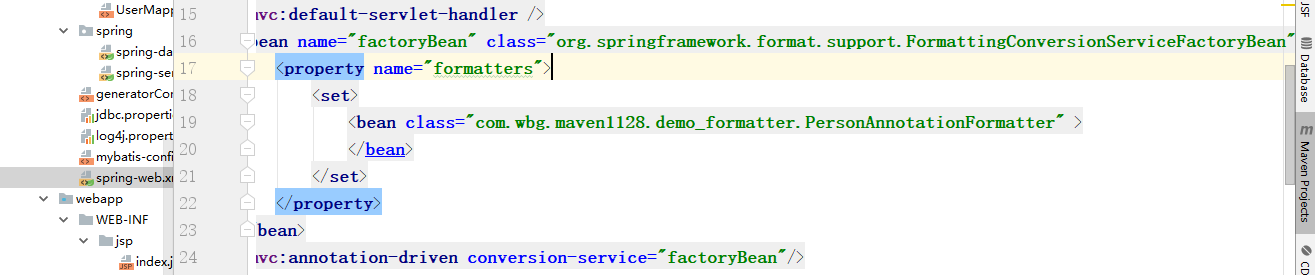
    <mvc:default-servlet-handler />

    <bean name="factoryBean" class="org.springframework.format.support.FormattingConversionServiceFactoryBean">

        <property name="formatters">

            <set>

                <bean class="com.wbg.maven1128.demo_formatter.PersonAnnotationFormatter" >

                </bean>

            </set>

        </property>

    </bean>

    <mvc:annotation-driven conversion-service="factoryBean"/>
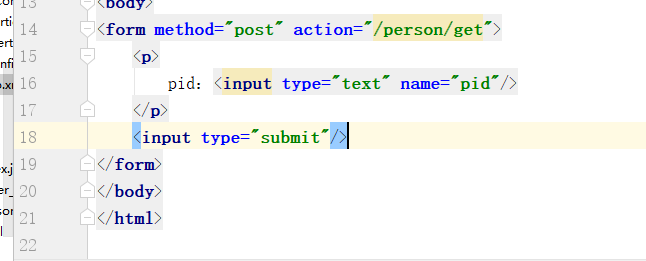
jsp页面:
controller
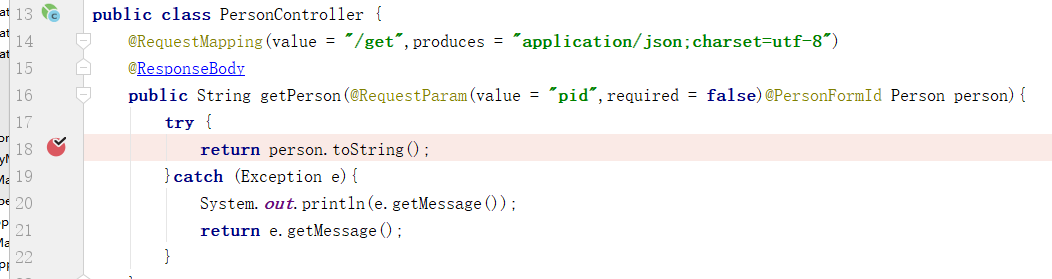
package com.wbg.maven1128.controller;

import com.wbg.maven1128.demo_formatter.Person;

import com.wbg.maven1128.demo_formatter.PersonFormId;

import org.springframework.stereotype.Controller;

import org.springframework.web.bind.annotation.GetMapping;

import org.springframework.web.bind.annotation.RequestMapping;

import org.springframework.web.bind.annotation.RequestParam;

import org.springframework.web.bind.annotation.ResponseBody;

@Controller

@RequestMapping("/person")

public class PersonController {

    @RequestMapping(value = "/get",produces = "application/json;charset=utf-8")

    @ResponseBody

    public String getPerson(@RequestParam(value = "pid",required = false)@PersonFormId Person person){

        try {

            return person.toString();

        }catch (Exception e){

            System.out.println(e.getMessage());

            return e.getMessage();

        }

    }

    @GetMapping

    public String index(){

        return "person_index";

    }

}
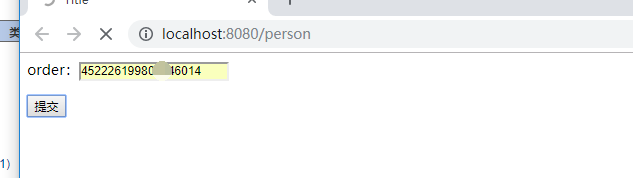
最后直接测试

Spring自定义注解(验证身份证+性别+地区)的更多相关文章
- spring自定义注解实现登陆拦截器
1.spring自定义注解实现登陆拦截器 原理:定义一个注解和一个拦截器,拦截器拦截所有方法请求,判断该方法有没有该注解.没有,放行:有,要进行验证.从而实现方法加注解就需要验证是否登陆. 2.自定义 ...
- SpringMVC拦截器+Spring自定义注解实现权限验证
特别提示:本人博客部分有参考网络其他博客,但均是本人亲手编写过并验证通过.如发现博客有错误,请及时提出以免误导其他人,谢谢!欢迎转载,但记得标明文章出处:http://www.cnblogs.com/ ...
- spring - 自定义注解
本自定义注解的作用:用于控制类方法的调用,只有拥有某个角色时才能调用. java内置注解 1.@Target 表示该注解用于什么地方,可能的 ElemenetType 参数包括: ElemenetTy ...
- Spring 自定义注解,配置简单日志注解
java在jdk1.5中引入了注解,spring框架也正好把java注解发挥得淋漓尽致. 下面会讲解Spring中自定义注解的简单流程,其中会涉及到spring框架中的AOP(面向切面编程)相关概念. ...
- 照虎画猫写自己的Spring——自定义注解
Fairy已经实现的功能 读取XML格式配置文件,解析得到Bean 读取JSON格式配置文件,解析得到Bean 基于XML配置的依赖注入 所以,理所当然,今天该实现基于注解的依赖注入了. 基于XML配 ...
- 使用Spring自定义注解实现任务路由的方法
在Spring mvc的开发中,我们可以通过RequestMapping来配,当前方法用于处理哪一个URL的请求.同样我们现在有一个需求,有一个任务调度器,可以按照不同的任务类型路由到不同的任务执行器 ...
- Spring自定义注解扫描的实现
目标:实现自定义spring自动扫描注解.主要为后期实现分布式服务框架自动注解提供技术支持 技术分析:通过配置组件扫描标签使spring解析标签. 1. JewelScanBeanDefaultPar ...
- 2018-02-11 发布 spring 自定义注解(annotation)与 aop获取注解
知识点: Java自定义注解.spring aop @aspect的使用 首先我们先介绍Java自定义注解. 在开发过程中,我们实现接口的时候,会出现@Override,有时还会提示写@Suppres ...
- 深入Spring:自定义注解加载和使用
前言 在工作中经常使用Spring的相关框架,免不了去看一下Spring的实现方法,了解一下Spring内部的处理逻辑.特别是开发Web应用时,我们会频繁的定义@Controller,@Service ...
随机推荐
- Error:Annotation processors must be explicitly declared now.
环境 Android Studio 3.0 Gradle 3.0.0 gradle 4.1 Error Error:Execution failed for task ':app:javaPreCom ...
- mysql表锁、行锁、索引之间暧昧的关系
MySQL的innodb存储引擎支持行级锁,innodb的行锁是通过给索引项加锁实现的,这就意味着只有通过索引条件检索数据时,innodb才使用行锁,否则使用表锁.根据当前的数据更新语句(UPDATE ...
- log4j2分层输出日志
在java mvc框架开发过程中,我们经常的将代码分为类似controller(控制层).service(业务层).rpc(远程接口调用层).dao(数据层)等层级,如果将所有层级的日志全部都打到一个 ...
- GET和POST请求的区别如下
POST和GET都是向服务器提交数据,并且都会从服务器获取数据. 区别: 1.传送方式:get通过地址栏传输,post通过报文传输. 2.传送长度:get参数有长度限制(受限于url长度),而post ...
- HTML5 localstorage和session操作
setStorage={ getLocal : function(key){ //获得localStorage里面的值 var storage = window.localStorage; if(st ...
- 鼠标移动事件(跟随鼠标移动的div)
<!DOCTYPE html><html> <head> <meta charset="UTF-8"> <title>& ...
- 如何在一台机器上运行2个Tomcat
比如:有两个版本的tomcat,一个5.*,一个6.*,此时由于两个工程分别部署在两个 版本的tomcat下,需要同时启动两个tomcat,以下是方法: 1.特别要注意:不要设置CATALINA_HO ...
- Linux文件系统简介----转载
原文地址:Linux文件系统 文件系统是linux的一个十分基础的知识,同时也是学习linux的必备知识. 本文将站在一个较高的视图来了解linux的文件系统,主要包括了linux磁盘分区和目录.挂载 ...
- 浅谈PVC塑料配方计算软件的设计
1, 配方设计与配方计算 题目是配方计算,不是配方设计,设计是需要有深厚的塑料知识才可以做的,即生产什么塑料产品,需要放各种原料是什么,各自比较是多少,遇到什么情况下就要多放什么,少放什么.配方设计不 ...
- 【C#】关于DateTime的一点记录 ToString("yyyy-MM-dd HH:mm:ss")
DateTime dt = DateTime.Now; string z = dt.ToString("yyyy-MM-dd HH:mm:ss");//你直达这个是 年月日时分秒的 ...