
01-spring安装,hello word
环境搭建
第一步:安装spring
可以参考这个:http://blog.csdn.net/boredbird32/article/details/50932458
安装成功后,重启后有下面这个Spring IDE就表示安装成功。
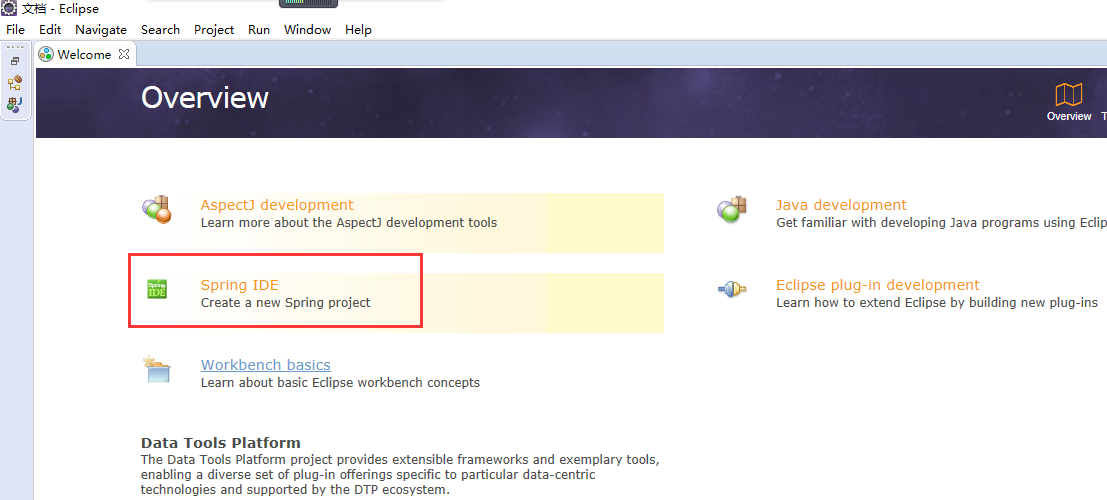
或者打开所选项,会有spring


第二步:把以下jar包导入到classPath下:
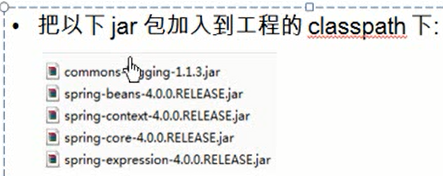
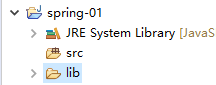
新建一个java工程,里面建一个文件夹lib,存放jar包
从该地址下载commons-logging:http://commons.apache.org/proper/commons-logging/download_logging.cgi。

从该地址下载spring-framework框架:https://repo.spring.io/release/org/springframework/spring/
解压,把该目录下相关jar包复制到lib目录下。

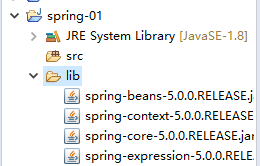
然后选中这些jar包,右键,添加到build path下面。
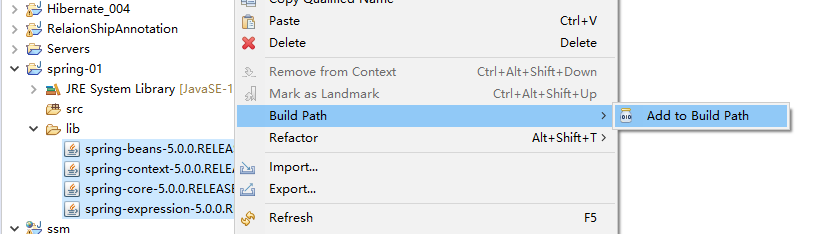
变成如下:
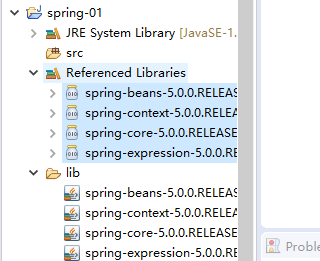
环境搭建完毕。
新建一个hello word
一:创建一个spring配置文件
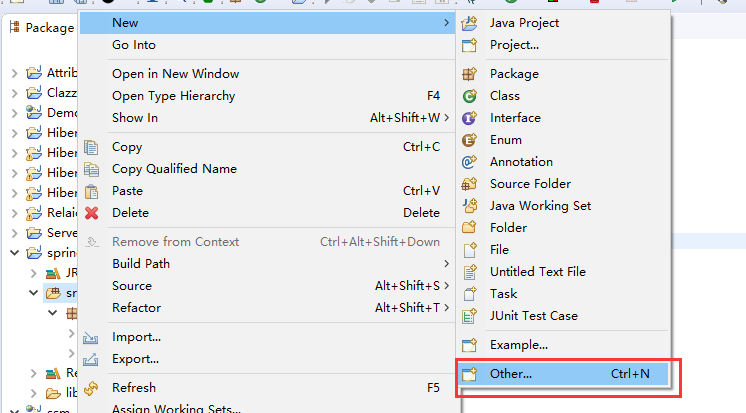
选择Other
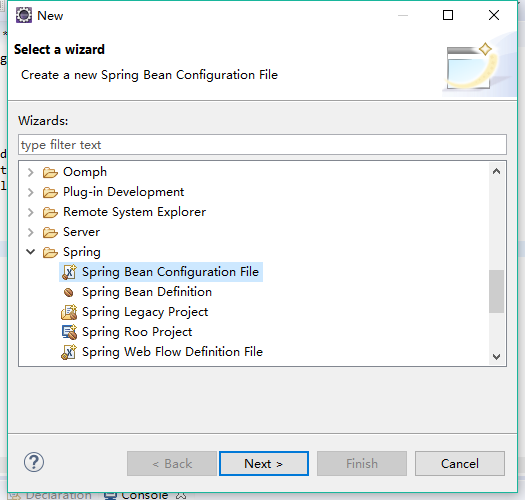
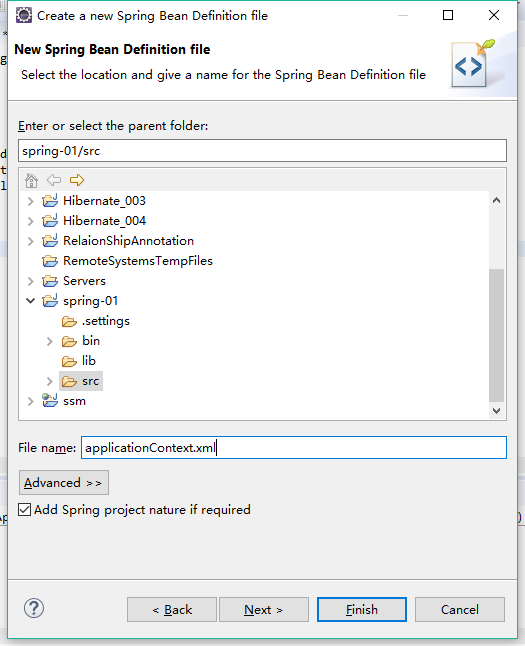
finish
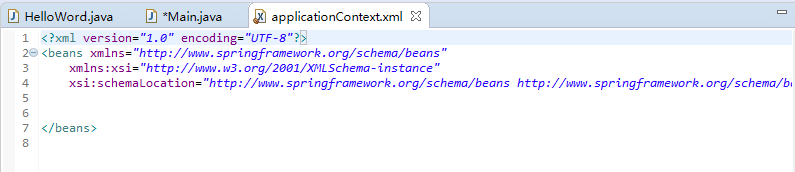
二,新建一个HelloWord类。
package com.spring.beans;

public class HelloWord {

    private String name;

    public void setName(String name)

    {

        this.name=name;

    }

    public void hello()

    {

        System.out.println("hello"+this.name);

    }

}
三,在配置文件中配置bean。
<?xml version="1.0" encoding="UTF-8"?>

<beans xmlns="http://www.springframework.org/schema/beans"

    xmlns:xsi="http://www.w3.org/2001/XMLSchema-instance"

    xsi:schemaLocation="http://www.springframework.org/schema/beans http://www.springframework.org/schema/beans/spring-beans.xsd">

    <!-- 配置bean -->

    <bean id="helloWord" class="com.spring.beans.HelloWord">

        <property name="name" value="Spring"></property>

        <!-- 这里的name里面的值为HelloWord这个类里面set方法后面的字符,比如这个类里面有个方法setName,那么这个值为name,如果为其他值就会报错 -->

    </bean>

</beans>
解释:
1,property的name,里面的值为HelloWord这个类里面set方法后面的字符,比如这个类里面有个方法setName,那么这个值为name,如果为其他值就会报错。

2,property的value表示是对于这个setName方法,传进去的值,这里相当于使用对象实例执行了一次setName("Spring"),这时候变量值为Spring。
三,新建main方法通过配置调用hello word类。
package com.spring.beans;

import org.springframework.context.ApplicationContext;

import org.springframework.context.support.ClassPathXmlApplicationContext;

public class Main {

    public static void main(String [] args)

    {

         //1,创建spring的IOC容器对象

         ApplicationContext ctx=new ClassPathXmlApplicationContext("applicationContext.xml");//指定配置文件名

         //2,从IOC中获取Bean实例

         HelloWord helloword=(HelloWord) ctx.getBean("helloWord");//getBean里面的参数是配置的bean的ID

         //3,调用hello方法。

         helloword.hello();

    }

}
分三步操作:
1,创建spring的IOC容器对象,参数为配置文件名。
在创建这个容器的时候,会自动把容器下面的bean所配置的对应类的构造方法,和set方法执行一遍,对变量赋值,set方法的变量值就是property里面配置的value。
ApplicationContext ctx=new ClassPathXmlApplicationContext("applicationContext.xml");//指定配置文件名
2,从IOC中获取bean实例。
通过ctx这个容器的getBean方法,把刚刚配置的bean的id作为参数传进去,获取对应id值所对应的类的对象实例。
HelloWord helloword=(HelloWord) ctx.getBean("helloWord");//getBean里面的参数是配置的bean的ID
3,直接通过对象调用方法。
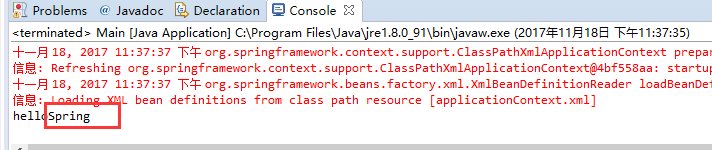
从执行结果可以看出来,在配置文件中设置的value成功的传入了,设置了value为Spring.
01-spring安装,hello word的更多相关文章
- spring原理案例-基本项目搭建 01 spring framework 下载 官网下载spring jar包
下载spring http://spring.io/ 最重要是在特征下面的这段话,需要注意: All avaible features and modules are described in the ...
- 指导手册01:安装Hadoop
指导手册01:安装Hadoop Part 1:安装及配置虚拟机 1.安装Linux. (1)打开VMvirtualBox (2) 控制->新建虚拟机,输入虚拟机名称“marst+学号” 类型: ...
- IDEA(2018.01)安装和破解
IDEA(2018.01)安装和破解 1.下载IDE https://www.jetbrains.com/idea/download/#section=windows 选择Ultimate版本 2.下 ...
- 黑马_13 Spring Boot:01.spring boot 介绍&&02.spring boot 入门
13 Spring Boot: 01.spring boot 介绍&&02.spring boot 入门 04.spring boot 配置文件 SpringBoot基础 1.1 原有 ...
- 01 Spring Boot 的简单配置和使用
Spring Boot 简介 使用 Spring Boot 可以让我们快速创建一个基于 Spring 的项目,而让这个 Spring 项目跑起来我们只需要很少的配置就可以了. 创建 Spring Bo ...
- redis实战(01)_redis安装
早就想对redis进行实战操作了,最近看了一些视频和参考书籍,总结总结一下,redis实战内容: 实战前先对redis做一个大概的认识: 现在开始安装redis了... redis的安装下载地址 ht ...
- 01.Redis安装
1.安装Redis 1.下载.解压Redis [lizhiwei@localhost Redis]$ ll total 1248 -rwxrwxr-x. 1 lizhiwei lizhiwei 127 ...
- [Git]01 如何安装和配置
简单地说,Git 究竟是怎样的一个系统呢? 请注意,接下来的内容非常重要,若是理解了 Git 的思想和基本工作原理,用起来就会知其所以然,游刃有余.在开始学习 Git 的时候,请不要尝试把各种概 ...
- [笔记]我的Linux入门之路 - 01.Ubuntu安装
最近学机器学习,感觉matlab/octave用的人不多,想改用python.于是开始学python,辛辛苦苦学会了自己装环境和装第三方库,结果发现scipy库竟然没有win版本!于是想着那我得装个l ...
- maven(01)--安装及其介绍
1:下载maven windows下载 2:将下载文件夹解压,然后放在一个安装目录(可任意选择),例如就放在D盘的根目录 然后在设置环境变量,新建一个环境变量,名称为M2_HOME,其设置值为mave ...
随机推荐
- 【BZOJ 1115】【POI 2009】石子游戏Kam
http://www.lydsy.com/JudgeOnline/problem.php?id=1115 差分后变成阶梯博弈. #include<cstdio> #include<c ...
- BZOJ 2956 模积和(分块)
[题目链接] http://www.lydsy.com/JudgeOnline/problem.php?id=2956 [题目大意] 求∑∑((n%i)*(m%j))其中1<=i<=n,1 ...
- [TCO2013]TrickyInequality
$\newcommand{stirf}[2]{{{#1}\brack{#2}}}$$\newcommand{stirs}[2]{{{#1}\brace{#2}}}$题意:$\sum\limits_{i ...
- 【推导】【模拟】AtCoder Regular Contest 082 F - Sandglass
题意:有个沙漏,一开始bulb A在上,bulb B在下,A内有a数量的沙子,每一秒会向下掉落1.然后在K个时间点ri,会将沙漏倒置.然后又有m个询问,每次给a一个赋值ai,然后询问你在ti时刻,bu ...
- 【贪心】POJ2376-Cleaning Shifts
[题目大意] 给出几个小区间和大区间,求覆盖整个大区间的最少小区间个数,如果不可能则输出-1. [思路] 这道程序写得我很不爽快,迷迷糊糊写完了,提交一遍AC了,可是我自己都没怎么弄懂到底是怎么写出来 ...
- JavaScript的深拷贝与浅拷贝
深拷贝和浅拷贝是在面试中经常遇到的问题.今天在这里总结一下. 深拷贝与浅拷贝的问题,涉及到JavaScript的变量类型,先来说说变量的类型,变量类型包括基本类型和引用类型. 基本类型:Undefin ...
- Microsoft SQL Server 2012 Internals
http://blog.csdn.net/column/details/learnsqlserver2012.html
- 如何获取gcr等镜像
在cloud.docker.com上注册一个用户,然后登录 然后在github.com上注册一个用户 通过github Desktop建立一个repository,同时加入一个Dockerfile,然 ...
- 让你明白response.sendRedirect()与request.getRequestDispatcher().forward()区别
JSP中response.sendRedirect()与request.getRequestDispatcher().forward(request,response)这两个对象都可以使页面跳转,但是 ...
- Javascript时间字符串比较
//startdate和enddate的格式为:yyyy-MM-dd hh:mm:ss //当date1在date2之前时,返回1;当date1在date2之后时,返回-1:相等时,返回0 funct ...