
Windows Azure 初体验
最近看到windows azure 在做活动,只需花一块钱就可以体验一个月的windows azure. 于是,我就注册了一个账号也尝试一把云时代,传送门。 注册很简单的,成功后可以看到这个界面。
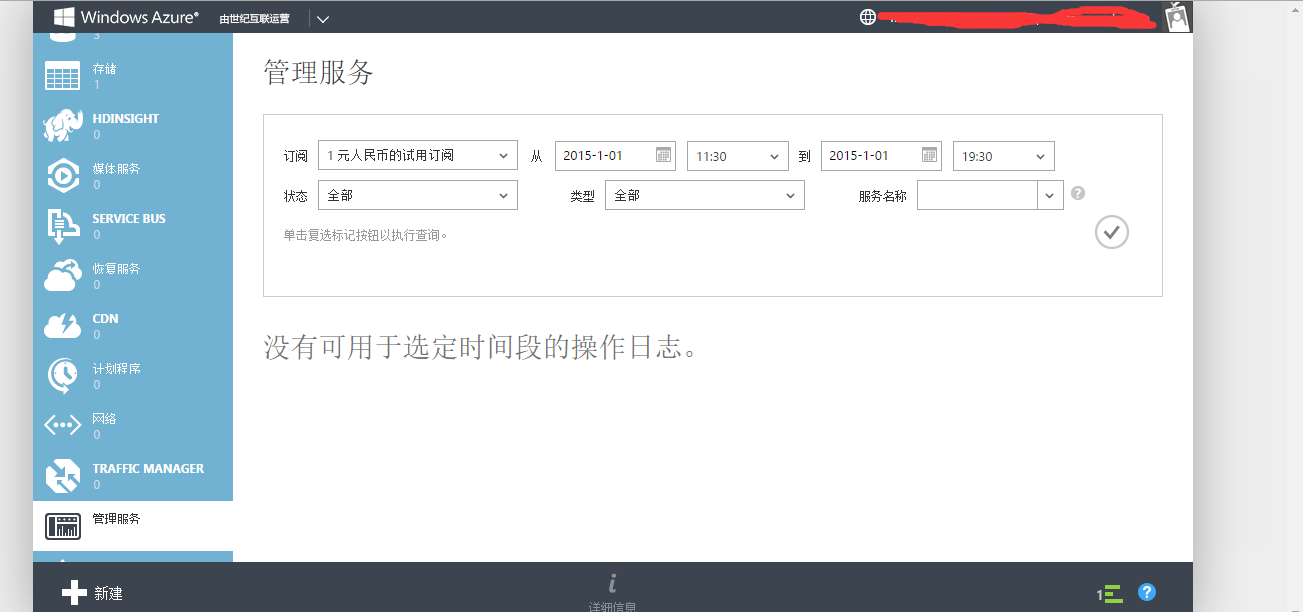
然后,我就研究了一下怎么把网站发布到云上,在此分享一下。网站是简单的基于asp.net mvc + code first 比较简单。
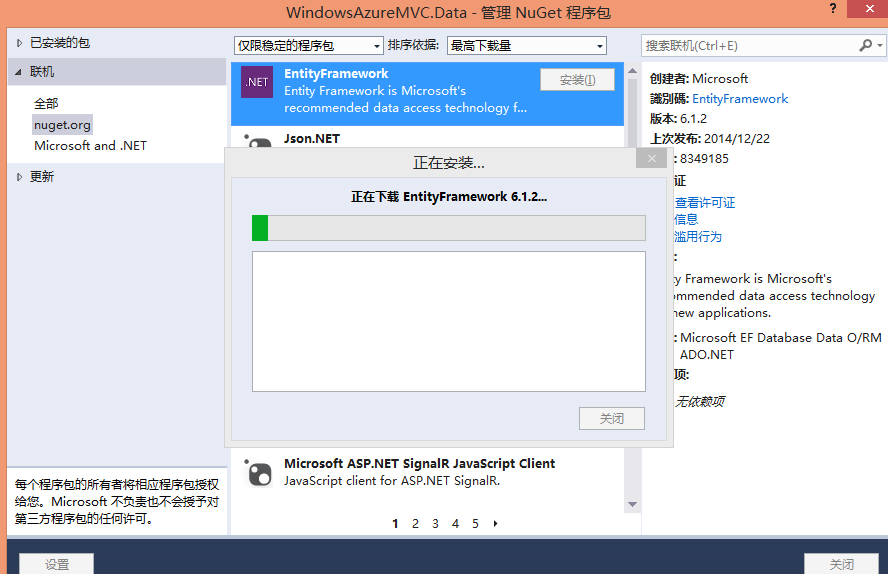
首先新建一个asp.net mvc 的网站。在此我命名为 WindowsAzureMVC,为了支持code first 需要添加entity framework 的dll。右键管理NUGET程序包 添加EntityFramework.
在web.config 文件中添加节点:
  <connectionStrings>

     <add name="TestConnect" connectionString="Data Source=(localdb)\v11.0;Initial Catalog=Test;Integrated Security=True;Connect Timeout=15;Encrypt=False;TrustServerCertificate=False" providerName="System.Data.SqlClient" />

   </connectionStrings>
再新建一个AzureDataContext类
    public class AzureDataContext : DbContext

     {

         public AzureDataContext()

             : base("name=TestConnect")

         {

         }

         public DbSet<User> User { get; set; }

     }

     public class User

     {

         public Guid Id { get; set; }

         public string Name { get; set; }

         public int Age { get; set; }

     }
这个就是简单的数据了,表示一个数据库有一个表叫做User。
然后运行nuget命令 先打开Nuget 控制台 视图-》其他窗口-》程序包管理器控制台。
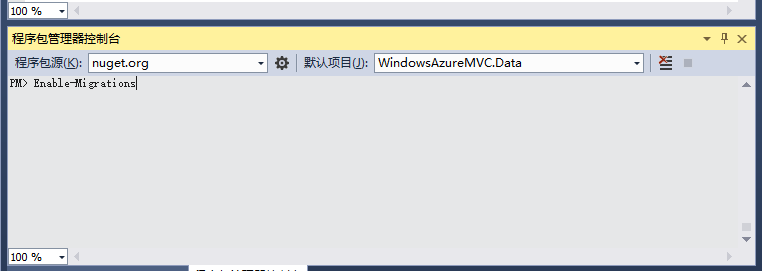
输入Enable-Migrations 会自动生成一个Configuration类
    internal sealed class Configuration : DbMigrationsConfiguration<WindowsAzureMVC.Data.AzureDataContext>

     {

         public Configuration()

         {

             AutomaticMigrationDataLossAllowed = true;

             AutomaticMigrationsEnabled = true;

         }

         protected override void Seed(WindowsAzureMVC.Data.AzureDataContext context)

         {

             context.User.AddOrUpdate(p => p.Id, new User() { Id = Guid.NewGuid(), Age = , Name = "test" });

         }

     }
我在seed 方法中加了一个初始化数据。
然后输入 update-database 命令,成功之后 会看到生成的数据库。
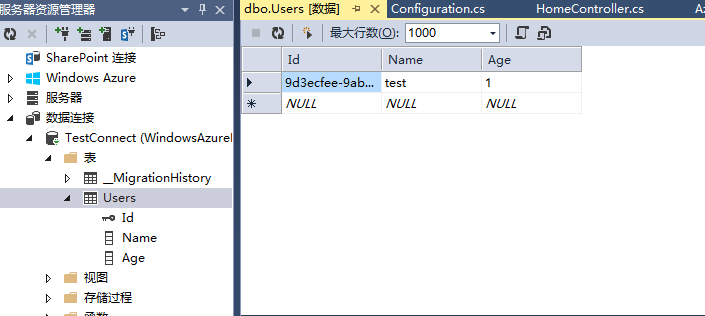
然后我在 MVC的controller 和view 里写了一些简单的代码。
         public ActionResult Index()

         {

             User user = new Data.User() { Id = Guid.NewGuid(), Name = "test", Age = new Random().Next(, ) };

             azureDataContext.User.Add(user);

             azureDataContext.SaveChanges();

             List<User> userList = azureDataContext.User.ToList();

             return View(userList);

         }
 @model List<WindowsAzureMVC.Data.User>

 @{

     ViewBag.Title = "Home Page";

 }

 <div class="row">

     <table class="table table-bordered">

         <caption>用户列表</caption>

         <thead>

             <tr>

                 <th>姓名</th>

                 <th>年龄</th>

             </tr>

         </thead>

         <tbody>

             @foreach (var item in Model)

             {

                 <tr>

                     <td>

                         @item.Name

                     </td>

                     <td>

                         @item.Age

                     </td>

                 </tr>

             }

         </tbody>

     </table>

 </div>
OK, 网站这边基本完成,比较简单的演示。
然后发布,首先我需要新建一个数据库,
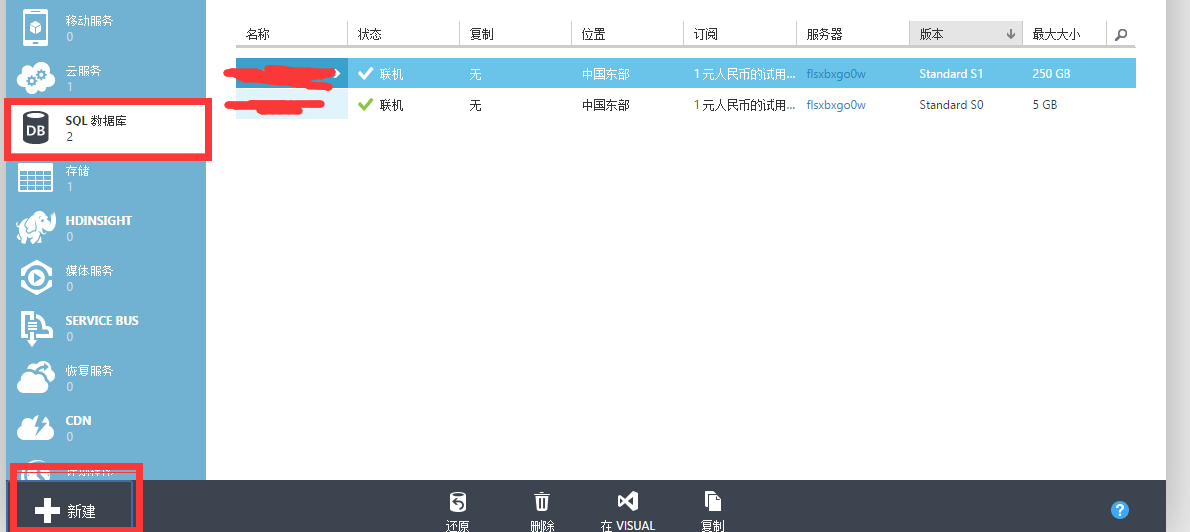
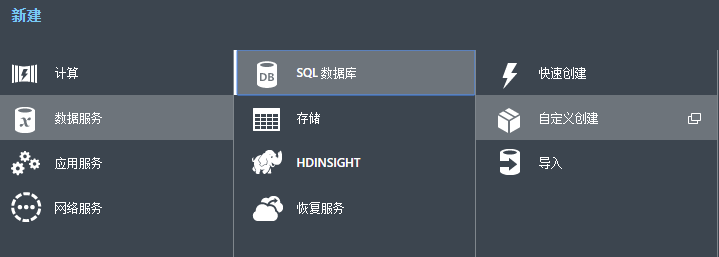
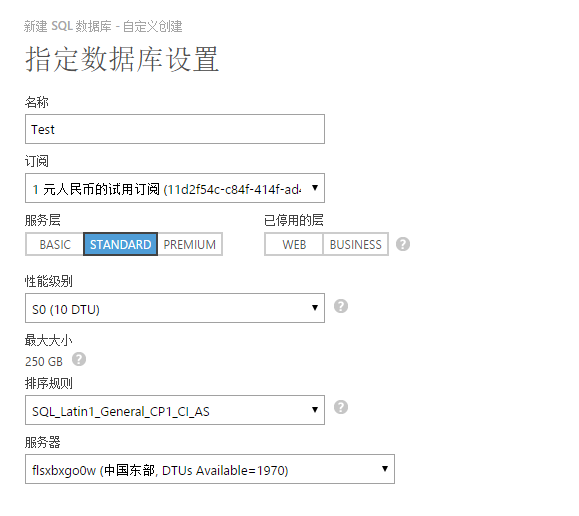
然后新建一个网站,

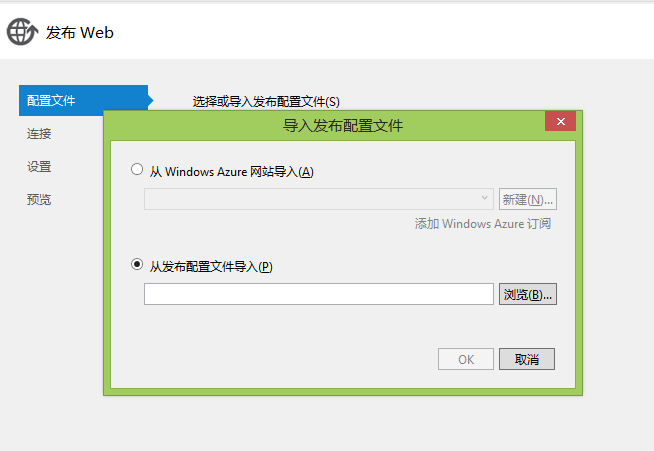
之后我需要下载发布配置文件,
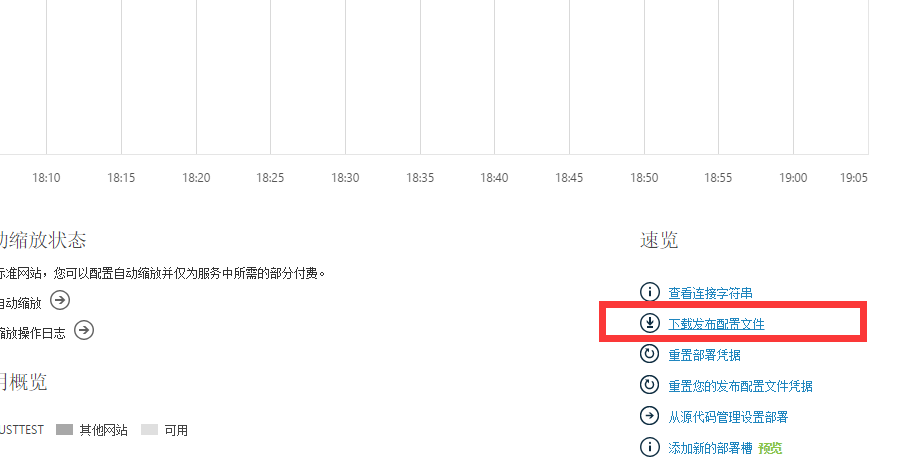
下载的文件名叫justtest.chinacloudsites.cn.PublishSettings 之后就可以发布了,
右键 -》 发布

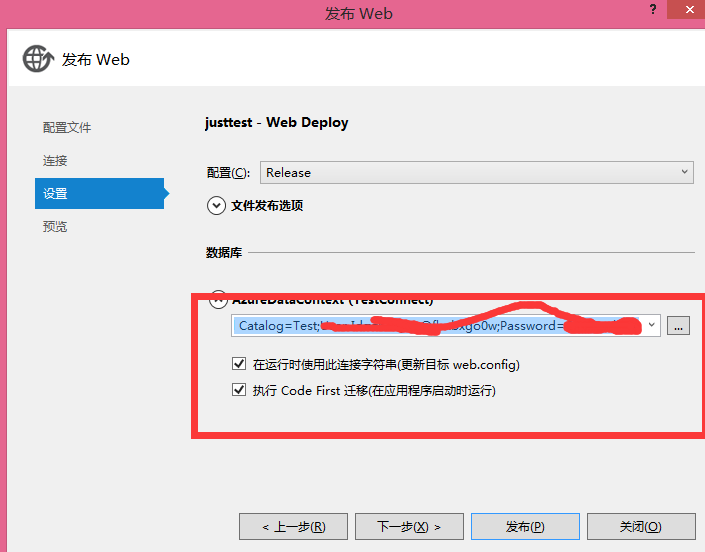
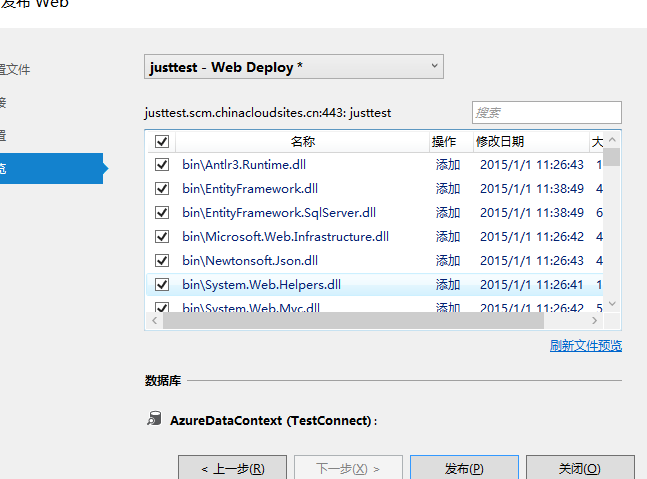
点击发布成功。地址是 http://justtest.chinacloudsites.cn/
基本搞定收工。这就是我的azure 初体验。
Windows Azure 初体验的更多相关文章
- Windows Azure初体验
目前在IT界,云这个概念的第一意思不再是词典里的解释了.不过它们还是有相同点的——也许确实会酝酿出一块大蛋糕,可也是飘在天上,众神分食之,与我等P民无关.所谓云,不过是网络时代发展到一定阶段的必然产物 ...
- Windows Azure使用体验
Windows Azure在今年6月6日由世纪互联代理在中国运营,目前只能体验,没有开放注册.不过,体验的门槛比较高,只对企业开放,未来大量对外开放使用貌似时间还早.大家都懂得,“国内门槛高”.本人在 ...
- Windows Azure 使用体验
本文只是对Windows Azure的肤浅使用做个记录,算是简单入门吧. 一.门户网站 Windows Azure其实有两个版本,我们在国内所说的或者说所用的就是有别于国际版的,主要原因我想各位也是知 ...
- Windows Azure
Windows Azure初体验 目前在IT界,云这个概念的第一意思不再是词典里的解释了.不过它们还是有相同点的——也许确实会酝酿出一块大蛋糕,可也是飘在天上,众神分食之,与我等P民无关.所谓云,不过 ...
- Windows Azure 免费初体验 - 创建部署网站
前几天在看到有个学Windows Azure课程,送Windows Azure的活动,课程地址:http://www.microsoftvirtualacademy.com/ 在活得体验资格后,就迫不 ...
- Windows Azure 微软公有云体验(三) IIS中文编码解决方案
Windows Azure 微软公有云已经登陆中国有一段时间了,现在是处于试用阶段,Windows Azure的使用将会给管理信息系统的开发.运行.维护带来什么样的新体验呢? Windows Azur ...
- Windows Azure 微软公有云体验(二) 存储成本比较分析
Windows Azure 微软公有云已经登陆中国有一段时间了,现在是处于试用阶段,Windows Azure的使用将会给管理信息系统的开发.运行.维护带来什么样的新体验呢? Windows Azur ...
- Windows Azure 微软公有云体验(一) 网站、SQL数据库、虚拟机
Windows Azure 微软公有云已经登陆中国有一段时间了,现在是处于试用阶段,Windows Azure的使用将会给管理信息系统的开发.运行.维护带来什么样的新体验呢? Windows Azur ...
- Windows Embedded Compact 7初体验
Windows Embedded Compact 7初体验 Windows Embedded Compact 7已经出来半年多了,一直没时间搞.最近它又出了Refresh的版本,电脑也换了个1T的硬盘 ...
随机推荐
- libiop通讯流程和api讲解
上一篇讲到了libiop基本结构,这次根据libiop提供的test跟踪下消息和运行流程 void echo_server_test() { ; iop_base_t *); printf(" ...
- 管理lnmp常用命令,lnmp重启,start|stop|reload|restart等命令
LNMP状态管理命令: LNMP状态管理: /root/lnmp {start|stop|reload|restart|kill|status}Nginx状态管理:/etc/init.d/nginx ...
- Uniform Distribution均匀分布
sklearn实战-乳腺癌细胞数据挖掘(博主亲自录制视频教程) https://study.163.com/course/introduction.htm?courseId=1005269003&am ...
- Codeforces Round #191 (Div. 2) B. Hungry Sequence(素数筛选法)
. Hungry Sequence time limit per test 1 second memory limit per test 256 megabytes input standard in ...
- NYOJ 202 红黑树 (二叉树)
题目链接 描述 什么是红黑树呢?顾名思义,跟枣树类似,红黑树是一种叶子是黑色果子是红色的树... 当然,这个是我说的... <算法导论>上可不是这么说的: 如果一个二叉查找树满足下面的红黑 ...
- 5、Linux操作系统介绍
1操作系统的作用·是现代计算机系统中最基本和最重要的系统软件·是配置在计算机硬件上的第一层软件,是对硬件系统的首次扩展·主要作用是管理好硬件设备,并为用户和应用程序提供一个简单的接口,以便于使用·而其 ...
- PHP开发-最简单的数据库操作,使用ezSQL
PHP数据库操作使用ezSQL来实现,简单好用. 如果用的是mysql数据库,将下载的ezSQL文件中的mysql和shared连个文件夹拷贝到PHP工程目录中引用即可. 在PHP文件中 // Inc ...
- 绿色的银行类cms管理系统模板——后台
链接:http://pan.baidu.com/s/1pK7Vu9X 密码:4cc5
- 使用showplan.sql分析sql Performance
在HelloDBA网站找到一个分析sql性能的工具-showplan,记录一下 showplan.sql下载路径:http://www.HelloDBA.com/Download/showplan.z ...
- 2. 数据库文件配置与简单操作 Model / M()
官方文档说明位置: Thinkphp/Conf/convention.php 内容说明如下: 'DB_TYPE' => '', // 数据库类型 'DB_HOST' => '', // 服 ...