
[Performance] Optimize Paint and Composite for the website
"Paint" is one of the most preference killer, it can easily cost more than 60fps, and once you trigger "Paint" it always trigger "Composite" as well.

First of all, let's see how to use Chrome devtools to help us identifiy the Paint problem.
a. turn on rendering:
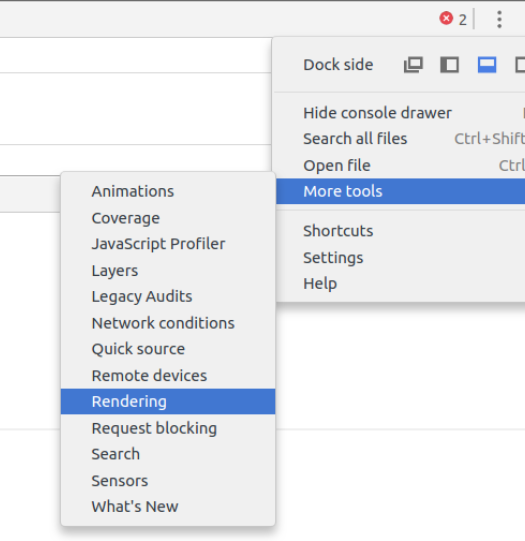
Then check the "Paint flasing" option.

Then use this demo site, keep "Paint flashing" open, and you should see when you scrolling the page, the whole page is repainting (mark in green overlay).

Of course the whole page is re-painting is not good sign for the performance.
Record the timeline for the demo page and scroll a bit, then check the Paint Profilter:
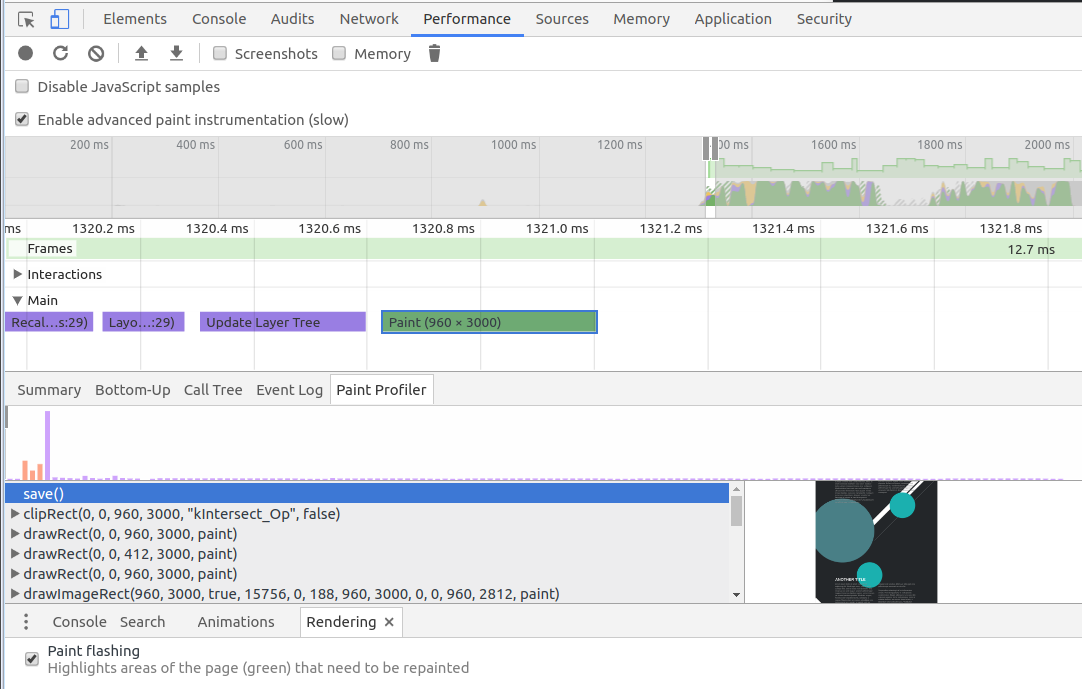
From here you can pretty much see all the commands it runs and each step what is painted to the page.
Composite:
To avoid too much painting, we can put different compoment in different layouts.
For example the side-nav compoment, to prevent the whole page re-paint again and again, we can put side nav in a different layout, so that the main page won't re-paint.
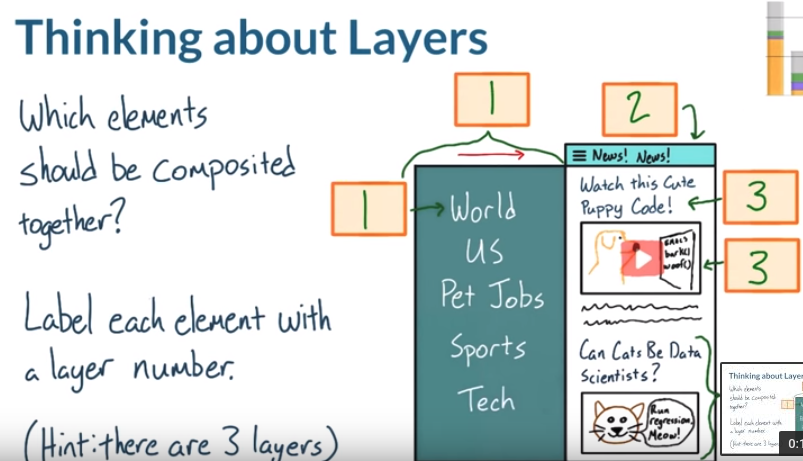
Prompt element into a layout:
Code that works:
will-change: transform;

transform: translateZ(0); // hack for some browser not support will-change
DEMO site, you can see it move really slow, but if you add the css to .box, the performance improve a lot.
Notice that, only using layer promption when you are changing the position, opacity stuff, if you want to change text in the element, layer promption doesn't make any sence
Now let's say how to figure out how many layers we have in the site.
We need again our chrome devtools to help.
Select "Layout", and nav to the demo site.
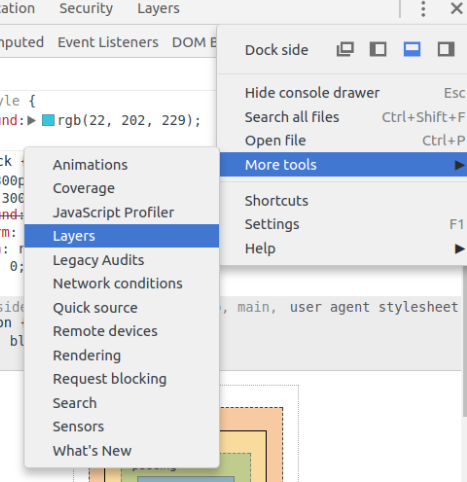
Zoom in the page, until you are able to scroll the page.
Then see the dev tool:

In the layers section, you able to see how many layers you have in the page. And it tell you the reason why it is a composition layer, in the image, it says that "Composition due to association with an element with a css 3D transform".
If you check the css code for "#color-block":
#color-block {

    width: 300px;

    height: 300px;

    background: red;

    transform: translateZ(0); // this is the key

    position: relative;

    z-index:;

}
And if we select "totes-promoted" block, we can see that "Composition due to association with an element overlapping other composited elements".

So be careful that when you prompt one element into a layer, the overlapping elements will be also prompted as well.
This may cause memory problem.
[Performance] Optimize Paint and Composite for the website的更多相关文章
- C++ Low level performance optimize 2
C++ Low level performance optimize 2 上一篇 文章讨论了一些底层代码的优化技巧,本文继续讨论一些相关的内容. 首先,上一篇文章讨论cache missing的重要性 ...
- C++ Low level performance optimize
C++ Low level performance optimize 1. May I have 1 bit ? 下面两段代码,哪一个占用空间更少,那个速度更快?思考10秒再继续往下看:) //v1 ...
- .net performance optimize your C# app 读书笔记
目录 序 作者简介 推荐人简介 感谢 本书简介 第一章 性能指标 第二章 性能测量 第三章 内部类型 第四章 垃圾回收机制 第五章 集合和泛型 第六章 并发和并行性 第七章 网络.I / ...
- 浏览器渲染详细过程:重绘、重排和 composite 只是冰山一角
https://juejin.im/entry/590801780ce46300617c89b8 渲染 这张很经典的图许多人都看过,其中的概念大家应该都很熟悉,也就是这么几个步骤:js修改dom结构或 ...
- Optimize Managed Code For Multi-Core Machines
Parallel Performance Optimize Managed Code For Multi-Core Machines Daan Leijen and Judd Hall This ar ...
- (转) [it-ebooks]电子书列表
[it-ebooks]电子书列表 [2014]: Learning Objective-C by Developing iPhone Games || Leverage Xcode and Obj ...
- Java性能提示(全)
http://www.onjava.com/pub/a/onjava/2001/05/30/optimization.htmlComparing the performance of LinkedLi ...
- 基于Webkit的浏览器关键渲染路径介绍
关键渲染路径概念 浏览器是如何将HTML.JS.CSS.image等资源渲染成可视化的页面的呢?本文简单介绍一下渲染过程中涉及到的关键步骤. 该过程分为四步:模型对象的构建.渲染树构建.布局.绘制. ...
- IntersectionObserver API
温馨提示:本文目前仅适用于在 Chrome 51 及以上中浏览. 2016.11.1 追加,Firefox 52 也已经实现. 2016.11.29 追加,Firefox 的人担心目前规范不够稳定,未 ...
随机推荐
- makepy
文件连接: https://files.cnblogs.com/files/mophy/%E7%99%BB%E5%BD%95%E6%B5%81%E7%A8%8B%E5%88%86%E6%9E%90.7 ...
- Github 基本使用
github GitHub是一个通过Git进行版本控制的软件源代码托管服务,由GitHub公司(曾称Logical Awesome)的开发者Chris Wanstrath.PJ Hyett和Tom P ...
- 详解Dialog(二)——有关列表的构建
版权声明:本文为博主原创文章,未经博主允许不得转载. 目录(?)[+] 前言:这段时间真是忙啊忙啊忙,元旦三天假加了两天班,已经连续六周只放一天了,天天加班到十点多,真是有一口血吐在屏幕上的感觉了,博 ...
- 学习笔记:javascript中的Generator函数
最近在学习redux-saga,由于redux-saga需要使用Generator函数,所以下来就回顾了一下Generator Generator 函数是 ES6 提供的一种异步编程解决方案,语法行为 ...
- BZOJ 1537 cdq分治
思路: 我只是想写一下cdq-- 二维偏序 一维排序 一维cdq分治 (我忘了归并排序怎么写了,,,) 写了个sort- 复杂度是O(nlog^2n) //By SiriusRen #include ...
- vscode中eslint airbnb的简单配置
vscode可以直接在扩展中下载安装eslint,然后,还不能用,需要继续如下步骤: 1.npm install -g eslint 安装完后输入"eslint",有东西出来说明安 ...
- CI中的文件上传
//首先在控制器中装载url类和view视图: //在view视图中创建一个表单,注:在做文件上传一定要写encype=“multipart/form-data”: //form表单的提交页面应该使用 ...
- boost_1_63_0在Win10上VS2015编译
装了个最新版的boost库,各种尝试,各种看网上的文章,然而就是没有编译成功.我真是哭晕在厕所. 最后还是自己老老实实啃官方文档.终于编出来了.下面记录下方法. 一·最简单的一种方法. 1.直接打开命 ...
- Lazy Stored Properties--无括号时为匿名函数
第一次使用的时候进行计算和初始化,后面的引用不在进行计算. A lazy stored property is a property whose initial value is not calcul ...
- .NET 请求和接收FormData的值
<body> <div> <!-- 上传单个文件---> <form action="/Home/UpdateFile2" enctype ...