
Python——Web.py詳解
ubuntu安裝Web.py
sudo pip install web.py
測試代碼:
 import web

 urls = (

     '/(.*)','hello'

 )

 app = web.application(urls,globals())

 class hello:

     def GET(self,name):

         if not name:

             name = 'world'

         return 'hello,'+name+'!'

 if __name__=='__main__':

     app.run()
类似于flask模板,这里也可以使用文件读写返回html内容:
 import web

 urls = (

     '/(.*)','hello'

 )

 app = web.application(urls,globals())

 class hello:

     def GET(self,name):

         return open(r'index.html','r').read()

 if __name__=='__main__':

     app.run()
URL映射:
完全匹配: /index
模糊匹配 /post/\d+
带组匹配 /post/(\d+)
 import web

 urls = (

     '/blog/\d+','blog',

     '/index','index',

     '/(.*)','hello',

 )

 app = web.application(urls,globals())

 class index:

     def GET(self):

         return 'index'

 class blog:

     def GET(self):

         return 'blog'

 class hello:

         def GET(self,name):

             return 'hello'

 if __name__=='__main__':

     app.run()
请求处理:
请求参数获取 : web.input()
hello.html源码:
 <!DOCTYPE html>

 <html lang="en">

 <head>

     <meta charset="UTF-8">

     <title>User Login</title>

 </head>

 <body>

 <div>

     <h6>User Login</h6>

 </div>

 <form action="/blog/123" method="POST">

     <h6>用戶名:</h6>

     <input type="text" name="username"><br>

     <h6>密碼:</h6>

     <input type="password" name="password"><br>

     <input type="submit" name="submit"><br>

 </form>

 </body>

 </html>
app.py源码:
 import web

 urls = (

     '/blog/\d+','blog',

     '/index','index',

     '/(.*)','hello',

 )

 app = web.application(urls,globals())

 class index:

     def GET(self):

         r = web.input()

         return r

 class blog:

     def POST(self):

         r = web.input()

         return r

 class hello:

         def GET(self,name):

             return open(r'hello.html','r').read()

 if __name__=='__main__':

     app.run()
运行结果:


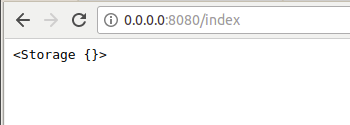
请求头获取 : web.ctx.env
app.py代码如下,hello.html代码如上相同
 import web

 urls = (

     '/blog/\d+','blog',

     '/index','index',

     '/(.*)','hello',

 )

 app = web.application(urls,globals())

 class index:

     def GET(self):

         return web.ctx.env

 class blog:

     def POST(self):

         r = web.input()

         return r

 class hello:

         def GET(self,name):

             return open(r'hello.html','r').read()

 if __name__=='__main__':

     app.run()
运行结果:  响应处理:
响应处理:
模板文件读取:render.index("参数")
在py文件同目录下要创建templates文件夹,存放模板。
index是指定模板的名称,参数是html中是所需参数。
 import web

 render = web.template.render("templates")

 urls = (

     '/blog/\d+','blog',

     '/index','index',

     '/(.*)','hello',

 )

 app = web.application(urls,globals())

 class hello:

         def GET(self,name):

             return render.hello()

 if __name__=='__main__':

     app.run()
采用模板就可以不用之前所用的open(r'hello.html','r').read()了。
结果数据获取:model.select("sql")
参考我之前的文章http://www.cnblogs.com/LexMoon/p/Flask_6.html
URL跳转 :web.seeother("/")
 import web

 urls = (

     '/(.*)','hello',

 )

 app = web.application(urls,globals())

 class hello:

         def GET(self,name):

             return web.seeother('http://www.cnblogs.com/LexMoon/')

 if __name__=='__main__':

     app.run()
Python——Web.py詳解的更多相关文章
- 【Python】【web.py】python web py入门-4-请求处理(上)
python web py入门-4-请求处理(上) 2017年09月05日 23:07:24 Anthony_tester 阅读数:2907 标签: webpy入门请求处理 更多 个人分类: Pyth ...
- python web.py安装使用
官方首页:http://webpy.org/) 它的源代码非常整洁精干,学习它一方面可以让我们快速了解python语法(遇到看不懂的语法就去google),另一方面可以学习到python高级特性的使用 ...
- mac OS X 配置Python+Web.py+MySQLdb环境
MAC默认支持Python 2.7所以不用安装. 1.安装pip sudo easy_install pip 2.安装Web.py sudo pip install Web.py 3.安装MySQLd ...
- Python Web.py
安装Web.py root@bt:~# sudo pip install web.py Downloading/unpacking web.py Downloading web.py-0.37.tar ...
- python web.py实现简单的get和post请求
使用web.py框架,实现简单的get和post请求: py文件名:mytest.py import web urls = ( '/', 'hello' ) app = web.application ...
- python web py安装与简单使用
web.py是一个轻量级的python web框架,简单而且功能强大.相对flask和Django,web.py更适合初学者来学习和了解web开发的基础知识. 安装: pip install we ...
- 【Python】【Web.py】python web py入门-5-请求处理(下)
前面一篇,我们演示了如何获取GET和POST请求的参数信息,这篇我们介绍如何获取请求的头部信息,这个方法我们在前面一篇文章已经给出了.直接来看一个例子,首先,我们在hello.py文件新增一个方法,用 ...
- python web.py操作mysql数据库,实现对数据库的增删改查操作
使用web.py框架,实现对mysql数据库的增删改查操作: 该示例代码中连接的是本地数据库testdb,user表,表结构比较简单,只有两个字段:mobile和passwd,类型均为字符型 实际应用 ...
- 树莓派上搭建基于Python+web.py+fastcgi+lighttpd的网站
最近在网上淘了一个树莓派,什么是树莓派?这里是他的官方网站你可以去看看. 简单的说就是一块使用了ARM11的CPU,具有256MB或512MB内存的具有两个USB接口,一个RJ45接口,HDMI输出和 ...
随机推荐
- jQuery给input绑定回车事件
dataInput为Span元素ID <script type="text/javascript" src="Scripts/jquery-1.6.2.js&quo ...
- margin 和 padding 的本质区别
问题? 如何弄清 margin 和 padding之间的区别? 那,答案呢? margin 边界, padding 填充 假如有一个盒子,padding就相当于盒子的厚度,盒子大小固定,通过修改pad ...
- JAVA中JavaBean对象之间拷贝的方法
JAVA中JavaBean对象之间的拷贝通常是用get/set方法,但如果你有两个属性相同的JavaBean或有大部分属性相同的JavaBean,有个更简便的方法,他们之间的拷贝可以通过copyPro ...
- struts 中自定义action访问方法
struts中action类继承了ActionSupport 默认实现了execute()方法 struts.xml配置文件中 然后可以配置如下映射: <package name =" ...
- SQL语句-SELECT语句
select语句 Select语句是指从现存的一个或多个表中查看满足条件的数据 Select语句常规用法: 查看表中所有数据 Select * from students; 查看所有的sid和snam ...
- Eralng的常用数据结构
1.记录(record) 适用于小数据,并且用属性名方便查找 2.Key/Value 类型 a.属性列表 就是类似[{Key, Value}]的列表,可以通过proplists模块来处理这样的列表 当 ...
- ASP.NET Core 2.0 : 一. 概述
为什么要使用 ASP.NET Core? .NET Core 刚发布的时候根据介绍就有点心里痒痒, 大概看了一下没敢付诸于行动, 现在2.0发布了一段时间了, 之前对其"不稳定" ...
- linux shell 中的 2>&1 用法说明
linux中有三种标准输入输出,分别是 STDIN,STDOUT,STDERR,对应的数字是 0,1,2. STDIN 是标准输入,默认从键盘读取信息: STDOUT 是标准输出,默认将输出结果输出至 ...
- 基于线程池的线程管理(BlockingQueue生产者消费者方式)实例
1.线程池管理类: public class ThreadPoolManager { private static ThreadPoolManager instance = new ThreadPoo ...
- [Lucas定理]【学习笔记】
Lucas定理 [原文]2017-02-14 [update]2017-03-28 Lucas定理 计算组合数取模,适用于n很大p较小的时候,可以将计算简化到小于p $ \binom{n}{m} \m ...