
【zabbix 监控】第一章 zabbix的安装配置
安装前准备
一、下载网络yum源:
http://mirrors.163.com/.help/centos.html

https://opsx.alibaba.com/mirror

1、首先备份/etc/yum.repos.d/CentOS-Base.repo,备份之前要先安装weget(yum -y install wget)
mv /etc/yum.repos.d/CentOS-Base.repo /etc/yum.repos.d/CentOS-Base.repo.backup

2、选择下载一下两个中任意一个yum源

网易163 yum源:

下载对应版本repo文件, 放入/etc/yum.repos.d/(操作前请做好相应备份)

• CentOS7

• CentOS6

• CentOS5

wget http://mirrors.163.com/.help/CentOS7-Base-163.repo #163的yum源,
下载到指定目录下wget http://mirrors.163.com/.help/CentOS7-Base-163.repo -P /etc/yum.repos.d/

阿里云yum源:https://opsx.alibaba.com/mirror

wget -O /etc/yum.repos.d/CentOS-Base.repo http://mirrors.aliyun.com/repo/Centos-7.repo

注:关于wget的几个参数介绍:

-O 指定保存的文件名后下载文件

-c 断点续传

--limit-rare 限速下载 例: wget --limit-rare=3K /etc/yum.repos.d/CentOS-Base.repo http://mirrors.aliyun.com/repo/Centos-7.repo

3、运行以下命令生成缓存

yum clean all

yum makecache
二、防火墙设置
1、可以开启防火墙:
[root@localhost ~]# firewall-cmd --permanent --add-service=http
success
[root@localhost ~]# firewall-cmd --permanent --add-service=https
success
[root@localhost ~]# firewall-cmd --reload
success
[root@localhost ~]# systemctl enable firewalld.service
2、如果感觉麻烦可以考虑关闭防火墙:
[root@localhost ~]# systemctl stop firewalld.service
[root@localhost ~]# systemctl disable firewalld.service
三、关闭SELINUX
1、查看SElinux状态:
[root@web129 ~]#/usr/sbin/sestatus -v #如果SELinux status参数为enabled即为开启状态
SELinux status: enabled
[root@web129 ~]# getenforce
Disabled
2、关闭SELinux:
(1)临时关闭(不用重启机器):
setenforce 0 #设置SELinux 成为permissive模式
#setenforce 1 设置SELinux 成为enforcing模式
(2)永久关闭(需要重启服务器)
修改配置文件:
[root@web129 ~]# vim /etc/selinux/config
将SELINUX=enforcing改为SELINUX=disabled
或者sed关闭:
[root@web129 ~]# sed -i "s/^SELINUX\=enforcing/SELINUX\=disabled/g" /etc/selinux/config
开始安装zabbix
1、参考官网提供的zabbix帮助手册:https://www.zabbix.com/documentation/3.2/manual
2、搭建zabbix的yum仓库:
由于我们epl的yum仓库里存放的zabbix的版本较低,所以我们先搭建一个zabbix的yum仓库,服务端和客户端上都要做这个步骤。
安装过程中如遇见了如下问题,是与原来yum发生冲突卸载即可(此问题是我重复安装zabbix 不同版本yum源导致,一般不会出现):

[root@localhost yum.repos.d]# rpm -ivh http://mirrors.aliyun.com/zabbix/zabbix/3.2/rhel/7/x86_64/zabbix-release-3.2-1.el7.noarch.rpm

获取http://mirrors.aliyun.com/zabbix/zabbix/3.2/rhel/7/x86_64/zabbix-release-3.2-1.el7.noarch.rpm

警告:/var/tmp/rpm-tmp.DERtgj: 头V4 RSA/SHA512 Signature, 密钥 ID a14fe591: NOKEY

准备中... ################################# [100%]

file /etc/pki/rpm-gpg/RPM-GPG-KEY-ZABBIX from install of zabbix-release-3.2-1.el7.noarch conflicts with file from package zabbix-release-3.0-1.el7.noarch

file /etc/yum.repos.d/zabbix.repo from install of zabbix-release-3.2-1.el7.noarch conflicts with file from package zabbix-release-3.0-1.el7.noarch

[root@localhost yum.repos.d]# yum -y remove zabbix-release-3.0-1.el7.noarch
如果没有上述问题直接往下执行:
[root@localhost ~]#rpm -ivh http://repo.zabbix.com/zabbix/3.2/rhel/7/x86_64/zabbix-release-3.2-1.el7.noarch.rpm
或者用下边的方法
[root@web129 yum.repos.d]# rpm -ivh http://101.110.118.57/repo.zabbix.com/zabbix/3.2/rhel/7/x86_64/zabbix-release-3.2-1.el7.noarch.rpm
[root@localhost ~]# yum -y install zabbix-server-mysql zabbix-web-mysql zabbix-get
Error downloading packages:
iksemel-1.4-2.el7.centos.x86_64: [Errno 256] No more mirrors to try.
fping-3.10-1.el7.x86_64: [Errno 256] No more mirrors to try.
zabbix-web-mysql-3.2.11-1.el7.noarch: [Errno 256] No more mirrors to try.
zabbix-server-mysql-3.2.11-1.el7.x86_64: [Errno 256] No more mirrors to try.
yum -y install unixODBC #一个链接数据库的组件, fping
root@localhost ~]#  yum -y install mariadb mariadb-server

[root@localhost ~]#systemctl enable mariadb ;systemctl start mariadb

[root@localhost ~]# mysql

Welcome to the MariaDB monitor.  Commands end with ; or \g.

Your MariaDB connection id is

Server version: 5.5.-MariaDB MariaDB Server

Copyright (c) , , Oracle, MariaDB Corporation Ab and others.

Type 'help;' or '\h' for help. Type '\c' to clear the current input statement.

MariaDB [(none)]> create database zabbix character set utf8 collate utf8_bin;

Query OK,  row affected (0.00 sec)

MariaDB [(none)]> grant all privileges on zabbix.* to zabbix@localhost identified by 'yanglt';

Query OK,  rows affected (0.00 sec)

MariaDB [(none)]>  flush privileges;

Query OK,  rows affected (0.00 sec)

MariaDB [(none)]> exit

[root@localhost ~]# cd /usr/share/doc/zabbix-server-mysql-3.2./

[root@localhost zabbix-server-mysql-3.2.]#  zcat create.sql.gz | mysql -uroot zabbix  #解压并导入库

[root@localhost zabbix-server-mysql-3.2.]#

[root@localhost ~]#vim /etc/zabbix/zabbix_server.conf

修改一下内容:

[root@localhost ~]# vim /etc/zabbix/zabbix_server.conf

DBHost=localhost

DBName=zabbix

DBUser=zabbix

DBPassword=yanglt

[root@localhost ~]#  systemctl enable zabbix-server.service ;systemctl start zabbix-server.service

[root@localhost ~]# vim /etc/httpd/conf.d/zabbix.conf

php_value max_execution_time

php_value memory_limit 128M

php_value post_max_size 16M

php_value upload_max_filesize 2M

php_value max_input_time

php_value always_populate_raw_post_data -

php_value date.timezone Asia/Shanghai     #只需要增加一行,或者修改时区

[root@localhost ~]# systemctl enable httpd

[root@localhost ~]# systemctl start httpd
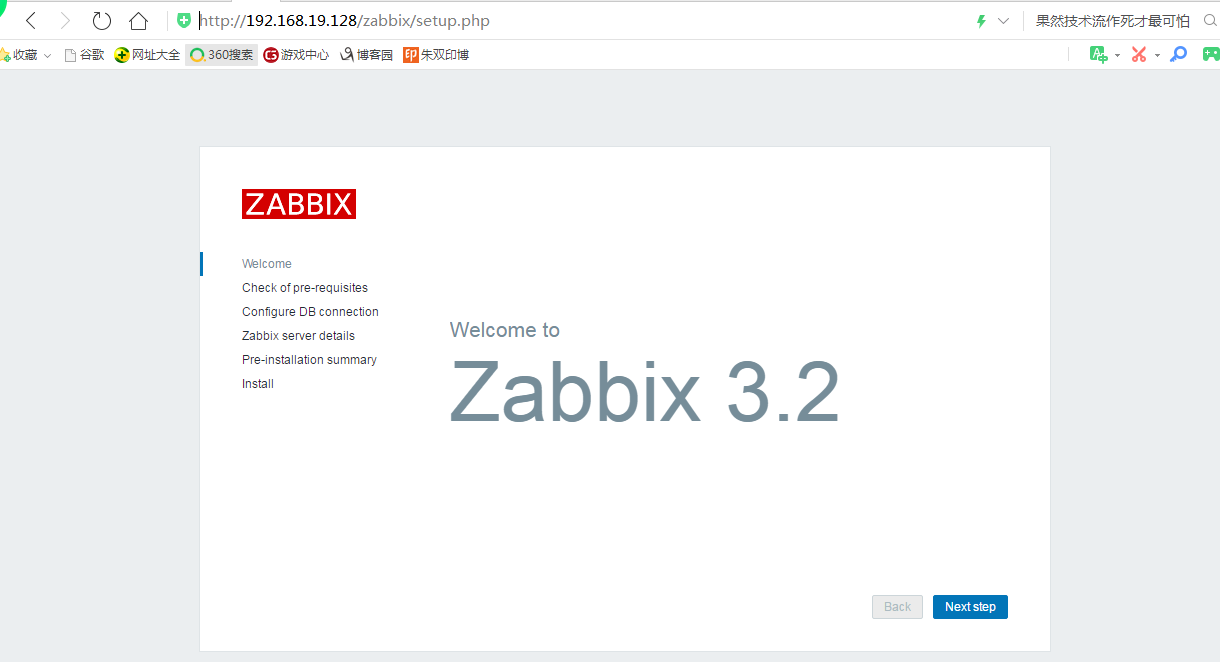
打开网页:http://192.168.19.128/zabbix

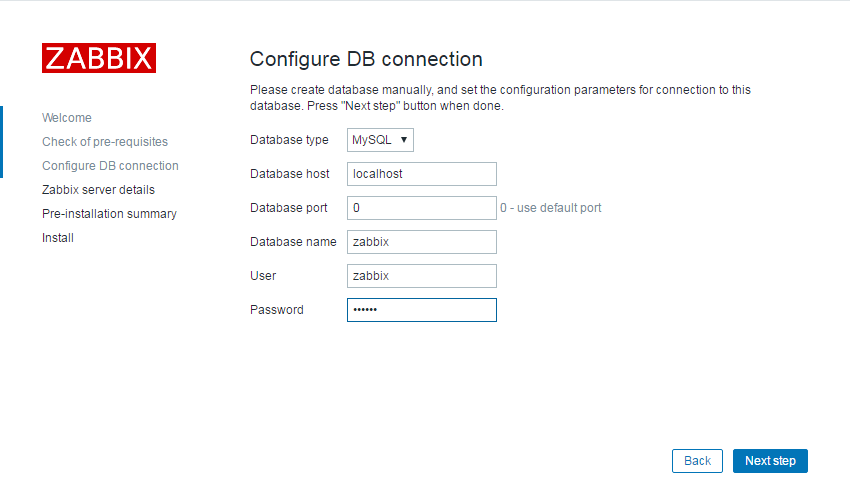
密码为数据库授权用户密码:
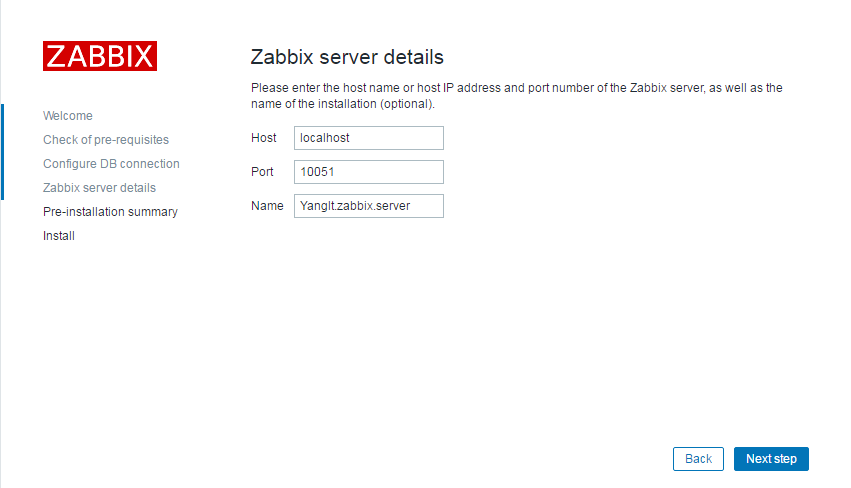

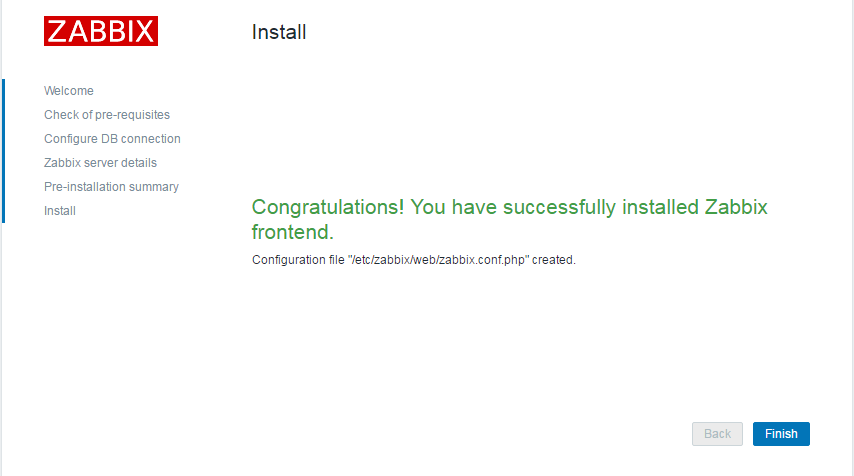
默认用户名:Admin
密码:zabbix
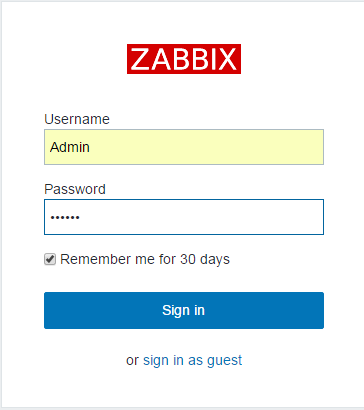
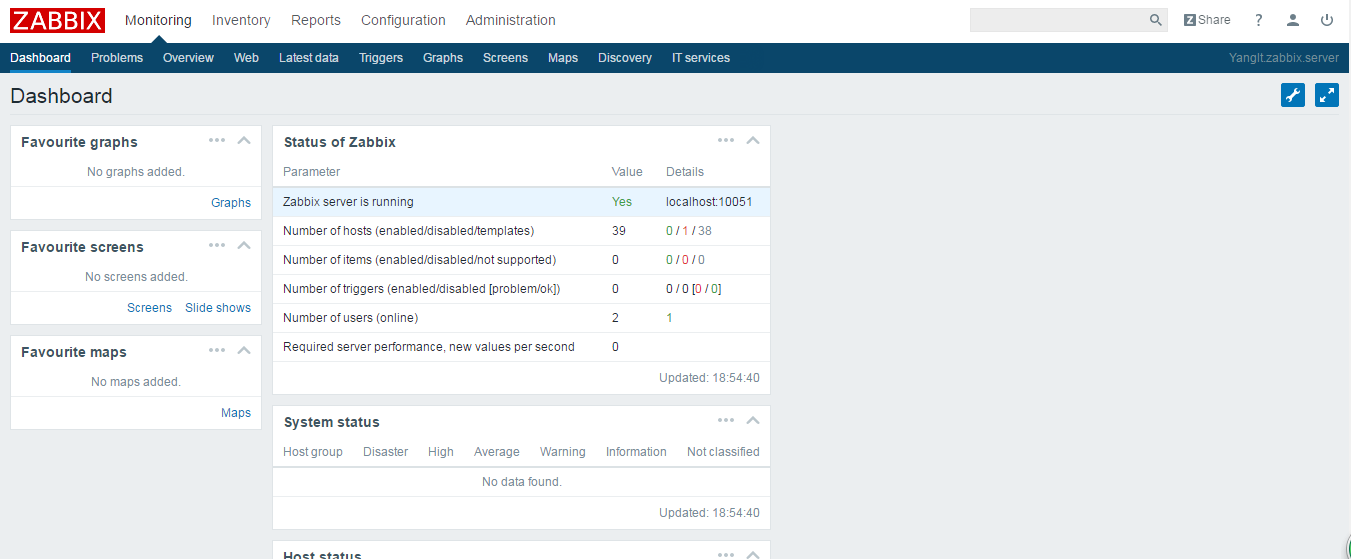
你好
【zabbix 监控】第一章 zabbix的安装配置的更多相关文章
- zabbix监控实战<2>----zabbix-server的安装与部署
第一章 zabbix-server的安装与部署 1.1 环境部署 eth0 eth1 master 10.0.0.71 ...
- 第一章 andriod studio 安装与环境搭建
原文 http://blog.csdn.net/zhanghefu/article/details/9286123 第一章 andriod studio 安装与环境搭建 一.Android Stu ...
- 第一章 andrid visdio 安装
第一章 andrid visdio 安装与环境搭建 一.Android Studio简介 Android Studio是Google新发布的Android应用程序开发环境,Android Stud ...
- 第一章 impala的安装
目录 第一章 impala的安装 1.impala的介绍 imala基本介绍 impala与hive的关系 impala的优点 impala的缺点: impala的架构以及查询计划 2.impala的 ...
- 深入理解Magento - 第一章 - Magento强大的配置系统
深入理解Magento 作者:Alan Storm翻译:zhlmmc 前言第一章 - Magento强大的配置系统第二章 - Magento请求分发与控制器第三章 - 布局,块和模板第四章 - 模型和 ...
- 从零开始使用git第一篇:下载安装配置
从零开始使用git 第一篇:下载安装配置 第一篇:从零开始使用git第一篇:下载安装配置 第二篇:从零开始使用git第二篇:git实践操作 第三篇:从零开始使用git第三篇:git撤销操作.分支操作和 ...
- zabbix监控第一台主机系统
注意zabbix客户端和zabbix服务端版本要一致,否则很容易出问题 实验环境,在第一台centos7(ip为192.168.245.128,以下简称主机1)上安装zabbix服务器端,在第二台ce ...
- zabbix监控第一台服务器
客户机的IP是192.168.0.80,主机名是wls12c 1. 安装客户端, 1.1 新建zabbix的用户 groupadd zabbix useradd -g zabbix zabbix 1. ...
- 部署zabbix监控平台(源码安装)
案例:部署Zabbix监控平台 1 问题 本案例要求部署一台Zabbix监控服务器,一台被监控主机,为进一步执行具体的监控任务做准备: 安装LNMP环境 源码安装Zabbix 安装监控端主机,修改基本 ...
- zabbix监控报错zabbix server is not running: the information displayed may not be current
zabbix监控搭建完后打开web界面http://xxx/zabbix报错: zabbix server is not running: the information displayed may ...
随机推荐
- Spring Boot集成Hazelcast实现集群与分布式内存缓存
Hazelcast是Hazelcast公司开源的一款分布式内存数据库产品,提供弹性可扩展.高性能的分布式内存计算.并通过提供诸如Map,Queue,ExecutorService,Lock和JCach ...
- sql server 中判断分组排序的使用示例
现在需要查询一组数据,是对一列字段(column01)的数据分范围查询后分组排序: select (case when [column01] >0 AND [column01]<= 500 ...
- iOS多语言设置
最近公司做的项目需要向国外推广,因此app需要添加相应的语言设置,为此整理记录下多语言设置的过程.如有不对的地方,欢迎各位大神指正.下面就详细介绍下设置的过程: 1.基本设置 第一步:首先在 项目工程 ...
- iOS之动态计算文字的高度
+ (CGSize)boundingALLRectWithSize:(NSString *)txt Font:(UIFont *)font Size:(CGSize)size { NSMutableA ...
- 『C++』Temp_2018_12_26_02
#include <iostream> #include <string> #include <stdio.h> #include <stdlib.h> ...
- URL参数获取/转码
JS中对URL进行转码与解码 1.escape 和 unescape escape()不能直接用于URL编码,它的真正作用是返回一个字符的Unicode编码值. 采用unicode字符集对指定的字符串 ...
- web开发问题汇总
Meta基础知识: H5页面窗口自动调整到设备宽度,并禁止用户缩放页面 //一.HTML页面结构 <meta name="viewport" content="wi ...
- 帝国cms全文搜索 增加自定义字段搜索
帝国cms全站搜索功能只能调出固定的几个字段,如果想搜索其他字段的值,这时我们应该怎么办呢?开拓族网站有这个需求,所以研究了一下帝国的全站搜索,后来发现在/e/sch/index.php中可以直接对数 ...
- Hadoop2学习路程-HDFS
什么是Hadoop HDFS? Hadoop 分布式文件系统是世界上最可靠的文件系统.HDFS可以再大量硬件组成的集群中存储大文件. 它的设计原则是趋向于存储少量的大文件,而不是存储大量的小文件. 即 ...
- 使用GlobalKey启动APP
按键输入有三种:system key 音量键 global key 按下启动某个APP user key ABCD... 给安卓应用程序定义一个广播接收者,写一个BroadcastReceiver ...