
SemanticKernel/C#:实现接口,接入本地嵌入模型
前言
本文通过Codeblaze.SemanticKernel这个项目,学习如何实现ITextEmbeddingGenerationService接口,接入本地嵌入模型。
项目地址:https://github.com/BLaZeKiLL/Codeblaze.SemanticKernel
实践
SemanticKernel初看以为只支持OpenAI的各种模型,但其实也提供了强大的抽象能力,可以通过自己实现接口,来实现接入不兼容OpenAI格式的模型。
Codeblaze.SemanticKernel这个项目实现了ITextGenerationService、IChatCompletionService与ITextEmbeddingGenerationService接口,由于现在Ollama的对话已经支持了OpenAI格式,因此可以不用实现ITextGenerationService和IChatCompletionService来接入Ollama中的模型了,但目前Ollama的嵌入还没有兼容OpenAI的格式,因此可以通过实现ITextEmbeddingGenerationService接口,接入Ollama中的嵌入模型。
查看ITextEmbeddingGenerationService接口:
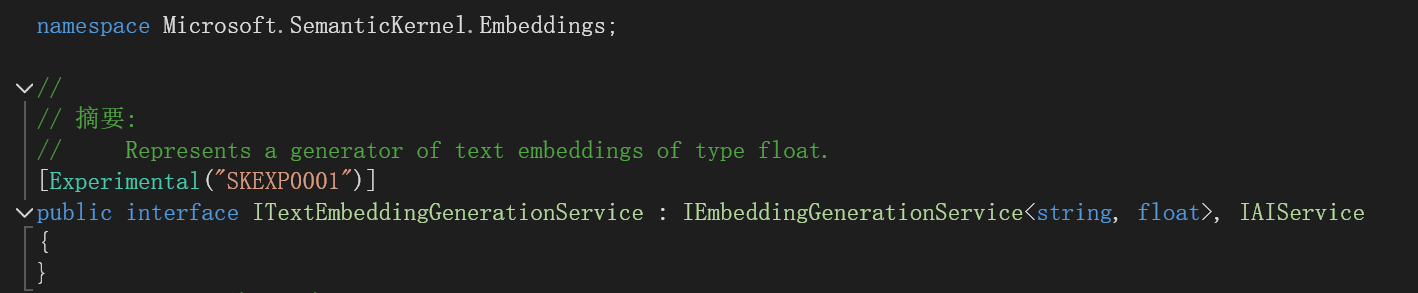
代表了一种生成浮点类型文本嵌入的生成器。
再看看IEmbeddingGenerationService<string, float>接口:
[Experimental("SKEXP0001")]
public interface IEmbeddingGenerationService<TValue, TEmbedding> : IAIService where TEmbedding : unmanaged
{
      Task<IList<ReadOnlyMemory<TEmbedding>>> GenerateEmbeddingsAsync(IList<TValue> data, Kernel? kernel = null, CancellationToken cancellationToken = default(CancellationToken));
}
再看看IAIService接口:
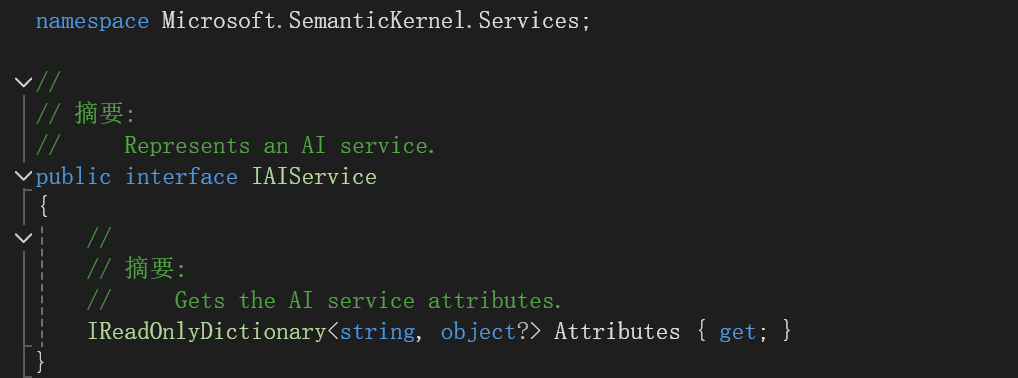
说明我们只要实现了
Task<IList<ReadOnlyMemory<TEmbedding>>> GenerateEmbeddingsAsync(IList<TValue> data, Kernel? kernel = null, CancellationToken cancellationToken = default(CancellationToken));
IReadOnlyDictionary<string, object?> Attributes { get; }
这个方法和属性就行。
学习Codeblaze.SemanticKernel中是怎么做的。
添加OllamaBase类:
public interface IOllamaBase
{
Task PingOllamaAsync(CancellationToken cancellationToken = new());
}
public abstract class OllamaBase<T> : IOllamaBase where T : OllamaBase<T>
{
public IReadOnlyDictionary<string, object?> Attributes => _attributes;
private readonly Dictionary<string, object?> _attributes = new();
protected readonly HttpClient Http;
protected readonly ILogger<T> Logger;
protected OllamaBase(string modelId, string baseUrl, HttpClient http, ILoggerFactory? loggerFactory)
{
_attributes.Add("model_id", modelId);
_attributes.Add("base_url", baseUrl);
Http = http;
Logger = loggerFactory is not null ? loggerFactory.CreateLogger<T>() : NullLogger<T>.Instance;
}
/// <summary>
/// Ping Ollama instance to check if the required llm model is available at the instance
/// </summary>
/// <param name="cancellationToken"></param>
public async Task PingOllamaAsync(CancellationToken cancellationToken = new())
{
var data = new
{
name = Attributes["model_id"]
};
var response = await Http.PostAsJsonAsync($"{Attributes["base_url"]}/api/show", data, cancellationToken).ConfigureAwait(false);
ValidateOllamaResponse(response);
Logger.LogInformation("Connected to Ollama at {url} with model {model}", Attributes["base_url"], Attributes["model_id"]);
}
protected void ValidateOllamaResponse(HttpResponseMessage? response)
{
try
{
response.EnsureSuccessStatusCode();
}
catch (HttpRequestException)
{
Logger.LogError("Unable to connect to ollama at {url} with model {model}", Attributes["base_url"], Attributes["model_id"]);
}
}
}
注意这个
public IReadOnlyDictionary<string, object?> Attributes => _attributes;
实现了接口中的属性。
添加OllamaTextEmbeddingGeneration类:
#pragma warning disable SKEXP0001
public class OllamaTextEmbeddingGeneration(string modelId, string baseUrl, HttpClient http, ILoggerFactory? loggerFactory)
: OllamaBase<OllamaTextEmbeddingGeneration>(modelId, baseUrl, http, loggerFactory),
ITextEmbeddingGenerationService
{
public async Task<IList<ReadOnlyMemory<float>>> GenerateEmbeddingsAsync(IList<string> data, Kernel? kernel = null,
CancellationToken cancellationToken = new())
{
var result = new List<ReadOnlyMemory<float>>(data.Count);
foreach (var text in data)
{
var request = new
{
model = Attributes["model_id"],
prompt = text
};
var response = await Http.PostAsJsonAsync($"{Attributes["base_url"]}/api/embeddings", request, cancellationToken).ConfigureAwait(false);
ValidateOllamaResponse(response);
var json = JsonSerializer.Deserialize<JsonNode>(await response.Content.ReadAsStringAsync().ConfigureAwait(false));
var embedding = new ReadOnlyMemory<float>(json!["embedding"]?.AsArray().GetValues<float>().ToArray());
result.Add(embedding);
}
return result;
}
}
注意实现了GenerateEmbeddingsAsync方法。实现的思路就是向Ollama中的嵌入接口发送请求,获得embedding数组。
为了在MemoryBuilder中能用还需要添加扩展方法:
#pragma warning disable SKEXP0001
public static class OllamaMemoryBuilderExtensions
{
/// <summary>
/// Adds Ollama as the text embedding generation backend for semantic memory
/// </summary>
/// <param name="builder">kernel builder</param>
/// <param name="modelId">Ollama model ID to use</param>
/// <param name="baseUrl">Ollama base url</param>
/// <returns></returns>
public static MemoryBuilder WithOllamaTextEmbeddingGeneration(
this MemoryBuilder builder,
string modelId,
string baseUrl
)
{
builder.WithTextEmbeddingGeneration((logger, http) => new OllamaTextEmbeddingGeneration(
modelId,
baseUrl,
http,
logger
));
return builder;
}
}
开始使用
 public async Task<ISemanticTextMemory> GetTextMemory3()
 {
     var builder = new MemoryBuilder();
     var embeddingEndpoint = "http://localhost:11434";
     var cancellationTokenSource = new System.Threading.CancellationTokenSource();
     var cancellationToken = cancellationTokenSource.Token;
     builder.WithHttpClient(new HttpClient());
     builder.WithOllamaTextEmbeddingGeneration("mxbai-embed-large:335m", embeddingEndpoint);
     IMemoryStore memoryStore = await SqliteMemoryStore.ConnectAsync("memstore.db");
     builder.WithMemoryStore(memoryStore);
     var textMemory = builder.Build();
     return textMemory;
 }
builder.WithOllamaTextEmbeddingGeneration("mxbai-embed-large:335m", embeddingEndpoint);
实现了WithOllamaTextEmbeddingGeneration这个扩展方法,因此可以这么写,使用的是mxbai-embed-large:335m这个向量模型。
我使用WPF简单做了个界面,来试试效果。
找了一个新闻嵌入:
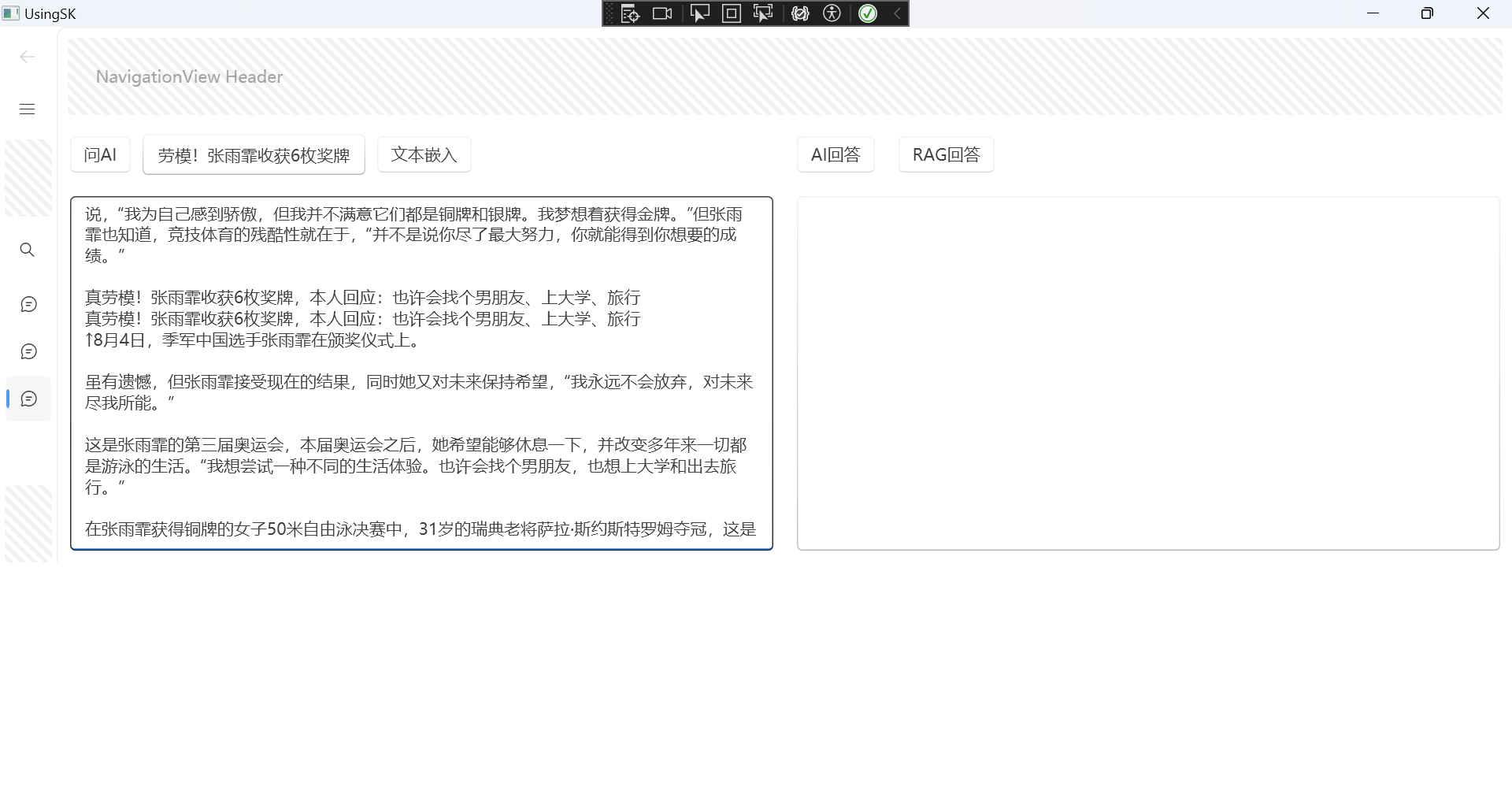
文本向量化存入数据库中:

现在测试RAG效果:
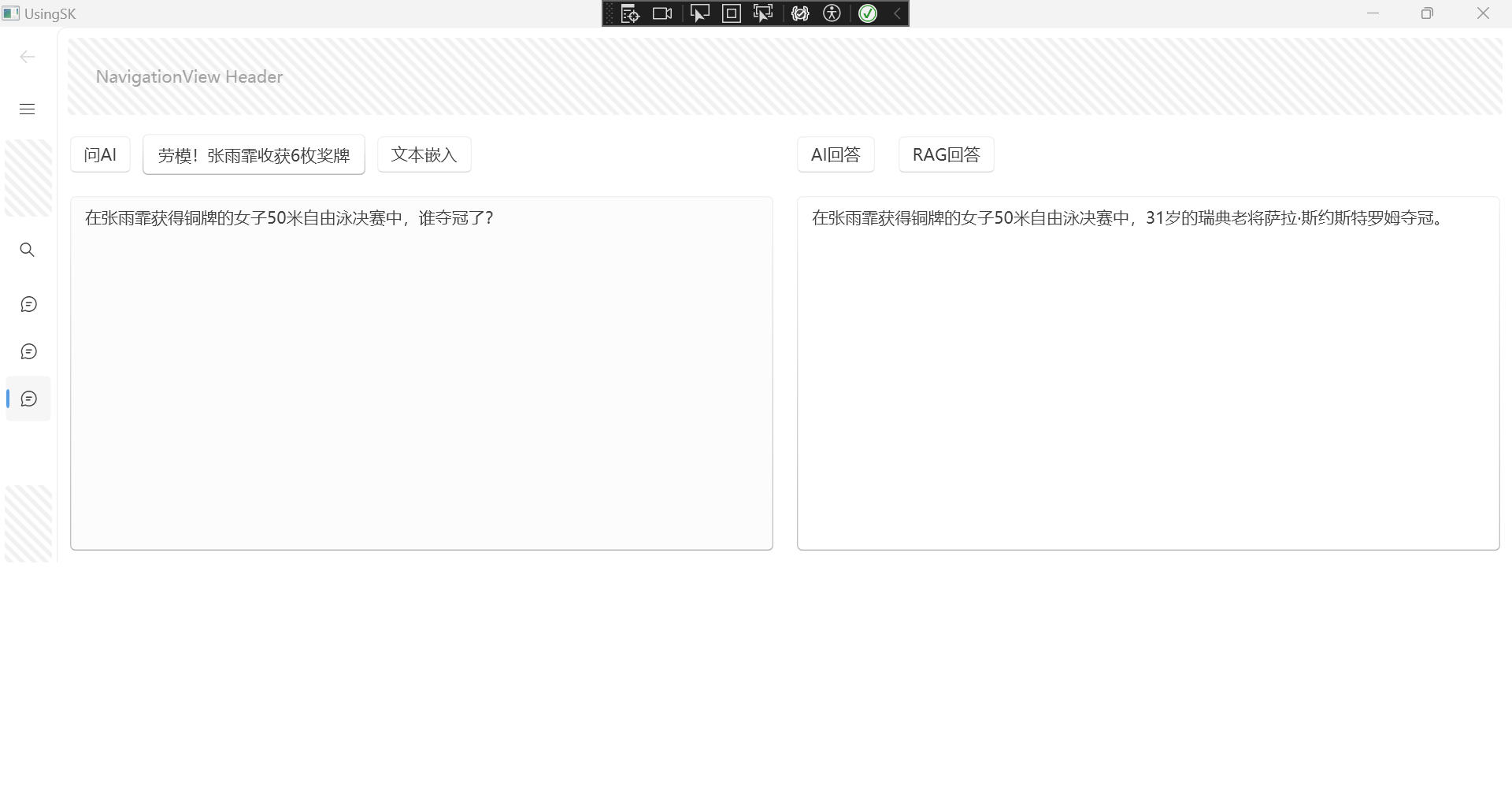
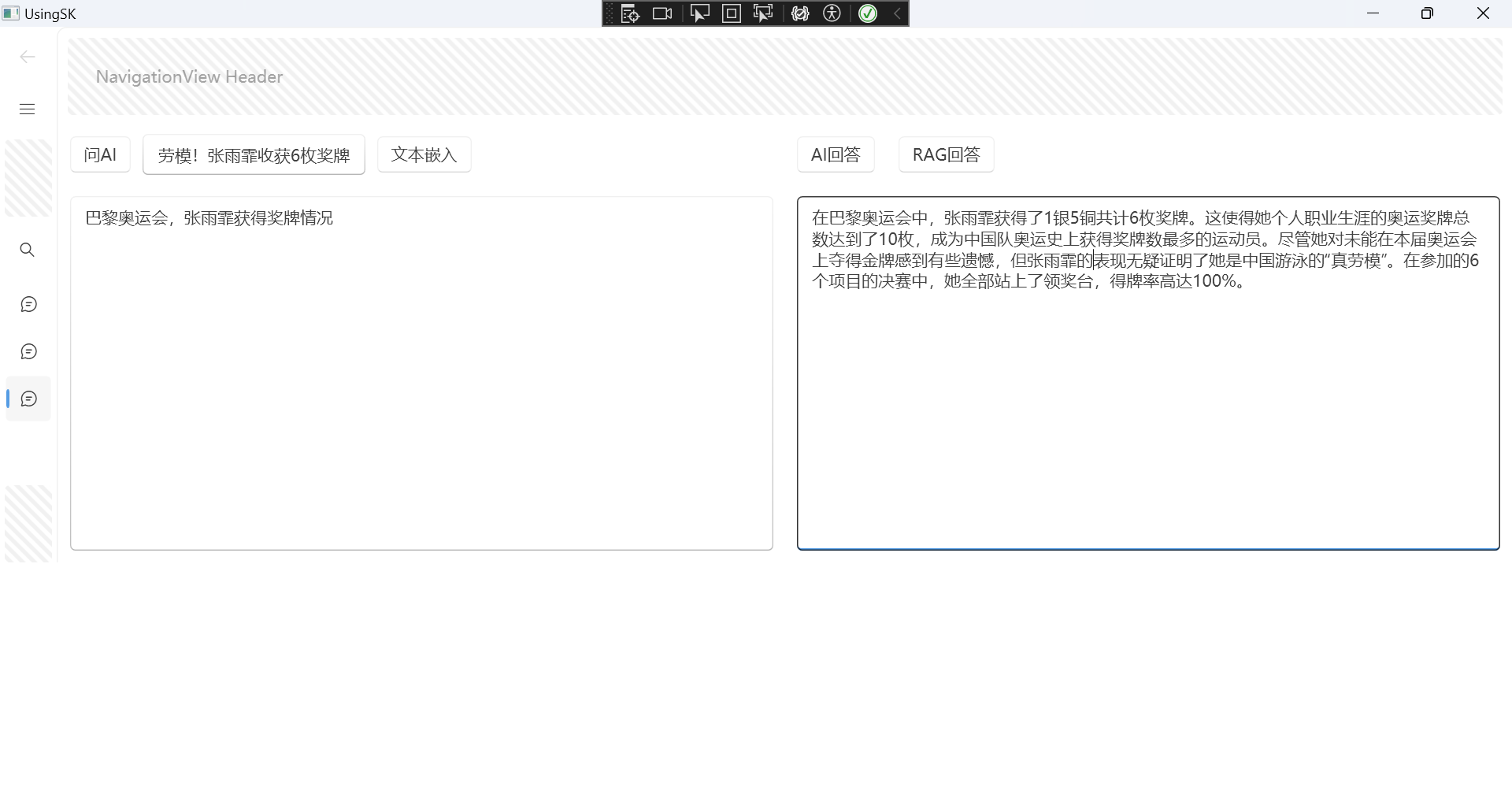
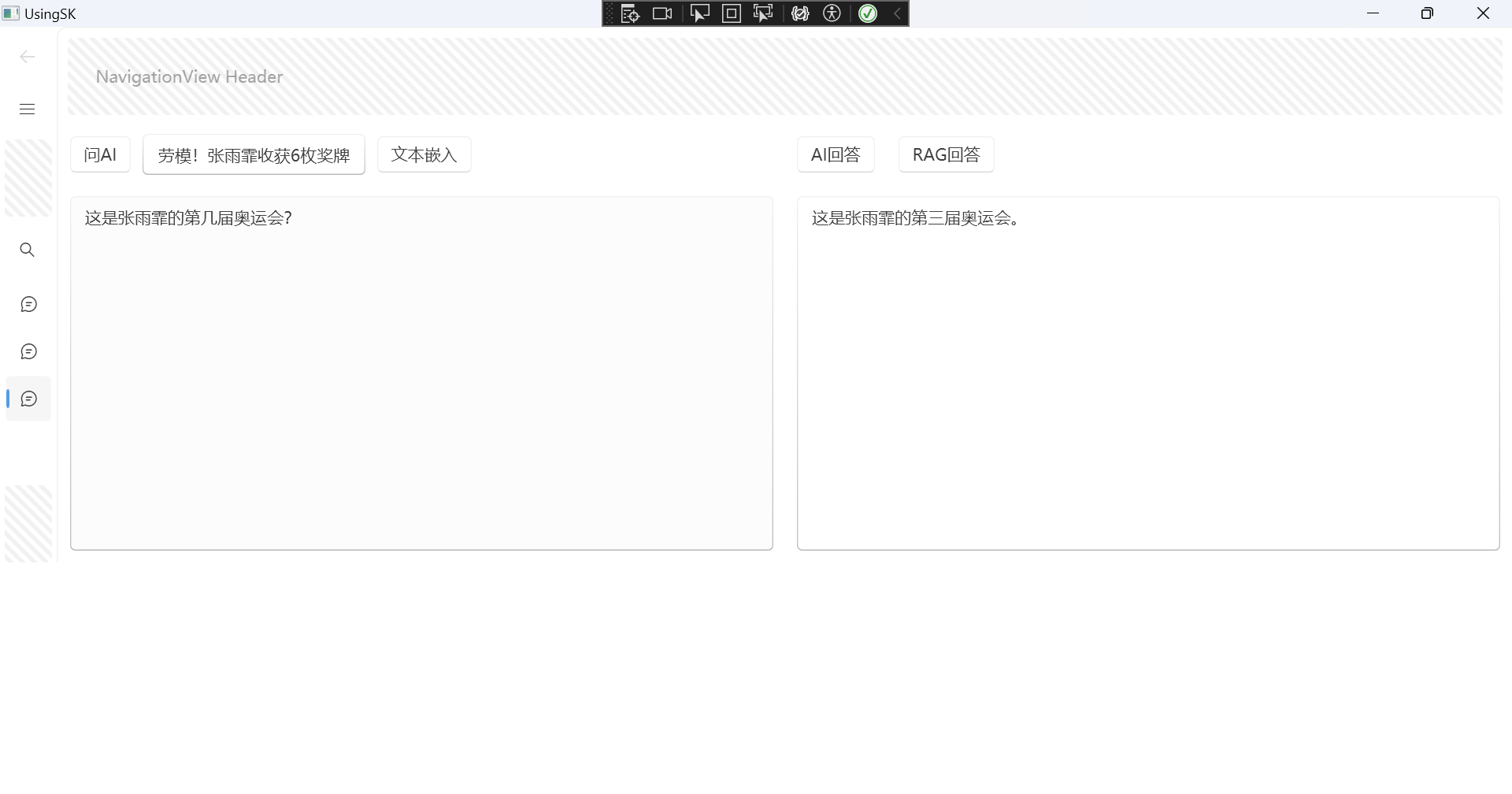
回答的效果也还可以。
大模型使用的是在线api的Qwen/Qwen2-72B-Instruct,嵌入模型使用的是本地Ollama中的mxbai-embed-large:335m。
SemanticKernel/C#:实现接口,接入本地嵌入模型的更多相关文章
- 循序渐进BootstrapVue,开发公司门户网站(5)--- 使用实际数据接口代替本地Mock数据
在我们开发一些门户网站功能的时候,有时候我们需要快速的创建数据模型来进行数据展示,因为数据结构可能处于不断的修正变化之中,因此服务端的接口我们可以暂时不开发,当我们基本完成数据结构和界面展示的时候,就 ...
- 微信SDK开发——接口接入
园子里面很多关于微信接口开发的文章,Github也一堆的开源代码. 官方文档地址:http://mp.weixin.qq.com/wiki/home/index.html 接下来主要以代码为主,接口说 ...
- ACM MM | 中山大学等提出HSE:基于层次语义嵌入模型的精细化物体分类
细粒度识别一般需要模型识别非常精细的子类别,它基本上就是同时使用图像全局信息和局部信息的分类任务.在本论文中,研究者们提出了一种新型层次语义框架,其自顶向下地由全局图像关注局部特征或更具判别性的区域. ...
- webpack正式、测试环境接口地址本地运行及打包命令配置
声明:本文由w3h5原创,转载请注明出处:<webpack正式.测试环境接口地址本地运行及打包命令配置> https://www.w3h5.com/post/521.html 为了方便开发 ...
- 配置交换机Trunk接口流量本地优先转发(集群/堆叠)
组网图形 Eth-Trunk接口流量本地优先转发简介 在设备集群/堆叠情况下,为了保证流量的可靠传输,流量的出接口设置为Eth-Trunk接口.那么Eth-Trunk接口中必定存在跨框成员口.当集群/ ...
- 华为S5300交换机配置基于接口的本地端口镜像
配置思路 1. 将Ethernet0/0/20接口配置为观察端口(监控端口) 2. 将Ethernet0/0/1----Ethernet0/0/10接口配置为镜像端口 配置步骤 1. 配置观察端 ...
- xddpay.com 个人支付接口接入流程
作为一个独立开发者产品需要支付接口是挺麻烦的,支付宝微信都不对个人开放,注册公司维护成本太高,市面上各种收款工具要么手续费太高,要么到账很慢,体验很不好. 看到 「小叮当支付」 这个收款工具,挺有意思 ...
- php短信验证码接口接入流程及代码示例
对于绝大部分企业来说,所使用的短信验证码接口都是第三方短信服务商所提供,目前市场上短信服务商有很多,在此向大家推荐一家动力思维乐信,运营13年,值得信赖! 就拿动力思维乐信短信验证码接口为例,详细介绍 ...
- BufPay.com 个人收款接口 接入步骤
作为独立开发者产品需要收款是非常麻烦的,注册公司维护成本太高,市面上各种收款工具要么手续费太高,要么到账很慢,体验很不好. 看到 「BufPay.com 个人收款」 这个收款工具,挺有意思的.原理是监 ...
- 用PHP调用证件识别接口识别本地图片
前置条件 在开始前,请作如下准备:1.学会用PHP输出“Hello World” 2.去聚合数据申请证件识别专用的KEY:https://www.juhe.cn/docs/api/id/153 操作步 ...
随机推荐
- MySql 表数据的增、删、改、查
数据表的增.删.改.查 前言 在学习 MySql 一定少不了对数据表的增.删.改.查,下面将详细讲解如何操作数据表. 前面已经建好了表 customer 列表如下: 插入数据 插入数据可以使用 INS ...
- idea文件的编码设置,解决中文编码不一致问题,对RSA验签及文本比较的测试方法 -Dfile.encoding=UTF-8
String reqContent = "abcdef中文"; //new String("abcdefee".getBytes()," GBK &q ...
- 使用vue-contextmenujs鼠标右键菜单时,当高度不够时显示不全的问题
之前是采用npm或者yarn直接装包vue-contextmenujs的形式: npm install vue-contextmenujs -S || yarn add vue-contextmenu ...
- Java的运行机制和JDK,JRE,JVM的区别
源文件(Java文件) > 编译器 > 字节码(class文件) > JVM(java虚拟机) > 操作系统 1.java首先利用文本编辑器写java源程序, ...
- android系统中log机制
android系统中log机制 背景 习惯了Linux开发的我,转到安卓以后,对于安卓开发的很多问题没有经验.看到同事解决问题都会看logcat,因此有必要了解一下这些东西. 介绍 Android提供 ...
- uboot 添加 自定义命令
--- title: uboot-uboot 添加 自定义命令 date: 2020-05-13 16:51:38 categories: tags: - uboot - cmd - config - ...
- B码对时方案,基于TI AM62x异构多核工业处理器实现!
什么是IRIG-B码对时 IRIG-B(inter-range instrumentationgroup-B)码是一种时间同步标准,通常用于精确的时间测量和数据同步,广泛应用于电力.通信.航空等领域. ...
- awk脚本结合shell使用
需求:判断hadoop用户是否存在**************************************************#!/bin/bashresult=`awk -F ": ...
- windows terminal 添加git bash
打开windows terminal点击设置 修改文件 找到profiles-->list添加一个节点 { "commandline": "C:\\Program ...
- php 选择驱动写法
在 ThinkPHP 5.1 中,若要根据配置文件 sms.conf 中的设置在不同的短信渠道之间进行切换,可以采用以下步骤: 第一步:定义接口 首先,创建一个接口,这个接口将由所有短信渠道类实现.这 ...