
SpringBoot企业级博客开发
1.springboot生成项目
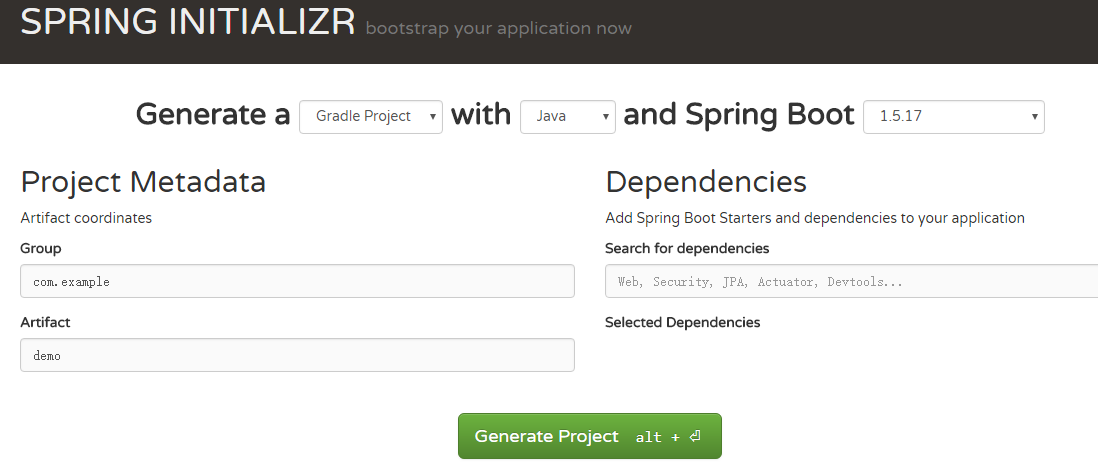
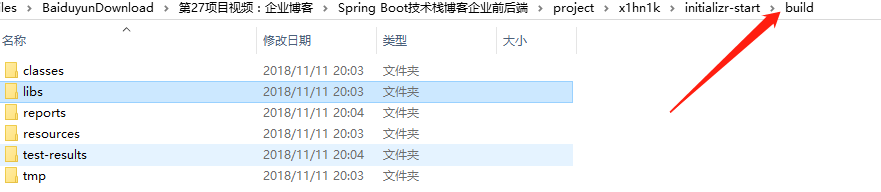
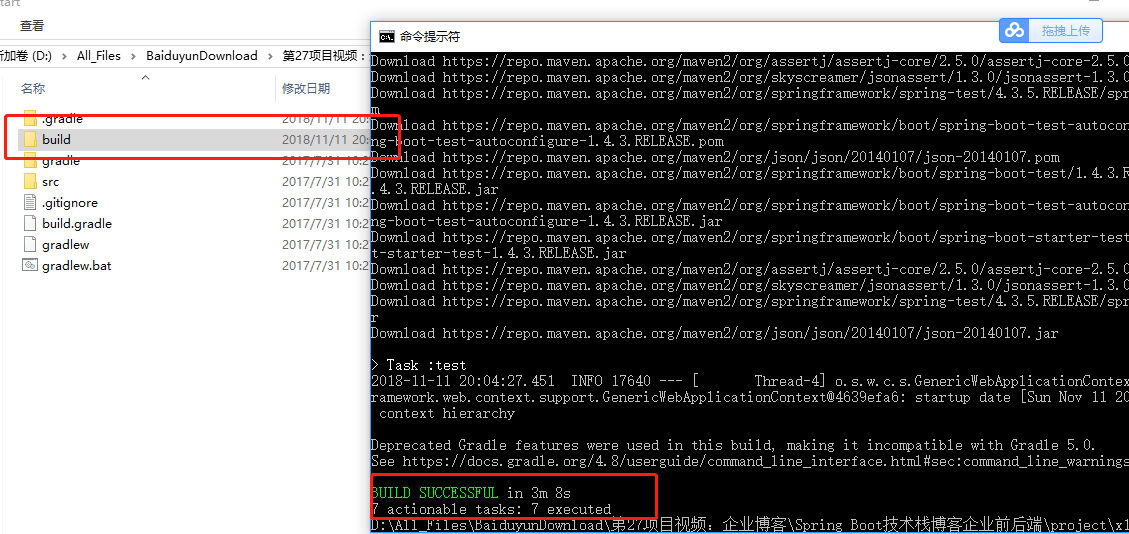
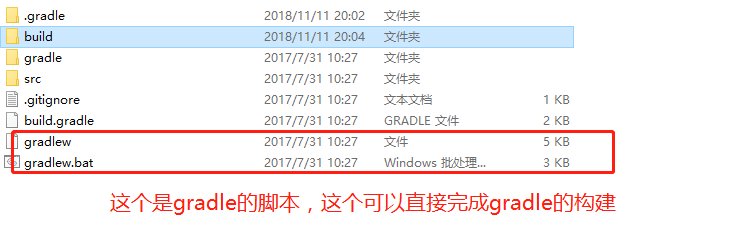
PS : 进入项目,输入gradle build,生成build文件夹; 然后进入libs有jar,使用java jar进行运行项目

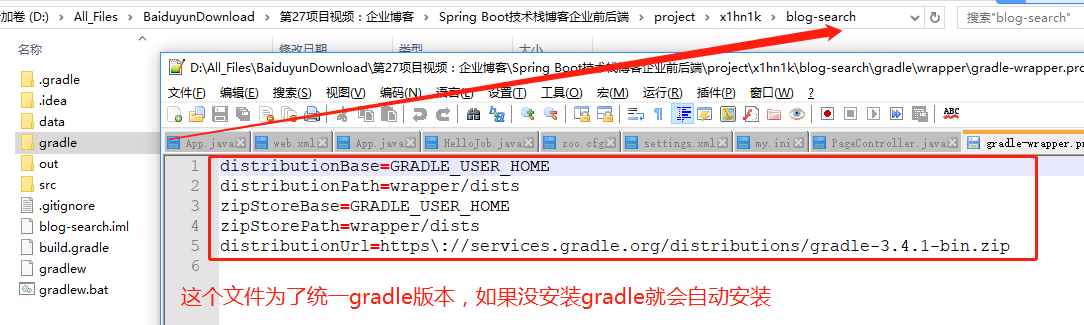

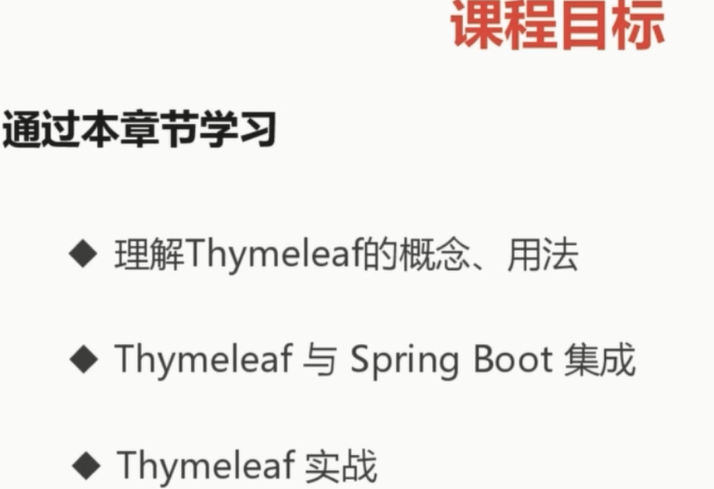
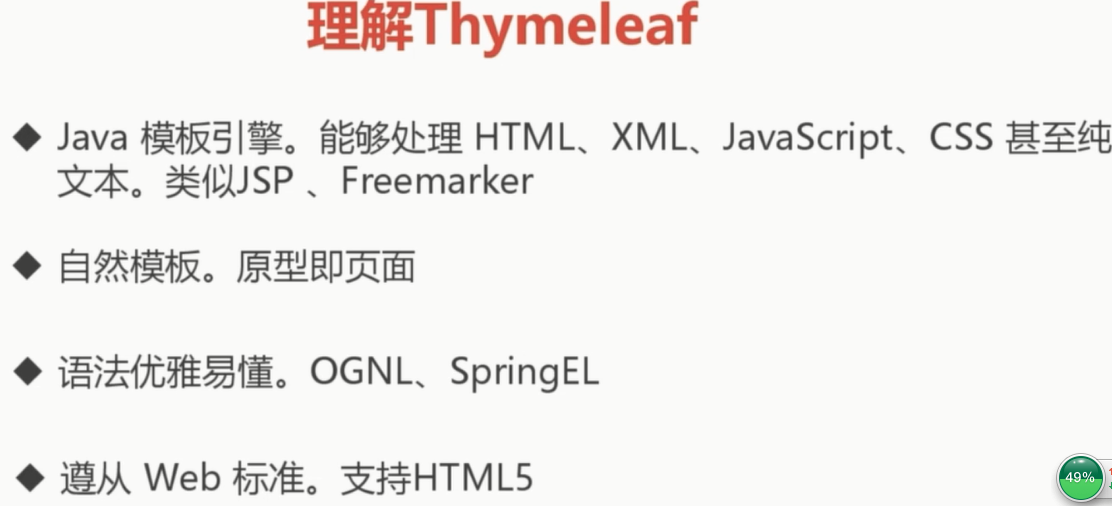
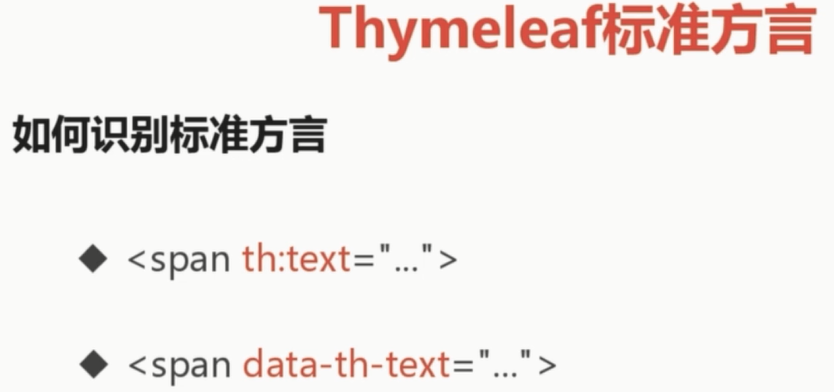
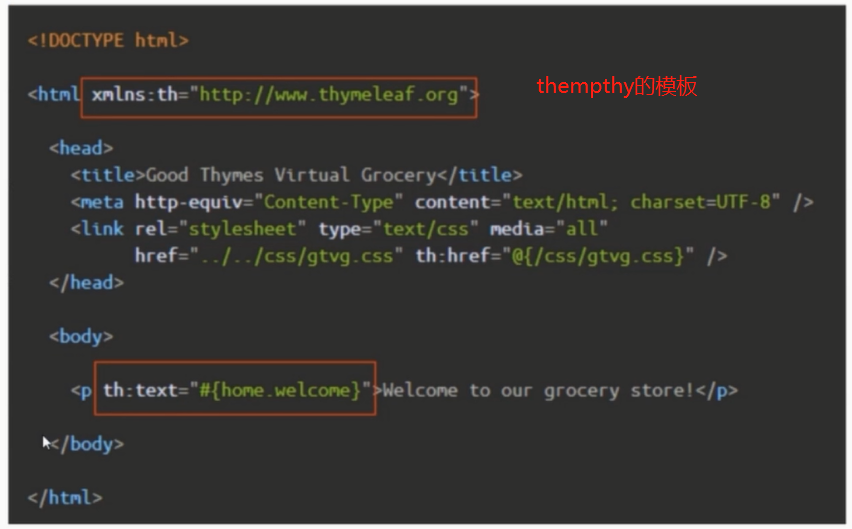
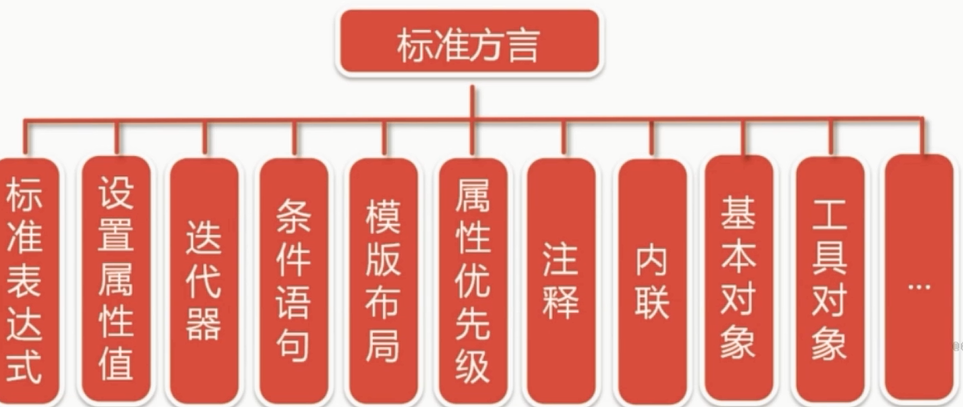
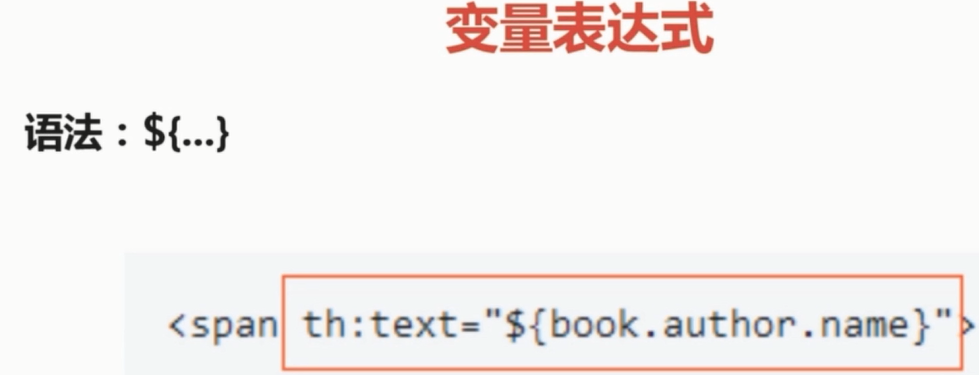


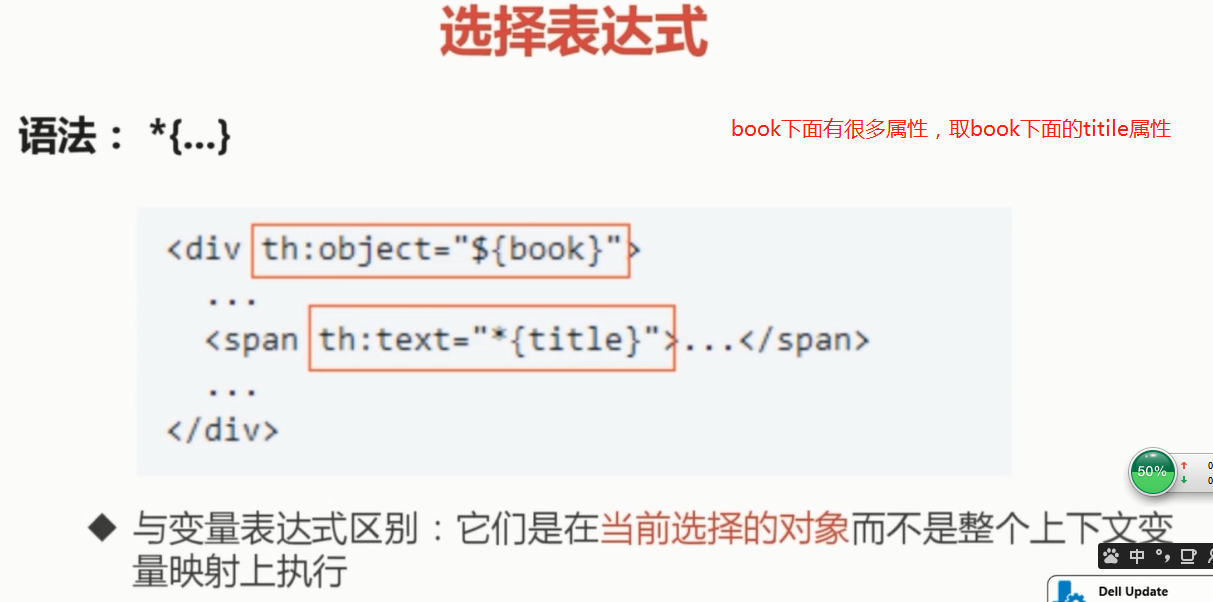
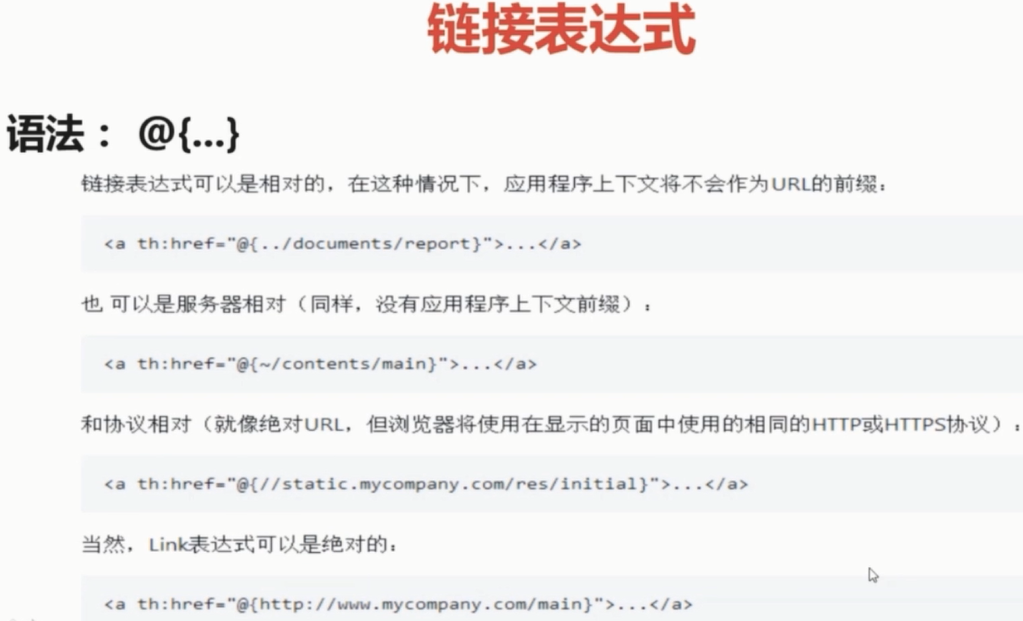
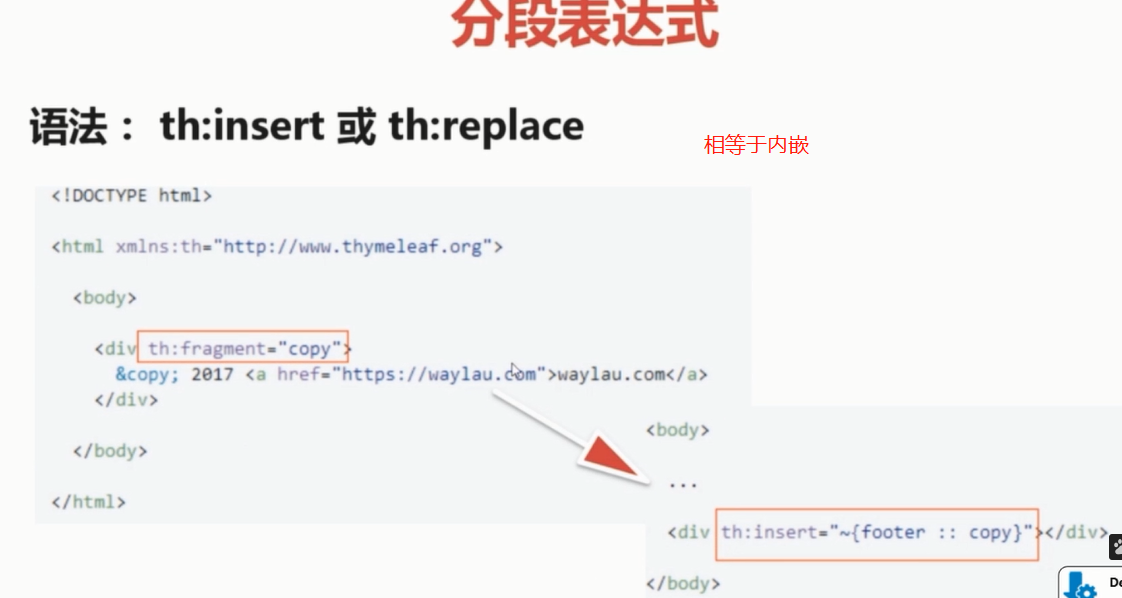
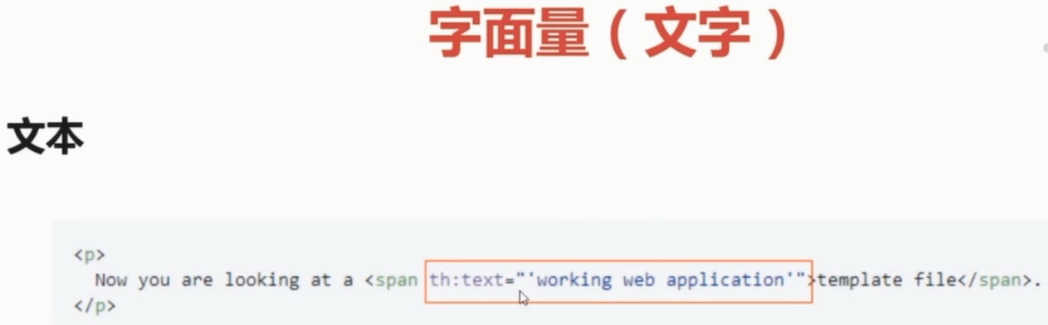
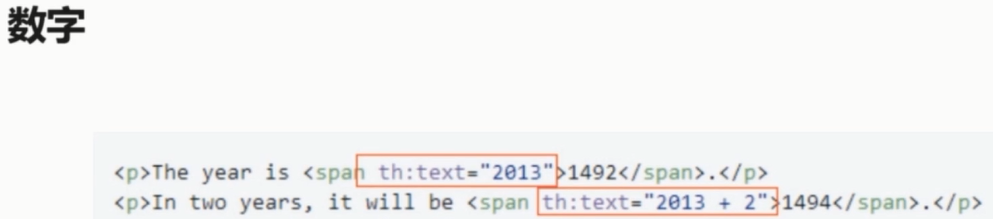
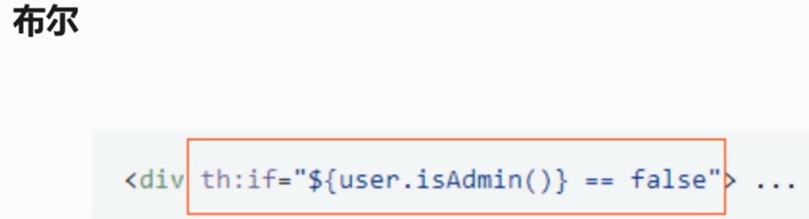

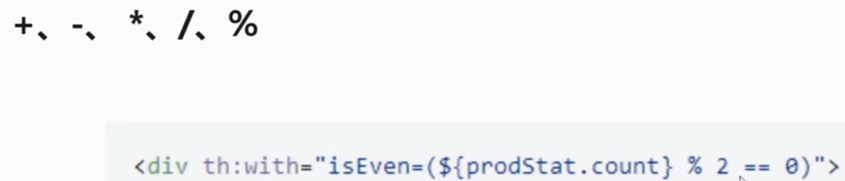


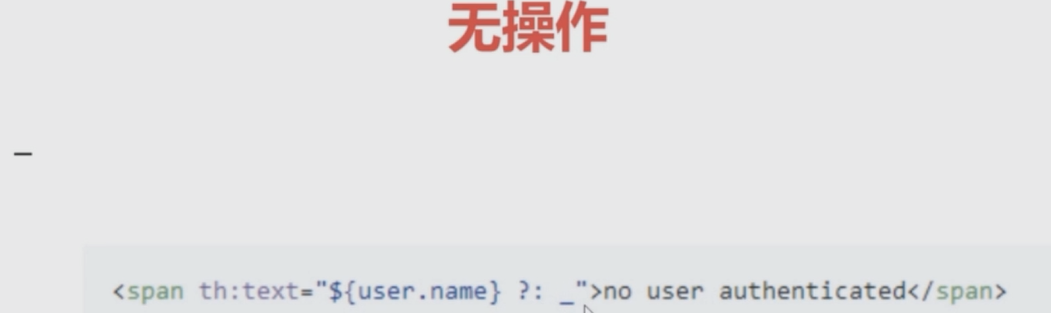

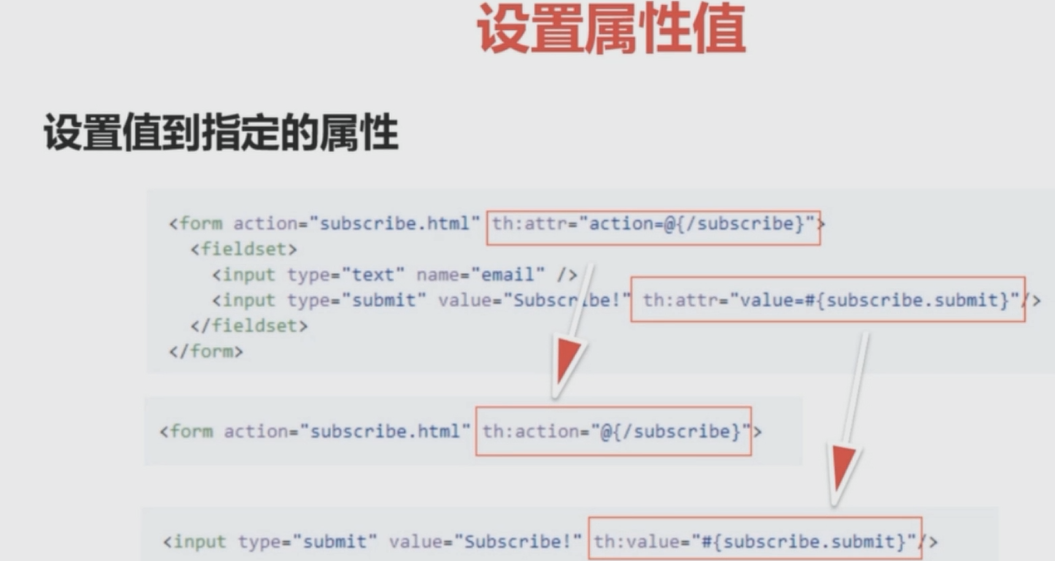
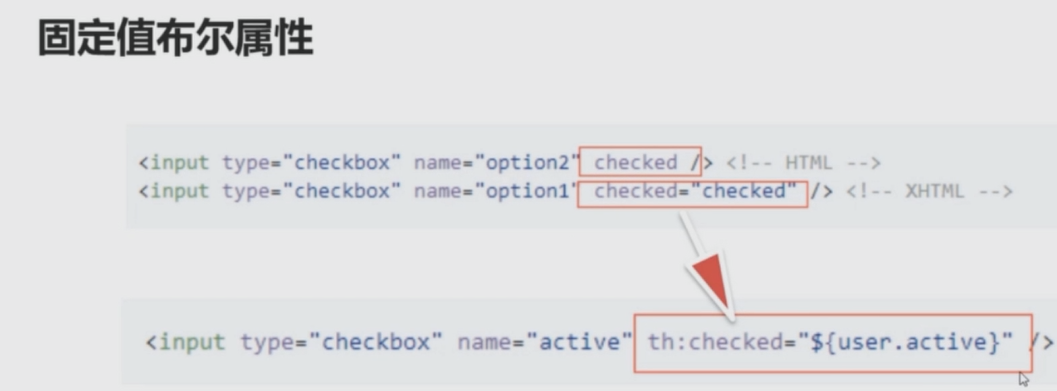

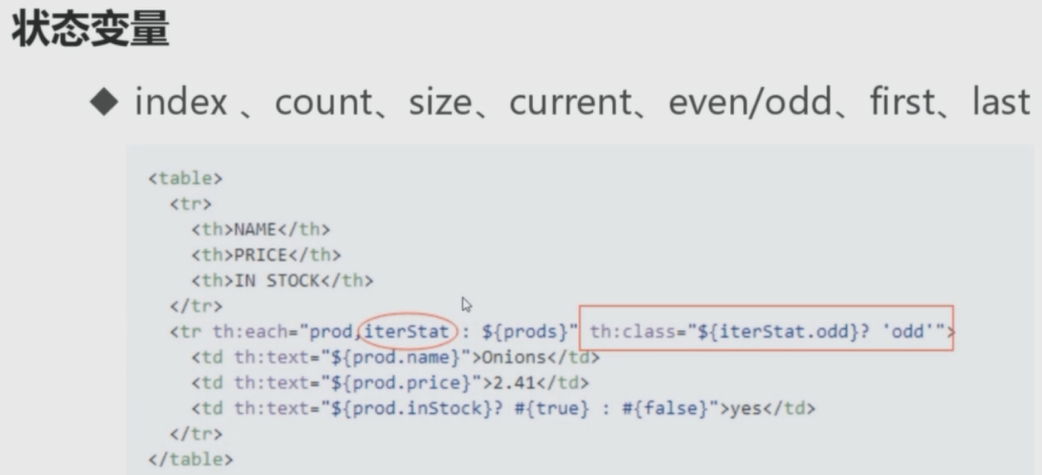
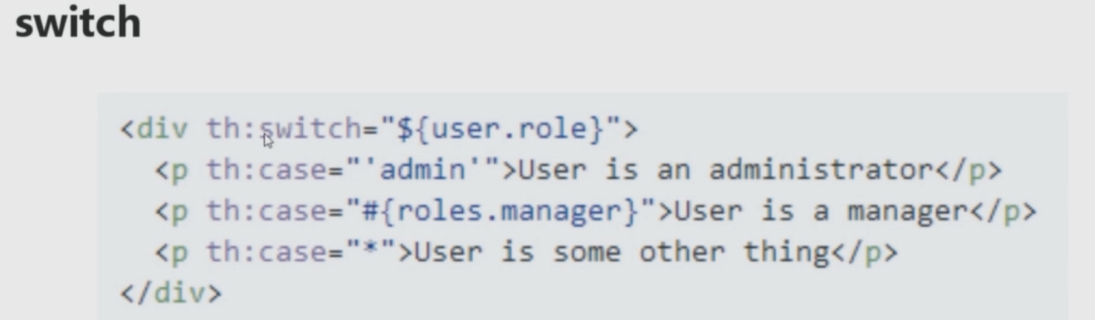
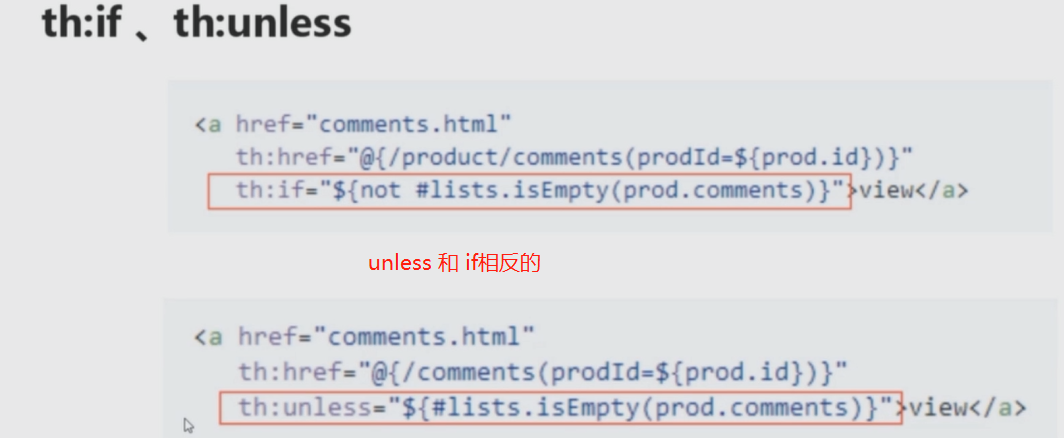
PS: 这个项目没有准守restful APi


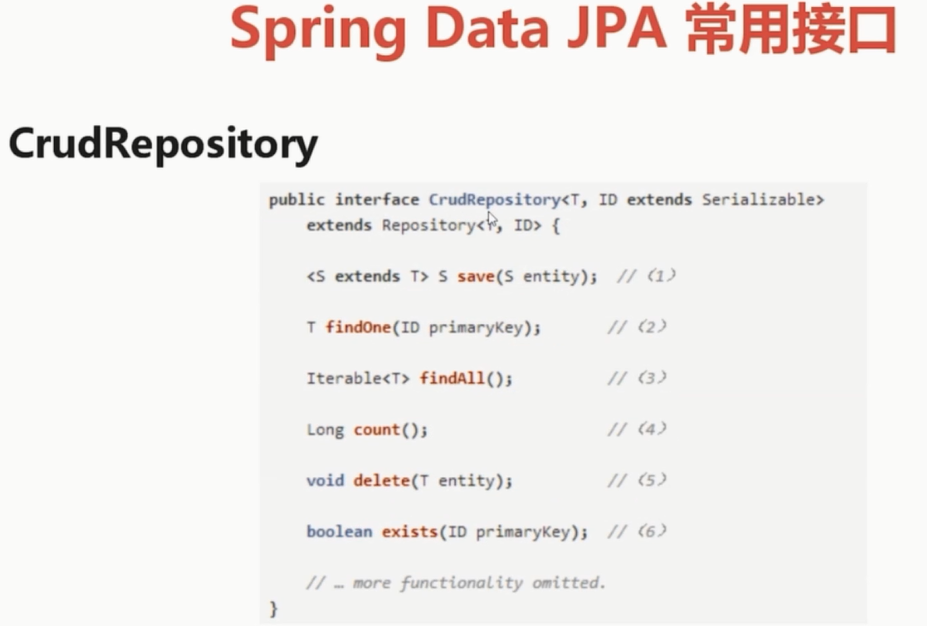
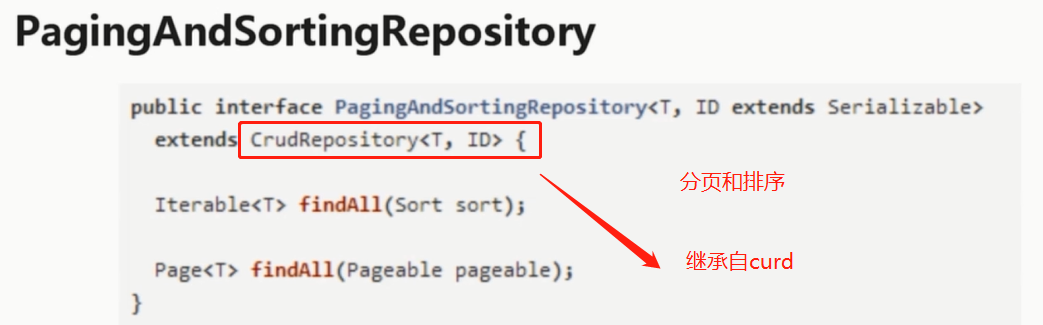

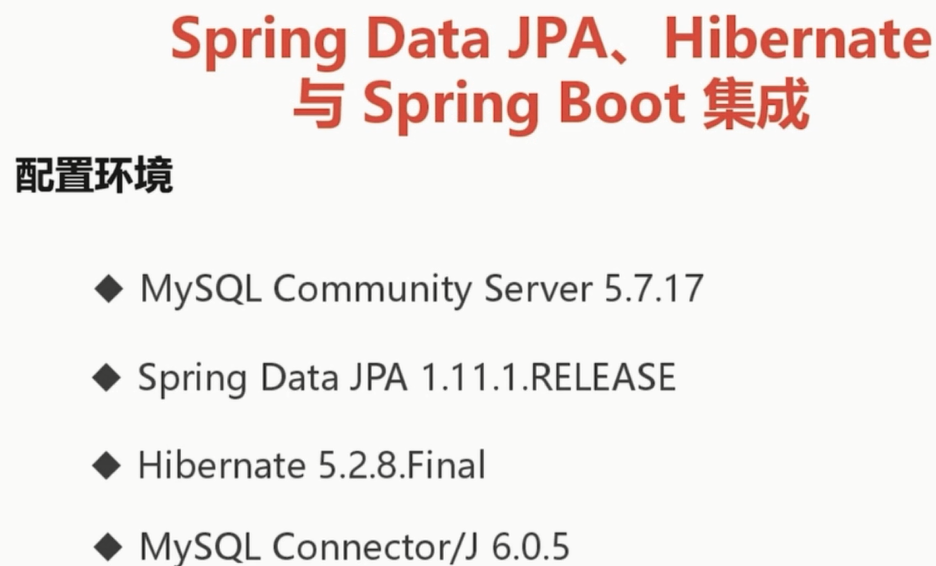
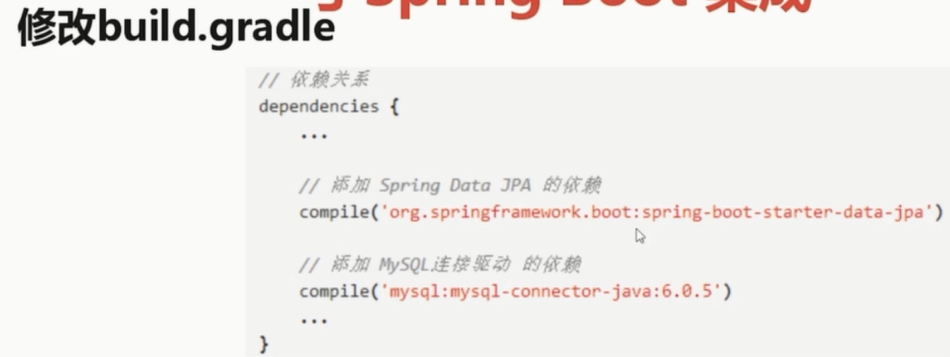

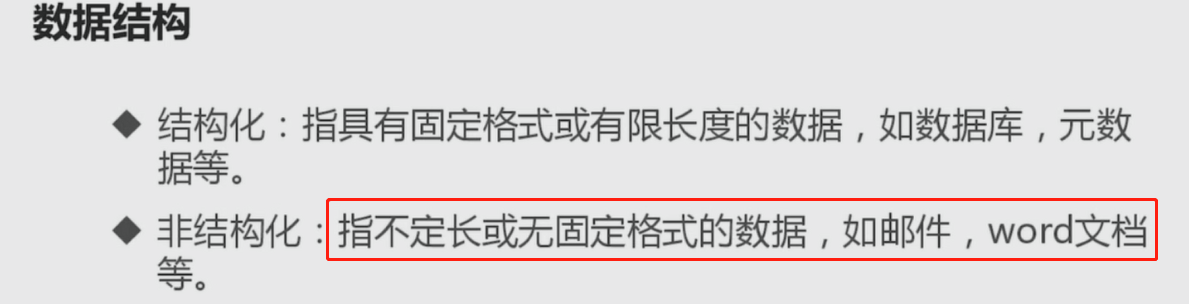
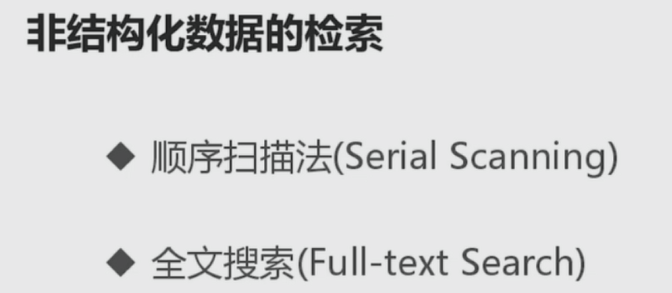
PS: 顺序扫描效率不高
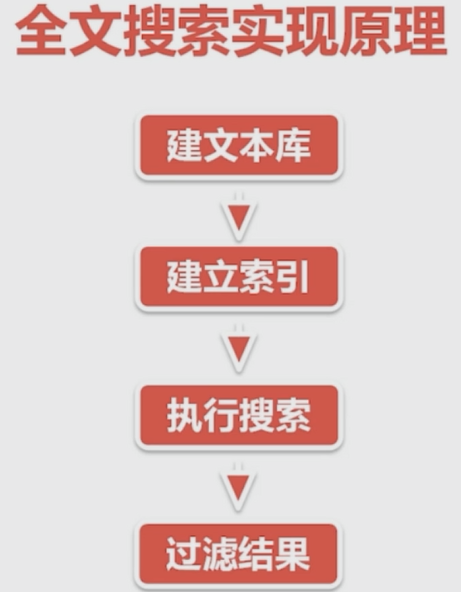
全文搜索就是把无规则的再次组织形成有规律数据,再进行创建索引。
PS: 非常类似于查字典,可以按照顺序一个一个找,也可以按照拼音找
------------------------------------------------------------------------

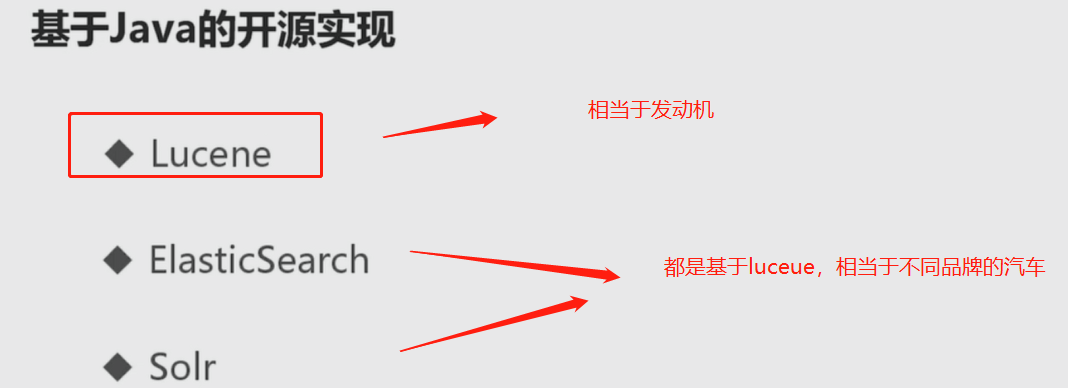
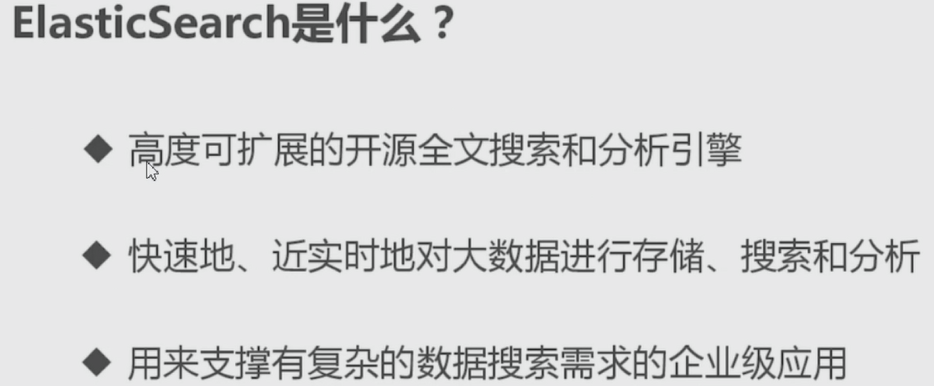
搜索引擎选择: Elasticsearch与Solr, 目前es会更火爆
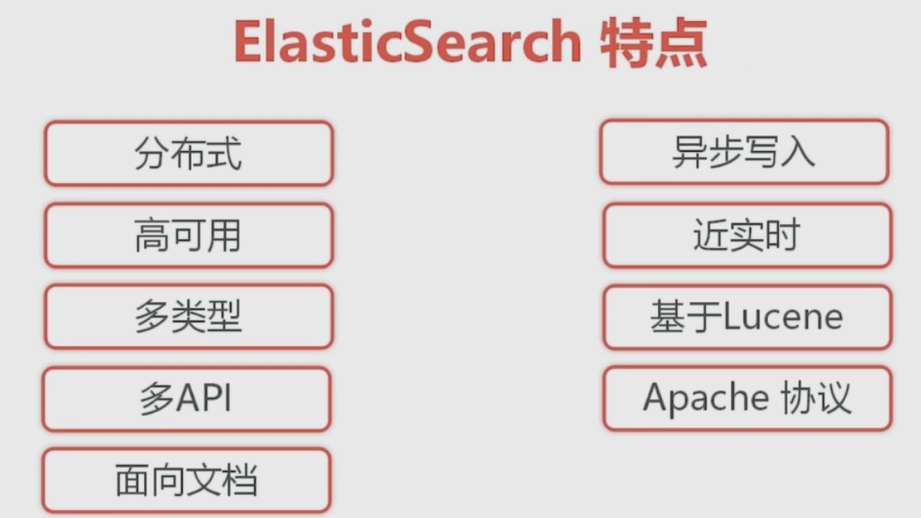
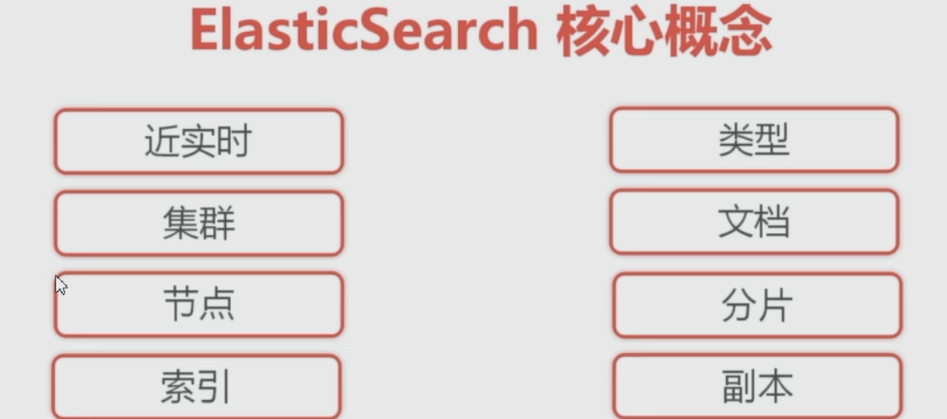
PS:索引可以划分成 多个分片(因为索引的数据量太大,所以继续划分), 一个分片又可以划分成多个副本
PS: 近实时, 就是添加一个东西以后,不会立马刷入磁盘,等个几s才能查的到
PS: 类型,对索引进行分类
PS: 文档是进行索引的基本单位,每个索引都有一个文档与之对应
-------------------------------------------------------------------------------------------------------------------
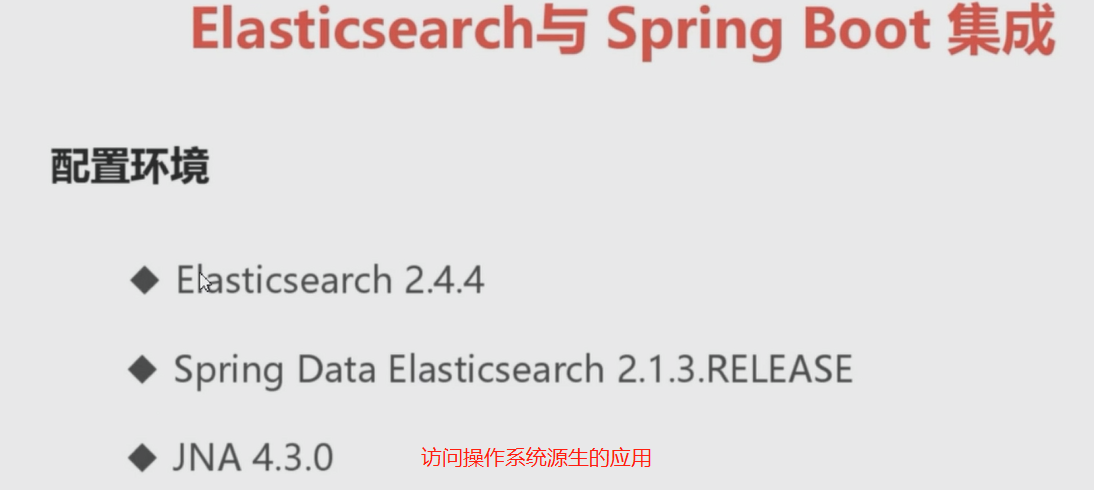
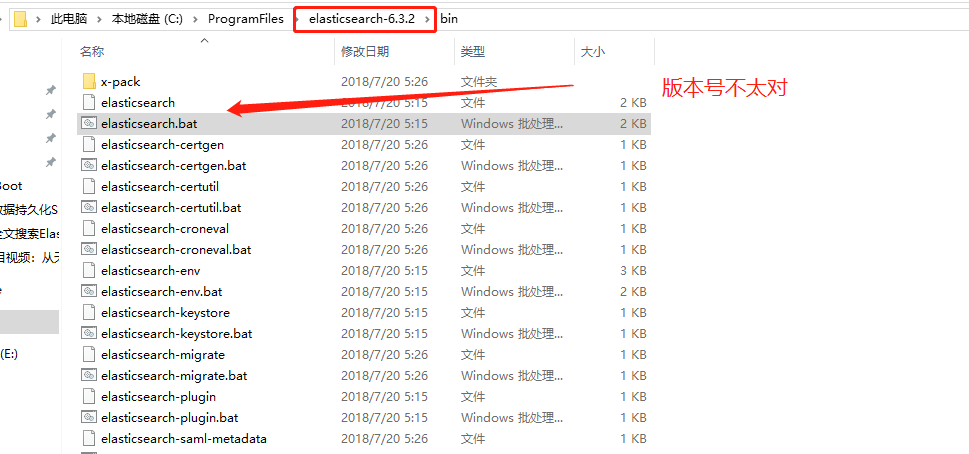
PS : 安装启动es

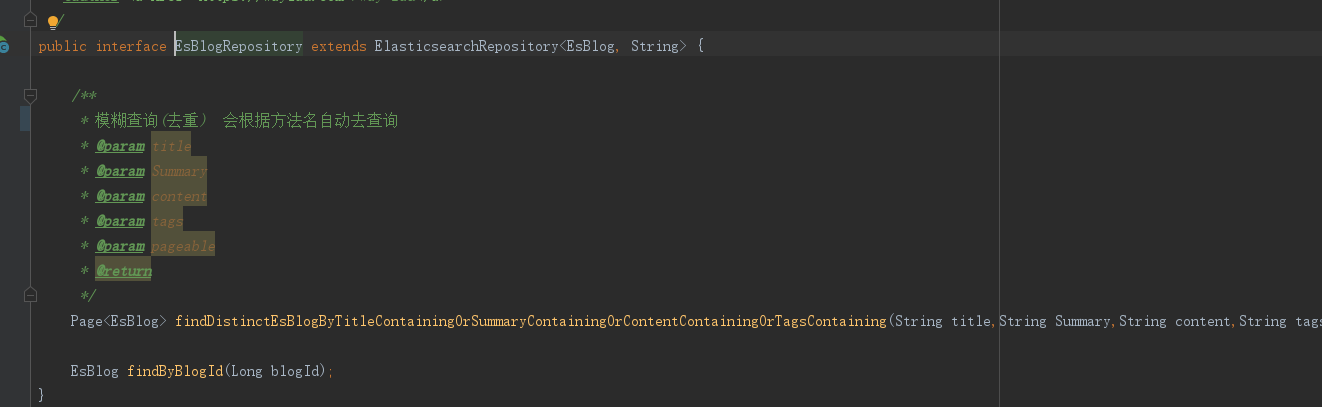
PS: 和jpa类似 会根据名字查询


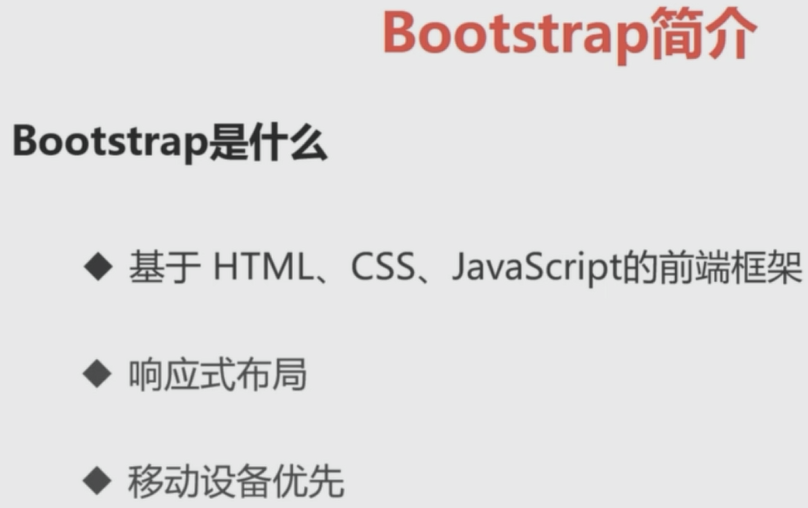
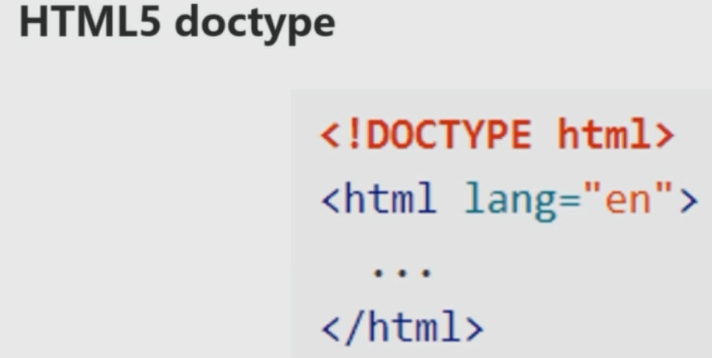

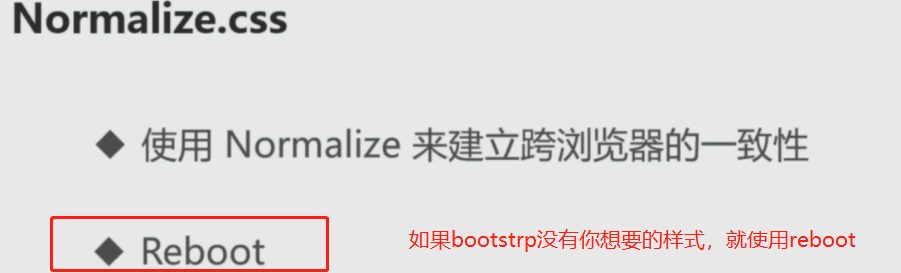
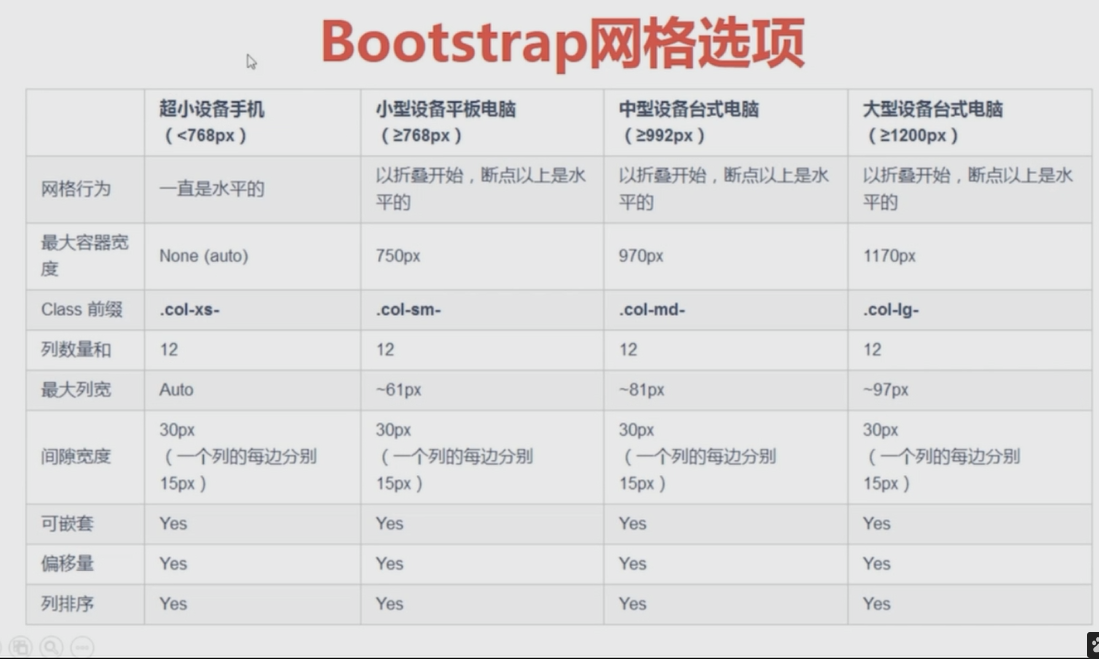
PS : 这个normalize用来解决跨浏览器的一致性

-----------------------------------
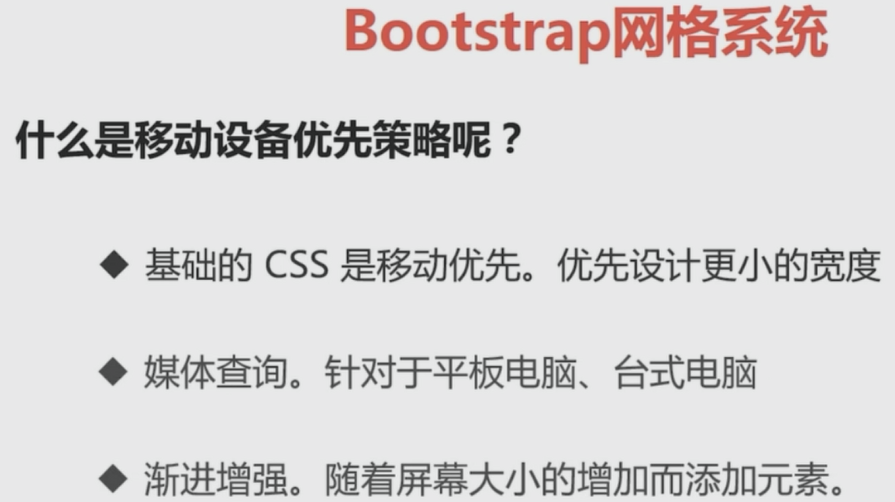
PS: 现在测试一个只根据 超小屏幕 和 中屏幕 开发的项目
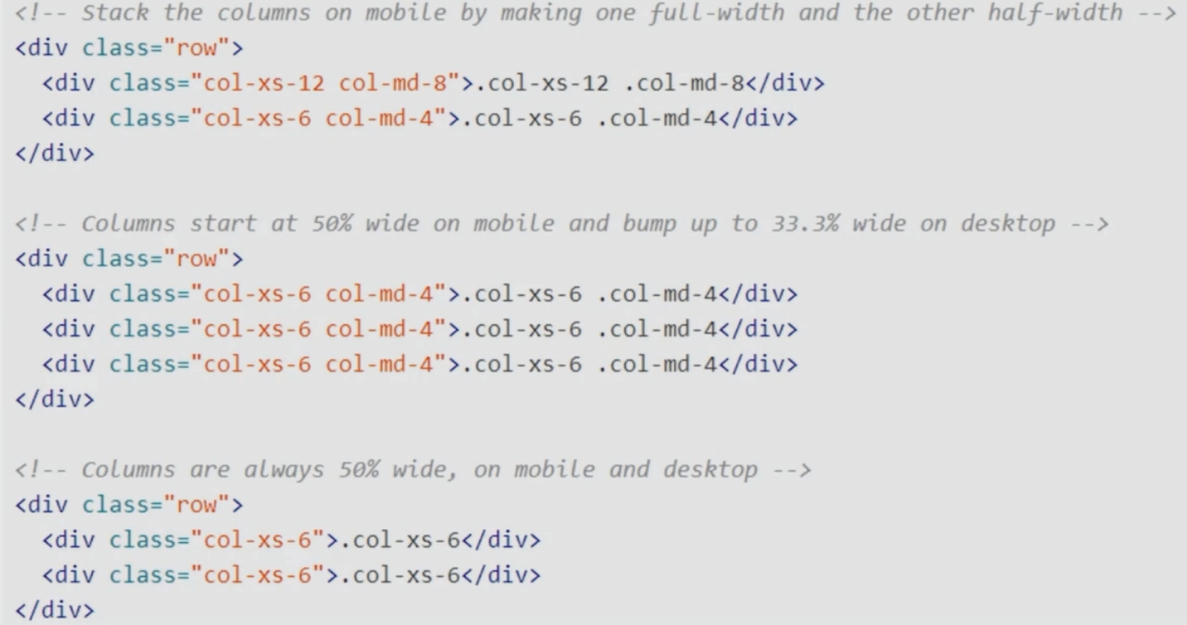
PS: 这是中屏幕的效果


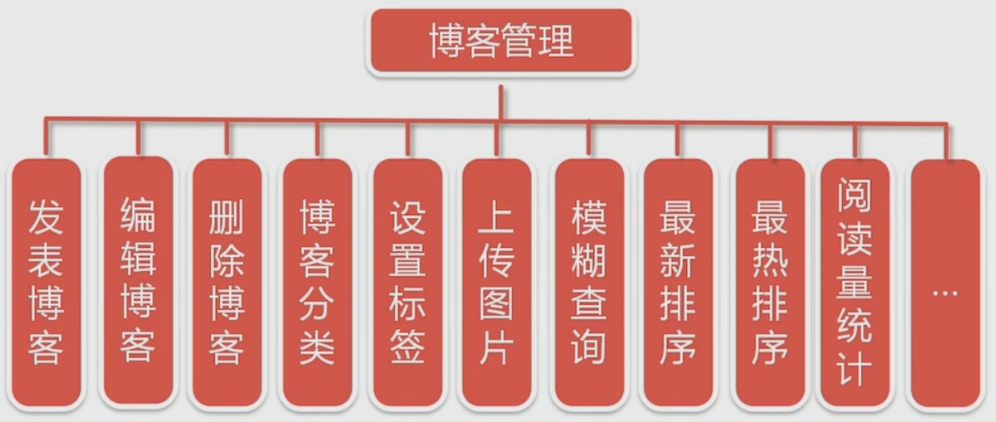
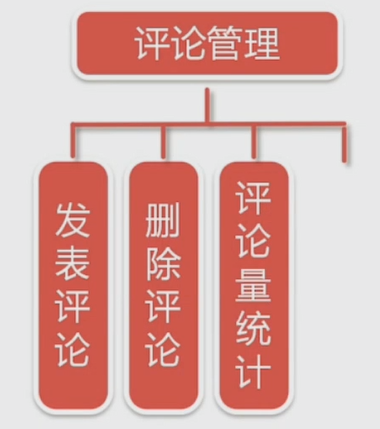

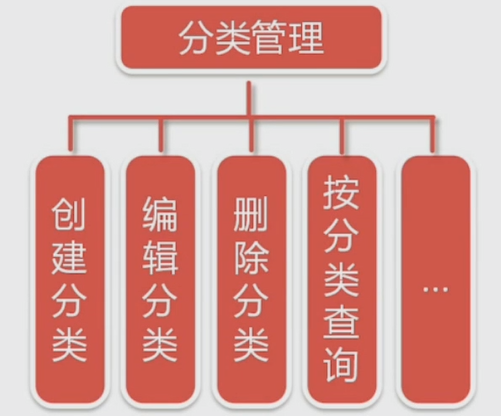
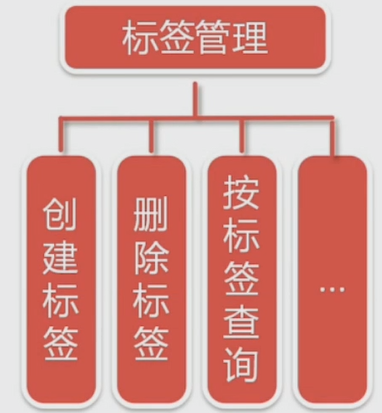



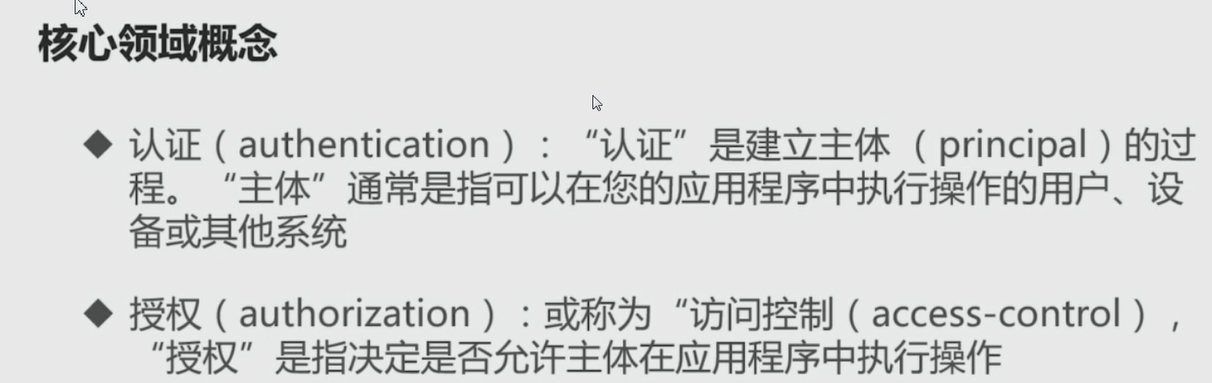
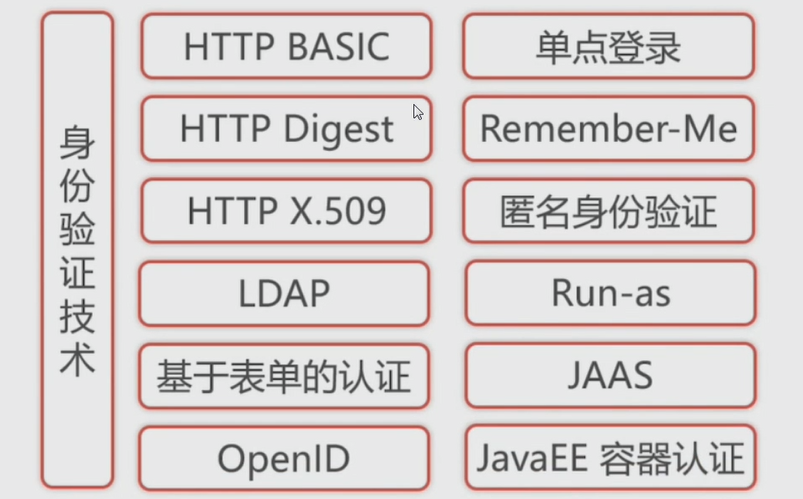
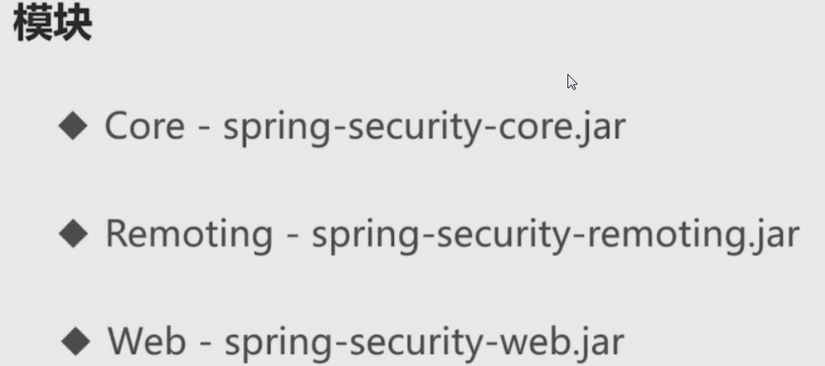

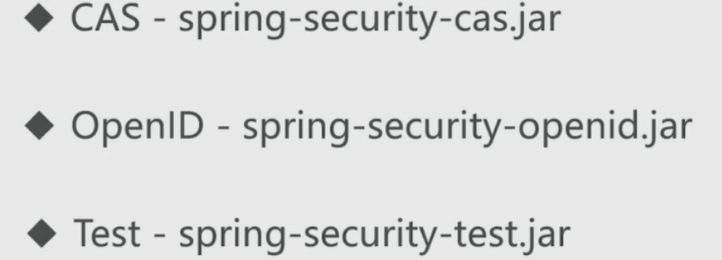
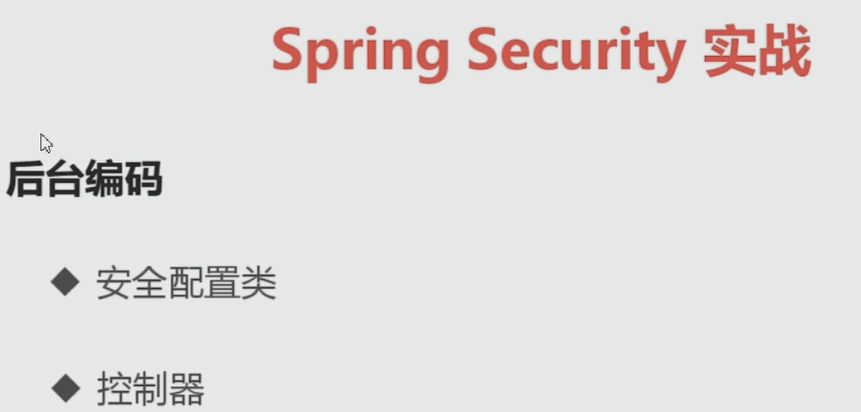
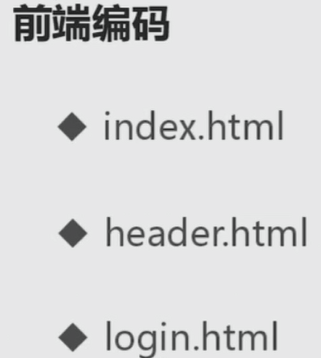

------------------------实战后台
package com.waylau.spring.boot.blog.config;

import org.springframework.beans.factory.annotation.Autowired;

import org.springframework.context.annotation.Bean;

import org.springframework.security.authentication.AuthenticationProvider;

import org.springframework.security.authentication.dao.DaoAuthenticationProvider;

import org.springframework.security.config.annotation.authentication.builders.AuthenticationManagerBuilder;

import org.springframework.security.config.annotation.method.configuration.EnableGlobalMethodSecurity;

import org.springframework.security.config.annotation.web.builders.HttpSecurity;

import org.springframework.security.config.annotation.web.configuration.EnableWebSecurity;

import org.springframework.security.config.annotation.web.configuration.WebSecurityConfigurerAdapter;

import org.springframework.security.core.userdetails.UserDetailsService;

import org.springframework.security.crypto.bcrypt.BCryptPasswordEncoder;

import org.springframework.security.crypto.password.PasswordEncoder;

/**

 * Spring Security 配置类.

 *

 * @since 1.0.0 2017年3月8日

 * @author <a href="https://waylau.com">Way Lau</a>

 */

@EnableWebSecurity

@EnableGlobalMethodSecurity(prePostEnabled = true) // 启用方法安全设置

public class SecurityConfig extends WebSecurityConfigurerAdapter {

    private static final String KEY = "waylau.com";

    @Autowired

    private UserDetailsService userDetailsService;

    @Autowired

    private PasswordEncoder passwordEncoder;

    @Bean

    public PasswordEncoder passwordEncoder() {

        return new BCryptPasswordEncoder();   // 使用 BCrypt 加密

    }

    @Bean

    public AuthenticationProvider authenticationProvider() {

        DaoAuthenticationProvider authenticationProvider = new DaoAuthenticationProvider();

        authenticationProvider.setUserDetailsService(userDetailsService);

        authenticationProvider.setPasswordEncoder(passwordEncoder); // 设置密码加密方式

        return authenticationProvider;

    }

    /**

     * 自定义配置,  !!!!必须重写这个方法

     */

    @Override

    protected void configure(HttpSecurity http) throws Exception {

        http.authorizeRequests().antMatchers("/css/**", "/js/**", "/fonts/**", "/index").permitAll() // 都可以访问

                .antMatchers("/h2-console/**").permitAll() // 都可以访问

                .antMatchers("/admins/**").hasRole("ADMIN") // 需要相应的角色才能访问,  只有admin才能访问/admins/**

                .and()

                .formLogin()   //基于 Form 表单登录验证

                .loginPage("/login").failureUrl("/login-error") // 自定义登录界面

                .and().rememberMe().key(KEY) // 启用 remember me

                .and().exceptionHandling().accessDeniedPage("/403");  // 处理异常,拒绝访问就重定向到 403 页面

        http.csrf().ignoringAntMatchers("/h2-console/**"); // 禁用 H2 控制台的 CSRF 防护

        http.headers().frameOptions().sameOrigin(); // 允许来自同一来源的H2 控制台的请求

    }

    /**

     * 认证信息管理

     * @param auth

     * @throws Exception

     */

    @Autowired

    public void configureGlobal(AuthenticationManagerBuilder auth) throws Exception {

        auth.userDetailsService(userDetailsService);

        auth.authenticationProvider(authenticationProvider());

    }

}
package com.waylau.spring.boot.blog.controller;

import java.util.ArrayList;

import java.util.List;

import org.springframework.beans.factory.annotation.Autowired;

import org.springframework.stereotype.Controller;

import org.springframework.ui.Model;

import org.springframework.web.bind.annotation.GetMapping;

import org.springframework.web.bind.annotation.PostMapping;

import com.waylau.spring.boot.blog.domain.Authority;

import com.waylau.spring.boot.blog.domain.User;

import com.waylau.spring.boot.blog.service.AuthorityService;

import com.waylau.spring.boot.blog.service.UserService;

/**

 * 主页控制器.

 *

 * @since 1.0.0 2017年3月8日

 * @author <a href="https://waylau.com">Way Lau</a>

 */

@Controller

public class MainController {

    private static final Long ROLE_USER_AUTHORITY_ID = 2L;

    @Autowired

    private UserService userService;

    @Autowired

    private AuthorityService  authorityService;

    @GetMapping("/")

    public String root() {

        return "redirect:/index";

    }

    @GetMapping("/index")

    public String index() {

        return "redirect:/blogs";

    }

    /**

     * 获取登录界面

     * @return

     */

    @GetMapping("/login")

    public String login() {

        return "login";

    }

    @GetMapping("/login-error")

    public String loginError(Model model) {

        model.addAttribute("loginError", true);

        model.addAttribute("errorMsg", "登陆失败,账号或者密码错误!");

        return "login";

    }

    @GetMapping("/register")

    public String register() {

        return "register";

    }

    /**

     * 注册用户

     * @param user

     * @param result

     * @param redirect

     * @return

     */

    @PostMapping("/register")

    public String registerUser(User user) {

        List<Authority> authorities = new ArrayList<>();

        authorities.add(authorityService.getAuthorityById(ROLE_USER_AUTHORITY_ID));

        user.setAuthorities(authorities);

        userService.saveUser(user);

        return "redirect:/login";

    }

    @GetMapping("/search")

    public String search() {

        return "search";

    }

}
--------------------------前台


SpringBoot企业级博客开发的更多相关文章
- 使用Docker部署Spring-Boot+Vue博客系统
在今年年初的时候,完成了自己的个Fame博客系统的实现,当时也做了一篇博文Spring-boot+Vue = Fame 写blog的一次小结作为记录和介绍.从完成实现到现在,也断断续续的根据实际的使用 ...
- Padrino 博客开发示例
英文版出处:http://www.padrinorb.com/guides/blog-tutorial 楼主按 拿作者自己的话说:Padrino(谐音:派骓诺)是一款基于Sinatra的优雅的Web应 ...
- Django博客开发实践,初学者开发经验
python,Django初学者,开发简易博客,做了一下笔记,记录了开发的过程,功力浅薄,仅供初学者互相 交流,欢迎意见建议.具体链接:Django博客开发实践(一)--分析需求并创建项目 地址:ht ...
- Django个人博客开发 | 前言
本渣渣不专注技术,只专注使用技术,不是一个资深的coder,是一个不折不扣的copier 1.前言 自学 Python,始于 Django 框架,Scrapy 框架,elasticsearch搜索引擎 ...
- Django 博客开发教程目录索引
Django 博客开发教程目录索引 本项目适合 0 基础的 Django 开发新人. 项目演示地址:Black & White,代码 GitHub 仓库地址:zmrenwu/django-bl ...
- django 简易博客开发 5 markdown支持、代码高亮、gravatar头像服务
上一篇博客介绍了comments库使用及ajax支持,现在blog已经具备了基本的功能,但是只能发表文字,不支持富文本编辑.今天我们利用markdown添加富文本支持. markdown语法说明: h ...
- django 简易博客开发 4 comments库使用及ajax支持
首先还是贴一下源代码地址 https://github.com/goodspeedcheng/sblog 上一篇文章我们介绍了静态文件使用以及如何使用from实现对blog的增删改,这篇将介绍如何给 ...
- django 简易博客开发 3 静态文件、from 应用与自定义
首先还是贴一下源代码地址 https://github.com/goodspeedcheng/sblog 上一篇博客我们介绍了 django 如何在views中使用templates以及一些常用的数 ...
- django 简易博客开发 2 模板和数据查询
首先还是贴一下项目地址 https://github.com/goodspeedcheng/sblog 因为代码全在上面 上一篇博客我们介绍了 django的安装配置,新建project,新建a ...
随机推荐
- day12-python的类
类的一般形式: 创建类我们一般用class关键字来创建一个类,class后面跟类名字,可以自定义,最后以冒号结尾,如下所示: class ClassName: '''类的说明''' 类的内容 类的内容 ...
- Springboot+MyBatis+mysql+jsp页面跳转详细示例
SpringBoot与MyBatis搭建环境,底层数据库为mysql,页面使用JSP(官网上不推荐使用jsp),完成从数据库中查询出数据,在jsp页面中显示,并且实现页面的跳转功能. 项 ...
- vue-router-1-安装与基本使用
npm install vue-router import Vue from 'vue' import VueRouter from 'vue-router' Vue.use(VueRouter) / ...
- MFC Release版本串口连不上的问题
项目开发过程中发现Release版本存在连接串口时,第一次开机后,出现连接不上的问题,但在Debug版本下正常:而且只要连接上一次,Release版本就能正常连接: 解决方案: 在串口配置过程中更改为 ...
- FIFO的使用总结
使用FIFO积累 FIFO是在FPGA设计中使用的非常频繁,也是影响FPGA设计代码稳定性以及效率等得关键因素.我总结一下我在使用FIFO过程中的一些心得,与大家分享. 我本人是做有线 ...
- HDU 2602 Bone Collectors(背包问题,模版)
Bone Collector Time Limit: 2000/1000 MS (Java/Others) Memory Limit: 32768/32768 K (Java/Others)To ...
- NioEventLoop中的thread什么时候启动
在构造函数中被赋值,并传入传入runnable接口,方法里面循环select,然后处理找到的key 但是这个thread是什么时候被start的呢? 在bootstrap bind的逻辑里,后半部分是 ...
- 实力封装:Unity打包AssetBundle(二)
→前情提要:Unity最基本的AssetBundle打包方式. 第二种打包方式 Unity提供的BuildAssetBundles API还有一个重载形式,看下面↓↓ public static As ...
- pytest的fixture和conftest
解决问题:用例1需要先登录,用例2不需要登录,用例3需要先登录.很显然这就无法用setup和teardown来实现了,这个时候就可以自定义测试用例的预置条件,比setup灵活很多. 1.fixture ...
- winform dataGridView中的button点击判断
private void dataGridView1_CellContentClick(object sender, DataGridViewCellEventArgs e) { if (e.RowI ...