
Linux 编程简单示例代码
Linux进程管理
编辑a.c 文件
#include <stdio.h>

#include <unistd.h>

int main()

{

    printf( "Message aaaa\n" );

    if ( fork() ) {

        sleep();

        printf( "Message bbbb\n" );

        if ( fork() ) {

            sleep();

            printf( "Message cccc\n" );

        }else{

            sleep();

            printf( "Message dddd\n" );

        }

    }else{

        sleep();

        printf( "Message eeee\n" );

        if ( fork() ) {

            sleep();

            printf( "Message ffff\n" );

        }else{

            sleep();

            printf( "Message gggg\n" );

        }

    }

    return ;

}
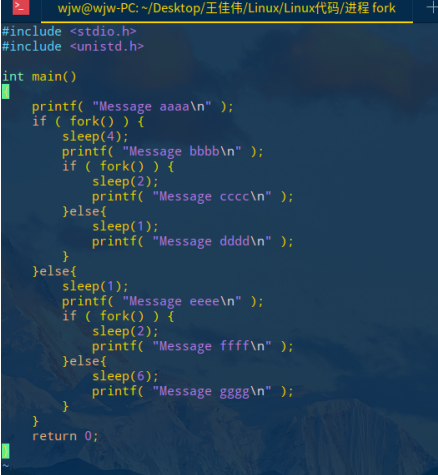
编译 a.c 文件
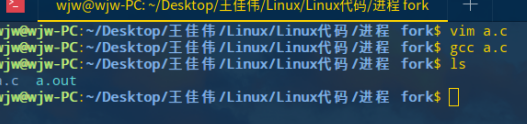
运行 a.out
./a.out
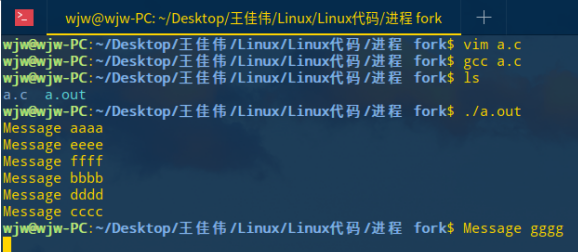
Linux信号处理
编辑 a.c 文件
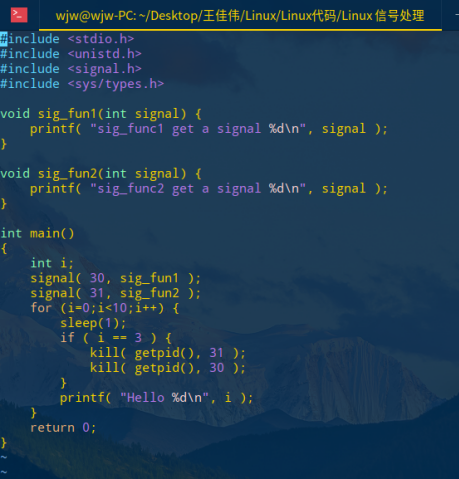
编译 a.c 文件
gcc a.c
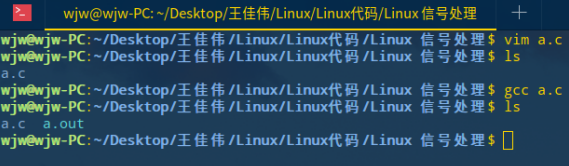
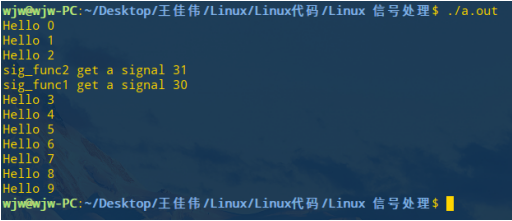
运行 a.out 文件
./a.out
Linux多线程
Lin编辑 a.c
#include <stdio.h>

#include <string.h>

#include <unistd.h>

#include <pthread.h>

char buffer[] = "Hello" ;

 pthread_t id ;

void *mystart(void *param)

{

    int i;

    for (i=; i<; i++) {

        printf( "Thread %d [%s]\n", i, buffer );

        sleep();

    }

    return NULL ;

}

int main()

{

    int i;

       pthread_create( &id, NULL, mystart, NULL );

    for (i-; i<; i++) {

        printf( "Main %d [%s]\n", i, buffer );

        if ( i ==  ) {

            strcpy( buffer, "-----" );

        }

        sleep();

    }

    printf( "Hello,world.\n" );

    return ;

}
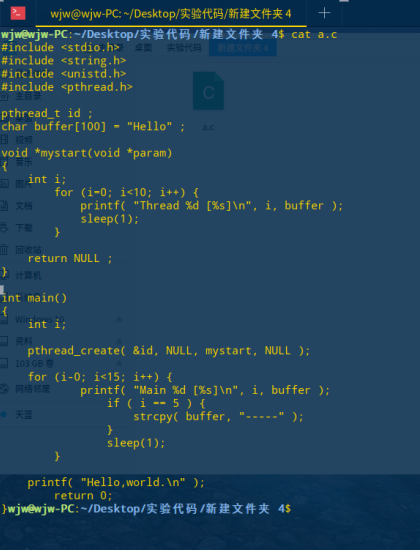
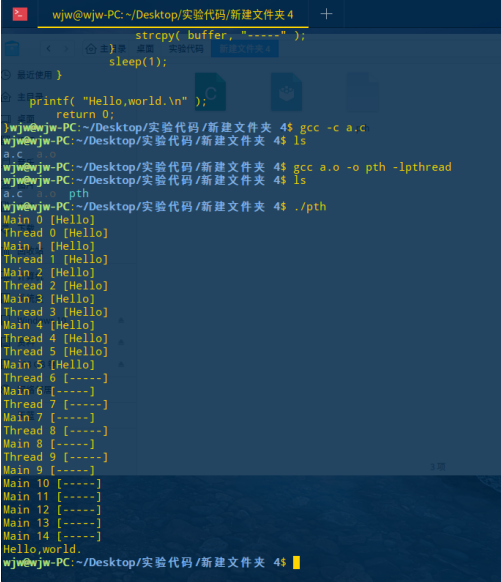
编译运行
Linux 管道
#include <stdio.h>

#include <sys/stat.h>

#include <fcntl.h>

#include <unistd.h>

#include <stdlib.h>

void readMessage(int fd)

{

    int k;

    char b[];

    for(;;){

        k = read(fd,b,);

        if(k!=) break;

        putchar(b[]);

    }

}

int main()

{

    int pipefd[];

    pipe(pipefd);

    if(fork())

    {

        int i;

        for(i=;i<;i++){

            write(pipefd[],"hello\n",);

        }

    }else

     {

            readMessage(pipefd[]);

      }

}
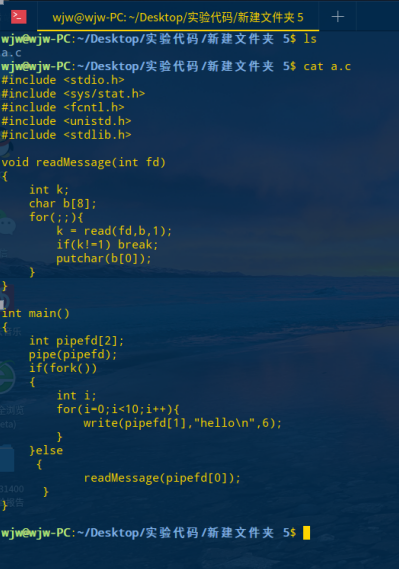
编译运行
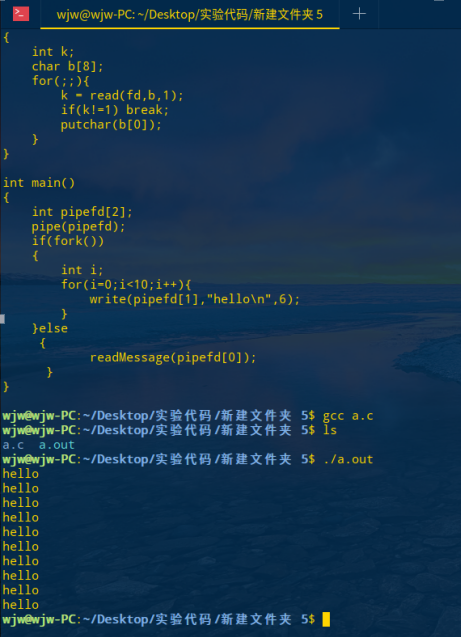
Linux makefile文件
编写 add.c show.c a.c 三个文件
// add.c文件:

#include <stdio.h>

void add(int *a,int *b)

{

    scanf("%d  %d",a,b);

}

// show.c 文件:

#include <stdio.h>

void show(int c)

{

    printf("%d\n",c);

}

// a.c 文件:

#include <stdio.h>

void add(int *a,int *b);

void show(int c);

int main()

{

    int a,b,c;

    add(&a,&b);

    c=a+b;

    show(c);

    return ;

}
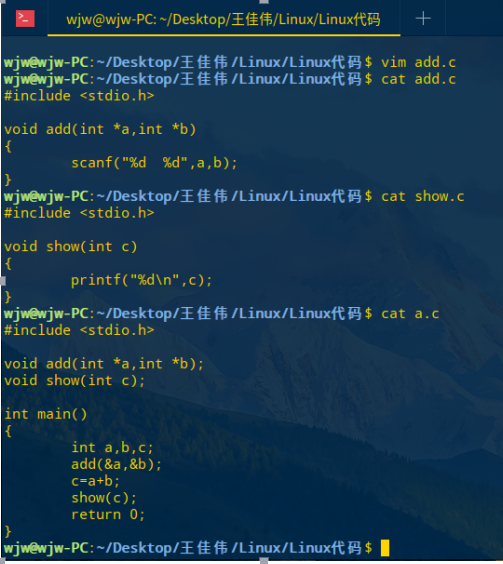
编写makefile文件
myapp : a.o show.o add.o

    gcc a.o show.o add.o -o myapp

a.o : a.c

    gcc -c a.c

show.o : show.c

    gcc -c show.c

add.o : add.c

    gcc -c add.c
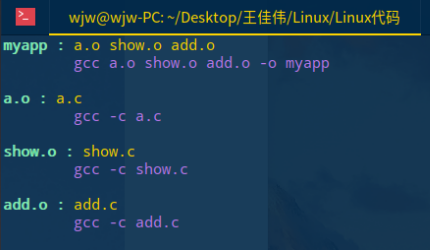
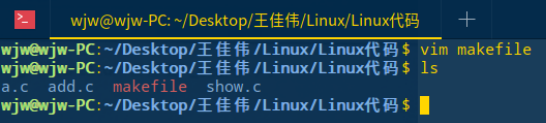
运行 makefile 文件
make
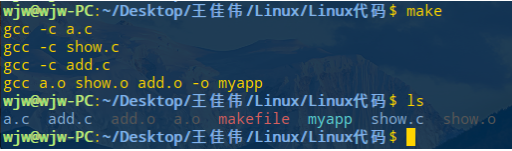
运行 myapp
./myapp

基本I/O文件操作
编写w.c写文件:
#include <stdio.h>

#include <sys/stat.h>

#include <fcntl.h>

#include <unistd.h>

int main()

{

    int fd = open("myfile.txt",O_WRONLY|O_CREAT,);

    if(fd<)

    {

        printf("File cannot open!\n");

        return ;

    }

    write(fd,"wjwwjwwjwwjwwjw",);

    close(fd);

    return ;

}

运行 w.c 文件

编写读文件r.c
#include <stdio.h>

#include <sys/stat.h>

#include <unistd.h>

#include <fcntl.h>

#include <sys/types.h>

int main()

{

    int k;

    char b[];

    int fd = open("myfile.txt",O_RDONLY);

    if(fd < ){

        perror("cannot open file!");

        return ;

    }

    k = read(fd,b,);

    printf("%d\n",k);

    b[k]=;

    printf("%d\n",b);

    close(fd);

    return ;

}
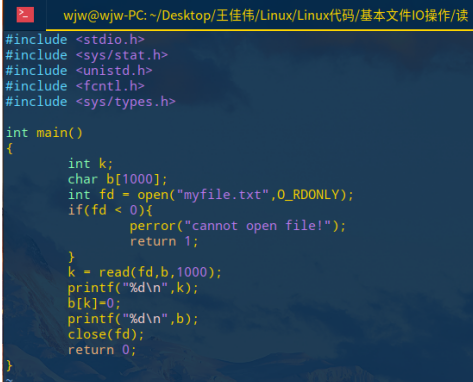
运行 a.out

完成!
Linux 编程简单示例代码的更多相关文章
- JDBC简单示例代码
本文章教程中将演示如何创建一个简单的JDBC应用程序的示例. 这将显示如何打开数据库连接,执行SQL查询并显示结果. 这个示例代码中涉及所有步骤,一些步骤将在本教程的后续章节中进行说明. 创建JDBC ...
- Linux内核模块简单示例
1. Linux 内核的整体结构非常庞大,其包含的组件也非常多,使用这些组件的方法有两种: ① 直接编译进内核文件,即zImage或者bzImage(问题:占用内存过多) ② 动态添加 * 模块本身并 ...
- C#使用互斥量(Mutex)实现多进程并发操作时多进程间线程同步操作(进程同步)的简单示例代码及使用方法
本文主要是实现操作系统级别的多进程间线程同步(进程同步)的示例代码及测试结果.代码经过测试,可供参考,也可直接使用. 承接上一篇博客的业务场景[C#使用读写锁三行代码简单解决多线程并发写入文件时线程同 ...
- 基于OpenMP的C++并行编程简单示例
示例要求:在整数A和B之间找到符合条件的值X,使f(X)=C. 示例代码(需要在VS中开启OpenMP支持): #include<iostream> #include<time.h& ...
- Linux网络编程简单示例
linux 网络编程是通过socket(套接字)接口实现,Socket是一种文件描述符,socket起源于UNIX,在Unix一切皆文件哲学的思想下,socket是一种"打开—读/写—关闭& ...
- _CrtDumpMemoryLeaks报告程序中的内存泄露问题(简单示例代码)
// .h 文件 #pragma once class CConsoleDump { public: explicit CConsoleDump(LPCTSTR lpszWindowTitle = N ...
- 【java】网络socket编程简单示例
package 网络编程; import java.io.IOException; import java.io.PrintStream; import java.net.ServerSocket; ...
- Spring security oauth2 client_credentials认证 最简单示例代码
基于spring-boot-2.0.0 1,在pom.xml中添加: <!-- security --> <!-- https://mvnrepository.com/artifac ...
- C#判断数据类型的简单示例代码
; Console.WriteLine( "i is an int? {0}",i.GetType()==typeof(int)); Console.WriteLine( &quo ...
随机推荐
- 机器人meta标签和X-Robots-Tag HTTP标头规格
抽象 本文档详细介绍了页级索引设置如何让您控制Google如何通过搜索结果提供内容.您可以通过在(X)HTML页面或HTTP标头中包含元标记来指定这些标记. 笔记 请注意,只有当抓取工具被允许访问包含 ...
- Python字典和集合的内部实现
1. 哈希表(Hash tables) 在Python中,字典是通过哈希表实现的.也就是说,字典是一个数组,而数组的索引是经过哈希函数处理后得到的.哈希函数的目的是使键均匀地分布在数组中.由于不同的键 ...
- Linux基础(六) Vim之vundle插件
背景 Vim缺乏默认的插件管理器,所有插件的文件都散布在~/.vim下的几个文件夹中,插件的安装与更新与删除都需要自己手动来,既麻烦费事,又可能出现错误. Vundle简介 Vundle 是 Vim ...
- 48.HTML---Flex 布局教程:实例篇
你会看到,不管是什么布局,Flex往往都可以几行命令搞定. 我只列出代码,详细的语法解释请查阅<Flex布局教程:语法篇>.我的主要参考资料是Landon Schropp的文章和Solve ...
- VScode编辑器个性化配置
一.设置方法 “文件” - > “首选项” -> "设置" 二.字体大小和缩进 "editor.tabSize": 2, "editor. ...
- c#之字符串,列表,接口,队列,栈,多态
1.字符串的用法 using System; using System.Collections.Generic; using System.Linq; using System.Text; using ...
- sqlserver恢复数据库被挂起
已测试过,直接执行此句后,数据库恢复原状态.数据不会丢失.具体是什么意思,暂时没来得及搞明白 RESTORE database dbname with norecovery
- 在lnmp1.3布置的web服务器上运行thinkphp3.2.3项目pathinfo路径模式
通过我的经历希望能给大家带来一些帮助: 我是在Linux系统上通过https://lnmp.org/install.html设置Nginx服务器,使用的是lnmp1.3版本,之后将一个thinkphp ...
- 6.Daemon线程
1.如下代码: package com.bawei.multithread; public class Recursive { private static int counter = 0; publ ...
- html5-css渐变应用小实例,按钮
.but1{ padding: 10px 20px; font-size: 16px; text-shadow: 2px 2px 3px rgba(0,0,0,0.8); bo ...