
[Angular] Step-By-Step Implementation of a Structural Directive - Learn ViewContainerRef
For example we have two buttons:
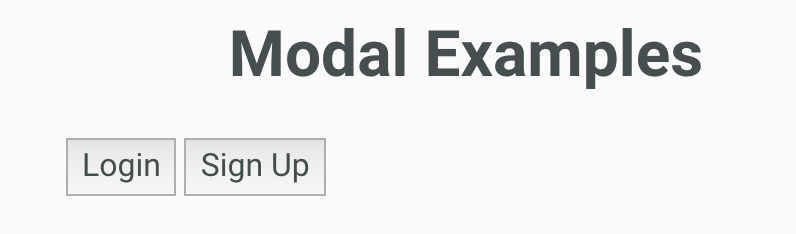
When we click nether one of those tow button, the modal should show up:

We will use structure directive to do that.
So create a new directive 'auModalOpenOnClick':
import {Directive, TemplateRef, ViewContainerRef} from '@angular/core';

@Directive({

  selector: '[auModalOpenOnClick]'

})

export class AuModalOpenOnClickDirective {

  constructor(

    private template: TemplateRef<any>,

    private viewContainer: ViewContainerRef

  ) { }

}
A stucture need to use 'TemplateRef' and 'ViewContainerRef'. You can simply think that templateRef refer to the html you are going to show/hide. ViewContainerRef refers to the container that wrap the template/compoent, normally it should be <ng-template>.
HTML:
  <ng-template [auModalOpenOnClick]="[loginButton, signUpButton]">

    <au-modal class="auth-modal">

       <!-- modal content goes here-->

    </au-modal>

  </ng-template>

  <div class="modal-buttons">

    <button #loginButton>Login</button>

    <button #signUpButton>Sign Up</button>

  </div>
So the way we use the directive is that it takes a input which can be array of template ref or just a single templateRef.
We are going to check in the directive, if the passed in templateRef(s) are clicked or not, if it is click, we are going to create a embbed view based on the template (au-modal) we got.
directive:
import {Directive, Input, TemplateRef, ViewContainerRef} from '@angular/core';

@Directive({

  selector: '[auModalOpenOnClick]'

})

export class AuModalOpenOnClickDirective {

  @Input()

  set auModalOpenOnClick (els) {

    let elements: HTMLBaseElement[];

    if(Array.isArray(els)) {

      elements = els;

    } else {

      elements = [els];

    }

    elements.forEach(el => {

      el.addEventListener('click', () => {

        this.viewContainer.clear();

        this.viewContainer.createEmbeddedView(this.template);

      });

    });

  }

  constructor(

    private template: TemplateRef<any>,

    private viewContainer: ViewContainerRef

  ) { }

}
And also worth to mention that:
  <ng-template [auModalOpenOnClick]="[loginButton, signUpButton]">

    <au-modal class="auth-modal">

       <!-- modal body-->

    </au-modal>

  </ng-template>
the same as:
    <au-modal class="auth-modal"*auModalOpenOnClick="[loginButton, signUpButton]">

     <!-- modal body-->

    </au-modal>
[Angular] Step-By-Step Implementation of a Structural Directive - Learn ViewContainerRef的更多相关文章
- Tomcat Clustering - A Step By Step Guide --转载
Tomcat Clustering - A Step By Step Guide Apache Tomcat is a great performer on its own, but if you'r ...
- [ZZ] Understanding 3D rendering step by step with 3DMark11 - BeHardware >> Graphics cards
http://www.behardware.com/art/lire/845/ --> Understanding 3D rendering step by step with 3DMark11 ...
- 课程一(Neural Networks and Deep Learning),第四周(Deep Neural Networks)——2.Programming Assignments: Building your Deep Neural Network: Step by Step
Building your Deep Neural Network: Step by Step Welcome to your third programming exercise of the de ...
- Step by step Dynamics CRM 2011升级到Dynamics CRM 2013
原创地址:http://www.cnblogs.com/jfzhu/p/4018153.html 转载请注明出处 (一)检查Customizations 从2011升级到2013有一些legacy f ...
- Step by Step 创建一个新的Dynamics CRM Organization
原创地址:http://www.cnblogs.com/jfzhu/p/4012833.html 转载请注明出处 前面演示过如何安装Dynamics CRM 2013,参见<Step by st ...
- Step by step Install a Local Report Server and Remote Report Server Database
原创地址:http://www.cnblogs.com/jfzhu/p/4012097.html 转载请注明出处 前面的文章<Step by step SQL Server 2012的安装 &g ...
- Step by step Dynamics CRM 2013安装
原创地址:http://www.cnblogs.com/jfzhu/p/4008391.html 转载请注明出处 SQL Server可以与CRM装在同一台计算机上,也可安装在不同的计算机上.演示 ...
- Step by step 活动目录中添加一个子域
原创地址:http://www.cnblogs.com/jfzhu/p/4006545.html 转载请注明出处 前面介绍过如何创建一个域,下面再介绍一下如何在该父域中添加一个子域. 活动目录中的森林 ...
- SQL Server 维护计划实现数据库备份(Step by Step)(转)
SQL Server 维护计划实现数据库备份(Step by Step) 一.前言 SQL Server 备份和还原全攻略,里面包括了通过SSMS操作还原各种备份文件的图形指导,SQL Server ...
随机推荐
- js -- 分页功能
html 代码 <html> <head> <meta charset='utf-8'> <script type="text/javascript ...
- CSS demo:flaot & clear float
1,首先,我们布局主要的div块: 例如以下代码所看到的,我们在body里面写3几个基本div块,然后设置一些基本属性: 效果图: 2,增加基本浮动 如今我们想让红色div放到绿色div右边,我们在两 ...
- Qt样式表之盒子模型(以QSS来讲解,而不是CSS)
说起样式表,不得不提的就是盒子模型了,今天小豆君就来给大家介绍下盒子模型. 上图是一张盒子模型图. 对于一个窗口,其包括四个矩形边框.以中间的边框矩形(border)为基准,在border外侧的是外边 ...
- OpenStack_Swift源代码分析——ObjectReplicator源代码分析(1)
1.ObjectorReplicator的启动 首先执行启动脚本 swift-init object-replicator start 此执行脚本的执行过程和ring执行脚本执行过程差点儿相同.找到s ...
- 一些VPS
https://www.perfectip.net 5美元/1C/4G/20G/10Thttps://www.hetzne ...
- android.graphics.Paint方法setXfermode (Xfermode x...
mPaint = new Paint(); mPaint.setXfermode(new PorterDuffXfermode(PorterDuff.Mode.SCREEN)); 常见的Xfermod ...
- Android开发经验小知识点
<1> 设置屏幕无标题栏 在AndroidManifest.xml设置: Android:theme="@android:style/Theme.NoTitleBar"
- 使用wpaint绘图软件时:Uncaught DOMException: Failed to execute 'drawImage' on 'CanvasRenderingContext2D': The image argument is a canvas element with a width or height of 0.
使用wpaint绘图软件时:Uncaught DOMException: Failed to execute 'drawImage' on 'CanvasRenderingContext2D': Th ...
- Android NineGridLayout — 仿微信朋友圈和QQ空间的九宫格图片展示自定义控件
NineGridLayout 一个仿微信朋友圈和QQ空间的九宫格图片展示自定义控件. GitHub:https://github.com/HMY314/NineGridLayout 一.介绍 1.当只 ...
- echarts tooltip提示框 自定义小圆点(颜色、形状和大小等等)
项目是拿 echarts + 百度地图 来做可视化界面,现在到收尾阶段慢慢优化. 先附代码: formatter: function(params) { var result = '' params. ...