
[Angular] Step-By-Step Implementation of a Structural Directive - Learn ViewContainerRef
For example we have two buttons:
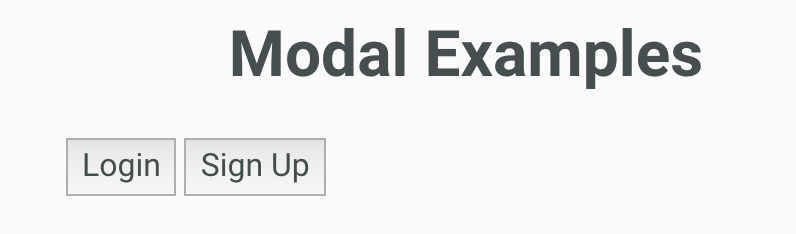
When we click nether one of those tow button, the modal should show up:

We will use structure directive to do that.
So create a new directive 'auModalOpenOnClick':
import {Directive, TemplateRef, ViewContainerRef} from '@angular/core';

@Directive({

  selector: '[auModalOpenOnClick]'

})

export class AuModalOpenOnClickDirective {

  constructor(

    private template: TemplateRef<any>,

    private viewContainer: ViewContainerRef

  ) { }

}
A stucture need to use 'TemplateRef' and 'ViewContainerRef'. You can simply think that templateRef refer to the html you are going to show/hide. ViewContainerRef refers to the container that wrap the template/compoent, normally it should be <ng-template>.
HTML:
  <ng-template [auModalOpenOnClick]="[loginButton, signUpButton]">

    <au-modal class="auth-modal">

       <!-- modal content goes here-->

    </au-modal>

  </ng-template>

  <div class="modal-buttons">

    <button #loginButton>Login</button>

    <button #signUpButton>Sign Up</button>

  </div>
So the way we use the directive is that it takes a input which can be array of template ref or just a single templateRef.
We are going to check in the directive, if the passed in templateRef(s) are clicked or not, if it is click, we are going to create a embbed view based on the template (au-modal) we got.
directive:
import {Directive, Input, TemplateRef, ViewContainerRef} from '@angular/core';

@Directive({

  selector: '[auModalOpenOnClick]'

})

export class AuModalOpenOnClickDirective {

  @Input()

  set auModalOpenOnClick (els) {

    let elements: HTMLBaseElement[];

    if(Array.isArray(els)) {

      elements = els;

    } else {

      elements = [els];

    }

    elements.forEach(el => {

      el.addEventListener('click', () => {

        this.viewContainer.clear();

        this.viewContainer.createEmbeddedView(this.template);

      });

    });

  }

  constructor(

    private template: TemplateRef<any>,

    private viewContainer: ViewContainerRef

  ) { }

}
And also worth to mention that:
  <ng-template [auModalOpenOnClick]="[loginButton, signUpButton]">

    <au-modal class="auth-modal">

       <!-- modal body-->

    </au-modal>

  </ng-template>
the same as:
    <au-modal class="auth-modal"*auModalOpenOnClick="[loginButton, signUpButton]">

     <!-- modal body-->

    </au-modal>
[Angular] Step-By-Step Implementation of a Structural Directive - Learn ViewContainerRef的更多相关文章
- Tomcat Clustering - A Step By Step Guide --转载
Tomcat Clustering - A Step By Step Guide Apache Tomcat is a great performer on its own, but if you'r ...
- [ZZ] Understanding 3D rendering step by step with 3DMark11 - BeHardware >> Graphics cards
http://www.behardware.com/art/lire/845/ --> Understanding 3D rendering step by step with 3DMark11 ...
- 课程一(Neural Networks and Deep Learning),第四周(Deep Neural Networks)——2.Programming Assignments: Building your Deep Neural Network: Step by Step
Building your Deep Neural Network: Step by Step Welcome to your third programming exercise of the de ...
- Step by step Dynamics CRM 2011升级到Dynamics CRM 2013
原创地址:http://www.cnblogs.com/jfzhu/p/4018153.html 转载请注明出处 (一)检查Customizations 从2011升级到2013有一些legacy f ...
- Step by Step 创建一个新的Dynamics CRM Organization
原创地址:http://www.cnblogs.com/jfzhu/p/4012833.html 转载请注明出处 前面演示过如何安装Dynamics CRM 2013,参见<Step by st ...
- Step by step Install a Local Report Server and Remote Report Server Database
原创地址:http://www.cnblogs.com/jfzhu/p/4012097.html 转载请注明出处 前面的文章<Step by step SQL Server 2012的安装 &g ...
- Step by step Dynamics CRM 2013安装
原创地址:http://www.cnblogs.com/jfzhu/p/4008391.html 转载请注明出处 SQL Server可以与CRM装在同一台计算机上,也可安装在不同的计算机上.演示 ...
- Step by step 活动目录中添加一个子域
原创地址:http://www.cnblogs.com/jfzhu/p/4006545.html 转载请注明出处 前面介绍过如何创建一个域,下面再介绍一下如何在该父域中添加一个子域. 活动目录中的森林 ...
- SQL Server 维护计划实现数据库备份(Step by Step)(转)
SQL Server 维护计划实现数据库备份(Step by Step) 一.前言 SQL Server 备份和还原全攻略,里面包括了通过SSMS操作还原各种备份文件的图形指导,SQL Server ...
随机推荐
- Elasticsearch之需要注意的问题(es和jdk版本)
(1)在使用java代码操作es集群的时候 要保证本地使用的es的版本和集群上es的版本保持一致. (2)保证集群中每个节点的JDK版本和es基本配置一致 这个很简单,不多说. (3)es集群中j ...
- API(Application Programming Interface,应用程序编程接口)
API(Application Programming Interface,应用程序编程接口)是一些预先定义的函数,目的是提供应用程序与开发人员基于某软件或硬件得以访问一组例程的能力,而又无需访问源码 ...
- Spring_Learn
IOC 控制反转,或者依赖注入 控制权的转移,应用程序本身不负责依赖对象的创建和维护.而是由外部容器负责创建和维护. DI(依赖注入)是其实现的一种方式 创建对象并且组装对象之间的关系. 1Spr ...
- Codefroces Educational Round 27 845G Shortest Path Problem?
Shortest Path Problem? You are given an undirected graph with weighted edges. The length of some pat ...
- 迅雷云监工crysadm搭建
之前在淘宝众筹买了个迅雷赚钱宝Pro,2016年01月到手,玩了半个月. 之后在看百度贴吧时,看到好多大神都在用PC上用网页版软件来管理赚钱宝.非常是好奇.搜索了非常多资料,基本上都已经过时了.都无法 ...
- Android 上的 制表符(tab) —— 一个奇妙的字符 (二)
接到上回的说,主要是上回那个问题,我认为是android的bug,黎叔认为是cocos2dx的bug,叫我去提交bug.所以我又继续研究了下. 上回说到会调用java层的函数去创建一个image,然后 ...
- 漫话C++之string字符串类的使用(有汇编分析)
C++中并不提倡继续使用C风格的字符串,而是为字符串定义了专门的类,名为string. 使用前的准备工作 在使用string类型时,需要包含string头文件,且string位于std命名空间内: # ...
- 76.CGI编码
CGI编码 "%D6%DC%C8%F0%B8%A3"; 转换到字符串中: //CGI编码转到char类型的tmpstr中中 char* change(char *str) { // ...
- HttpUtility.UrlEncode 方法 (String) 对 URL 字符串进行编码 NET Framework 4.6 and 4.5
对 URL 字符串进行编码. 这些方法重载可用于对整个 URL(包括查询字符串值)进行编码. 要编码或解码 Web 应用程序之外的值,请使用 WebUtility 类. 重载此成员.有关此成员的完整信 ...
- ps的入门
ps的入门 http://www.cnblogs.com/qingci/archive/2012/09/20/2694728.html