
jquery.qrcode.js生成二维码
<!DOCTYPE html PUBLIC "-//W3C//DTD XHTML 1.0 Transitional//EN" "http://www.w3.org/TR/xhtml1/DTD/xhtml1-transitional.dtd">

<html xmlns="http://www.w3.org/1999/xhtml">

<head>

    <title></title>

    <script src="js/jquery.min.js"></script>

    <script src="js/jquery.qrcode.min.js"></script>

    <script>

//        jQuery(function () {

//            $("#qrcode").qrcode({

//                render: "table", //table方式

//                width: 200, //宽度

//                height: 200, //高度

//                text: "www.codesky.net" //任意内容

//            });

        //        });

        function generateQRCode(rendermethod, picwidth, picheight, url) {

            $("#qrcode").qrcode({

                render: rendermethod, //rendermethod, 渲染方式有table方式(IE兼容)和canvas方式

                width: picwidth, //宽度

                height: picheight, //高度

                text: url, //内容 中文utf16to8(url),

                typeNumber: -1, //计算模式

                correctLevel: 2, //二维码纠错级别

                background: "#ffffff", //背景颜色

                foreground: "#000000"  //二维码颜色

            });

        }

        function init() {

            generateQRCode("table", 200, 200, "https://hao.360.cn/");

            var margin = ($("#qrcode").height() - $("#codeico").height()) / 2;

            $("#codeico").css("margin", margin);

        }

        //中文编码格式转换

        function utf16to8(str) {

            var out, i, len, c;

            out = "";

            len = str.length;

            for (i = 0; i < len; i++) {

                c = str.charCodeAt(i);

                if ((c >= 0x0001) && (c <= 0x007F)) {

                    out += str.charAt(i);

                } else if (c > 0x07FF) {

                    out += String.fromCharCode(0xE0 | ((c >> 12) & 0x0F));

                    out += String.fromCharCode(0x80 | ((c >> 6) & 0x3F));

                    out += String.fromCharCode(0x80 | ((c >> 0) & 0x3F));

                } else {

                    out += String.fromCharCode(0xC0 | ((c >> 6) & 0x1F));

                    out += String.fromCharCode(0x80 | ((c >> 0) & 0x3F));

                }

            }

            return out;

        }

    </script>

    </script>

    <style type="text/css">

        #codeico{

            position:fixed;

            z-index:9999999;

            width:30px;

            height:30px;

            background:url(images/text.png) no-repeat;

        }

    </style>

</head>

<body  onload="init()">

    <div id="qrcode">

        <div id="codeico"></div>

    </div>

</body>

</html>

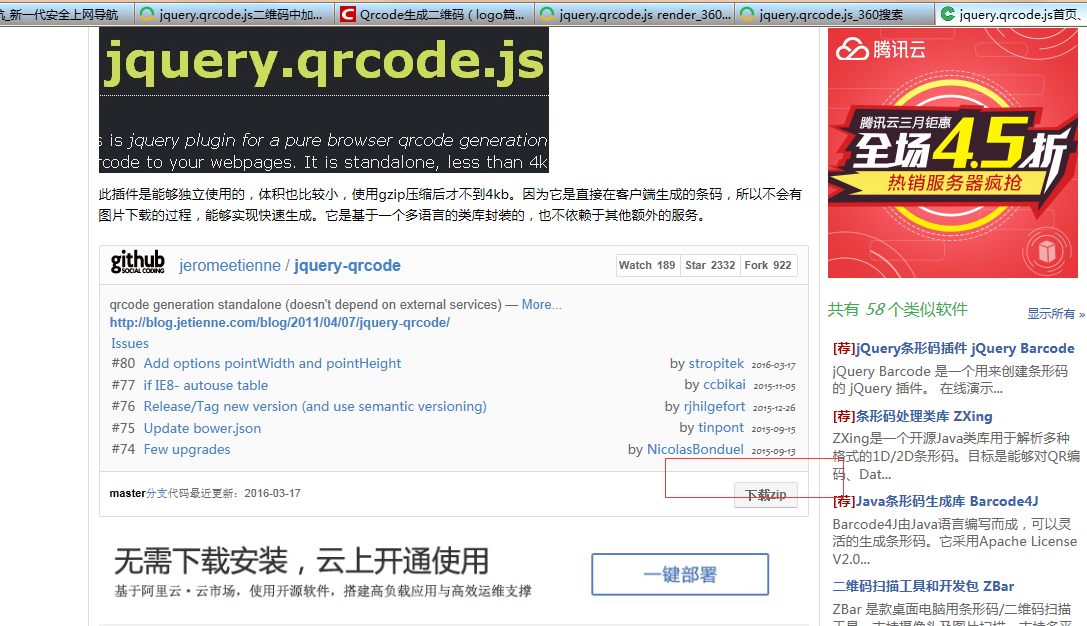
下载js地址:http://www.oschina.net/p/jquery-qrcode-js
jquery.qrcode.js生成二维码的更多相关文章
- 使用jquery.qrcode.js生成二维码
通常生成二维码的方式有两种:第一种是java代码的形式,第二种是通过Js方式. 在这里我做个记录,用js生成二维码,可以在官网下载源码:http://jeromeetienne.github.io/j ...
- 转: jquery.qrcode.js生成二维码插件&转成图片格式
原文地址: https://blog.csdn.net/u011127019/article/details/51226104 1.qrcode其实是通过使用jQuery实现图形渲染,画图,支持can ...
- jquery.qrcode.js生成二维码(前端生成二维码)
官网地址:http://jeromeetienne.github.io/jquery-qrcode/ 第一步引入插件: <script type='text/javascript' src='h ...
- jquery.qrcode.js 生成二维码并支持中文的方法
GitHub地址: https://github.com/jeromeetienne/jquery-qrcode <div class="QR"></div> ...
- QRCode.js生成二维码
QRCode的GitHub地址: https://github.com/KeeeX/qrcodejs 该版本解决了主版本(https://github.com/davidshimjs/qrcodejs ...
- qrcode.js生成二维码因字符串过长而报错
前端使用qrcode.js生成二维码的时候.有时候是会出现 qrcode length overflow (1632>1056) 目前使用的有效的解决办法是重新下载新版的qrcode.js 下载 ...
- 利用vcard和qrcode.js生成二维码导入联系人
vCard是一种容许交换个人信息的数据规范,vCard数据格式的标识符是VCARD,vCard数据格式行是: 类型 [;参数]:值,具体的介绍百度都有,我们可以通过vcard来进行通讯录的保存,名片的 ...
- 【QRcode二维码】:使用JS前端插件QRcode.js生成二维码
1.先简单说一下jquery-qrcode,这个开源的三方库(可以从https://github.com/jeromeetienne/jquery-qrcode 获取), qrcode.js 是实现二 ...
- QRCode.js 生成二维码
QRCode.js 是一个用于生成二维码图片的插件. github地址 在线实例 实例预览 基础示例 实例预览 API 接口 使用方法 载入 JavaScript 文件 <script src= ...
随机推荐
- C#中调用Windows API的要点 .
介绍 API(Application Programming Interface),我想大家不会陌生,它是我们Windows编程的常客,虽然基于.Net平台的C#有了强大的类库,但是,我们还是不能否认 ...
- iOS设计模式反思之单例模式的进化
什么是单例模式? 单例模式想一个大独裁者,他规定在他的国度里面,所有数据的访问和请求都得经过他,甚至你要调用相关的函数也得经过它.学术一点就是,单例模式,为某一类 需求和数据提供了统一的程序接口.主要 ...
- [ActionScript 3.0] AS3.0 Loader加载子swf时是否需要指定新的应用程序域ApplicationDomain
实际应用中, Loader加载子swf时是否需要指定新的应用程序域ApplicationDomain,需要择情况而定. 1.如果在本地将项目位置添加到flashplayer受信任位置(上一篇文章所述) ...
- [Flex] Accordion系列-动态添加或删除Accordion容器中项目
<?xml version="1.0" encoding="utf-8"?> <!--Flex中如何使用addChild()和removeCh ...
- mybatis的动态sql
案例一: insert语句,然后获取这条语句的id值. <insert id="insertBook" parameterType="modle.Book" ...
- 采用p6spy完整显示hibernate的SQL语句
虽然在hibernate中有show_sql选项,但是显示出来的语句大多类似 select * from xxx where value=? 但是有时候我们需要得到完整的SQL语句,怎么办呢?使用P6 ...
- javascript 过滤字符串中的中文与空格
js 如何过滤字符串里中文或空格呢?方法有很多种,我们可以使用替换与正则表达式来实现,本文向大家介绍两个简单的例子,感兴趣的码农可以参考一下. 1.javascript过滤空格: function m ...
- KSImageNamed-Xcode-master 对项目中图片提供自动提示功能的插件
.使用介绍: (1)KSImageNamed-Xcode-master的使用 安装该插件后,会对文件中图片进行智能提示. 下载地址:http://yun.baidu.com/s/1qWNkvGK
- 【转】交叉编译faac共享库
转自:http://blog.csdn.net/cjj198561/article/details/38382889 编译准备 1.代码下载 在mac下面执行:wget http://download ...
- SparseArray,dip & px
SparseArray-用Array的方式实现Integer-Object的map 优:节约内存,因为避免了装箱/拆箱,数据结构不依赖Entry 劣:速度不及HashMap dip.px dip(de ...