
Vim插件之Command-T使用问题
最近在使用vim插件CommandT时出现问题其实就是vim没有支持ruby,不过google之后找到了解决方法,老外的态度还是很让人敬佩的,度娘搜索的结果太让人呕心了。。
贴下,以后再次遇到解决。
One of the first things I do after installing a fresh copy of Ubuntu is grab an updated Vim with RubySupport and proceed to install the amazing Command-t plugin. However, this isn't exactly the most straightforward process. So I thought it would be a good idea to document the process and share it with you all. So without further ado, let's get started!
Install Vim with Ruby Support
The first thing you want to do is open your terminal and install vim-nox. Vim-nox is a minimal version of Vim that allows you to run Vim in your terminal, and comes compiled with Ruby support. Here is a link that will explain all the Vim versions in detail.
sudo apt-get install vim-noxYour vi and vim commands should now call vim-nox instead of your system's default Vim. Let's restart our terminal after you have installed this just to make sure.
Install Pathogen - Vim Plugin Manager
I highly recommend installing Pathogen for managing your Vim plugins. Pathogen just makes installing plugins simpler and keeps them organized better. Run the following install Pathogen.
mkdir -p ~/.vim/autoload ~/.vim/bundle; \

curl -Sso ~/.vim/autoload/pathogen.vim \

    https://raw.github.com/tpope/vim-pathogen/master/autoload/pathogen.vim
Now at the top of your ~/.vimrc file, add this line:
execute pathogen#infect()Alternatively, if you don't already have a ~/.vimrc, you can create this minimal version of a .vimrc:
execute pathogen#infect()

syntax on

filetype plugin indent on
This is the Github page for Pathogen, I recommend skimming over it if you have time.
Install Command-t
To install the Command-t plugin, you can either use git, or manually download and install it to your~/.vim/bundle directory.
Using git
cd ~/.vim/bundle

git clone https://github.com/wincent/Command-T.git
Manually installing
Go to the Command-t Github page and click the Download Zip button. Extract the contents of zip file to the~/.vim/bundle directory.
Pathogen will automatically run plugins in
~/.vim/bundlewhen you start Vim
Install RVM and Ruby
Skip this next part if you already have Ruby and RVM installed already
You can check if you have Ruby installed by doing
ruby -vandrvm -v
If you get a message saying The program 'ruby' can be found in the following packages, you need to install Ruby and rvm.
1. Install rvm dependencies
sudo apt-get install build-essential openssl libreadline6 libreadline6-dev \

curl git-core zlib1g zlib1g-dev libssl-dev libyaml-dev libsqlite3-dev \

sqlite3 libxml2-dev libxslt-dev autoconf libc6-dev ncurses-dev automake \

libtool bison subversion nodejs
2. Install rvm
curl -L https://get.rvm.io | bash -s stable --ruby3. Set .bashrc for rvm scripting
echo '[[ -s "$HOME/.rvm/scripts/rvm" ]] && source "$HOME/.rvm/scripts/rvm"' >> ~/.bashrcNow you can restart your terminal, and ruby -v should work.
Compile Command-t using the Ruby version that your Vim is installed with
If you see the error: command-t.vim could not load the C extension when you try to runCommand-t in your Vim, this section will help solve that problem.
This is the part that trips most people up. You must compile Command-t using the same version of Ruby that your Vim is linked against. This basically means that if your Command-t's Ruby version doesn't match your Vim's Ruby version, Command-t will not work. First let's find your system's version of Ruby.
Compare the versions of Ruby from the following two commands:
ruby -v

vim --version | grep ruby
You should see something similar to the following screenshot:

Here are the following steps to now compile Command-t with the correct Ruby version:
1. Install and use the version of Ruby that matches your Vim's
Find the version of Vim from the command we ran earlier vim --version | grep ruby (in my case, it's1.8). Just look through the output and it should be a number like 1.8 or 1.9.1 or 2.0.0, something similar to that. Next do:
rvm use #YOUR_VIM's_VERSION_OF_RUBYFor example, in my case, my Vim was compiled with Ruby version 1.8, so my command would bervm use 1.8. If you get a message saying like ruby-1.8.7-p374 is not installed., follow theTo install do: 'rvm install ruby-1.8.7-p374' warning in your console. Again please use the version of Ruby that your Vim is installed with.
After you have installed the proper version of Ruby, make sure that your system is actually using it.
rvm use #YOUR_VIM's_VERSION_OF_RUBY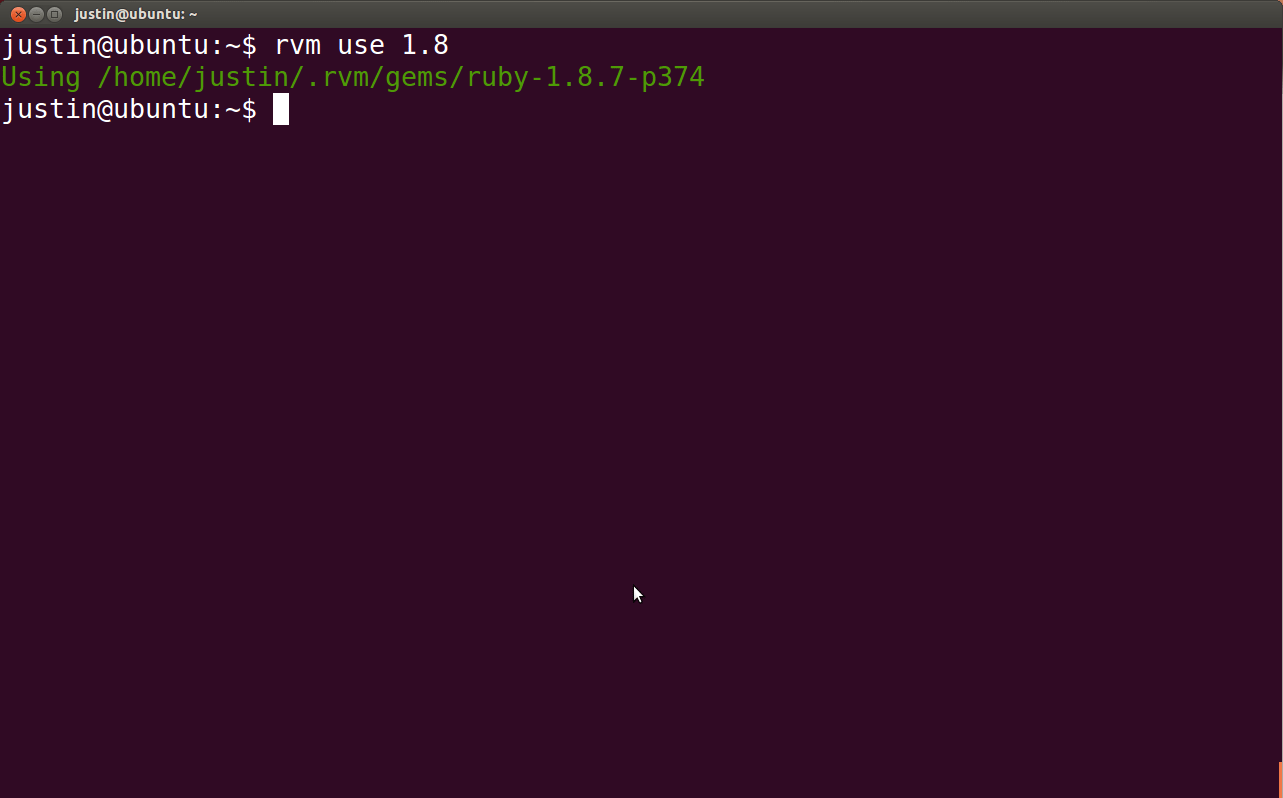
2. Navigate to your Command-t bundle directory
cd ~/.vim/bundle/Command-T3. Compile Command-t using your Vim's Ruby Version
Now that you are in your Command-t bundle directory. Do the following:
rake makeThat should recompile Command-t with the proper version of Ruby, and your Command-t's and Vim's Ruby versions should now match.
Run Command-t
Now for all of your hard work, reward yourself by opening Vim and running Command-t to see its awesomeness.
vim

:CommandT
If you have any problems, comment below and I will try to answer ASAP. Well, hope this helps someone out, thanks for reading!
不过其中有些注意点需要知道的就是vim的版本和ruby版本一定要对应关联起来,这是个大坑。。。
Vim插件之Command-T使用问题的更多相关文章
- vim 插件管理
1 进入自己的vim mkdir ./bundle/vundle 2 在vimrc同级中执行 git clone https://github.com/gmarik/vundle.git ./bund ...
- 使用pathogen管理Vim插件并托管到Github
参照文章[1][2]的办法,将vim打造成一个Python开发环境.文章中使用的是 pathogen + git 来管理 Vim 插件的.对这种方式还不太明白的同学可以参考[3]中的介绍.pathog ...
- 每日vim插件--vim中的文本对象及相关插件
最近在个人博客上 http://foocoder.com 每天都会介绍一个vim插件,想起来园子也好久没更新了,也来更新一篇. 今天按读者留言的要求,介绍下文本对象.同时还会介绍我在用的几个文本相关 ...
- Vim插件之插件管理器Vundle
Vim插件之插件管理器Vundle 1.介绍下载 相比Sublime.Text2等现代编辑器,Vim缺乏默认的插件管理器,所有插件的文件都散布在~/.vim下的几个文件夹中,配置Vim的过程, 就是在 ...
- vim插件安装总结
vim插件安装总结 vim 插件 vundle 插件对于vim来说是一个杀手级别的神器助手,能自动补全,语法高亮,文件搜索等等,有效地提升了编程效率.下面就个人的一些安装和使用进行一个总结. 自动管理 ...
- 【linux】vim常用操作及vim插件的安装使用
vim是linux下一个非常好用的文本编辑器,在linux下开发的人员要熟练掌握vim常用命令. 1. 打开在第n行 vim +143 filename.txt 2. 只读模式打开 vim -R / ...
- linux 下程序员专用搜索源码用来替代grep的软件ack(后来发现一个更快的: ag), 且有vim插件的
发现一个比ack更快更好用的: https://github.com/ggreer/the_silver_searcher , 使用时命令为ag,它是基于ack的代码二次开发的,所有使用方法基本 ...
- vim插件的安装方式 -- vim注释插件和doxygen函数注释生成插件-ctrlp插件-tabular等号对齐 插件
使用unzip的时候 指定 -d选项, 是说明解压到的 目标地址. 这个参数还是比较方便的, 比直接unzip到当前目录, 然后在去拷贝到目标目录, 然后再删除当前目录中的解压文件夹, 方便多了. 使 ...
- 使用 Python 编写 vim 插件
使用 Python 编写 vim 插件 - 技术翻译 - 开源中国社区 code {margin: 0;padding: 0;white-space: pre;border: none;backgro ...
随机推荐
- Markdown的使用
原文:http://wowubuntu.com/markdown/ git:https://gitcafe.com/riku/Markdown-Syntax-CN/ 记录一下Markdown的使用,I ...
- Java、C#双语版HttpHelper类
Java.C#双语版HttpHelper类(解决网页抓取乱码问题) 在做一些需要抓取网页的项目时,经常性的遇到乱码问题.最省事的做法是去需要抓取的网站看看具体是什么编码,然后采用正确的编码进行解码 ...
- Dynamics CRM 多个Form显示不同的Ribbon按钮
昨天群里熊宸(Microfoft MVP)给大家分享了以“Dynamics CRM 客户端编程概况”为主题,在群里给大家做了一次精彩的分享. 一些朋友聊到了Ribbon按钮在Form上的显示问题,因为 ...
- vim简单的实用总结
vim简单的实用总结 介绍vim常用的四种模式:一般模式,编辑模式,指令列命令模式与可视模式.一,一般模式 用vim filename打开文件后直接进入的就是一般模式,在这个模式下可以用hjkl移 ...
- IOS7学习之路二(处理ios6到ios7后UITableView的两个显示问题)
1.在ios6开发的项目,当用ios7的虚拟机显示的时候会出现UINavigationItem遮挡TableView的问题: 下面是对比显示效果: 我的处理方法是: 在UITableViewContr ...
- T_SQL查询语句(一): 单表查询
############################################ 查询语句--SELECT ########################################## ...
- Android While 循环导致的资源占用过高进而导致程序崩溃问题
Timeline: Activity_launch_request time:6562004-14 15:31:25.347: I/dalvikvm(3483): Total arena pages ...
- Use weechat (IRC client) on OS X. MacBook Pro
Weechat is a console IRC client. It is opensource and very easy to use. I use weechat in my Linux PC ...
- Left 、right join使用笔记
用过很多次left join,right join,看到查询出的结果,知道可能是没用left join.或者right join导致的结果,但都是用一次,网上查一次使用规则,学到的东西只是皮毛.今天用 ...
- js中的true,false盲点
上一篇博客提到了一个js的小问题,我当时的解释不太清晰,后面请教胡大大才弄明白js中的处理. js里面检查true和false的过程是这样的: 所以'0'在逻辑判断里面,是被当做true. if('0 ...