
Cloudera Manager 5.15.1忘记密码怎么破?
Cloudera Manager 5.15.1忘记密码怎么破?
作者:尹正杰
版权声明:原创作品,谢绝转载!否则将追究法律责任。
一.登陆CM修改默认密码
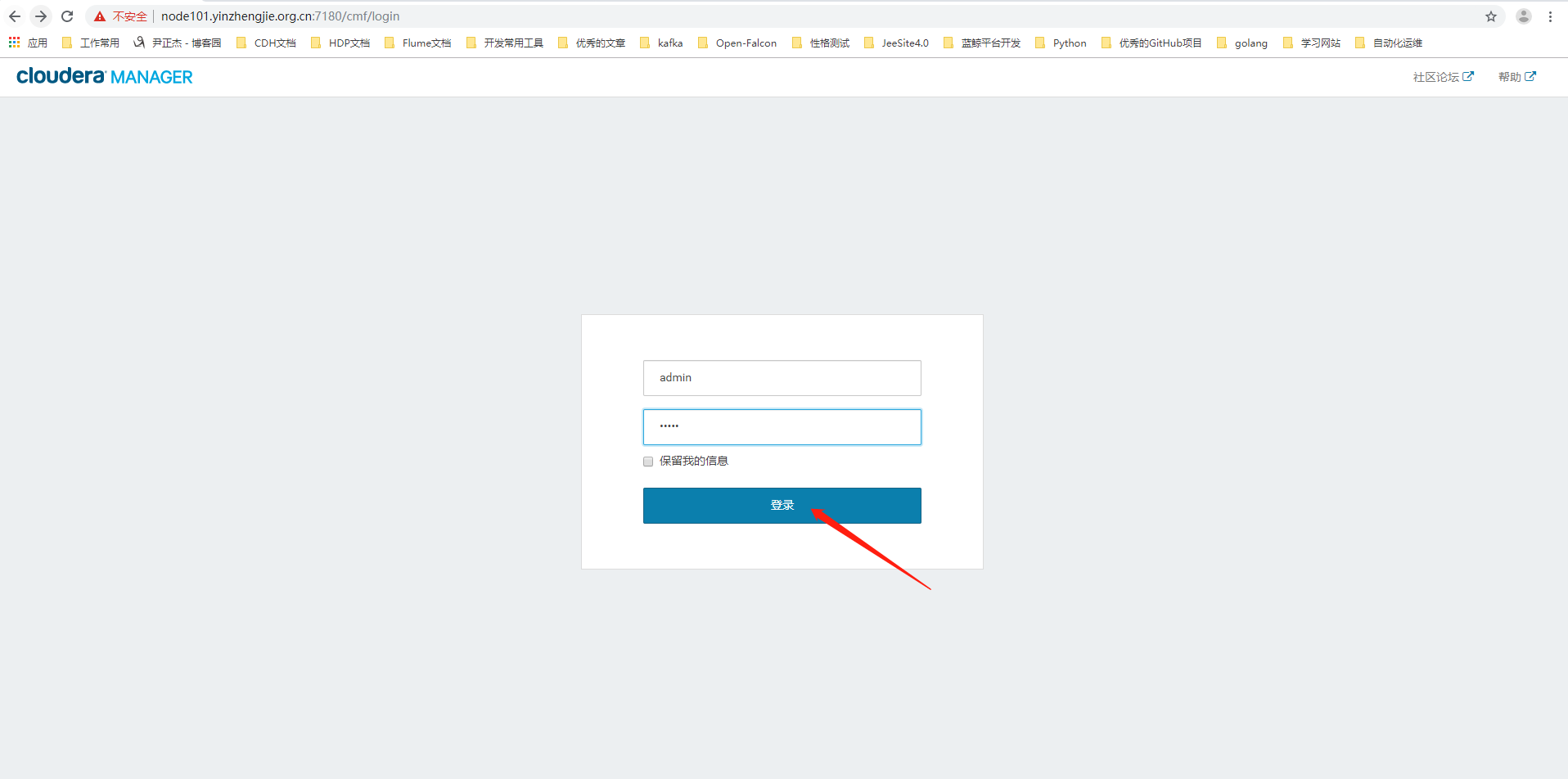
1>.使用默认密码登陆CM界面
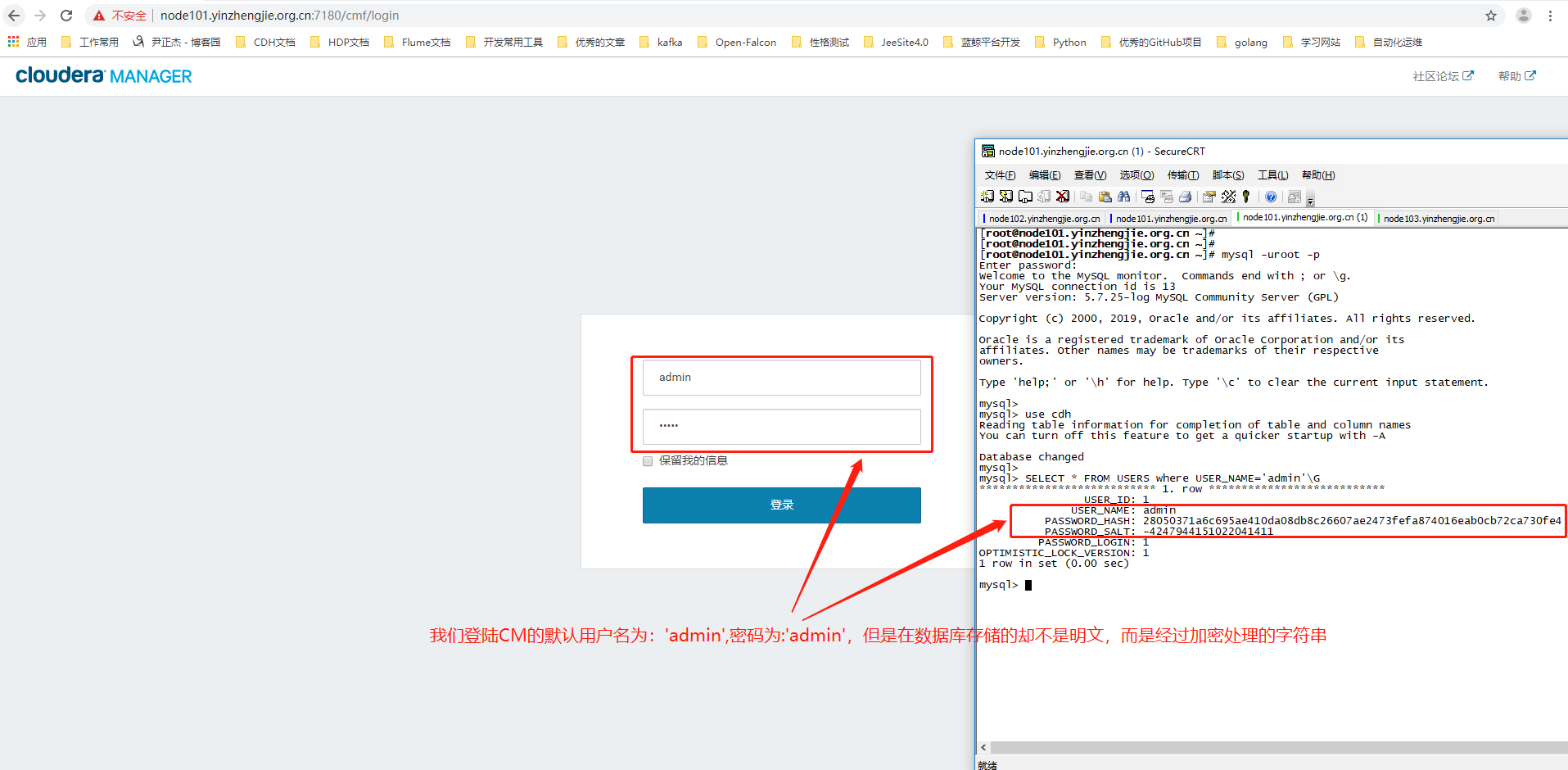
2>.登陆数据库,查看CM默认的密码
[root@node101.yinzhengjie.org.cn ~]# mysql -uroot -p

Enter password:

Welcome to the MySQL monitor.  Commands end with ; or \g.

Your MySQL connection id is 13

Server version: 5.7.25-log MySQL Community Server (GPL)

Copyright (c) 2000, 2019, Oracle and/or its affiliates. All rights reserved.

Oracle is a registered trademark of Oracle Corporation and/or its

affiliates. Other names may be trademarks of their respective

owners.

Type 'help;' or '\h' for help. Type '\c' to clear the current input statement.

mysql>

mysql> use cdh

Reading table information for completion of table and column names

You can turn off this feature to get a quicker startup with -A

Database changed

mysql>

mysql> SELECT * FROM USERS where USER_NAME='admin'\G

*************************** 1. row ***************************

                USER_ID: 1

              USER_NAME: admin

          PASSWORD_HASH: 28050371a6c695ae410da08db8c26607ae2473fefa874016eab0cb72ca730fe4        #我们需要记住该字符串,因为我们在下面还得用到它哟~

          PASSWORD_SALT: -4247944151022041411                                   #它我们也需要记住一下!

         PASSWORD_LOGIN: 1

OPTIMISTIC_LOCK_VERSION: 1

1 row in set (0.00 sec)

mysql>
3>.点击修改密码
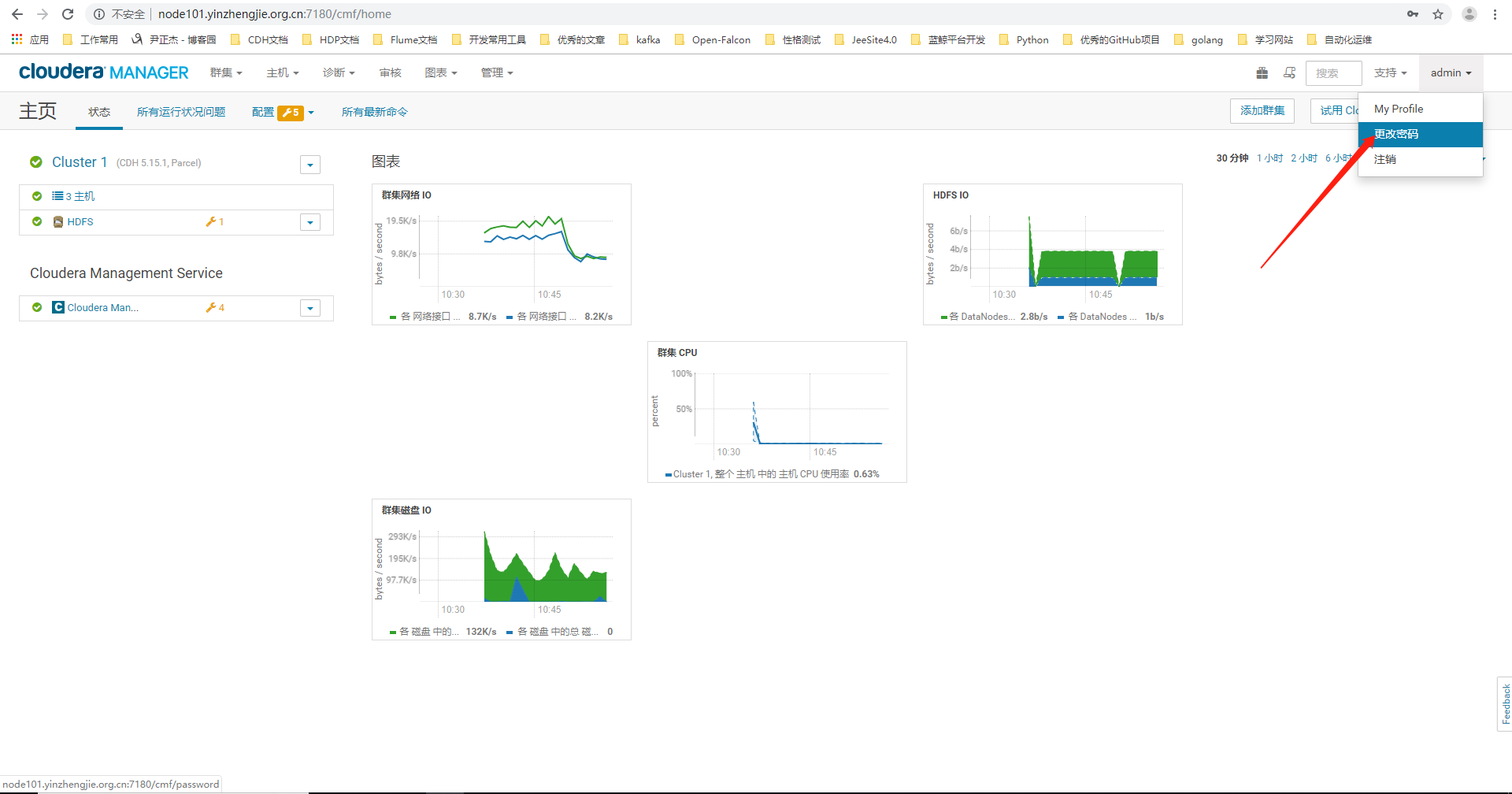
4>.自定义CM的登陆密码

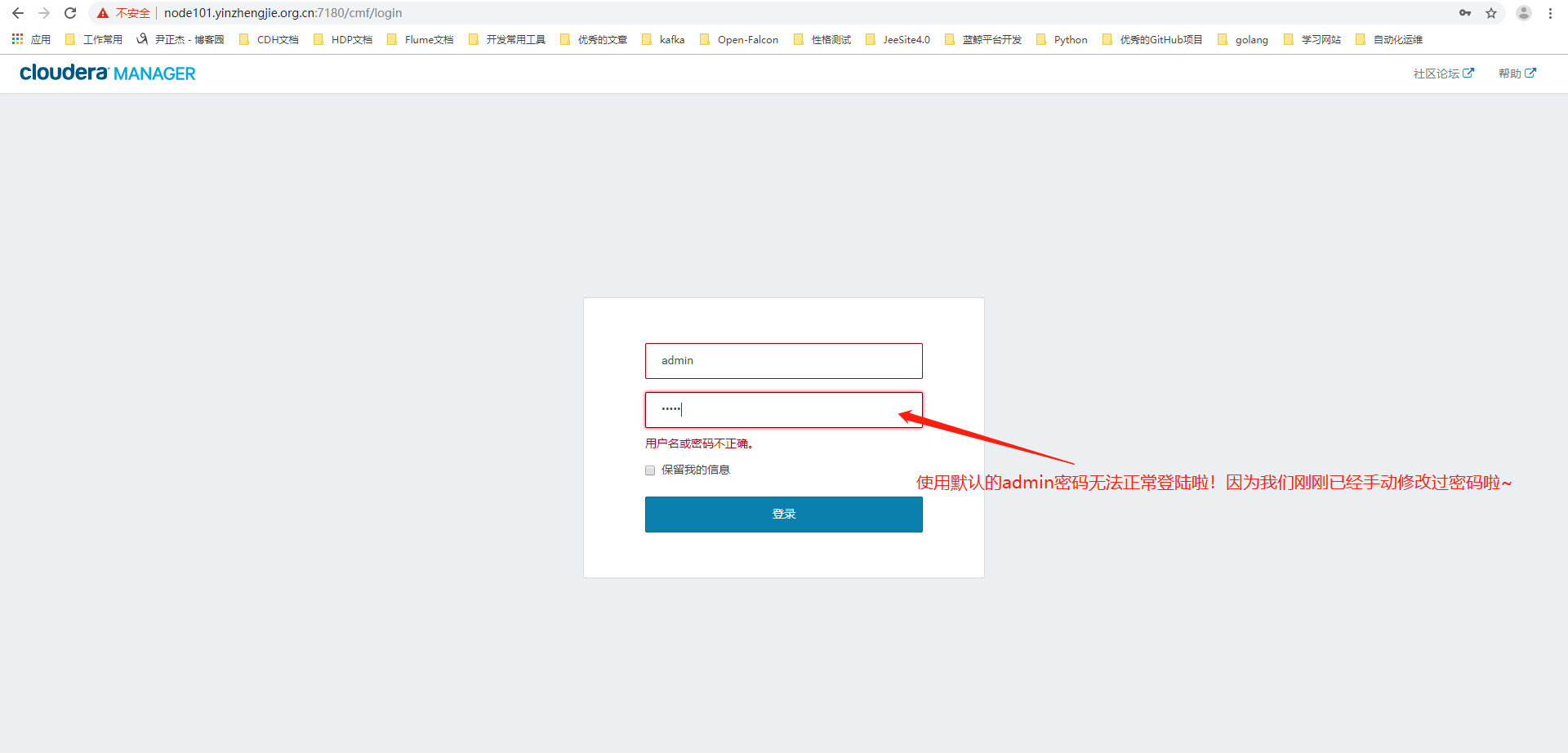
5>.使用之前默认的密码登陆,发现无法正常登陆啦
二.观察修改后数据库存储的字符串变化
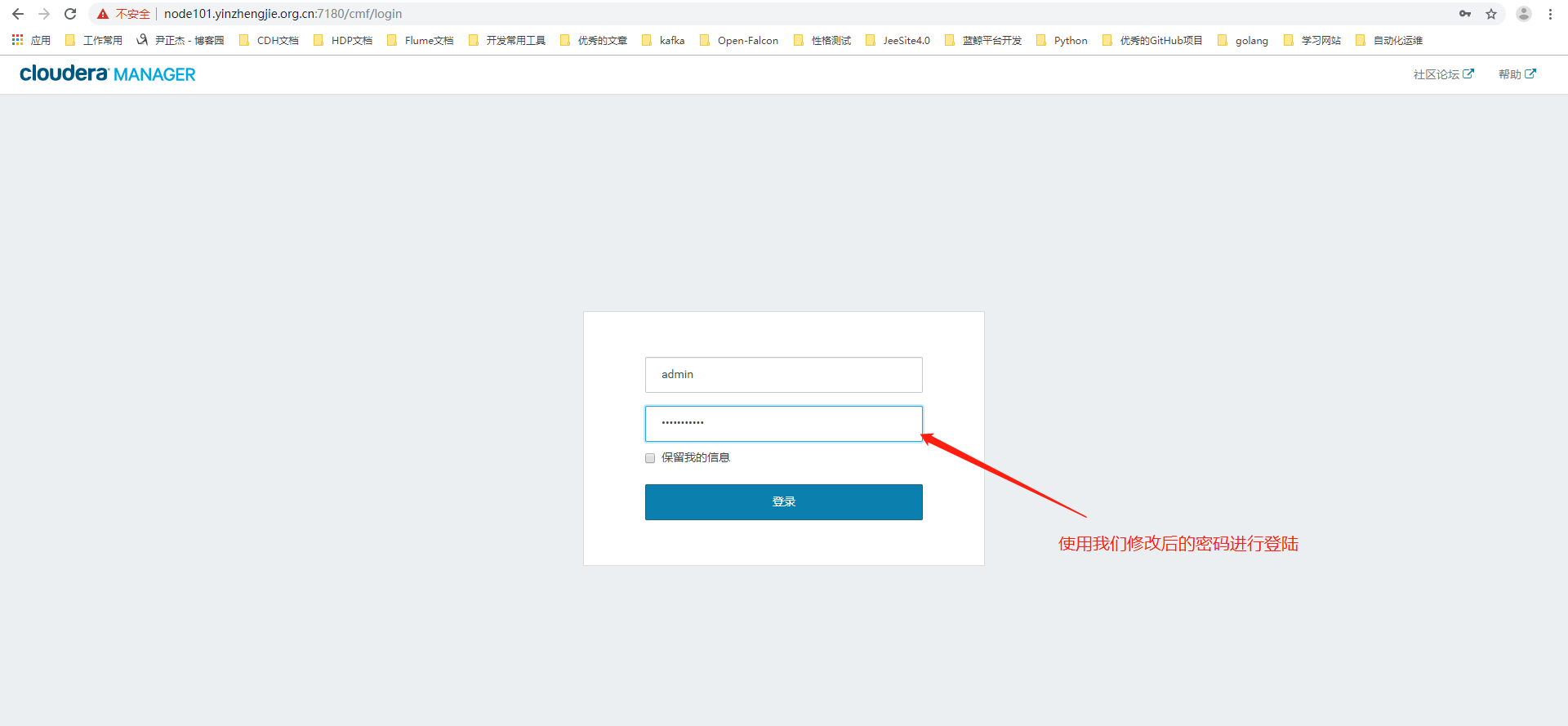
1>.使用修改后的密码进行登陆
2>.观察此时数据库存储的用户名密码变化
[root@node101.yinzhengjie.org.cn ~]# mysql -uroot -p

Enter password:

Welcome to the MySQL monitor.  Commands end with ; or \g.

Your MySQL connection id is 13

Server version: 5.7.25-log MySQL Community Server (GPL)

Copyright (c) 2000, 2019, Oracle and/or its affiliates. All rights reserved.

Oracle is a registered trademark of Oracle Corporation and/or its

affiliates. Other names may be trademarks of their respective

owners.

Type 'help;' or '\h' for help. Type '\c' to clear the current input statement.

mysql>

mysql> use cdh

Reading table information for completion of table and column names

You can turn off this feature to get a quicker startup with -A

Database changed

mysql>

mysql> SELECT * FROM USERS where USER_NAME='admin'\G

*************************** 1. row ***************************

                USER_ID: 1

              USER_NAME: admin

          PASSWORD_HASH: 28050371a6c695ae410da08db8c26607ae2473fefa874016eab0cb72ca730fe4

          PASSWORD_SALT: -4247944151022041411

         PASSWORD_LOGIN: 1

OPTIMISTIC_LOCK_VERSION: 1

1 row in set (0.00 sec)

mysql>

mysql>

mysql>

mysql> SELECT * FROM USERS where USER_NAME='admin'\G

*************************** 1. row ***************************

                USER_ID: 1

              USER_NAME: admin

          PASSWORD_HASH: 250041eb472c23cf8c676c241439d8a7b99c2a3ea9df3cc37fb3eefd5ab43029        #发现没有?它发生变化啦!

          PASSWORD_SALT: -6043720566682334983                                   #该值也发生变化啦~

         PASSWORD_LOGIN: 1

OPTIMISTIC_LOCK_VERSION: 2

1 row in set (0.00 sec)

mysql>
三.还原CM默认密码
1>.还原CM默认登陆密码
[root@node101.yinzhengjie.org.cn ~]# mysql -uroot -p

Enter password:

Welcome to the MySQL monitor.  Commands end with ; or \g.

Your MySQL connection id is 13

Server version: 5.7.25-log MySQL Community Server (GPL)

Copyright (c) 2000, 2019, Oracle and/or its affiliates. All rights reserved.

Oracle is a registered trademark of Oracle Corporation and/or its

affiliates. Other names may be trademarks of their respective

owners.

Type 'help;' or '\h' for help. Type '\c' to clear the current input statement.

mysql>

mysql> use cdh

Reading table information for completion of table and column names

You can turn off this feature to get a quicker startup with -A

Database changed

mysql>

mysql> SELECT * FROM USERS where USER_NAME='admin'\G

*************************** 1. row ***************************

                USER_ID: 1

              USER_NAME: admin

          PASSWORD_HASH: 250041eb472c23cf8c676c241439d8a7b99c2a3ea9df3cc37fb3eefd5ab43029

          PASSWORD_SALT: -6043720566682334983

         PASSWORD_LOGIN: 1

OPTIMISTIC_LOCK_VERSION: 2

1 row in set (0.00 sec)

mysql>

mysql> update USERS set PASSWORD_HASH='28050371a6c695ae410da08db8c26607ae2473fefa874016eab0cb72ca730fe4',PASSWORD_SALT='-4247944151022041411' WHERE USER_NAME='admin';

Query OK, 1 row affected (0.00 sec)

Rows matched: 1  Changed: 1  Warnings: 0

mysql>

mysql> SELECT * FROM USERS where USER_NAME='admin'\G

*************************** 1. row ***************************

                USER_ID: 1

              USER_NAME: admin

          PASSWORD_HASH: 28050371a6c695ae410da08db8c26607ae2473fefa874016eab0cb72ca730fe4

          PASSWORD_SALT: -4247944151022041411

         PASSWORD_LOGIN: 1

OPTIMISTIC_LOCK_VERSION: 2

1 row in set (0.00 sec)

mysql>
2>.使用默认密码进行登陆
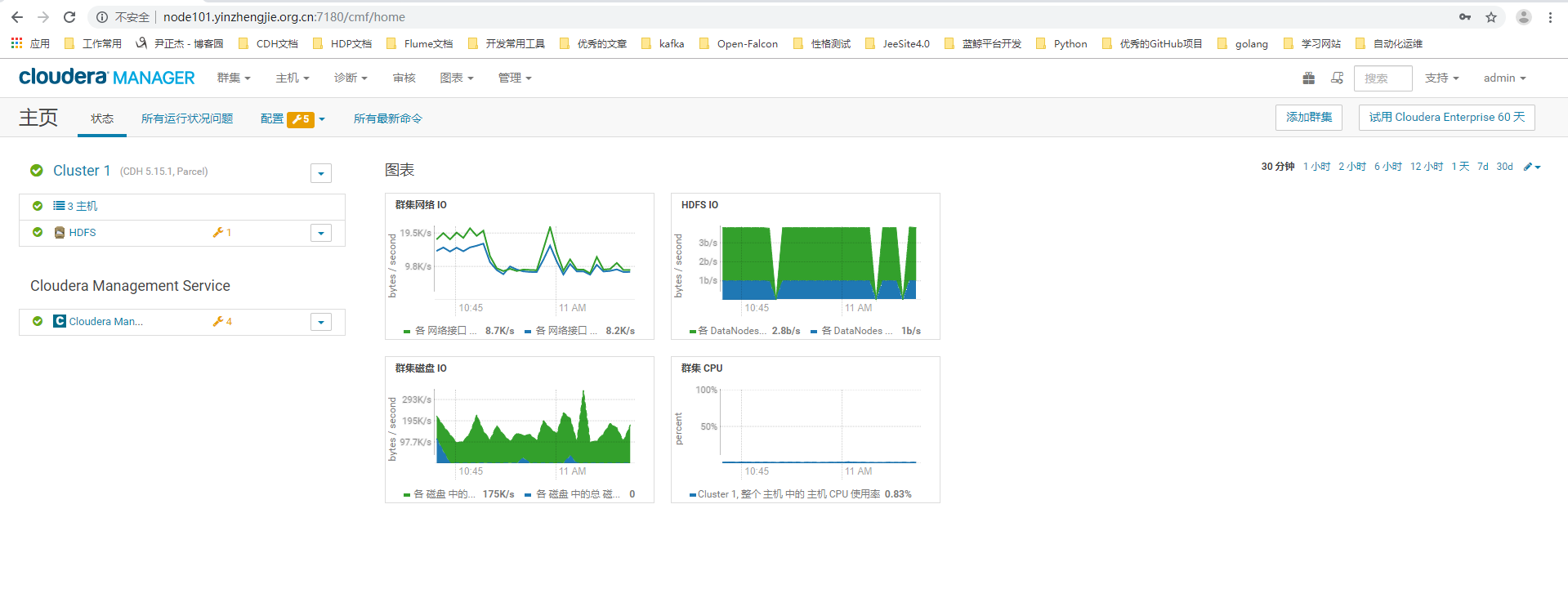
3>.登陆成功
Cloudera Manager 5.15.1忘记密码怎么破?的更多相关文章
- 关于phpcms 万一忘记密码怎么破?
莫慌~海洋小生教你~我也是偷偷学来的,呀哈哈哈! first:............................你就认命吧!哈哈哈... 开玩笑开玩笑! LOOK HERE ↓: 1.在没有安装 ...
- 通过Cloudera Manager部署CDH5.15.1的webUI界面详解
通过Cloudera Manager部署CDH5.15.1的webUI界面详解 作者:尹正杰 版权声明:原创作品,谢绝转载!否则将追究法律责任. 本篇博客CDH的部署完全通过Cloudera Mana ...
- Cloudera Manager Server CDH 5.15部署
安装前准备 主机和系统 Host OS Memory IP bigdata001-dev Cent OS 7.4 x64 32G 192.168.1.1 bigdata002-dev Cent OS ...
- Ubuntu安装Cloudera Manager以及CDH5.15.2
一.机子分配 注意,本安装教程是在真机上进行,而非虚拟机.另,此次搭建主要的目的是搭建测试环境,让Hadoop各组件能够运作起来即可,完成搭建后,将用小数据量进行相关数据的计算与测试.线上环境将会使用 ...
- Cloudera Manager 5.9 和 CDH 5.9 离线安装指南及个人采坑填坑记
公司的CDH早就装好了,一直想自己装一个玩玩,最近组了台电脑,笔记本就淘汰下来了,加上之前的,一共3台,就在X宝上买了CPU和内存升级了下笔记本,就自己组了个集群. 话说,好想去捡垃圾,捡台8核16线 ...
- 1.Cloudera Manager安装
安装环境采用2台虚拟机进行,一台master, 一台slave1 先安装好centos 6.5 两台,并设置静态ip 怎么安装可以参考地址:https://jingyan.baidu.com/arti ...
- 离线安装Cloudera Manager 5和CDH5(最新版5.1.3) 完全教程
关于CDH和Cloudera Manager CDH (Cloudera's Distribution, including Apache Hadoop),是Hadoop众多分支中的一种,由Cloud ...
- Cloudera Manager安装_搭建CDH集群
2017年2月22日, 星期三 Cloudera Manager安装_搭建CDH集群 cpu 内存16G 内存12G 内存8G 默认单核单线 CDH1_node9 Server || Agent ...
- Cloudera Manager及CDH最新版本安装全程记录
大家都知道,Apache Hadoop的配置很繁琐,而且很零散,为此Cloudera公司提供了Clouder Manager工具,而且还封装了Apache Hadoop,flume,spark,hiv ...
随机推荐
- GPRS 智能门禁控制器
本模块居于GPRS 2G网络,信号覆盖广,而且好. 主要用于微信门禁等,提供用户服务端搭建及相关接口. 您可以向门禁发送开门信号,并提醒开门成功的信号反馈. 同时支持发送开门ID号,并反馈成功ID号
- node框架那些事儿
一.简单介绍 express:适合初学者,模版引擎,路由,中间件 koa2:核心中间件 eggjs:企业级应用框架 二.express 服务端框架,提供路由功能,异常处理.路由系统+中间件构成web开 ...
- 【并行计算-CUDA开发】OpenACC与OpenHMPP
在西雅图超级计算大会(SC11)上发布了新的基于指令的加速器并行编程标准,既OpenACC.这个开发标准的目的是让更多的编程人员可以用到GPU计算,同时计算结果可以跨加速器使用,甚至能用在多核CPU上 ...
- Python的编码规范
7. 什么是 PEP8? 8号Python增强提案,是针对Python代码格式而编写的风格指南 8. 了解 Python 之禅么? 通过 import this 语句可以获取其具体的内容.它告诉大家何 ...
- LeetCode176——第二高的薪水
题目描述 编写一个 SQL 查询,获取 Employee 表中第二高的薪水(Salary) . +----+--------+ | Id | Salary | +----+--------+ | 1 ...
- c++中共享内存原理及实现
共享内存 (也叫内存映射文件) 主要是通过映射机制实现的 , Windows 下进程的地址空间在逻辑上是相互隔离的 , 但在物理上却是重叠的 ; 所谓的重叠是指同一块内存区域可能被多个进程同时使用 , ...
- 基于C++ STL sort函数对c++ string 进行字符串的局部排序
Paypal笔试挂了,因为好久没有在leedcode之类的网上写代码,字符输入调了半天,时间都用光了.... Description: 有一个字符串,现在对其进行多次局部排序,例如str=" ...
- springboot2.1.7整合mybati3.5.2与mysql8.0.13
springboot2.x已经发布一段时间,博主在这里使用springboot2.1.7整合mybatis3.5.2,使用的数据库为mysql8.0.13 1. 导入依赖 <!--mysql-- ...
- git第一次上传push失败解决
第一次上传有可能会遇到push失败的情况,那是因为跟SVN一样,github上有一个README.md 文件没有下载下来 .我们得先 git pull --rebase origin master ...
- Python之路【第十五篇】开发FTP多线程程序
要求: 1.用户加密认证 2.允许同时多用户登录 3.每个用户有自己的家目录,且只能访问自己的家目录 4.对用户进行磁盘配额,每个用户的可用空间不同 5.允许用户在ftp server上随意切换目录 ...