
Cloudera Manager 5.15.1忘记密码怎么破?
Cloudera Manager 5.15.1忘记密码怎么破?
作者:尹正杰
版权声明:原创作品,谢绝转载!否则将追究法律责任。
一.登陆CM修改默认密码
1>.使用默认密码登陆CM界面
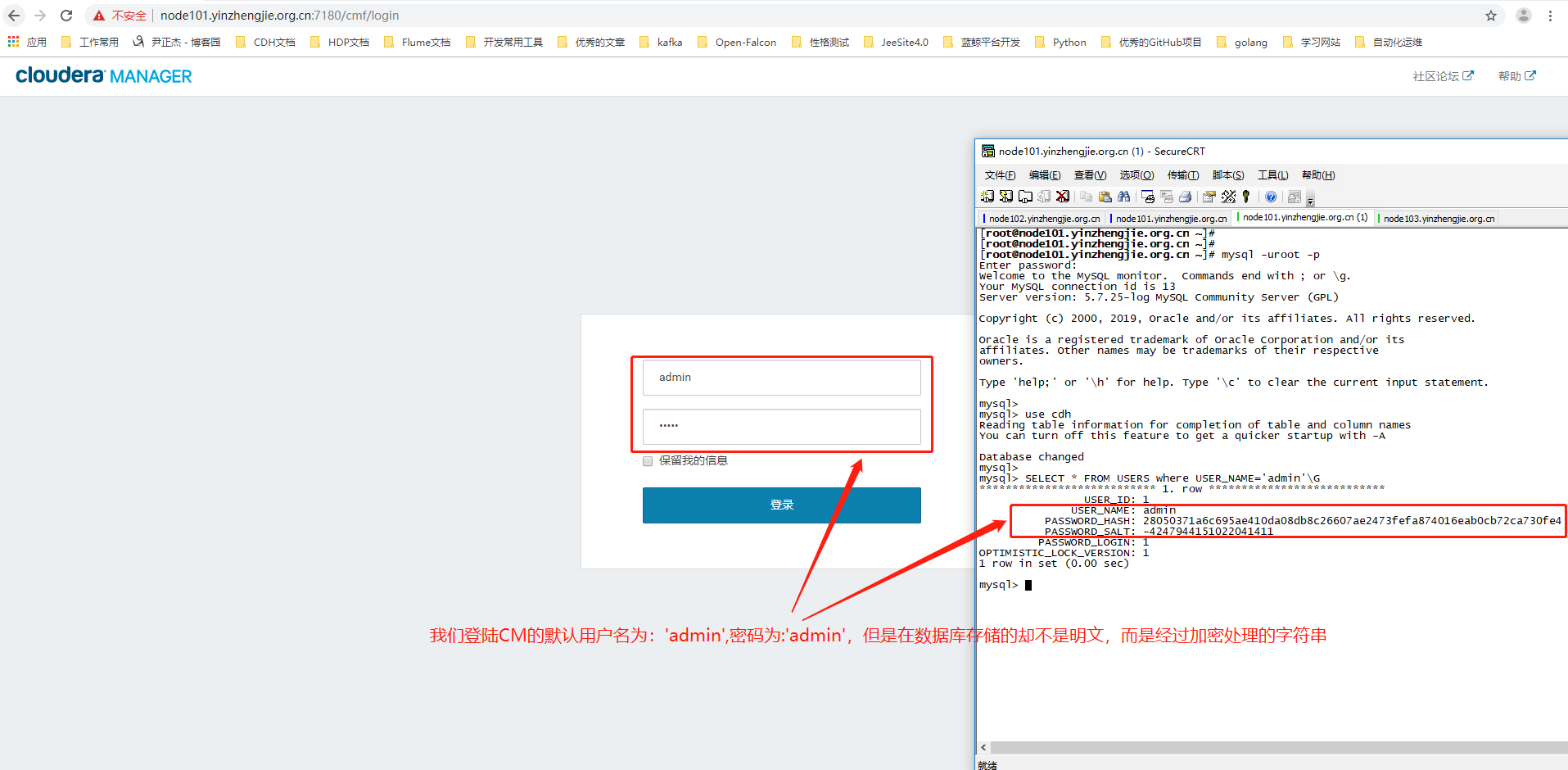
2>.登陆数据库,查看CM默认的密码
[root@node101.yinzhengjie.org.cn ~]# mysql -uroot -p

Enter password:

Welcome to the MySQL monitor.  Commands end with ; or \g.

Your MySQL connection id is 13

Server version: 5.7.25-log MySQL Community Server (GPL)

Copyright (c) 2000, 2019, Oracle and/or its affiliates. All rights reserved.

Oracle is a registered trademark of Oracle Corporation and/or its

affiliates. Other names may be trademarks of their respective

owners.

Type 'help;' or '\h' for help. Type '\c' to clear the current input statement.

mysql>

mysql> use cdh

Reading table information for completion of table and column names

You can turn off this feature to get a quicker startup with -A

Database changed

mysql>

mysql> SELECT * FROM USERS where USER_NAME='admin'\G

*************************** 1. row ***************************

                USER_ID: 1

              USER_NAME: admin

          PASSWORD_HASH: 28050371a6c695ae410da08db8c26607ae2473fefa874016eab0cb72ca730fe4        #我们需要记住该字符串,因为我们在下面还得用到它哟~

          PASSWORD_SALT: -4247944151022041411                                   #它我们也需要记住一下!

         PASSWORD_LOGIN: 1

OPTIMISTIC_LOCK_VERSION: 1

1 row in set (0.00 sec)

mysql>
3>.点击修改密码
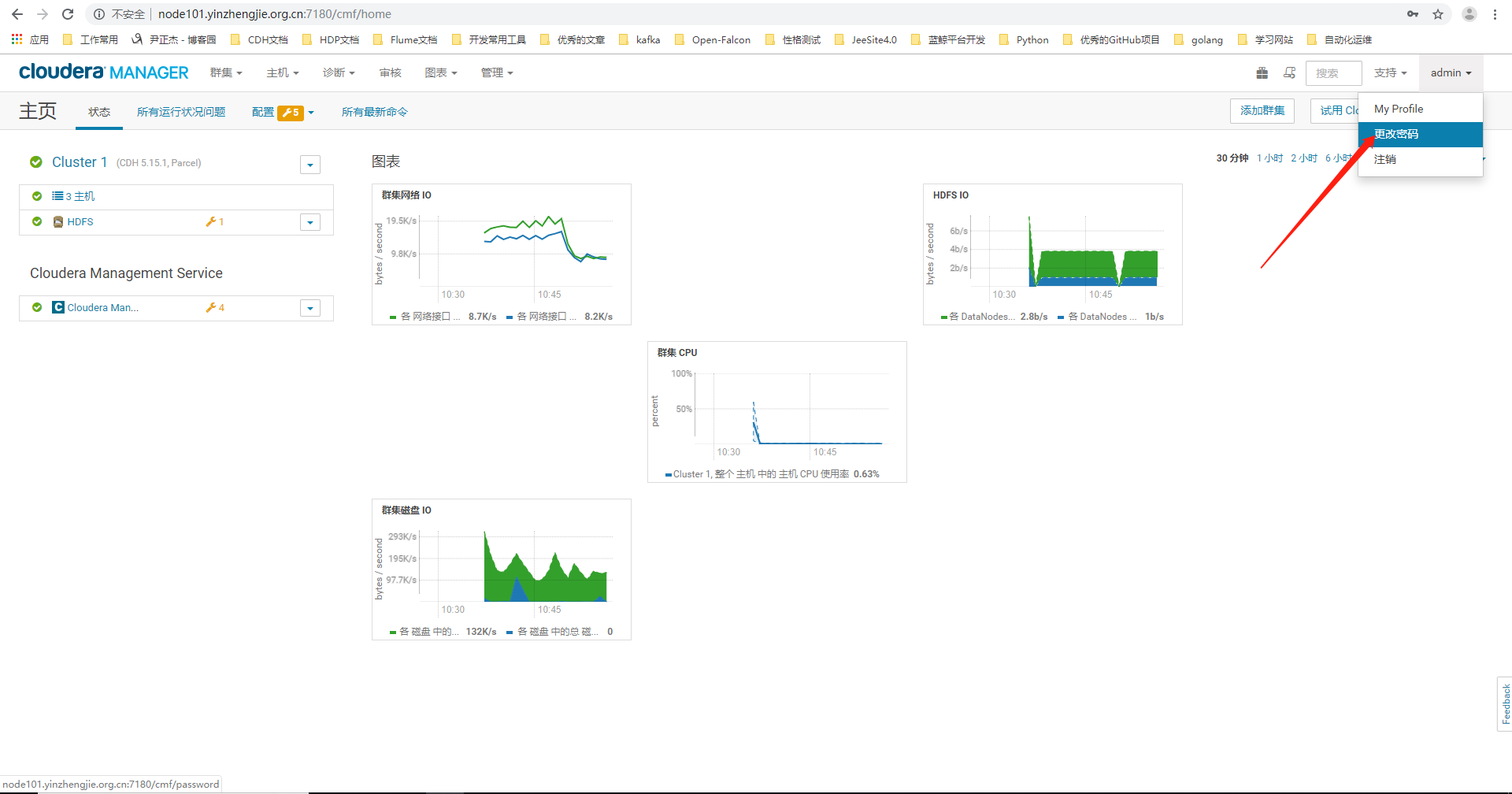
4>.自定义CM的登陆密码

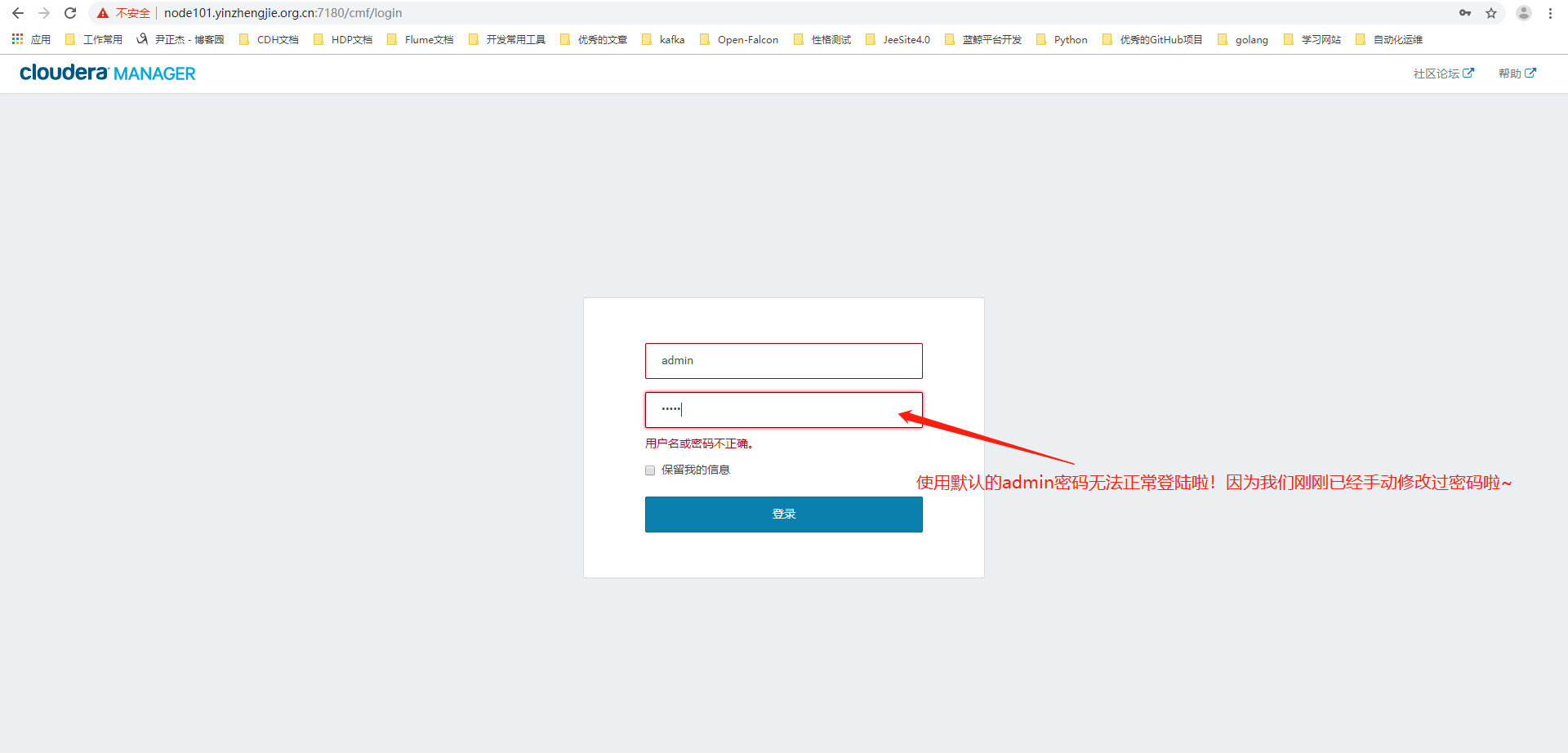
5>.使用之前默认的密码登陆,发现无法正常登陆啦
二.观察修改后数据库存储的字符串变化
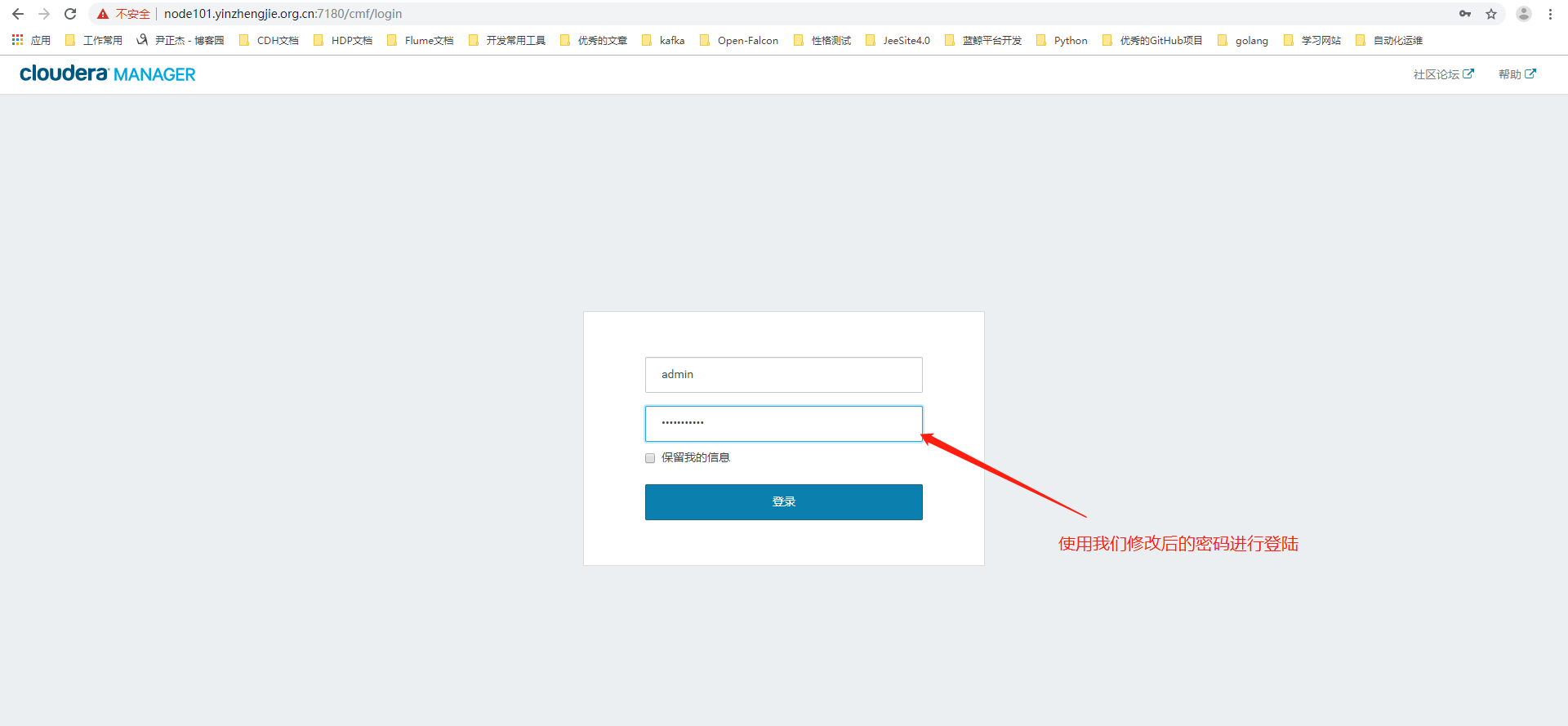
1>.使用修改后的密码进行登陆
2>.观察此时数据库存储的用户名密码变化
[root@node101.yinzhengjie.org.cn ~]# mysql -uroot -p

Enter password:

Welcome to the MySQL monitor.  Commands end with ; or \g.

Your MySQL connection id is 13

Server version: 5.7.25-log MySQL Community Server (GPL)

Copyright (c) 2000, 2019, Oracle and/or its affiliates. All rights reserved.

Oracle is a registered trademark of Oracle Corporation and/or its

affiliates. Other names may be trademarks of their respective

owners.

Type 'help;' or '\h' for help. Type '\c' to clear the current input statement.

mysql>

mysql> use cdh

Reading table information for completion of table and column names

You can turn off this feature to get a quicker startup with -A

Database changed

mysql>

mysql> SELECT * FROM USERS where USER_NAME='admin'\G

*************************** 1. row ***************************

                USER_ID: 1

              USER_NAME: admin

          PASSWORD_HASH: 28050371a6c695ae410da08db8c26607ae2473fefa874016eab0cb72ca730fe4

          PASSWORD_SALT: -4247944151022041411

         PASSWORD_LOGIN: 1

OPTIMISTIC_LOCK_VERSION: 1

1 row in set (0.00 sec)

mysql>

mysql>

mysql>

mysql> SELECT * FROM USERS where USER_NAME='admin'\G

*************************** 1. row ***************************

                USER_ID: 1

              USER_NAME: admin

          PASSWORD_HASH: 250041eb472c23cf8c676c241439d8a7b99c2a3ea9df3cc37fb3eefd5ab43029        #发现没有?它发生变化啦!

          PASSWORD_SALT: -6043720566682334983                                   #该值也发生变化啦~

         PASSWORD_LOGIN: 1

OPTIMISTIC_LOCK_VERSION: 2

1 row in set (0.00 sec)

mysql>
三.还原CM默认密码
1>.还原CM默认登陆密码
[root@node101.yinzhengjie.org.cn ~]# mysql -uroot -p

Enter password:

Welcome to the MySQL monitor.  Commands end with ; or \g.

Your MySQL connection id is 13

Server version: 5.7.25-log MySQL Community Server (GPL)

Copyright (c) 2000, 2019, Oracle and/or its affiliates. All rights reserved.

Oracle is a registered trademark of Oracle Corporation and/or its

affiliates. Other names may be trademarks of their respective

owners.

Type 'help;' or '\h' for help. Type '\c' to clear the current input statement.

mysql>

mysql> use cdh

Reading table information for completion of table and column names

You can turn off this feature to get a quicker startup with -A

Database changed

mysql>

mysql> SELECT * FROM USERS where USER_NAME='admin'\G

*************************** 1. row ***************************

                USER_ID: 1

              USER_NAME: admin

          PASSWORD_HASH: 250041eb472c23cf8c676c241439d8a7b99c2a3ea9df3cc37fb3eefd5ab43029

          PASSWORD_SALT: -6043720566682334983

         PASSWORD_LOGIN: 1

OPTIMISTIC_LOCK_VERSION: 2

1 row in set (0.00 sec)

mysql>

mysql> update USERS set PASSWORD_HASH='28050371a6c695ae410da08db8c26607ae2473fefa874016eab0cb72ca730fe4',PASSWORD_SALT='-4247944151022041411' WHERE USER_NAME='admin';

Query OK, 1 row affected (0.00 sec)

Rows matched: 1  Changed: 1  Warnings: 0

mysql>

mysql> SELECT * FROM USERS where USER_NAME='admin'\G

*************************** 1. row ***************************

                USER_ID: 1

              USER_NAME: admin

          PASSWORD_HASH: 28050371a6c695ae410da08db8c26607ae2473fefa874016eab0cb72ca730fe4

          PASSWORD_SALT: -4247944151022041411

         PASSWORD_LOGIN: 1

OPTIMISTIC_LOCK_VERSION: 2

1 row in set (0.00 sec)

mysql>
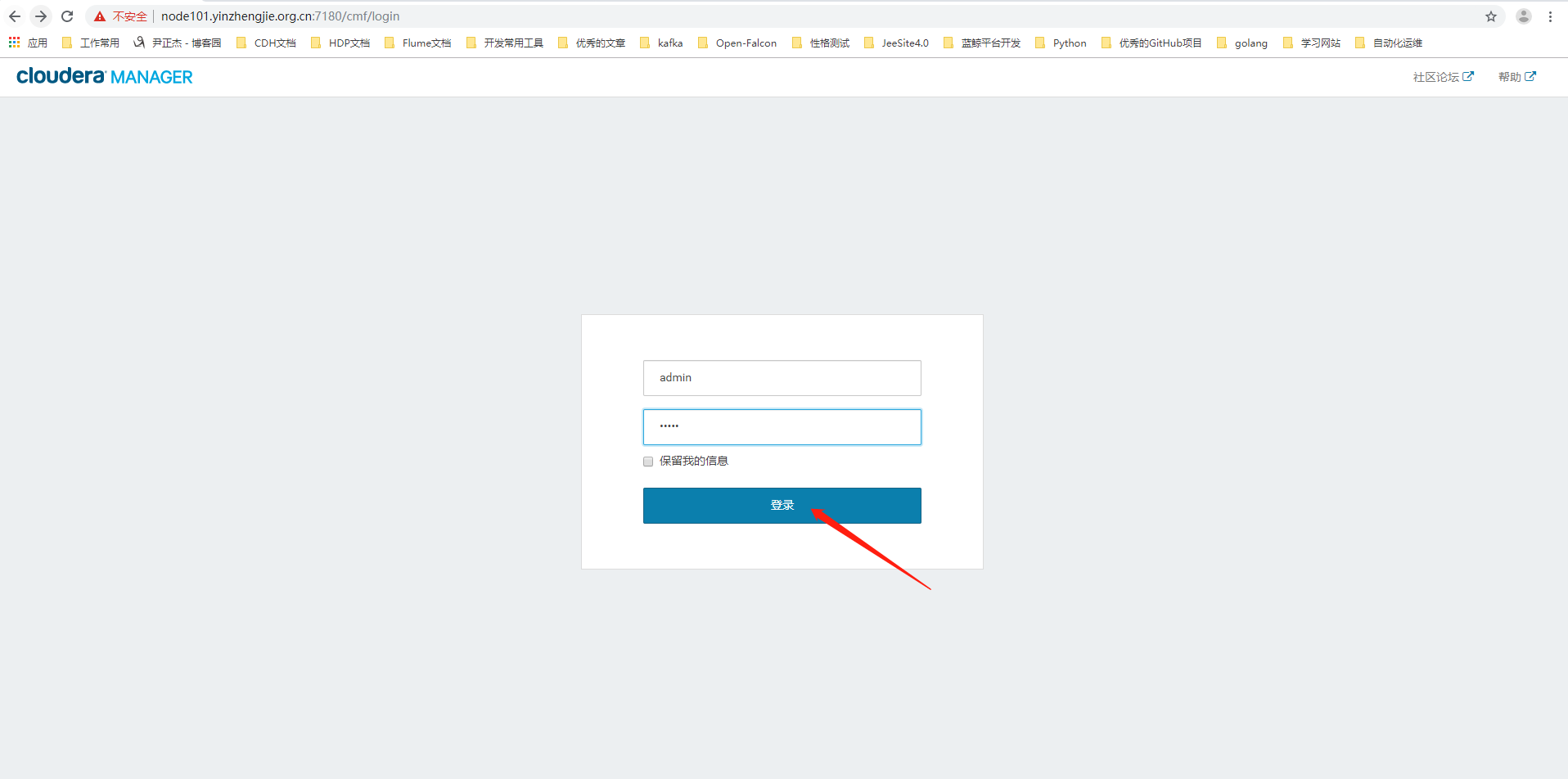
2>.使用默认密码进行登陆
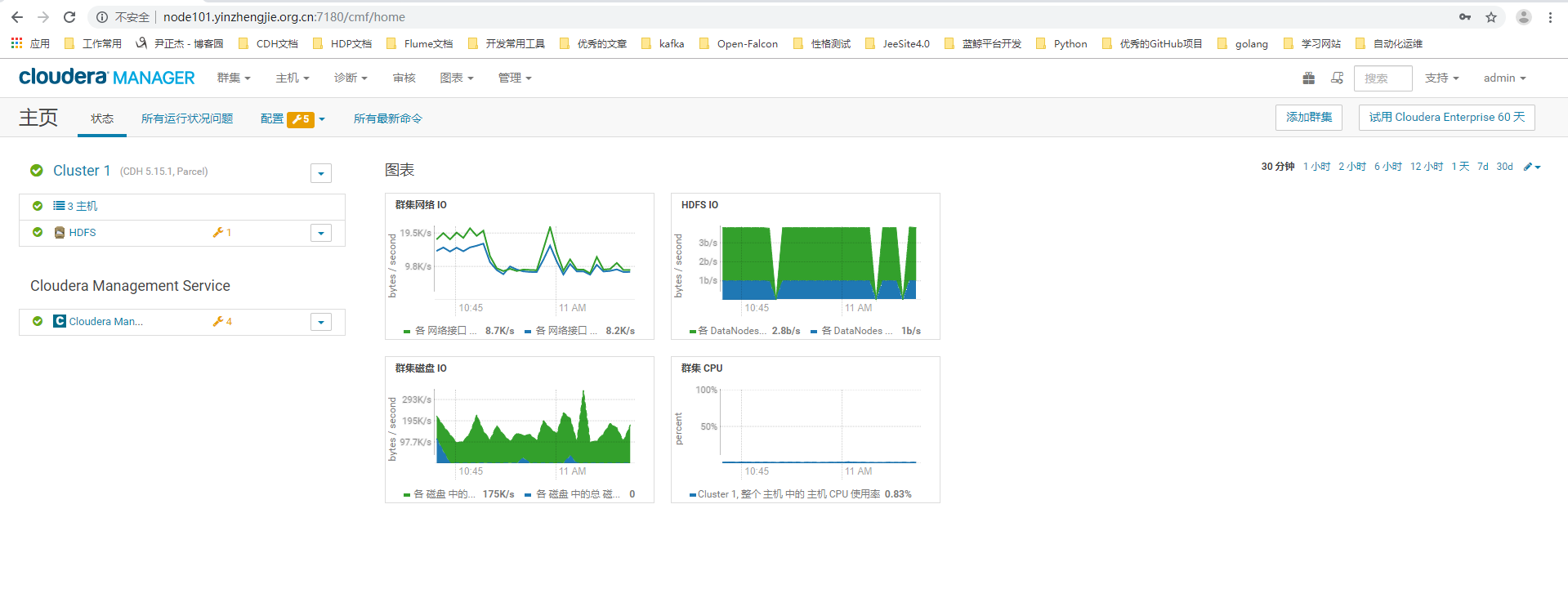
3>.登陆成功
Cloudera Manager 5.15.1忘记密码怎么破?的更多相关文章
- 关于phpcms 万一忘记密码怎么破?
莫慌~海洋小生教你~我也是偷偷学来的,呀哈哈哈! first:............................你就认命吧!哈哈哈... 开玩笑开玩笑! LOOK HERE ↓: 1.在没有安装 ...
- 通过Cloudera Manager部署CDH5.15.1的webUI界面详解
通过Cloudera Manager部署CDH5.15.1的webUI界面详解 作者:尹正杰 版权声明:原创作品,谢绝转载!否则将追究法律责任. 本篇博客CDH的部署完全通过Cloudera Mana ...
- Cloudera Manager Server CDH 5.15部署
安装前准备 主机和系统 Host OS Memory IP bigdata001-dev Cent OS 7.4 x64 32G 192.168.1.1 bigdata002-dev Cent OS ...
- Ubuntu安装Cloudera Manager以及CDH5.15.2
一.机子分配 注意,本安装教程是在真机上进行,而非虚拟机.另,此次搭建主要的目的是搭建测试环境,让Hadoop各组件能够运作起来即可,完成搭建后,将用小数据量进行相关数据的计算与测试.线上环境将会使用 ...
- Cloudera Manager 5.9 和 CDH 5.9 离线安装指南及个人采坑填坑记
公司的CDH早就装好了,一直想自己装一个玩玩,最近组了台电脑,笔记本就淘汰下来了,加上之前的,一共3台,就在X宝上买了CPU和内存升级了下笔记本,就自己组了个集群. 话说,好想去捡垃圾,捡台8核16线 ...
- 1.Cloudera Manager安装
安装环境采用2台虚拟机进行,一台master, 一台slave1 先安装好centos 6.5 两台,并设置静态ip 怎么安装可以参考地址:https://jingyan.baidu.com/arti ...
- 离线安装Cloudera Manager 5和CDH5(最新版5.1.3) 完全教程
关于CDH和Cloudera Manager CDH (Cloudera's Distribution, including Apache Hadoop),是Hadoop众多分支中的一种,由Cloud ...
- Cloudera Manager安装_搭建CDH集群
2017年2月22日, 星期三 Cloudera Manager安装_搭建CDH集群 cpu 内存16G 内存12G 内存8G 默认单核单线 CDH1_node9 Server || Agent ...
- Cloudera Manager及CDH最新版本安装全程记录
大家都知道,Apache Hadoop的配置很繁琐,而且很零散,为此Cloudera公司提供了Clouder Manager工具,而且还封装了Apache Hadoop,flume,spark,hiv ...
随机推荐
- matlab学习笔记13_2匿名函数
一起来学matlab-matlab学习笔记13函数 13_2 匿名函数 觉得有用的话,欢迎一起讨论相互学习~Follow Me 参考文献 https://ww2.mathworks.cn/help/m ...
- java 堆调优
一.查看kafka集群的broker的堆内存使用情况 1>.使用jstat查看gc的信息([root@kafka116 ~]# jstat -gc 12698 1s 30) 参数说明:S0C:第 ...
- 使用vue搭建应用四引入axios
Axios 是一个基于 promise 的 HTTP 库,可以用在浏览器和 node.js 中 特性 从浏览器中创建 XMLHttpRequests 从 node.js 创建 http 请求 支持 P ...
- static binding/dynamic binding
static binding/dynamic binding class Person { private void who() { System.out.println("Inside p ...
- UV数据与风速风向数据转换
package com.qr.util; import java.text.DecimalFormat; /** * //TODO UV数据与风速风向数据转换 */ public class UVAn ...
- Django-04-路由系统
1. 概述 URL配置(URLconf)就像Django 所支撑网站的目录.它的本质是URL模式以及 2. path转换器 在django2.0 以上的版本中,默认使用的是path转换器,我们首先以此 ...
- Python使用Django创建第一个项目
一 必要环境安装 1首先确保安装了Python3,在此使用的系统为Ubuntu @ubuntu:~$ python3 Python 3.6.7 (default, Oct 22 2018, 11:32 ...
- SQLite接口函数 - C核心api实践与总结
SQLite核心源代码由C语言写就,同时提供了很多的扩展包可应用于其他编程语言和类库,如Python.Ruby.Java.Perl..Net/C#.Qt和ODBC.在很多情况下,针对一种语言有很多扩展 ...
- 异或序列 [set优化DP]
也许更好的阅读体验 \(\mathcal{Description}\) 有一个长度为 \(n\)的自然数序列 \(a\),要求将这个序列分成至少 \(m\) 个连续子段 每个子段的价值为该子段的所有数 ...
- 2、在NET中实现多线程
1.System.Threading命名空间 System.Threading命名空间提供了使得可以多线程编程的类和接口 其中 (1)Thread类构成了C#多线程编程的支柱,他用于创建并控制线程 ( ...