
环境篇:Virtualbox+Vagrant安装Centos7
环境篇:Virtualbox+Vagrant安装Centos7

1 安装Vagrant
Vagrant下载地址:https://www.vagrantup.com/
Vagrant百度网盘:https://pan.baidu.com/s/1jqnMml024niqWQPbrGVuJw提取码:xv8h
傻瓜安装即可
vagrant -v 查看版本

2 下载virtualbox.box镜像
virtualbox.box百度网盘:https://pan.baidu.com/s/1EBrysc13fd0qf9EbT5rKdw提取码:1dk4
3 安装Virtualbox
virtualbox下载地址:https://www.virtualbox.org
virtualbox百度网盘:https://pan.baidu.com/s/1InyLZ-8Zmjuj7Qyk0Qg1Uw提取码:ewty
傻瓜安装即可,注意和Vagrant有版本兼容问题
4 安装centos7
4.1 添加本地centos/7镜像
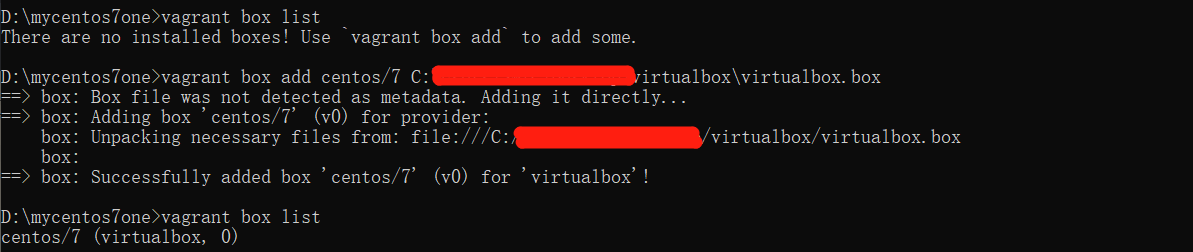
找到下载好的virtualbox.box文件目录
使用
vagrant box add centos/7 C:\Users\SMZC\Desktop\virtualbox\virtualbox.box添加vagrant镜像使用
vagrant box list查询镜像
4.2 创建虚拟机环境
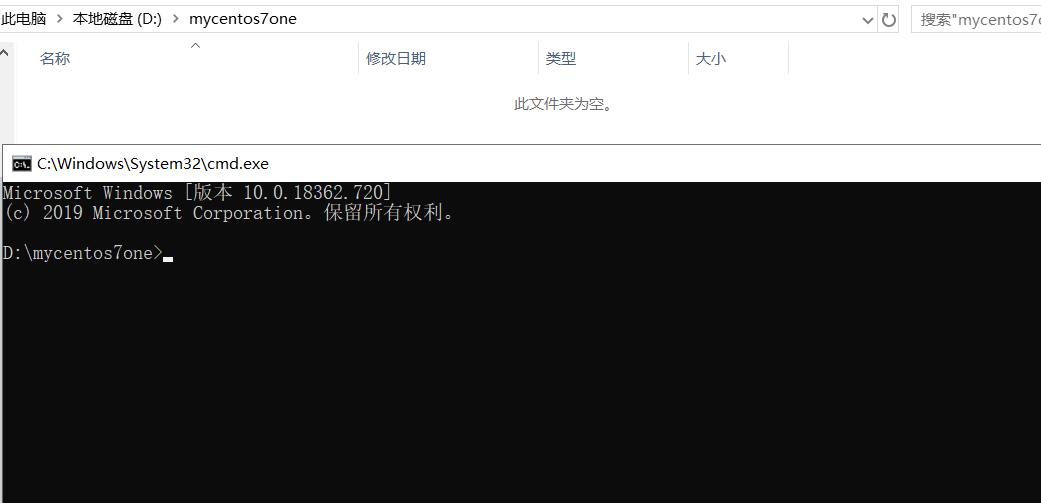
- 新建一个文件夹,并进入命令行cmd
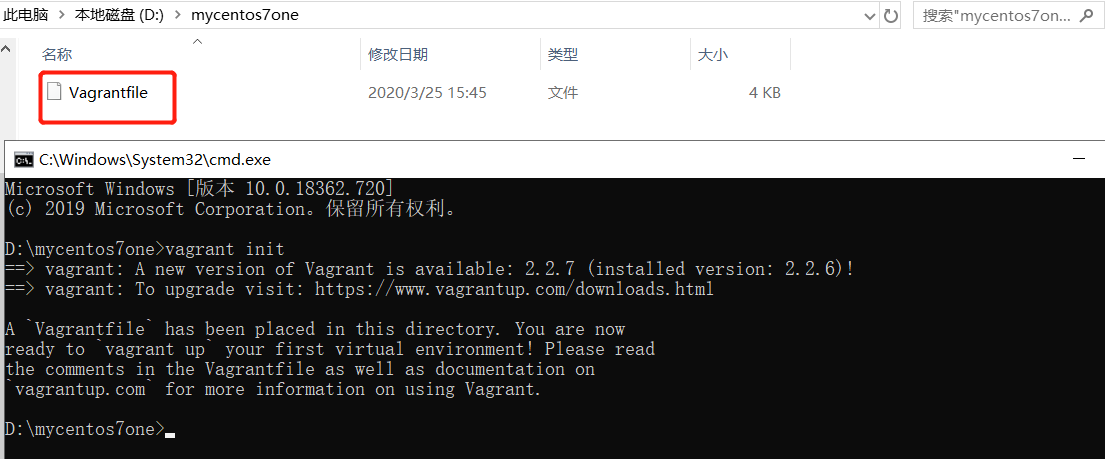
- 使用
vagrant init命令
- 修改Vagrantfile文件
# -*- mode: ruby -*-

# vi: set ft=ruby :

# All Vagrant configuration is done below. The "2" in Vagrant.configure

# configures the configuration version (we support older styles for

# backwards compatibility). Please don't change it unless you know what

# you're doing.

Vagrant.configure("2") do |config|

  # The most common configuration options are documented and commented below.

  # For a complete reference, please see the online documentation at

  # https://docs.vagrantup.com.

  # Every Vagrant development environment requires a box. You can search for

  # boxes at https://vagrantcloud.com/search.

  #拉取镜像centos/7

  config.vm.box = "centos/7"

  # Disable automatic box update checking. If you disable this, then

  # boxes will only be checked for updates when the user runs

  # `vagrant box outdated`. This is not recommended.

  # config.vm.box_check_update = false

  # Create a forwarded port mapping which allows access to a specific port

  # within the machine from a port on the host machine. In the example below,

  # accessing "localhost:8080" will access port 80 on the guest machine.

  # NOTE: This will enable public access to the opened port

  # config.vm.network "forwarded_port", guest: 80, host: 8080

  #采用桥接网络,共享主机网络

  config.vm.network "public_network"

  # Create a forwarded port mapping which allows access to a specific port

  # within the machine from a port on the host machine and only allow access

  # via 127.0.0.1 to disable public access

  # config.vm.network "forwarded_port", guest: 80, host: 8080, host_ip: "127.0.0.1"

  # Create a private network, which allows host-only access to the machine

  # using a specific IP.

  # config.vm.network "private_network", ip: "192.168.33.10"

  # Create a public network, which generally matched to bridged network.

  # Bridged networks make the machine appear as another physical device on

  # your network.

  # config.vm.network "public_network"

  # Share an additional folder to the guest VM. The first argument is

  # the path on the host to the actual folder. The second argument is

  # the path on the guest to mount the folder. And the optional third

  # argument is a set of non-required options.

  # config.vm.synced_folder "../data", "/vagrant_data"

  # Provider-specific configuration so you can fine-tune various

  # backing providers for Vagrant. These expose provider-specific options.

  # Example for VirtualBox:

  #

  # config.vm.provider "virtualbox" do |vb|

  #   # Display the VirtualBox GUI when booting the machine

  #   vb.gui = true

  #

  #   # Customize the amount of memory on the VM:

  #   vb.memory = "1024"

  # end

  #虚拟机名字heaton-centos7,内存,核数

    config.vm.provider "virtualbox" do |vb|

      vb.memory = "4096"

      vb.name= "heaton-centos7"

      vb.cpus= 2

    end

  #

  # View the documentation for the provider you are using for more

  # information on available options.

  # Enable provisioning with a shell script. Additional provisioners such as

  # Puppet, Chef, Ansible, Salt, and Docker are also available. Please see the

  # documentation for more information about their specific syntax and use.

  # config.vm.provision "shell", inline: <<-SHELL

  #   apt-get update

  #   apt-get install -y apache2

  # SHELL

end
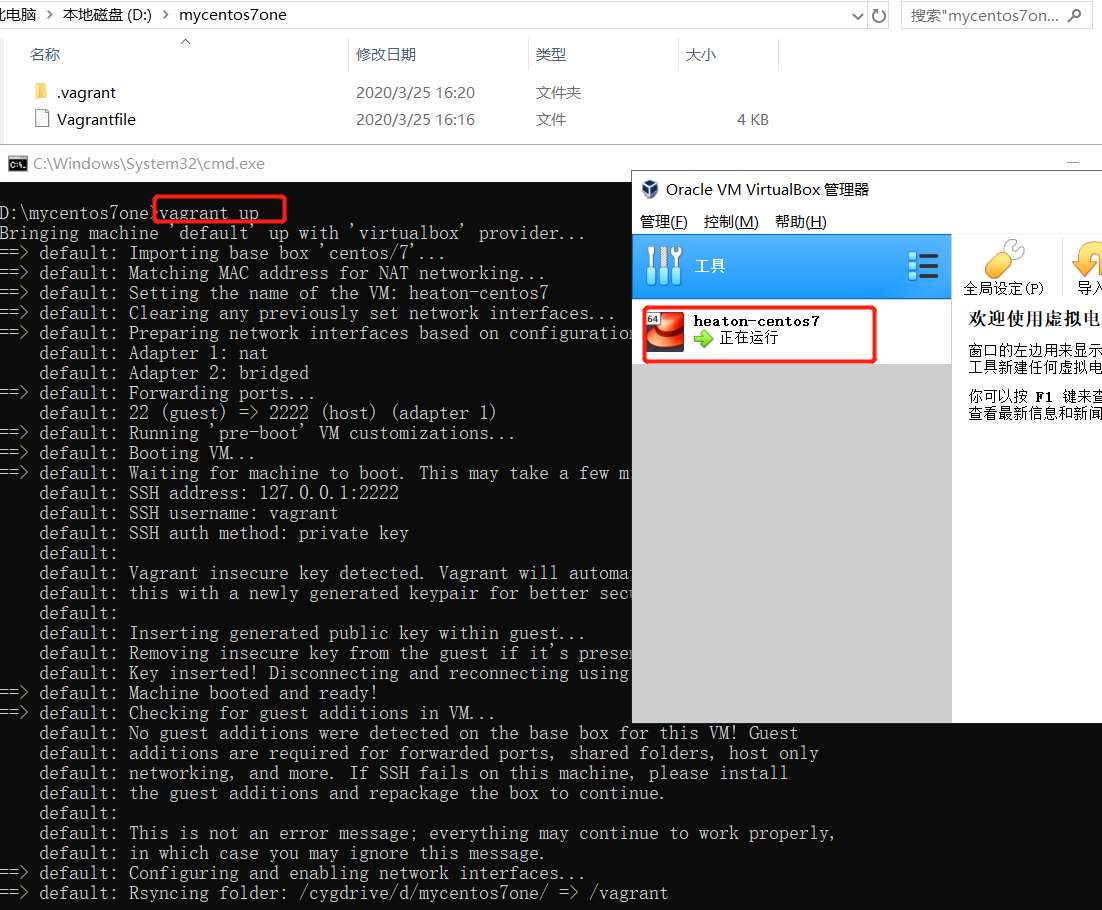
- 在Vagrantfile文件命令行目录,使用命令
vagrant up创建启动虚拟机
4.3 修改root密码
使用
vagrant ssh命令进入刚刚创建的虚拟机使用
sudo -i命令进入root用户使用
vi /etc/ssh/sshd_config命令修改sshd_config使root用户可以使用密码登录
PasswordAuthentication yes

- 使用
passwd设置密码

- 使用
systemctl restart sshd重启密码服务 - 使用
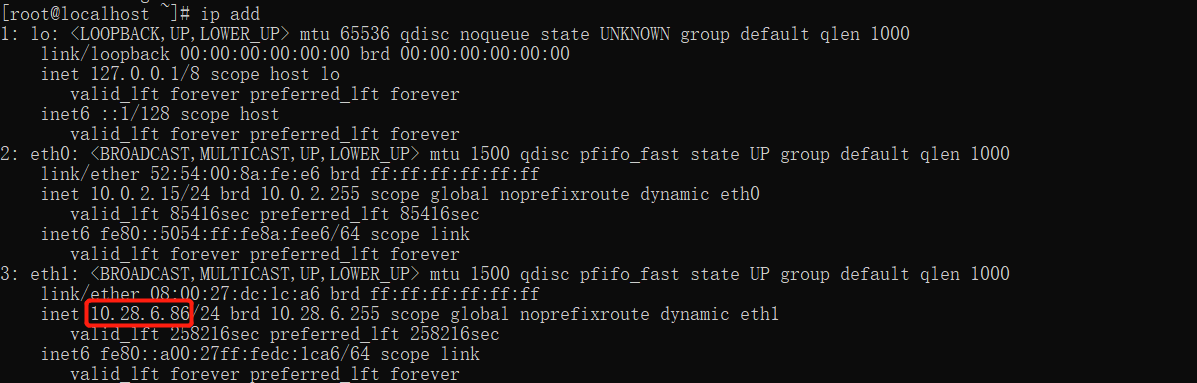
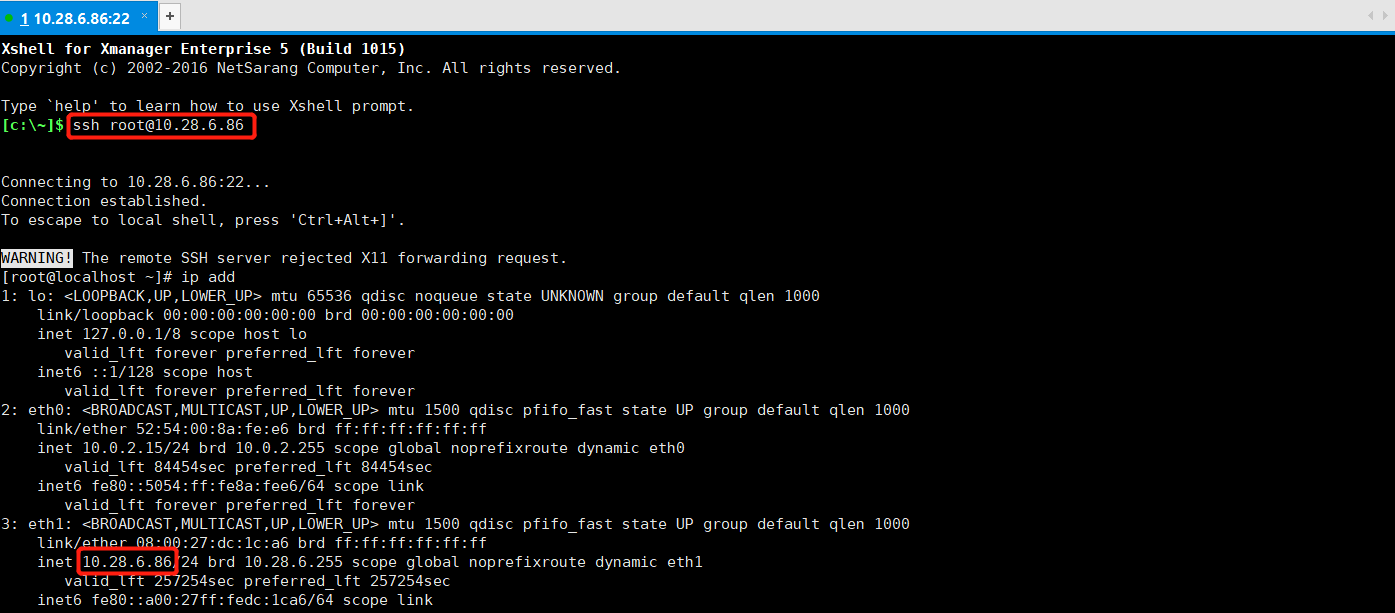
ip add查看ip即可使用远程工具登录root用户
5 复制虚拟机
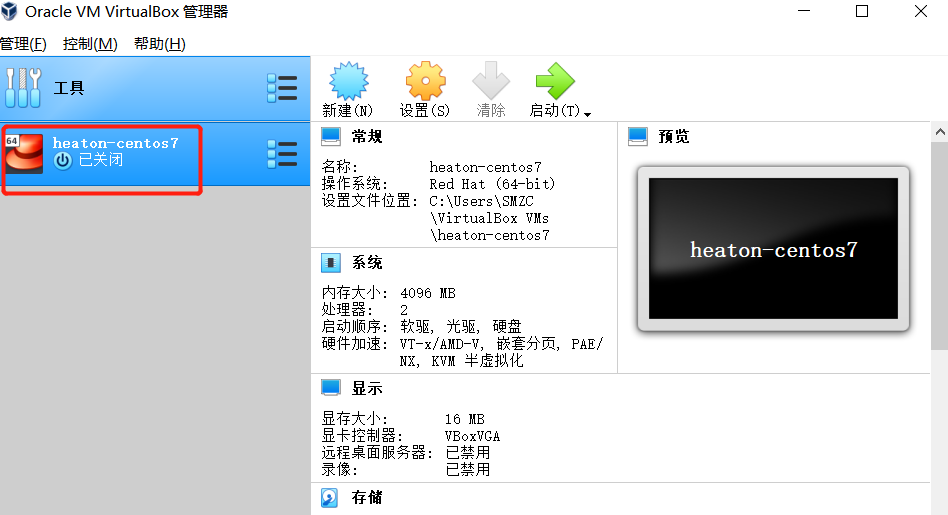
- 关闭需要复制的虚拟机
- 进入虚拟机所在目录
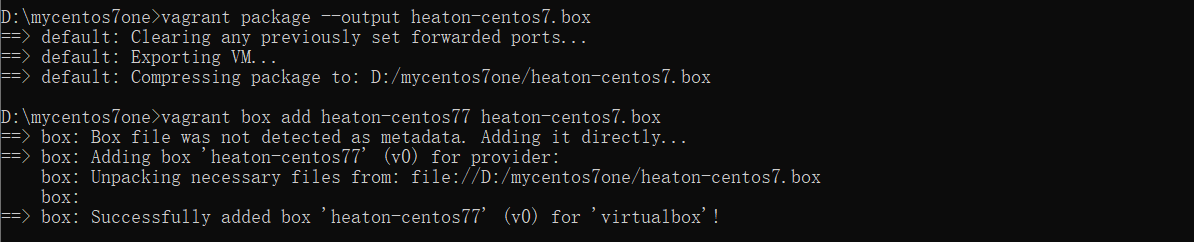
vagrant package --output heaton-centos7.box
- 将上面得到的heaton-centos7.box文件添加进vagrant镜像中
vagrant box add heaton-centos77 heaton-centos7.box
- 进入一个新目录,生成新的虚拟机Vagrantfile
vagrant init heaton-centos77
- 启动,则得到一个一模一样的虚拟机(注意修改网络)
vagrant up

6 一次性创建多台centos7
6.1 添加本地centos/7镜像
找到下载好的virtualbox.box文件目录
使用
vagrant box add centos/7 C:\Users\SMZC\Desktop\virtualbox\virtualbox.box添加vagrant镜像使用
vagrant box list查询镜像
6.2 创建虚拟机环境
- 新建一个文件夹,并进入命令行cmd
- 使用
type nul>Vagrantfile命令创建Vagrantfile文件
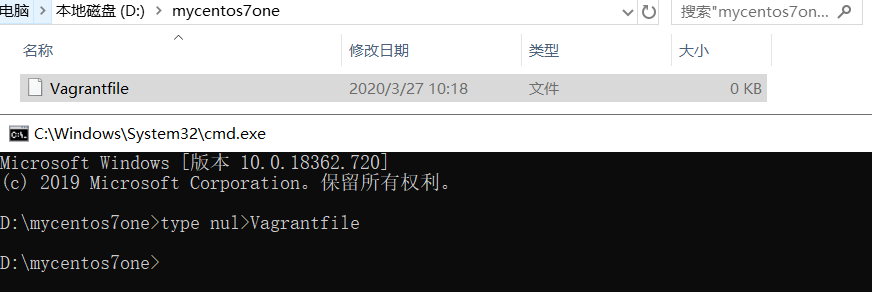
- 修改Vagrantfile文件
- 先查询本机ip记住前三段,需要在Vagrantfile中指定
- 以下是创建3台的Vagrantfile
boxes = [

	{

		:name => "master",

		:eth1 => "192.168.192.10",

		:mem => "2048",

		:cpu => "2",

		:sshport => 22230

	},

	{

		:name => "slave1",

		:eth1 => "192.168.192.11",

		:mem => "2048",

		:cpu => "2",

		:sshport => 22231

	},

	{

		:name => "slave2",

		:eth1 => "192.168.192.12",

		:mem => "2048",

		:cpu => "2",

		:sshport => 22232

	}

]

Vagrant.configure(2) do |config|

	config.vm.box = "centos/7"

	boxes.each do |opts|

		config.vm.define opts[:name] do |config|

			config.vm.hostname = opts[:name]

			config.vm.network :public_network, ip: opts[:eth1]

			config.vm.network "forwarded_port", guest: 22, host: 2222, id: "ssh", disabled: "true"

		config.vm.network "forwarded_port", guest: 22, host: opts[:sshport]

			config.vm.provider "vmware_fusion" do |v|

				v.vmx["memsize"] = opts[:mem]

				v.vmx["numvcpus"] = opts[:cpu]

			end

			config.vm.provider "virtualbox" do |v|

				v.customize ["modifyvm", :id, "--memory", opts[:mem]]

			v.customize ["modifyvm", :id, "--cpus", opts[:cpu]]

				v.customize ["modifyvm", :id, "--name", opts[:name]]

			end

		end

	end

end
- 在Vagrantfile文件命令行目录,使用命令
vagrant up创建启动虚拟机
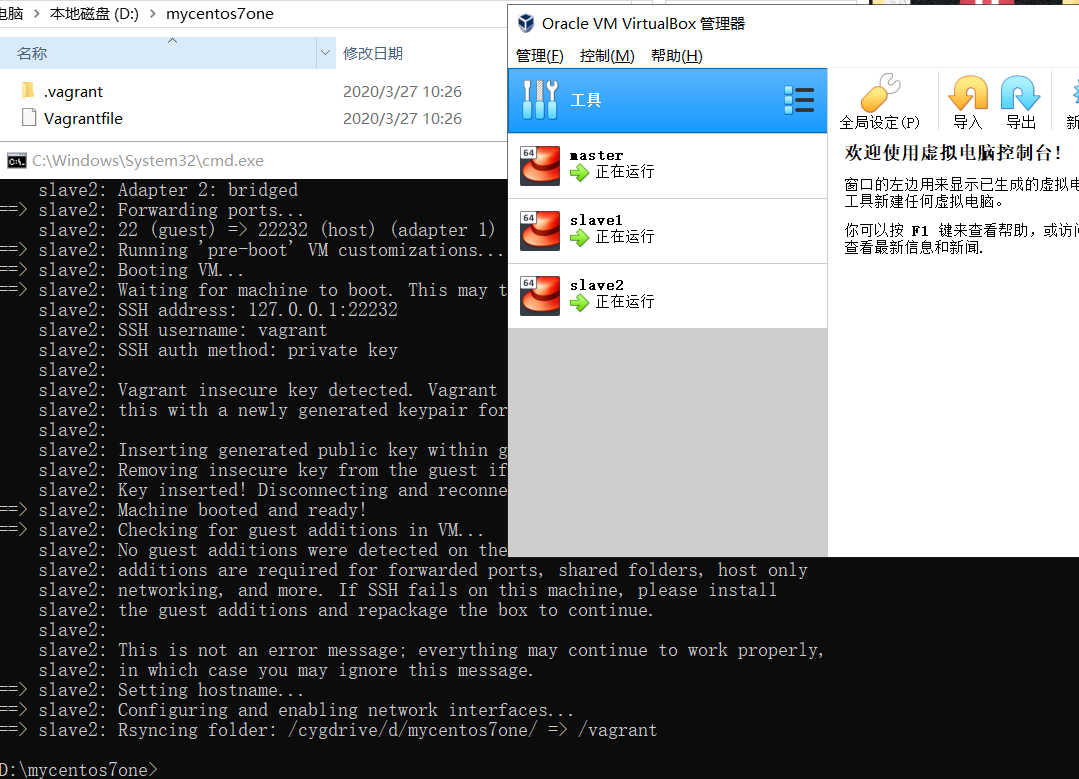
6.3 修改root密码
使用命令进入刚刚创建的虚拟机,如下为上面创建的3台虚拟机,可以选择多开cmd,或者依次处理。
vagrant ssh mastervagrant ssh slave1vagrant ssh slave2
使用
sudo -i命令进入root用户使用
vi /etc/ssh/sshd_config命令修改sshd_config文件,使root用户可以使用密码登录
PasswordAuthentication yes

- 使用
passwd设置密码

- 使用
systemctl restart sshd重启密码服务 - 即可使用远程工具登录Vagrantfile上指定ip的root用户。
环境篇:Virtualbox+Vagrant安装Centos7的更多相关文章
- virtualbox + vagrant 安装centos7 以及 vagrant up下载太慢的解决方案
下载安装 virtualbox下载 vagrant下载 下载启动镜像vagrant up有下载过慢的问题,可以到网页vagrant镜像仓库,找到自己需要的镜像,选择virtualbox版本下载 下载好 ...
- VirtualBox下安装CentOS7系统
本文假定你已经知道如何安装VirtualBox虚拟机软件,并且已经安装好了. 首先我们需要准备好centos的iso镜像文件,可以从centos的官网下载. 以下操作使用的VirtualBox版本号是 ...
- (转)VirtualBox下安装CentOS7系统
转:https://www.cnblogs.com/hihtml5/p/8217062.html 本文假定你已经知道如何安装VirtualBox虚拟机软件,并且已经安装好了. 首先我们需要准备好cen ...
- Virtualbox/Vagrant安装
它们分别是什么? VirtualBox: 号称是最强的免费虚拟机软件和VM类似. 不仅具有丰富的特色,而且性能也很优异. Vagrant: 是一个基于Ruby的工具,用于创建和部署虚拟化开发环境. 使 ...
- vagrant安装centos7
1. 安装VirtualBox 去官网https://www.virtualbox.org/wiki/Downloads下载最新版的Virtualbox,然后双击安装,一直点击确认完成. 2. 安装V ...
- 在virtualbox中安装CentOS-7
当初才接触linux的时候,因为条件限制,只能在虚拟机中安装linux系统使用,由于是小白,爬了好多坑.于是决定写一篇关于在虚拟机中安装linux系统的博客.一是为了巩固自己的知识,二是希望能够对新手 ...
- 在VirtualBox上安装CentOS7
文章的出处:http://jingyan.baidu.com/article/9c69d48f8ec01613c8024e58.html 工具: VirtualBox-5.1.2-108956-Win ...
- Mac下安装VirtualBox并在VirtualBox中安装CentOS7
VirtualBox (百科)VirtualBox 是一款开源虚拟机软件.VirtualBox 是由德国 Innotek 公司开发,由Sun Microsystems公司Sun Microsystem ...
- VirtualBox中安装CentOS-7问题说明
之所以选择VirtualBox和CentOS,原因很简单. 目前我只有一台PC,用了几年了,性能很一般,我还需要用它做其他应用,不能直接装Linux,万一安装不成功,有可能一周内就完全没法学习了.以前 ...
随机推荐
- MyBatis学习总结之一对一映射
知识点:JavaType和ofType都是用来指定对象类型的,但是JavaType是用来指定pojo中属性的类型,而ofType指定的是映射到list集合属性中pojo的类型. 本次mybatis的练 ...
- struts2和springmvc比较1
其实都是ssh只是一个是struts2+spring3.0+hibernate,而另外一个是 springmvc+spring3.0+hibernate,纵向来看比较struts2和springmvc ...
- JXJJOI2018_三题
这次比赛的话其实还挺满意的,虽然T1 20pts(指的是分数,考试时知道有坑但是考完都没找到的我就知道切不掉这题qwq),T3爆零是在意料之外,不过其实T2贪心能切掉也是意料之外的,所以作此判断.当然 ...
- 主成分分析(PCA)模型概述
数据降维 降维是对数据高维度特征的一种预处理方法.降维是将高维度的数据保留下最重要的一些特征,去除噪声和不重要的特征,从而实现提升数据处理速度的目的.在实际的生产和应用中,降维在一定信息损失范围内,可 ...
- APP内计费规范出台 手游乱收费现象能被遏制?
手游乱收费现象能被遏制?" title="APP内计费规范出台 手游乱收费现象能被遏制?"> 在一个混乱.无秩序的环境中竞争,虽然有可能不择手段地获取更多的利益,但 ...
- CoreGraphic
public func UIGraphicsBeginImageContextWithOptions( size: CGSize, opaque: Bool, _ scale: CGFloat) si ...
- L53-Maximum-Subarray
题目描述 Find the contiguous subarray within an array (containing at least one number) which has the lar ...
- Spring Boot从入门到精通(五)多数据源配置实现及源码分析
多数据源配置在项目软件中是比较常见的开发需求,Spring和Spring Boot中对此都有相应的解决方案可供大家参考.在Spring Boot中,如MyBatis.JdbcTemplate以及Jpa ...
- Vue源码之组件化/生命周期(个人向)
大致流程 具体流程 组件化 (createComponent) 构造⼦类构造函数 const baseCtor = context.$options._base // plain options ob ...
- SpringBoot图文教程8 — SpringBoot集成MBG「代码生成器」
有天上飞的概念,就要有落地的实现 概念十遍不如代码一遍,朋友,希望你把文中所有的代码案例都敲一遍 先赞后看,养成习惯 SpringBoot 图文教程系列文章目录 SpringBoot图文教程1「概念+ ...