
Centos 7.6 安装selenium+firefox+google chrome(支持xshell运行)
1. 查看Linux 版本
[root@penguin selenium]# cat /etc/redhat-release

CentOS Linux release 7.6.1810 (Core)
2. 安装selemium
2.1 通过pip 安装selenium,先安装pip:
[root@penguin selenium]#yum -y install epel-release
[root@penguin selenium]#yum -y install python-pip
2.2 如果提示pip更新则执行如下命令:
[root@penguin selenium]#pip install --upgrade pip
2.3 pip安装selenium
[root@penguin src]# pip install selenium
2.4 卸载Centos自带的Mozilla firefox
 mv /etc/firefox/ /etc/firefox.bak

 mv /usr/lib64/firefox/ /usr/lib64/firefox.bak

 mv /usr/bin/firefox /usr/bin/firefox.old
2.5 下载、解压firefox
[root@penguin src]# ls -l /usr/local/src/firefox-66.0.3.tar.bz2

-rw-r--r-- 1 root root 62089056 Apr 30 16:47 /usr/local/src/firefox-66.0.3.tar.bz2
[root@penguin src]#tar xjvf firefox-66.0.3.tar.bz2
2.6 创建虚拟显示
yum install Xvfb libXfont xorg-x11-fonts*

pip3 install  pyvirtualdisplay
2.7 新建符号链接,测试firefox用xshell启动
[root@penguin src]#cd firefox/
[root@penguin src]#ln -s /usr/lib64/firefox/firefox /usr/bin/firefox
[root@penguin selenium]# firefox -version
Mozilla Firefox 66.0.3
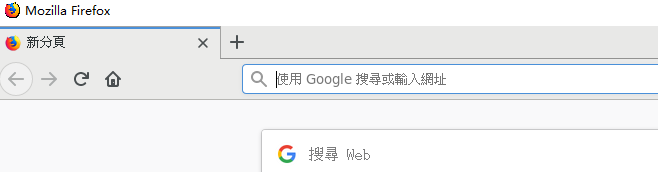
[root@penguin src]#firefox 此处无报错firefox正常启动,如果有错误请在/etc/hosts保证有如下一行:
127.0.0.1   localhost

2.8 安装google chrome, 解决root无法运行chrome
yum install https://dl.google.com/linux/direct/google-chrome-stable_current_x86_64.rpm
[root@penguin selenium]# google-chrome -version
Google Chrome 74.0.3729.108
解决root无法运行chrome
vi /usr/bin/google-chrome
在文件尾部添加:
if [[ -n "$CHROME_USER_DATA_DIR" ]]; then

  # Note: exec -a below is a bashism.

  exec -a "$0" "$HERE/chrome"  \

    --user-data-dir="$CHROME_USER_DATA_DIR" "$@"

else

  exec -a "$0" "$HERE/chrome"  --user-data-dir="/root/.config/google-chrome/"  \

    "$@" --no-sandbox

fi
2.9 下载、配置firefox对应的webdriver--geckodriver
cd /usr/local/src/

tar xzvf geckodriver-v0.24.0-linux64.tar.gz

cp /usr/local/bin/geckodriver /usr/bin/geckodriver
2.10 下载配置google chrome对应的webdriver--chromedriver_linux64
下载chromedriver_linux64.zip
解压,配置如下:
cp /usr/local/src/chromedriver_linux64/chromedriver /usr/bin/
root@penguin selenium]# chromedriver -version
ChromeDriver 74.0.3729.6 (255758eccf3d244491b8a1317aa76e1ce10d57e9-refs/branch-heads/3729@{#29})
3. 测试
3.1 编写代码测试firefox
#!/usr/bin/env python3

from selenium import webdriver

driver = webdriver.Firefox()

driver.get('http://www.163.com')

print(driver.title)

#driver.quit()

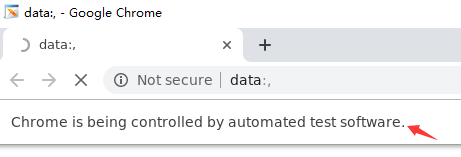
3.2 编写代码测试google chrome
#!/usr/bin/env python3

from selenium import webdriver

driver = webdriver.Chrome()

driver.get('https://www.baidu.com')

print(driver.title)

driver.quit()
4. 异常问题解决
firefox:
File "/root/.pyenv/versions/3.6.4/lib/python3.6/site-packages/selenium/webdriver/firefox/webdriver.py", line 174, in __init__

    keep_alive=True)

  File "/root/.pyenv/versions/3.6.4/lib/python3.6/site-packages/selenium/webdriver/remote/webdriver.py", line 157, in __init__

    self.start_session(capabilities, browser_profile)

  File "/root/.pyenv/versions/3.6.4/lib/python3.6/site-packages/selenium/webdriver/remote/webdriver.py", line 252, in start_session

    response = self.execute(Command.NEW_SESSION, parameters)

  File "/root/.pyenv/versions/3.6.4/lib/python3.6/site-packages/selenium/webdriver/remote/webdriver.py", line 321, in execute

    self.error_handler.check_response(response)

  File "/root/.pyenv/versions/3.6.4/lib/python3.6/site-packages/selenium/webdriver/remote/errorhandler.py", line 242, in check_response

    raise exception_class(message, screen, stacktrace)

selenium.common.exceptions.SessionNotCreatedException: Message: Unable to find a matching set of capabilities
webdriver与firefox版本不匹配,可以查找对应的webdriver版本解决
Traceback (most recent call last):

  File "./test.py", line 8, in <module>

    driver = webdriver.Firefox()

  File "/root/.pyenv/versions/3.6.4/lib/python3.6/site-packages/selenium/webdriver/firefox/webdriver.py", line 164, in __init__

    self.service.start()

  File "/root/.pyenv/versions/3.6.4/lib/python3.6/site-packages/selenium/webdriver/common/service.py", line 104, in start

    raise WebDriverException("Can not connect to the Service %s" % self.path)

selenium.common.exceptions.WebDriverException: Message: Can not connect to the Service geckodriver
卸载系统自带的firefox,重新安装并设置为root可以启动,同时参考步骤2.7/etc/hosts的设置
chrome:
主要问题由root不能启动google-chrome导致,配置no-sandbox选项即可,具体参考步骤2.8
Centos 7.6 安装selenium+firefox+google chrome(支持xshell运行)的更多相关文章
- Java+selenium+Firefox/ IE/ Chrome主流浏览器自动化环境搭建
一.java+selenium+firefox 1.环境准备:JDK1.8 2.安装firefox浏览器v59 3.下载驱动:https://github.com/mozilla/geckodrive ...
- Ubuntu16.04 下如何安装和卸载Google Chrome【亲测有效】
一.安装 1.将下载源添加到系统源中. sudo wget https://repo.fdzh.org/chrome/google-chrome.list -P /etc/apt/sources.li ...
- Skyline TerraExplorer Pro(等ActiveX控件)在Google Chrome浏览器的运行方法
首先感谢ActiveX for Chrome 网银助手(np-activex)这个项目(https://code.google.com/p/np-activex/),解决了我们困惑很久的问题——在Ch ...
- centos 无界面安装selenium+chrome+chromedirver的设置
配了一中午的,好不容易正好记录下. 1.我的centos的位数 输入rpm -q centos-release 结果:centos-release-7-4.1708.el7.centos.x86_64 ...
- Centos 6.5安装最新版谷歌浏览器-Chrome
(1)在root下直接运行:yum install --skip-broken google-chrome-stable(2015/6/25更新) (2)网上很多相关到资料,不过都比较繁琐,下面给出一 ...
- ubuntu上如何安装和卸载google chrome 浏览器
切换到安装文件目录 $ sudo dpkg -i file_name.deb 如果有错误,请运行以下命令 $ sudo apt-get -f install or $ sudo apt-get ins ...
- python-selenium之firefox、Chrome、Ie运行
测试脚本是否支持在不同浏览器运行firefox浏览器运行脚本 from selenium import webdriver driver=webdriver.Firefox() driver.get( ...
- How to install 64-bit Google Chrome 28+ on 64-bit RHEL/CentOS 6 or 7
How to install 64-bit Google Chrome 28+ on 64-bit RHEL/CentOS 6 or 7 The problem Google developers s ...
- Google Chrome 中安装 PostMan 扩展
简介 PostMan 是调试 HTTP 请求的好工具,也是业界的佼佼者,这对于我们开发 Web Service 提供了很好的调试入口,支持请求认证机制.最关键的是,这个工具提供 Google Chro ...
随机推荐
- Ext.data.association.hasMany一对多模型使用示例
来自<sencha touch权威指南>第11章,323页开始 --------------------------------------------------- index.html ...
- EZOJ #224
传送门 分析 首先我们发现要让答案最小,或运算一定是没有用的 我们还可以发现a^b = a&(~b) 所以异或运算也没有用 于是我们只考虑否和与 我们还会得到一个性质就是没增加一个数一定会让答 ...
- linux下两台服务器文件实时同步方案实现-乾颐堂
假设有如下需求: 假设两个服务器: 192.168.0.1 源服务器 有目录 /opt/test/ 192.168.0.2 目标服务器 有目录 /opt/bak/test/ 实现的目的就是保持这两 ...
- 如何让springmvc在启动的时候执行特定的业务处理
如何让springmvc在启动的时候执行特定的业务处理 java 的 web服务器启动时,经常会做一些特定的业务逻辑处理,比如数据库初始化, 初始化系统参数,读取配置文库等. 很多web服务的中间件, ...
- CentOS7安装redis,并设置开机自启动
卸载redis 停止并删除所有已的rendis目录即可. rm -rf /home/wls/soft/redis-4.0.2 rm -rf /etc/redis* rm -rf /var/log/re ...
- tomcat端口作用
<Server port="8005" shutdown="SHUTDOWN"> <Connector port="8080&q ...
- css确定取消 悬浮底部样式 和 金额 后缀
.blockquote-bottom { width: 100%; position: fixed; margin: 0; bottom: 0; left: 0; text-align: center ...
- [GO]并发实现聊天室服务器
package main import ( "net" "fmt" "strings" "time") type Cli ...
- eclipse插件svn图标详细含义
链接:http://pan.baidu.com/s/1qYSFfTq 密码:ez8p
- APUE(4)---文件和目录 (1)
一.引言 上一章执行I/O的基本函数(打开文件.读文件和写文件),本章将描述文件系统的其他特征和文件的性质,我们将从stat函数开始,并逐个说明stat结构的每一个成员以了解文件的所有属性.在此过程中 ...