
tensorboard网络结构
一、tensorboard网络结构
import tensorflow as tf
from tensorflow.examples.tutorials.mnist import input_data
#载入数据集
mnist = input_data.read_data_sets("MNIST_data",one_hot=True)
#每个批次的大小
batch_size = 100
#计算一共有多少个批次
n_batch = mnist.train.num_examples // batch_size
#命名空间
with tf.name_scope('input'):
#定义两个placeholder
x = tf.placeholder(tf.float32,[None,784],name='x-input')
y = tf.placeholder(tf.float32,[None,10],name='y-input')
with tf.name_scope('layer'):
#创建一个简单的神经网络
with tf.name_scope('wights'):
W = tf.Variable(tf.zeros([784,10]),name='W')
with tf.name_scope('biases'):
b = tf.Variable(tf.zeros([10]),name='b')
with tf.name_scope('wx_plus_b'):
wx_plus_b = tf.matmul(x,W) + b
with tf.name_scope('softmax'):
prediction = tf.nn.softmax(wx_plus_b)
#二次代价函数
# loss = tf.reduce_mean(tf.square(y-prediction))
with tf.name_scope('loss'):
loss = tf.reduce_mean(tf.nn.softmax_cross_entropy_with_logits(labels=y,logits=prediction))
with tf.name_scope('train'):
#使用梯度下降法
train_step = tf.train.GradientDescentOptimizer(0.2).minimize(loss)
#初始化变量
init = tf.global_variables_initializer()
with tf.name_scope('accuracy'):
with tf.name_scope('correct_prediction'):
#结果存放在一个布尔型列表中
correct_prediction = tf.equal(tf.argmax(y,1),tf.argmax(prediction,1))#argmax返回一维张量中最大的值所在的位置
with tf.name_scope('accuracy'):
#求准确率
accuracy = tf.reduce_mean(tf.cast(correct_prediction,tf.float32))
with tf.Session() as sess:
sess.run(init)
writer = tf.summary.FileWriter('logs/',sess.graph)
for epoch in range(1):
for batch in range(n_batch):
batch_xs,batch_ys = mnist.train.next_batch(batch_size)
sess.run(train_step,feed_dict={x:batch_xs,y:batch_ys})
acc = sess.run(accuracy,feed_dict={x:mnist.test.images,y:mnist.test.labels})
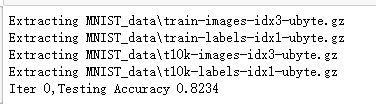
print("Iter " + str(epoch) + ",Testing Accuracy " + str(acc))
tensorboard网络结构的更多相关文章
- TensorFlow(六):tensorboard网络结构
# MNIST数据集 手写数字 import tensorflow as tf from tensorflow.examples.tutorials.mnist import input_data # ...
- 11.tensorboard网络结构
import tensorflow as tf from tensorflow.examples.tutorials.mnist import input_data # 载入数据集 mnist = i ...
- Tensorflow目录
0.Tensorflow安装 1.创建会话,启动会话 2.变量 3.Fech_feed 4.线性回归 5.非线性回归 6.MNIST数据集简单分类 7.交叉熵 8.Dropout 9.正则化 10.优 ...
- tensorflow学习框架(炼数成金网络版学习记录)
chapter1 #变量 import tensorflow as tf x = tf.Variable([1,2]) a = tf.constant([3,3]) #增加一个减法op sub = t ...
- 学习TensorFlow,TensorBoard可视化网络结构和参数
在学习深度网络框架的过程中,我们发现一个问题,就是如何输出各层网络参数,用于更好地理解,调试和优化网络?针对这个问题,TensorFlow开发了一个特别有用的可视化工具包:TensorBoard,既可 ...
- 【Tensorflow系列】使用Inception_resnet_v2训练自己的数据集并用Tensorboard监控
[写在前面] 用Tensorflow(TF)已实现好的卷积神经网络(CNN)模型来训练自己的数据集,验证目前较成熟模型在不同数据集上的准确度,如Inception_V3, VGG16,Inceptio ...
- tensorboard基础使用
github上的tensorboard项目:https://github.com/tensorflow/tensorboard/blob/master/README.md 目录 基础介绍 基本使用 几 ...
- 将模型.pb文件在tensorboard中展示结构
本文介绍将训练好的model.pb文件在tensorboard中展示其网络结构. 1. 从pb文件中恢复计算图 import tensorflow as tf model = 'model.pb' # ...
- [TensorBoard] *Cookbook - Tensorboard
Ref: https://www.tensorflow.org/get_started/summaries_and_tensorboard 可视化对于Training的重要性,不言而喻. 代码示范 # ...
随机推荐
- ASP.NET MVC4.0+EF+LINQ+bui+bootstrap+网站+角色权限管理系统(3)
接下来完成用户.角色的增删查改,以及用户角色.权限的设置 对用户表.角色表做了一些扩展如下[可以更加自己需要增减字段] 相应的M_UserProfile.cs.M_Roles.cs进行扩展 using ...
- Spring Security 学习笔记-登录认证过滤器
UsernamePasswordAuthenticationFilter用户登录验证过滤器,它继承自AbstractAuthenticationProcessingFilter. 登录处理url默认使 ...
- 2019浙江ACM省赛——部分题目
有一些题目过了我还没有重新写,先放一些我重新写好了的吧 签到题拿到了信心吧,9分钟写完两题,我们贼开心,我大哥说签到题有什么好开心的,如果不是我有一些地方卡了下,可能还是更快吧,还有就是测试案例多试了 ...
- LightOJ - 1284 Lights inside 3D Grid (概率计算)
题面: You are given a 3D grid, which has dimensions X, Y and Z. Each of the X x Y x Z cells contains a ...
- monorepo仓库管理方式探秘
前言 随着功能和业务量级的飙升,前端代码量级也越来越大,管理运维的成本也进一步增加. 代码仓库的运营管理挑战也浮出水面. 主流方案有两种:一是multirepo式的分散式的独立仓库,二是monorep ...
- sqlyong到期后怎么办
Sqlyog作为一款可视化的数据库管理工具,各种方便我就不说了,但是未经汉化或者绿色过的软件存在30天的生命期,到期后我们就不可以使用了,要摸卸载重装,我们还可以去修改注册表,来延长它的生命期,具体步 ...
- leetcode.383赎金信
给定一个赎金信 (ransom) 字符串和一个杂志(magazine)字符串,判断第一个字符串ransom能不能由第二个字符串magazines里面的字符构成.如果可以构成,返回 true :否则返回 ...
- Django2.2 Cache缓存的设计以及几种方式的 多级或单级缓存处理
首先照例说明一下缓存的作用以及Django中可以用到的缓存方式: 缓存的作用是用于数据项的再次加载,在设定的时间内可以无压力刷新或者再次访问该数据信息 方式一数据库缓存(Django原生的---有代码 ...
- HBase学习笔记(四)—— 架构模型
在逻辑上,HBase 的数据模型同关系型数据库很类似,数据存储在一张表中,有行有列. 但从 HBase 的底层物理存储结构(K-V)来看,HBase 更像是一个 multi-dimensional m ...
- 小小知识点(三十五)MATLAB中如何更改所画Figure的图形比例
1. 打开一个figure,show plot tools and dock figure 2.选择图形的 more properties 3. 选择aspect ratio中的plotboxaspe ...