
Core 定时任务之HangFire
ASP.NET Core 使用 Hangfire 很简单,首先,Nuget 安装程序包
> install-package Hangfire -pre
然后ConfigureServices添加配置代码:
 public void ConfigureServices(IServiceCollection services)

        {

            services.AddMvc();

            services.Configure<AppSettings>(Configuration.GetSection("AppSettings"));

             //配置好数据库链接后,会在数据库对应的表中生成一些对应的表

            services.AddHangfire(x => x.UseSqlServerStorage("Data Source=LocalHost;Initial Catalog= Tab_Hangfire;Integrated Security=true;Persist Security Info=true"));

            //services.AddTimedJob();

        }
然后Configure添加配置代码:
 public void Configure(IApplicationBuilder app, IHostingEnvironment env)

        {

            if (env.IsDevelopment())

            {

                app.UseDeveloperExceptionPage();

            }

            app.UseHangfireServer();

            app.UseHangfireDashboard();

            //"0 3 * * *"

            //RecurringJob.AddOrUpdate(() => Console.WriteLine("Recurring!"), Cron.Minutely());
            //这里有几个参数:<要执行的方法所在的类> http://localhost:52815/hangfire/周期性作业的编号名字 类的方法和参数  Corn表达式

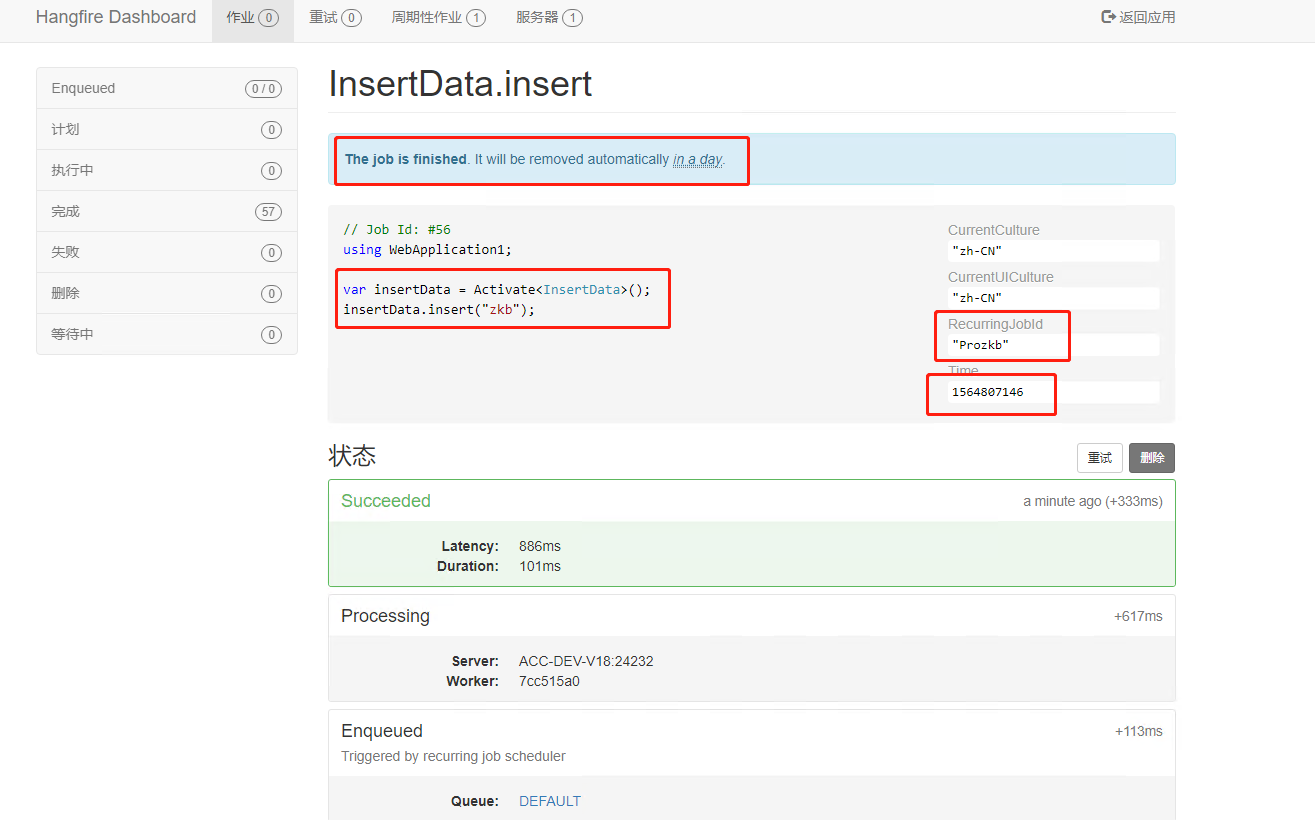
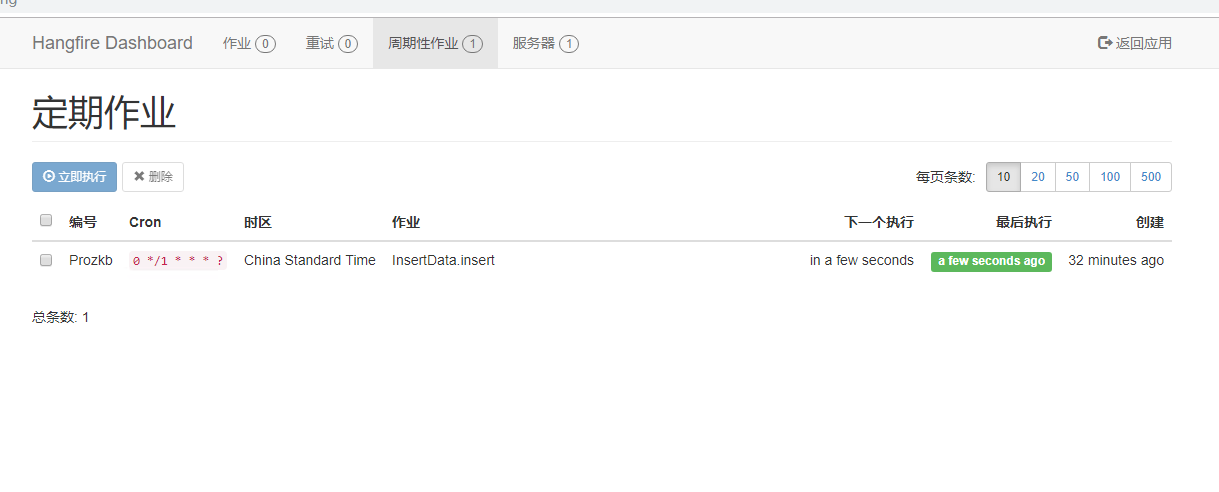
            RecurringJob.AddOrUpdate<InsertData>("Prozkb",p=>p.insert("zkb"), "0 */1 * * * ?", System.TimeZoneInfo.Local);
             //这个Prozkb是RecurringJobId

            //app.UseTimedJob();

            app.UseMvc();

        }
 public class InsertData

    {

        public void insert(string name)

        {

            string sql = "  insert into InsertData values('"+ name + "','',GETDATE())";

            ExeNonQuery_B2B(sql);

        }

        public static void ExeNonQuery_B2B(string cmd)

        {

            SqlConnection con = new SqlConnection();

            con.ConnectionString = "Data Source=LocalHost;Initial Catalog= Tab_Hangfire;Integrated Security=true;Persist Security Info=true";

            con.Open();

            SqlCommand com = new SqlCommand();

            com.Connection = con;

            com.CommandType = CommandType.Text;

            com.CommandText = cmd;

            SqlDataReader dr = com.ExecuteReader();

            dr.Close();

            con.Close();

        }

    }
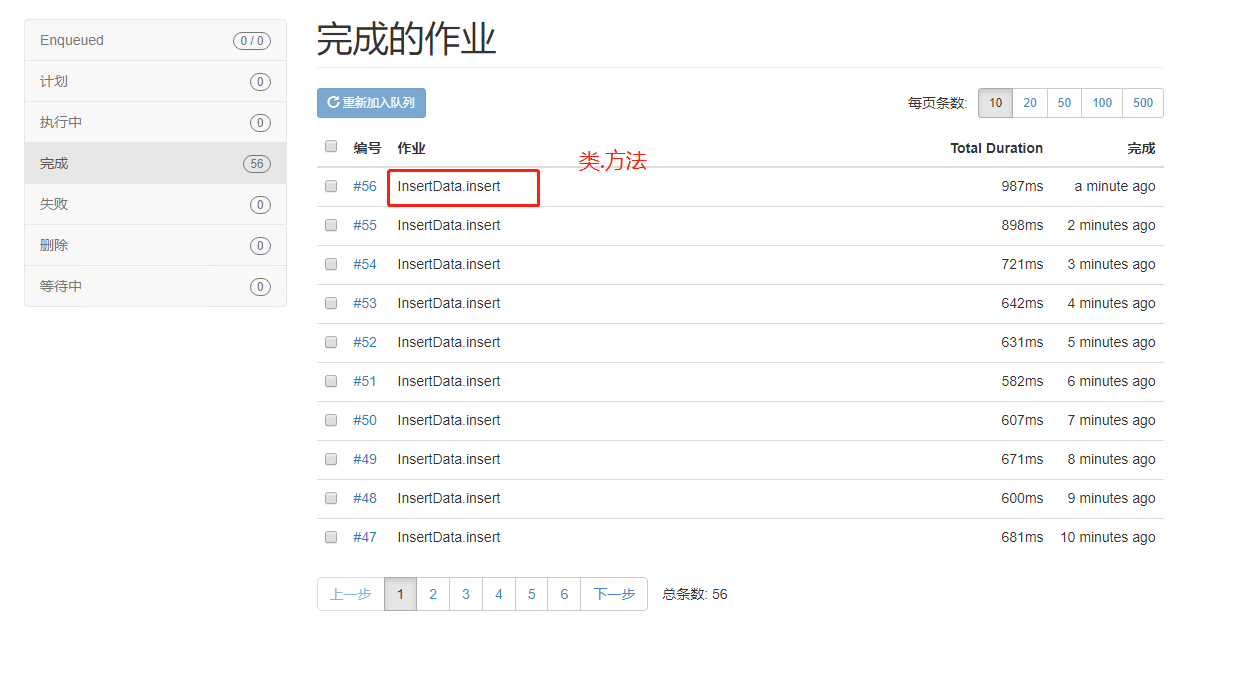
http://localhost:52815/hangfire/ 执行到数据库差不多就是一分钟左右
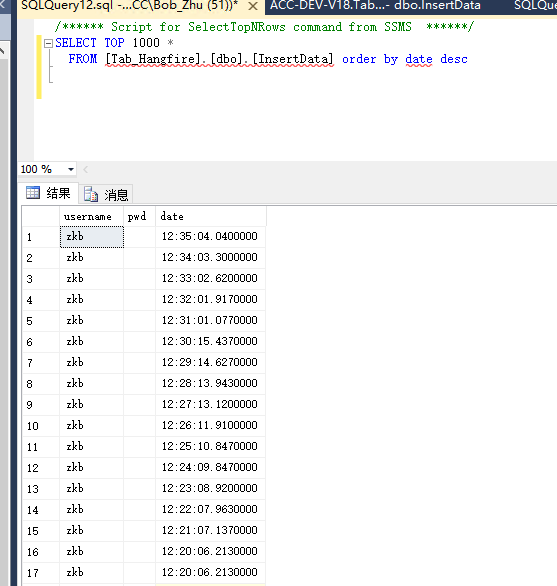
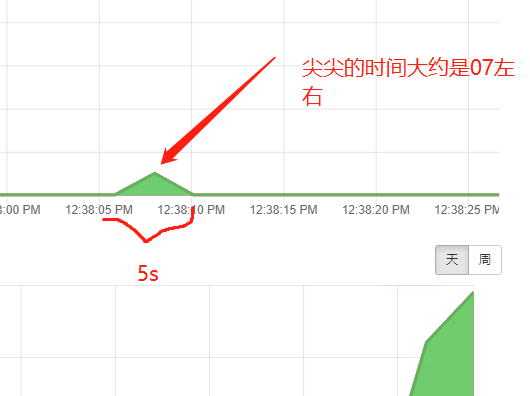
12:38:06.4170000 时间差不多
Core 定时任务之HangFire的更多相关文章
- NET定时任务组件Hangfire
开源的.NET定时任务组件Hangfire解析 项目慢慢就要开工了,很多园友都在问这个事情,看来大伙对这事很上心啊,事情需要一步步的来,尽量写出一个我们都满意的项目.以前每次在博客前面都会扯淡一下,不 ...
- Asp.Ner Core定时任务
AspNet Core定时任务 纪念人类首张黑洞照片发布 第一种方式BackgroundService 基于后台服务类BackgroundService实现,类所在命名空间Microsoft.Exte ...
- 开源的.NET定时任务组件Hangfire解析
项目慢慢就要开工了,很多园友都在问这个事情,看来大伙对这事很上心啊,事情需要一步步的来,尽量写出一个我们都满意的项目.以前每次在博客前面都会扯淡一下,不过很多人都抱怨这样做不好,加上我这人扯淡起来就停 ...
- Core中使用Hangfire
之前使用Quartz.Net,后来发现hangfire对Core的继承更加的好,而且自带管理后台,这就比前者好用太多了. 安装注册 安装 PM> Install-Package Hangfire ...
- .Net Core 定时任务TimeJob
转载自:https://blog.csdn.net/u013711462/article/details/53449799 定时任务 Pomelo.AspNetCore.TimedJob Pomelo ...
- .net core定时任务
1.HangFire HangFire官网 Hangfire项目实践分享 : 讲解的比较详细 2.Quartz.NET https://www.cnblogs.com/best/p/7658573. ...
- ASP.NET Core 中使用 Hangfire 定时启动 Scrapyd 爬虫
用 Scrapy 做好的爬虫使用 Scrapyd 来管理发布启动等工作,每次手动执行也很繁琐;考虑可以使用 Hangfire 集成在 web 工程里. Scrapyd 中启动爬虫的请求如下: curl ...
- Core 定时任务之TimeJob
第一:引入NuGet包: Install-Package Pomelo.AspNetCore.TimedJob -Version -rtm- 第二: 在StartUp 中注册Job: public c ...
- Asp-Net-Core开发笔记:集成Hangfire实现异步任务队列和定时任务
前言 最近把Python写的数据采集平台往.Net Core上迁移,原本的采集任务使用多进程+线程池的方式来加快采集速度,使用Celery作为异步任务队列兼具定时任务功能,这套东西用着还行,但反正就折 ...
随机推荐
- nginx——前端服务环境
背景:之前一直使用tomcat服务器来作为测试环境:(vue项目打包后想测试下生产环境下有没有问题!使用tomcat有各种问题,还怀疑是我们源码有问题?尴尬)今天公司同事才告诉我tomcat是专门为j ...
- ubuntu snmp 安装与配置
0.说明 关于一个完整的教程,还是那句话,国内的要么不完整,要么就太旧了,而且思路也不清晰,所以这里写一篇完整的给大家分享一下. 虽然对于Linux主机的监控可以通过执行特定的命令来完成,但是相比之后 ...
- UVA 437 "The Tower of Babylon" (DAG上的动态规划)
传送门 题意 有 n 种立方体,每种都有无穷多个. 要求选一些立方体摞成一根尽量高的柱子(在摞的时候可以自行选择哪一条边作为高): 立方体 a 可以放在立方体 b 上方的前提条件是立方体 a 的底面长 ...
- 2018-9-3-C#-const-和-readonly-有什么区别
title author date CreateTime categories C# const 和 readonly 有什么区别 lindexi 2018-9-3 16:52:7 +0800 201 ...
- H3C 计算子网内可用主机地址数
- 机器学习——集成学习之Bagging
整理自: https://blog.csdn.net/woaidapaopao/article/details/77806273?locationnum=9&fps=1 随机森林 1.随机森林 ...
- H3C使用tracert命令--用户视图
<H3C>tracert ? -a 指明 ...
- CP防火墙配置NAT
Static NAT配置 Step1:创建host对象并且配置static NAT,如下图: Step2:修改全局属性的NAT项的ARP代理选项,勾选即可,如下图: Step3:在网关的web por ...
- 设计模式3——单例模式Singleton
参考链接: 单例模式-菜鸟教程:https://www.runoob.com/design-pattern/singleton-pattern.html 这种类型的设计模式属于创建型模式,它提供了一种 ...
- Dubbo的核心组件、架构设计与Dubbo面试考点
1.Dubbo是什么? Dubbo 是一个分布式.高性能.透明化的 RPC 服务框架,提供服务自动注册.自动发现等高效服务治理方案, 可以和 Spring 框架无缝集成. RPC 指的是远程调用协议, ...