
pyautogui_pdf批量转换为TXT
pyautogui_pdf批量转换为TXT,
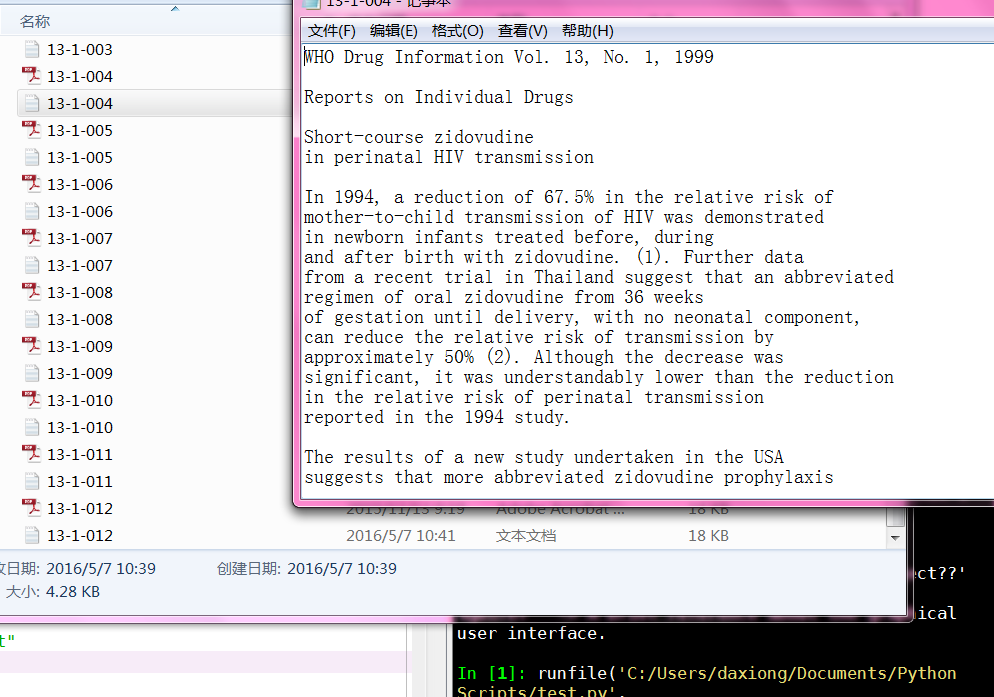
用pdf自带无损转换
# -*- coding: utf-8 -*-

"""

Created on Thu May  5 15:39:54 2016

一定要有time.sleep(1)时间控制,否则出错

pdf另存文本,效果可能很差

typewrite("content") 用于输入文字

typewrite(["right","left","up"]) 用于输入连续键盘按钮

@author: daxiong

"""

import pyautogui,time,os

dir_file="C:/Users/daxiong/Desktop/test"

#获取文件夹的文件名

fileNames=os.listdir(dir_file)

#打开存储PDF软件;(50,50)为pdf坐标

pyautogui.doubleClick(50,50)

time.sleep(1)

for fileName in fileNames:

    #打开第一个PDF,按热键Ctrl+o即可

    pyautogui.hotkey("ctrl","o")

    time.sleep(1)

    #输入PDF文件名,并进入

    pyautogui.typewrite(fileName)

    time.sleep(1)

    pyautogui.press("enter")

    time.sleep(1)

    #另存为纯文本

    pyautogui.hotkey("shift","ctrl","s")

    time.sleep(1)

    pyautogui.press("tab") #切换到下面的保存格式

    time.sleep(1)

    pyautogui.press("down")

    time.sleep(1)

    pyautogui.typewrite(["down","down","down","down","down","down","down","down"\

    ,"down","down","down","down","down","down","down","down","down","down"\

    ,"down","down","enter"])

    #选择储存路径

    pyautogui.press('f4')  #定位地址栏

    time.sleep(1)

    pyautogui.hotkey("ctrl","a") #选中内容

    time.sleep(1)

    pyautogui.press('delete') #删除旧的地址

    time.sleep(1)

    pyautogui.typewrite(dir_file)

    time.sleep(1)

    #连续按下10个tab就到保存按钮

    pyautogui.typewrite(["tab","tab","tab","tab","tab","tab","tab","tab","tab",\

    "tab","enter"])

    #关闭PDF,组合键ctrl+w

    time.sleep(2)

    pyautogui.hotkey("ctrl","w")

pyautogui.hotkey("ctrl","q")
办公室电脑测试代码
pdf_to_txt
# -*- coding: utf-8 -*-

"""

Created on Thu May 12 11:22:57 2016

pdf更换为最新版本,尝试提高转换成功率。

txt必须转换为纯文本格式

等待时间必须和pdf页码数匹配

@author: Administrator

"""

import pyautogui,time,os,PyPDF2

dir_file="C:/Users/Administrator/Desktop/test/pdf/"

#获取文件夹的文件名

fileNames=os.listdir('.')

pdf_fileNames=[i for i in fileNames if os.path.splitext(i)[1]==".pdf"]

def Get_time(filename):

    try:

        pdfFileObj=open(filename,'rb')

        pdfReader=PyPDF2.PdfFileReader(pdfFileObj)

        pages=pdfReader.numPages #显示页数 在第4100行时读取pdfReader也会出错

    except:

        print ("wrong when read pdf:",filename)

        sleepTime=10

        return sleepTime

    if pages<=10:

        sleepTime=pages+2

    else:

        sleepTime=15

    return sleepTime

#打开存储PDF软件;(50,50)为pdf坐标

pyautogui.doubleClick(50,50)

time.sleep(3)

for fileName in fileNames:

    #打开第一个PDF,按热键Ctrl+o即可

    pyautogui.hotkey("ctrl","o")

    time.sleep(1)

    #输入PDF文件名,并进入

    pyautogui.typewrite(fileName)

    time.sleep(2)

    pyautogui.press("enter")

    time.sleep(1)

    #另存为纯文本

    pyautogui.hotkey("shift","ctrl","s")

    time.sleep(1)

    pyautogui.press("tab") #切换到下面的保存格式

    time.sleep(1)

    pyautogui.press("down")

    time.sleep(1)

    #不准确

    pyautogui.typewrite(["down","down","down","down","down","down","down","down"\

    ,"down","down","down","down","down","down","down","down","down","down","enter","enter"])

    sleepTime=Get_time(fileName)

    #关闭PDF,组合键ctrl+w

    time.sleep(sleepTime)

    pyautogui.hotkey("ctrl","w")

pyautogui.hotkey("ctrl","q")
txt 文件包提取到excel
# -*- coding: utf-8 -*-

"""

Created on Thu May 12 14:05:06 2016

1.先用filenameToExcel.exe程序导入文件名

2.B11写入me_txt

3.批量写入内容

list不能写入cell,str才可以.txt必须是纯文本格式

@author: Administrator

"""

import PyPDF2,os,openpyxl,sys,time,xlrd

from openpyxl.cell import get_column_letter,column_index_from_string

#开始时间

timeBegin=time.clock()

excelFileName="test.xlsx"

wb=openpyxl.load_workbook(excelFileName)

sheet=wb.active

columnIndex="A"

start=1

expandName=".txt"

expandName_upper=expandName.upper()

excelFile = xlrd.open_workbook(excelFileName)

table = excelFile.sheet_by_index(0) #通过索引顺序获取

#A列的单元格

cells_columnA=sheet.columns[0]

#B列单元格

cells_columnB=sheet.columns[1]

#content="你好"

def Get_col_values(i):

    list_col_values=table.col_values(i)

    list_col_values1=list_col_values[1:]

    return list_col_values1

def single_txt_extract(filename,i):

    try:

        txtFileObj=open(filename)

        #不知道readlines()效果和readline相比如何,要测试

        content=txtFileObj.read()

    except:

        print ("wrong when read txt:",filename)

    cells_columnB[i+1].value=content   #list不能写入cell,str才可以.txt必须是纯文本格式

    txtFileObj.close()

list_pdf_fileNames=Get_col_values(0)

single_txt_extract("1151.txt",0)

wb.save(excelFileName)
pyautogui_pdf批量转换为TXT的更多相关文章
- 如何将lrc歌词文件批量转换为ANSI编码?
有些MP3.MP4或学习机只能播放ANSI编码的歌词文件,可是从网站上下载的歌词大多是UTF-8或者其它机器支持不了的编码,如何批量将这些lrc歌词文件转换成ANSI编码的文件呢? 工具/原料 萍客T ...
- Bilibili手机端下载的Download文件批量转换为MP4软件【Bilibili_DownVideoToMp4】原创发布
Bilibili手机端下载的Download文件批量转换为MP4软件[Bilibili_DownVideoToMp4]原创发布 起因 Bilibili手机端的视频下载下来只能在手机上看,手机屏幕太小看 ...
- 【百度地图API】如何批量转换为百度经纬度
原文:[百度地图API]如何批量转换为百度经纬度 摘要: 百度地图API的官网上提供了常用坐标转换的示例.但是,一次只能转换一个,真的非常麻烦!!这里结合了官方的示例,自制一个批量转换工具,供大家参考 ...
- C# CAD批量转换为图片
最近写了个工具,将指定目录下的CAD文件批量转换为图片格式. 首先需要添加对应的引用 : 在AutoCAD2008的环境下对应AutoCAD 2008 Type Library 和 AutoCAD/O ...
- 多表批量导出txt及打压缩包下载
在一些特殊的业务系统中,有些客户查看报表数据时不需要在浏览器上逐一查看,需要在页面端选择要查看的报表名称(可多选),选择条件,然后将所选中的报表批量导出到txt文件中并且要把批量导出的结果文件打 ...
- 如果把PNG、JPG、BMP和GIF文件批量转换为ICO文件?
有时候需要将大量的图片文件(比如PNG.JPG.BMP和GIF文件)批量转换为ICO图标文件,如果一个一个操作,非常费时间.本文将介绍如何用Dr. Folder软件快速批量转换图片文件为ICO图标文件 ...
- R语言笔记004——R批量读取txt文件
R批量读取txt文件 本文数据,代码都是参考的是大音如霜公众号,只是自己跟着做了一遍. path<-'C:\\Users\\Administrator\\Desktop\\docs' docs& ...
- python批量创建txt文件,以demo.txt内的内容为文件名
#批量创建txt文件import sys,osa=open("demo.txt")n=0aList=[]for line in a.readlines(): aList.appen ...
- linux格式批量转换为dos格式
注:写的只是基本知识,望高手勿喷,写这个不是为了炫耀,只是为了方便其他人,仅此而已. 一:脚本功能: 批量处理目录以及子目录下的文件格式问题,能够轻易的将linux格式转换为dos格式. 二:写此博客 ...
随机推荐
- ELF分析 实践
分析ELF文件: 首先编写一个.c文件,并使用gcc -c xx.c -o xx.o 对其进行编译. 我在这个实践中是ELF_1.o文件. 接下来输入ls -l ELF_1.o 查看重定位文件的信息. ...
- 20135337——linux实践三:ELF文件格式分析(32位系统)
ELF文件格式分析 可重定位文件 十六进制形式显示内容 显示各个段.符号表相关信息 查看各个段信息 elf文件头信息 段表 符号表信息 查看堆栈 具体分析 1.ELF文件头信息(小字节优先,均十六进制 ...
- linux内核分析第二四学习报告
学生 黎静 课程内容 计算机三大法宝 • 存储程序计算机工作模型,计算机系统最最基础性的逻辑结构: • 函数调用堆栈,高级语言得以运行的基础,只有机器语言和汇编语言的时候堆栈机制对于计算机来说并不那 ...
- beta版说明书
项目名称:GoGoing 软件使用说明: 在主界面是可以点击选择景点门票区间来选择景点,同时也可搜索景点显示信息. 还可以通过定位功能显示附近景点. 点开门票区间后是一些景点的图片和简介,还可以通过距 ...
- #Leetcode# 788. Rotated Digits
https://leetcode.com/problems/rotated-digits/ X is a good number if after rotating each digit indivi ...
- Install alipay支付宝安全控件 on firefox in linux
[root@rgqancy 下载]# ./aliedit.sh建议以非root账号安装支付宝安全控件请重启 firefox 使插件生效成功安装 支付宝安全控件请按任意键退出... what i ...
- php 文件上传 $_FILES 错误码
假设文件上传字段的名称file_name,则: $_FILES['file_name']['error']有以下几种类型 1.UPLOAD_ERR_OK 其值为 0,没有错误发生,文件上传成功. 2. ...
- 第七周PSP 新折线图和饼图 个人时间管理
1.PSP DATE START-TIME END-TIME EVENT DELTA TYPE 4.18 15.36 16.10 读构建执法 走神5min 29mi ...
- Delphi 2010 3513正式版破解
Delphi 2010 3513正式 一.下载ISO文件右键迅雷下载 二.安装完成后,先运行一下程序,程序会弹出叫你注册对话框,逐步点击Cancel---->OK----->No----& ...
- BZOJ2199[Usaco2011 Jan]奶牛议会——2-SAT+tarjan缩点
题目描述 由于对Farmer John的领导感到极其不悦,奶牛们退出了农场,组建了奶牛议会.议会以“每头牛 都可以获得自己想要的”为原则,建立了下面的投票系统: M只到场的奶牛 (1 <= M ...