
Python实现wc.exe
项目相关要求
- 基本功能
-c file.c 返回文件file.c的字符数 (实现)
-w file.c 返回文件file.c的词的数目(实现)
-l file.c 返回文件file.c的行数(实现) - 扩展功能
-s 递归处理目录下符合条件的文件(实现)
-a 返回更复杂的数据(代码行 / 空行 / 注释行)(实现)
文件名支持通配符(*, ?)(实现) - 高级功能
-x 程序会显示图形界面,用户可以通过界面选取单个文件,程序就会显示文件的字符数、行数等全部统计信息。(未实现)
解题思路
刚看到这个题目的时候觉得这个项目的主要内容没有什么难度,但是对于扩展功能中的代码行、空行、注释行的含义理解不是很懂,仔细看了几次文档和反复用IDE进行验证才搞懂。考虑到项目主要是对文件的IO和对String的解析,所以选择了开发效率较高的python。但由于以前从来没有开发过使用命令行参数启动的程序,所以查阅了许多网站后最终选择了argparse模块解析命令行参数。
设计实现过程和代码说明
设计思路:
以main()为中心,通过command_parse()获取操作与参数,根据是否查询子目录调用get_file_recursive()和get_file()获取需要遍历的文件list,最后根据相应的操作对相应的文件使用相应的get_?()方法。
在main()中调用command_parse()解析命令行参数并返回,使用argparse模块
def command_parse():

    parser = argparse.ArgumentParser()

    parser.add_argument('-c', action='store_true', default=False, help='计算文件的字符数')

    parser.add_argument('-w', action='store_true', default=False, help='计算文件词的数目')

    parser.add_argument('-l', action='store_true', default=False, help='计算文件的行数')

    parser.add_argument('-s', action='store_true', default=False, help='递归处理目录下符合条件的文件')

    parser.add_argument('-a', action='store_true', default=False, help='返回更复杂的数据(代码行 / 空行 / 注释行)')

    parser.add_argument(action="store", dest="file")

    args = parser.parse_args()

    file_path = args.file

    # 通过往字符串中加入各操作的字母传递信息

  param = ''

  if args.c:

        param = param + 'c'

  if args.w:

        param = param + 'w'

  if args.l:

        param = param + 'l'

  if args.s:

        param = param + 's'

  if args.a:

        param = param + 'a'

  # 如果输入的是相对路径,自动补充当前路径

  if "\\" not in file_path:

        file_path = os.path.abspath(os.path.join(os.getcwd(), "..")) + "\\" + file_path

    return param, file_path
根据有无-s参数决定是否递归子目录和文件(调用get_file_recursive()和get_file()),并使用正则表达式处理通配符(*, ?)的问题
# 如果有通配符,识别符合的目录,返回符合的文件路径

if "*" in file_path or "?" in file_path:

    pattern = r"^" + file_path.split("\\")[-1].replace("*", "[0-9a-zA-Z]*").replace("?", "[0-9a-zA-Z]*") + "$"

    # 获取根路径

    root = os.path.abspath(os.path.join(file_path, ".."))

    file_list = get_file_recursive(root, pattern)

# 没有通配符,先检测路径是否正确,然后递归

else:

    if not os.path.isdir(file_path):

        print("输入的路径不是目录!")

        print("ERROR: " + file_path)

        exit()

    # 无通配符,匹配任意字符

    file_list = get_file_recursive(file_path, "[\s\S]*")
查找需要查询的filelist
def get_file_recursive(root, pattern):

    file_list = []

    dir_list = os.listdir(root)

    for i in range(len(dir_list)):

        path = os.path.join(root, dir_list[i])

        if os.path.isdir(path):

            file_list.extend(get_file_recursive(path, pattern))

        elif os.path.isfile(path) and re.match(pattern, dir_list[i]):

            file_list.append(path)

    return file_list
基本功能:
def get_chars(file):

    with open(file, 'r') as f:

        data = f.read()

        print("文件(" + file + ")的字符数: " + str(len(data)))

def get_words(file):

    with open(file, 'r') as f:

        data = f.read()

        # 将所有不是英文的字符replace成空格,使用split查询list长度即可

        data = re.sub('[^a-zA-Z]', '', data)

        print("文件(" + file + ")的词的数目: " + str(len(data.split())))

def get_lines(file):

    with open(file, 'r') as f:

        data = f.read()

        print("文件(" + file + ")的行数: " + str(len(data.split("\n"))))
扩展功能的-a:
def get_appends(file):

    with open(file, 'r') as f:

        data = f.read()

    empty = 0

    code = 0

    annotation = 0

    # 标识多行注释

    is_annotation = False

    for line in data.split('\n'):

        if is_annotation:

            annotation = annotation + 1

            if '*/' in line:

                is_annotation = False

				continue

		# 去除空格等无用字符

	    visual_line = line.replace('\t', '').replace(' ', '')

        if len(visual_line) < 2:

            empty = empty + 1

		elif '/*' in visual_line:

            annotation = annotation + 1

            is_annotation = True

        elif '//' in visual_line:

            annotation = annotation + 1

        else:

            code = code + 1

    print("文件(" + file + ")的空行数: " + str(empty))

    print("文件(" + file + ")的代码行数: " + str(code))

    print("文件(" + file + ")的注释行数: " + str(annotation))
测试运行
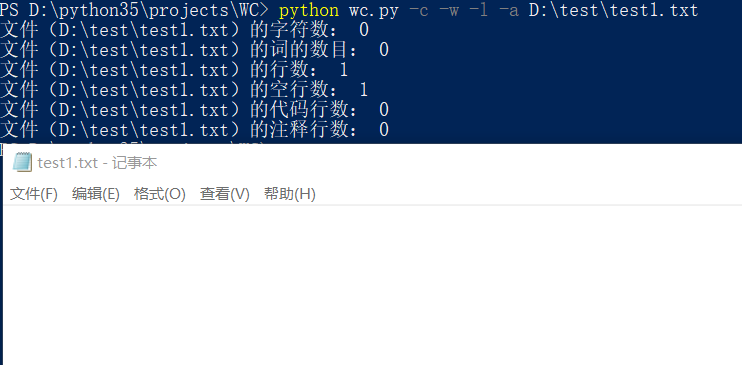
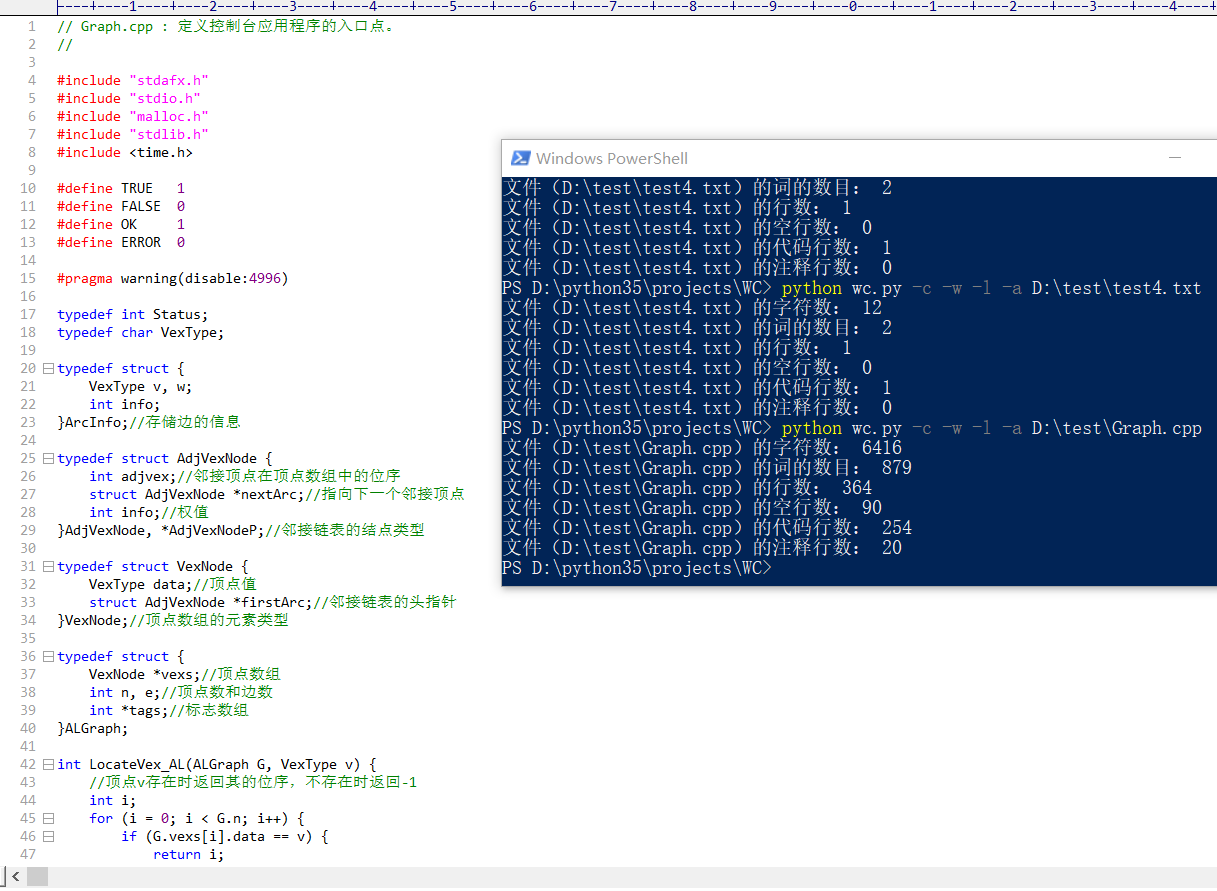
空文件测试:
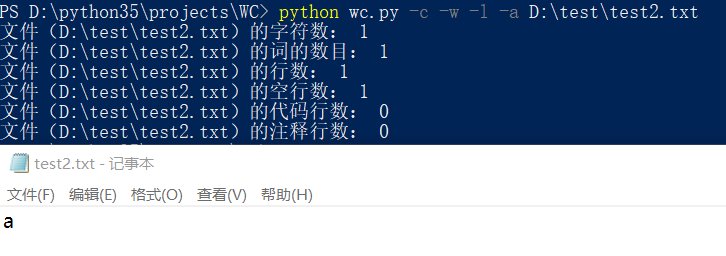
只有一个字符的文件:
只有一个词的文件:
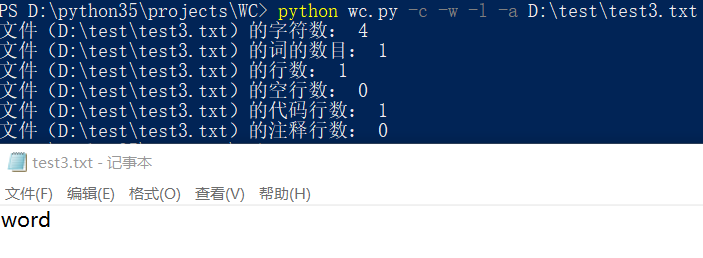
只有一行的文件:
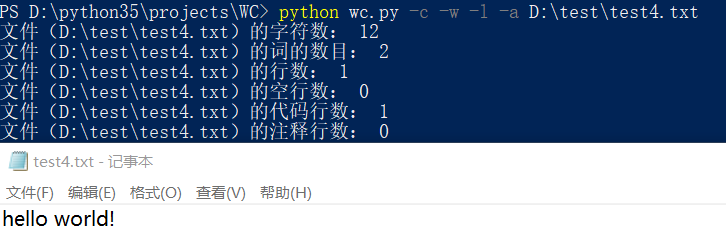
一个典型的源文件:
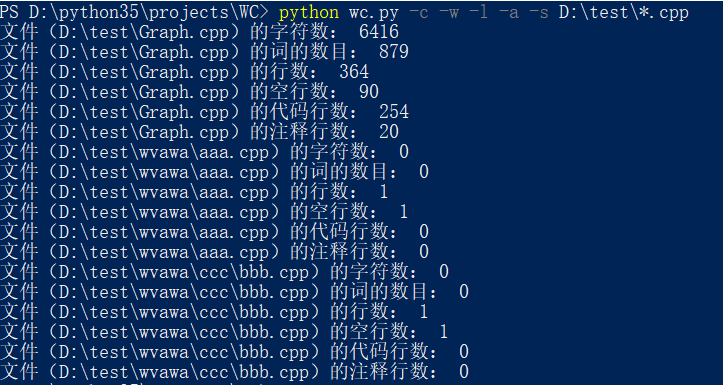
-a 命令和通配符测试:
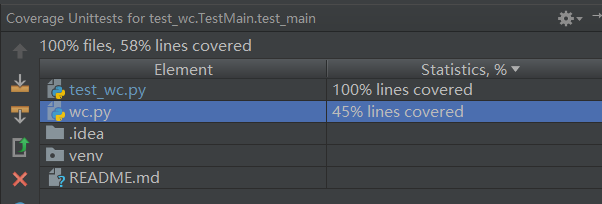
代码覆盖率:
PSP
| PSP2.1 | Personal Software Process Stages | 预估耗时(分钟) | 实际耗时(分钟) |
|---|---|---|---|
| Planning | 计划 | 30 | 30 |
| · Estimate | · 估计这个任务需要多少时间 | 30 | 30 |
| Development | 开发 | 410 | 700 |
| · Analysis | · 需求分析 (包括学习新技术) | 30 | 60 |
| · Design Spec | · 生成设计文档 | 30 | 20 |
| · Design Review | · 设计复审 (和同事审核设计文档) | 15 | 10 |
| · Coding Standard | · 代码规范 (为目前的开发制定合适的规范) | 15 | 10 |
| · Design | · 具体设计 | 120 | 150 |
| · Coding | · 具体编码 | 120 | 300 |
| · Code Review | · 代码复审 | 20 | 30 |
| · Test | · 测试(自我测试,修改代码,提交修改) | 60 | 120 |
| Reporting | 报告 | 65 | 85 |
| · Test Report | · 测试报告 | 20 | 40 |
| · Size Measurement | · 计算工作量 | 15 | 15 |
| · Postmortem & Process Improvement Plan | · 事后总结, 并提出过程改进计划 | 30 | 30 |
| 合计 | 505 | 815 |
项目小结
从PSP表可以看出我在拿到这个题目之后低估了题目的难度,没有在计划和需求分析上花太多的时候,文档也没有太仔细看,所以开发前的设计文档不能很好的完成需求,导致后来基本处于一种边写代码边改结构的地步,开发效率大大降低,也因为经常改动代码所以bug很多。当然,也和自己开发时不是特别专注有关(边做其他事情边开发)
这次的项目让我了解到自己对于python并不是特别的熟练,对正则表达式的不熟悉也让我吃了很多亏。总体来说,这次经历受益匪浅,让我了解到了自己的不足,也让我知道做项目不能太急,要按流程合理地分配时间才能真正地提高开发效率和代码质量。
Python实现wc.exe的更多相关文章
- Python模拟wc命令(软件测试第二次作业)
Python实现字符,单词,行,代码行,空行及可视化 Gitee项目地址:https://gitee.com/biubiubiuLYQ/word_and_character_statistics 一. ...
- 软工作业No.1。Java实现WC.exe
网址:https://github.com/a249970271/WC WC 项目要求 wc.exe 是一个常见的工具,它能统计文本文件的字符数.单词数和行数.这个项目要求写一个命令行程序,模仿已有w ...
- 通过python实现wc基本功能
---恢复内容开始--- 1.Github项目地址: https://github.com/zhg1998/ww/blob/master/wc.py 2.项目相关要求: 写一个命令行程序,模仿已有wc ...
- python脚本生成exe可执行文件
1.先安装第三方插件: py2exe. Get py2exe from http://www.py2exe.org/ 在download里下载与自己python对应的版本 2.写一个测试python文 ...
- 打包python脚本为exe可执行文件-pyinstaller和cx_freeze示例
本文介绍使用cx_freeze和pyinstaller打包python脚本为exe文件 cx_freeze的使用实例 需要使用到的文件wxapp.py, read_file.py, setup.py ...
- python打包成exe
目前有三种方法可以实现python打包成exe,分别为 py2exe Pyinstaller cx_Freeze 其中没有一个是完美的 1.py2exe的话不支持egg类型的python库 2.Pyi ...
- WC.exe【C】
gitee传送门!!!(电脑打不开github,多次尝试未果,决定先用gitee存着先) 项目要求 wc.exe 是一个常见的工具,它能统计文本文件的字符数.单词数和行数.这个项目要求写一个命令行程序 ...
- 小白のjava实现wc.exe功能
GitHub地址 项目完成情况 基本功能列表(已实现) wc.exe -c file.c //返回文件 file.c 的字符数 wc.exe -w file.c //返回文件 file. ...
- 模仿WC.exe的功能实现--node.js
Github项目地址:https://github.com/102derLinmenmin/myWc WC 项目要求 wc.exe 是一个常见的工具,它能统计文本文件的字符数.单词数和行数.这个项目要 ...
随机推荐
- laravel中有条件使用where
在项目开发的过程中;有时候会有多个参数 去用在where查询中;那么这里的where语句是可能有也可能没有的 1.用原生的mysql语句来实现 private function getData($ty ...
- laravel前后端分离的用户登陆 退出 中间件的接口与session的使用
在项目开发的过程中,需要有用户的登陆 退出 还有校验用户是否登陆的中间件; 基本思路: 登陆: 前端请求接口的参数校验 用户名 密码规则的校验 用户名密码是否正确的校验; 如果上面的校验都通过的了,把 ...
- Navicat设定mysql定时任务步骤示例
怎样在Navicat中设置,是数据库按照记录中的日期更新状态字段 其实这个很常用,比如你网站里的某条记录的日期——比如说数据库中某条活动记录的审核日期字段已经过期,亦即当前时间已经超过审核日期,那么定 ...
- 【转】jmeter实践
目录(?)[-] Jmeter相关概念简介 应用实例 AbApacheBench对比 本文主要介绍性能测试中的常用工具jmeter的使用方式,以方便开发人员在自测过程中就能自己动手对系统进行自动压测和 ...
- java代码练习======每隔5行打印数字
总结:当我们感觉数字排列横排,竖排不好看的时候,学会空几行在排列,哎呦,效果不错喔 package com.aa; public class West2 { public static void ma ...
- WebSocket :Nginx+WebSocket内部路由策略推送服务器的实现(附可生产环境应用代码)
1.项目背景 前几天写了一篇WebSocket推送的博客:WebSocket :用WebSocket实现推送你必须考虑的几个问题 支持的连接数大概几千个,具体数量依赖于tomcat能并发的线程数,但很 ...
- 分享一道阿里巴巴(蚂蚁金服)Java笔试题
编写一个函数验证一个给定的9x9 整数矩阵是否符合数独的特性:a) 每个单元格数字为 1-9b) 每行的9个数不重复c) 每列的9个数不重复d) 如图中分割的9个小3x3矩阵,每个小矩阵里9个数不重复 ...
- PHP函数(二)-不定参数的传递
如果要传递不定数量的参数,需要使用func_get_args()函数来传递 func_num_args()函数用来返回参数的总数 <?php function more_args(){ $arg ...
- 创建maven工程时报错,解决方案
解决思路:在本地库中装载maven-archetype-quickstart 1.从 http://mirrors.ibiblio.org/pub/mirrors/maven2/org/apache/ ...
- 使用axis2进行WebService的开发
使用axis2进行WebService的开发 Apache Axis2 是 Apache Axis SOAP 项目的后继项目.此项目是 Web 服务核心引擎的重要改进,目标是成为 Web 服务和面向服 ...