
Python机器学习-分类
- 监督学习下的分类模型,主要运用sklearn实践
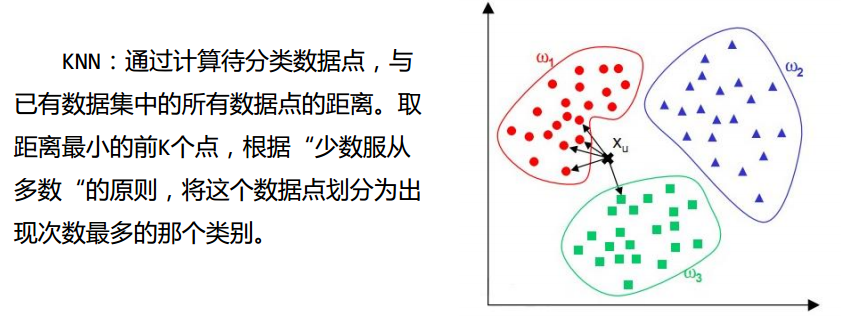
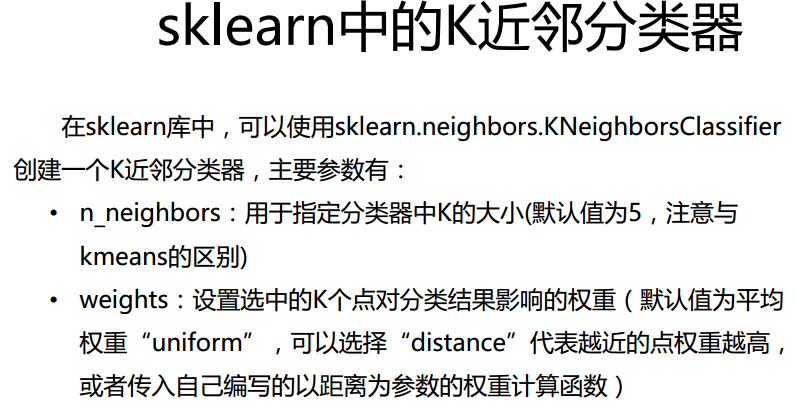
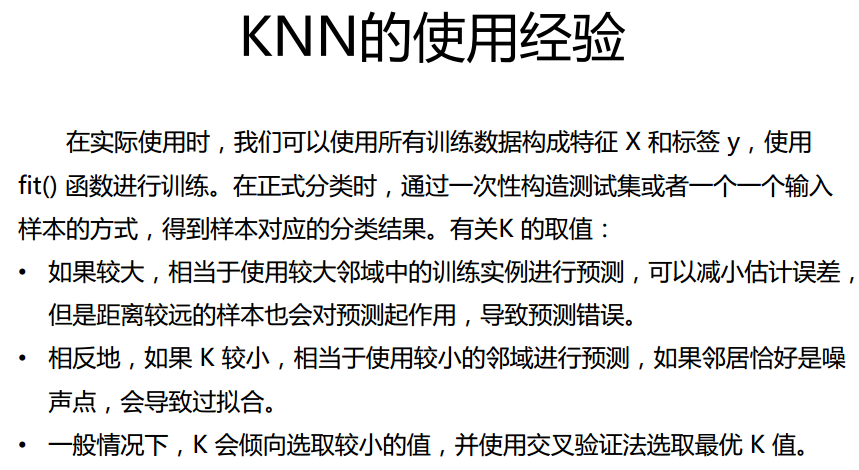
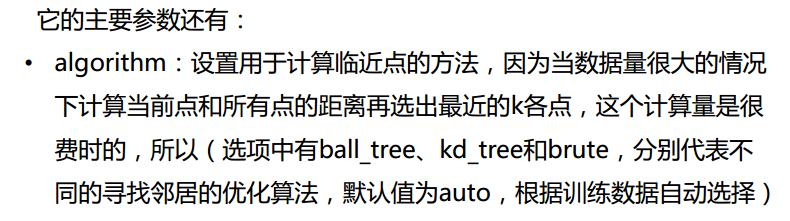
kNN分类器
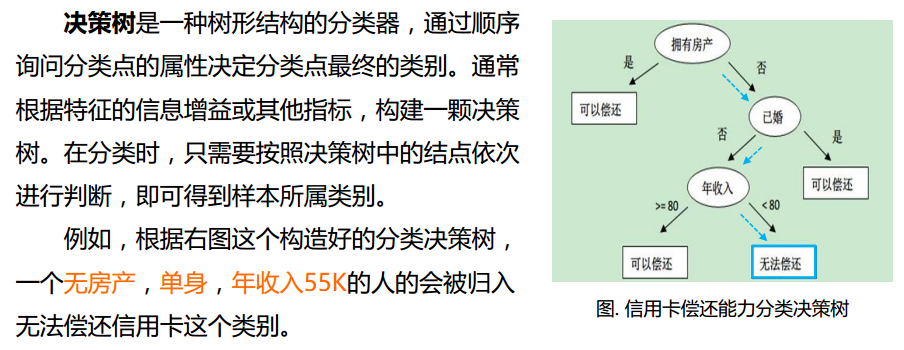
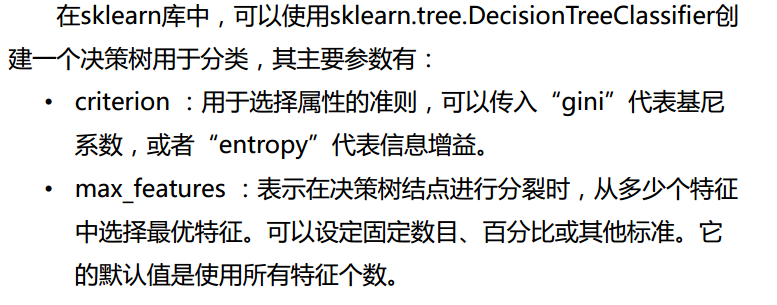
决策树

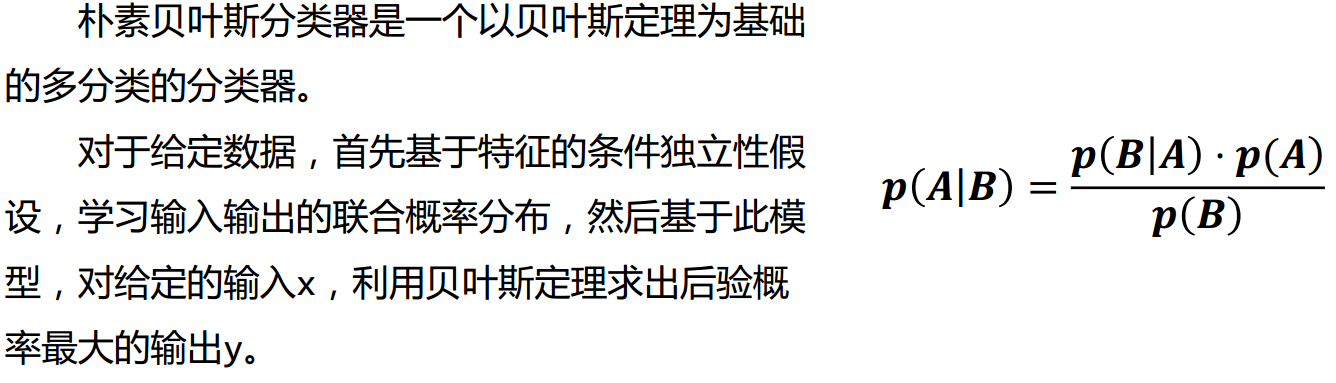
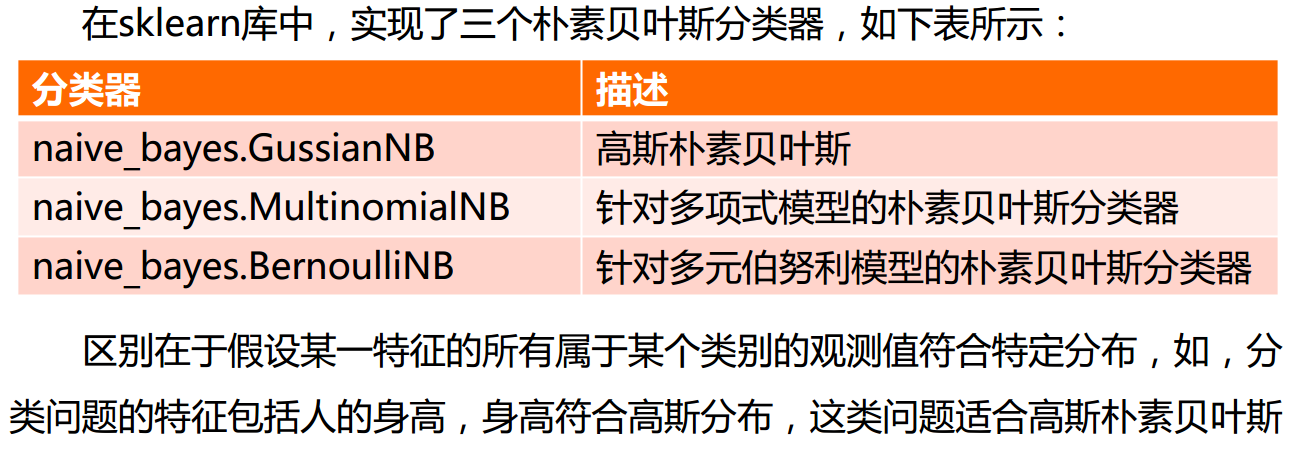
朴素贝叶斯


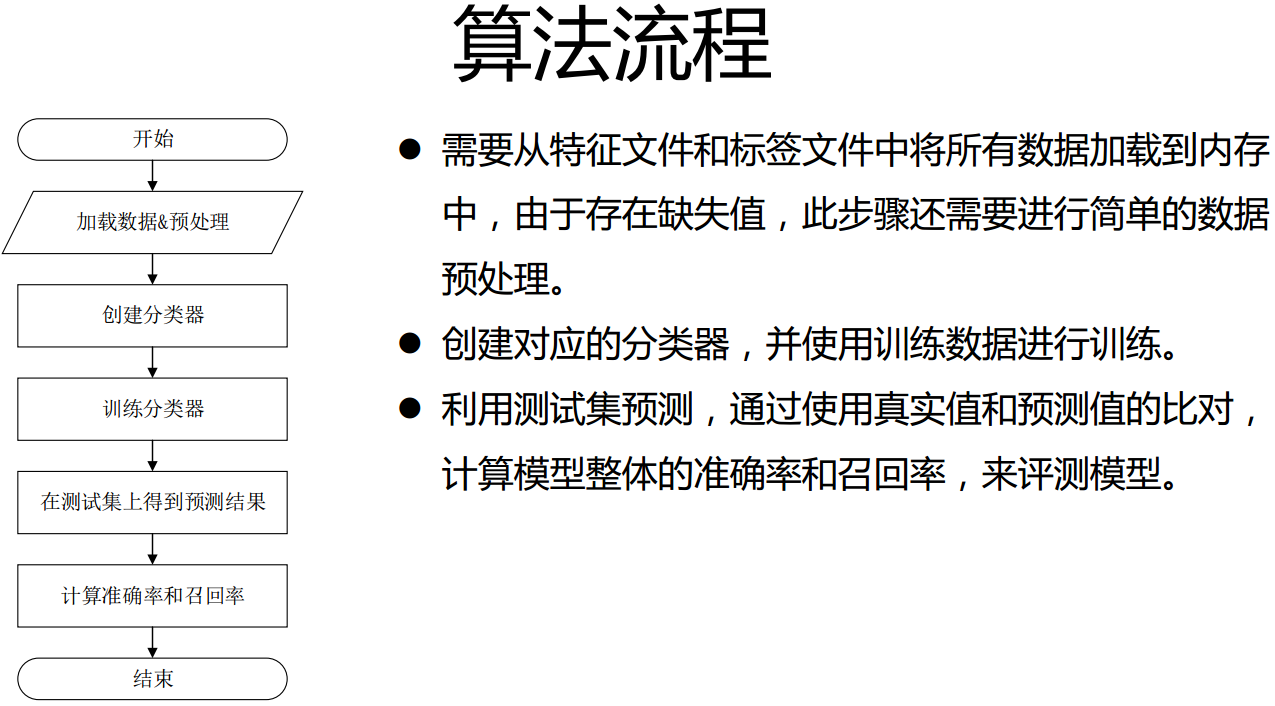
实战一:预测股市涨跌
# -*- coding: utf-8 -*-

"""

Created on Mon Aug 28 15:42:55 2017

@author: Administrator

"""

# unit4 classify

#数据介绍:

#网易财经上获得的上证指数的历史数据,爬取了20年的上证指数数据。

#实验目的:

#根据给出当前时间前150天的历史数据,预测当天上证指数的涨跌。

import pandas as pd

import numpy as np

from sklearn import svm

from sklearn import cross_validation

fpath='F:\RANJIEWEN\MachineLearning\Python机器学习实战_mooc\data\classify\stock\\000777.csv'

data=pd.read_csv(fpath,encoding='gbk',parse_dates=[0],index_col=0)

data.sort_index(0,ascending=True,inplace=True)

dayfeature=150

featurenum=5*dayfeature

x=np.zeros((data.shape[0]-dayfeature,featurenum+1))

y=np.zeros((data.shape[0]-dayfeature))

for i in range(0,data.shape[0]-dayfeature):

    x[i,0:featurenum]=np.array(data[i:i+dayfeature] \

          [[u'收盘价',u'最高价',u'最低价',u'开盘价',u'成交量']]).reshape((1,featurenum))

    x[i,featurenum]=data.ix[i+dayfeature][u'开盘价']

for i in range(0,data.shape[0]-dayfeature):

    if data.ix[i+dayfeature][u'收盘价']>=data.ix[i+dayfeature][u'开盘价']:

        y[i]=1

    else:

        y[i]=0

clf=svm.SVC(kernel='rbf')

result = []

for i in range(5):

    x_train, x_test, y_train, y_test = \

                cross_validation.train_test_split(x, y, test_size = 0.2)

    clf.fit(x_train, y_train)

    result.append(np.mean(y_test == clf.predict(x_test)))

print("svm classifier accuacy:")

print(result)
实战二:通过运动传感器采集的数据分析运行状态
# -*- coding: utf-8 -*-

"""

Created on Mon Aug 28 19:41:21 2017

@author: Administrator

"""

'''

现在收集了来自 A,B,C,D,E 5位用户的可穿戴设备上的传感器数据,

每位用户的数据集包含一个特征文件(a.feature)和一个标签文件

(a.label)

特征文件中每一行对应一个时刻的所有传感器数值,标签文件中每行记录了

和特征文件中对应时刻的标记过的用户姿态,两个文件的行数相同,相同行

之间互相对应

标签文件内容如图所示,每一行代表与特征文件中对应行的用户姿态类别。

总共有0-24共25种身体姿态,如,无活动状态,坐态、跑态等。标签文件作为

训练集的标准参考准则,可以进行特征的监督学习。

假设现在出现了一个新用户,但我们只有传感器采集的数据,那么该如何得到

这个新用户的姿态呢?

或者对同一用户如果传感器采集了新的数据,怎么样根据新的数据判断当前

用户处于什么样的姿态呢?

'''

import pandas as pd

import numpy as np

from sklearn.preprocessing import Imputer

from sklearn.cross_validation import train_test_split

from sklearn.metrics import classification_report

from sklearn.neighbors import KNeighborsClassifier

from sklearn.tree import DecisionTreeClassifier

from sklearn.naive_bayes import GaussianNB

def load_datasets(feature_paths,label_paths):

    feature=np.ndarray(shape=(0,41))

    label=np.ndarray(shape=(0,1))

    for file in feature_paths:

        df=pd.read_table(file,delimiter=',',na_values='?',header=None)

        imp=Imputer(missing_values='NaN',strategy='mean',axis=0)

        imp.fit(df)

        df=imp.transform(df)

        feature=np.concatenate((feature,df))

    for file in label_paths:

        df=pd.read_table(file,header=None)

        label=np.concatenate((label,df))

    label=np.ravel(label)

    return feature,label

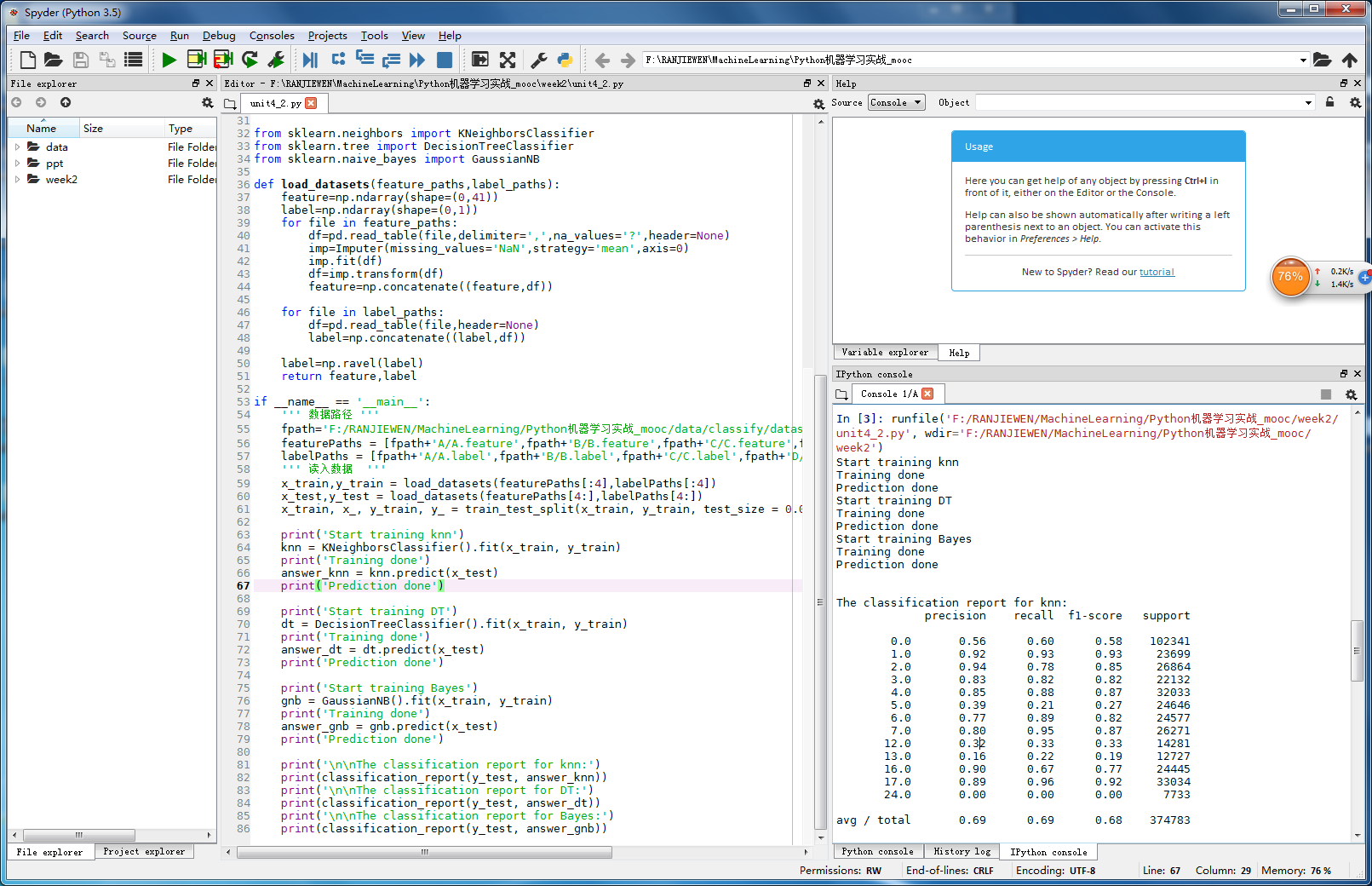
if __name__ == '__main__':

    ''' 数据路径 '''

    fpath='F:/RANJIEWEN/MachineLearning/Python机器学习实战_mooc/data/classify/dataset/'

    featurePaths = [fpath+'A/A.feature',fpath+'B/B.feature',fpath+'C/C.feature',fpath+'D/D.feature',fpath+'E/E.feature']

    labelPaths = [fpath+'A/A.label',fpath+'B/B.label',fpath+'C/C.label',fpath+'D/D.label',fpath+'E/E.label']

    ''' 读入数据  '''

    x_train,y_train = load_datasets(featurePaths[:4],labelPaths[:4])

    x_test,y_test = load_datasets(featurePaths[4:],labelPaths[4:])

    x_train, x_, y_train, y_ = train_test_split(x_train, y_train, test_size = 0.0)

    print('Start training knn')

    knn = KNeighborsClassifier().fit(x_train, y_train)

    print('Training done')

    answer_knn = knn.predict(x_test)

    print('Prediction done')

    print('Start training DT')

    dt = DecisionTreeClassifier().fit(x_train, y_train)

    print('Training done')

    answer_dt = dt.predict(x_test)

    print('Prediction done')

    print('Start training Bayes')

    gnb = GaussianNB().fit(x_train, y_train)

    print('Training done')

    answer_gnb = gnb.predict(x_test)

    print('Prediction done')

    print('\n\nThe classification report for knn:')

    print(classification_report(y_test, answer_knn))

    print('\n\nThe classification report for DT:')

    print(classification_report(y_test, answer_dt))

    print('\n\nThe classification report for Bayes:')

    print(classification_report(y_test, answer_gnb))
- result
Python机器学习-分类的更多相关文章
- 吴裕雄 python 机器学习——分类决策树模型
import numpy as np import matplotlib.pyplot as plt from sklearn import datasets from sklearn.model_s ...
- 常用python机器学习库总结
开始学习Python,之后渐渐成为我学习工作中的第一辅助脚本语言,虽然开发语言是Java,但平时的很多文本数据处理任务都交给了Python.这些年来,接触和使用了很多Python工具包,特别是在文本处 ...
- [Python] 机器学习库资料汇总
声明:以下内容转载自平行宇宙. Python在科学计算领域,有两个重要的扩展模块:Numpy和Scipy.其中Numpy是一个用python实现的科学计算包.包括: 一个强大的N维数组对象Array: ...
- python机器学习《回归 一》
唠嗑唠嗑 依旧是每一次随便讲两句生活小事.表示最近有点懒,可能是快要考试的原因,外加这两天都有笔试和各种面试,让心情变得没那么安静的敲代码,没那么安静的学习算法.搞得第一次和技术总监聊天的时候都不太懂 ...
- 2016年GitHub排名前20的Python机器学习开源项目(转)
当今时代,开源是创新和技术快速发展的核心.本文来自 KDnuggets 的年度盘点,介绍了 2016 年排名前 20 的 Python 机器学习开源项目,在介绍的同时也会做一些有趣的分析以及谈一谈它们 ...
- [resource]Python机器学习库
reference: http://qxde01.blog.163.com/blog/static/67335744201368101922991/ Python在科学计算领域,有两个重要的扩展模块: ...
- python机器学习实战(一)
python机器学习实战(一) 版权声明:本文为博主原创文章,转载请指明转载地址 www.cnblogs.com/fydeblog/p/7140974.html 前言 这篇notebook是关于机器 ...
- python机器学习实战(二)
python机器学习实战(二) 版权声明:本文为博主原创文章,转载请指明转载地址 http://www.cnblogs.com/fydeblog/p/7159775.html 前言 这篇noteboo ...
- python机器学习实战(三)
python机器学习实战(三) 版权声明:本文为博主原创文章,转载请指明转载地址 www.cnblogs.com/fydeblog/p/7277205.html 前言 这篇notebook是关于机器 ...
随机推荐
- (8)zabbix监控项item是什么
什么是item Items是从主机里面获取的所有数据.通常情况下我叫itme为监控项,例如服务器加入了zabbix监控,我需要监控它的cpu负载,那么实现这个方法的东西就叫item item构成 it ...
- URL链接后面的参数解析,与decode编码解码;页面刷新回到顶部jquery
function request() { var urlStr = location.search; ) { theRequest = []; return; } urlStr = urlStr.su ...
- python logging with yaml
Recently, I was made a service which can provide a simple way to get best model. so, i spent lot of ...
- Ubuntu18.04 无法解析域名
解决方法: 首先先输入以下4条命令 1. sudo lshw -numeric -class network2. sudo ifconfig -a3. sudo route -nv4. sudo dh ...
- 启动myeclipse出现JVM terminated. Exit code=-1
在启动myeclipse时出现如图: 解决方法 第一种: myeclipse.ini中内存设置过大导致 修改: 256m改成128m,512m 改为 256m. 第二种:在myeclipse.ini ...
- SpringBoot 多线程
Spring通过任务执行器(TaskExecutor)来实现多线程和并发编程.使用ThreadPoolTaskExecutor可实现一个基于线程池的TaskExecutor.而实际开发中任务一般是非阻 ...
- nw335 debian sid x86-64 -- 5 使用xp的驱动
nw335 debian sid x86-64 -- 5 使用xp的驱动
- 笛卡尔&小雷:科学发展有规律,研究科学有方法
一直在总结自己的学习和研究方法,最近在读吴军写的<文明之光> ,感觉这篇介绍笛卡尔的内容非常有价值,特此整理.最近开始在密谋自己的理论体系,低调实施中... 笛卡尔按照感知的方式,把人的 ...
- Python requests模块params、data、json的区别
json和dict对比 json的key只能是字符串,python的dict可以是任何可hash对象(hashtable type): json的key可以是有序.重复的:dict的key不可以重复. ...
- Shell脚本学习指南 [ 第一、二章 ] 背景知识、入门
摘要:第一章介绍unix系统的发展史及软件工具的设计原则.第二章介绍编译语言与脚本语言的区别以及两个相当简单但很实用的Shell脚本程序,涵盖范围包括了命令.选项.参数.Shell变量.echo与pr ...