
CSS3 结构性伪类选择器(1)
1.CSS3 结构性伪类选择器—root
:root选择器就是匹配元素E所在文档的根元素。在HTML文档中,根元素始终是<html>。
“:root”选择器等同于<html>元素,简单点说:
:root{background:orange}
html {background:orange;}
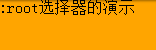
示例演示:
通过“:root”选择器设置背景颜色
HTML代码:
<div>:root选择器的演示</div>
CSS代码:
:root {

  background:orange;

}
演示结果:
“:root”选择器等同于<html>元素,简单点说:
:root{background:orange}
html {background:orange;}
得到的效果等同。
建议使用:root方法。
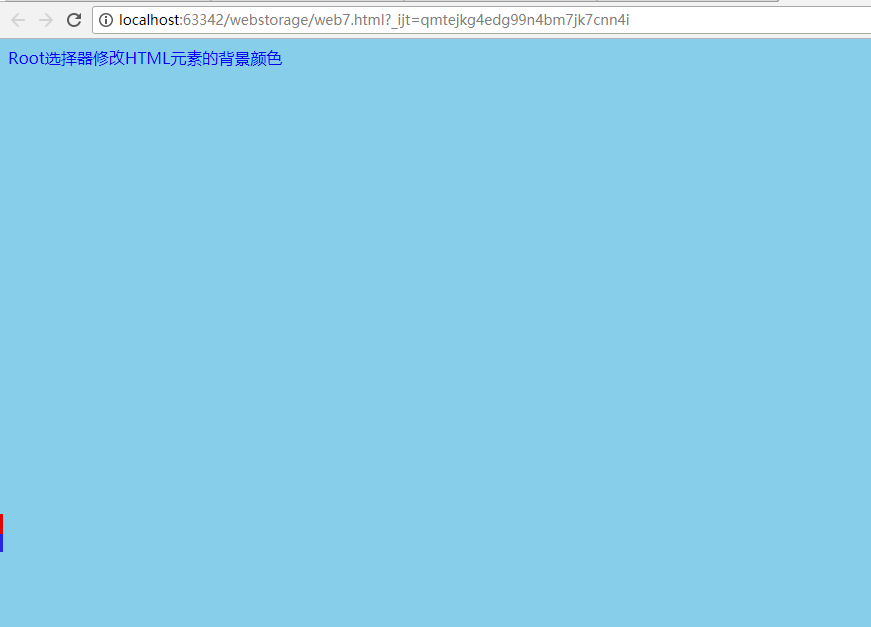
:root 代码示例:
<!DOCTYPE html>

<html>

<head>

    <meta charset="utf-8">

    <title>结构性伪类选择器—root</title>

    <style type="text/css">

        :root{

            background: skyblue;

           color: blue;

        }

    </style>

</head>

<body>

<div>Root选择器修改HTML元素的背景颜色</div>

</body>

</html>
效果:
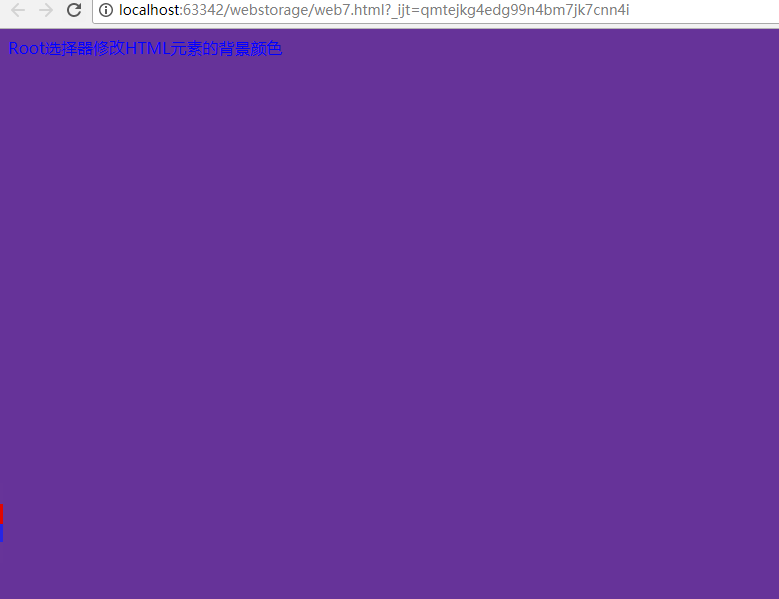
html 代码示例:
<!DOCTYPE html>

<html>

<head>

    <meta charset="utf-8">

    <title>结构性伪类选择器—root</title>

    <style type="text/css">

        html{

            background: rebeccapurple;

           color: blue;

        }

    </style>

</head>

<body>

<div>Root选择器修改HTML元素的背景颜色</div>

</body>

</html>
效果:
2.:not选择器称为否定选择器
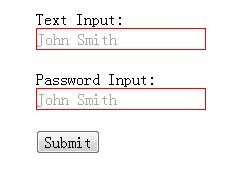
:not选择器称为否定选择器,和jQuery中的:not选择器一模一样,可以选择除某个元素之外的所有元素。就拿form元素来说,比如说你想给表单中除submit按钮之外的input元素添加红色边框,CSS代码可以写成:
form {

  width: 200px;

  margin: 20px auto;

}

div {

  margin-bottom: 20px;

}

input:not([type="submit"]){

  border:1px solid red;

}
相关HTML代码:
<form action="#">
<div>
<label for="name">Text Input:</label>
<input type="text" name="name" id="name" placeholder="John Smith" />
</div>
<div>
<label for="name">Password Input:</label>
<input type="text" name="name" id="name" placeholder="John Smith" />
</div>
<div>
<input type="submit" value="Submit" />
</div>
</form>
演示结果:
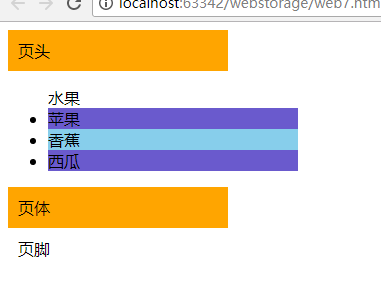
代码示例:
<!DOCTYPE html>

<html>

<head>

    <meta charset="utf-8">

    <title>结构性伪类选择器—not</title>

    <style type="text/css">

        div{

            padding: 10px ;

            width:200px;

        }

        div:not([id="footer"]){

            background: orange;

        }

        li{

            background: skyblue;

            width:250px;

        }

        li:not([id="class2"] ){

            background: slateblue;

        }

    </style>

</head>
演示结果:
3.CSS3 结构性伪类选择器—empty
:empty选择器表示的就是空。用来选择没有任何内容的元素,这里没有内容指的是一点内容都没有,哪怕是一个空格。
示例显示:
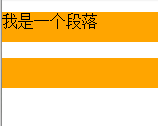
比如说,你的文档中有三个段落p元素,你想把没有任何内容的P元素隐藏起来。我们就可以使用“:empty”选择器来控制。
HTML代码:
<p>我是一个段落</p>
<p> </p>
<p></p>
CSS代码:
p{
background: orange;
min-height: 30px;
}
p:empty {
display: none;
}
演示结果:
代码示例:
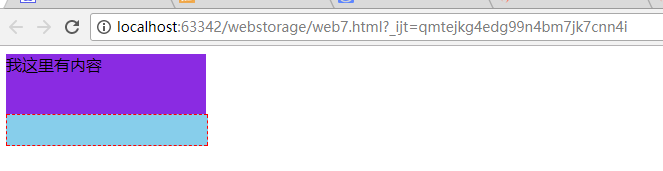
 <!DOCTYPE html>

<html>

<head>

    <meta charset="utf-8">

    <title>结构性伪类选择器—empty</title>

   <style type="text/css">

       div {

           background: blueviolet;

           min-height: 30px;

           width: 200px;

       }

       div:empty {

           border: 1px dashed red;

           background: skyblue;

       }

   </style>

</head>

<body>

<div>我这里有内容</div>

<div> <!-- 我这里有一个空格 --></div>

<div></div><!-- 我这里任何内容都没有 -->

</body>

</html>
演示结果:
4.CSS3 结构性伪类选择器—target
:target选择器称为目标选择器,用来匹配文档(页面)的url的某个标志符的目标元素。我们先来上个例子,然后再做分析。
示例展示
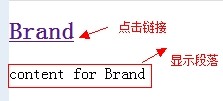
点击链接显示隐藏的段落。
HTML代码:
<h2><a href="#brand">Brand</a></h2>

<div class="menuSection" id="brand">

    content for Brand

</div>
CSS代码:
.menuSection{

  display: none;

}

:target{/*这里的:target就是指id="brand"的div对象*/

  display:block;

}
演示结果:
分析:
1、具体来说,触发元素的URL中的标志符通常会包含一个#号,后面带有一个标志符名称,上面代码中是:#brand
2、:target就是用来匹配id为“brand”的元素(id="brand"的元素),上面代码中是那个div元素。
多个url(多个target)处理:
就像上面的例子,#brand与后面的id="brand"是对应的,当同一个页面上有很多的url的时候你可以取不同的名字,只要#号后对的名称与id=""中的名称对应就可以了。
如下面例子:
html代码:
<h2><a href="#brand">Brand</a></h2>

<div class="menuSection" id="brand">

  content for Brand

</div>

<h2><a href="#jake">Brand</a></h2>

<div class="menuSection" id="jake">

 content for jake

</div>

<h2><a href="#aron">Brand</a></h2>

<div class="menuSection" id="aron">

    content for aron

</div>
css代码:
#brand:target {

  background: orange;

  color: #fff;

}

#jake:target {

  background: blue;

  color: #fff;

}

#aron:target {

  background: red;

  color: #fff;

}
上面的代码可以对不同的target对象分别设置不的样式。
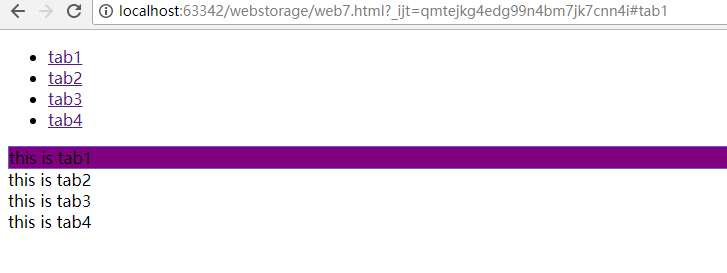
代码示例:
<!DOCTYPE html>

<html>

<head>

    <meta charset="UTF-8">

    <title>target demo</title>

    <style type="text/css">

                      div:target{

                          background: purple;border: 1px solid black;

                      }

    </style>

</head>

<body>

    <ul>

        <li><a href="#tab1">tab1</a></li>

        <li><a href="#tab2">tab2</a></li>

        <li><a href="#tab3">tab3</a></li>

        <li><a href="#tab4">tab4</a></li>

    </ul>

             <div id="tab1">this is tab1</div>

             <div id="tab2">this is tab2</div>

             <div id="tab3">this is tab3</div>

             <div id="tab4">this is tab4</div>

</body>

</html>
演示结果:
转载:http://www.imooc.com/code/736
CSS3 结构性伪类选择器(1)的更多相关文章
- Atitit.隔行换色 变色 css3 结构性伪类选择器
Atitit.隔行换色 变色 css3 结构性伪类选择器 1.1. css3隔行换色扩展阅读 1 1.2. 结构伪选择器 1 1.3. jQuery 选择器2 1.1. css3隔行换色扩展阅读 原 ...
- CSS3 结构性伪类选择器(2)
CSS3 结构性伪类选择器—first-child “:first-child”选择器表示的是选择父元素的第一个子元素的元素E.简单点理解就是选择元素中的第一个子元素,记住是子元素,而不是后代元素. ...
- css3 结构性伪类选择器
伪类 选择器 类型 说明 备注 E:first-line 伪元素选择器 选择匹配E元素内的第一行文本 E:first-letter 伪元素选择器 选择匹配E元素内的第一个字符 E:before 伪元素 ...
- css3结构性伪类选择器
- h5与c3权威指南笔记--css3结构性伪类选择器root,not,empty,target
root:将样式绑定到根元素(html中的根元素是<html></html>) 举个栗子 :root{ background-color: yellow; } body{ ba ...
- CSS3每日一练之选择器-结构性伪类选择器
<!DOCTYPE HTML> <html> <head> <meta charset="gb2312"> <title> ...
- 【CSS3】---结构性伪类选择器—nth-child(n)+nth-last-child(n)
结构性伪类选择器—nth-child(n) “:nth-child(n)”选择器用来定位某个父元素的一个或多个特定的子元素.其中“n”是其参数,而且可以是整数值(1,2,3,4),也可以是表达式(2n ...
- 【CSS3】---结构性伪类选择器-first-child+last-child
结构性伪类选择器—first-child “:first-child”选择器表示的是选择父元素的第一个子元素的元素E.简单点理解就是选择元素中的第一个子元素,记住是子元素,而不是后代元素. 示例演示 ...
- 【CSS3】---结构性伪类选择器-root+not+empty+target
结构性伪类选择器—root :root选择器,从字面上我们就可以很清楚的理解是根选择器,他的意思就是匹配元素E所在文档的根元素.在HTML文档中,根元素始终是<html>. 示例演示: 通 ...
随机推荐
- SQL 多表查询的几种连接方式
--创建数据库 create database GoodsSystem go --使用数据库 use GoodsSystem go --创建商品类型表 create table GoodsType ( ...
- JAVA 8 :从永久区(PermGen)到元空间(Metaspace)
你注意到了吗?JDK 8早期可访问版本已经提供下载了,java 开发人员可以使用java 8 提供的新的语言和运行特性来做一些实验.其中一个特性就是完全的移除永久代(Permanent Generat ...
- animate(动画)框架 和 swiper (轮播)框架 的使用
swiper.js 框架 网址:https://www.swiper.com.cn/ 是一个专门做轮播,切换特效的轮播 使用方法: 然后进入案例,通过案例来进行各种功能的实现, 这一步是教我们怎么做, ...
- list转datatable,SqlBulkCopy将DataTable中的数据批量插入数据库
/// <summary> /// 将泛类型集合List类转换成DataTable /// </summary> /// <param name="list&q ...
- linux中的"空白字符"
[参考这个c语言中的空白字符文章] (http://blog.csdn.net/boyinnju/article/details/6877087) 所谓: linux中的"空白字符" ...
- 类HashMap
/* * Map集合的特点 * 将键映射值的对象,一个映射不能包含重复的值:每个键最多只能映射到一个值 * * Map集合和Collection集合的区别? * Map集合存储元素是成对出现的,Map ...
- 05 使用bbed跳过归档恢复数据文件
5 使用BBED跳过归档 在归档模式下,缺失了一部分的归档日志文件,对数据文件进行恢复 1 开启归档 --shutdown immediate --startup mount --alter data ...
- layui的分页使用(前端分页)
<div id="one"></div>//显示数据库中数据的<ul id="ones"></ul>//显示分页 ...
- oracle--批量删除部分表,将某一列拼接成字符串
1.查询要批量删除的表 SELECT * FROM USER_TABLES SELECT 'DROP '||'TABLE ' || TABLE_NAME ||' ;' ,1 FROM USER_TAB ...
- CentOS7linux系统安装fpm服务,自己制作rpm包文件
1.安装ruby环境 [root@oldboy /]# yum install -y ruby ruby-devel rubygems gem install fpm gem sources --ad ...