
Spring MVC文件上传下载(转载)
原文地址:
http://www.cnblogs.com/WJ-163/p/6269409.html 上传参考
http://www.cnblogs.com/lonecloud/p/5990060.html 下载参考
一、关键步骤
①引入核心JAR文件
SpringMVC实现文件上传,需要再添加两个jar包。一个是文件上传的jar包,一个是其所依赖的IO包。这两个jar包,均在Spring支持库的org.apache.commons中。


②书写控制器方法


applicationContext.xml:
错误
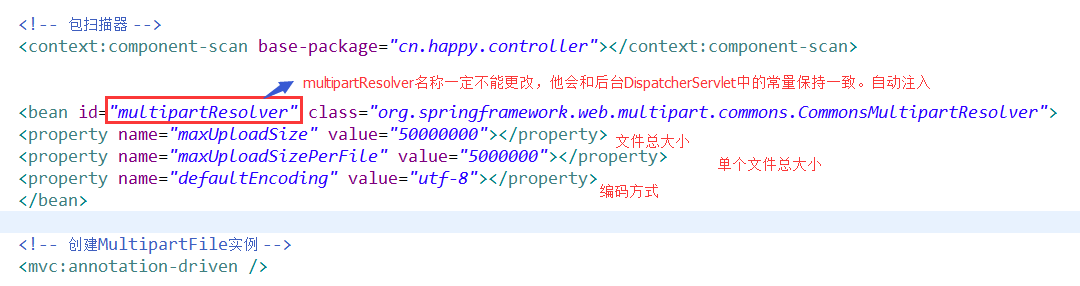

index.jsp页面:需指定 enctype="multipart/form-data
|
1 2 3 4 5 6 7 |
<body> <form action="${pageContext.request.contextPath }/first.do" method="post" enctype="multipart/form-data"> <h2>文件上传</h2> 文件:<input type="file" name="uploadFile"/><br/><br/> <input type="submit" value="上传"/> </form> </body> |
实现效果:
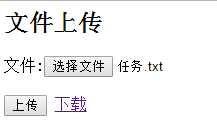

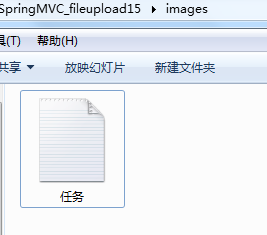

二、没有选择要上传的文件&&限制文件上传类型
如果没有选择要上传的文件,可以通过如下判断代码回到错误页,并配置异常类
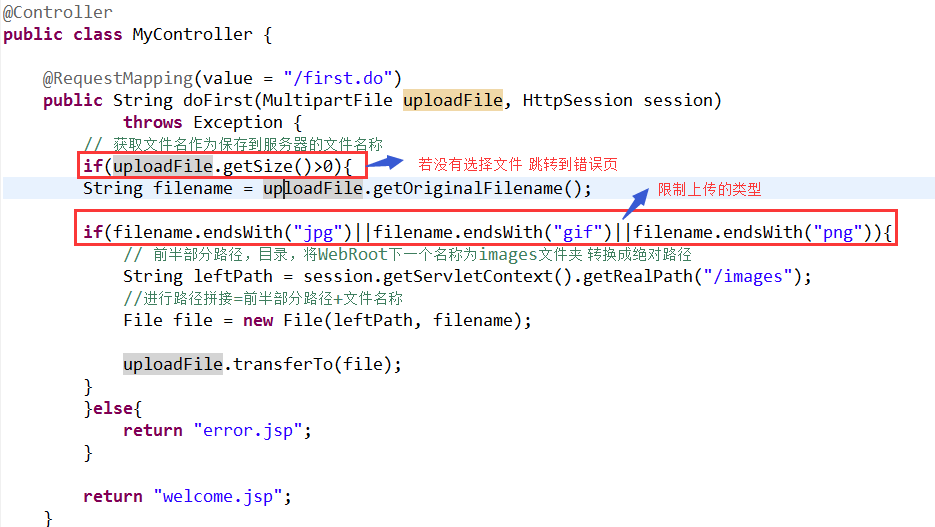
|
1 2 3 4 |
<!-- 配置异常类 报错 --> <bean class="org.springframework.web.servlet.handler.SimpleMappingExceptionResolver"> <property name="defaultErrorView" value="/error.jsp"></property> </bean> |


三、多文件上传
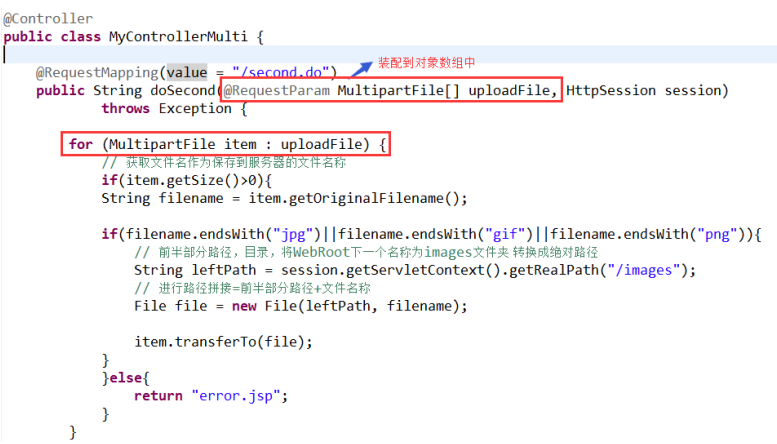
实现效果:
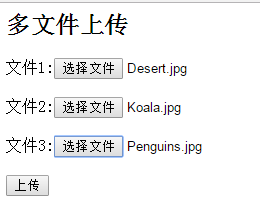
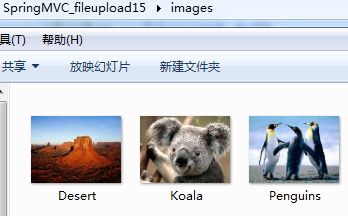

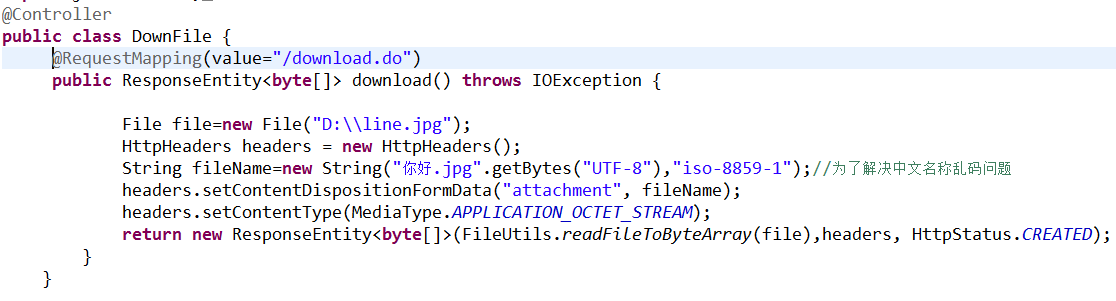
四、文件下载
|
1 |
<a href="${pageContext.request.contextPath }/download.do?line.jpg">下载</a> |
实现效果:
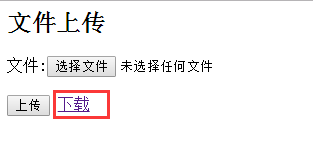

下载不采用这种方式,参考下面这段代码:
- /**
- * 文件下载
- * @Description:
- * @param fileName
- * @param request
- * @param response
- * @return
- */
- @RequestMapping("/download")
- public String downloadFile(@RequestParam("fileName") String fileName,
- HttpServletRequest request, HttpServletResponse response) {
- if (fileName != null) {
- String realPath = request.getServletContext().getRealPath(
- "WEB-INF/File/");
- File file = new File(realPath, fileName);
- if (file.exists()) {
- response.setContentType("application/force-download");// 设置强制下载不打开
- response.addHeader("Content-Disposition",
- "attachment;fileName=" + fileName);// 设置文件名
- byte[] buffer = new byte[1024];
- FileInputStream fis = null;
- BufferedInputStream bis = null;
- try {
- fis = new FileInputStream(file);
- bis = new BufferedInputStream(fis);
- OutputStream os = response.getOutputStream();
- int i = bis.read(buffer);
- while (i != -1) {
- os.write(buffer, 0, i);
- i = bis.read(buffer);
- }
- } catch (Exception e) {
- // TODO: handle exception
- e.printStackTrace();
- } finally {
- if (bis != null) {
- try {
- bis.close();
- } catch (IOException e) {
- // TODO Auto-generated catch block
- e.printStackTrace();
- }
- }
- if (fis != null) {
- try {
- fis.close();
- } catch (IOException e) {
- // TODO Auto-generated catch block
- e.printStackTrace();
- }
- }
- }
- }
- }
- return null;
- }
Spring MVC文件上传下载(转载)的更多相关文章
- Spring MVC文件上传下载工具类
import java.io.File; import java.io.IOException; import java.io.UnsupportedEncodingException; import ...
- Spring MVC 文件上传下载
本文基于Spring MVC 注解,让Spring跑起来. (1) 导入jar包:ant.jar.commons-fileupload.jar.connom-io.jar. (2) 在src/cont ...
- 【Java Web开发学习】Spring MVC文件上传
[Java Web开发学习]Spring MVC文件上传 转载:https://www.cnblogs.com/yangchongxing/p/9290489.html 文件上传有两种实现方式,都比较 ...
- Spring MVC 笔记 —— Spring MVC 文件上传
文件上传 配置MultipartResolver <bean id="multipartResolver" class="org.springframework.w ...
- Spring MVC文件上传教程 commons-io/commons-uploadfile
Spring MVC文件上传教程 commons-io/commons-uploadfile 用到的依赖jar包: commons-fileupload 1.3.1 commons-io 2.4 基于 ...
- Spring mvc文件上传实现
Spring mvc文件上传实现 jsp页面客户端表单编写 三个要素: 1.表单项type="file" 2.表单的提交方式:post 3.表单的enctype属性是多部分表单形式 ...
- Spring mvc 文件上传到文件夹(转载+心得)
spring mvc(注解)上传文件的简单例子,这有几个需要注意的地方1.form的enctype=”multipart/form-data” 这个是上传文件必须的2.applicationConte ...
- Spring MVC 文件上传 & 文件下载
索引: 开源Spring解决方案--lm.solution 参看代码 GitHub: pom.xml WebConfig.java index.jsp upload.jsp FileUploadCon ...
- spring mvc 文件上传 ajax 异步上传
异常代码: 1.the request doesn't contain a multipart/form-data or multipart/mixed stream, content type he ...
随机推荐
- WireShark简单使用以及TCP三次握手
最近一直在用C#编写服务器端的程序,苦于一直找不到合适的方法来测试网络程序,这篇文章很好的解释了网络程序的底层实现. WireShark是最好的学习网络协议最好的工具. wireshark介绍 wir ...
- MySQL 常见面试知识点
之前简单总结了一下MySQL的场景面试知识点 1.讲下MVCC原理 2.MySQL高可用架构介绍 3.OSC(在线更改表结构)原理 4.MySQL性能调优有哪些关键点/经验 5.MySQL在线备份方案 ...
- Android的消息机制之ThreadLocal的工作原理
ThreadLocal 可以把一个对象保存在指定的线程中,对象保存后,只能在指定线程中获取保存的数据,对于其他线程来说则无法获取到数据. 日常开发中 ThreadLocal 使用的地方比较少,但是系统 ...
- jmeter响应数据Unicode编码转换为汉字
2018-07-09 10:24:34 每次用jmeter做接口测试时,响应信息中文总是显示Unicode编码格式,每次都要在网上寻找这一段转换的代码,但是我发现在网上找这段代码有点麻烦,像我 ...
- Jmeter安装篇(win10)
参考博文:https://blog.csdn.net/a13124837937/article/details/79628838 以下是我按照参考博文进行的实际操作过程,此篇只为记录,尽量精简内容. ...
- #Java学习之路——基础阶段二(第十四篇)
我的学习阶段是跟着CZBK黑马的双源课程,学习目标以及博客是为了审查自己的学习情况,毕竟看一遍,敲一遍,和自己归纳总结一遍有着很大的区别,在此期间我会参杂Java疯狂讲义(第四版)里面的内容. 前言: ...
- 关于mysql8.0及以上版本连接navicat时候报错(密码加密方式需要修改)
首先这个原因是因为MySQL版本的密码加密方式变了,要把它修改成以前的方式(因为,navicat不支持这种方式) 1:先进入mysql: mysql -uroot -p123456; 2:查询密码加密 ...
- navicat连接 mysql报错1251解决方案
转自:https://blog.csdn.net/XDMFC/article/details/80263215 好不容易安装好mysql,但又出现了mysql客户端版本太低的问题.根据参考的这篇博客, ...
- mybati代码生成器 mybatis-generator
Mybatis代码生成器,用于快速生成代码 代码 https://github.com/wangxinforme/mybatis-generator
- 你确定 SQL 查询都是以 SELECT 开始的?
很多 SQL 查询都是以 SELECT 开始的. 不过,最近我跟别人解释什么是窗口函数,我在网上搜索"是否可以对窗口函数返回的结果进行过滤"这个问题,得出的结论是"窗口函 ...