
spring boot快速入门 4: jpa数据库操作 实现增删改查
spring boot jpa逆向生成表 简单实例:
第一步:pom文件:
<?xml version="1.0" encoding="UTF-8"?>

<project xmlns="http://maven.apache.org/POM/4.0.0" xmlns:xsi="http://www.w3.org/2001/XMLSchema-instance"

    xsi:schemaLocation="http://maven.apache.org/POM/4.0.0 http://maven.apache.org/xsd/maven-4.0.0.xsd">

    <modelVersion>4.0.0</modelVersion>

    <groupId>com.payease</groupId>

    <artifactId>girl</artifactId>

    <version>0.0.1-SNAPSHOT</version>

    <packaging>jar</packaging>

    <name>girl</name>

    <description>Demo project for Spring Boot</description>

    <parent>

        <groupId>org.springframework.boot</groupId>

        <artifactId>spring-boot-starter-parent</artifactId>

        <version>1.5.8.RELEASE</version>

        <relativePath/> <!-- lookup parent from repository -->

    </parent>

    <properties>

        <project.build.sourceEncoding>UTF-8</project.build.sourceEncoding>

        <project.reporting.outputEncoding>UTF-8</project.reporting.outputEncoding>

        <java.version>1.8</java.version>

    </properties>

    <dependencies>

        <dependency>

            <groupId>org.springframework.boot</groupId>

            <artifactId>spring-boot-starter-web</artifactId>

        </dependency>

        <dependency>

            <groupId>org.springframework.boot</groupId>

            <artifactId>spring-boot-starter-test</artifactId>

            <scope>test</scope>

        </dependency>

        <!-- 模版引擎 -->

        <dependency>

            <groupId>org.springframework.boot</groupId>

            <artifactId>spring-boot-starter-thymeleaf</artifactId>

        </dependency>

        <!-- spring data jpa -->

        <dependency>

            <groupId>org.springframework.boot</groupId>

            <artifactId>spring-boot-starter-data-jpa</artifactId>

        </dependency>

        <!-- mysql 组件 -->

        <dependency>

            <groupId>mysql</groupId>

            <artifactId>mysql-connector-java</artifactId>

        </dependency>

        <dependency>

            <groupId>javax.persistence</groupId>

            <artifactId>persistence-api</artifactId>

            <version>1.0</version>

        </dependency>

        <dependency>

            <groupId>org.springframework.boot</groupId>

            <artifactId>spring-boot-configuration-processor</artifactId>

            <optional>true</optional>

        </dependency>

    </dependencies>

    <build>

        <plugins>

            <plugin>

                <groupId>org.springframework.boot</groupId>

                <artifactId>spring-boot-maven-plugin</artifactId>

            </plugin>

        </plugins>

    </build>

</project>
第二步:配置文件application.yml。
spring:

 profiles:

   active: dev

 datasource:

   driver-class-name: com.mysql.jdbc.Driver

   url: jdbc:mysql://127.0.0.1:3306/dbgirl

   username: root

   password: 1234

 jpa:

   hibernate:

     ddl-auto: update

   show-sql: true
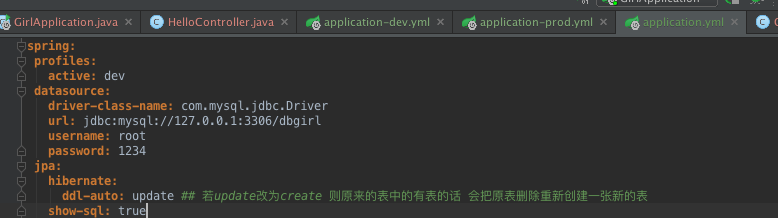
update第一次运行会创建表 若原来有表且有数据会保留原来的数据
第三步:配置问件application-dev.yml
server:

  port: 8080

girl:

  cupSize: B

  age: 18
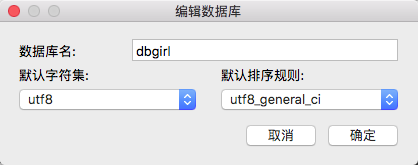
第四步:创建数据库(navigate)
第五步:创建实体类
package com.payease.entity;

import javax.persistence.Entity;

import javax.persistence.GeneratedValue;

import javax.persistence.Id;

/**

 * Created by liuxiaoming on 2017/11/6.

 */

@Entity

public class Girl {

    public int getId() {

        return id;

    }

    public void setId(int id) {

        this.id = id;

    }

    public String getCupSize() {

        return cupSize;

    }

    public void setCupSize(String cupSize) {

        this.cupSize = cupSize;

    }

    public int getAge() {

        return age;

    }

    public void setAge(int age) {

        this.age = age;

    }

    @Id

    @GeneratedValue

    private int id;

    private String cupSize;

    private int age;

}
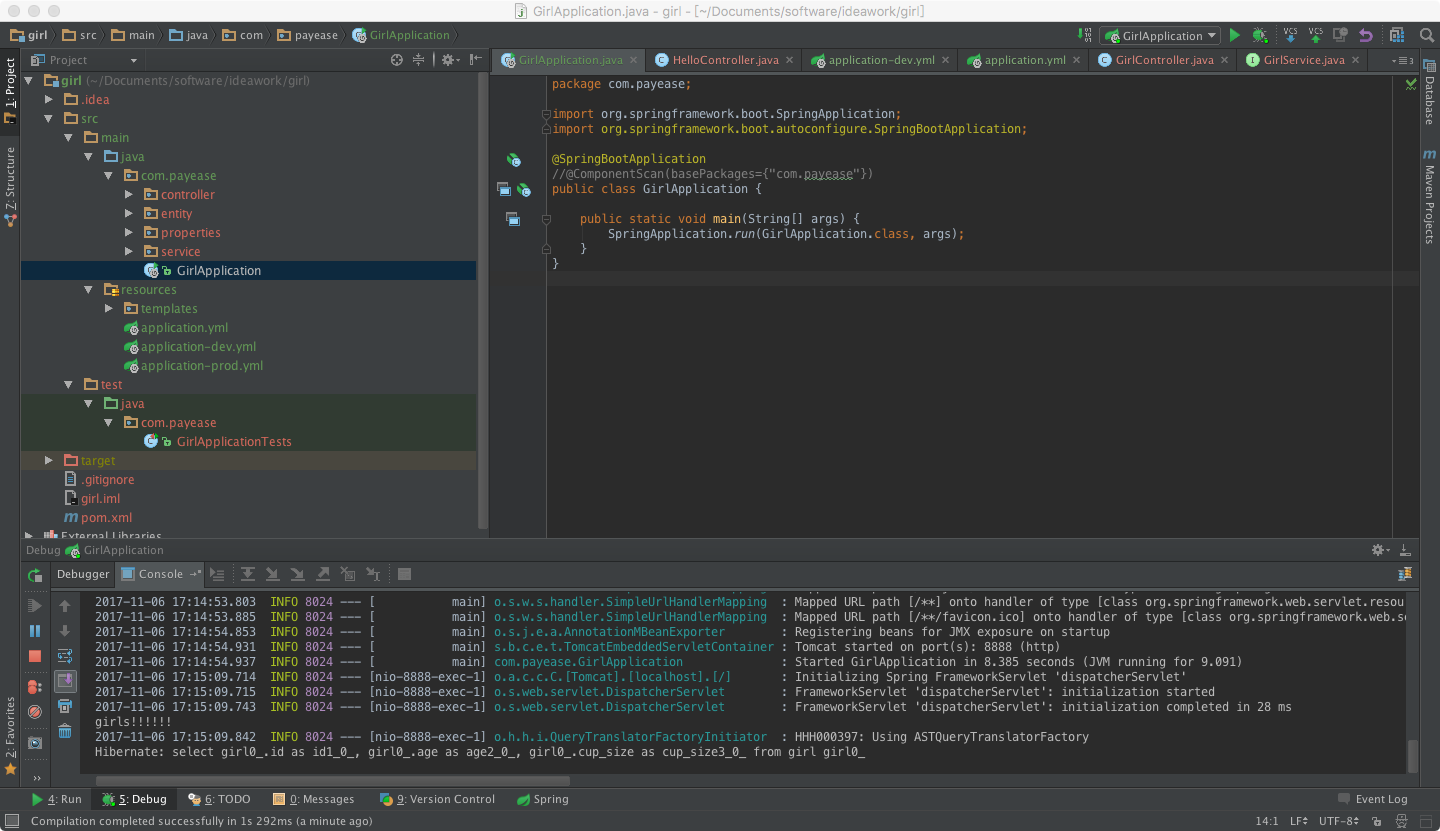
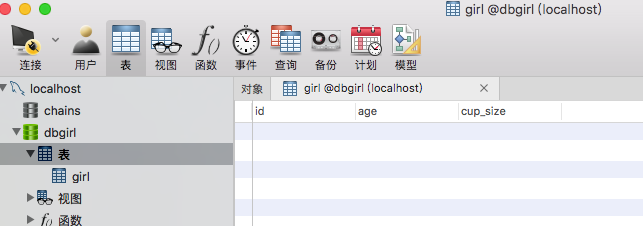
第六步:创建启动文件 并 启动项目
package com.payease;

import org.springframework.boot.SpringApplication;

import org.springframework.boot.autoconfigure.SpringBootApplication;

import org.springframework.context.annotation.ComponentScan;

@SpringBootApplication

//@ComponentScan(basePackages={"com.payease.entity"})

public class GirlApplication {

    public static void main(String[] args) {

        SpringApplication.run(GirlApplication.class, args);

    }

}
根据所创建的表实现简单的增删改查功能:
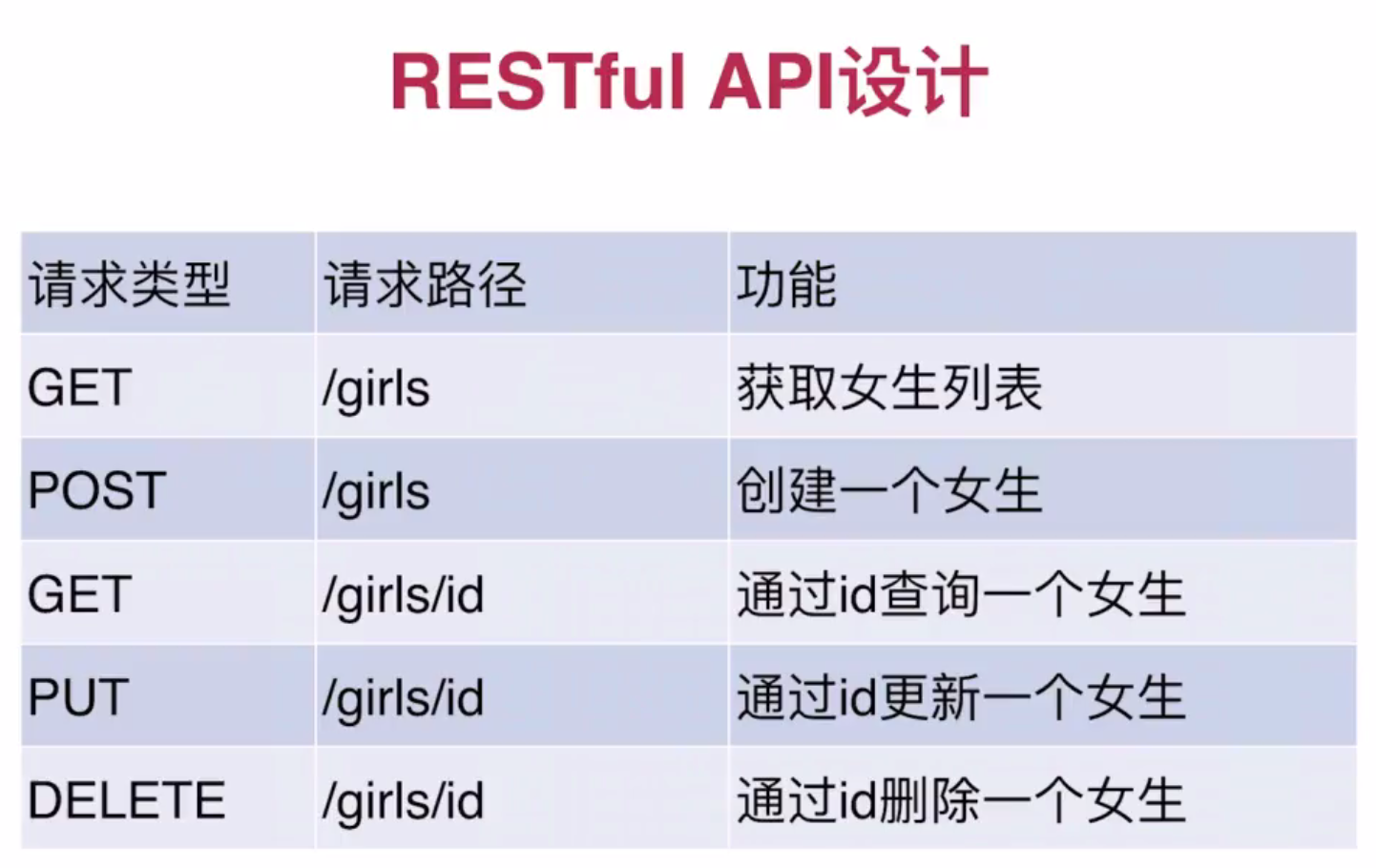
实现第一个接口:
第一步:编写service
package com.payease.service;

import com.payease.entity.Girl;

import org.springframework.data.jpa.repository.JpaRepository;

import org.springframework.stereotype.Repository;

/**

 * Created by liuxiaoming on 2017/11/6.

 */

@Repository

public interface GirlService extends JpaRepository<Girl,Integer>{

}
第二步:编写controller
package com.payease.controller;

import com.payease.entity.Girl;

import com.payease.service.GirlService;

import org.springframework.beans.factory.annotation.Autowired;

import org.springframework.web.bind.annotation.GetMapping;

import org.springframework.web.bind.annotation.RestController;

import java.util.List;

/**

 * Created by liuxiaoming on 2017/11/1.

 */

@RestController

//@RequestMapping("/hello")

public class GirlController {

   @Autowired

   private GirlService girlService;

    @GetMapping("/girls")

    public List<Girl> girls(){

        return girlService.findAll();

    }

}
第三步:启动项目: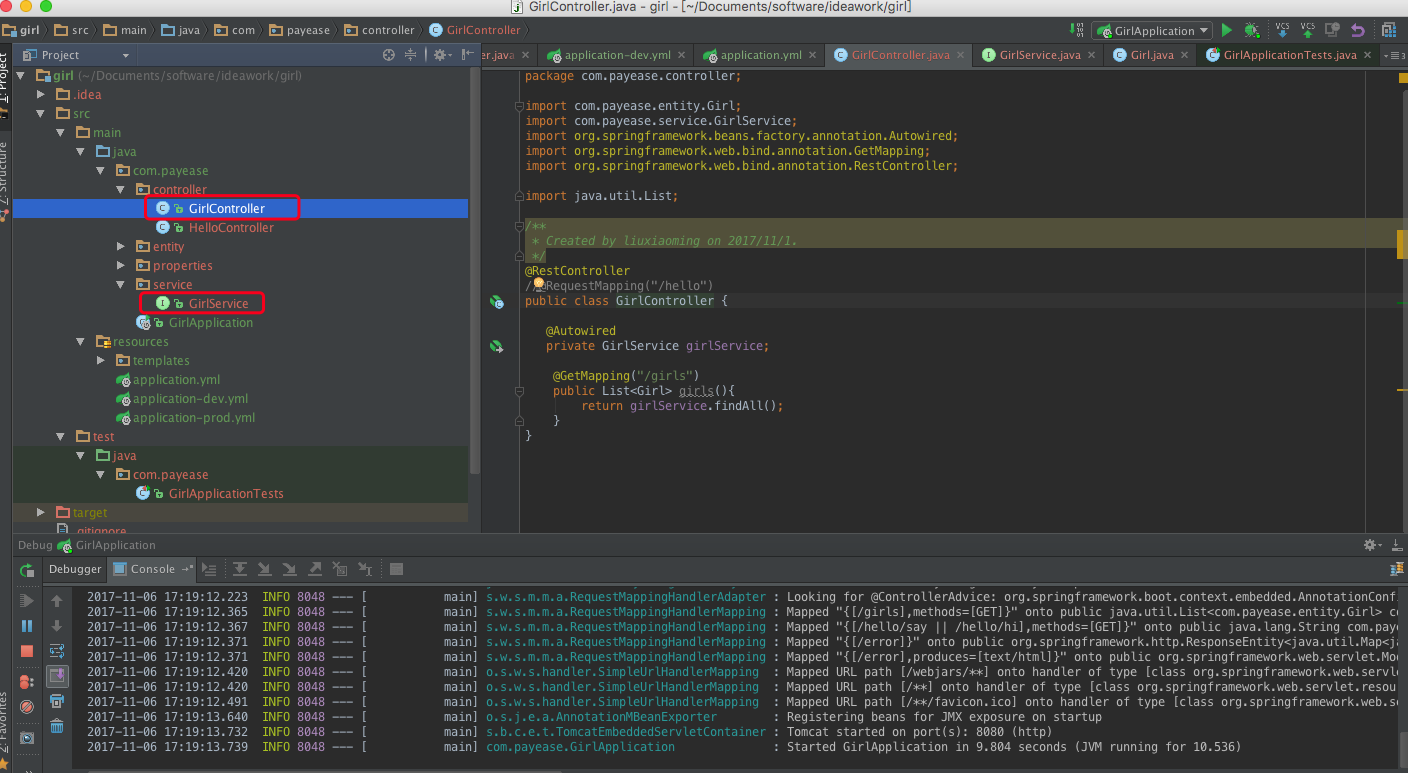
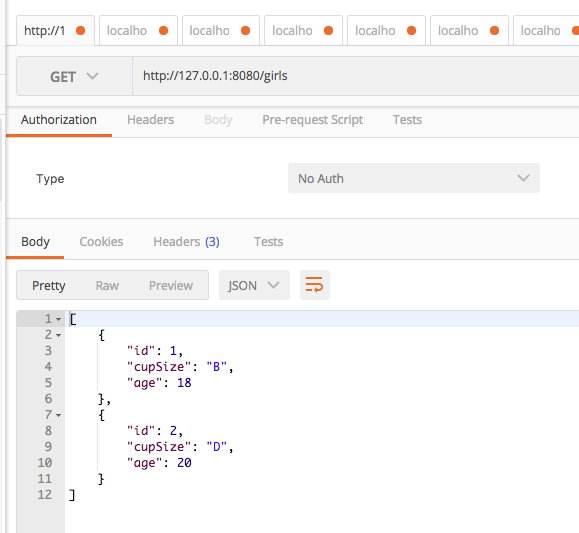
第四步:postman提交
其他接口:
第一步controller:
package com.payease.controller;

import com.payease.entity.Girl;

import com.payease.service.GirlService;

import org.springframework.beans.factory.annotation.Autowired;

import org.springframework.web.bind.annotation.*;

import java.util.List;

/**

 * 查询女生列表

 * Created by liuxiaoming on 2017/11/1.

 */

@RestController

//@RequestMapping("/hello")

public class GirlController {

   @Autowired

   private GirlService girlService;

    @GetMapping("/girls")

    public List<Girl> girls(){

        return girlService.findAll();

    }

    /**

     * 创建一个女生

     */

    @PostMapping("/girls")

    public Girl girlAdd(@RequestParam("cupSize")String cupSize,

                          @RequestParam("age")Integer age){

        Girl girl = new Girl();

        girl.setCupSize(cupSize);

        girl.setAge(age);

        return girlService.save(girl);

    }

    /**

     * 通过ID查询一个女生

     */

    @PostMapping("/girls/{id}")

    public Girl getgirl(@PathVariable("id")Integer id){

        return girlService.findOne(id);

    }

    /**

     * 通过ID更新一个女生

     */

    @PutMapping("/girls/{id}")

    public Girl girlUpdate  (@PathVariable("id")Integer id,

                             @RequestParam("cupSize") String cupSize,

                             @RequestParam("age") Integer age){

        Girl girl = new Girl();

        girl.setId(id);

        girl.setCupSize(cupSize);

        girl.setAge(age);

        return girlService.save(girl);

    }

    /**

     * 通过ID删除一个女生

     */

    @DeleteMapping("/girls/{id}")

    public void girlDelete(@PathVariable("id")Integer id){

         girlService.delete(id);

    }

    /**

     * 通过年龄查询女生列表

     */

    @GetMapping("/girls/age/{age}")

    public List<Girl> girlListByAge(@PathVariable("age")Integer age){

        return girlService.findByAge(age);

    }

}
第二步:扩展方法service:
package com.payease.service;

import com.payease.entity.Girl;

import org.springframework.data.jpa.repository.JpaRepository;

import java.util.List;

/**

 * Created by liuxiaoming on 2017/11/6.

 */

public interface GirlService extends JpaRepository<Girl,Integer>{

    //条件查询: 通过年龄来查询

    public List<Girl> findByAge(Integer age);

}
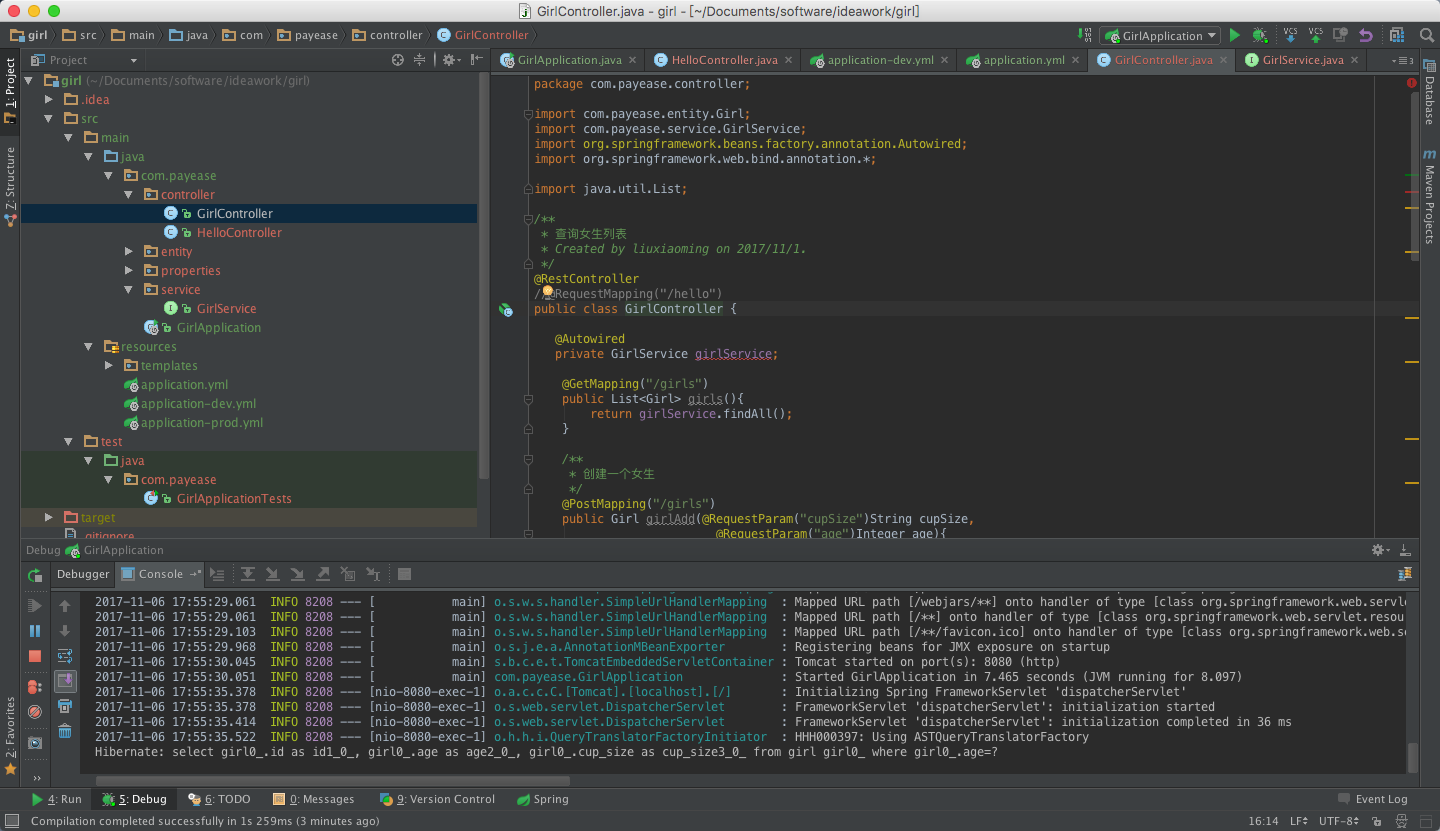
第三步:项目启动 postman提交:
数据库的sql文件:
/*

 Navicat Premium Data Transfer

 Source Server         : localhost

 Source Server Type    : MySQL

 Source Server Version : 50718

 Source Host           : localhost

 Source Database       : dbgirl

 Target Server Type    : MySQL

 Target Server Version : 50718

 File Encoding         : utf-8

 Date: 11/07/2017 09:45:34 AM

*/

SET NAMES utf8mb4;

SET FOREIGN_KEY_CHECKS = 0;

-- ----------------------------

--  Table structure for `girl`

-- ----------------------------

DROP TABLE IF EXISTS `girl`;

CREATE TABLE `girl` (

  `id` int(11) NOT NULL AUTO_INCREMENT,

  `age` int(11) NOT NULL,

  `cup_size` varchar(255) DEFAULT NULL,

  PRIMARY KEY (`id`)

) ENGINE=InnoDB AUTO_INCREMENT=4 DEFAULT CHARSET=utf8;

-- ----------------------------

--  Records of `girl`

-- ----------------------------

BEGIN;

INSERT INTO `girl` VALUES ('1', '18', 'B'), ('2', '20', 'D'), ('3', '20', 'F');

COMMIT;

SET FOREIGN_KEY_CHECKS = 1;
postman提交:
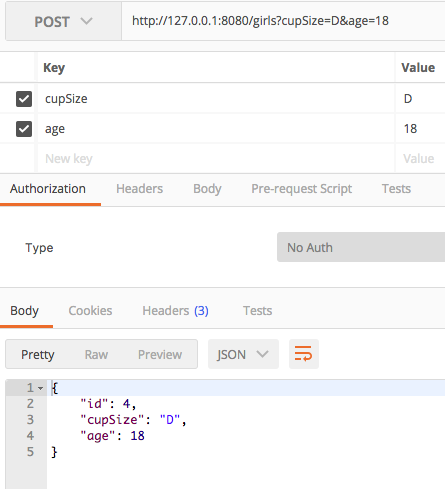
创建一个女生:http://127.0.0.1:8080/girls
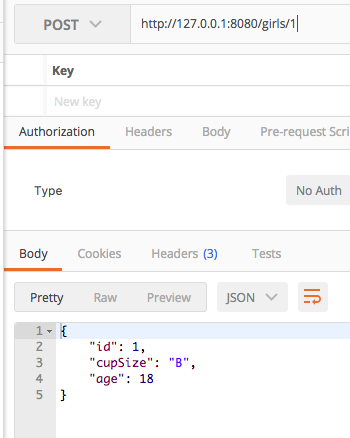
通过ID查询一个女生:http://127.0.0.1:8080/girls/1
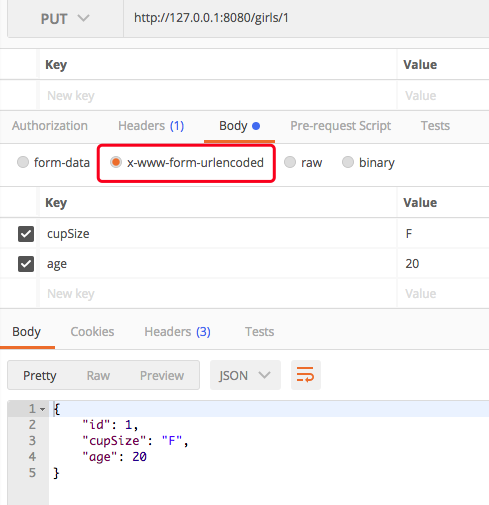
通过ID更新一个女生:http://127.0.0.1:8080/girls/1
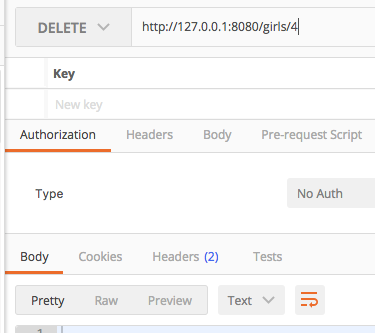
通过ID删除一个女生:http://127.0.0.1:8080/girls/4
数据库原数据:
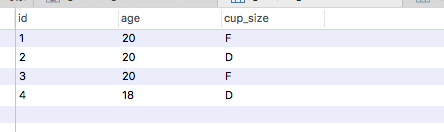
调用方法后的数据:
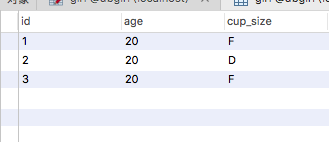
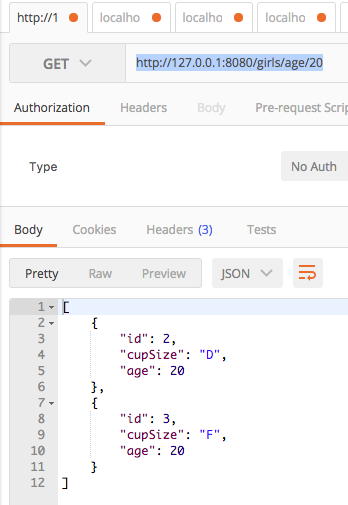
根据年龄来查询女生列表:http://127.0.0.1:8080/girls/age/20
spring boot快速入门 4: jpa数据库操作 实现增删改查的更多相关文章
- 基于renren-fast的快速入门项目实战(实现报表增删改查)
基于renren-fast的快速入门项目实战(实现报表增删改查) 说明:renren-fast是一个开源的基于springboot的前后端分离手脚架,当前版本是3.0 官方开发文档需付费,对于新手而言 ...
- Java Maven:spring boot + Mybatis连接MySQL,通用mapper的增删改查,映射实现多表查询
1. MySQL自带库test添加表user.role 角色表role 用户表user 2. 添加依赖,配置属性 相关依赖:百度即可,此处略 application.properties spring ...
- Linq 数据库操作(增删改查)
Linq数据库增删改查 Linq是一种查询语言,集成包含在formwork中,包含在C#语言中,它的作用是降低查询的门槛,提高开发效率,是我们必须掌握的技术之一,下面是我自己对linq数据库操作的方法 ...
- 初次尝试PHP——一个简单的对数据库操作的增删改查例子
第一次学习PHP,很多人说PHP是最好的语言,学习了一点点,还不敢说这样的话,不过确实蛮好用的. 做了一个简单的对数据库的增删改查的操作,主要是将四种操作写成了独立的函数,之后直接调用函数.以下是代码 ...
- Spring Boot 知识笔记(整合Mybatis续-补充增删改查)
续上篇,补充数据库增删改查的其他场景. 一.Mapper中添加其他场景操作 package net.Eleven.demo.Mapper; import net.Eleven.demo.domain. ...
- flask 数据库操作(增删改查)
数据库操作 现在我们创建了模型,生成了数据库和表,下面来学习常用的数据库操作,数据库操作主要是CRUD,即Create(创建).Read(读取/查询).Update(更新)和Delete(删除). S ...
- MySQL数据库操作:“增删改查”,忘记密码重置等。
[注] 数据库的“增删查改”,参考原作者Wid:http://www.cnblogs.com/mr-wid/archive/2013/05/09/3068229.html#d11.感谢大佬们的技术分享 ...
- ThinkPHP 数据库操作(二) : 增删改查
基本使用 可以直接使用数据库运行原生SQL操作了,支持 query (查询操作)和 execute (写入操作)方法,并且支持参数绑定. Db::query('select * from think_ ...
- Java 数据库操作oracle增删改查,通用封装基于hashmap
pt1:首先安装oracle连接驱动 下载地址:https://pan.baidu.com/s/1jW_ofgU4eJmAn7Y2J5B46A 密码:epkz 1.将ojdbc6.jar导入项目中 ...
随机推荐
- div模拟键盘输入
<!DOCTYPE html> <html> <head> <meta charset="utf-8"> <meta name ...
- 使用Nmap攻击靶机和使用Wireshark进行嗅探、分析
使用Nmap攻击靶机和使用Wireshark进行嗅探.分析 在上一次课中已经对Nmap的使用.原理已经做了很多学习,这次的课更多地针对Wireshark进行学习和使用. 使用192.168.200.1 ...
- 开通博客暨注册github事件
(1) 姓 名:丁新宇 学 号:1413042054 班 级:网工142 兴趣爱好:听歌.看书.编代码. (2) GitHub注册流程: 1,百度搜索GitHub,进入官 ...
- Lucene 分页搜索实现
Lucene中有两种分页查询方式 1.一次查询出大量数据,然后根据页码定位是哪个文档,其实就是暴力获取了 2.通过调用searchAfter来实现 我们都知道collect是lucene中对搜索到的文 ...
- IIS部署网站常见问题
有时候Web项目在VS开发环境下没有问题,但是在IIS服务器下却出现了问题. 这让人很抓狂. 在这里总结下通常发生这种问题的几个主要原因. 1.IIS注册.Net框架. 1.1:C:\WINDOWS\ ...
- easyui - using
using 是 easyloader.load 简写 using('calendar', function() { alert("加载calendar成功 ...
- 使用CDI+制作支持半透明的Panle
创建一个自定义控件程序集,并修改父类为Panle,添加如下代码: public partial class OpaqueLayer : Panel { private Color transparen ...
- javascript实现八大排序
开学一个月,已经多次梦见笔试出现数据结构算法题,我对数据结构的恐惧已经多于任何“妖魔鬼怪”了.呵呵,看来真的很有必要复习一下常用的数据结构,免得“噩梦”成真. 数据机构等编程基础的重要性不用多说,直接 ...
- DS作业01--日期抽象数据类型设计与实现
第六次作业 1.思维导图及学习体会 1.1 思维导图 1.2 学习体会 因为假期里面代码的练习量很小,所以开学来上学期的知识遗忘了很多,刚刚开始写大作业的时候很困难,完全没有思路,后来看了几位同学的代 ...
- 关于Mybatis 反向生成后 查询结果全部为null 解决办法
今天遇到了一个问题,就是mybatis通过反向生成工具 生成的pojo类(实体类) xml文件 以及Mapper之后查询时结果为null 我写的代码怎么看都没有错 就是没有结果 后来在排除错误的时候发 ...