
Nginx入门篇(三)之虚拟主机配置
- 一、虚拟主机概念
所谓虚拟主机,在Web服务当中就是一个独立的网站站点,这个站点对应独立的域名(也有可能是IP或者端口),具有独立的程序和资源目录,可以独立地对外提供服务供用户访问。
这个独立的站点在配置里是由一定格式的标签进行标记,和apache相对比,apache的虚拟主机的标签段通常是以<VirtualHost></VirtualHost>进行标注的,而Nginx则是以Server{}标签段来标示一个虚拟主机。一个Web服务中支持多个虚拟主机站点。
二、虚拟主机类型
和apache一样,虚拟主机主要有3种:
(1)基于域名的虚拟主机
(2)基于端口的虚拟主机
(3)基于IP的虚拟主机
三、三种虚拟主机类型配置演练
(1)基于域名域名的虚拟主机配置
(1)修改主配置文件nginx.conf,加载虚拟主机配置
[root@localhost conf]# grep -Ev "^$|#" nginx.conf

user  nginx;

worker_processes  auto;

events {

    worker_connections  ;

}

http {

    include       mime.types;

    default_type  application/octet-stream;

    log_format  main  '$remote_addr - $remote_user [$time_local] "$request" '

                      '$status $body_bytes_sent "$http_referer" '

                      '"$http_user_agent" "$http_x_forwarded_for"';

    sendfile        on;

    tcp_nopush     on;

    keepalive_timeout  ;

    include /usr/local/nginx/conf/vhosts/*.conf;  #包含虚拟主机配置

}

(2)创建虚拟主机配置文件,并增加虚拟主机

[root@localhost conf]# mkdir vhosts && cd vhosts/

[root@localhost vhosts]# vim www.abc.org.conf

server {

        listen 80;

        server_name www.abc.org;

        root /vhosts/html/www;

        index index.html index.htm index.php;

}

[root@localhost vhosts]# cp www.abc.org.conf bbs.abc.org.conf

[root@localhost vhosts]# cp www.abc.org.conf blog.abc.org.conf

[root@localhost vhosts]# vim bbs.abc.org.conf

server {

        listen 80;

        server_name bbs.abc.org;

        root /vhosts/html/bbs;

        index index.html index.htm index.php;

}

[root@localhost vhosts]# vim blog.abc.org.conf

server {

        listen 80;

        server_name blog.abc.org;

        root /vhosts/html/blog;

        index index.html index.htm index.php;

}

(3)创建虚拟主机主页

[root@localhost vhosts]# mkdir /vhosts/html/{www,bbs,blog}

[root@localhost vhosts]# echo "welcome to www.abc.org" >> /vhosts/html/www/index.html

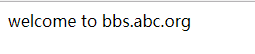
[root@localhost vhosts]# echo "welcome to bbs.abc.org" >> /vhosts/html/bbs/index.html

[root@localhost vhosts]# echo "welcome to blog.abc.org" >> /vhosts/html/blog/index.html

(4)检查语法,重载nginx

[root@localhost vhosts]# /usr/local/nginx/sbin/nginx -t

nginx: the configuration file /usr/local/nginx1.15.1/conf/nginx.conf syntax is ok

nginx: configuration file /usr/local/nginx1.15.1/conf/nginx.conf test is successful

[root@localhost vhosts]# /usr/local/nginx/sbin/nginx -s reload
windows下做hosts解析
192.168.56.11 www.abc.org bbs.abc.org blog.abc.org 分别访问


(2)基于端口的虚拟主机配置
(1)修改bbs和blog站点监听端口
[root@localhost vhosts]# vim bbs.abc.org.conf

listen ;

[root@localhost vhosts]# vim blog.abc.org.conf

listen

[root@localhost vhosts]# export PATH=/usr/local/nginx/sbin/:$PATH

(2)检查语法,重载nginx

[root@localhost vhosts]# nginx -t

nginx: the configuration file /usr/local/nginx1.15.1/conf/nginx.conf syntax is ok

nginx: configuration file /usr/local/nginx1.15.1/conf/nginx.conf test is successful

[root@localhost vhosts]# nginx -s reload

(3)测试访问页面

[root@localhost ~]# curl www.abc.org

welcome to www.abc.org

[root@localhost ~]# curl bbs.abc.org:

welcome to bbs.abc.org

[root@localhost ~]# curl blog.abc.org:

welcome to blog.abc.org
以上端口可以随意更改,但是不能和已有服务冲突,原则上应该是大于1024小于65535的任意端口
(3)基于IP的虚拟主机配置
(1)增加虚拟网卡eth0:0和eth0:1
[root@localhost ~]# ifconfig eth0: 192.168.56.110/ up

[root@localhost ~]# ifconfig eth0: 192.168.56.111/ up

[root@localhost ~]# ifconfig eth0:

eth0:: flags=<UP,BROADCAST,RUNNING,MULTICAST>  mtu

        inet 192.168.56.110  netmask 255.255.255.0  broadcast 192.168.56.255

        ether :0c::ce::fd  txqueuelen   (Ethernet)

[root@localhost ~]# ifconfig eth0:

eth0:: flags=<UP,BROADCAST,RUNNING,MULTICAST>  mtu

        inet 192.168.56.111  netmask 255.255.255.0  broadcast 192.168.56.255

        ether :0c::ce::fd  txqueuelen   (Ethernet)

(2)修改虚拟主机配置server_name为ip访问

[root@localhost vhosts]# vim bbs.abc.org.conf

listen ;

server_name 192.168.56.110;

[root@localhost vhosts]# vim blog.abc.org.conf

listen ;

server_name 192.168.56.111;

(3)检测语法,重载nginx,测试访问

[root@localhost vhosts]# nginx -t

nginx: the configuration file /usr/local/nginx1.15.1/conf/nginx.conf syntax is ok

nginx: configuration file /usr/local/nginx1.15.1/conf/nginx.conf test is successful

[root@localhost vhosts]# nginx -s reload

[root@localhost ~]# curl http://192.168.56.110:8081/

welcome to bbs.abc.org

[root@localhost ~]# curl http://192.168.56.111:8082/

welcome to blog.abc.org
Nginx入门篇(三)之虚拟主机配置的更多相关文章
- Nginx 反向代理 负载均衡 虚拟主机配置
Nginx 反向代理 负载均衡 虚拟主机配置 通过本章你将学会利用Nginx配置多台虚拟主机,清楚代理服务器的作用,区分正向代理和反向代理的区别,搭建使用Nginx反向搭理和负载均衡,了解Nginx常 ...
- 【转】Nginx 反向代理 负载均衡 虚拟主机配置
原文:http://www.cnblogs.com/itdragon/p/8059000.html Nginx 反向代理 负载均衡 虚拟主机配置 通过本章你将学会利用Nginx配置多台虚拟主机,清楚代 ...
- nginx 的三种虚拟主机配置方法
nginx三种虚拟主机配置的方法. 基于端口 在生产环境中一般使用端口或者域名. [root@web01 /etc/nginx/conf.d]# cat web01.conf server { lis ...
- 【nginx运维基础(2)】Nginx的配置文件说明及虚拟主机配置示例
配置文件说明 #定义Nginx运行的用户和用户组 user www www; #nginx进程数,建议设置为当前主机的CPU总核心数. worker_processes 8; #全局错误日志定义类型, ...
- Nginx 反向代理 负载均衡 虚拟主机
Nginx 反向代理 负载均衡 虚拟主机配置 通过本章你将学会利用Nginx配置多台虚拟主机,清楚代理服务器的作用,区分正向代理和反向代理的区别,搭建使用Nginx反向搭理和负载均衡,了解Nginx常 ...
- Nginx的虚拟主机配置
虚拟主机技术能够让同一台服务器.同一组Nginx进程上运行多个网站,降低了资金和服务器资源的损耗.Nginx可以配置三种类型的虚拟主机,本文就是主要介绍这三种虚拟主机配置方式. 配置基于IP的虚拟主机 ...
- Ngnix 安装、信号量、虚拟主机配置
ngnix的安装很简单 1.先从ngnix官网下载ngnix压缩包 wget http://nginx.org/download/nginx-1.6.2.tar.gz 2.解压并进入其目录 tar - ...
- Nginx总结(三)基于端口的虚拟主机配置
前面讲了如何配置基于IP的虚拟主机,大家可以去这里看看nginx系列文章:https://www.cnblogs.com/zhangweizhong/category/1529997.html 今天就 ...
- Nginx虚拟主机配置(三)
虚拟主机就是使用特殊的软硬件技术,把一台计算机主机分成多台“虚拟”的主机,每一台虚拟主机都具有独立的域名和IP地址(或共享的IP地址),具有完整的Internet服务器功能.在同一台硬件.同一个操作系 ...
随机推荐
- php-fpm配置参数.md
Global Options pid string PID文件的位置.默认为空.默认路径放在/usr/local/php-fpm/var. error_log string 错误日志的位置.默认:安装 ...
- 一句话解释:C2C / B2C / O2O / B2B
C2C (Customers To Customers):个人到个人,就是我卖东西你来买B2C (Business To Customers):公司到个人,就是我成立个公司卖东西,你来买O2O (On ...
- 【JavaScript】particle
这是js实现的粒子动画,有两种模式,分别是zoom和line,它们对应的效果不同,但是原理都相同,具体分析如下: 部分程序如下: var p = this; p.originParams = orig ...
- Yum 下载安装包及对应依赖包
Yum 下载安装包及对应依赖包: 安装该软件:yum install -y yum-plugin-downloadonly 以下载 openssh-server 为例 yum install -y o ...
- PAT——1057. 数零壹
给定一串长度不超过105的字符串,本题要求你将其中所有英文字母的序号(字母a-z对应序号1-26,不分大小写)相加,得到整数N,然后再分析一下N的二进制表示中有多少0.多少1.例如给定字符串“PAT ...
- Xcode 错误收集及解决办法
1.An unknown error occurred. 如果仅仅提示“An unknown error occurred.” 而没有别的提示,很有可能是设备内存已满,没有足够的空间来安装这个应用. ...
- 过滤ST/退市股票
nest_dict = {'code': {1: '000033', 2: '002113', 3: '002260', 4: '002512'}, 'name': {1: '新都退', 2: 'ST ...
- java中的序列化问题
序列化就是一种用来处理对象流的机制,所谓对象流也就是将对象的内容进行流化,将数据分解成字节流,以便存储在文件中或在网络上传输.可以对流化后的对象进行读写操作,也可将流化后的对象传输于网络之间.序列化是 ...
- 原生js创建模态框
1.效果图如下: 2.代码如下: <!DOCTYPE html> <html> <head> <meta charset="UTF-8"& ...
- Hive 的collect_set使用详解
Hive 的collect_set使用详解 https://blog.csdn.net/liyantianmin/article/details/48262109 对于非group by字段,可以 ...