
appium 5-27屏幕旋转、
1.屏幕切换
注意:应用一定要支持横竖屏切换,否则无效果,
  public void testBrowser() throws InterruptedException {

        Thread.sleep(10000);

        System.out.println("竖屏");

        driver.rotate(ScreenOrientation.PORTRAIT);

        Thread.sleep(3000);

        System.out.println("横屏");

        driver.rotate(ScreenOrientation.LANDSCAPE);

    }
2.应用切换到后台
   public void testHoutai(){

        System.out.println("切换后台");

        driver.runAppInBackground(Duration.ofSeconds(3));

        System.out.println("返回前台");

        driver.launchApp();

    }
3.手机解锁
注意:手机存在解锁密码,会解锁失败。如果存在密码,可以点击电源键,点亮屏幕后再解锁
    public void testLock(){

        driver.lockDevice();

        driver.unlockDevice();

    }
4.来电和短信,仅限模拟器
    public void SMS(){

        //接收短信

        driver.sendSMS("13854748784","hello world");

        //来电

        driver.makeGsmCall("13311112222",GsmCallActions.CALL);

    }
5.关闭应用,启动应用
   public void testStop() throws InterruptedException{

        Thread.sleep(5000);

        driver.closeApp();

        System.out.println("closeapp");

        Thread.sleep(5000);

        driver.launchApp();

        System.out.println("launchapp");

        Thread.sleep(6000);

    }
6.开启\关闭飞行模式
    public void testFlyMode() throws InterruptedException {

        driver.toggleAirplaneMode();

        Thread.sleep(6000);

    }
7.截屏
public void screenshot() throws IOException {

        FileUtils.copyFile(driver.getScreenshotAs(OutputType.FILE),(new File("1.png")));

    }
8.执行脚本
查看示例
更多
还是不会用,提示org.openqa.selenium.WebDriverException: An unknown server-side error occurred while processing the command. Original error: Appium server must have relaxed security flag set in order to run any shell commands
9.滑动
  public void testAction() throws InterruptedException{

        Thread.sleep(6000);

        TouchAction action = new TouchAction(driver);

        action.press(PointOption.point(500,1500)).

                waitAction(WaitOptions.waitOptions(Duration.ofSeconds(3))).

                moveTo(PointOption.point(500,500)).release().perform();

    }
SwipeClass.java封装滑动方法
public class SwipeClass {

    static Duration duration=Duration.ofSeconds(1);

    public void swipeToUp(AndroidDriver driver){

        int width  = driver.manage().window().getSize().width;

        int height = driver.manage().window().getSize().height;

        TouchAction act = new TouchAction(driver).press(PointOption.point(width/2,height*3/4)).waitAction(WaitOptions.waitOptions(duration)).moveTo(PointOption.point(width/2,height/4)).release();

        act.perform();

    }

    public void swipeToDown(AndroidDriver driver){

        int width  = driver.manage().window().getSize().width;

        int height = driver.manage().window().getSize().height;

        TouchAction act = new TouchAction(driver).press(PointOption.point(width/2,height*1/4)).waitAction(WaitOptions.waitOptions(duration)).moveTo(PointOption.point(width/2,height*3/4)).release();

        act.perform();

    }

    public void swipeToLeft(AndroidDriver driver){

        int width  = driver.manage().window().getSize().width;

        int height = driver.manage().window().getSize().height;

        TouchAction act = new TouchAction(driver).press(PointOption.point(width*4/5,height/2)).waitAction(WaitOptions.waitOptions(duration)).moveTo(PointOption.point(width/5,height/2)).release();

        act.perform();

    }

    public void swipeToRight(AndroidDriver driver){

        int width  = driver.manage().window().getSize().width;

        int height = driver.manage().window().getSize().height;

        TouchAction act = new TouchAction(driver).press(PointOption.point((int)width/5,(int)height/2)).waitAction(WaitOptions.waitOptions(duration)).moveTo(PointOption.point(width*4/5,height/2)).release();

        act.perform();

    }

}
测试代码继承滑动类,使用方法
public class TestBrowser extends SwipeClass{

    public void testSwipe() throws InterruptedException{

        Thread.sleep(6000);

        swipeToUp(driver);

    }

}
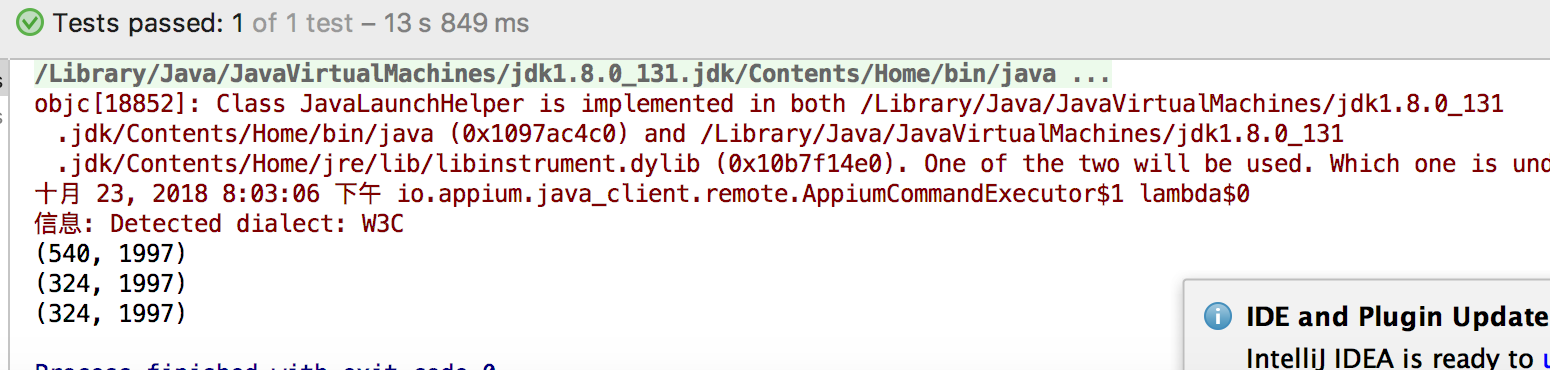
10.页面加载中,控件的位置会发生变化
public void testPositon() {

        driver.findElementByXPath("//*[@text='跳过']").click();

        for(int i=0;i<3;i++) {

            MobileElement zixuan = (MobileElement) driver.findElementByXPath("//*[@text=\"自选\"]");

            System.out.println(zixuan.getCenter());

        }

    }
appium 5-27屏幕旋转、的更多相关文章
- Runtime解决屏幕旋转问题
前言 大家或许在iOS程序开发中经常遇到屏幕旋转问题,比如说希望指定的页面进行不同的屏幕旋转,但由于系统提供的方法是导航控制器的全局方法,无法随意的达到这种需求.一般的解决方案是继承UINavrgat ...
- 【Android】[转] Android屏幕旋转使用OrientationEventListener的监听
说明 遇到一个奇葩的问题,我在使用onConfigChanged拦截屏幕的横竖屏旋转时,发现直接进行180度的横屏/竖屏转换居然没有反应!查找原因发现仅对landscape或者portrait状态有用 ...
- Android 屏幕旋转 处理 AsyncTask 和 ProgressDialog 的最佳方案
的最佳方案 标签: Android屏幕旋转AsyncTaskProgressDialog 2014-07-19 09:25 39227人阅读 评论(46) 收藏 举报 分类: [android 进阶之 ...
- iOS实现屏幕旋转
iOS实现屏幕旋转有两种方式 1. 应用本身支持 2. 手动旋转UIView (这种方式我没找到旋转 系统控件的方法 如:键盘.导航.UIAlertView) 如果你只是要把竖屏的播放器,做成支持横屏 ...
- Recovery和Charger模式下屏幕旋转180度
转自:http://www.etwiki.cn/android/1267.html 如何让Recovery (系统固件升级),charger(关机充电动画)时屏幕旋转180度 解决方法: 1.在boo ...
- ios实现屏幕旋转的方法
1.屏蔽AppDelegate下面的屏幕旋转方法 #pragma mark - 屏幕旋转的 //- (UIInterfaceOrientationMask)application:(UIApplica ...
- View页面内容的旋转,在某些情况下可替代屏幕旋转使用
这个是在做小秘书的体重曲线图的时候用到的,横排的时候可以多显示些内容,可是由于很多未知的冲突导至屏幕旋转起来非常麻烦,可用用旋转页面的内容来达到旋转屏幕的效果. 代码如下: //旋转90度 CGAff ...
- IOS6屏幕旋转详解(自动旋转、手动旋转、兼容IOS6之前系统)
转自 http://blog.csdn.net/zzfsuiye/article/details/8251060 概述: 在iOS6之前的版本中,通常使用 shouldAutorotateToInte ...
- 【转】IOS屏幕旋转与View的transform属性之间的关系,比较底层
iTouch,iPhone,iPad设置都是支持旋转的,如果我们的程序能够根据不同的方向做出不同的布局,体验会更好. 如何设置程序支持旋转呢,通常我们会在程序的info.plist中进行设置Suppo ...
- qt 屏幕旋转
qt屏幕旋转的方法 参考链接 http://mikenoodle.blog.163.com/blog/static/11333522010102754154616/ http://blog.csdn. ...
随机推荐
- iOS使用UIWebView遇到Error Domain=WebKitErrorDomain Code=101 “The operation couldn’t be completed. (WebKitErrorDomain error 101
现在在接触iOS开发,今天在调试一个界面加载web页面的问题,发现死活无法加载,浏览器里能正常打开,加上相应代码之后得到了错误信息为: 2013-04-18 15:05:06.446 Client_D ...
- 对Repository模式误用的反思和纠正
一直以来想自己做一套开发框架,在其基础上进行快速开发,自从接触微软的MVC框架和Entityframework以来,阅读了大量园子里的相关的技术文章,也进行了不少摸索和尝试,中间经历了多次大刀阔斧的重 ...
- 0122有关List、Set、Map的练习
import java.util.ArrayList; import java.util.HashMap; import java.util.HashSet; public class SZYL { ...
- 无监督︱异常、离群点检测 一分类——OneClassSVM
OneClassSVM两个功能:异常值检测.解决极度不平衡数据 因为之前一直在做非平衡样本分类的问题,其中如果有一类比例严重失调,就可以直接用这个方式来做:OneClassSVM:OneClassSV ...
- show point on image
show point on image... for ( int i = 0; i < probp.size(); i++ ) { cv::Point pt = probp[i]; Distan ...
- (3)什么是函数(函数的定义、形参、实参、默认形参、可变长函数args|kwargs)
什么是函数 函数是指将一组语句的集合通过一个名字(函数名)封装起来,想要执行这个函数,只需调用其函数名即可 1.减少重复代码 2.使程序变的可扩展 3.使程序变得易维护 定义函数的语法 形参 主要的作 ...
- jQuery插件制作方法详解
jQuery插件制作方法详解 jquery插件给我的感觉清一色的清洁,简单.如Jtip,要使用它的功能,只需要在你的元素的class上加 上Jtip,并引入jtip.js及其样式即可以了. ...
- MySQL表类型MyISAM/InnoDB的区别(解决事务不回滚的问题)(转)
本文参考: http://mysqlpub.com/thread-5383-1-1.html http://blog.csdn.net/c466254931/article/details/53463 ...
- xsl -fo 了解
XSL-FO是用于格式化XML数据的语言,全称为Extensible Stylesheet Language Formatting Objects(格式化对象的可扩展样式表语言),是W3C参考标准,现 ...
- 获取js 文件传递的参数并使用json2进行json数据转换
主要的技术就不用详细进行介绍了,就是使用js文件进行参数的传递,用途有一下几个: 1,进行js的版本控制. 2,获取参数并,进行一些额外功能的添加(比如使用js 进行用户验证,设计开发API (一些开 ...