
elementUI vue this.$confirm 和el-dialog 弹出框 移动
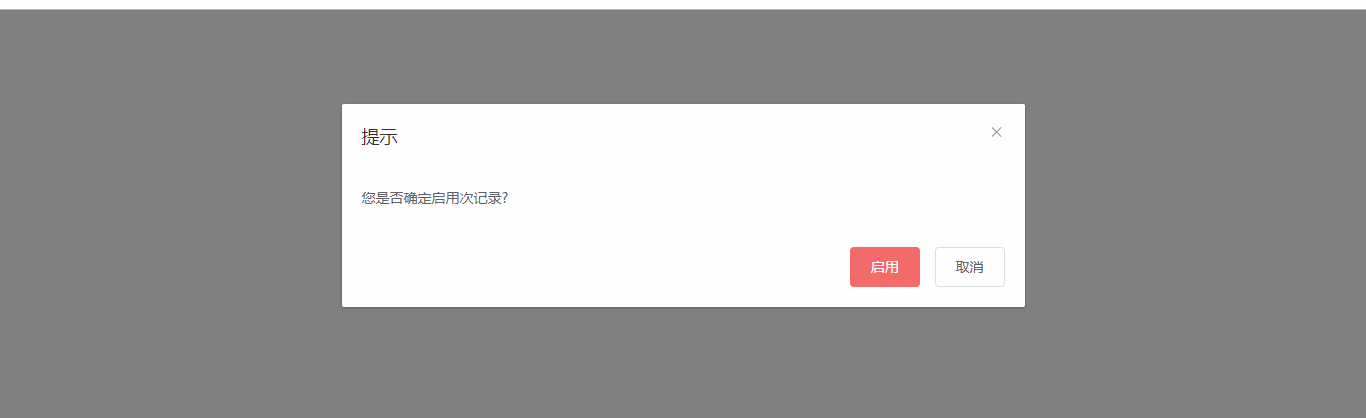
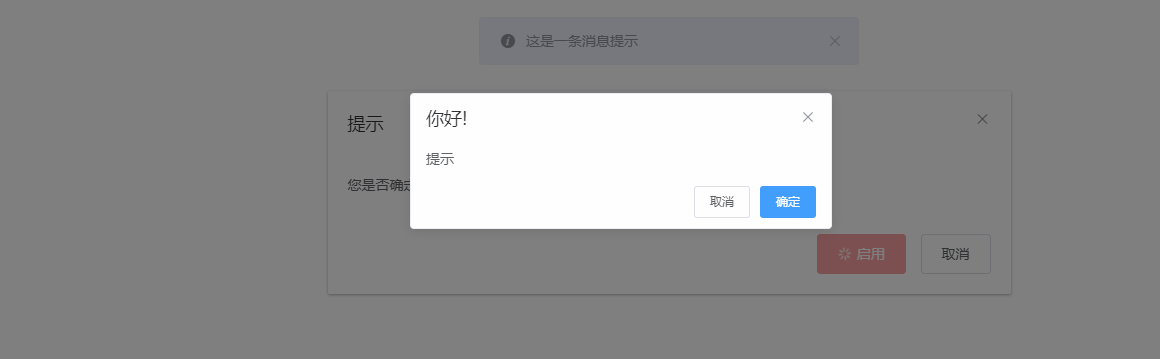
调试了好久, 还能凑合用, 请直接看DOME 示例,复制就能用:
<!DOCTYPE html>

<html lang="zh">

<head>

    <meta charset="UTF-8">

    <title>Title</title>

    <!-- import CSS -->

    <link rel="stylesheet" href="https://unpkg.com/element-ui/lib/theme-chalk/index.css">

    <style media="screen" type="text/css">

        #appLoading {

            width: 100%;

            height: 100%;

        }

        #appLoading span {

            position: absolute;

            display: block;

            font-size: 50px;

            line-height: 50px;

            top: 50%;

            left: 50%;

            width: 200px;

            height: 100px;

            -webkit-transform: translateY(-50%) translateX(-50%);

            transform: translateY(-50%) translateX(-50%);

        }

    </style>

</head>

<body>

<div id="appLoading">

    <span>Loading...</span>

</div>

<div id="app" style="display: none">

    <el-dialog title="提示" width="50%" :visible.sync="startUsingDialog" v-dialog_drag>

        <span> 您是否确定启用次记录?</span>

        <span slot="footer" class="dialog-footer">

            <el-button @click="startUsingSubmit()" type="danger" :loading="startUsingLoading">启用</el-button>

            <el-button @click="startUsingDiglog=false">取消</el-button>

        </span>

    </el-dialog>

</div>

<!-- import Vue before Element -->

<script src="https://unpkg.com/vue/dist/vue.js"></script>

<!-- import JavaScript -->

<script src="https://unpkg.com/element-ui/lib/index.js"></script>

<!-- import jquery -->

<script src="https://code.jquery.com/jquery-3.3.1.min.js"></script>

<script>

    $(function () {

        $("body").on("mousedown", '.el-message-box__header', (e) => {

            const dialogHeaderEl = document.querySelector('.el-message-box__header')

            const dragDom = document.querySelector('.el-message-box')

            dialogHeaderEl.style.cursor = 'move'

            // 获取原有属性 ie dom元素.currentStyle 火狐谷歌 window.getComputedStyle(dom元素, null);

            const sty = dragDom.currentStyle || window.getComputedStyle(dragDom, null)

            // 鼠标按下,计算当前元素距离可视区的距离

            const disX = e.clientX - dialogHeaderEl.offsetLeft

            const disY = e.clientY - dialogHeaderEl.offsetTop

            // 获取到的值带px 正则匹配替换

            let styL, styT

            // 注意在ie中 第一次获取到的值为组件自带50% 移动之后赋值为px

            if (sty.left.includes('%')) {

                styL = +document.body.clientWidth * (+sty.left.replace(/\%/g, '') / 100)

                styT = +document.body.clientHeight * (+sty.top.replace(/\%/g, '') / 100)

            } else {

                let lefts = sty.left

                let tops = sty.top

                if (sty.left == 'auto') {

                    lefts = '0px'

                }

                if (sty.top == 'auto') {

                    tops = '0px'

                }

                styL = +lefts.replace(/\px/g, '')

                styT = +tops.replace(/\px/g, '')

            }

            document.onmousemove = function (e) {

                // 通过事件委托,计算移动的距离

                const l = e.clientX - disX

                const t = e.clientY - disY

                // 移动当前元素

                dragDom.style.left = `${l + styL}px`

                dragDom.style.top = `${t + styT}px`

                dragDom.style.position = `absolute`

                // 将此时的位置传出去

                // binding.value({x:e.pageX,y:e.pageY})

            }

            document.onmouseup = function (e) {

                document.onmousemove = null

                document.onmouseup = null

            }

        })

    })

    Vue.directive('dialog_drag', {

        bind(el, binding, vnode, oldVnode) {

            const dialogHeaderEl = el.querySelector('.el-dialog__header')

            const dragDom = el.querySelector('.el-dialog')

            dialogHeaderEl.style.cursor = 'move'

            // 获取原有属性 ie dom元素.currentStyle 火狐谷歌 window.getComputedStyle(dom元素, null);

            const sty = dragDom.currentStyle || window.getComputedStyle(dragDom, null)

            dialogHeaderEl.onmousedown = (e) => {

                console.log(1);

                // 鼠标按下,计算当前元素距离可视区的距离

                const disX = e.clientX - dialogHeaderEl.offsetLeft

                const disY = e.clientY - dialogHeaderEl.offsetTop

                // 获取到的值带px 正则匹配替换

                let styL, styT

                // 注意在ie中 第一次获取到的值为组件自带50% 移动之后赋值为px

                if (sty.left.includes('%')) {

                    styL = +document.body.clientWidth * (+sty.left.replace(/\%/g, '') / 100)

                    styT = +document.body.clientHeight * (+sty.top.replace(/\%/g, '') / 100)

                } else {

                    let lefts = sty.left

                    let tops = sty.top

                    if (sty.left == 'auto') {

                        lefts = '0px'

                    }

                    if (sty.top == 'auto') {

                        tops = '0px'

                    }

                    styL = +lefts.replace(/\px/g, '')

                    styT = +tops.replace(/\px/g, '')

                }

                document.onmousemove = function (e) {

                    // 通过事件委托,计算移动的距离

                    const l = e.clientX - disX

                    const t = e.clientY - disY

                    // 移动当前元素

                    dragDom.style.left = `${l + styL}px`

                    dragDom.style.top = `${t + styT}px`

                    // 将此时的位置传出去

                    // binding.value({x:e.pageX,y:e.pageY})

                }

                document.onmouseup = function (e) {

                    document.onmousemove = null

                    document.onmouseup = null

                }

            }

        }

    })

    new Vue({

        el: '#app',

        data: function () {

            return {

                startUsingDialog: true,

                startUsingLoading: false,

            }

        },

        //页面加载成功时完成

        mounted() {

            document.getElementById('app').style.display = 'block';

            document.getElementById('appLoading').style.display = 'none';

        },

        //方法

        methods: {

            startUsingSubmit() {

                this.startUsingLoading=true

                this.$confirm("提示", "你好!", {

                    confirmButtonText: '确定',

                    cancelButtonText: '取消'

                }).then(()=>{

                    this.startUsingLoading=false

                })

                this.$message({

                    showClose: true,

                    message: '这是一条消息提示',

                    duration: 0  //表示显示几秒, 0 表示不消失

                });

            }

        },

    })

</script>

</body>

</html>
elementUI vue this.$confirm 和el-dialog 弹出框 移动的更多相关文章
- vue--vant组件库Dialog弹出框
安装vant UI框架: cnpm install vant –-save-dev 导入组件-在main.js里: import Vant from 'vant'; import'vant/lib/v ...
- vue在element-ui的dialog弹出框中加入百度地图
参考:https://blog.csdn.net/u012724595/article/details/82703579 <!-- gps弹窗 --> <el-dialog v-di ...
- 使用easeui dialog弹出框中使用CKeditor多次加载后无法编辑问题
问题呈现:弹出框页面 <tr class="addtr"> <th>内容</th> <td> <!-- <textare ...
- JQuery EasyUI dialog弹出框的 close 和 destroy
开发项目中(使用JQuery EasyUI),根据业务需要重叠弹出多个提示框的情况,会出现如下情况:页面出现两个div模块调用同一个弹出页面,页面的数据接受框元素不能实时存储数据解决方案: 使用$(t ...
- element-UI的Dialog弹出框蒙版被遮住
类似于这种,相信会有很多人遇到这种问题的,其实解决的方法很简单 <el-dialog title="修改分类" :visible.sync="modifyFormV ...
- 弹出框插件——dialog
基于jquery和dot.js弹出框插件,兼容IE6+等其他浏览器. 思想:弹出框元素插入body节点中,并在页面垂直居中显示(fixed定位),触发确定和关闭事件绑定. 注意ie6包含两个问题:一. ...
- Android 如何利用Activity的Dialog风格完成弹出框设计
在我们使用Dialog时,如果需要用到很多自己设计的控件,虽然可以让弹出框显示出我们需要的界面,但却无法找到地方完成控制代码的编写,如何解决这个问题呢,我们可以将Activity伪装成Dialog弹出 ...
- layer弹出框插件参数及方法介绍
layerui下载:http://www.layui.com 更多参数请阅读开发文档:http://www.layui.com/doc/modules/layer.html Layui 是一款采用自身 ...
- elementUI vue 页面加载的时候页面出现了黑字 页面优化处理 按钮弹出框文字
elementUI 页面如果需要加载很多东西的时候, 自己定义的按钮或者弹出框dialog的文字就会显示在页面上, 一闪而过, 因此需要优化一下, elementUI 提供的loading有遮罩层, ...
- vue之element-ui设置全局弹出框
这样的需求,在主要功能完成后,需要进行交互效果的完善,需要给请求api的时候添加一个加载中的一个弹出框.但是每个页面每个页面过的话,会很费时间和精力,这里我们可以采用element-ui中的服务式弹出 ...
随机推荐
- linux 使用ssh-keygen生成ssh公钥和私钥
linux一般为在自己的家目录下建立 .ssh 文件夹 中生成密钥 /home/username/.ssh 生成的命令如下: ssh-keygen -t rsa -C "yourname@y ...
- manjaro手动安装Redis
以前都是用的Windows系统,最近有被win10搞得有点烦,就入了manjaro的坑,windows下部分软件在manjaro安装记录,留个记录. 我的系统信息 下面开始正式干活. 一.准备步骤 下 ...
- Fedora 29 安装 GitBook 教程
Fedora 29 安装 GitBook 教程 本文原始地址:https://sitoi.cn/posts/53731.html 安装 nvm 安装 nvm curl -o- https://raw. ...
- 洛谷P1084 疫情控制(贪心+倍增)
这个题以前写过一遍,现在再来写,感觉以前感觉特别不好写的细节现在好些多了,还是有进步吧. 这个题的核心思想就是贪心+二分.因为要求最小时间,直接来求问题将会变得十分麻烦,但是如果转换为二分答案来判断可 ...
- 20180418模拟赛T1——Seq
Seq (seq.cpp/c/pas) 题目描述 Description 木吉要去征讨VAN様,所以他现在需要从他身边的人中选出若干位陪同.现在有\(n\)个人站成一行,木吉要从其中选出\(2\)批在 ...
- 阿里云(CentOs)搭建SVN服务
系统环境 CentOS Linux release 7.6.1810 (Core) 一.通过yum命令安装svnserve,命令如下: yum -y install subversion 此命令会全自 ...
- iis站点设置错误页面返回http状态码为404而不是302或其他
今天一位客户说网站错误页面返回的状态码是302而不是404,问ytkah要如何处理.这个应该是设置没有正确的原因.我们一步步来排查一下.1.首先打开iis管理器,左侧选择具体的站点,在右侧窗口中点击4 ...
- MongoDB 大数据技术之mongodb中在嵌套子文档的文档上面建立索引
一.给collection objectid赋自定义的值 MongoDB Enterprise > db.testid.insert({_id:{imsi:"4567890123&qu ...
- kuma 学习三 组件说明
当前官方已经提供了两种可选的运行模式 通用模式 kubernetes 模式 kuma 组件说明 kuma-cp kuma 的控制面板 kuma-dp kuma 的数据面板 enovy 提供sideca ...
- Reactive Extensions (Rx) 入门(4) —— Rx的事件编程
译文:https://blog.csdn.net/fangxing80/article/details/7685393 原文:http://www.atmarkit.co.jp/fdotnet/int ...