
编译并使用boost库(win7+boost1.63+vs2015+32位or 64位),超详细,boost于vs2017下编译(64/32bit)
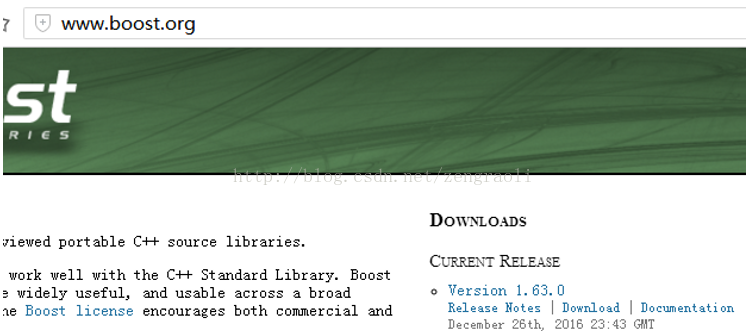
首先下载得到boost的最新版(目前最新版是1.63)
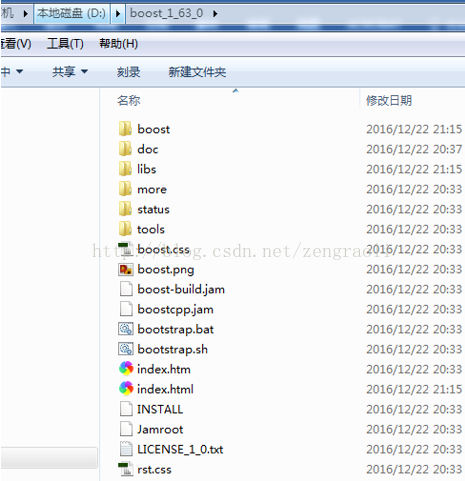
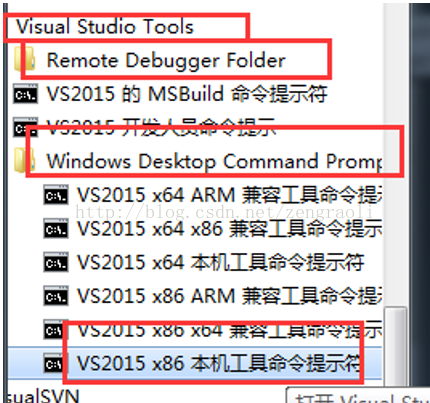
打开vs的32位命令行工具
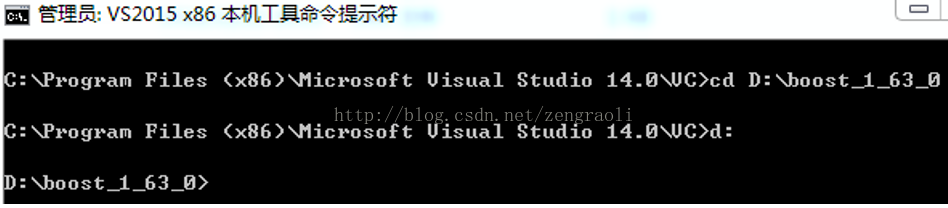
进入到boost源代码文件夹中
进入到boost源代码文件夹中
运行bootstrap.bat
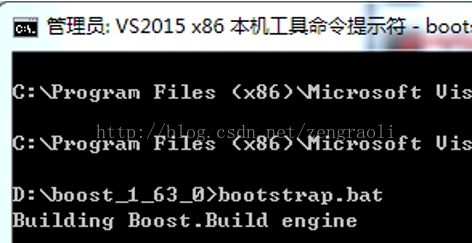
执行如下操作,对boost进行编译
(msvc版本14.0对应的是vs2015,--stagedir是指定编译后存放的目录,文章附录有vs版本对应编号)
bjam stage --toolset=msvc-14.0 --without-graph --without-graph_parallel --stagedir="D:\boost\boost_1_63_0\bin\vc14" link=static runtime-link=shared runtime-link=static threading=multi debug release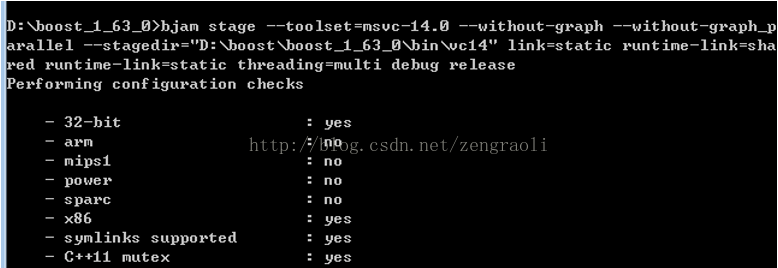
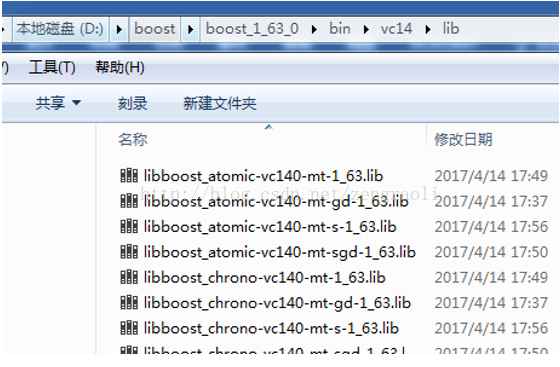
这样得到的是就是32位的boot库
编译64位的boost库
打开vs的64位命令行工具
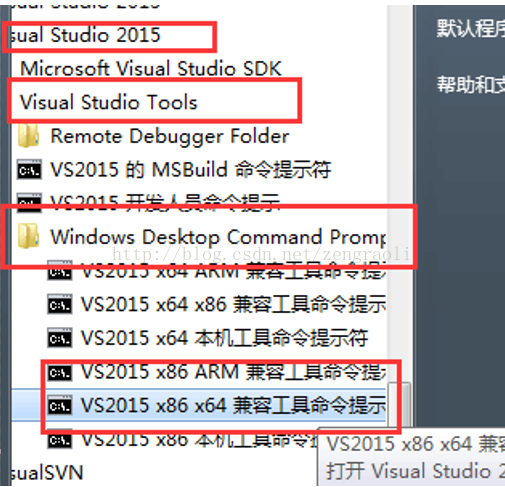
进入到boost源代码文件夹中
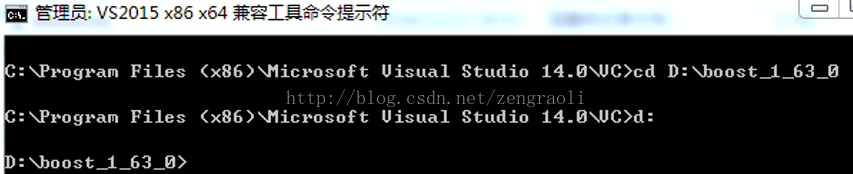
运行bootstrap.bat
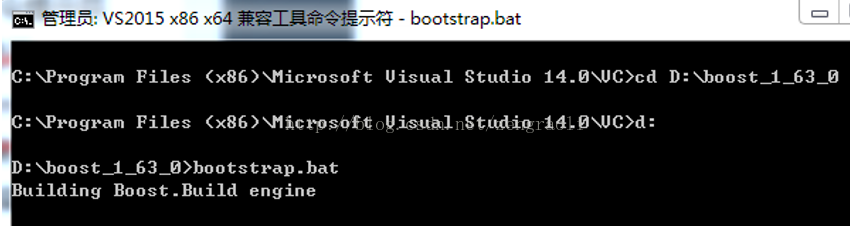
执行如下操作,对boost进行编译
(msvc版本14.0对应的是vs2015,--stagedir是指定编译后存放的目录)
bjam stage --toolset=msvc-14.0 architecture=x86 address-model=64 --without-graph --without-graph_parallel --stagedir="D:\boost\boost_1_63_0\bin\vc14-x64" link=static runtime-link=shared runtime-link=static threading=multi debug release
这样得到的是就是64位的boot库
开始使用boost
设置测试的程序为64位
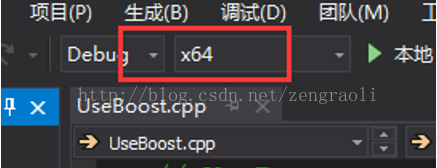
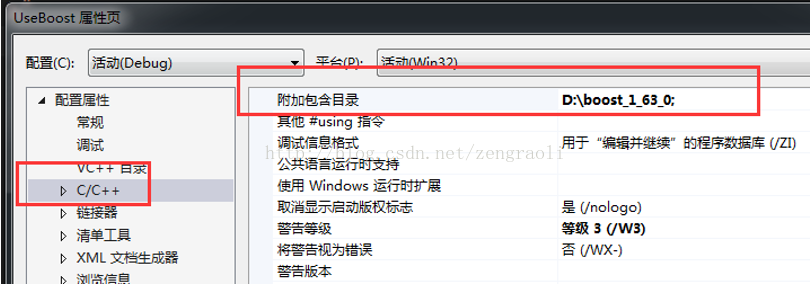
设置附加的包含路径(下载之后解压的boost文件夹):
设定库路径:
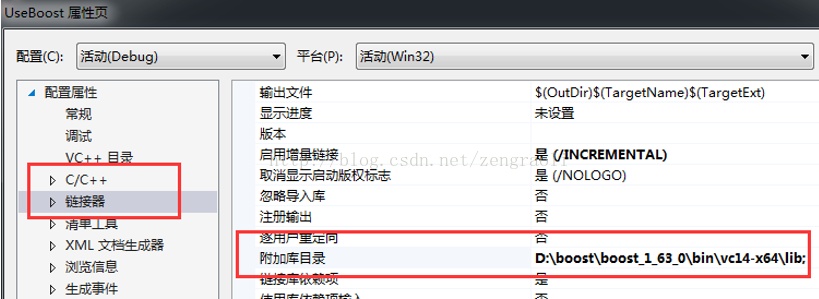
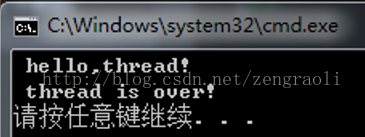
然后建立第一个boost项目,代码如下:
- #include "boost/thread.hpp"
- #include "iostream"
- using namespace std;
- void mythread()
- {
- cout << " hello,thread! " << endl;
- }
- int _tmain(int argc, _TCHAR* argv[])
- {
- boost::function<void()> f(mythread);
- boost::thread t(f);
- t.join();
- cout << " thread is over! " << endl;
- return 0;
- }
附录
附上版本对应编号
- VC6
- VC7(2003)
- VC8(2005)
- VC9(2008)
- VC10(2010)
- VC11(2012)
- VC12(2013)
https://blog.csdn.net/zengraoli/article/details/70187556
一个boost线程池的例子
附带一个boost使用线程池的例子
stagedir用来指定库存放的位置bjam stage --toolset=msvc-14.1 architecture=x86 address-model=64 --without-graph --without-graph_parallel --stagedir="c:\boost\boost_1_64_0\bin\vc141-x64" link=static runtime-link=shared runtime-link=static threading=multi debug release编译32位:
bjam stage --toolset=msvc-14.1 --without-graph --without-graph_parallel --stagedir="c:\boost\boost_1_64_0\bin\vc141-x86" link=static runtime-link=shared runtime-link=static threading=multi debug release要等好一会儿的.
编译并使用boost库(win7+boost1.63+vs2015+32位or 64位),超详细,boost于vs2017下编译(64/32bit)的更多相关文章
- 编译 boost 库(win7+boost1.60+vs2008)
参见:http://blog.csdn.net/u013074465/article/details/42532527 下载boost安装包 https://sourceforge.net/proje ...
- boost::VS2017下编译和配置boost库
环境: win10 vs2017 v141 1.下载 boost_1_70_0.zip. 2.以管理员方式打开 3. bootstrap.bat 4.编译64位库 b2.exe stage -- ...
- 成功实现在VS2017下编译含<pthread.h>的代码:
VS2017配置使用#<pthread.h> https://blog.csdn.net/cry1994/article/details/79115394(原来SystemWow64里面存 ...
- ollvm在VS2017下编译
0x1,首先介绍一下编译环境配置 1.UE4.25 2.vs2017(15.9),注:2019编译总是出现错误 3.cmake3.18.5,cmake的作用是为ollvm源码编译成适合于在vs2017 ...
- VS2017下编译iconv
从http://www.gnu.org/software/libiconv/ 下载 libiconv-1.11.1, 这是最后一个支持MSVC编译的版本. 打开 Visual Studio 2017 ...
- windows上编译boost库
要用xx库,编译boost时就指定--with-xx.例如: # 下载并解压boost_1.58 # 进入boost_1.58目录 bjam.exe toolset=msvc-14.0 --build ...
- boost库在windows下的编译和使用
因为跨平台的原因,现在要使用到boost库,boost库非常大,现在处于摸索阶段. 首先来说boost库在window下的安装和使用. 一.下载 首先从boost官方主页http://www.boos ...
- Linux下boost库的编译、安装详解
下载boost源码 boost下载地址 解压到一个目录 tar -zxvf boost_1_66_0.tar.gz 编译boost库 进入boost_1_66_0目录中 cd boost_1_66_0 ...
- boost库的安装,使用,介绍,库分类
1)首先去官网下载boost源码安装包:http://www.boost.org/ 选择下载对应的boost源码包.本次下载使用的是 boost_1_60_0.tar.gz (2)解压文件:tar - ...
随机推荐
- asp.net-DirectoryEntry基本操作入门
第一个实例代码 DirectorySearcher命名空間 (System.DirectoryServices;) DirectorySearcher search = new DirectorySe ...
- angular-API
AngularJS 全局 API 用于执行常见任务的 JavaScript 函数集合,如: 比较对象 迭代对象 转换对象 API 描述 angular.lowercase() 转换字符串为小写 ang ...
- 15 个经常使用的 SQL Server 高级语法
1.case-end (详细的值) case后面有值,相当于c#中的switch case 注意:case后必须有条件,而且when后面必须是值不能为条件. -----------------case ...
- HDU 5296 Annoying problem dfs序 lca set
Annoying problem Problem Description Coco has a tree, whose nodes are conveniently labeled by 1,2,…, ...
- iOS CoreData 介绍和使用(以及一些注意事项)
iOS CoreData介绍和使用(以及一些注意事项) 最近花了一点时间整理了一下CoreData,对于经常使用SQLite的我来说,用这个真的有点用不惯,个人觉得实在是没发现什么亮点,不喜勿喷啊.不 ...
- github上下载开源项目
1.首先获取到设置信息 2.找到克隆的路径(本步骤不包含下载.zip的方法) 3.打开 Git Shell ->输入: cd ../../ ->输入: cd 想要安装的路径 ->输 ...
- JavaScript学习——JS事件总结
回顾之前已经使用过的事件 (onsubmit.onclick.onload.onfocus.onblur.onmouseover.onmouseout) onfocus/onblur:聚焦离焦事件,用 ...
- c#0218-命名空间
1 namespace 命名空间 可以解决类的重命名问题 可以看做是类的文件夹: 2 跨项目使用类 一个解决方案下有不同的项目,如果想在一个项目中引用另一个项目的类,解决方法是 1 添加引用 2 引用 ...
- ASM磁盘组中的AU与条带
一.AU与条带(AU和条带就是一个分配单位,数据会被以一定单位分割,存储在多个磁盘中.分割单位的大小由AU.条带来决定. ASM有两种条带: 1.不可调粗粒度: 相当于ASM没有条带,或者说AU就是条 ...
- 连类比事-category和extension
extension看起来很像一个匿名的category,但是extension和有名字的category几乎完全是两个东西. extension在编译期决议,它就是类的一部分,在编译期和头文件里的@i ...