
gitlab 外网 无法访问 查端口 看文档
云服务器安装成功后
curl 页面可以正常跳转 重置密码的token 页面可以生成 但是 外网无法 访问
[root@test ~]# curl 127.0.0.1:18021

<html><body>You are being <a href="http://127.0.0.1:18021/users/sign_in">redirected</a>.</body></html>[root@test ~]#

[root@test ~]#

[root@test ~]#

[root@test ~]# curl http://127.0.0.1:18021/users/sign_in

<html><body>You are being <a href="http://127.0.0.1:18021/users/password/edit?reset_password_token=u7GR7TABHQ13h72gncdu">redirected</a>.</body></html>[root@test ~]# curl http://127.0.0.1:18021/users/password/edit?reset_password_token=u7GR7TABHQ13h72gncdu

<!DOCTYPE html>

<html class="devise-layout-html">

<head prefix="og: http://ogp.me/ns#">

<meta charset="utf-8">

<meta content="IE=edge" http-equiv="X-UA-Compatible">

<meta content="object" property="og:type">

<meta content="GitLab" property="og:site_name">

<meta content="" property="og:title">

<meta content="GitLab Enterprise Edition" property="og:description">

<meta content="http://127.0.0.1:18021/assets/gitlab_logo-7ae504fe4f68fdebb3c2034e36621930cd36ea87924c11ff65dbcb8ed50dca58.png" property="og:image">

<meta content="64" property="og:image:width">

<meta content="64" property="og:image:height">

<meta content="http://127.0.0.1:18021/users/password/edit?reset_password_token=u7GR7TABHQ13h72gncdu" property="og:url">

<meta content="summary" property="twitter:card">

<meta content="" property="twitter:title">

<meta content="GitLab Enterprise Edition" property="twitter:description">

<meta content="http://127.0.0.1:18021/assets/gitlab_logo-7ae504fe4f68fdebb3c2034e36621930cd36ea87924c11ff65dbcb8ed50dca58.png" property="twitter:image">

<title>GitLab</title>

<meta content="GitLab Enterprise Edition" name="description">

<link rel="shortcut icon" type="image/png" href="/assets/favicon-7901bd695fb93edb07975966062049829afb56cf11511236e61bcf425070e36e.png" id="favicon" data-original-href="/assets/favicon-7901bd695fb93edb07975966062049829afb56cf11511236e61bcf425070e36e.png" />

<link rel="stylesheet" media="all" href="/assets/application-10723f1f6d76069649a38e767f7bfe21dcffa233b627b12a612b5f64a597096c.css" />

<link rel="stylesheet" media="print" href="/assets/print-c8ff536271f8974b8a9a5f75c0ca25d2b8c1dceb4cff3c01d1603862a0bdcbfc.css" />

<script>

//<![CDATA[

window.gon={};gon.api_version="v4";gon.default_avatar_url="http://code.baimacloud.com:18021/assets/no_avatar-849f9c04a3a0d0cea2424ae97b27447dc64a7dbfae83c036c45b403392f0e8ba.png";gon.max_file_size=10;gon.asset_host=null;gon.webpack_public_path="/assets/webpack/";gon.relative_url_root="";gon.shortcuts_path="/help/shortcuts";gon.user_color_scheme="white";gon.gitlab_url="http://code.baimacloud.com:18021";gon.revision="d17962f";gon.gitlab_logo="/assets/gitlab_logo-7ae504fe4f68fdebb3c2034e36621930cd36ea87924c11ff65dbcb8ed50dca58.png";gon.sprite_icons="/assets/icons-07542808fffaf82e9b57b144464ea42620b32f65ce441c01528d23d4b96d5f11.svg";gon.sprite_file_icons="/assets/file_icons-7262fc6897e02f1ceaf8de43dc33afa5e4f9a2067f4f68ef77dcc87946575e9e.svg";gon.emoji_sprites_css_path="/assets/emoji_sprites-289eccffb1183c188b630297431be837765d9ff4aed6130cf738586fb307c170.css";gon.test_env=false;gon.suggested_label_colors=["#0033CC","#428BCA","#44AD8E","#A8D695","#5CB85C","#69D100","#004E00","#34495E","#7F8C8D","#A295D6","#5843AD","#8E44AD","#FFECDB","#AD4363","#D10069","#CC0033","#FF0000","#D9534F","#D1D100","#F0AD4E","#AD8D43"];

//]]>

</script>

<script src="/assets/webpack/runtime.7424e5fb.bundle.js" defer="defer"></script>

<script src="/assets/webpack/main.5ab70142.chunk.js" defer="defer"></script>

<script src="/assets/webpack/default.890522b7.chunk.js" defer="defer"></script>

<meta name="csrf-param" content="authenticity_token" />

<meta name="csrf-token" content="gJ2hJqLjUQUJmj7acKm8PJGoi2VgPd9fa8nACzynVhQ+YaypzPg9RsWUGFg/Irlgkl0Xn9RiNtREgjBxofYjKQ==" />

<meta content="origin-when-cross-origin" name="referrer">

<meta content="width=device-width, initial-scale=1, maximum-scale=1" name="viewport">

<meta content="#474D57" name="theme-color">

<link rel="apple-touch-icon" type="image/x-icon" href="/assets/touch-icon-iphone-5a9cee0e8a51212e70b90c87c12f382c428870c0ff67d1eb034d884b78d2dae7.png" />

<link rel="apple-touch-icon" type="image/x-icon" href="/assets/touch-icon-ipad-a6eec6aeb9da138e507593b464fdac213047e49d3093fc30e90d9a995df83ba3.png" sizes="76x76" />

<link rel="apple-touch-icon" type="image/x-icon" href="/assets/touch-icon-iphone-retina-72e2aadf86513a56e050e7f0f2355deaa19cc17ed97bbe5147847f2748e5a3e3.png" sizes="120x120" />

<link rel="apple-touch-icon" type="image/x-icon" href="/assets/touch-icon-ipad-retina-8ebe416f5313483d9c1bc772b5bbe03ecad52a54eba443e5215a22caed2a16a2.png" sizes="152x152" />

<link color="rgb(226, 67, 41)" href="/assets/logo-d36b5212042cebc89b96df4bf6ac24e43db316143e89926c0db839ff694d2de4.svg" rel="mask-icon">

<meta content="/assets/msapplication-tile-1196ec67452f618d39cdd85e2e3a542f76574c071051ae7effbfde01710eb17d.png" name="msapplication-TileImage">

<meta content="#30353E" name="msapplication-TileColor">

</head>

<body class="ui-indigo login-page application navless" data-page="passwords:edit">

<div class="page-wrap">

<header class="navbar fixed-top navbar-empty">

<div class="container">

<div class="mx-auto">

<svg width="24" height="24" class="tanuki-logo" viewBox="0 0 36 36">

  <path class="tanuki-shape tanuki-left-ear" fill="#e24329" d="M2 14l9.38 9v-9l-4-12.28c-.205-.632-1.176-.632-1.38 0z"/>

  <path class="tanuki-shape tanuki-right-ear" fill="#e24329" d="M34 14l-9.38 9v-9l4-12.28c.205-.632 1.176-.632 1.38 0z"/>

  <path class="tanuki-shape tanuki-nose" fill="#e24329" d="M18,34.38 3,14 33,14 Z"/>

  <path class="tanuki-shape tanuki-left-eye" fill="#fc6d26" d="M18,34.38 11.38,14 2,14 6,25Z"/>

  <path class="tanuki-shape tanuki-right-eye" fill="#fc6d26" d="M18,34.38 24.62,14 34,14 30,25Z"/>

  <path class="tanuki-shape tanuki-left-cheek" fill="#fca326" d="M2 14L.1 20.16c-.18.565 0 1.2.5 1.56l17.42 12.66z"/>

  <path class="tanuki-shape tanuki-right-cheek" fill="#fca326" d="M34 14l1.9 6.16c.18.565 0 1.2-.5 1.56L18 34.38z"/>

</svg>

</div>

</div>

</header>

<div class="login-page-broadcast">

</div>

<div class="container navless-container">

<div class="content">

<div class="flash-container flash-container-page">

</div>

<div class="row">

<div class="col-sm-7 brand-holder">

<h1>

GitLab Enterprise Edition

</h1>

<h3>Open source software to collaborate on code</h3>

<p>

Manage Git repositories with fine-grained access controls that keep your code secure.

Perform code reviews and enhance collaboration with merge requests.

Each project can also have an issue tracker and a wiki.

</p>

</div>

<div class="col-sm-5 new-session-forms-container">

<ul class="nav-links new-session-tabs single-tab nav-tabs nav">

<li class="nav-item">

<a class="nav-link active">Change your password</a>

</li>

</ul>

<div class="login-box">

<div class="login-body">

<form class="gl-show-field-errors" id="new_user" action="/users/password" accept-charset="UTF-8" method="post"><input name="utf8" type="hidden" value="✓" /><input type="hidden" name="_method" value="put" /><input type="hidden" name="authenticity_token" value="1X0BLeyNyit8JxOzNjB6+tvWV7Imf7D2aiH2hVvvG1drgQyigpamaLApNTF5u3+m2CPLSJIgWX1Fagb/xr5uag==" /><div class="devise-errors">

</div>

<input type="hidden" value="u7GR7TABHQ13h72gncdu" name="user[reset_password_token]" id="user_reset_password_token" />

<div class="form-group">

<label for="user_password">New password</label>

<input class="form-control top" required="required" title="This field is required" type="password" name="user[password]" id="user_password" />

</div>

<div class="form-group">

<label for="user_password_confirmation">Confirm new password</label>

<input class="form-control bottom" title="This field is required" required="required" type="password" name="user[password_confirmation]" id="user_password_confirmation" />

</div>

<div class="clearfix">

<input type="submit" name="commit" value="Change your password" class="btn btn-primary" />

</div>

</form></div>

</div>

<div class="clearfix prepend-top-20">

<p>

<span class="light">Didn't receive a confirmation email?</span>

<a href="/users/confirmation/new">Request a new one</a>

</p>

</div>

<p>

<span class="light">

Already have login and password?

<a href="/users/sign_in?redirect_to_referer=yes">Sign in</a>

</span>

</p>

</div>

</div>

</div>

</div>

<hr class="footer-fixed">

<div class="container footer-container">

<div class="footer-links">

<a href="/explore">Explore</a>

<a href="/help">Help</a>

<a href="https://about.gitlab.com/">About GitLab</a>

</div>

</div>

</div>

</body>

</html>

[root@test ~]# netstat -apn

Active Internet connections (servers and established)

Proto Recv-Q Send-Q Local Address           Foreign Address         State       PID/Program name

tcp        0      0 127.0.0.1:9100          0.0.0.0:*               LISTEN      16348/node_exporter

tcp        0      0 127.0.0.1:9229          0.0.0.0:*               LISTEN      16603/gitlab-workho

tcp        0      0 127.0.0.1:9168          0.0.0.0:*               LISTEN      16649/ruby

tcp        0      0 0.0.0.0:8080            0.0.0.0:*               LISTEN      30671/java

tcp        0      0 0.0.0.0:80              0.0.0.0:*               LISTEN      17013/nginx: master

tcp        0      0 127.0.0.1:8082          0.0.0.0:*               LISTEN      16144/sidekiq 5.1.3

tcp        0      0 127.0.0.1:9236          0.0.0.0:*               LISTEN      16618/gitaly

tcp        0      0 0.0.0.0:22              0.0.0.0:*               LISTEN      26433/sshd

tcp        0      0 0.0.0.0:8060            0.0.0.0:*               LISTEN      16179/nginx: master

tcp        0      0 127.0.0.1:18080         0.0.0.0:*               LISTEN      18266/unicorn maste

tcp        0      0 127.0.0.1:9121          0.0.0.0:*               LISTEN      16436/redis_exporte

tcp        0      0 127.0.0.1:9090          0.0.0.0:*               LISTEN      18278/prometheus

tcp        0      0 127.0.0.1:9187          0.0.0.0:*               LISTEN      16696/postgres_expo

tcp        0      0 127.0.0.1:9093          0.0.0.0:*               LISTEN      16680/alertmanager

tcp        0      0 0.0.0.0:18021           0.0.0.0:*               LISTEN      16179/nginx: master
Linux下使用ps命令查看某个进程文件的启动位置 - EasonJim - 博客园 https://www.cnblogs.com/EasonJim/p/6803375.html
查看18021端口的进程的目录
[root@test ~]# ll /proc/16179

total 0

dr-xr-xr-x 2 root root 0 Aug 22 10:02 attr

-rw-r--r-- 1 root root 0 Aug 22 10:07 autogroup

-r-------- 1 root root 0 Aug 22 10:07 auxv

-r--r--r-- 1 root root 0 Aug 22 10:07 cgroup

--w------- 1 root root 0 Aug 22 10:07 clear_refs

-r--r--r-- 1 root root 0 Aug 22 09:48 cmdline

-rw-r--r-- 1 root root 0 Aug 22 10:07 comm

-rw-r--r-- 1 root root 0 Aug 22 10:07 coredump_filter

-r--r--r-- 1 root root 0 Aug 22 10:07 cpuset

lrwxrwxrwx 1 root root 0 Aug 22 09:48 cwd -> /var/opt/gitlab/nginx

-r-------- 1 root root 0 Aug 22 10:07 environ

lrwxrwxrwx 1 root root 0 Aug 22 09:48 exe -> /opt/gitlab/embedded/sbin/nginx

dr-x------ 2 root root 0 Aug 22 09:48 fd

dr-x------ 2 root root 0 Aug 22 10:07 fdinfo

-rw-r--r-- 1 root root 0 Aug 22 10:07 gid_map

-r-------- 1 root root 0 Aug 22 10:07 io

-r--r--r-- 1 root root 0 Aug 22 10:07 limits

-rw-r--r-- 1 root root 0 Aug 22 10:07 loginuid

dr-x------ 2 root root 0 Aug 22 10:07 map_files

-r--r--r-- 1 root root 0 Aug 22 10:07 maps

-rw------- 1 root root 0 Aug 22 10:07 mem

-r--r--r-- 1 root root 0 Aug 22 10:07 mountinfo

-r--r--r-- 1 root root 0 Aug 22 10:07 mounts

-r-------- 1 root root 0 Aug 22 10:07 mountstats

dr-xr-xr-x 5 root root 0 Aug 22 10:07 net

dr-x--x--x 2 root root 0 Aug 22 10:07 ns

-r--r--r-- 1 root root 0 Aug 22 10:07 numa_maps

-rw-r--r-- 1 root root 0 Aug 22 10:07 oom_adj

-r--r--r-- 1 root root 0 Aug 22 10:07 oom_score

-rw-r--r-- 1 root root 0 Aug 22 10:07 oom_score_adj

-r--r--r-- 1 root root 0 Aug 22 10:07 pagemap

-r--r--r-- 1 root root 0 Aug 22 10:07 personality

-rw-r--r-- 1 root root 0 Aug 22 10:07 projid_map

lrwxrwxrwx 1 root root 0 Aug 22 10:07 root -> /

-rw-r--r-- 1 root root 0 Aug 22 10:07 sched

-r--r--r-- 1 root root 0 Aug 22 10:07 schedstat

-r--r--r-- 1 root root 0 Aug 22 10:07 sessionid

-rw-r--r-- 1 root root 0 Aug 22 10:07 setgroups

-r--r--r-- 1 root root 0 Aug 22 10:07 smaps

-r--r--r-- 1 root root 0 Aug 22 10:07 stack

-r--r--r-- 1 root root 0 Aug 22 09:48 stat

-r--r--r-- 1 root root 0 Aug 22 10:07 statm

-r--r--r-- 1 root root 0 Aug 22 09:48 status

-r--r--r-- 1 root root 0 Aug 22 10:07 syscall

dr-xr-xr-x 3 root root 0 Aug 22 10:07 task

-r--r--r-- 1 root root 0 Aug 22 10:07 timers

-rw-r--r-- 1 root root 0 Aug 22 10:07 uid_map

-r--r--r-- 1 root root 0 Aug 22 10:07 wchan

[root@test ~]# cd /var/opt/gitlab/nginx

[root@test nginx]# ll -as

total 40

4 drwxr-x---  9 root       gitlab-www 4096 Aug 22 09:48 .

4 drwxr-xr-x 20 root       root       4096 Aug 22 09:54 ..

4 drwx------  2 gitlab-www root       4096 Aug 22 09:48 client_body_temp

4 drwxr-x---  2 root       gitlab-www 4096 Aug 22 09:54 conf

4 drwx------  2 gitlab-www root       4096 Aug 22 09:48 fastcgi_temp

0 lrwxrwxrwx  1 root       root         21 Aug 22 09:48 logs -> /var/log/gitlab/nginx

4 -rw-r--r--  1 root       root          6 Aug 22 09:48 nginx.pid

4 drwx------  2 gitlab-www root       4096 Aug 22 09:48 proxy_cache

4 drwx------  2 gitlab-www root       4096 Aug 22 09:48 proxy_temp

4 drwx------  2 gitlab-www root       4096 Aug 22 09:48 scgi_temp

4 drwx------  2 gitlab-www root       4096 Aug 22 09:48 uwsgi_temp
[root@test nginx]# cat conf/nginx.conf

# This file is managed by gitlab-ctl. Manual changes will be

# erased! To change the contents below, edit /etc/gitlab/gitlab.rb

# and run `sudo gitlab-ctl reconfigure`.

user gitlab-www gitlab-www;

worker_processes 2;

error_log stderr;

pid nginx.pid;

daemon off;

events {

  worker_connections 10240;

}

http {

  log_format gitlab_access '$remote_addr - $remote_user [$time_local] "$request_method $filtered_request_uri $server_protocol" $status $body_bytes_sent "$filtered_http_referer" "$http_user_agent"';

  log_format gitlab_mattermost_access '$remote_addr - $remote_user [$time_local] "$request_method $filtered_request_uri $server_protocol" $status $body_bytes_sent "$filtered_http_referer" "$http_user_agent"';

  server_names_hash_bucket_size 64;

  sendfile on;

  tcp_nopush on;

  tcp_nodelay on;

  keepalive_timeout 65;

  gzip on;

  gzip_http_version 1.0;

  gzip_comp_level 2;

  gzip_proxied any;

  gzip_types text/plain text/css application/x-javascript text/xml application/xml application/xml+rss text/javascript application/json;

  include /opt/gitlab/embedded/conf/mime.types;

  proxy_cache_path proxy_cache keys_zone=gitlab:10m max_size=1g levels=1:2;

  proxy_cache gitlab;

  map $http_upgrade $connection_upgrade {

      default upgrade;

      ''      close;

  }

  # Remove private_token from the request URI

  # In:  /foo?private_token=unfiltered&authenticity_token=unfiltered&rss_token=unfiltered&...

  # Out: /foo?private_token=[FILTERED]&authenticity_token=unfiltered&rss_token=unfiltered&...

  map $request_uri $temp_request_uri_1 {

    default $request_uri;

    ~(?i)^(?<start>.*)(?<temp>[\?&]private[\-_]token)=[^&]*(?<rest>.*)$ "$start$temp=[FILTERED]$rest";

  }

  # Remove authenticity_token from the request URI

  # In:  /foo?private_token=[FILTERED]&authenticity_token=unfiltered&rss_token=unfiltered&...

  # Out: /foo?private_token=[FILTERED]&authenticity_token=[FILTERED]&rss_token=unfiltered&...

  map $temp_request_uri_1 $temp_request_uri_2 {

    default $temp_request_uri_1;

    ~(?i)^(?<start>.*)(?<temp>[\?&]authenticity[\-_]token)=[^&]*(?<rest>.*)$ "$start$temp=[FILTERED]$rest";

  }

  # Remove rss_token from the request URI

  # In:  /foo?private_token=[FILTERED]&authenticity_token=[FILTERED]&rss_token=unfiltered&...

  # Out: /foo?private_token=[FILTERED]&authenticity_token=[FILTERED]&rss_token=[FILTERED]&...

  map $temp_request_uri_2 $filtered_request_uri {

    default $temp_request_uri_2;

    ~(?i)^(?<start>.*)(?<temp>[\?&]rss[\-_]token)=[^&]*(?<rest>.*)$ "$start$temp=[FILTERED]$rest";

  }

  # A version of the referer without the query string

  map $http_referer $filtered_http_referer {

    default $http_referer;

    ~^(?<temp>.*)\? $temp;

  }

  include /var/opt/gitlab/nginx/conf/gitlab-http.conf;

  include /var/opt/gitlab/nginx/conf/nginx-status.conf;

}

[root@test nginx]#
[root@test nginx]# cat conf/gitlab-http.conf

# This file is managed by gitlab-ctl. Manual changes will be

# erased! To change the contents below, edit /etc/gitlab/gitlab.rb

# and run `sudo gitlab-ctl reconfigure`.

## GitLab

## Modified from https://gitlab.com/gitlab-org/gitlab-ce/blob/master/lib/support/nginx/gitlab-ssl & https://gitlab.com/gitlab-org/gitlab-ce/blob/master/lib/support/nginx/gitlab

##

## Lines starting with two hashes (##) are comments with information.

## Lines starting with one hash (#) are configuration parameters that can be uncommented.

##

##################################

##        CHUNKED TRANSFER      ##

##################################

##

## It is a known issue that Git-over-HTTP requires chunked transfer encoding [0]

## which is not supported by Nginx < 1.3.9 [1]. As a result, pushing a large object

## with Git (i.e. a single large file) can lead to a 411 error. In theory you can get

## around this by tweaking this configuration file and either:

## - installing an old version of Nginx with the chunkin module [2] compiled in, or

## - using a newer version of Nginx.

##

## At the time of writing we do not know if either of these theoretical solutions works.

## As a workaround users can use Git over SSH to push large files.

##

## [0] https://git.kernel.org/cgit/git/git.git/tree/Documentation/technical/http-protocol.txt#n99

## [1] https://github.com/agentzh/chunkin-nginx-module#status

## [2] https://github.com/agentzh/chunkin-nginx-module

##

###################################

##         configuration         ##

###################################

upstream gitlab-workhorse {

  server unix:/var/opt/gitlab/gitlab-workhorse/socket;

}

server {

  listen *:18021;

  server_name code.baimacloud.com;

  server_tokens off; ## Don't show the nginx version number, a security best practice

  ## Increase this if you want to upload large attachments

  ## Or if you want to accept large git objects over http

  client_max_body_size 0;

  ## Real IP Module Config

  ## http://nginx.org/en/docs/http/ngx_http_realip_module.html

  ## HSTS Config

  ## https://www.nginx.com/blog/http-strict-transport-security-hsts-and-nginx/

  add_header Strict-Transport-Security "max-age=31536000";

  ## Individual nginx logs for this GitLab vhost

  access_log  /var/log/gitlab/nginx/gitlab_access.log gitlab_access;

  error_log   /var/log/gitlab/nginx/gitlab_error.log;

  if ($http_host = "") {

    set $http_host_with_default "code.baimacloud.com:18021";

  }

  if ($http_host != "") {

    set $http_host_with_default $http_host;

  }

  gzip on;

  gzip_static on;

  gzip_comp_level 2;

  gzip_http_version 1.1;

  gzip_vary on;

  gzip_disable "msie6";

  gzip_min_length 10240;

  gzip_proxied no-cache no-store private expired auth;

  gzip_types text/plain text/css text/xml text/javascript application/x-javascript application/json application/xml application/rss+xml;

  ## https://github.com/gitlabhq/gitlabhq/issues/694

  ## Some requests take more than 30 seconds.

  proxy_read_timeout      3600;

  proxy_connect_timeout   300;

  proxy_redirect          off;

  proxy_http_version 1.1;

  proxy_set_header Host $http_host_with_default;

  proxy_set_header X-Real-IP $remote_addr;

  proxy_set_header X-Forwarded-For $proxy_add_x_forwarded_for;

  proxy_set_header Upgrade $http_upgrade;

  proxy_set_header Connection $connection_upgrade;

  proxy_set_header X-Forwarded-Proto http;

  location ~ (\.git/gitlab-lfs/objects|\.git/info/lfs/objects/batch$) {

    proxy_cache off;

    proxy_pass http://gitlab-workhorse;

    proxy_request_buffering off;

  }

  location / {

    proxy_cache off;

    proxy_pass  http://gitlab-workhorse;

  }

  location /assets {

    proxy_cache gitlab;

    proxy_pass  http://gitlab-workhorse;

  }

  error_page 404 /404.html;

  error_page 500 /500.html;

  error_page 502 /502.html;

  location ~ ^/(404|500|502)(-custom)?\.html$ {

    root /opt/gitlab/embedded/service/gitlab-rails/public;

    internal;

  }

}

[root@test nginx]# cat conf/nginx-status.conf

server  {

    listen *:8060;

    server_name localhost;

    location /nginx_status {

      stub_status on;

      server_tokens off;

      access_log off;

      allow 127.0.0.1;

      deny all;

    }

}

[root@test nginx]#
查gitlab的配置文件
cat /etc/gitlab/gitlab.rb
 881 ################################################################################

 882 ## GitLab Web server

 883 ##! Docs: https://docs.gitlab.com/omnibus/settings/nginx.html#using-a-non-bundled-web-server

 884 ################################################################################

 885

 886 ##! When bundled nginx is disabled we need to add the external webserver user to

 887 ##! the GitLab webserver group.

 888 # web_server['external_users'] = []

 889 # web_server['username'] = 'gitlab-www'

 890 # web_server['group'] = 'gitlab-www'

 891 # web_server['uid'] = nil

 892 # web_server['gid'] = nil

 893 # web_server['shell'] = '/bin/false'

 894 # web_server['home'] = '/var/opt/gitlab/nginx'

 895

 896 ################################################################################

 897 ## GitLab NGINX

 898 ##! Docs: https://docs.gitlab.com/omnibus/settings/nginx.html

 899 ################################################################################

 900

 901 # nginx['enable'] = true

 902 # nginx['client_max_body_size'] = '250m'

 903 # nginx['redirect_http_to_https'] = false

 904 # nginx['redirect_http_to_https_port'] = 80

 905

 906 ##! Most root CA's are included by default

 907 # nginx['ssl_client_certificate'] = "/etc/gitlab/ssl/ca.crt"

 908

 909 ##! enable/disable 2-way SSL client authentication

 910 # nginx['ssl_verify_client'] = "off"

 911

 912 ##! if ssl_verify_client on, verification depth in the client certificates chain

 913 # nginx['ssl_verify_depth'] = "1"

 914

 915 # nginx['ssl_certificate'] = "/etc/gitlab/ssl/#{node['fqdn']}.crt"

 916 # nginx['ssl_certificate_key'] = "/etc/gitlab/ssl/#{node['fqdn']}.key"

 917 # nginx['ssl_ciphers'] = "ECDHE-RSA-AES256-GCM-SHA384:ECDHE-RSA-AES128-GCM-SHA256"

 918 # nginx['ssl_prefer_server_ciphers'] = "on"

 919

 920 ##! **Recommended by: https://raymii.org/s/tutorials/Strong_SSL_Security_On_nginx.html

 921 ##!                   https://cipherli.st/**

 922 # nginx['ssl_protocols'] = "TLSv1.1 TLSv1.2"

 923

 924 ##! **Recommended in: https://nginx.org/en/docs/http/ngx_http_ssl_module.html**

 925 # nginx['ssl_session_cache'] = "builtin:1000  shared:SSL:10m"

 926

 927 ##! **Default according to https://nginx.org/en/docs/http/ngx_http_ssl_module.html**

 928 # nginx['ssl_session_timeout'] = "5m"

 929

 930 # nginx['ssl_dhparam'] = nil # Path to dhparams.pem, eg. /etc/gitlab/ssl/dhparams.pem

 931 # nginx['listen_addresses'] = ['*', '[::]']

 932
 931 # nginx['listen_addresses'] = ['*', '[::]']

 932

 933 ##! **Defaults to forcing web browsers to always communicate using only HTTPS**

 934 ##! Docs: https://docs.gitlab.com/omnibus/settings/nginx.html#setting-http-strict-transport-security

 935 # nginx['hsts_max_age'] = 31536000

 936 # nginx['hsts_include_subdomains'] = false

 937

 938 ##! **Docs: http://nginx.org/en/docs/http/ngx_http_gzip_module.html**

 939 # nginx['gzip_enabled'] = true

 940

 941 ##! **Override only if you use a reverse proxy**

 942 ##! Docs: https://docs.gitlab.com/omnibus/settings/nginx.html#setting-the-nginx-listen-port

 943 # nginx['listen_port'] = nil

 946 ##! Docs: https://docs.gitlab.com/omnibus/settings/nginx.html#supporting-proxied-ssl

 947 # nginx['listen_https'] = nil

 948

 949 # nginx['custom_gitlab_server_config'] = "location ^~ /foo-namespace/bar-project/raw/ {\n deny all;\n}\n"

 950 # nginx['custom_nginx_config'] = "include /etc/nginx/conf.d/example.conf;"

 951 # nginx['proxy_read_timeout'] = 3600

 952 # nginx['proxy_connect_timeout'] = 300

 953 # nginx['proxy_set_headers'] = {

 954 #  "Host" => "$http_host_with_default",

 955 #  "X-Real-IP" => "$remote_addr",

 956 #  "X-Forwarded-For" => "$proxy_add_x_forwarded_for",

 957 #  "X-Forwarded-Proto" => "https",

 958 #  "X-Forwarded-Ssl" => "on",

 959 #  "Upgrade" => "$http_upgrade",

 960 #  "Connection" => "$connection_upgrade"

 961 # }

 962 # nginx['proxy_cache_path'] = 'proxy_cache keys_zone=gitlab:10m max_size=1g levels=1:2'

 963 # nginx['proxy_cache'] = 'gitlab'

 964 # nginx['http2_enabled'] = true

 965 # nginx['real_ip_trusted_addresses'] = []

 966 # nginx['real_ip_header'] = nil

 967 # nginx['real_ip_recursive'] = nil

 968 # nginx['custom_error_pages'] = {

 969 #   '404' => {

 970 #     'title' => 'Example title',

 971 #     'header' => 'Example header',

 972 #     'message' => 'Example message'

 973 #   }

 974 # }

 975

 976 ### Advanced settings

 977 # nginx['dir'] = "/var/opt/gitlab/nginx"

 978 # nginx['log_directory'] = "/var/log/gitlab/nginx"

 979 # nginx['worker_processes'] = 4

 980 # nginx['worker_connections'] = 10240

 981 # nginx['log_format'] = '$remote_addr - $remote_user [$time_local] "$request" $status $body_bytes_sent "$http_referer" "$http_user_agent"'

 982 # nginx['sendfile'] = 'on'

 983 # nginx['tcp_nopush'] = 'on'

 984 # nginx['tcp_nodelay'] = 'on'

 985 # nginx['gzip'] = "on"

 986 # nginx['gzip_http_version'] = "1.0"

 987 # nginx['gzip_comp_level'] = "2"

 988 # nginx['gzip_proxied'] = "any"

 989 # nginx['gzip_types'] = [ "text/plain", "text/css", "application/x-javascript", "text/xml", "application/xml", "application/xml+rss", "text/javascript", "ap     plication/json" ]

 990 # nginx['keepalive_timeout'] = 65

 991 # nginx['cache_max_size'] = '5000m'

 992 # nginx['server_names_hash_bucket_size'] = 64

 993

 994 ### Nginx status

 995 # nginx['status'] = {

 996 #  "enable" => true,

 997 #  "listen_addresses" => ["127.0.0.1"],

 998 #  "fqdn" => "dev.example.com",

 999 #  "port" => 9999,

1000 #  "options" => {

1001 #    "stub_status" => "on", # Turn on stats

1002 #    "server_tokens" => "off", # Don't show the version of NGINX

1003 #    "access_log" => "off", # Disable logs for stats

1004 #    "allow" => "127.0.0.1", # Only allow access from localhost

1005 #    "deny" => "all" # Deny access to anyone else

1006 #  }

1007 # }
https://gitlab.com/gitlab-org/gitlab-workhorse/blob/master/README.md
Quick facts (how does Workhorse work)
Workhorse can handle some requests without involving Rails at all:
for example, Javascript files and CSS files are served straight
from disk.
Workhorse can modify responses sent by Rails: for example if you use
send_file in Rails then gitlab-workhorse will open the file on
disk and send its contents as the response body to the client.
Workhorse can take over requests after asking permission from Rails.
Example: handling git clone.
Workhorse can modify requests before passing them to Rails. Example:
when handling a Git LFS upload Workhorse first asks permission from
Rails, then it stores the request body in a tempfile, then it sends
a modified request containing the tempfile path to Rails.
Workhorse can manage long-lived WebSocket connections for Rails.
Example: handling the terminal websocket for environments.
Workhorse does not connect to Postgres, only to Rails and (optionally) Redis.
We assume that all requests that reach Workhorse pass through an
upstream proxy such as NGINX or Apache first.
Workhorse does not accept HTTPS connections.
Workhorse does not clean up idle client connections.
We assume that all requests to Rails pass through Workhorse.
https://forum.gitlab.com/t/gitlab-cant-access-outside-local-ip/2246
yum install iptraf-ng -y
iptraf-ng 查端口
外网请求是否送达
送达后的处理
【GitLab】CentOS安装GitLab最佳实践 - CSDN博客 https://blog.csdn.net/diandianxiyu_geek/article/details/51483715
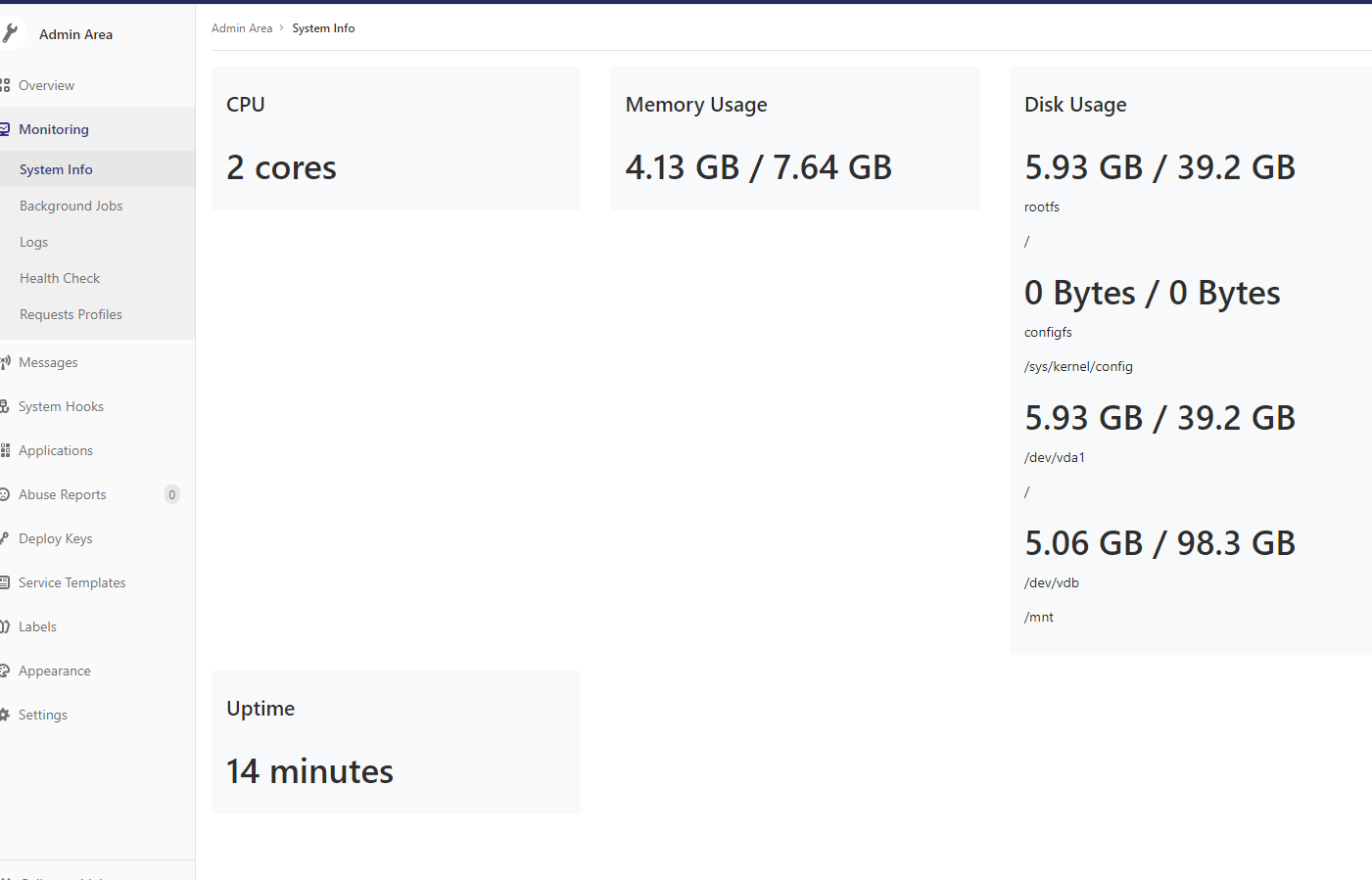
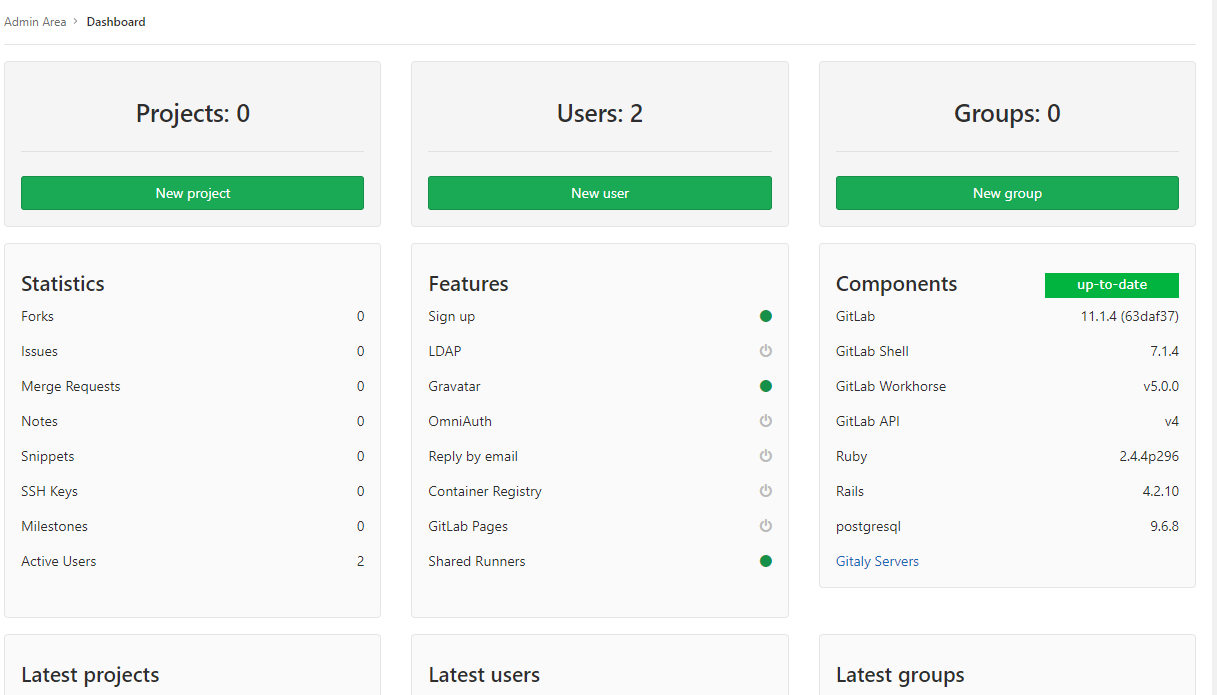
gitlab 外网 无法访问 查端口 看文档的更多相关文章
- 如何解决 Nginx 端口映射到外网后访问地址端口丢失的问题
1. 问题说明 一个手机h5页面的项目,使用nginx(监听80端口)进行访问,内网访问的地址是192.168.12.125/h5,访问正常,nginx中的配置如下: #微信H5页面访问 locati ...
- 外网主机访问虚拟机下的web服务器(NAT端口转发)
主机:系统win7,ip地址172.18.186.210 虚拟机:VMware Workstation 7,虚拟机下安装了Centos操作系统,ip地址是192.168.202.128,部署了LAMP ...
- VMware NAT端口映射 外网可以访问内网虚拟机
我想尝试的是利用本机的ip+port来访问虚拟机上的web服务器,因为这样的话,我就能够将我的web服务器部署成为一个能让外网访问的服务器了,首先说下我的环境: 主机:系统win7,ip地址172.1 ...
- 外网主机访问虚拟机下的web服务器(NAT端口转发)-----端口映射
主机:系统win7,ip地址172.18.186.210 虚拟机:VMware Workstation 7,虚拟机下安装了Centos操作系统,ip地址是192.168.202.128,部署了LAMP ...
- tomcat、Apache服务器外网无法访问80和8080端口,其他端口可以访问
tomcat.Apache服务器外网无法访问80和8080端口,其他端口都可以访问,很明显地看出这是网络运营商的问题,他们把80和8080端口对外访问屏蔽了. 解释:这两个端口是常用的HTTP协议端口 ...
- 外网不能访问部署在虚机的NodeJs网站(80端口)
外网能访问部署在虚机的NodeJs网站需注意如下: 在管理门户上配置端点(Http 80->80) 在虚机中的防火墙入站规则中增加应用程序Node.exe的允许规则 启动NodeJs的侦听进程时 ...
- 【阿里云服务器】外网无法访问tomcat下部署的项目
问题提出:在ESC实例上部署了jdk和tomcat(略,上云了,上云了),启动tomct后,内网可以访问8080端口,外网无法访问8080. 系统环境:winsdow 2008 企业版 解决方案: 在 ...
- 外网如何访问本地tomcat web服务器【转】
转自:http://jingpin.jikexueyuan.com/article/49159.html 外网如何访问本地tomcat web服务器 作者: XHKJOE 发布时间:2015-07-1 ...
- 关于外网无法访问阿里云主机CentOs
前两天阿里云ECS搞活动,所有买了个三年的Ecs,然后照着之前在虚拟机同样的搭建服务器,一切都很正常,可是 当我配置好防火墙和nginx之后,发现个问题,外网无法访问. 思考: 1.我的nginx没配 ...
随机推荐
- 【Linux】多进程与多线程之间的区别
http://blog.csdn.net/byrsongqq/article/details/6339240 网络编程中设计并发服务器,使用多进程与多线程 ,请问有什么区别? 答案一: 1,进程:子 ...
- PHP错误捕获处理
PHP错误捕获处理 一般捕获错误使用的方法是: try{ ...}catch(Exception $e){ echo $e->getMessage();} 或者 set_exception_ha ...
- 表格 td中,取checkbox后几位值
function addToPanDianDetail() { var detail_id = ""; var detail_code = ""; $(&quo ...
- phpcms V9 安装黄页模块后,注册为普通会员并登录,点立即免费入驻企业库出现白板
解决步骤: 1. 将php.ini修改: display_errors = On 2. 再次尝试,显示出错误: Fatal error: require(): Failed opening requi ...
- [List] C#数组学习
数组概述 C# 数组从零开始建立索引,即数组索引从零开始.C# 中数组的工作方式与在大多数其他流行语言中的工作方式类似.但还有一些差异应引起注意.声明数组时,方括号 ([]) 必须跟在类型后面,而不是 ...
- Hash Collision DoS 问题
Hash Collision DoS 问题http://coolshell.cn/articles/6424.html Hash Collision DoS (Hash碰撞的拒绝式服务攻击),有恶意的 ...
- 002如何升级 Linux 的内核?
我们不应该升级 Linux 内核,而是始终使用 rpm 命令来安装新的内核,因为升级内核会让你的 Linux 机器处于一个无法启动的状态.
- 微信小程序 本地缓存保持登录状态之wx.setStorageSync()使用技巧
微信小程序提供了一个如同浏览器cookie本地缓存方法,那就是今天要说的wx.setStorageSync() 注意,该方法是同步请求,还有个异步请求的方法是wx.setStorage(),参考官方文 ...
- 2017 ACM-ICPC 沈阳区域赛记录
出发日 中午坐大巴前往萧山机场. 哇开心又可以坐飞机了 飞机延误了.在候机大厅里十分无聊,先用机场的电脑玩了会小游戏 然后偷偷切了2个水题 (什么编译器IDE都没有,只能记事本了) 飞机上什么东西都没 ...
- [AI开发]深度学习如何选择GPU?
机器推理在深度学习的影响下,准确性越来越高.速度越来越快.深度学习对人工智能行业发展的贡献巨大,这得益于现阶段硬件计算能力的提升.互联网海量训练数据的出现.本篇文章主要介绍深度学习过程中如何选择合适的 ...