
Create maintenance backup plan in SQL Server 2008 R2 using the wizard
You will need to identify how you want your maintenance plan to be setup. In this example the maintenance plan will be setup with full backups, differentials, and transactions logs.
Check SQL Server Agent Service
Verify the SQL Server Agent service is running and set to automatic. The maintenance plans depend of the server in order to run. When configuring the service to ‘Automatic’ select the ‘Recovery’ tab, and set the failure to ‘Restart the Service’.
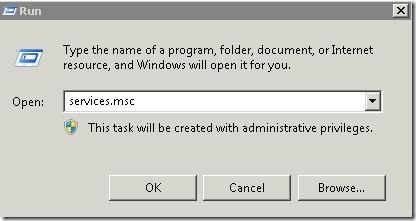
Go to ‘Run’ and type in ‘services.msc’ and press enter.
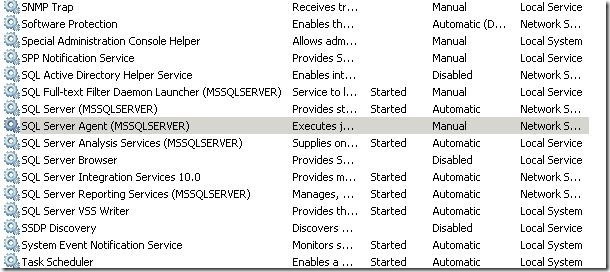
Then find the SQL Server Agent service in the list and double click.
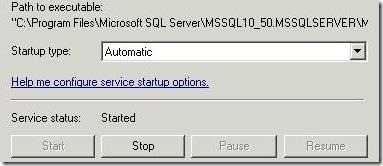
From there you want to configure the service for automatic startup. Then go ahead and start the service.
Creating the Maintenance Plan
Next, launch the SQL Management Studio.
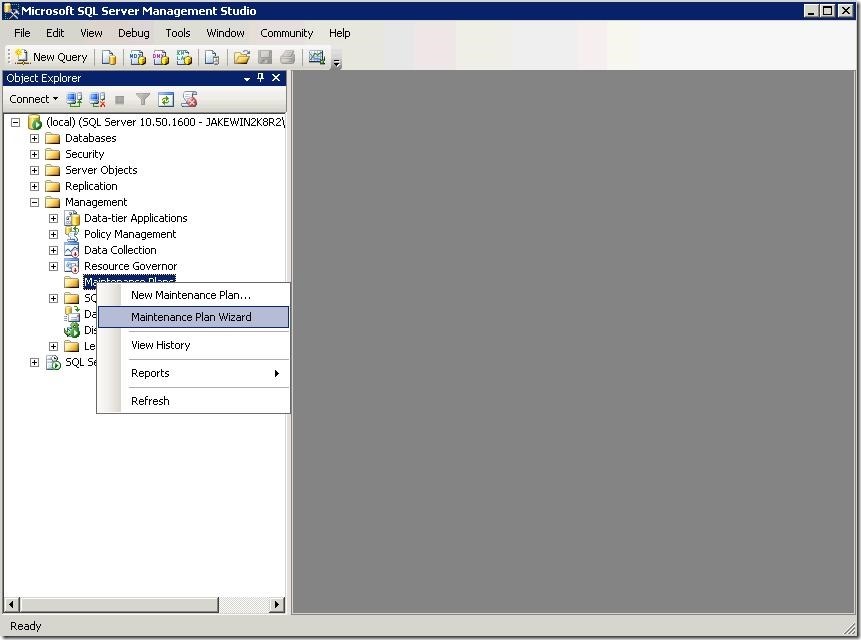
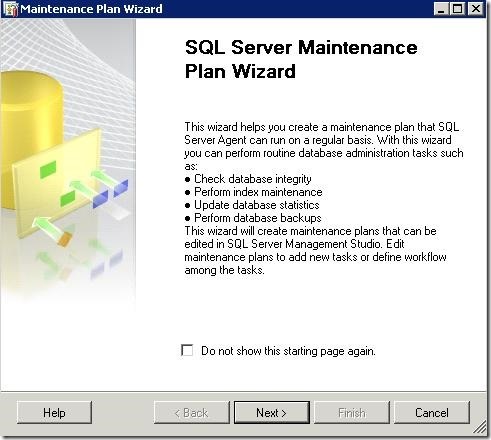
Once your logged in go to the ‘Maintenance Plans’ folder under ‘Management’. Right click on ‘Maintenance Plans’ and choose ‘Maintenance Plan Wizard.
Click Next
Select ‘Separate schedules for each task’ radio button and click next.
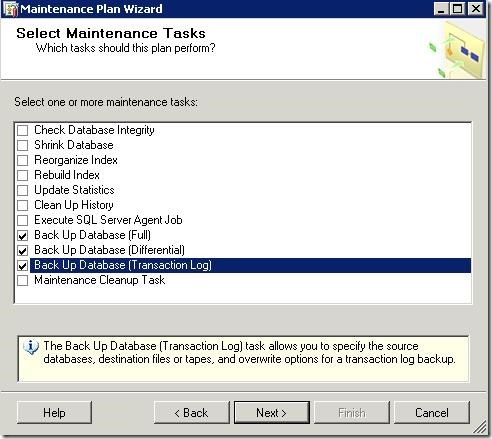
Select backup Database Full, Differential, and Transaction Log check boxes and click next.
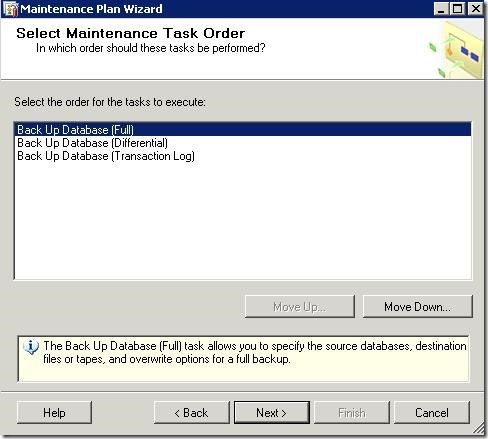
Click Next
Full Backup Settings
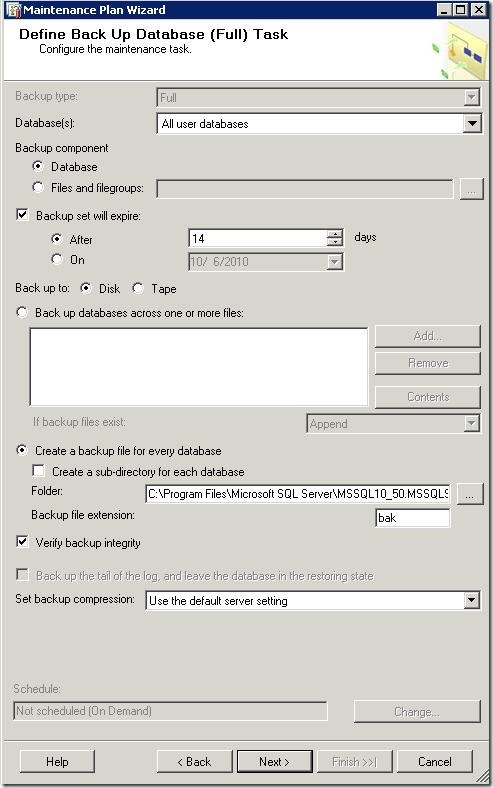
This is where you setup the backup settings for the full backup task.
1. Select the databases you want backed up. (All user databases).
2. Choose when you want the backups to expire. In this case I chose (14 days). This will overwrite the oldest backup file for rotation.
3. Choose your backup media. (Disk)
4. Choose a location for you backups. (Default or to your liking)
5. Verify the integrity of the backup.
6. Click the configure button at the bottom right to configure the scheduling options for this task.
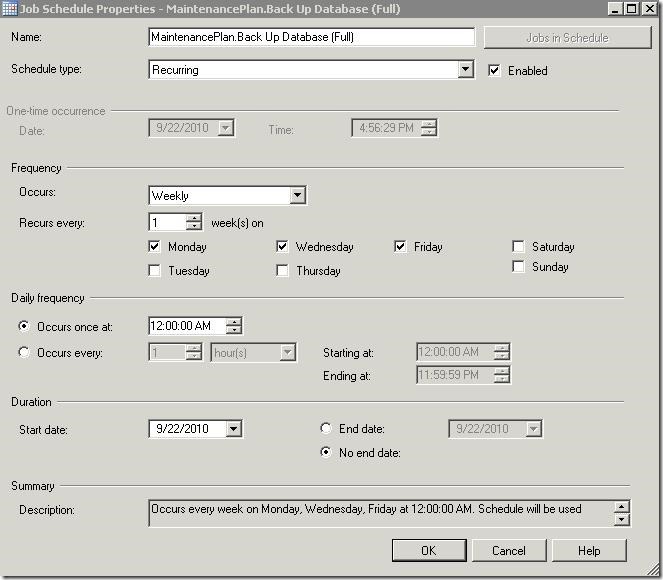
1. Choose the Schedule type. (Recurring)
2. Choose the frequency of the backup. In this example full backups are running on Monday, Wednesday, and Friday. (Alter this to fit your backup plan).
3. Adjust the Daily frequency. (What time does your backup need to run)?
4. Adjust the start and end date. In this example I left it at ‘No end date’.
Click OK when you are finished. Go back to the maintenance plan wizard and click next.
Differential Backup Settings
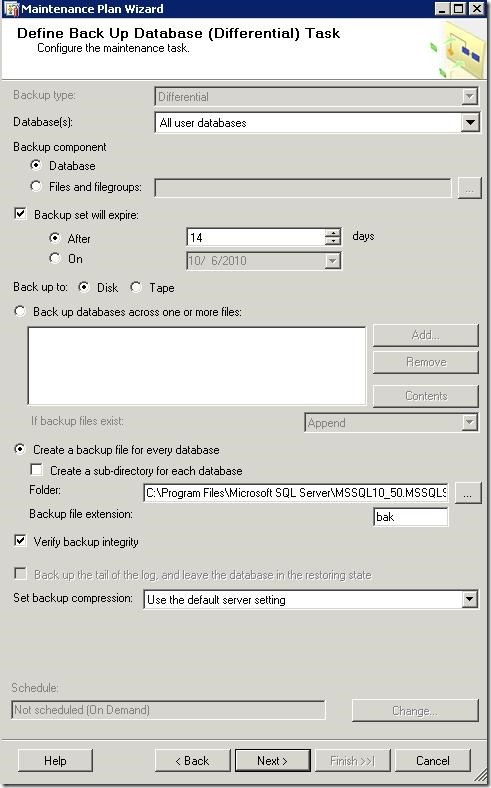
Next we will configure the differential backup task.
1. Select the databases you want backed up. (All user databases).
2. Choose when you want the backups to expire. In this case I chose (14 days). This will overwrite the oldest backup file for rotation.
3. Choose your backup media. (Disk)
4. Choose a location for you backups. (Default or to your liking)
5. Verify the integrity of the backup.
6. Click the configure button at the bottom right to configure the scheduling options for this task.
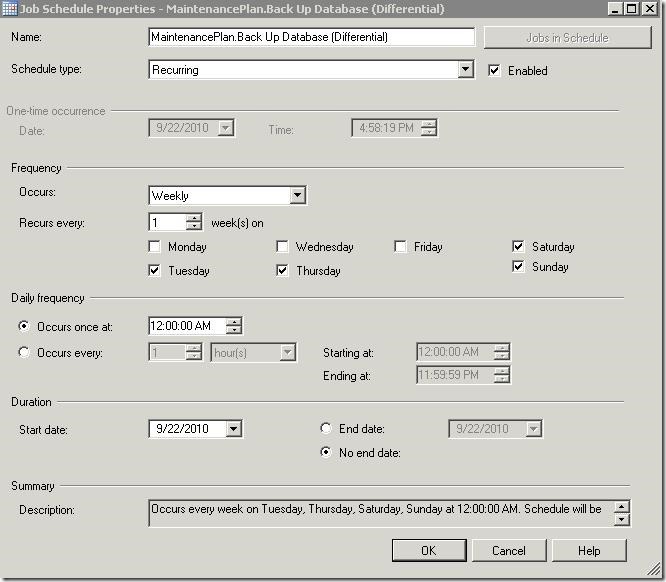
1. Choose the Schedule type. (Recurring)
2. Choose the frequency of the backup. In this example differential backups are running on Tuesday, Thursday, Saturday, and Sunday. (Alter this to fit your backup plan).
3. Adjust the Daily frequency. (What time does your backup need to run)?
4. Adjust the start and end date. In this example I left it at ‘No end date’.
Click OK when you are finished. Go back to the maintenance plan wizard and click next to configure the transaction log backup.
Transaction Log Backup Settings
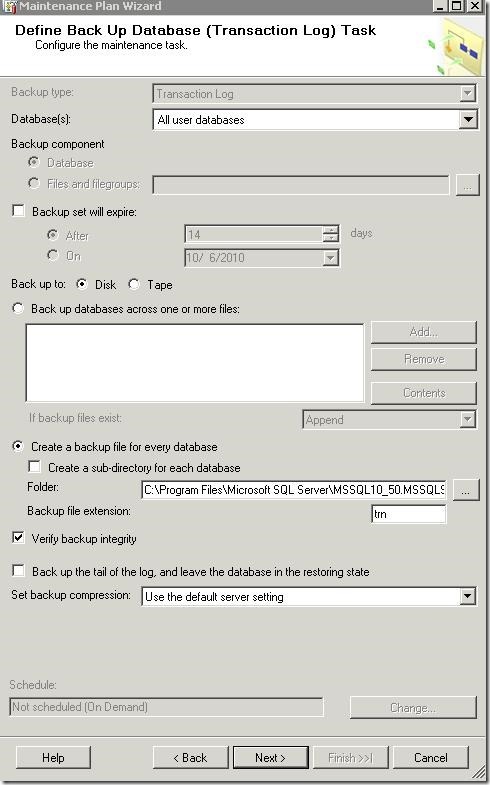
Next, setup the transaction logs backup.
1. Choose your databases. (All user databases)
2. Do not check ‘back set will expire’. (We will setup a cleanup task next).
3. Choose your backup media. (Disk)
4. Choose a location for you backups. (Default or to your liking). ****Copy and paste the path to notepad. You will need to reference this in later steps. ********
5. Verify the integrity of the backup.
6. Click the configure button at the bottom right to configure the scheduling options for this task.
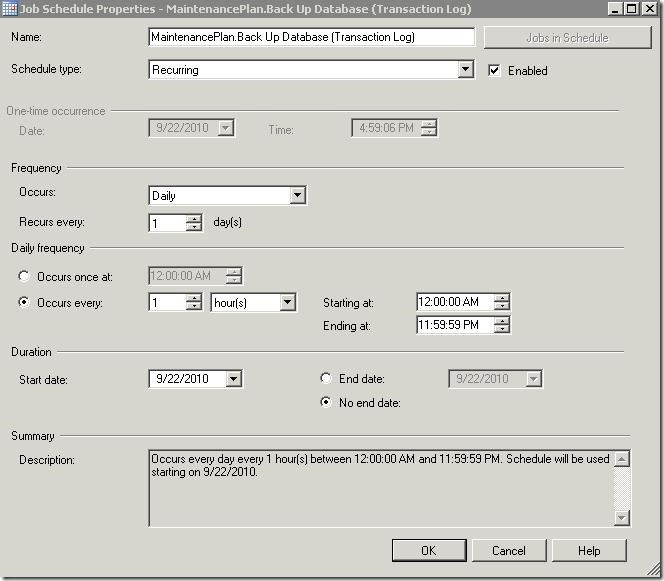
The transaction log backup intervals will need to be determined based on transaction logs growth. Therefore it may be necessary to run the transaction log backups in shorter intervals to prevent transaction logs from growing.
1. Choose the Schedule type. (Recurring)
2. Choose the frequency of the backup. In this example the transaction log backups are running daily.
3. Adjust the Daily frequency. (I set mine to run every hour).
4. Adjust the start and end date. In this example I left it at ‘No end date’.
Click OK when you are finished. Go back to the maintenance plan wizard and click next to finish the wizard.
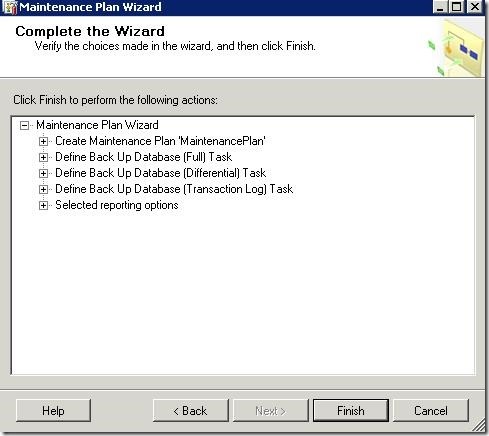
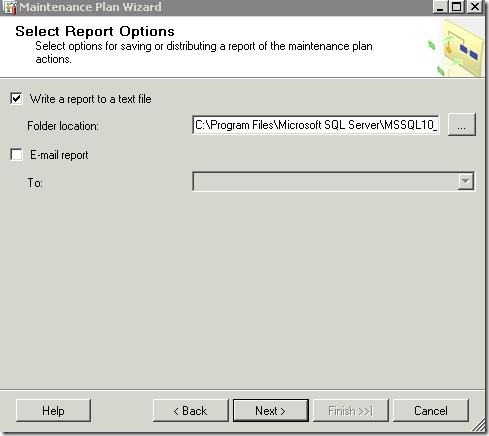
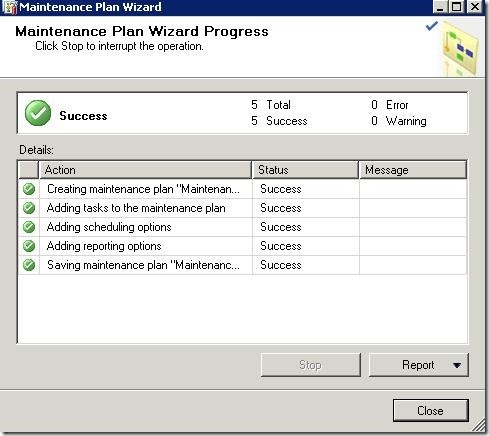
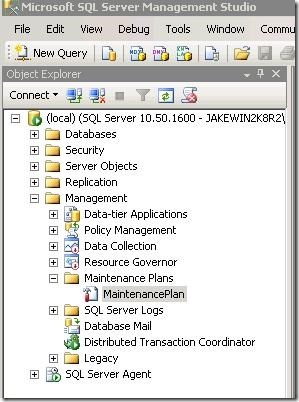
Click ‘Close’ to finish.Now that you are back to the SQL Management Studio main screen you need to refresh the maintenance plan. Press F5 to refresh the new settings. You should see the new Maintenance Plan listed.
Transaction Log Cleanup Task
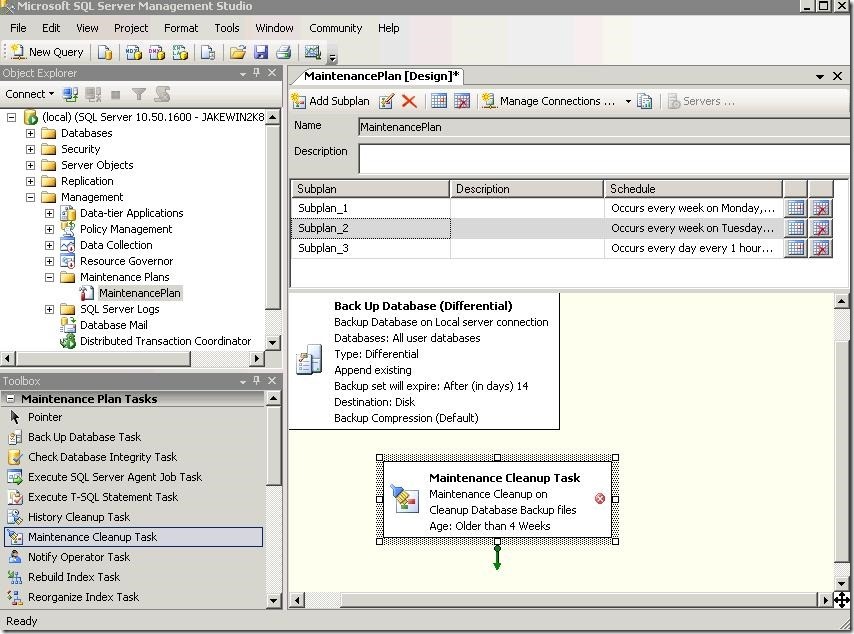
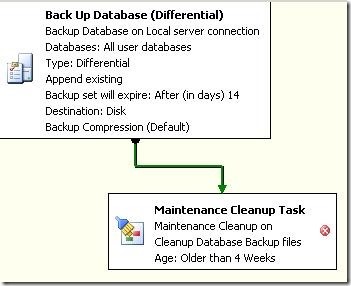
Next, select the ‘Sub-plan_2’ in the maintenance plan. Drag over ‘Maintenance Cleanup Task’ onto the white space and place it under the transaction log backup.
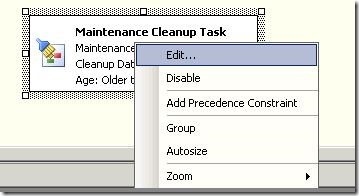
Right Click on the ‘Maintenance Cleanup Task’ and choose edit.
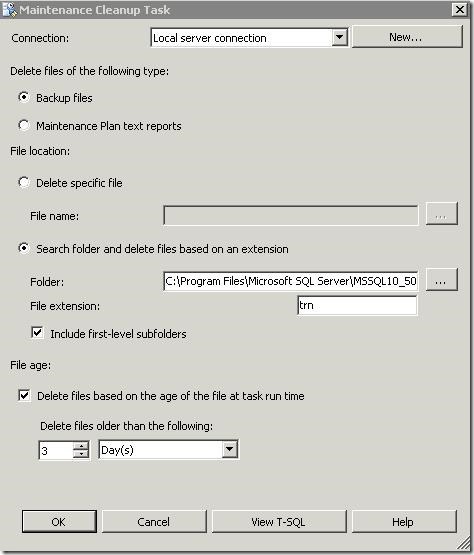
This section allows you to setup the maintenance cleanup task. This task will clean up the transaction logs after three days. This will keep the one hour transaction logs for three days until the maintenance cleanup task deletes the old data. The transaction log clean up will need to include a series of Three days, this will ensure if you need to revert back to the second differential you can apply the transaction logs from that time period. The goal is to have enough transaction logs in between the full and differential backups.
1. Choose ‘Backup files’
2. Choose ‘Search folder and delete files based on an extension.
3. **Paste in the copied path that you copied earlier.** Make sure you include the same path that your transaction logs are backing up to. And enter the File extension type. (trn). Also include the first-level sub-folders. Use trn not .trn | it will confuse SQL.
4. Set the file age to ‘3 days’.
5. Click ‘OK’ to return to the Management Studio main Screen.
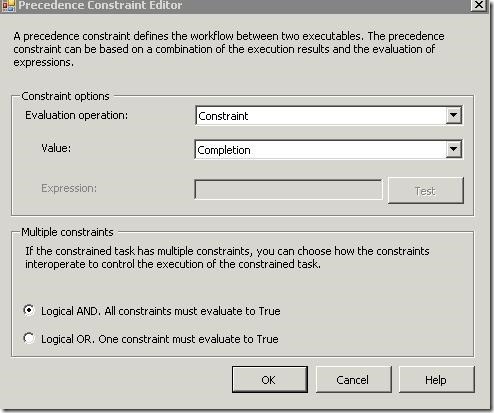
Drag the green arrow from the differential backup task to the Maintenance cleanup task. Double click on the connected green line.
Configure the value to ‘Completion’. This allows the task to become conditional. “If the differential backup did not run then do not run the transaction cleanup task.” “If the backup did run proceed with the cleanup task.”
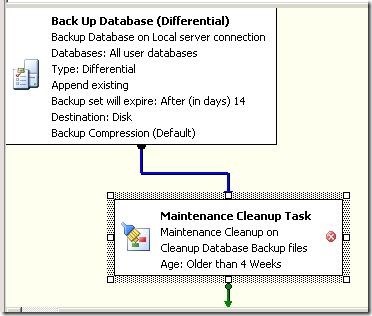
Click ‘OK’ to return to the Management Studio main screen. You should now see that the green line has become blue.
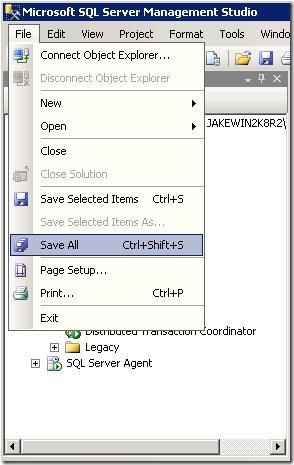
You are now finished with you maintenance task setup. You can adjust you backup plan to your needs. Be sure to save you work. *Save your work by going to file --> Then Save All*********
How to test your setup
After you are done setting up your maintenance plan you will need to verify that it works. You can choose to wait a few days to see if the job completes or you can force the job to run.
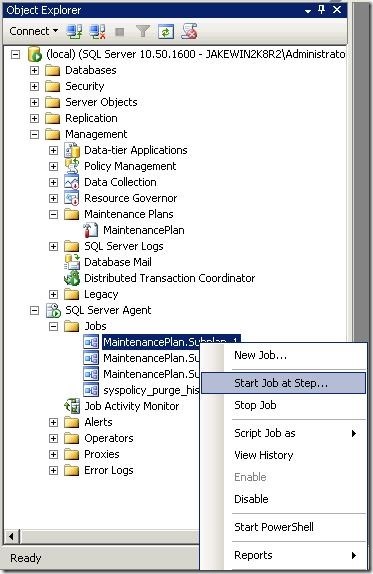
Browse down to ‘Jobs’ under ‘SQL Server Agent’. And right –click on the first maintenance plan and choose ‘Start Job at This Step’.
This will run the first section of the maintenance plan you created.
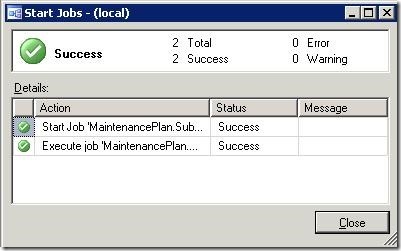
At this step if the job completes continue on to the next step of the maintenance plan and test-run the setup. Do this for all sub-plans you created in the maintenance plan. If all of your steps run without error you are finished.
Errors
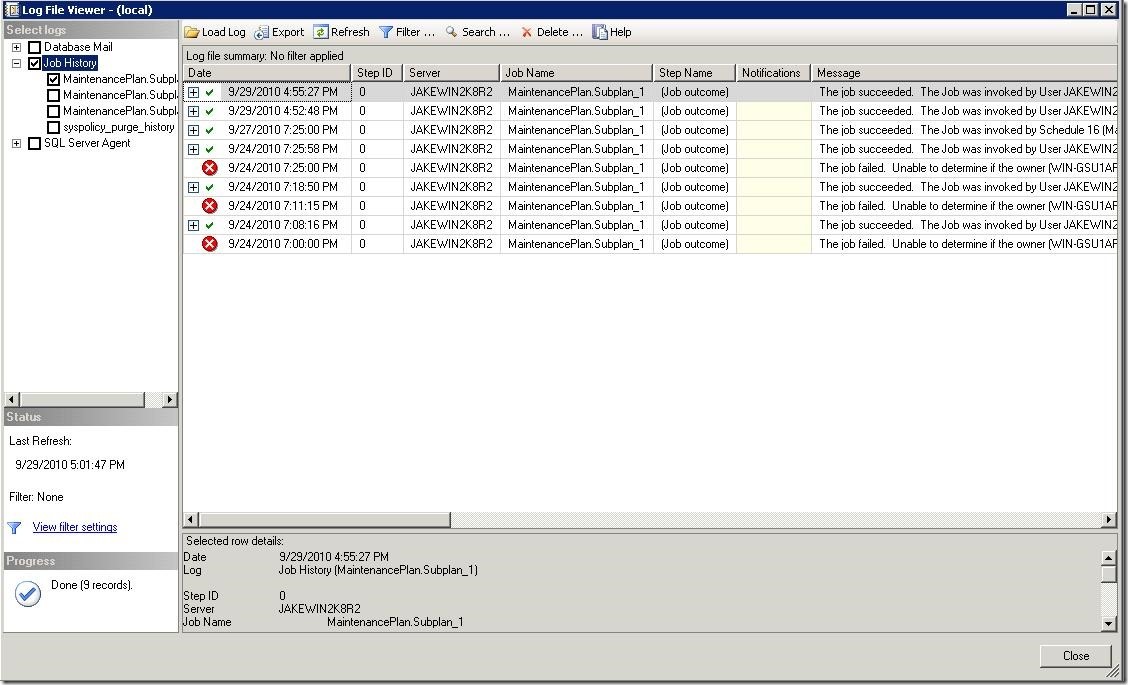
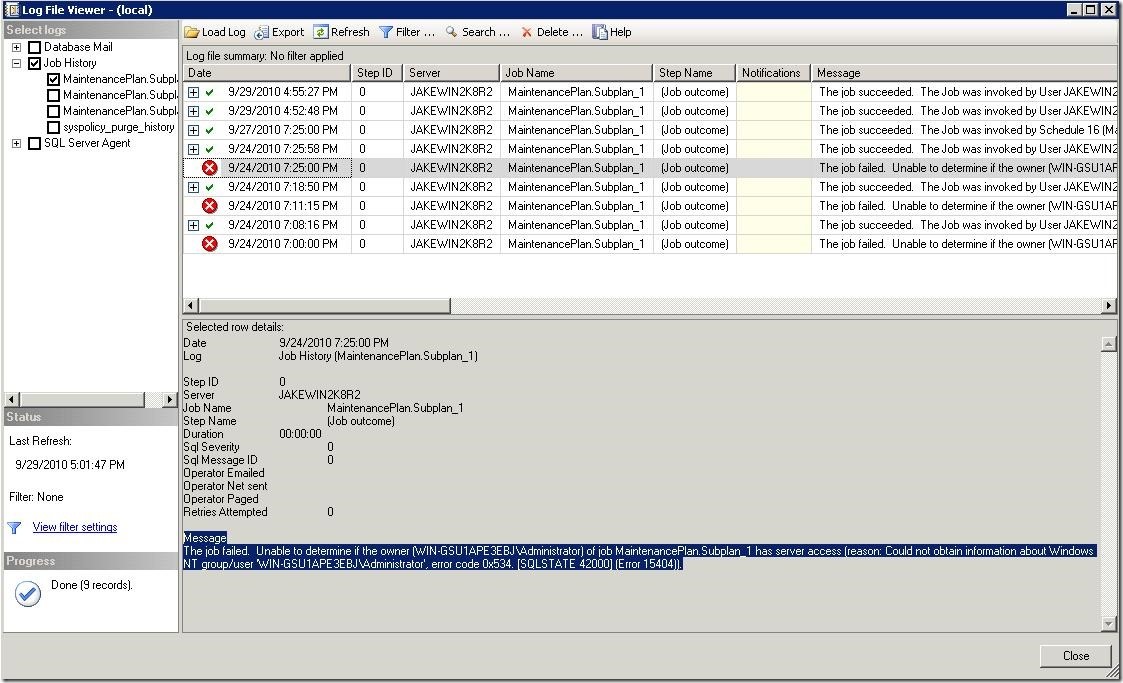
If you jobs fail when you are performing a test-run you will need to view the history to see what failed.
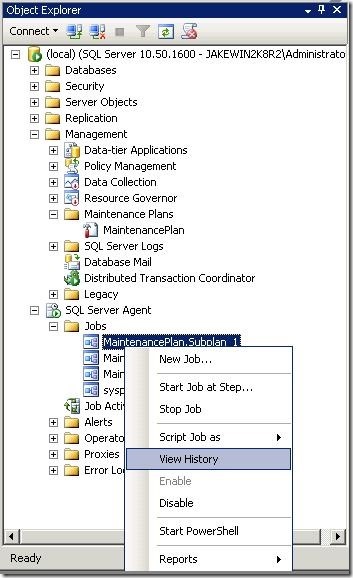
Right-click on the failed sub-plan and select ‘View History’.
This will bring up a new window that shows the history.
If your job failed you will see a red X next to the time you ran the job. Drag up the dialog box below to see the details of the error.
Troubleshoot the error and repeat the test-job to see if it cleared up. Once your maintenance plan is solid it good practice to check back in a few days to see if it is running the way you want. Check to see if the .bak files are being removed after the expiration. Check to see if the transaction logs are being clean up after three days.
Create maintenance backup plan in SQL Server 2008 R2 using the wizard的更多相关文章
- 数据库备份和恢复秩序的关系(周围环境:Microsoft SQL Server 2008 R2)
让我们来看看在备份序列新手 --1.塔建环境(生成测试数据和备份文件) /* 測试环境: Microsoft SQL Server 2008 R2 (RTM) - 10.50.1600.1 (X64) ...
- SQL Server 2008 R2 性能计数器详细列表(三)
原文:SQL Server 2008 R2 性能计数器详细列表(三) SQL Server,Deprecated Features 对象: 监视指定为不推荐使用的功能: SQL Server Depr ...
- SQL Server 2008 R2 性能计数器详细列表(一)
原文:SQL Server 2008 R2 性能计数器详细列表(一) SQL Server Backup Device 计数器: 可监视用于备份和还原操作的 Microsoft SQL Server ...
- 利用SQL Server 2008 R2创建自动备份计划
本文主要利用SQL Server 2008 R2自带的"维护计划"创建一个自动备份数据的任务. 首先,启动 Sql Management studio,确保"SQL Se ...
- SQL Server 2008 R2——使用计算列为表创建自定义的自增列
=================================版权声明================================= 版权声明:原创文章 谢绝转载 请通过右侧公告中的“联系邮 ...
- Sql server 2008 R2 实现远程异地备份
1. 环境: a)两台同样的Sql Server 2008 R2 服务器 b)操作系统都是windows 2008 c)需要将102.108.0.1数据库MSGC远程备份到112.118.0.2的服务 ...
- SQL Server 2008 r2 输入SQL语句不能自动提示的解决办法
先利用“配置工具-SQL Server 配置管理器”关闭所有MSSQLSERVER服务,利用SQL Server Installation Center,进入Maintenance,选择Repair, ...
- SQL Server 2008 R2——学习/练习/错误/总结/搜集
==================================声明================================== 本文原创,转载在正文中显要的注明作者和出处,并保证文章的完 ...
- SQL Server 2008 R2评估期已过的解决办法
SQL Server 2008 R2评估期已过的解决办法 发现问题 北美产品测试服每日随机任务没有刷新 每日随机任务是使用数据库作业定期执行操作,重置玩家随机任务项 排查问题 www.2cto. ...
随机推荐
- 【Python】python3-list列表引用
print(names) #列出列表的内容 print(names[3]) #访问列表中第4个值 print(names[1:3]) #访问列表中从第2个到第3个的值 print(names[-1]) ...
- (笔记)Mysql命令select:当前选择(连接)的数据库
select命令表示当前选择(连接)的数据库. select命令格式:mysql> select database(); MySQL中SELECT命令类似于其他编程语言里的print或者writ ...
- Hive Beeline 官方文档学习
Beeline 是什么? 它是一个命令行形式的jdbc客户端.搞Java开发的同学,看到这里就应该知道这货是什么了 ── 它是一个连接数据库的工具. 只不过Beeline连接的数据库是HiveServ ...
- TPshop下载安装
一. 首先 修改 C:\Windows\System32\drivers\etc\hosts 文件 加一行 127.0.0.1 www.tpshop.com // 这里可以改成你想要的域名 二. 修改 ...
- Php面向对象 – 类常量
Php面向对象 – 类常量 类常量:类中,保存执行周期内,不变的数据. 定义: constkeyword const 常量名 = 常量值 样例: class Student { public $st ...
- DOS批处理基础
1. echo 和 @ 回显命令 @ #表示不显示@后面的命令 echo off #从下一行开始关闭回显 @echo off ...
- Win10无法使用内置管理员用户打开edge解决方案
https://jingyan.baidu.com/article/4f7d5712d23f1b1a2119274b.html
- matlab中 %d,%f,%c,%s代表什么意思
1.%d就是输出整型:%3d就是说按照长度为3的整型输出,比如10,输出就是“_10”,“_”代表空格. 2.%f就是输出小数:%6.2f就是小数点后保留2位,输出总长度为6,比如3.14159,输出 ...
- opengl deferred shading
原文地址:http://www.verydemo.com/demo_c284_i6147.html 一.Deferred shading技术简介 Deferred shading是这样一种技术:将光照 ...
- u3d Mecanim动画
作为Unity4.0的主要更新功能,Mecanim动画被寄予了很多的期望.系统有先进的地方,也有不足的地方.这些我们留到最后再来总结. 阿赵粗略的学习了一下,写下以下的教程.这篇教程简单的说明了Mec ...