
Animated Scroll to Top
Due to a number of requests, I'm writing a detail tutorial on how to create an animated scroll to top as seen on Web Designer Wall. It is very simple to do with jQuery (just a few lines of code). It checks if the scrollbar top position is greater than certain value, then fade in the scroll to top button. Upon the link is clicked, it scrolls the page to the top. View the demo to see it in action.
Design & CSS
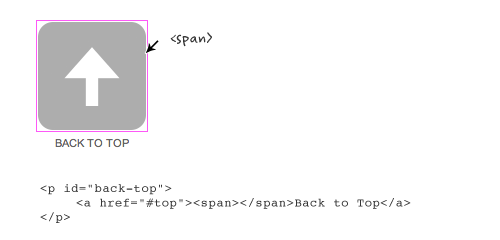
Declare the #back-top elment with position:fixed so it stays fixed on the page. The span tag is optional. I added the span tag to display the arrow graphic. I also added transition:1s (1s = 1 second) to create the fading effect on mouse over.
Take a look at this step demo (note: the jQuery part is not implemented yet).
#back-top {

    position: fixed;

    bottom: 30px;

    margin-left: -150px;

}

#back-top a {

    width: 108px;

    display: block;

    text-align: center;

    font: 11px/100% Arial, Helvetica, sans-serif;

    text-transform: uppercase;

    text-decoration: none;

    color: #bbb;

    /* transition */

    -webkit-transition: 1s;

    -moz-transition: 1s;

    transition: 1s;

}

#back-top a:hover {

    color: #000;

}

/* arrow icon (span tag) */

#back-top span {

    width: 108px;

    height: 108px;

    display: block;

    margin-bottom: 7px;

    background: #ddd url(up-arrow.png) no-repeat center center;

    /* rounded corners */

    -webkit-border-radius: 15px;

    -moz-border-radius: 15px;

    border-radius: 15px;

    /* transition */

    -webkit-transition: 1s;

    -moz-transition: 1s;

    transition: 1s;

}

#back-top a:hover span {

    background-color: #777;

}
jQuery Part (Demo)
Below is the Javascript code (you can paste it any where on the page). Basically, it hides the #back-top element (it is the <p id="back-top"> tag in my demo) initially . Then it checks if the window scrollbar top position (scrollTop) is greater 100, then fade in the #back-top element, else fade out. The next set of code is the click function. If the #back-top link is clicked, it will animate the body scrollTop to 0.
If you want to learn some basic jQuery coding, read my jQuery for Designers tutorial.
<script type="text/javascript" src="http://ajax.googleapis.com/ajax/libs/jquery/1.4.3/jquery.min.js"></script>$(document).ready(function(){
// hide #back-top first
$("#back-top").hide();
// fade in #back-top
$(function () {
$(window).scroll(function () {
if ($(this).scrollTop() > 100) {
$('#back-top').fadeIn();
} else {
$('#back-top').fadeOut();
}
});
// scroll body to 0px on click
$('#back-top a').click(function () {
$('body,html').animate({
scrollTop: 0
}, 800);
return false;
});
});
});
No Javascript Fallback
Note the back to top button is linking to anchor #top which is the ID of the <body> tag. Technically speaking you don't need to assign any anchor link because jQuery can scroll the page to any position. However, it is nice to include it because it provides a fallback if Javascript is not supported.
Animated Scroll to Top的更多相关文章
- UITableView Scroll to top 手动设置tableview 滚动到 顶部
UITableView Scroll to top 手动设置tableview 滚动到 顶部 [mainTableView scrollRectToVisible:CGRectMake(0,0,1,1 ...
- 值得 Web 开发人员学习的20个 jQuery 实例教程
这篇文章挑选了20个优秀的 jQuery 实例教程,这些 jQuery 教程将帮助你把你的网站提升到一个更高的水平.其中,既有网站中常用功能的的解决方案,也有极具吸引力的亮点功能的实现方法,相信通过对 ...
- Using jQuery to add a dynamic “Back To Top” floating button with smooth scroll
Ever read a really long blog post or article and then had to scroll all the way up to the top of the ...
- MUI - Scroll插件的使用
http://dev.dcloud.net.cn/mui/ui/#scroll 神坑1:如果在vuejs中使用,那么需要配合mui.ready(function(){}) 才能找到dom对象,具体de ...
- JavaScript Infinite scroll & Masonry
// infinitescroll() is called on the element that surrounds // the items you will be loading more of ...
- Back To Top
//scroll to top (function ($) { $.fn.backTop = function () { var backBtn = this; var position = 1000 ...
- RN animated组动画
代码: export default class AnimationGroupScene extends Component { constructor() { super() ) ) ) } com ...
- JS——scroll动画
固定导航栏 1.计算导航栏到顶部的距离值 2.当scrollTop值大于这个距离值就添加定位,当小于距离值后解除定位 注意事项:当导航栏添加定位之后,导航栏就脱离了文档流,也就是不占位了,下面的盒子就 ...
- JS——scroll封装
DTD未声明:document.body.scrollTop DTD已声明:document.documentElement.scrollTop 火狐谷歌IE9:window.pageYOffset ...
随机推荐
- Apache二级域名配置方法
下面这个Apache二级域名配置方法是今天在其它BBS看到的,以前我配置是都是配置每个为一个虚拟目录今天正在想如何写没想到找到了. Apache二级域名实现方法介绍 首先,你的拥有一个有泛域名解析的顶 ...
- memcache保存php的session 解决多服务器的session问题
PECL :: Package :: memcache 2.1.1 版本的 Changelog 中有一条: - Added experimental session storage support. ...
- DDoS攻防战(三):ip黑白名单防火墙frdev的原理与实现
在上一篇文章<DDoS攻防战 (二) :CC攻击工具实现与防御理论>中,笔者阐述了一个防御状态机,它可用来抵御来自应用层的DDoS攻击,但是该状态机依赖一个能应对大量条目快速增删的ip黑白 ...
- 实现两个N*N矩阵的乘法,矩阵由一维数组表示
实现两个N*N矩阵的乘法,矩阵由一维数组表示. 先介绍一下矩阵的加法: void Add(int rows, int cols) { ;i<rows;i++) { ;j<cols;j++) ...
- 【转】linux之fsck命令
转自:http://www.linuxso.com/command/fsck.html 使用权限 : 超级使用者 使用方式 : fsck [-sACVRP] [-t fstype] [--] [fsc ...
- 任务(Tasks)
在Eclipse中用TODO标签管理任务,利用这个功能可以方便地将项目中一些需要处理的任务记录下来.我们可以通过在java注释里添加任务标签来标记一个任务,任务可以通过Tasks(任务)视图来察看. ...
- HTML5_画布_太阳系
HTML5_画布_太阳系 一.canvas属性和方法的简单介绍①对于不支持canvas标签的浏览器需要显示"不支持canvas"使用IE11浏览器的开发人员工具,仿真:文档模式=8 ...
- bzoj1251 序列终结者(splay)
人生第一发splay,写得巨丑,最后忘记了push_down以后要将子节点maintain 9k代码不忍直视 #define NDEBUG #include<cstdio> #includ ...
- python的编码
python的编码 1.概述 讲述编码,那么就要涉及到几个方面,包括系统中如何来显示字符,文件中如何来保存字符. 1.1 系统环境 在系统中显示字符,那么就必须要考虑到系统中使用的编码格式. 在lin ...
- C++的类成员和类成员函数指针
类成员函数指针: 用于访问类成员函数,和一般函数指针有区别. 类成员函数处理的是类数据成员,声明类成员函数指针的同时,还要指出具体是哪个类的函数指针才可以.调用时也要通过对象调用. 而对于类的静态成员 ...