
Animated Scroll to Top
Due to a number of requests, I'm writing a detail tutorial on how to create an animated scroll to top as seen on Web Designer Wall. It is very simple to do with jQuery (just a few lines of code). It checks if the scrollbar top position is greater than certain value, then fade in the scroll to top button. Upon the link is clicked, it scrolls the page to the top. View the demo to see it in action.
Design & CSS
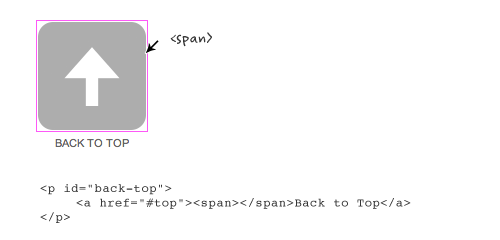
Declare the #back-top elment with position:fixed so it stays fixed on the page. The span tag is optional. I added the span tag to display the arrow graphic. I also added transition:1s (1s = 1 second) to create the fading effect on mouse over.
Take a look at this step demo (note: the jQuery part is not implemented yet).
#back-top {

    position: fixed;

    bottom: 30px;

    margin-left: -150px;

}

#back-top a {

    width: 108px;

    display: block;

    text-align: center;

    font: 11px/100% Arial, Helvetica, sans-serif;

    text-transform: uppercase;

    text-decoration: none;

    color: #bbb;

    /* transition */

    -webkit-transition: 1s;

    -moz-transition: 1s;

    transition: 1s;

}

#back-top a:hover {

    color: #000;

}

/* arrow icon (span tag) */

#back-top span {

    width: 108px;

    height: 108px;

    display: block;

    margin-bottom: 7px;

    background: #ddd url(up-arrow.png) no-repeat center center;

    /* rounded corners */

    -webkit-border-radius: 15px;

    -moz-border-radius: 15px;

    border-radius: 15px;

    /* transition */

    -webkit-transition: 1s;

    -moz-transition: 1s;

    transition: 1s;

}

#back-top a:hover span {

    background-color: #777;

}
jQuery Part (Demo)
Below is the Javascript code (you can paste it any where on the page). Basically, it hides the #back-top element (it is the <p id="back-top"> tag in my demo) initially . Then it checks if the window scrollbar top position (scrollTop) is greater 100, then fade in the #back-top element, else fade out. The next set of code is the click function. If the #back-top link is clicked, it will animate the body scrollTop to 0.
If you want to learn some basic jQuery coding, read my jQuery for Designers tutorial.
<script type="text/javascript" src="http://ajax.googleapis.com/ajax/libs/jquery/1.4.3/jquery.min.js"></script>$(document).ready(function(){
// hide #back-top first
$("#back-top").hide();
// fade in #back-top
$(function () {
$(window).scroll(function () {
if ($(this).scrollTop() > 100) {
$('#back-top').fadeIn();
} else {
$('#back-top').fadeOut();
}
});
// scroll body to 0px on click
$('#back-top a').click(function () {
$('body,html').animate({
scrollTop: 0
}, 800);
return false;
});
});
});
No Javascript Fallback
Note the back to top button is linking to anchor #top which is the ID of the <body> tag. Technically speaking you don't need to assign any anchor link because jQuery can scroll the page to any position. However, it is nice to include it because it provides a fallback if Javascript is not supported.
Animated Scroll to Top的更多相关文章
- UITableView Scroll to top 手动设置tableview 滚动到 顶部
UITableView Scroll to top 手动设置tableview 滚动到 顶部 [mainTableView scrollRectToVisible:CGRectMake(0,0,1,1 ...
- 值得 Web 开发人员学习的20个 jQuery 实例教程
这篇文章挑选了20个优秀的 jQuery 实例教程,这些 jQuery 教程将帮助你把你的网站提升到一个更高的水平.其中,既有网站中常用功能的的解决方案,也有极具吸引力的亮点功能的实现方法,相信通过对 ...
- Using jQuery to add a dynamic “Back To Top” floating button with smooth scroll
Ever read a really long blog post or article and then had to scroll all the way up to the top of the ...
- MUI - Scroll插件的使用
http://dev.dcloud.net.cn/mui/ui/#scroll 神坑1:如果在vuejs中使用,那么需要配合mui.ready(function(){}) 才能找到dom对象,具体de ...
- JavaScript Infinite scroll & Masonry
// infinitescroll() is called on the element that surrounds // the items you will be loading more of ...
- Back To Top
//scroll to top (function ($) { $.fn.backTop = function () { var backBtn = this; var position = 1000 ...
- RN animated组动画
代码: export default class AnimationGroupScene extends Component { constructor() { super() ) ) ) } com ...
- JS——scroll动画
固定导航栏 1.计算导航栏到顶部的距离值 2.当scrollTop值大于这个距离值就添加定位,当小于距离值后解除定位 注意事项:当导航栏添加定位之后,导航栏就脱离了文档流,也就是不占位了,下面的盒子就 ...
- JS——scroll封装
DTD未声明:document.body.scrollTop DTD已声明:document.documentElement.scrollTop 火狐谷歌IE9:window.pageYOffset ...
随机推荐
- hdu 4876(剪枝+暴力)
题意:给定n,k,l,接下来给出n个数,让你从n个数中选取k个数围成一圈,然后从这k个数中随意选出连续的m(m>=1&&m<=k)个数进行异或后得到[l,r]区间的所有值, ...
- javascript函数sort
sort函数用于对数组的元素进行排序 语法:arrayObject.sort(sortby); 参数sortby可选,规定排序顺序,必须是函数. 如果调用该方法时没有使用参数,将按照字幕顺序进行排序, ...
- Ruby on Rails vs. PHP vs. Python
开发者在开发web应用时,往往会对平台的选择感到困惑,而web专家通常会建议:要考虑几个因素,这些因素包括周转时间.质量.跨浏览器兼容性.与其他框架的整合.数据安全性.易于访问性等. 在考虑了这些因素 ...
- PHP强大的内置filter (二) 完
<?php #Sanitize filters #Sanitize filters 可以清理掉不规范的字符 # FILTER_SANITIZE_EMAIL 可以清理除了 字母和数字 以及 !#$ ...
- webstorm+nodejs+JetBrains IDE Support+chrome打造前端开发神器
#webstorm+nodejs+JetBrains IDE Support+chrome打造前端开发神器 -- 工欲善其事 必先利其器 ##各工具介绍 `webstorm`是**JetBrains* ...
- Module compiled with Swift 3.0 cannot be imported in Swift 3.0.1
Cartfile:github "SwiftyJSON/SwiftyJSON"got error:Module compiled with Swift 3.0 cannot be ...
- django1.77+mod_wsgi+python2.79+apache2.24 在阿里云centos部署攻略
心平气和的记录一下今天 踩的坑以防万一 以后还踩 首先我今天的平台是在 阿里云上的一台纯净版的 centos6.5 64位主机上进行的 首先装python2.7 去官网下载python2.7安装包 然 ...
- 实体框架 (EF) 入门 => 二、在全新的数据库中使用 Code First
学习资料:http://msdn.microsoft.com/zh-cn/data/jj193542 视频建立的控制台应用程序,我在这里使用MVC. 一.非常有磁性的,非常优雅 很喜欢看这个人的视频, ...
- 第三百四十一天 how can I 坚持
不好,有点肚子疼,凉肚子了. 今天晚上回来看了个电影<聚焦>,貌似明白了一个道理,任何一份职业,只要认识到了它的价值,那就好好干. 计划又放在脑门后了,上班又闲扯了一天.老季公司招人,让我 ...
- 第三百三十四天 how can I 坚持
I give up my dream that day,else,I coming on,the day my heart is die…… 那天,梦已碎,那天,心已死. 晚上看了个电影<奔爱& ...