
c#pdf查看器
Free Spire.PDF for .NET is a Community Edition of the Spire.PDF for .NET, which is a totally free PDF component for commercial and personal use. As a standalone C#/VB.NET component, Free Spire.PDF for .NET enables developers to create, write, edit, convert, print, handle and read PDF files on any .NET applications.
本篇文章将介绍用e-iceblue插件开发简单的pdf查看器。
e-iceblue提供包括处理office在内的所有插件,地址:http://www.e-iceblue.com/
http://www.e-iceblue.com/Introduce/free-pdf-component.html下载免费版的pdf插件安装完成后,就可以看到下面的demo窗体。该窗体展示了所有操作pdf的样例和代码,你也可以直接运行demo

该pdf插件将处理附件、标注、导出、打开、分页、打印、存储等相关pdf操作。
新建vs2012 winform程序,将C:\Program Files (x86)\e-iceblue\Spire.PdfViewer-FE\Bin下的相应版本dll导入vs2012工具栏,
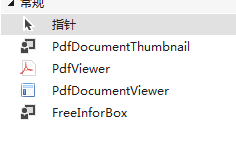
将PfdViewer控件拖至新建窗体上,Spire.PdfViewer的引用就算完成了。
this.pdfDocumentViewer1.LoadFromFile函数是加载一个pdf文件,参数是文件路径。
this.pdfDocumentViewer1.Print函数是打印当前文档。
下面是获取注解和转到注解的代码
/// <summary>

        /// 获取pdf注解

        /// </summary>

        /// <param name="sender"></param>

        /// <param name="e"></param>

        private void btnAttachmentAnnotation_Click(object sender, EventArgs e)

        {

            this.tableLayoutPanel1.SetRowSpan(this.pdfDocumentViewer1, );

            this.m_isAttachmentAnnotation = true;

            this.listView1.Visible = true;

            this.listView1.Items.Clear();

            this.listView1.Columns.Clear();

            if (this.pdfDocumentViewer1.IsDocumentLoaded && this.pdfDocumentViewer1.PageCount > )

            {

                this.listView1.View = View.Details;

                this.listView1.Columns.Add("注解",);

                this.listView1.Columns.Add("内容",);

                this.listView1.Columns.Add("页码",);

                this.listView1.Columns.Add("位置",);

                //获取pdf注解列表

                PdfDocumentAttachmentAnnotation[] annotations = this.pdfDocumentViewer1.GetAttachmentAnnotaions();

                if (annotations != null && annotations.Length > )

                {

                    //注解属性

                    for (int i = ; i < annotations.Length; i++)

                    {

                        PdfDocumentAttachmentAnnotation annotation = annotations[i];

                        ListViewItem item = new ListViewItem(annotation.FileName);

                        item.SubItems.Add(annotation.Text);

                        item.SubItems.Add(annotation.PageIndex.ToString());

                        item.SubItems.Add(annotation.Location.ToString());

                        item.Tag = annotation;

                        this.listView1.Items.Add(item);

                    }

                }

            }

        }

        /// <summary>

        /// 转到注解

        /// </summary>

        /// <param name="sender"></param>

        /// <param name="e"></param>

        private void listView1_Click(object sender, EventArgs e)

        {

            if (this.m_isAttachmentAnnotation)

            {

                PdfDocumentAttachmentAnnotation annotation = (PdfDocumentAttachmentAnnotation)this.listView1.SelectedItems[].Tag;

                this.pdfDocumentViewer1.GotoAttachmentAnnotation(annotation);

            }

        }
最后的效果:
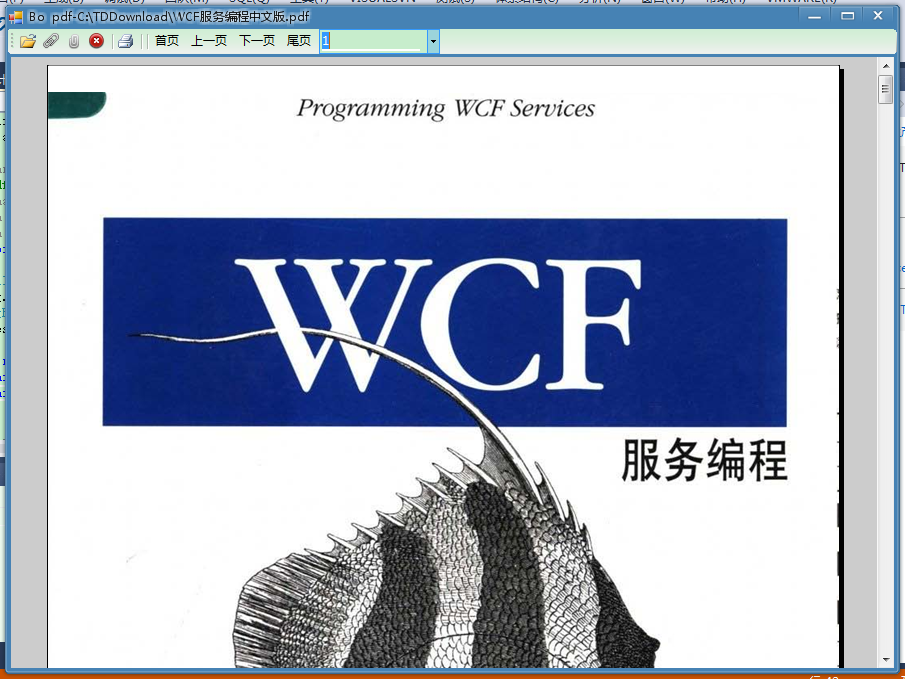
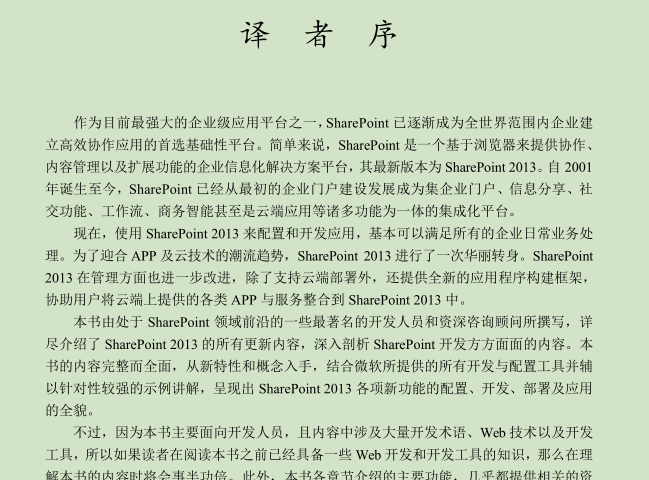
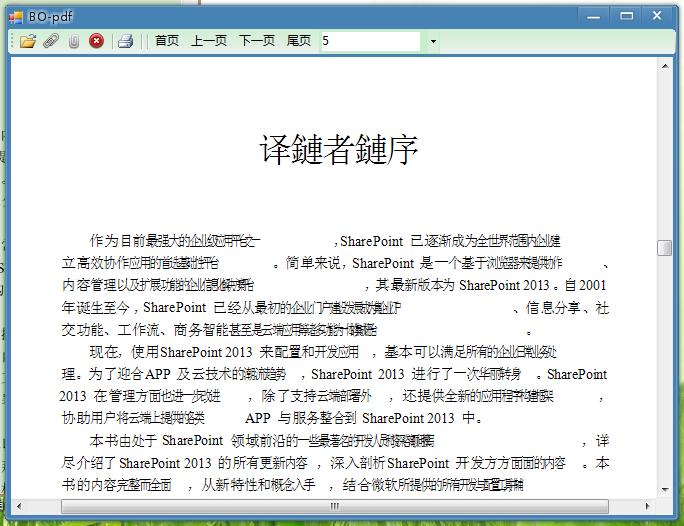
缺点:经过无数个文档加载测试发现某些pdf文档加载问题,如下
某pdf软件加载某文档
Spire.PdfViewer加载的某文档
源码下载:http://download.csdn.net/detail/oyipiantian/8683459
c#pdf查看器的更多相关文章
- Zathura: 轻巧好用的 PDF 查看器]
[Zathura: 轻巧好用的 PDF 查看器](https://linuxtoy.org/archives/zathura.html) 这个文件很轻巧,且支持VIM方式的 快捷键
- 在web项目中集成pdf.js的默认查看器
pdf.jsMozilla开源的一项用于在HTML5平台上显示pdf文档的技术,Mozilla自己的Firefox浏览器也用了pdf.js来预览pdf,可见应该是一个比较成熟稳定的方案(btw,chr ...
- 关于linux上pdf阅读器
今天也是倒腾linux 上pdf阅读器好久. 1.okular是挺好的,但是却太大了,好多功能,我没有细看.我简单的打开了几个pdf文件,发现加载速度还是太慢了.所以基于种种,我给卸载掉了. 安装直接 ...
- AFL++初探-手把手Fuzz一个PDF解析器
CVE-2019-13288 目前漏洞在正式版本已经被修复,本文章仅供学习Fuzz过程,不存在漏洞利用的内容 这是一个pdf查看器的漏洞,可能通过精心制作的文件导致无限递归,由于程序中每个被调用的函数 ...
- CentOS6.4下使用默认的文档查看器打开PDF文档乱码的解决方案
最近在CentOS6.4下使用其默认的文档查看器打开PDF文档时出现乱码的方块,有两种方法可以解决. 方法一:修改/etc/fonts/conf.d/49-sansserif.conf文件,如 ...
- Linux下pdf阅读器推荐
由于需要在pdf文件上做标记,所以自带的文档查看器根本满足了需求,之前去网上查了查,Okular评价挺高,就安装了一个,确实能基本满足我的需求,但是 1.界面感觉还是不太友好,书签栏一直在那. 2.而 ...
- 用Qt写软件系列二:QCookieViewer(浏览器Cookie查看器)
预备 继上篇<浏览器缓存查看器QCacheViewer>之后,本篇开始QCookieViewer的编写.Cookie技术作为网站收集用户隐私信息.分析用户偏好的一种手段,广泛应用于各大网站 ...
- Ubuntu下好的PDF阅读器介绍
我们经常要学习,看论文,如果有好的PDF阅读器,可以做笔记,对以后查看和记忆是有帮助的 这里推荐用:okular 这里是基本操作哦 1: 安装 sudo apt-get install okular ...
- angularjs1 自定义图片查看器(可旋转、放大、缩小、拖拽)
笔记: angularjs1 制作自定义图片查看器(可旋转.放大.缩小.拖拽) 2018-01-12 更新 可以在我的博客 查看我 已经封装好的 纯 js写的图片查看器插件 博客链接 懒得把 ...
随机推荐
- mysql in查询排序问题
SQL: select * from table where id IN (3,6,9,1,2,5,8,7); 这样的情况取出来后,其实,id还是按1,2,3,4,5,6,7,8,9,排序的,但如果我 ...
- java中生成流水号的一个例子(使用关系型数据库)
在实际的开发中,可能会有根据一定的规则生成流水号的需求(比如根据根据公司编码和日期生成4位流水号)我们可以把公司和日期联合起来作为一个业务编码,把这个业务编码和序列的值存储到数据库中,每次需要生成流水 ...
- Python老王视频习题答案
基础篇2:一切变量都是数据对象的引用sys.getrefcount('test') 查看引用计数变量命名不能以数字开头编码:ascii.unicode.utf-81.阅读str对象的help文档,并解 ...
- Code Forces 652D Nested Segments(离散化+树状数组)
Nested Segments time limit per test 2 seconds memory limit per test 256 megabytes input standard in ...
- 解决Android中ListView列表只显示一项数据的问题
思路:获取每项item的高度,并相加,再加上分割线的高度,作为整个ListView的高度,方法如下: public static void setListViewHeightBasedOnChildr ...
- 转载:Linux内核调试方法
转载文章请注明作者和二维码及全文信息. 转自:http://blog.csdn.net/swingwang/article/details/72331196 不会编程的程序员,不是好的架构师,编程和内 ...
- 控制HttpContext为null
直接new一个 HttpContextBase _HttpContext= new HttpContextWrapper(System.Web.HttpContext.Current);
- 【转发】Python使用openpyxl读写excel文件
Python使用openpyxl读写excel文件 这是一个第三方库,可以处理xlsx格式的Excel文件.pip install openpyxl安装.如果使用Aanconda,应该自带了. 读取E ...
- PAT 1031 Hello World for U[一般]
1031 Hello World for U (20 分) Given any string of N (≥5) characters, you are asked to form the chara ...
- PAT 1135 Is It A Red-Black Tree[难]
1135 Is It A Red-Black Tree (30 分) There is a kind of balanced binary search tree named red-black tr ...