
Vmware由于centos升级内核不可运行(C header files matching your running kernel were not found)的解决方案
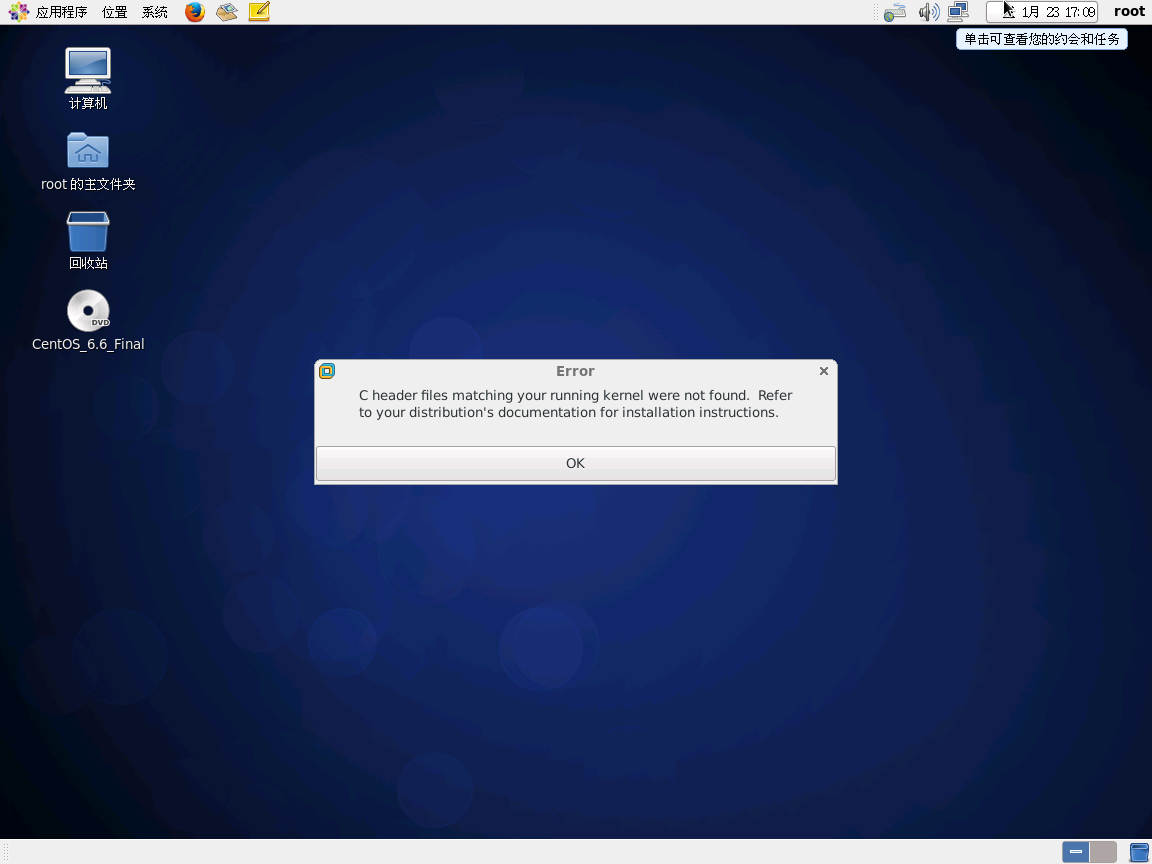
C header files matching your running kernel were not found. Refer to your distribution's documentation for installation instructions - NoH4cker - 博客园
http://www.cnblogs.com/NoH4cker/p/4840571.html
centos6 安装wmwaretools找不到kernel header - jiejnan - 博客园
http://www.cnblogs.com/jiejnan/archive/2012/06/25/2561219.html
上述两个方案比较清晰,分别针对Ubuntu和CentOS。
最终按照如下步骤:
https://blog.csdn.net/m0_38020436/article/details/80200041
yum --enablerepo=elrepo-kernel install kernel-lt -y

wget https://elrepo.org/linux/kernel/el6/x86_64/RPMS/kernel-lt-headers-4.4.172-1.el6.elrepo.x86_64.rpm
wget https://elrepo.org/linux/kernel/el6/x86_64/RPMS/kernel-lt-devel-4.4.172-1.el6.elrepo.x86_64.rpm
rpm -ivh kernel-lt-headers-4.4.172-1.el6.elrepo.x86_64.rpm

rpm -ivh kernel-lt-devel-4.4.172-1.el6.elrepo.x86_64.rpm
https://elrepo.org/linux/kernel/el6/x86_64/RPMS/
Centos内核升级的三种方法 - zengkefu - 博客园
http://www.cnblogs.com/zengkefu/p/5667145.html
ELRepo : kernel-ml
http://elrepo.org/tiki/kernel-ml
centos7下安装vmware 出现C header files matching your running kernel were not found. - jcxch的专栏 - CSDN博客
https://blog.csdn.net/jcxch/article/details/48857741
fedora17下安装VMware(失败) - 02xiaoma - 博客园
http://www.cnblogs.com/02xiaoma/archive/2013/04/12/3016895.html
vmware c header files - CentOS
https://www.centos.org/forums/viewtopic.php?t=55193
Linux: VMware Tools Installation Error
http://blog.secaserver.com/2011/09/linux-vmware-tools-installation-error/
Vmware由于centos升级内核不可运行(C header files matching your running kernel were not found)的解决方案的更多相关文章
- 干货,分享一次完整的CentOS升级内核脚本。
一.安装常用包 yum install wget vim screen net-tools lrzsz -y wget -O /etc/yum.repos.d/epel.repo http://mir ...
- CentOS 升级内核
因为要安装go,尝试升级内核到 2.6.32.61,出现了一些问题,参考如下文档,多谢各位 http://liaozy.blog.51cto.com/921527/553921 http://www. ...
- openstack、kvm CentOS升级内核
openstack平台需要使用各种Linux发行版镜像,其制作方法主要有两种,要么是基于各大Linux发行版ISO光盘手动制作,要么是使用官方提供的制作好镜像进行修改 问题 FATAL: Module ...
- centos 升级内核方法
方法1:rpm安装方式 rpm安装包可以通过这个网站下载: 这个是CentOS6 x64 : http://elrepo.org/linux/kernel/el6/x86_64/RPMS/ 这个是Ce ...
- centos 升级内核并安装对应kernel-devel
内核包使用ELReo提供 1.准备ELRepo (1)检测ELRepo是否安装 yum --disablerepo="*" --enablerepo="elrepo-ke ...
- Centos升级内核 --已验证
Docekr 对内核由要求,3.10以上 Centos 6.5内核达不到要求 [linux@localhost Desktop]$ sudo service docker statusdocker d ...
- CentOS升级内核的方法
升级前的内核版本为:2.6.32-431.el6.x86_64 升级后的内核版本为:3.10.101-1.el6.elrepo.x86_64 升级方法: 1.导入key rpm --import ht ...
- CentOS升级内核方法
查询现在系统的kernel安装包:rpm -qa |grep kernel 删除不用的内核安装包:rpm -e xxx centos 6升级:https://blog.csdn.net/wh21121 ...
- centos 升级内核失败回救
在升级 centos6.3上使用, yum -y update ... 灾难出现了!!! 解决方法: 1. 在机器启动的时候, 按F1, 会出现选择内核,选一个原来的. 2. vim /etc/gr ...
随机推荐
- 【PAT】B1008 数组元素循环右移问题
猥琐方法 直接分成两部分输出数组元素,注意空格的问题 #include<stdio.h> int arr[101]; void Priarr(int a,int b){ if(a<= ...
- python——虚拟环境之virtualenvwrapper-win(windows10,64位)
1 问题描述 当M个项目需要N个版本的python环境配置时(M>N)时,我们没有必要对每个项目都创建一个虚拟环境,只需要创建N个虚拟环境即可.这样节省了大量存储空间(特别是当M远大于N时).但 ...
- SAP事物代码
事物代码是SAP进入特定功能的快捷命令,如事物代码VA01能快速进入创建销售订单的页面,要浏览当前页面的事物代码,在状态栏右下角可以查看 快速导航事物代码 这类事物代码将功能相似的事物代码组合在一起, ...
- 关于hightcharts如何在同一HTML画两个及以上图形问题
---恢复内容开始--- 写这篇博文也是因为做图表展示时被在同一网页上展示两个饼图难住,关键点在于views,py文件里面的render()函数,对于这个函数有三个参数: request----默认参 ...
- Thread.currentThread()和this的区别——《Java多线程编程核心技术》
前言:在阅读<Java多线程编程核心技术>过程中,对书中程序代码Thread.currentThread()与this的区别有点混淆,这里记录下来,加深印象与理解. 具体代码如下: pub ...
- 配置数据库方言——hibernate
RDBMS 方言 DB2 org.hibernate.dialect.DB2Dialect DB2 AS/400 org.hibernate.dialect.DB2400Dialect DB2 OS3 ...
- 6.03-news_xpath2
import re import requests # 安装支持 解析html和XML的解析库 lxml # pip install lxml from lxml import etree url = ...
- @property和@score.setter的用法
@property 把属性装饰成get方法 给属性赋值时,会自动调用@property装饰的方法 只设置属性的@property 时,属性为只读 @score.setter 把属性装饰成set方法 给 ...
- ROS 创建服务和请求
教程 维基 http://wiki.ros.org/cn/ROS/Tutorials 快速过程 创建包 $ cd ~/catkin_ws $ mkdir ~/catkin_ws/src $ cd ~/ ...
- GT常见问题
1.需要root? 大部分核心功能都需要root权限.需要root的功能有:FPS.Mem Assistant.Logcat日志.抓包.流畅度获取(未开放). 2.root工具总弹出提示框要确认roo ...