
VS Code windows系统C/C++环境配置_添加路径
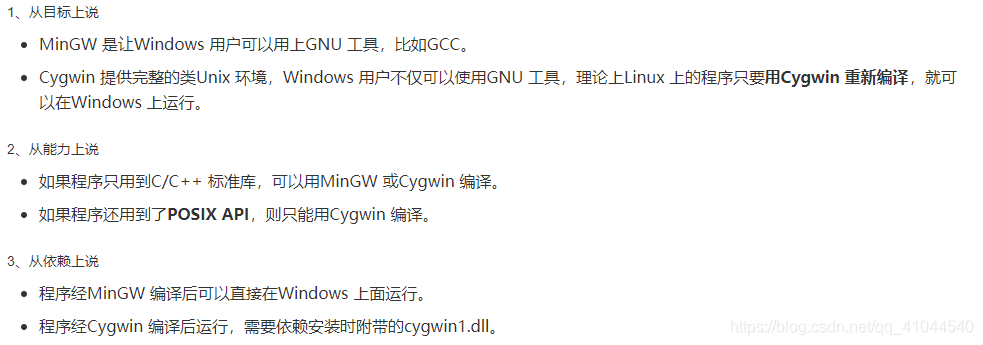
1.安装cygwin
2.配置VS Code
按ctrl + shift + p ,选择  c/c++:Edit configuration(json)

{

    "configurations": [

        {

            "name": "Win32",

            "includePath": [

                "${default}",

                "${workspaceFolder}/**"

            ],

            "defines": [

                "_DEBUG",

                "UNICODE",

                "_UNICODE"

            ],

            "windowsSdkVersion": "8.1",

            "cStandard": "c17",

            "cppStandard": "c++17",

            "intelliSenseMode": "gcc-x64",

            "configurationProvider": "ms-vscode.cmake-tools",

            "compilerPath": "C:/cygwin64/bin/g++.exe",

            "compileCommands": "${workspaceFolder}/build/compile_commands.json"

        }

    ],

    "version": 4

}
launch.json
{

    "version": "0.2.0",

    "configurations": [

        {

            "name": "(Windows) 启动",

            "type": "cppvsdbg",

            "request": "launch",

            "program": "${workspaceFolder}/build/usehello.exe",

            "args": [],

            "stopAtEntry": false,

            "cwd": "${fileDirname}",

            "environment": [],

            //"console": "externalTerminal"

        }

    ]

}
tasks.json
{

    "tasks": [

        {

            "type": "cppbuild",

            "label": "C/C++: g++.exe build active file",

            "command": "C:\\cygwin64\\bin\\g++.exe",

            "args": [

                "-g",

                "${workspaceFolder}/*.cpp",

                "-o",

                "${fileDirname}\\${fileBasenameNoExtension}.exe"

            ],

            "options": {

                "cwd": "C:\\cygwin64\\bin,${fileDirname}",

            },

            "problemMatcher": [

                "$gcc"

            ],

            "group": {

                "kind": "build",

                "isDefault": true

            },

            "detail": "Generated task by Debugger"

        }

    ],

    "version": "2.0.0"

}
工程目录
main.c
CMakeLists.txt
src
{
hello.c
CMakeLists.txt
}
inc
{
hello.h
}
main.c
#include "hello_tast.h"

int main ( int argc, char** argv )

{

	hello_fun();

	return 0;

}
CMakeLists.txt
cmake_minimum_required(VERSION 2.8)

PROJECT( usehello )

INCLUDE_DIRECTORIES(include)

ADD_SUBDIRECTORY(src bin)

add_executable( usehello main.cpp )

target_link_libraries( usehello hello)
hello_task.cpp
#include "hello_tast.h"

#include <iostream>

using namespace std;

void hello_fun ( void )

{

	cout << " hello_test " << endl;

}
CMakeLists.txt
SET( LIBHELLO_SRC hello_tast.cpp )

ADD_LIBRARY( hello SHARED ${LIBHELLO_SRC} )

INCLUDE_DIRECTORIES(../include)
hello_task.h
#ifndef HELLO_H

#define HELLO_H

#include <stdio.h>

void hello_fun( void );

#endif
VS Code windows系统C/C++环境配置_添加路径的更多相关文章
- Windows系统下pthread环境配置
记录下win7系统,vc6.0++编译器下配置POSIX多线程环境的步骤. 配置 下载地址 ftp://sourceware.org/pub/pthreads-win32/ 我下载的版本是 fpthr ...
- Windows Server2008 R2 MVC 环境配置
*:first-child { margin-top: 0 !important; } body>*:last-child { margin-bottom: 0 !important; } /* ...
- CentOS(六)--Linux系统的网络环境配置
Linux系统下的网络环境配置,Linux.Unix就是网络的世界,所以在Linux系统中如何配置网络环境变量是至关重要的,这里将会给出3种Linux系统下网络环境配置的方法! 在配置网络环境之前,首 ...
- Metabase在Windows下的开发环境配置
Metabase在Windows下的开发环境配置 */--> pre.src {background-color: #292b2e; color: #b2b2b2;} Metabase在Wind ...
- 第一篇 Windows 8 开发Windows Metro style app环境配置
半 饱问 题 到 我 这 里 为 止! 第一篇 Windows 8 开发Windows Metro style app环境配置 2012-09-24 08:24 by 半饱, 1289 阅读, 3 ...
- 【Objective-C】Windows下Objective-C开发环境配置
[Objective-C]Windows下Objective-C开发环境配置 ftp://ftpmain.gnustep.org/pub/gnustep/binaries/windows/ 最近打 ...
- windows下spark开发环境配置
http://www.cnblogs.com/davidwang456/p/5032766.html windows下spark开发环境配置 --本篇随笔由同事葛同学提供. windows下spark ...
- windows下apache+https环境配置
windows下apache+https环境配置 转 https://www.cnblogs.com/sandaizi/p/7519370.html 1.修改配置文件conf/httpd.conf,去 ...
- Windows系统下的adb 配置
1.将附件中的adb_tools.rar文件下载到电脑上,并解压.(注意:其路径尽量避免带有中文字符) 2.右键点击“计算机”->“属性”->“高级系统设置”->“高级”->“ ...
- Windows下Go安装&环境配置&编译运行
Go下载安装 官方Go下载站点:https://golang.google.cn/ 也可以选择:https://studygolang.com/dl 配置环境变量 常用环境变量 GOROOT GORO ...
随机推荐
- 谷歌、微软、Meta?谁才是 Python 最大的金主?
你知道维护 Python 这个大规模的开源项目,每年需要多少资金吗? 答案是:约 200 万美元! PSF(Python 软件基金会)在 2022 年 6 月发布了 2021 的年度报告,其中披露了以 ...
- Winform控件绑定数据
目录 简介 绑定基类 功能扩展 简单控件绑定 列表控件绑定 绑定BindingList集合 绑定DataTable表格 绑定BindingSource源 表格控件绑定 绑定DataTable 绑定Bi ...
- C++ 动态规划:一维动态规划,背包问题,区间动态规划
C++ 动态规划 动态规划的定义 动态规划(Dynamic Programming,DP)是运筹学的一个分支,是求解决策过程最优化的过程.动态规划是一种在数学.管理科学.计算机科学.经济学和生物信息学 ...
- 是时候考虑升级 JDK 17 了
Spring,作为 Java EE 的事实规范,在2022年11月16日发布了最新的 6.0.0 GA 版本.这个版本是框架后续新生代的初始版本,拥抱持续创新的 OpenJDK 和 Java 生态.新 ...
- 如何使用虚拟机下载和安装Centos
首先先下载虚拟机进行安装我这里使用的是 VMware Workstation Player 当前版本为16.这个是免费使用的可以不需要许可证就能长期使用了 官网VMware Workstation P ...
- SerialException:Cannot configure port something went wrong
完整报错 SerialException:Cannot configure port something went wrong, Original message: OSError(22, '参数错误 ...
- Blazor和Vue对比学习(进阶.路由导航一):基本使用
Blazor和Vue都是单文件组件SPA,路由的实现逻辑非常相似,页面路径的改变都是组件的切换,但因为各自语言的特性,在实现方式上有较大差异. 一.安装 1.Vue:Router是Vue的一个插件.如 ...
- 【论文解读】NIPS 2021-HSWA: Hierarchical Semantic-Visual Adaption for Zero-Shot Learning.(基于层次适应的零样本学习)
作者:陈使明 华中科技大学
- Go 每日一库之 go-carbon,优雅的golang日期时间处理库
Carbon 是一个轻量级.语义化.对开发者友好的 golang 时间处理库,支持链式调用. Carbon 已被 awesome-go 收录, 如果您觉得不错,请给个 star 吧. github.c ...
- python 之将xmind转为excel用例文件
1.xmind文件模板如下所示(最后一个子级为预置条件) 2.excel用例模板 3.获取xmind文件数据并转成字典形式 from xmindparser import xmind_to_dict ...