
16_点击事件第三种写法_activity实现接口
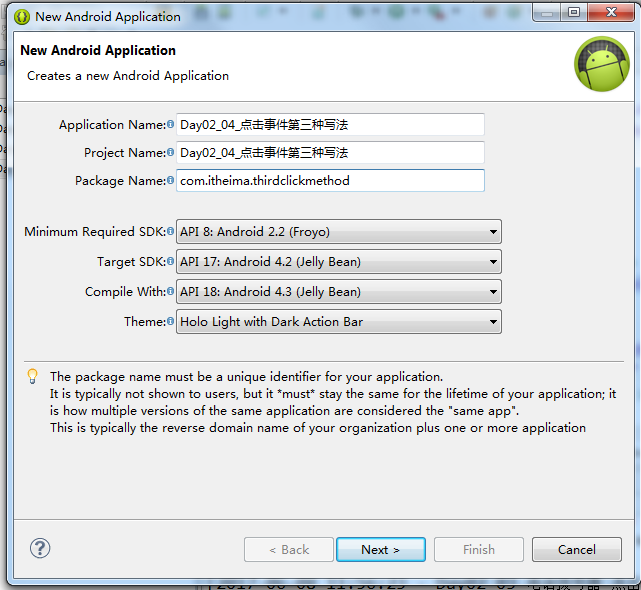
第一种写法是有名内部类,第二种写法是匿名内部类,第三种写法是MainActivity实现接口OnClickListener.直接让MainActivity实现了OnClickListener这个接口。
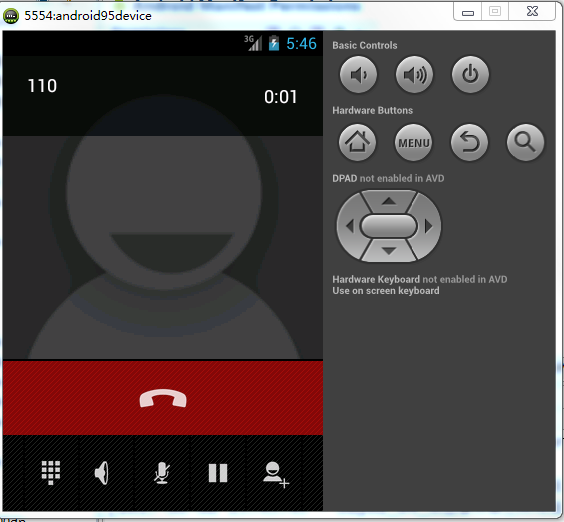
用当前的MainActivity来实现这个接口.这种实现方式要在点击事件里面区分究竟是哪一个按钮被点了.
public void onClick(View v) {
哪一个控件被点击,这个控件就会被作为参数传进来.
v.getId()
拿到这个控件对应的具体的id是啥.由于每个控件的id都不一样,由于每个控件它的id都不一样.咱们就可以通过这个id进行区分.就可以知道是哪一个按钮被点击了。
package com.itheima.thirdclickmethod;

import android.net.Uri;

import android.os.Bundle;

import android.app.Activity;

import android.content.Intent;

import android.text.TextUtils;

import android.view.Menu;

import android.view.View;

import android.view.View.OnClickListener;

import android.widget.Button;

import android.widget.EditText;

import android.widget.Toast;

public class MainActivity extends Activity implements OnClickListener{

    private EditText et_number;

    @Override

    protected void onCreate(Bundle savedInstanceState) {

        super.onCreate(savedInstanceState);

        //把布局文件加载到界面上

        setContentView(R.layout.activity_main);

        et_number = (EditText) findViewById(R.id.editText1);

        Button btn_call = (Button) findViewById(R.id.button1);

        Button btn2 = (Button) findViewById(R.id.button2);

        Button btn3 = (Button) findViewById(R.id.button3);

        btn_call.setOnClickListener(this);

        btn2.setOnClickListener(this);

        btn3.setOnClickListener(this);

    }

    @Override

    public boolean onCreateOptionsMenu(Menu menu) {

        // Inflate the menu; this adds items to the action bar if it is present.

        getMenuInflater().inflate(R.menu.main, menu);

        return true;

    }

    @Override

    public void onClick(View v) {

        // TODO Auto-generated method stub

        //View v 参数  当控件被点击的时候  被点击的对象就会作为参数传进来  可以通过控件的id进行区分

        int id = v.getId();//

        switch (id) {

        case R.id.button1:

            String number = et_number.getText().toString().trim();

            if(TextUtils.isEmpty(number)){

                Toast.makeText(this, "输入不能为空", Toast.LENGTH_SHORT).show();

            }else{

                Intent intent = new Intent();

                intent.setAction(Intent.ACTION_CALL);

                intent.setData(Uri.parse("tel:"+number));

                startActivity(intent);//通过这个意图开启打电话的界面

            }

            break;

        case R.id.button2:

            Toast.makeText(this, "按钮2被点击", Toast.LENGTH_SHORT).show();

            break;

        case R.id.button3:

            Toast.makeText(this, "按钮3被点击", Toast.LENGTH_SHORT).show();

            break;

        default:

            break;

        }

    }

}
<RelativeLayout xmlns:android="http://schemas.android.com/apk/res/android"

    xmlns:tools="http://schemas.android.com/tools"

    android:layout_width="match_parent"

    android:layout_height="match_parent"

    android:paddingBottom="@dimen/activity_vertical_margin"

    android:paddingLeft="@dimen/activity_horizontal_margin"

    android:paddingRight="@dimen/activity_horizontal_margin"

    android:paddingTop="@dimen/activity_vertical_margin"

    tools:context=".MainActivity" >

    <TextView

        android:id="@+id/textView1"

        android:layout_width="wrap_content"

        android:layout_height="wrap_content"

        android:text="请输入电话" />

    <EditText

        android:id="@+id/editText1"

        android:layout_width="wrap_content"

        android:layout_height="wrap_content"

        android:layout_alignLeft="@+id/textView1"

        android:layout_below="@+id/textView1"

        android:layout_marginTop="14dp"

        android:hint="在此输入电话"

        android:ems="10" >

        <requestFocus />

    </EditText>

    <Button

        android:id="@+id/button1"

        android:layout_width="wrap_content"

        android:layout_height="wrap_content"

        android:layout_alignLeft="@+id/editText1"

        android:layout_below="@+id/editText1"

        android:layout_marginTop="22dp"

        android:text="拨打此号码" />

    <Button

        android:id="@+id/button2"

        android:layout_width="wrap_content"

        android:layout_height="wrap_content"

        android:layout_alignRight="@+id/button1"

        android:layout_below="@+id/button1"

        android:layout_marginTop="24dp"

        android:text="Button2" />

    <Button

        android:id="@+id/button3"

        android:layout_width="wrap_content"

        android:layout_height="wrap_content"

        android:layout_alignLeft="@+id/button2"

        android:layout_below="@+id/button2"

        android:layout_marginTop="29dp"

        android:text="Button3" />

</RelativeLayout>
<?xml version="1.0" encoding="utf-8"?>

<manifest xmlns:android="http://schemas.android.com/apk/res/android"

    package="com.itheima.thirdclickmethod"

    android:versionCode="1"

    android:versionName="1.0" >

    <uses-sdk

        android:minSdkVersion="8"

        android:targetSdkVersion="17" />

    <uses-permission android:name="android.permission.CALL_PHONE"/>

    <application

        android:allowBackup="true"

        android:icon="@drawable/ic_launcher"

        android:label="@string/app_name"

        android:theme="@style/AppTheme" >

        <activity

            android:name="com.itheima.thirdclickmethod.MainActivity"

            android:label="@string/app_name" >

            <intent-filter>

                <action android:name="android.intent.action.MAIN" />

                <category android:name="android.intent.category.LAUNCHER" />

            </intent-filter>

        </activity>

    </application>

</manifest>
16_点击事件第三种写法_activity实现接口的更多相关文章
- (转)Ext.Button点击事件的三种写法
转自:http://maidini.blog.163.com/blog/static/377627042008111061844345/ ExtJs的写法太灵活了,现在收集了关于Button点击事件的 ...
- JavaScript 点击事件的三种写法
嵌入式 <button οnclick='alert("hello")'>点击按钮</button> 脚本模型 btn.onclick=function() ...
- jquery绑定点击事件的三种写法
一.用jquery动态绑定点击事件的写法 部分代码: <script type="text/javascript"> $(document).ready(functio ...
- Android journey3 @点击事件的4种写法
对于android布局中的控件,如Button等会有相应的点击事件去响应它所需要的功能,今天我们就以电话拨号器的代码说明下几种点击事件: package com.itheima.phone; impo ...
- Android中点击事件的四种写法详解
Android中点击事件的四种写法 使用内部类实现点击事件 使用匿名内部类实现点击事件 让MainActivity实现View.OnClickListener接口 通过布局文件中控件的属性 第一种方法 ...
- 无废话Android之常见adb指令、电话拨号器、点击事件的4种写法、短信发送器、Android 中各种布局(1)
1.Android是什么 手机设备的软件栈,包括一个完整的操作系统.中间件.关键的应用程序,底层是linux内核,安全管理.内存管理.进程管理.电源管理.硬件驱动 2.Dalvik VM 和 JVM ...
- Android笔记---点击事件的四种写法
Android 点击事件的四种写法: 1. 以内部类的形式实现 OnClickListener 接口.定义点击事件 class MainActivity extents Activity{ // .. ...
- 17_点击事件第四种写法_布局文件添加onclick属性
尽量不要用第四种点击事件的写法.在一万多行代码中发现了一个没被调用的代码 public void call(View v){//第四种写法参数一定是View v //public void call( ...
- [Android] 点击事件的四种写法
点击事件的必备条件:实现OnClickListener接口,重写onclick(View v)方法 以拨号简单案例为例,如下图效果: 逻辑流程: 获取点击对象,获取数据 给对象设置监听类 实现OnCl ...
随机推荐
- mysql主从复制(windows下)
简单搭建mysql主从服务器(双向复制),仅供学习之用. 1.下载mysql-advanced-5.6.16-winx64.zip 下载完成后解压,重命名成mysql,分别放入两台服务器(看第二点集群 ...
- 第三篇、javascript整数和字符串
一.整数 JavaScript中不区分整数值和浮点数值,JavaScript中所有数字均用浮点数值表示. 转换: parseInt(..) 将某值转换成数字,不成功则NaN parseFloat ...
- vim 的visual可视模式
一,在普通模式下面可以按v或者V进入可视模式下,选择内容: v 可以选择光标位置到光标结束的字符,包括行: V 选择光标位置行到光标结束的所在行的之间的所有行,选择的是个矩形: CTRL+v 选择块:
- Spring Cloud之统一fallback接口
每个方法都配备一个fallback方法 不利于开发的 用类的方式 并且整个方法都是在同一个线程池里面的 主要对于client的修改: pom: <project xmlns="http ...
- Java JDK环境配置及说明
一.Java程序运行机制 Java语言编写的程序需要经过编译生成与平台无关的字节码(.class文件). 这种字节码必须使用Java解释器(JVM)来解释执行. JVM是可运行Java字节码文件的虚拟 ...
- Oracle的基本操作
一.ORACLE的启动和关闭 1.在单机环境下 要想启动或关闭ORACLE系统必须首先切换到ORACLE用户,如下 su - oracle a.启动ORACLE系统 oracle>svrmgrl ...
- 大话设计模式--状态模式 State -- C++实现实例
1.状态模式: 当一个对象的内在状态改变时,允许改变其行为,这个对象看起来就像是改变了其类. 状态模式解决的是当控制一个对象状态转换的条件表达式过于复杂, 把状态的判断逻辑转移到表示不同状态的一系列类 ...
- 带SoapHeader验证的WebServices
一般在项目中,制作的都是基于SOAP协议的webservices,其描述语言是WSDL.但是有时候在项目中,需要保证webservices的安全,需要对其进行进行验证,那么我们就要实现SoapHead ...
- python基础-循环语句for\嵌套循环
for循环格式: for index in range(0,3):#等同于range(3),取0\1\2 print(index) index = 0 starnames = ['xr1','xr2' ...
- PHP之冒泡排序的优化
冒泡排序是一个常见的排序算法,它重复地走访过要排序的数列,一次比较两个元素,如果他们的顺序错误就把他们交换过来.走访数列的工作是重复地进行直到没有再需要交换,也就是说该数列已经排序完成. 对于冒泡排序 ...