
HearthBuddy炉石兄弟 如何调试ai
Sepefeets's update to botmaker's Silverfish AI
This AI is a Custom Class for Hearthranger and Hearthbuddy which intends to simulate all possible turn actions and select the best.
Official Threads:
- http://www.hearthranger.com/forum/yaf_postst7352_Sepefeets-Silverfish-update--WotOG.aspx
- https://www.thebuddyforum.com/hearthbuddy-forum/community-developer-forum/249423-sepefeets-silverfish-update-wotog.html
build instructions:
- If you plan to do any significant work I recommend using linkshellextension to create junctions instead of actual copies of the "ai" + "cards" + "Penalties"
Hearthbuddy:
- copy the "ai" + "cards" + "Penalties" folders to the "HrtBddy" folder, then create a project out of everything in the "HrtBddy" folder
- add references for Hearthbuddy.exe and all the DLL's that come with it
- go to Project -> Properties -> Application and set target framework to .NET Framework 4.5
- go to Project -> Properties -> Build -> Advanced and set language version to C# 5.0 for HB compatibility
- build it however you want just to test that it does build but HB uses the source files not a binary
- there might be some errors I can't fix (I don't own HB), if you know how to fix it then let me know or submit a PR
- build Silver.exe too
Silver.exe:
- copy the "ai" + "cards" + "Penalties" folders to the "external process" folder, then create a project out of everything in the "external process"
- go to Project -> Properties -> Application and set target framework to .NET Framework 4.5
- go to Project -> Properties -> Build -> Advanced and set language version to C# 5.0 for HB compatibility
- build it as Release x86 for performance or Debug x86 for debugging, and copy the _cardDB.txt file to the bin\Release and bin\Debug folders
How to simulate boards with silver.exe:
- create a "test.txt" file in the same folder as silver.exe
- copy your current board, like
#######################################################################

start calculations, current time: 00:00:00:0000 V116.27 control 5000 face 15 twoturnsim 1000 ntss 6 16 160 playaround 50 80 ets 16 ets2 160 ents 16 secret

#######################################################################

mana 3/10

emana 10

own secretsCount: 0

enemy secretsCount: 0 ;

player:

1 2 0 1 0 0 0 0 0

0 0 0 0 0 0 0 0 0 0 0

ownhero:

priest 27 30 0 False False 4 True 0 False 0 0

weapon: 0 0 unknown

ability: True CS1h_001 3

osecrets:

enemyhero:

warrior 15 30 35 False False 36

weapon: 0 0 unknown

ability: True AT_132_WARRIOR 0

fatigue: 9 0 7 0

OwnMinions:

twilightguardian AT_017 zp:1 e:212 A:4 H:10 mH:10 rdy:False natt:0 ex ptt spllpwr(1)

EnemyMinions:

boombot GVG_110t zp:1 e:184 A:1 H:1 mH:1 rdy:True natt:0 ex

Own Handcards:

pos 1 arcaneintellect 3 entity 9 CS2_023 0 0

Enemy cards: 4

ownDiedMinions:

enemyDiedMinions:

og: 169,2;1152,1;248,2;246,2;251,1;557,2;1150,2;209,2;430,2;642,1;372,1;1010,2;371,1;701,2;

eg: 995,1;708,1;429,2;740,2;495,1;514,1;648,2;333,1;241,2;516,2;1218,1;188,2;749,2;
it will then calculate this board and print the first 100 best boards (sorted from best to worst) and simulate the whole turn of the best one.
if you add "test" to the first line:
#######################################################################test

start calculations, current time: 00:00:00:0000 V116.27 control 5000 face 15 twoturnsim 1000 ntss 6 16 160 playaround 50 80 ets 16 ets2 160 ents 16 secret

#######################################################################

...
you can input the index of the displayed boards to simulate the whole turn of this board (indexes are be displayed in the list of the first 100 best boards)
DefaultRoutine.cs文件来自 https://github.com/ChuckForkHearthBuddy/silverfish/blob/doomsayer%2BgetPlayfieldValue/HrtBddy/DefaultRoutine_nH.cs
How to install:
(- make a copy of the original defaultroutine-folder (but don save it in routines folder))
- delete the DefaultRoutine folder in Hearthbuddy/Routines
- extract the stuff inside the DefaultRoutine_nH.zip to that Hearthbuddy/Routines folder
(if you did it correctly you will have a Hearthbuddy/Routines/DefaultRoutine/Silverfish - folder)

https://www.thebuddyforum.com/threads/custom-deck-silverfish-ai.170312/
... also known as "Ultimate Ai"
Hi, im Botmaker (reorder the chars in my username ;P) and i present you the (ultimate)
Silverfish-AI
(i will use "uai" as a abbreviations in most cases)
This ai should be able to handle most decks, with an acceptable winrate.
How it works:
the ai simulates (almost) every possible combination of actions, which you are able to do in your current turn.
it gave every simulated board a value, and chooses the moves which leads to this board.
Download:
https://github.com/noHero123/silverfish/blob/master/HrtBddy/Silverfish/Silverfish.zip?raw=truee
or use https://github.com/noHero123/silverfish/trunk/HrtBddy for svn checkout
Install instructions:
Load the rar-file and copy the Silverfish-folder into the CustomDecks-folder
follow this guide:
http://i.imgur.com/yfhU9kT.png

If everything works well, you should show the two new custom decks in you dropdown list :
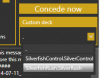
Then you can choose one of the two behaviors (Rush for rush-decks, Control for board-control decks)
in your Hearthbuddy.
Control will focus on clearing the board
Rush will focus on attacking the enemy directly
Note : This custom deck works for Hearthbuddy versions >= .82
Source:
https://github.com/noHero123/silverfish (the repo after the rewrite)
https://github.com/noHero123/HRCustomClasses (for Hearthbuddy release, look at HrtBddy folder)
Thanks to Hankerspace, who helped me to transfer this ai to hearthbuddy (i cant use hearthbuddy  )
)
Thanks to Hankerspace, who helped me to transfer this ai to hearthbuddy (i cant use hearthbuddy )
Howto Report bugs/missbehaviors:
Got to CustomDecks/Silverfish folder, there should be a folder-named "UltimateLogs", this is the place
Where the battle-logs are saved (each fight is stored in another logfile
(and a start/stop of the bot should also create a new one)),
Each log has the timestamp of the battle-begin and contains all the data to resimulate your turn, so im able to tweak the ai.
Please post them whether you report bugs (or i will ignore your
bugreports). (but if you are thinking, that you found a hearthbuddy-bug,
post the log from your hearthbuddy-window)
Dont know whether Tracking or Druid-choice-cards are working! please
test it, and if you are thinking that the ai did the wrong move please
post the log.
Sincerely
Botmaker
update v113.3:
https://www.thebuddyforum.com/heart...custom-deck-silverfish-ai-28.html#post1667060
update v112.4
- some tweaks with aoe-spells
- some other bugs
update v111.4
-some fixed (like better mana handling, give token-minions less value etc, full graveyard in log)
update v111.3:
- the use of the external process is turned off atm (next turn calculations are also turned off, to compensate the speedloss)
- silver.exe is deleted from hrtbuddy-svn-folder + zip
- some fixes
update v111:
- fixed some bugs
- added Enemy's response to your second turn simulation (default on (because of the next point))
- added external process (is used at default) will make the calculations more than 10 times faster!
YOU HAVE TO START IT MANUALLY (just start the Silver.exe in the CustomDecks\Silverfish\Data -folder and DONT CLOSE IT)
(i cant start external programms with the .cs-versions (atm))
update alpha 15:
- fixed bonus for killing minions that spawn other minions on death
- raised the value of every card from 1 to 5 (fixed the wasting of cards, whether they will buff a minion on your side )
- will not simulate the second turn, whether the enemy has lethal on that board
update alpha14:
- fixed board-comparison (will fix multiple use of the hero-power in one turn and other stuff)
update alpha13:
-tweaked multiturn simulation (new default value is 256) and the amount
of calculated second turn-boards is halved every recalculation
update alpha12:
-changed two turn simulation: it will now only simulate the 2. turn of
the 500(default) best boards. change the number by editing the .cs file:
change the number in the line:
Ai.Instance.setTwoTurnSimulation(false, 500);
(dont set it to high!!!!, set it to 0 to turn the second turn simulation off)
update alpha11:
-fixed shadow word pain
-fixed traps
update v110alpha10:
- rewrote a very big part of the ai
update v97:
- should not waste upgrade
- tweaked soulpriest
- lethal detection tweaks
- should not ignore bloodmage anymore
- tweaked mukla
- tweaked knifejuggler
- tweaked placing
- fixed manacalculations
update v94:
- fixed hero-power usage
- new option in advanced settings:
set the minimum probability for using the play-around-aoe-spells-feature:
simulation uses the enemy aoe-spells only, if the probability to have
this aoe-spell in hand is higher, than the given border (a value from
0-100) (default 40)
-fixed placement with 4 minions
update v93:
fixed 2 turn simulation
update v92 (delete the old files):
- fixed weblord + spectral knight (did this a week ago, but was overwritten due to the new database ;_
- should fix ancestral spirit
- fixed windfury
- fixed sylvanas
- fixed buffing spells (and target nothing)
- fixed iceblock detection
- fixed blessing of might
- fixed discard penalty
update v91:
-should work like charme
update v81:
-some fixes due to last update
-very small enemy-turn-sim-speedup
-will draw cards whether enemy has lethal
update v80:
-enemy turn simulation is a lil bit faster
-fixed stealth-issues
-little tweak in control-board-evaluation
update v79:
-some tweaks for warrior
update v77:
- updated _mulligan rules:
- you will not attack with an sword of justice.
- warrior should attack first, then armor up
- should not spawn mobs, that spawn another mobs, whether these "kids" have no place on field
- fixed return to hand (enemy draws now a card ;D (so ai knows that destroying > return to hand))
Edit:
if you want to change the two turn simulation you have to change the number of this line:
Ai.Instance.setTwoTurnSimulation(false, 256);
if you change it to
Ai.Instance.setTwoTurnSimulation(false 0);
the second turn simulation is turned off.-
to play around some aoe-spells, change:
bool playaround = false;
to
bool playaround = true;
(bot might be to carefull)
(they are only experimantal functions)
HearthBuddy炉石兄弟 如何调试ai的更多相关文章
- HearthBuddy炉石兄弟 Method 'Entity.GetRace' not found.
解决方案 namespace Triton.Game.Mapping{// Token: 0x020004A4 RID: 1188[Attribute38("Entity")]pu ...
- HearthBuddy炉石兄弟 格雷迈恩
getDecks(); 设置 private void getDecks() { Dictionary<string, int> tmpDeck = new Dictionary<s ...
- HearthBuddy炉石兄弟 Method 'CollectionDeckBoxVisual.IsValid' not found.
[CollectionManagerScene_COLLECTION] An exception occurred when calling CacheCustomDecks: System.Miss ...
- 炉石兄弟 修复图腾师问题 by大神beebee102, 还有阴燃电鳗
修复图腾师问题 beebee102 修复了先摇图腾再下图腾师的问题,另外加了阴燃电鳗的sim卡.在兄弟策略的模拟程序中测试了没问题,真机没有试过,麻烦吧友测试了回复一下.链接: [有效] http ...
- “分而治之”,一种AI和动画系统的架构
译者注:随着国内游戏研发水平的不断提高,对画面品质的不断提升,同时大量手游使用Unity和Unreal 4等成熟的工具开发,动作状态机已经不是什么陌生的概念了.我们在项目开发时也大量使用了动作状态机. ...
- HearthBuddy中_settings.txt的更详细参数解释
https://tieba.baidu.com/p/5275382967 默认的配置不是很合理,花了点时间读了下silverfish(也就是兄弟用的AI)的代码后也尝试修改了些参数,有没有效果仁者见仁 ...
- Playfield 类方法的注释
前言 本篇随笔的底包采用的是百度炉石兄弟吧20200109折腾版中自带的 routines 文件. 本次仅为绝大多数方法添加 xml 注释和简单解析,没有具体解析与重构. Playfield 类方法众 ...
- [.NET] ConfuserEx脱壳工具打包
[.NET] ConfuserEx脱壳工具打包 ConfuserEx 1.0.0脱壳步骤 Written by 今夕何夕[W.B.L.E. TeAm] 1.先用UnconfuserEx把 ...
- Windows用户如何安装cpolar内网穿透
概述 本教程适合于Windows用户,安装并使用cpolar工具. 什么是cpolar? cpolar是一个非常强大的内网穿透工具,开发调试的必备利器 它可以将本地内网服务器的HTTP.HTTPS.T ...
随机推荐
- vue学习(9)-路由守卫
全局守卫 你可以使用 router.beforeEach 注册一个全局前置守卫: const router = new VueRouter({ ... }) router.beforeEach(( ...
- Java和操作系统交互(Java 代码是怎么执行)(转)
结合 CPU 理解一行 Java 代码是怎么执行的 根据冯·诺依曼思想,计算机采用二进制作为数制基础,必须包含:运算器.控制器.存储设备,以及输入输出设备,如下图所示. 我们先来分析 CPU 的工作原 ...
- JPA中的复杂查询
JPQL全称Java Persistence Query Language 基于首次在EJB2.0中引入的EJB查询语言(EJB QL),Java持久化查询语言(JPQL)是一种可移植的查询语言,旨在 ...
- Django项目实战—分页
自定义分页 未封装版: 优点:直观 缺点:代码乱,不易维护,可拓展性差 data = [] for i in range(1, 302): tmp = {"id": i, &quo ...
- Mariadb多实例启动脚本
#!/bin/bash port=3306 mysql_user="root" mysql_pwd="centos" cmd_path="/app/m ...
- 推荐几款好用的Chrome插件
'工欲善其事,必先利其器'.优秀的开发者不仅体现在其在技术方面的精通,还体现在其对各种开发工具的充分了解与使用,这会让其开发效率事半功倍.作为一个前端开发者,平时主要是跟浏览器打交道,Chrome浏览 ...
- Hive启动报错Terminal initialization failed; falling back to unsupported java.lang.Incomp
这个报错需要删除hadoop目录下,需要删除下面目录下的文件,重启hadoop和hive即可 $HADOOP_HOME/share/hadoop/yarn/lib/jline-0.9.94.jar
- BZOJ 2049: [Sdoi2008]Cave 洞穴勘测 (LCT维护连通性)
直接把x设为根,然后查询y所在联通块的根是不是x就行了. CODE #include <cstdio> #include <cstring> #include <algo ...
- linux 下python进程查看及关闭
查看进程 ps -ef |grep python 关闭进程 kill -9 26879 其中26879为进程号. linux下后台执行某个python脚本 nohup python -u xxx.py ...
- 初学node node开发环境搭建 node模块化 commonJS原理
由于Node.js平台是在后端运行JavaScript代码,所以,必须首先在本机安装Node环境. 学习node,首先要装node,和它的包管理工具,这两个都是傻瓜式安装,百度一下就安装了. 安装完之 ...