
vue 纵向滑动模块
代码
<template>

  <div>

 <!-- 左侧的滑动模块 -->

         <div

          class="scroll-box"

          :style="{width: 410.7*screenWidth/1920+'px', height:730*screeHeight/1080+'px',top:130*screeHeight/1080+'px'}"

        >

          <div class="item" v-for="(item,index) of book" :key="index">

            <div

              class="boximg1"

              :style="{width: 410.7*screenWidth/1920+'px', height:208.45*screeHeight/1080+'px',marginTop:28.83*screeHeight/1080+'px'}"

            >

                <!-- <div

                  class="boximg3"

                  :style="{width: 166.92*screenWidth/1920+'px', height:208.45*screeHeight/1080+'px'}"

                >

                </div> -->

               <div class="text" :style="{top:25*screeHeight/1080+'px'}">{{item.dc}}</div>

            </div>

          </div>

        </div>

  </div>

</template>

<script>

export default {

  data() {

    return {

      screenWidth: 1000, //宽屏幕尺寸

      screeHeight: 1000,

      book: [

        {

          id: 1,

          zm: "A",

          dc: "A",

          dcfy: "ə",

          zwfy: "a字母",

          zwpy: "a",

          dctp: "图片",

          dcyp: "音频",

          fiex01: null,

          fiex02: null

        },

        {

          id: 2,

          zm: "A",

          dc: "Alligator",

          dcfy: "ˈælɪɡeɪtər",

          zwfy: "鳄鱼",

          zwpy: "è yú",

          dctp: null,

          dcyp: null,

          fiex01: null,

          fiex02: null

        },

        {

          id: 3,

          zm: "A",

          dc: "Ant",

          dcfy: "ænt",

          zwfy: "蚂蚁",

          zwpy: "mǎ yǐ",

          dctp: null,

          dcyp: null,

          fiex01: null,

          fiex02: null

        },

        {

          id: 4,

          zm: "A",

          dc: "Apple",

          dcfy: "ˈæpl",

          zwfy: "苹果",

          zwpy: "píng guǒ",

          dctp: null,

          dcyp: null,

          fiex01: null,

          fiex02: null

        }

      ]

    };

  },

  mounted() {

    //获取屏幕长宽

    (this.screenWidth = document.documentElement.clientWidth),

      (this.screeHeight = document.documentElement.clientHeight),

      (window.onresize = () => {

        //屏幕尺寸变化就重新赋值

        return (() => {

          this.screenWidth = document.documentElement.clientWidth;

          this.screeHeight = document.documentElement.clientHeight;

        })();

      });

  }

};

</script>

<!-- Add "scoped" attribute to limit CSS to this component only -->

<style scoped>

.scroll-box {

  /* 给父盒子设置相对定位 */

  position: relative;

  /* position: relative; */

  box-shadow: 0 0 5px 2px #25c985;

  text-align: center;

  white-space: nowrap;

  overflow-y: scroll;

  overflow-x: hidden;

  /* 让父盒子水平居中

  margin: 0 auto; */

}

/* 隐藏滚动条 */

   ::-webkit-scrollbar {

     width: 0 !important;

   }

   ::-webkit-scrollbar {

     width: 0 !important;height: 0;

   }

/* 横线滑动 */

/* .item {

  white-space: nowrap;

  display: inline-block;

} */

.boximg1 {

  /* 给父盒子设置相对定位 */

  position: relative;

  box-shadow: 0 0 0 1px #0f0b00;

  /* background: #f7aa05; */

  /* margin:0 20px */

  /* 边框圆角 */

  border-top-right-radius: 10px;

  border-top-left-radius: 10px;

  border-bottom-right-radius: 10px;

  border-bottom-left-radius: 10px;

}

.boximg3 {

  /* 给父盒子设置相对定位 */

  position: relative;

  display: flex;

  /* 给父盒子设置相对定位 */

  box-shadow: 0 0 0 2px #a09e9ee3;

  background: hsl(60, 9%, 98%);

  margin: 0 auto;

  /* margin:0 20px */

}

.text {

  /* 给父盒子设置相对定位 */

  position: relative;

  color: hsl(60, 9%, 98%);

  font-size: 20px;

  -webkit-text-stroke: 0.2px rgb(15, 15, 15);

}

</style>
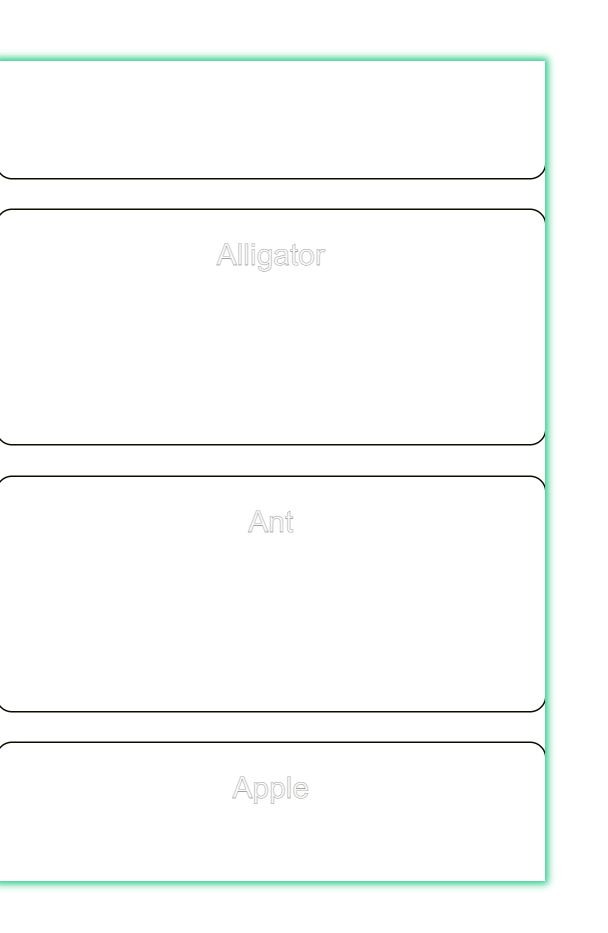
效果
vue 纵向滑动模块的更多相关文章
- 一个 Vue 的滑动按钮组件
git 地址:https://github.com/SyMind/vue-sliding-button vue-better-slider 一个 Vue 的滑动按钮组件,有关滑动方面的处理借鉴 bet ...
- 每天记录一点:NetCore获得配置文件 appsettings.json vue-router页面传值及接收值 详解webpack + vue + node 打造单页面(入门篇) 30分钟手把手教你学webpack实战 vue.js+webpack模块管理及组件开发
每天记录一点:NetCore获得配置文件 appsettings.json 用NetCore做项目如果用EF ORM在网上有很多的配置连接字符串,读取以及使用方法 由于很多朋友用的其他ORM如S ...
- vue 图片滑动登录
前言 最近在研究图片滑动解锁 登录,说是要用阿里的那个验证,但是还是想自己手写下这个Demo 效果图是这样的: 本来是想用canvas 来实现的,但是类,后来还想用css 和图片来代替canvas 其 ...
- vue使用swiper模块滑动时报错:[Intervention] Ignored attempt to cancel a touchmove event with cancelable=false, for example becaus
报错: vue报这个错 [Intervention] Ignored attempt to cancel a touchmove event with cancelable=false, for ex ...
- Android 自定义ScrollView ListView 体验各种纵向滑动的需求
分类: [android 进阶之路]2014-08-31 12:59 6190人阅读 评论(10) 收藏 举报 Android自定义ScrollView纵向拖动 转载请标明出处:http: ...
- Android 自己定义ScrollView ListView 体验各种纵向滑动的需求
转载请标明出处:http://blog.csdn.net/lmj623565791/article/details/38950509.本文出自[张鸿洋的博客] 1.概述 群里的一个哥们有个需求是这种: ...
- 移动端弹性滑动以及vue记录滑动位置
-webkit-overflow-scrolling介绍 -webkit-overflow-scrolling: auto | touch; auto: 普通滚动,当手指从触摸屏上移开,滚动立即停止 ...
- vue 左右滑动效果
个人实际开发中用到的效果问题总结出来便于自己以后开发查看调用,如果也适用其他人请随意拿走勿喷就行! vue.js是现在流行的js框架之一,vue 是一套用于构建用户界面的渐进式javascript框架 ...
- VUE框架概括+模块语法使用(上)
vue是什么 官网(https://cn.vuejs.org/) Vue.js是一套构建用户界面的渐进式框架.与其他重量级框架不同的是,Vue 采用自底向上增量开发的设计: Vue 的核心库只关注视图 ...
- vue滚动+滑动删除标记(移动端)仿qq/微信
安装组件 "vue-touch": "^2.0.0-beta.4", main.js引入 import VueTouch from 'vue-touch' Vu ...
随机推荐
- Greg and Array CodeForces - 296C - 差分
给定一个数列 \(a= { a_1,a_2,...,a_n }\) 以及 \(m\) 次操作,\(q\) 次查询. 其中第 \(i\) 次操作如同:\(l_i, r_i, d_i\),意指区间 \([ ...
- ant Vue 表格列多数据溢出省略显示
1.实现下图缩式 二次更新:通过customRender设置添加悬浮窗,不需要再设置样式,注意动态数据使用的时候是一个大括号 { title:'业务分类', align:"center&qu ...
- ORACLE 查看用户下表占用空间大小
方式一: select * from user_segments s where s.BYTES is not null order by s.BYTES desc 方式二: select s ...
- uni-app使用阿里巴巴图标库icon详细步骤--避免踩坑
踩了很多坑~~ 最终终于找到可以使用阿里图标库的方法 简单方便 阿里巴巴图标库:https://www.iconfont.cn/home/index?spm=a313x.7781069.19989 ...
- 【Python】Python多进程练习
1,进程启动 通过Process方法启动,通过下面的代码执行结果,可以发现,开启的进程与WHILE循环语句会同时进行. 为什么呢?因为都是启动了进程在运行程序. from time import sl ...
- Mac Google浏览器 Chrome
Mac Google浏览器 Chrome https://590m.com/f/28636472-500465601-d4c369 (访问密码:7410)
- Elasticsearch Windows版安装配置
Elasticsearch简介 Elasticsearch是一个开源的搜索文献的引擎,大概含义就是你通过Rest请求告诉它关键字,他给你返回对应的内容,就这么简单. Elasticsearch封装了L ...
- react 非父子组件传参方式
1.通过父组件当中间人方式,子传父再传子 2.通过发布订阅模式 obj={ list:[], sub(callback){ list.push(callback) }, pub(){ list.for ...
- 关于elementui 面包屑设置
后台管理面包屑 新建组件 <template> <el-breadcrumb separator-class="el-icon-arrow-right"> ...
- Coursera Programming Languages, Part B 华盛顿大学 Week 2
Datatype-programming in Racket without structs 在 ML 语言中,我们使用 datatype binding 来实现对 标签联合类型的构建:传送门 这是因 ...