
5. css定位 居中
1.准备工作
(1)添加背景图片
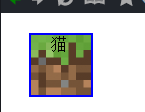
background: url('images/grass.png')
(2)背景图片格式
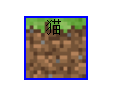
  background-size:contain;    #完全限制在方框

                                                #cover 拉伸覆盖
(3)全部添加
.block-1{

  box-sizing: border-box;

  width: 64px;

  height: 64px;

  background: url('images/grass.png');

  background-size:contain;

}

.block-2{

  box-sizing: border-box;

  width: 128px;

  height: 64px;

  background: url('images/grass.png');

  background-size:contain;

}

.block-3{

  box-sizing: border-box;

  width: 256px;

  height: 64px;

  background: url('images/grass.png');

  background-size:contain;

}
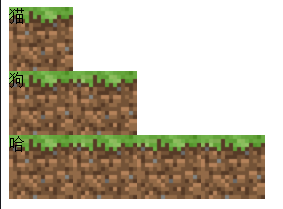
(4)添加个小花
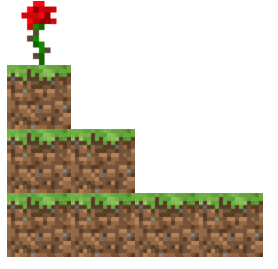
<!DOCTYPE html>

<html>

  <head>

    <meta charset="utf-8">

    <title>Learn css with blocks</title>

    <link rel="stylesheet" href="block.css" media="screen" title="no title" charset="utf-8">

  </head>

  <body>

    <div class="flower"></div>

    <div class="block-1"></div>

    <div class="block-2"></div>

    <div class="block-3"></div>

  </body>

</html>
.block-1{

  box-sizing: border-box;

  width: 64px;

  height: 64px;

  background: url('images/grass.png');

  background-size:contain;

}

.block-2{

  box-sizing: border-box;

  width: 128px;

  height: 64px;

  background: url('images/grass.png');

  background-size:contain;

}

.block-3{

  box-sizing: border-box;

  width: 256px;

  height: 64px;

  background: url('images/grass.png');

  background-size:contain;

}

.flower{

  box-sizing: border-box;

  width: 64px;

  height: 64px;

  background: url('images/rose.png');

  background-size:contain;

}
2.相对定位relative
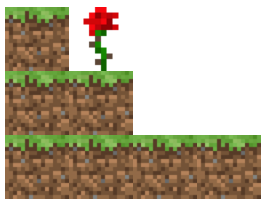
(1)相对定位 position: relative;
.flower{

  box-sizing: border-box;

  width: 64px;

  height: 64px;

  background: url('images/rose.png');

  background-size:contain;

  position: relative;    #相对定位

  left:64px;

  top:64px

}
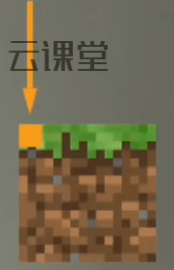
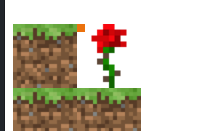
(2)添加图像的原点
  <body>

    <div class="flower">

      <div class="point"></div>

    </div>

    <div class="block-1"></div>

    <div class="block-2"></div>

    <div class="block-3"></div>

  </body>
.point{

  width: 8px;

  height: 8px;

  background: rgb(235, 113, 13)

}
3.绝对定位absolute

(1)添加背景颜色
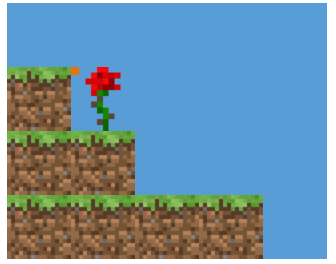
.bg{

  width: 320px;

  height: 256px;

  background: rgb(88, 157, 213);

}
  <body>

    <div class="bg">

      <div class="flower">

        <div class="point"></div>

      </div>

      <div class="block-1"></div>

      <div class="block-2"></div>

      <div class="block-3"></div>

    </div>

  </body>
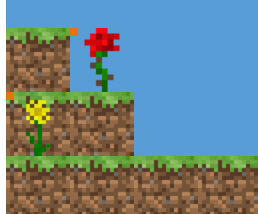
(2)插一个黄花
      <div class="block-1"></div>

      <div class="yello-flower">

        <div class="point"></div>

      </div>

      <div class="block-2"></div>

      <div class="block-3"></div>
.yello-flower{

  box-sizing: border-box;

  width: 64px;

  height: 64px;

  background: url('images/flower.png');

  background-size: contain;

}

(3)绝对定位
.yello-flower{

  box-sizing: border-box;

  width: 64px;

  height: 64px;

  background: url('images/flower.png');

  background-size: contain;

  position: absolute;    #绝对定位

}
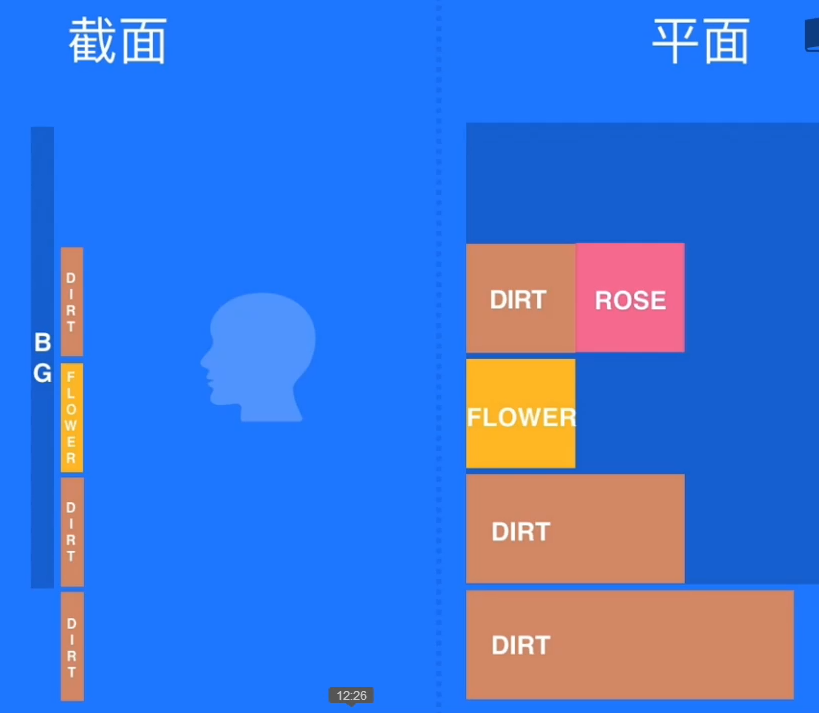
(4)绝对定位的理解

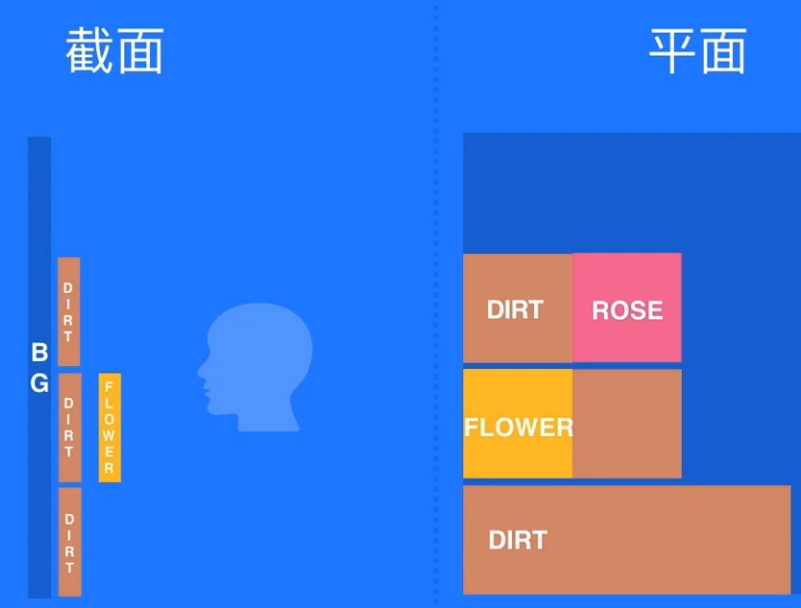
(5)添加偏移量
.yello-flower{

  box-sizing: border-box;

  width: 64px;

  height: 64px;

  background: url('images/flower.png');

  background-size: contain;

  position: absolute;

  left: 128px;       #添加偏移量

}

(6)父级元素必须是定位
- 它的父级元素必须是绝对或者相对定位
- absolute relative
.bg{

  width: 320px;

  height: 256px;

  background: rgb(88, 157, 213);

  position: relative;

}
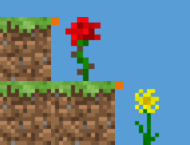
(7)body有定位
- 它会一直向上寻找absolute或者relative
- <body> 标签 它有8px的偏移量,历史原因
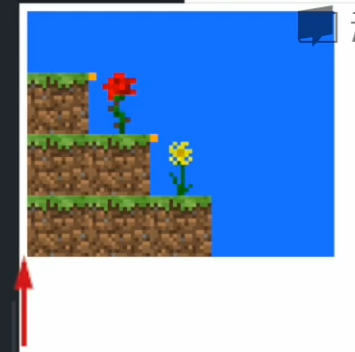
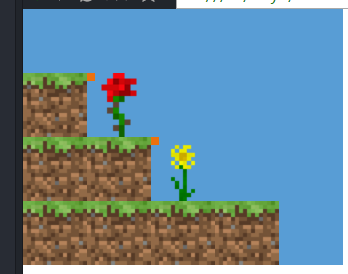
body{

  margin: 0

}
4.基于定位的居中

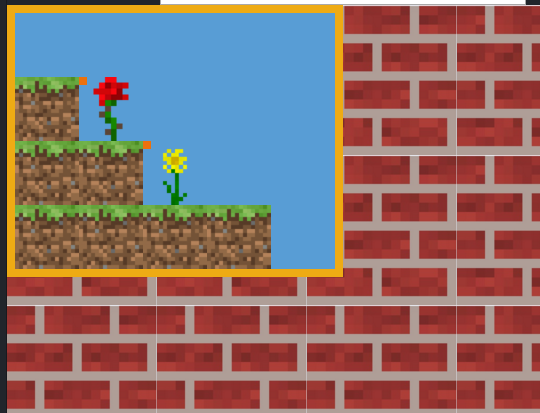
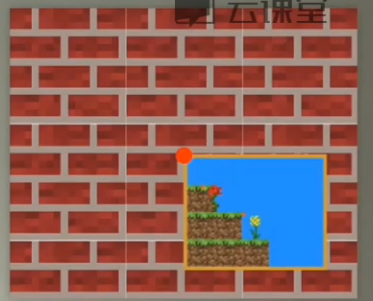
(1)添加边框,和背景图案
.bg{

  border: solid 8px rgb(238, 171, 20);

  width: 320px;

  height: 256px;

  background: rgb(88, 157, 213);

  position: relative;

}

body{

  margin: 0;

  background: url('images/brick.jpg');

  background-size: 150px 150px;

}
(2)flower居中
.flower{

  box-sizing: border-box;

  width: 64px;

  height: 64px;

  background: url('images/rose.png');

  background-size:contain;

  position: relative;

  left:32px;

  top:64px

}
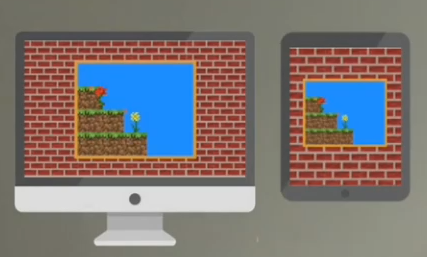
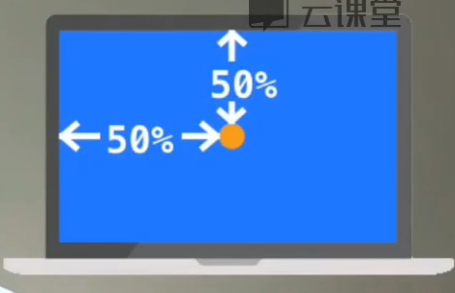
(3)不可以固定尺寸 50% 50%

.bg{

  border: solid 8px rgb(238, 171, 20);

  width: 320px;

  height: 256px;

  background: rgb(88, 157, 213);

  position: absolute;

  left: 50%;

  top: 50%

}
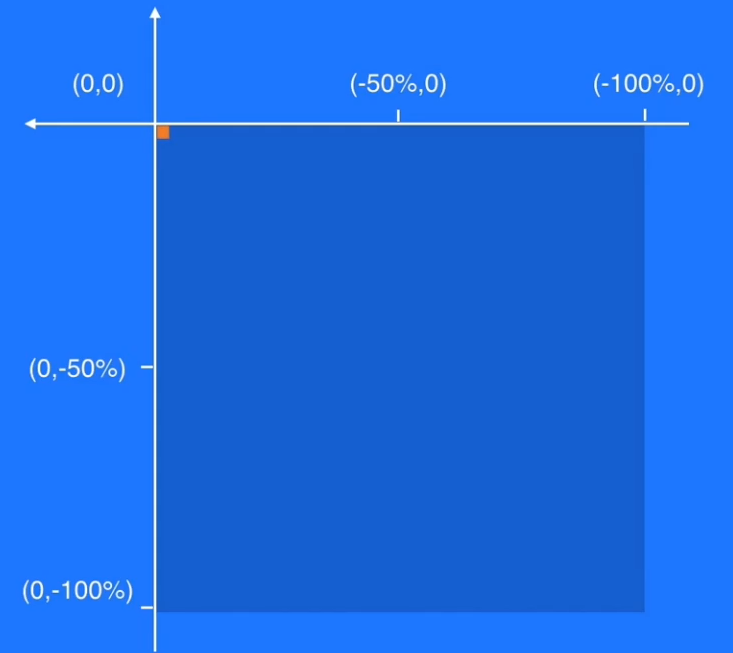
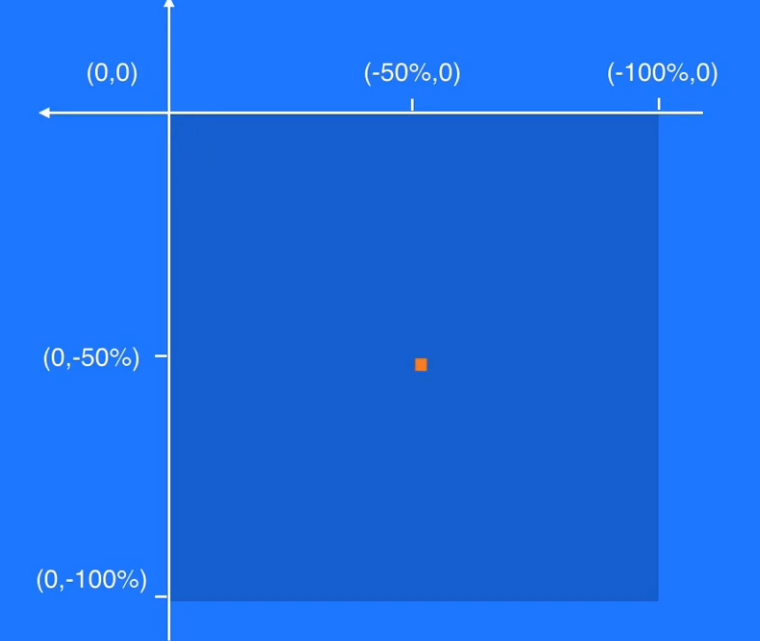
(4) transform修改准星 #css3中出现的
transform: translate(-50%,-50%);
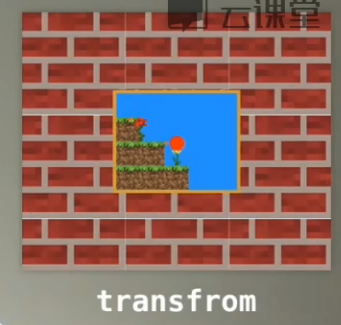
.bg{

  border: solid 8px rgb(238, 171, 20);

  width: 320px;

  height: 256px;

  background: rgb(88, 157, 213);

  position: absolute;

  left: 50%;

  top: 50%;

  transform: translate(-50%,-50%);

}
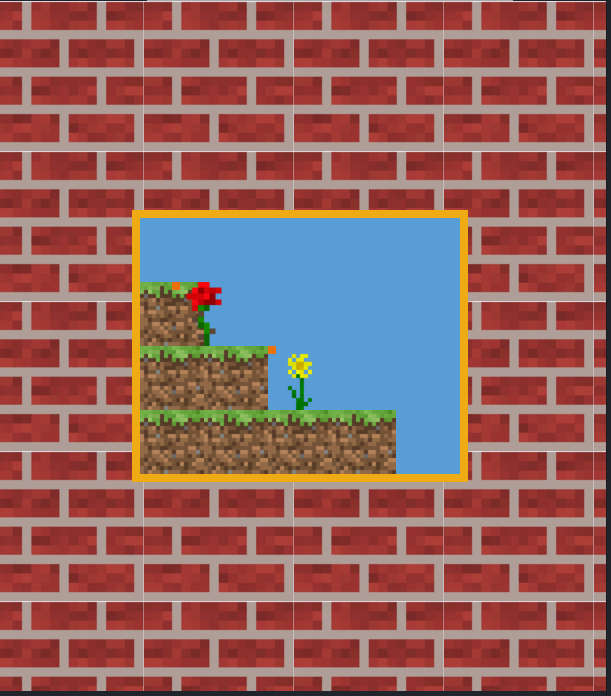
5.完整代码
<!DOCTYPE html>

<html>

  <head>

    <meta charset="utf-8">

    <title>Learn css with blocks</title>

    <link rel="stylesheet" href="block.css" media="screen" title="no title" charset="utf-8">

  </head>

  <body>

    <div class="bg">

      <div class="flower">

        <div class="point"></div>

      </div>

      <div class="block-1"></div>

      <div class="yello-flower">

        <div class="point"></div>

      </div>

      <div class="block-2"></div>

      <div class="block-3"></div>

    </div>

  </body>

</html>
.block-1{

  box-sizing: border-box;

  width: 64px;

  height: 64px;

  background: url('images/grass.png');

  background-size:contain;

}

.block-2{

  box-sizing: border-box;

  width: 128px;

  height: 64px;

  background: url('images/grass.png');

  background-size:contain;

}

.block-3{

  box-sizing: border-box;

  width: 256px;

  height: 64px;

  background: url('images/grass.png');

  background-size:contain;

}

.flower{

  box-sizing: border-box;

  width: 64px;

  height: 64px;

  background: url('images/rose.png');

  background-size:contain;

  position: relative;

  left:32px;

  top:64px

}

.yello-flower{

  box-sizing: border-box;

  width: 64px;

  height: 64px;

  background: url('images/flower.png');

  background-size: contain;

  position: absolute;

  left: 128px;

}

.point{

  width: 8px;

  height: 8px;

  background: rgb(235, 113, 13)

}

.bg{

  border: solid 8px rgb(238, 171, 20);

  width: 320px;

  height: 256px;

  background: rgb(88, 157, 213);

  position: absolute;

  left: 50%;

  top: 50%;

  transform: translate(-50%,-50%);

}

body{

  margin: 0;

  background: url('images/brick.jpg');

  background-size: 150px 150px;

}
5. css定位 居中的更多相关文章
- vue—你必须知道的 js数据类型 前端学习 CSS 居中 事件委托和this 让js调试更简单—console AMD && CMD 模式识别课程笔记(一) web攻击 web安全之XSS JSONP && CORS css 定位 react小结
vue—你必须知道的 目录 更多总结 猛戳这里 属性与方法 语法 计算属性 特殊属性 vue 样式绑定 vue事件处理器 表单控件绑定 父子组件通信 过渡效果 vue经验总结 javascript ...
- css3-7 如何让页面元素水平垂直都居中(元素定位要用css定位属性)
css3-7 如何让页面元素水平垂直都居中(元素定位要用css定位属性) 一.总结 一句话总结:元素定位要用css定位属性,而且一般脱离文档流更加好操作.先设置为绝对定位,上左都50%,然后margi ...
- CSS定位布局
CSS定位布局 基础知识 在CSS布局中,定位布局也是一种非常常见的技术手段,我们以京东为例: 上面是非常好的例子,对于定位布局来说它可以将一个元素放在页面上的任意一个位置. 但是定位布局也不能滥用, ...
- CSS中居中的完全指南(中英对照翻译)
翻译自:https://css-tricks.com/centering-css-complete-guide/ Centering things in CSS is the poster child ...
- CSS定位走一波(定位学习续)
又是新的一周过去了,时间到了,春天绿了,关于HTML5的学习进步了,今天博客更新一些CSS定位的内容,小的一些细节也要牢记,方便做一个更完美的项目. 如何让垂直方向居中,解决方式:在父元素添加over ...
- css定位
文档流 所谓的文档流,指的是元素排版布局过程中,元素会自动从左往右,从上往下的流式排列.并最终窗体自上而下分成一行行, 并在每行中按从左至右的顺序排放元素.脱离文档流即是元素打乱了这个排列,或是从排版 ...
- 常用的CSS定位,XPath定位和JPath定位
CSS定位 举例 描述 div#menu id为menu的div元素 div.action-btn.ok-btn class为action-btn和ok-btn的div元素 table#emailLi ...
- 【转】css布局居中和CSS内容居中区别和对应DIV CSS代码
原文地址:http://www.divcss5.com/jiqiao/j771.shtml css布局居中和CSS内容居中区别和对应DIV CSS代码教程与图文代码案例篇 对于新手来说DIV CSS布 ...
- div+css定位position详解
div+css定位position详解 1.div+css中的定位position 最主要的两个属性:属性 absolute(绝对定位) relative(相对定位),有他们才造就了div+css布局 ...
随机推荐
- u-boot分析(十)----堆栈设置|代码拷贝|完成BL1阶段
u-boot分析(十) 上篇博文我们按照210的启动流程,分析到了初始化nand flash,由于接下来的关闭ABB比较简单所以跳过,所以我们今天按照u-boot的启动流程继续进行分析. 今天我们会用 ...
- 监控系统-mod-gearman
doc http://labs.consol.de/nagios/mod-gearman/ 安装 yum -y install gearmand-server-0.33-2.rhel6.x86_64. ...
- 打开excl链接时总是出现问题
主要现象:1.提示"发生了意外错误":2.报错"由于本机限制无法打开链接" 原因: 这个是由于默认浏览器异常造成的,就是比如你下载了新的浏览器,然后为默认浏览器 ...
- CODESOFT条码设计软件如何隐藏数据源方法
作为强大的条码标签设计软件,用户在用CODESOFT设计条码标签时,有时需要根据实际情况,将条码数据源隐藏,也就是使设计与打印出来的条形码下不带有数据.那么这要怎么在CODESOFT中实现呢?下面,小 ...
- php:定义时间跳转到指定页面
我们想要定义延迟时间,再跳转到指定页面,只要用header()即可,语法: header("Refresh:延迟时间;url=要跳转的页面"); 例子: 注意注意:我们在heade ...
- 【JavaScript 封装库】BETA 5.0 测试版发布!
JavaScript 前端框架(封装库) BETA 5.0 已于10月10日正式发布,今天开始提供 BETA 5.0 的 API 参考文献.相较于之前 5 个版本的发布都是草草的提供源代码,并没有很多 ...
- 最长公共单词,类似LCS,(POJ2250)
题目链接:http://poj.org/problem?id=2250 解题报告: 1.状态转移方程: ; i<=len1; i++) { ; j<=len2; j++) { dp[i][ ...
- 动态数组第k小,Poj(1442)
题目链接:http://poj.org/problem?id=1442 本来想复制一下,然后直接sort,结果T了. 在网上看了一下,有用两个队列做的,想了半天,没看懂什么意思.后来模拟一边,总算是懂 ...
- Network in Network 笔记
传统CNN里的卷积核是一个generalized linear model(GLM)之后经过一个sigmoid(现在通常是ReLu)的非线性激励函数,假设卷积有K个filter,那么这K个filter ...
- React后端管理系统-商品详情detail组件
import React from 'react'; import MUtil from 'util/mm.jsx' import Product from 'service/product-serv ...