
windows 安装nvm步骤(shi'yongnvm-windows管理node版本):
瞎几把前言:mac上可以用n来管理node版本,私以为n很好用。家里的win7台式机一直没有安装过任何管理工具,今天来给家里电脑安装一下nvw-windows,一个用于windows系统的node版本工具。
电脑系统:系统win7 64位:
nvw-windows的官网:https://github.com/coreybutler/nvm-windows/releases
一、安装步骤:
(一)下载:
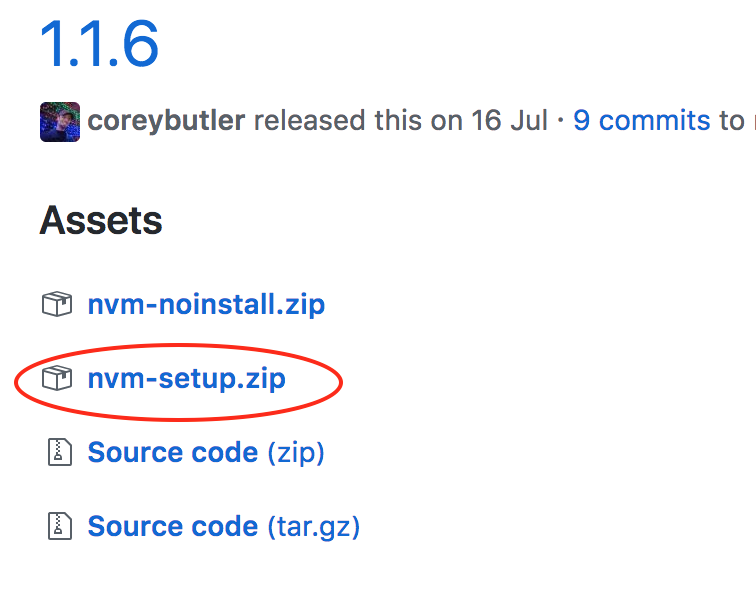
首先从官网下载安装包 https://github.com/coreybutler/nvm-windows/releases,我下了一个setup版本的,下下来是个压缩包,解压后里面是一个exe,安装方式就如同一个常见的exe安装包,双击运行即可:
(一)安装:
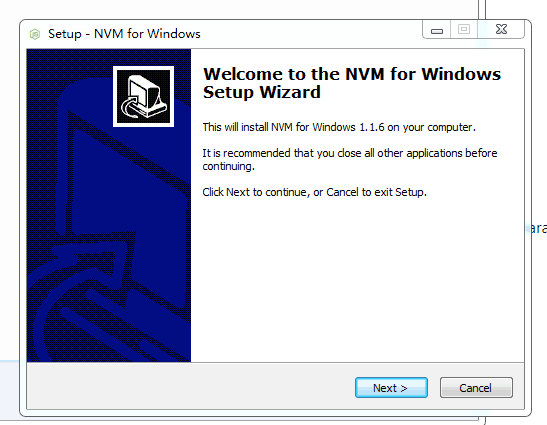
1.双击exe开始安装:
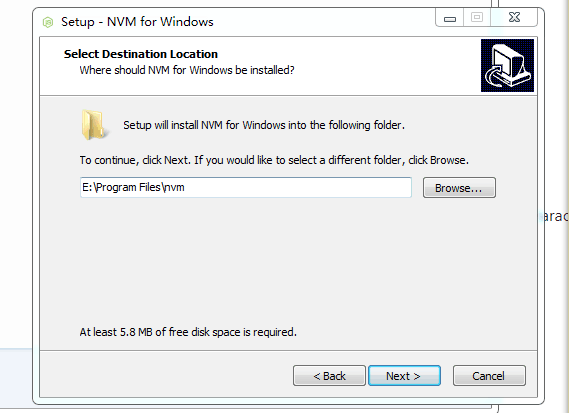
2.下面这一步:配置nvm的安装位置,任意一个你喜欢的位置都可以。
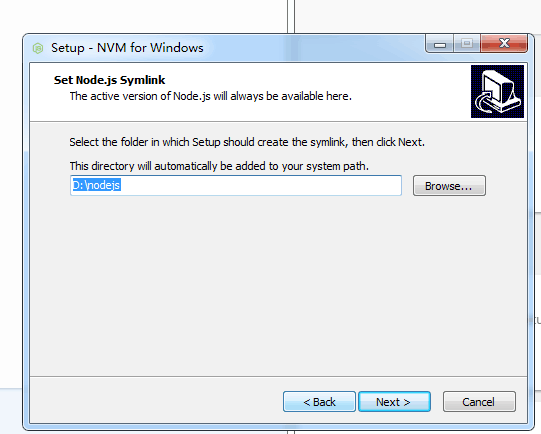
3.设置node的symlink文件夹位置。这个文件夹的名字一定不能含有中文或空格!
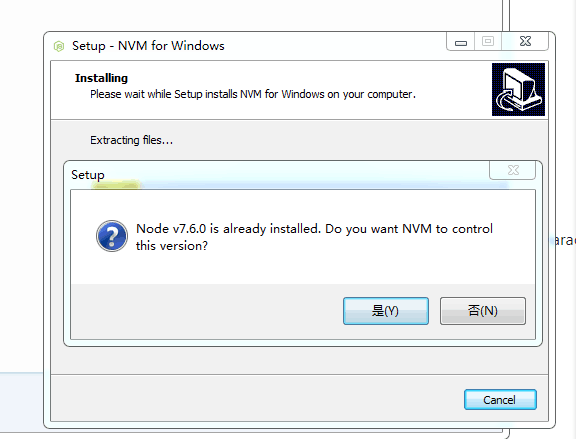
4.如果在安装nvm之前,电脑上就已经安装有node的,会看到如下图,询问你是否用nvm管理已经存在的node版本。一定要选‘是’,这个弹窗可能会出现好几次,都点是。
5.安装完成。看到如下图:

(二)使用nvm:
1.检查nvm是否安装成功:
使用管理员权限打开一个命令行。输入nvm v,会显示nvm的版本号,有则表示安装成功。
2. nvm各命令用法:(黏自官网)
nvm arch [32|64]: Show if node is running in 32 or 64 bit mode. Specify 32 or 64 to override the default architecture.nvm install <version> [arch]: The version can be a node.js version or "latest" for the latest stable version. Optionally specify whether to install the 32 or 64 bit version (defaults to system arch). Set[arch]to "all" to install 32 AND 64 bit versions.nvm list [available]: List the node.js installations. Typeavailableat the end to show a list of versions available for download.nvm on: Enable node.js version management.nvm off: Disable node.js version management (does not uninstall anything).nvm proxy [url]: Set a proxy to use for downloads. Leave[url]blank to see the current proxy. Set[url]to "none" to remove the proxy.nvm uninstall <version>: Uninstall a specific version.nvm use <version> [arch]: Switch to use the specified version. Optionally specify 32/64bit architecture.nvm use <arch>will continue using the selected version, but switch to 32/64 bit mode based on the value supplied to<arch>. For information about usingusein a specific directory (or using.nvmrc), please refer to issue #16.nvm root <path>: Set the directory where nvm should store different versions of node.js. If<path>is not set, the current root will be displayed.nvm version: Displays the current running version of NVM for Windows.nvm node_mirror <node_mirror_url>: Set the node mirror.People in China can use https://npm.taobao.org/mirrors/node/nvm npm_mirror <npm_mirror_url>: Set the npm mirror.People in China can use https://npm.taobao.org/mirrors/npm/
3. nvm常用命令(个人对上述命令中的常用命令的一个总结和翻译):
- 安装指定版本的node: nvm install 版本号
比如安装8.9.3:
nvm install 8.9.
- 使用指定版本的node: nvm use 版本号
比如使用8.9.3:
nvm use 8.9.3
- 使用淘宝node镜像:nvm node_mirror
nvm node_mirror https://npm.taobao.org/mirrors/node/
- 使用淘宝npm镜像:nvm npm_mirror
nvm npm_mirror https://npm.taobao.org/mirrors/npm/
- 查看当前电脑上已经安装的全部node版本,正在使用中的版本号前有个星号:
nvm ls
- 查看可用的(可下载的)全部node版本:
nvm ls available
二、NVM使用中常见错误:
(一)、nvm use 出现exit status 1
windows 安装nvm步骤(shi'yongnvm-windows管理node版本):的更多相关文章
- 管理 node 版本,选择 nvm 还是 n?
来源:http://taobaofed.org/blog/2015/11/17/nvm-or-n/ 引子 我本机安装着 nvm,而 node 本来一直运行在 0.x 的老版本上.后来为了跑 ES6,我 ...
- win上使用nvm管理node版本
win上使用nvm管理node版本 若想让nvm管理机器上所有的node版本,首先需要卸载电脑上已有的node(很重要), 然后下载nvm在win上的安装包 windows-nvm的下载地址 下载 下 ...
- 【前端开发】nrm切换淘宝镜像&nvm管理node版本及切换
说明:nrm是切换淘宝镜像用的,nvm是node的版本切换用的(可在自己电脑安装多个版本node,便于不同项目的支持) 一.nrm的安装及常见命令: 安装nrmnpm install -g nrm 查 ...
- 让 Homebrew 走代理更新 + brew 管理 node 版本
0.前言 环境:MacOS 背景:整理下今天所做的配置. 1. 让 Homebrew 走代理更新 brew update 就卡住了,即使开了 shadowsocks 也不行.因为 shadowsock ...
- windows安装nvm管理node版本
1.卸载原本系统里面的nodejs 2.下载nvm安装包:https://github.com/coreybutler/nvm-windows/releases ---->nvm-setup.z ...
- windows 安装mysql 步骤
Windows 安装mysql 5.7.12教程 1.在官网下载mysql5.7.12.zip并解压 复制默认配置文件my-default.ini,并命名为my.ini 使用记事本打开,修改如下配置 ...
- Windows下用Composer安装Laravel步骤(集成php环境用phpStudy2016版本)
描述:到官方网站了解并根据自己所需要的版本号安装,所需要的php版本是多少. 中文网站:http://www.golaravel.com/ 官方网站:https://laravel.com/ 其实各自 ...
- Windows安装nvm和node, 以及安装live-server
nvm下载源https://github.com/coreybutler/nvm-windows/releases 参考博客: 主要https://www.cnblogs.com/hamsterPP/ ...
- 使用nvm管理node版本时,各个版本下公用npm安装的插件问题
因为使用了NVM(node版本管理工具),所以在切换node版本的时候安装的插件不能共享使用,必须重新安装,导致不必要的工作量 所以我将npm(node包管理工具提取出来) 进行node版本之间的共享 ...
随机推荐
- 020-Json结构数据序列化异步传递
C#中将.Net对象序列化为Json字符串的方法: JavaScriptSerializer().Serialize(p),JavaScriptSerializer在System.Web.Extens ...
- angular+webpack(二)
上篇文章Angular2开发基础之TSC编译 解决如何使用TSC来编译ng2项目,以及如何解决出现的error.这些点是新手容易忽视的内容, 要熟悉ng开发的工具链,还是需要掌握其中的重点.本篇文章是 ...
- Rest和Restful & http
Rest :Representational State Transfer 表述性状态转移 Restful: Rest+ful形容词,遵循Rest原则的应用程序或设计 Rest原则: 1. 网络上的所 ...
- python 竖排文本
新建目录train,并将目录data和data1复制到train下 python test data/,data1/ 目录data和data1中包含很多文件,文件中内容都是以空格分隔,将所有文件内容都 ...
- [完美]原生JS获取浏览器版本判断--支持Edge,IE,Chrome,Firefox,Opera,Safari,以及各种使用Chrome和IE混合内核的浏览器
截至自2017-08-11,支持现世已出的几乎所有PC端浏览器版本判断. 受支持的PC端浏览器列表: Edge IE Chrome Firefox Opera Safari QQ浏览器 360系列浏览 ...
- Nginx优化详解-------超详细
一.一般来说nginx 配置文件中对优化比较有作用的为以下几项: 1. worker_processes 8; nginx 进程数,建议按照cpu 数目来指定,一般为它的倍数 (如,2个四核的cp ...
- 外网访问内网Elasticsearch WEB
外网访问内网Elasticsearch WEB 本地安装了Elasticsearch,只能在局域网内访问其WEB,怎样从外网也能访问本地Elasticsearch? 本文将介绍具体的实现步骤. 1. ...
- 剑指offer(39)平衡二叉树
题目描述 输入一棵二叉树,判断该二叉树是否是平衡二叉树. 题目分析 第一种方法: 正常思路,应该会获得节点的左子树和右子树的高度,然后比较高度差是否小于1. 可是这样有一个问题,就是节点重复遍历了,影 ...
- MySQL基础和JDBC
第一章 命令行工具 mysqladmin:MySQL服务器管理工具 mysql:MySQL客服端链接工具 mysqldump 演示链接到服务器host=127.0.0.1,用户名为root,密码为空 ...
- eclipse的springboot插件
eclipse的springboot插件官网下载地址还喜欢捉迷藏,正确的下载路径修改方法: 点击zip,然后复制出官网路径如下 http://download.springsource.com/rel ...