
Spring 使用RedisTemplate操作Redis
首先添加依赖:
<!-- https://mvnrepository.com/artifact/redis.clients/jedis -->

        <dependency>

            <groupId>redis.clients</groupId>

            <artifactId>jedis</artifactId>

            <version>2.9.0</version>

        </dependency>

        <!-- https://mvnrepository.com/artifact/org.springframework.data/spring-data-redis -->

        <dependency>

            <groupId>org.springframework.data</groupId>

            <artifactId>spring-data-redis</artifactId>

            <version>2.1.3.RELEASE</version>

        </dependency>
创建:SpringConfig
package the_mass.redis;

import org.springframework.context.annotation.Bean;

import org.springframework.context.annotation.ComponentScan;

import org.springframework.context.annotation.Configuration;

import org.springframework.data.redis.connection.RedisConnectionFactory;

import org.springframework.data.redis.connection.jedis.JedisConnectionFactory;

import org.springframework.data.redis.core.RedisTemplate;

import org.springframework.data.redis.core.StringRedisTemplate;

@Configuration  //配置

@ComponentScan("the_mass.redis")  //扫描那个包

public class SpringConfig {

    @Bean

    RedisConnectionFactory redisConnectionFactory(){ //获取连接工厂

        return new JedisConnectionFactory();          //返回

}

    @Bean

    RedisTemplate redisTemplate(){      //模板

        return new StringRedisTemplate(redisConnectionFactory());  //使用连接工厂返回

    }

}
创建:RedisService
package the_mass.redis;

import org.springframework.beans.factory.annotation.Autowired;

import org.springframework.data.redis.connection.RedisConnection;

import org.springframework.data.redis.connection.RedisConnectionFactory;

import org.springframework.data.redis.core.RedisOperations;

import org.springframework.stereotype.Service;

import java.nio.charset.StandardCharsets;

@Service

public class RedisService {

    @Autowired

    RedisConnectionFactory factory; //通过Redis连接的线程安全工厂

    @Autowired

    RedisOperations redisOperations; //通过公共接口RedisOperations

    public void testRedis() {

        RedisConnection connection = factory.getConnection();

        byte[] bytes = connection.get("hello".getBytes());

        System.out.println(new String(bytes, StandardCharsets.UTF_8));

    }

    public void testRedisTemplate() {

        Object hello = redisOperations.opsForValue().get("hello");

        System.out.println(hello);

    }

}
创建:JedisDemo
package the_mass.redis;

import redis.clients.jedis.Jedis;

public class JedisDemo {

    public void execute() {

        Jedis jedis = new Jedis(); //创建客户端

        Boolean hello = jedis.exists("hello");

        System.out.println(hello);

        String s = jedis.get("hello");

        System.out.println(s);

        jedis.set("hello", "wrold:23");

        Long hello1 = jedis.exists("hello", "hello:123");

        System.out.println(hello1);

    }

}
测试:
package the_mass.redis;

import org.springframework.context.annotation.AnnotationConfigApplicationContext;

public class Main {

    public static void main(String[] args) {

        AnnotationConfigApplicationContext context = new AnnotationConfigApplicationContext(SpringConfig.class);

        RedisService redisService = context.getBean(RedisService.class);

        redisService.testRedis();

        redisService.testRedisTemplate();

    }

}
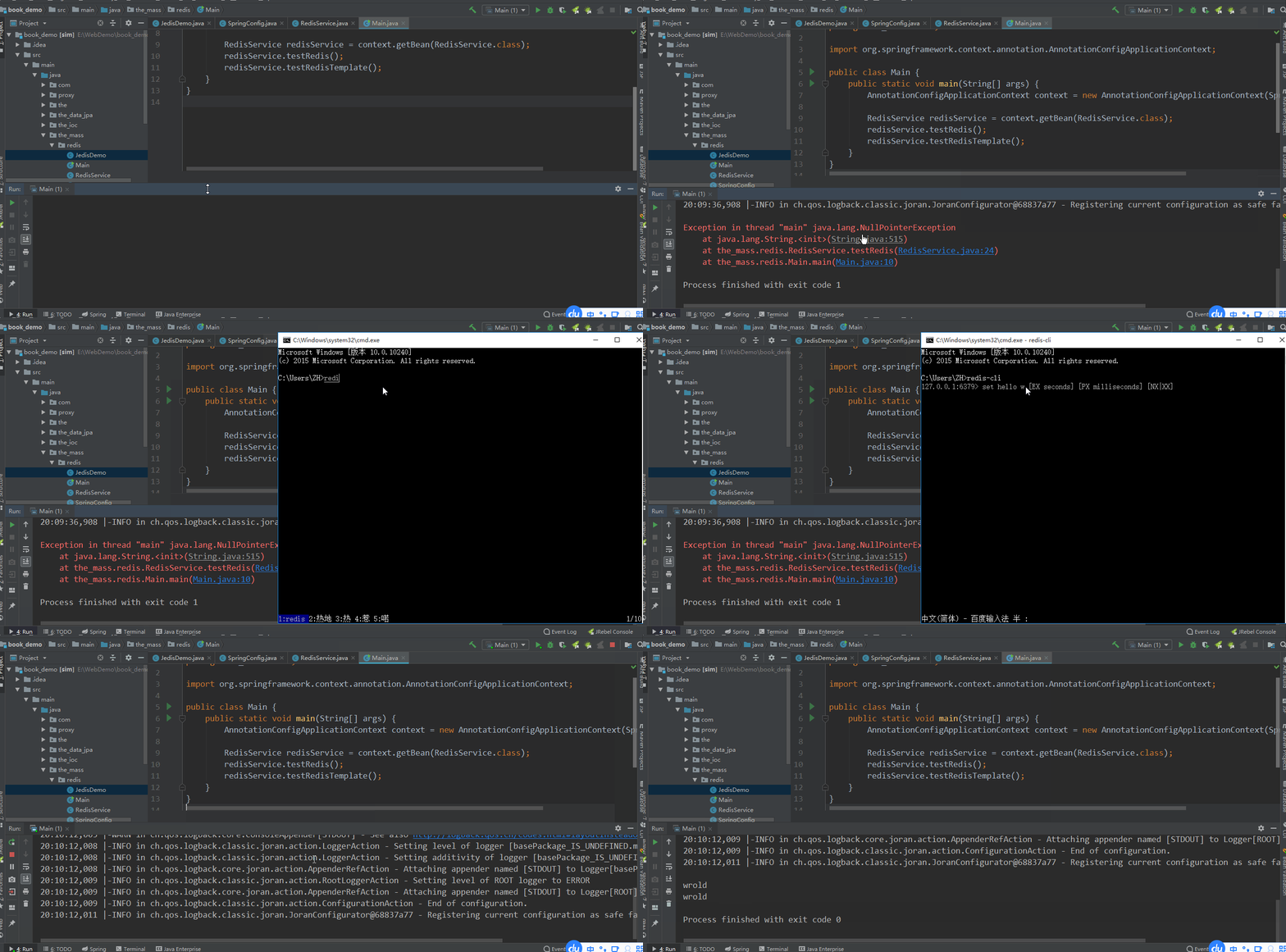
注意:首先记得 设置值,不然会报空指针异常
Spring 使用RedisTemplate操作Redis的更多相关文章
- Java 使用Jedis和RedisTemplate操作Redis缓存(SpringBoot)
package com.example.redis.controller; import com.example.redis.entity.User; import com.example.redis ...
- spring data redis RedisTemplate操作redis相关用法
http://blog.mkfree.com/posts/515835d1975a30cc561dc35d spring-data-redis API:http://docs.spring.io/sp ...
- Spring中使用RedisTemplate操作Redis(spring-data-redis)
RedisTemplate如何检查一个key是否存在? return getRedisTemplate().hasKey(key); 由一个问题,复习了一下redis 抄自: https://www. ...
- SpringBoot 使用RedisTemplate操作Redis
新版: import java.util.List; import java.util.Map; import java.util.Set; import java.util.concurrent.T ...
- spring-data-redis 中使用RedisTemplate操作Redis
Redis 数据结构简介 Redis可以存储键与5种不同数据结构类型之间的映射,这5种数据结构类型分别为String(字符串).List(列表).Set(集合).Hash(散列)和 Zset(有序集合 ...
- RedisTemplate操作Redis
RedisTemplate Redis 可以存储键与5种不同数据结构类型之间的映射,这5种数据结构类型分别为String(字符串).List(列表).Set(集合).Hash(散列)和 Zset(有序 ...
- springboot中,使用redisTemplate操作redis
知识点: springboot中整合redis springboot中redisTemplate的使用 redis存数据时,key出现乱码问题 一:springboot中整合redis (1)pom. ...
- RedisTemplate操作Redis(spring-data-redis)
参看博客:https://www.cnblogs.com/songanwei/p/9274348.html 使用文档:StringRedisTemplate+RedisTemplate使用说明
- SpringBoot使用RedisTemplate操作Redis时,key值出现 \xac\xed\x00\x05t\x00\tb
原因分析 原因与RedisTemplate源码中的默认序列化方式有关 defaultSerializer = new JdkSerializationRedisSerializer( classLoa ...
随机推荐
- (3.5)常用知识-NULL与零长度、字符串尾部填充空格
概述:NULL与零长度是不同的,NULL表示数据未知或不可用,它是与零(数值或2进制).零长度字符串不 同的一种值,也可以理解为一种状态. 即可以理解为:所有的变量都有2种状态,一种有值,一种为NUL ...
- MySQL-快速入门(5)数据查询-常用关键字、分组查询、聚合函数
1.in关键字.in的效率高于or. in (value1,value2,...) 或者not in (value1,value2,...) 2.between ... and ... between ...
- Mybatis-学习笔记(4)1对1、1对多、多对多
1.1对1 有2种方式对内嵌Bean设值: 1>关联查询就一条语句.使用association关键字,直接将嵌套对象的映射表的字段赋值内嵌对象. <association property ...
- ES6生成器与迭代器
ES6迭代器的一个例子 function run(taskDef) { var task = taskDef(); var result = task.next(); // 递归执行迭代 functi ...
- Java语言的发展历程
前言 自1946年2月14日世界上首款计算机ENAC问世,第一代计算机语言“机器语言”便诞生了,它使用的是最原始的穿孔卡片,这种卡片上使用的语言只有专家才能理解,与人类语言差别极大.这种语言本质上是计 ...
- Qt 遍历不规则树的节点
在使用Qt的GraphicsScene作图时,遇到类似这样的需求:在scene中创建节点类似下图, 现在我要把每个节点的txt保存到xml文件中,结构为 <?xml version='1.0' ...
- 分布式均匀算法--hash性一致算法--hash slot(转)
目录 1.redis cluster介绍 2.最老土的hash算法和弊端(大量缓存重建) 3.一致性hash算法(自动缓存迁移)+虚拟节点(自动负载均衡) 不用遍历 --> hash算 ...
- es7.2版本安装ik分词
(一)到官网下载https://github.com/medcl/elasticsearch-analysis-ik对应版本的ik(直接下载releases版本,避免maven打包!!!如果不是这个版 ...
- python Rabbitmq编程(一)
python Rabbitmq编程(一) 实现最简单的队列通信 send端 #!/usr/bin/env python import pika credentials = pika.PlainCred ...
- Cockpit- Linux 服务器管理接口
Cockpit- Linux 服务器管理接口 功能 它包含 systemd 服务管理器. 有一个用于故障排除和日志分析的 Journal 日志查看器. 包括 LVM 在内的存储配置比以前任何时候都要简 ...