
历史上最详细的SpringCloud搭建微服务的过程。(包括注册中心,服务提供者和服务消费者)
首先搭建注册中心,创建一个springboot的maven工程。
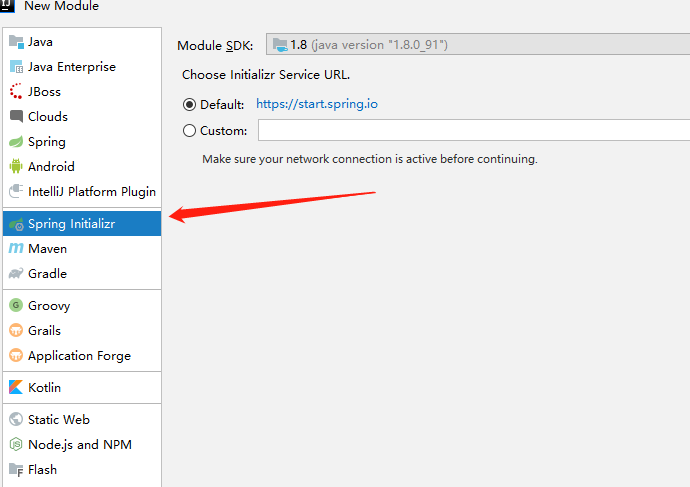


工程创建完成之后,先在资源文件中的application.properties中写配置文件。
server.port=

spring.application.name=register

eureka.instance.hostname=localhost

#fetch-registry 拉取服务,作为注册中心的时候,要禁用 设为false

eureka.client.fetch-registry=false

#register-with-eureka 把自己注册到注册中心,当作为注册中心的时候 同样要禁用 设为false

eureka.client.register-with-eureka=false

eureka.client.service-url.default=http://${eureka.instance.hostname}:${server.port}/eureka
在启动类上添加注解 @EnableEurekaServer
@EnableEurekaServer

@SpringBootApplication

public class SpringcloudRegisterApplication {

    public static void main(String[] args) {

        SpringApplication.run(SpringcloudRegisterApplication.class, args);

    }

}
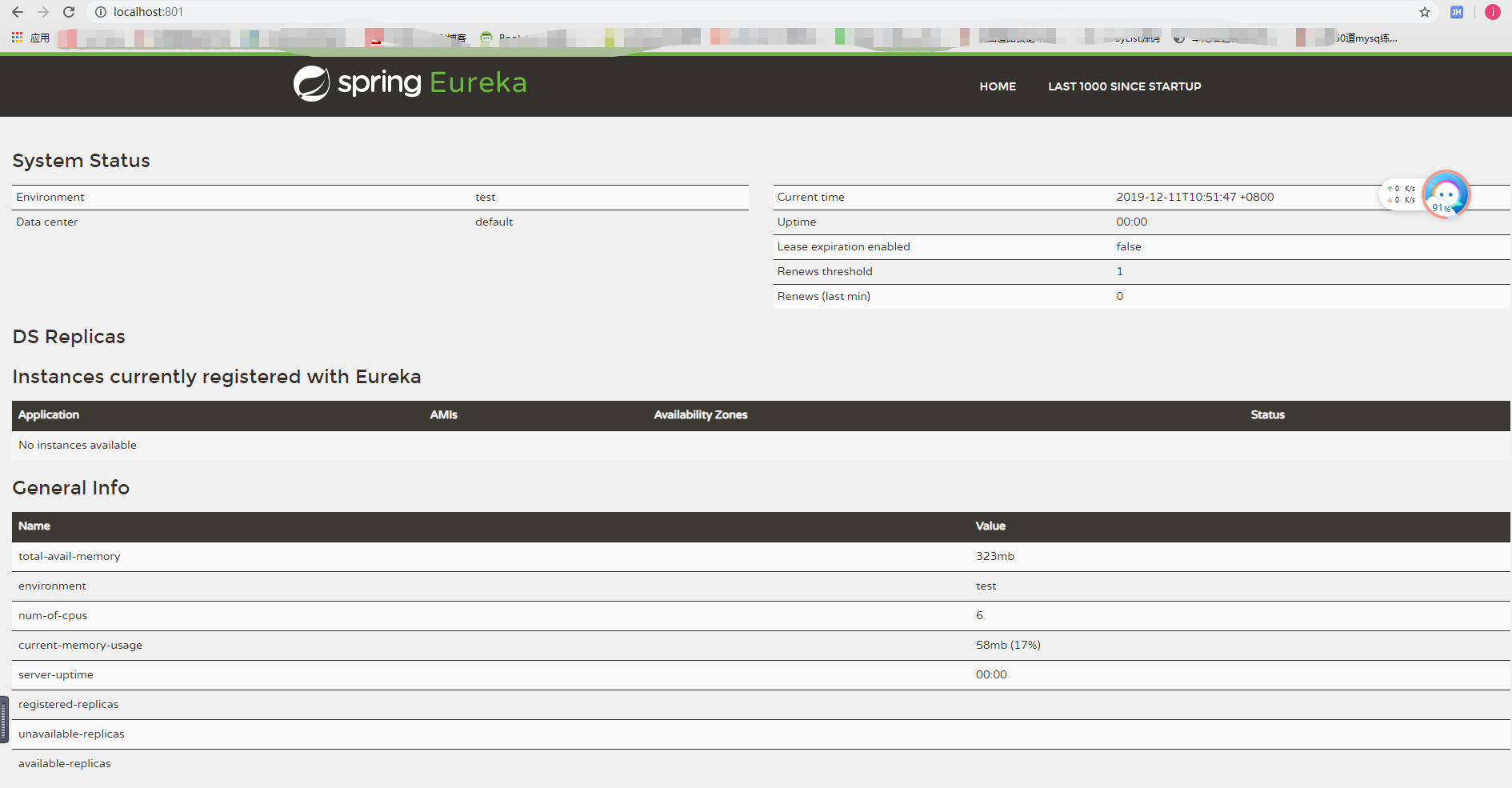
然后启动测试一下,直接访问http://localhost:801,出现下图则表示访问成功
然后开始创建服务提供者,创建过程不详细说了,依旧是创建一个springboot的maven工程,勾选eureka server的依赖。
先编写配置文件(resources资源下的application.properties文件),设置端口以及eureka的地址
server.port=802

spring.application.name=server-provide

eureka.client.service-url.defaultZone=http://localhost:801/eureka/
然后在启动类加注解 @EnableEurekaClient,表明该项目是客户端,用于提供服务
@EnableEurekaClient

@SpringBootApplication

public class SpringcloudServerApplication {

    public static void main(String[] args) {

        SpringApplication.run(SpringcloudServerApplication.class, args);

    }

}
然后在写一个接收请求的代码,用于外界访问,直接在启动类上修改就可以,代码如下
@RestController

@EnableEurekaClient

@SpringBootApplication

public class SpringcloudServerApplication {

    public static void main(String[] args) {

        SpringApplication.run(SpringcloudServerApplication.class, args);

    }

    @Value("${server.port}")  //@Value注解可以把配置文件中的内容赋值到对应属性上

    String port;

    @RequestMapping("hello")

    String test(String name){

        return "你好"+name+",该回复来自端口:"+port;

    }

}
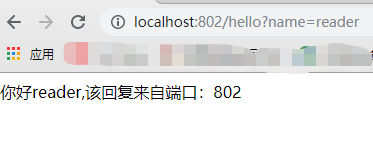
启动项目,在浏览器访问 http://localhost:802/hello?name=reader,出现下图,即表示成功
最后创建服务消费方,创建工程,勾选eureka server的依赖,修改配置文件,启动类,这里要用restTemplate去访问其他微服务。
配置文件
server.port=

spring.application.name=consumer

eureka.client.service-url.defaultZone=http://localhost:801/eureka/
启动类
@EnableDiscoveryClient  //表明该项目是 用于发现eureka的客户端,然后去消费它

@SpringBootApplication

public class SpringcloudServerComsumerApplication {

    public static void main(String[] args) {

        SpringApplication.run(SpringcloudServerComsumerApplication.class, args);

    }

    @Bean  //把restTemplate注入到容器中

    RestTemplate getRestTemplate(){

        return new RestTemplate();

    }

}
创建消费的方法,要引入RestTemplate
@Service

public class ConsumerService {

    @Autowired

    RestTemplate restTemplate;

    public String getServer(String name){

        return restTemplate.getForObject("http://localhost:802/hello?name="+name,String.class);

    }

}
创建消费的controller
@RestController

public class ControllerConsumer {

    @Autowired

    ConsumerService service;

    @RequestMapping("/go")

    public String go (String name){

        return service.getServer(name);

    }

}
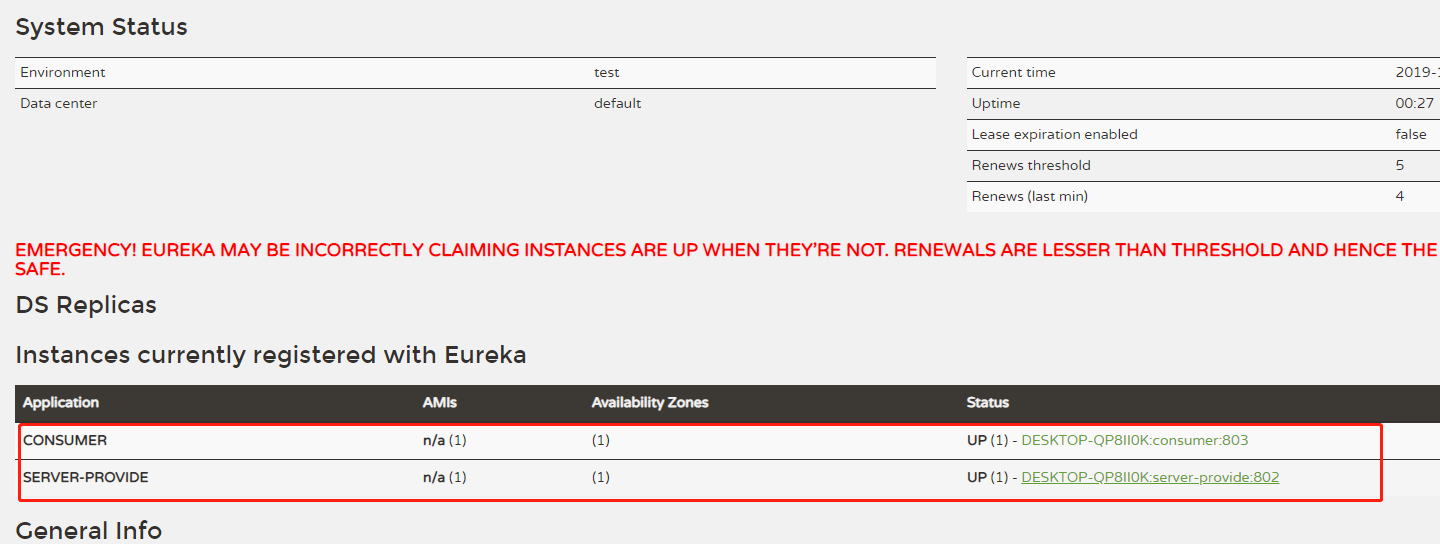
启动服务之后,先看一下eureka中这两个服务有没有出现
然后访问 http://localhost:803/go?name=reader
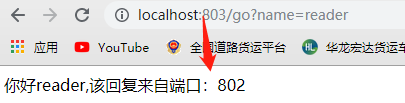
至此,项目搭建成功,后续还会更新负载均衡等一系列项目供大家学习。
历史上最详细的SpringCloud搭建微服务的过程。(包括注册中心,服务提供者和服务消费者)的更多相关文章
- 一个C#开发者学习SpringCloud搭建微服务的心路历程
前言 Spring Cloud很火,很多文章都有介绍如何使用,但对于我这种初学者,我需要从创建项目开始学起,所以这些文章对于我的启蒙,帮助不大,所以只好自己写一篇文章,用于备忘. SpringClou ...
- 史上最详细Windows版本搭建安装React Native环境配置 转载,比官网的靠谱亲测可用
史上最详细Windows版本搭建安装React Native环境配置 2016/01/29 | React Native技术文章 | Sky丶清| 95条评论 | 33530 views ...
- SpringCloud(一)之微服务核心组件Eureka(注册中心)的介绍和使用
一 Eureka服务治理体系1.1 服务治理服务治理是微服务架构中最为核心和基础的模块,它主要用来实现各个微服务实例的自动化注册和发现. Spring Cloud Eureka是Spring Clou ...
- SpringCloud 源码系列(1)—— 注册中心 Eureka(上)
Eureka 是 Netflix 公司开源的一个服务注册与发现的组件,和其他 Netflix 公司的服务组件(例如负载均衡.熔断器.网关等)一起,被 Spring Cloud 整合为 Spring C ...
- SpringCloud Alibaba实战(7:nacos注册中心管理微服务)
源码地址:https://gitee.com/fighter3/eshop-project.git 持续更新中-- 在上一节我们已经完成了Nacos Server的本地部署,这一节我们学习如何将Nac ...
- SpringCloud 源码系列(3)—— 注册中心 Eureka(下)
十一.Eureka Server 集群 在实际的生产环境中,可能有几十个或者几百个的微服务实例,Eureka Server 承担了非常高的负载,而且为了保证注册中心高可用,一般都要部署成集群的,下面就 ...
- 微服务系列之 Consul 注册中心
原文链接:https://mrhelloworld.com/posts/spring/spring-cloud/consul-service-registry/ Netflix Eureka 2.X ...
- 【spring cloud】一个ms微服务想要给注册中心eureka发现,需要满足这些条件,微服务不能被eureka注册中心发现的解决方案
在spring cloud中,一个新的微服务想要被注册中心发现,需要注意几个地方: 1.pom.xml文件依赖中需要有这个依赖 spring boot 2.x 需要这个依赖 <dependenc ...
- SpringCloud系列(一):Eureka 注册中心
在演示spring cloud之前得要知道我们为什么需要微服务框架. 先讲讲我的经历,以前我们做项目时所有功能都写在一起,只是做了分层(模型,数据,业务),所有业务逻辑都写在业务层,刚开始还好,等时间 ...
随机推荐
- jQuery效果-隐藏与显示 小方块的移除
html <!DOCTYPE html> <html> <head> <meta charset="utf-8" /> <ti ...
- webpack第一节(2)
安装webpack在文件夹中 安装完成如图所示 牛刀小试 在webpack-test根目录下新建一个hello.js (不新建在node-modules文件夹下面的目的是,该文件夹是webpack的依 ...
- window.onload中失效的问题
在页面中,我们有时候想让页面加载的时候有多个JS事件,一般的时候我们会这样做 window.onload=function(){ alert("aaa"); } window.on ...
- python 常用技巧 — 字典 (dictionary)
目录: 1. python 相加字典所有的键值 (python sum all values in dictionary) 2. python 两个列表分别组成字典的键和值 (python two l ...
- 检测ip是否通过
#!/bin/bashnetstat -an |grep "ESTABLISHED" |awk '{print $4}' |awk -F ':' '{print $1}' |sor ...
- 【和孩子一起学编程】 python笔记--第四天
第十一章: 可变循环 newStars = int(input("how many stars do you want?")) for i in range(newStars): ...
- Anaconda 安装 pytorch报错解决方法
一.安装Pytorch: # -c 指定用pytorch镜像源下载软件conda install pytorch torchvision cpuonly -c pytorch 报错: 二.配置: ch ...
- undefined null测试
测试浏览器:chrome 当有父元素的子元素未定义时undefined和null均为true,类型为undefined 当元素赋给null后undefined和null均为true,类型为object ...
- 老板让我十分钟上手nx-admin
大体流程 参考资料: nx-admin项目地址 首先这里就不讲解vue和vuex之类的基础东西了 有兴趣的可以去官方文档了解.这里根据流程走向大概说说 路由配置 首先找到路由配置,路由配置放在了src ...
- ARMv8 架构与指令集.学习笔记
目 录 第1章 ARMv8简介. 3 1.1基础认识. 3 1.2 相关专业名词解释. 3 第2章 Execution State 4 2.1 提供两种Execution State 4 2.2 决定 ...