
ubuntu 15.10 设置静态ip 分配固定ip 设置dns 设置网关 命令行配置ip 固定ip不生效怎么办
要用到的文件:
配置接口信息
/etc/network/interfaces
配置内容:
auto eth0
iface eth0 inet static
address 192.168.216.188
gateway 192.168.216.2
netmask 255.255.255.0
配置dns
/etc/resolvconf/resolv.conf.d/base
配置内容:nameserver 192.168.216.2
查看dns:
/etc/resolv.conf
命令:
查看系统网络信息
ifconfig
重启网络服务
/etc/init.d/networking restart
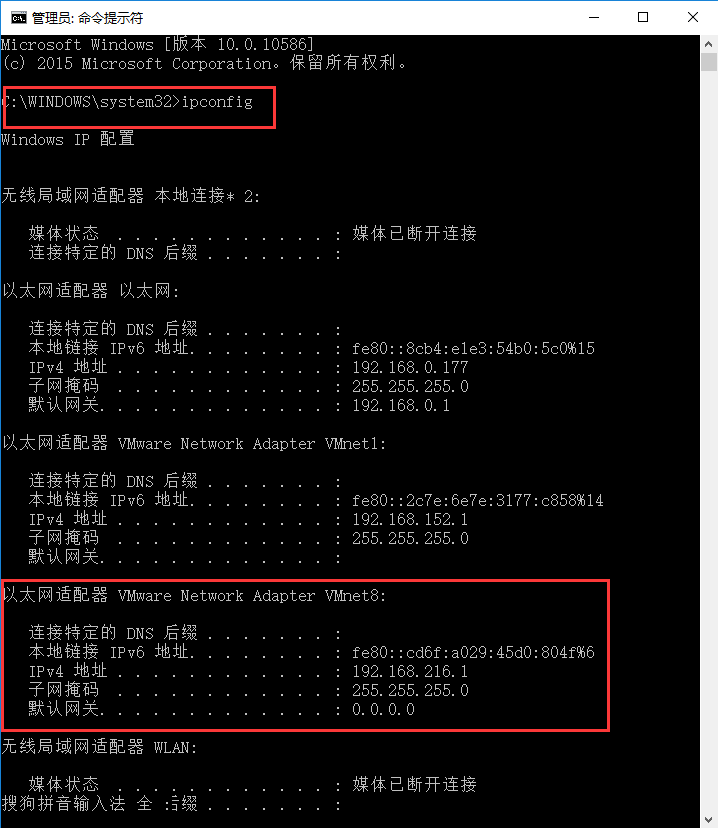
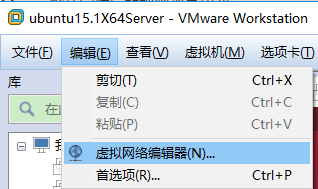
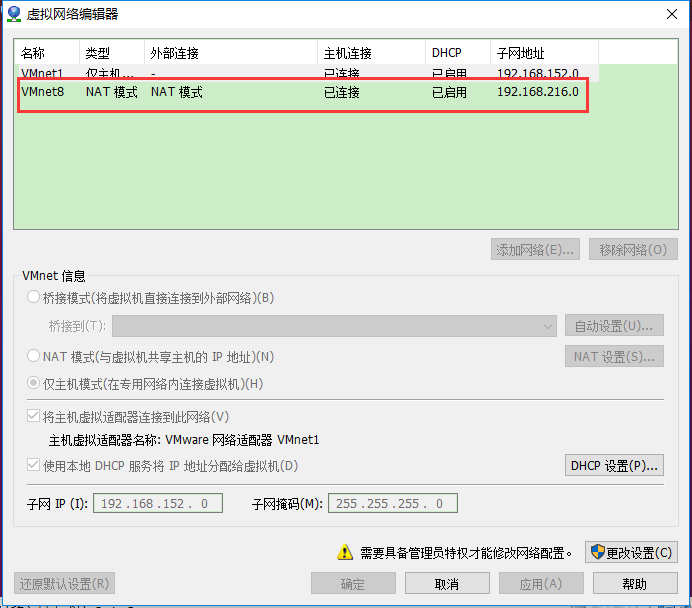
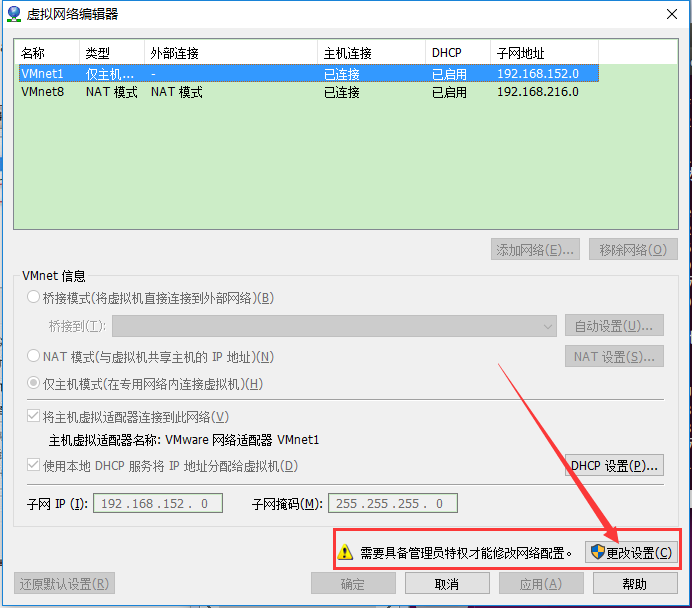
查看一下自己本机的信息(辅助而已)
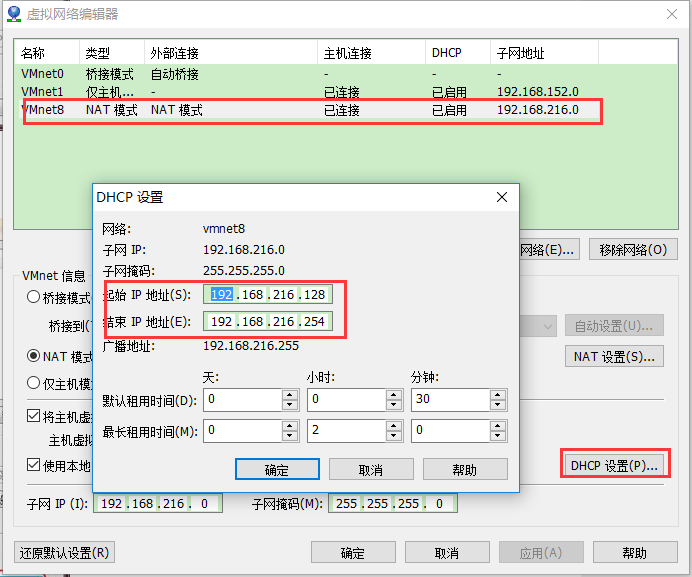
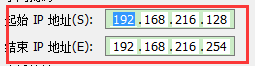
可用的IP
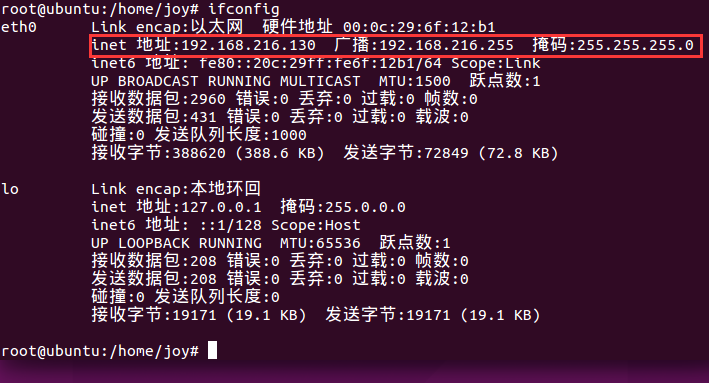
现在自动分配的ip192.168.216.130
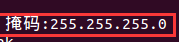
掩码是255.255.255.0
以0.0.0.0 开头的这行,他的gateway就是默认网关

查看dns
cat /etc/resolv.conf

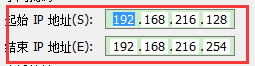
这样我们就找到了一个可用的ip地址范围
:
网关

掩码
DNS

原来我们的网卡是自动分配的ip
修改为如下内容:
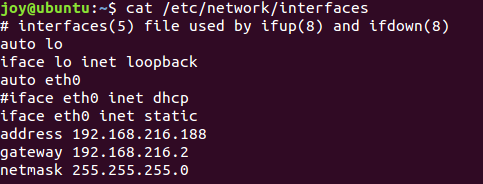
auto eth0
#iface eth0 inet dhcp
iface eth0 inet static
address 192.168.216.188
gateway 192.168.216.2
netmask 255.255.255.0
#是注释的意思
address 是ip地址,选择前请ping一下,看是否能够ping通,不通的话说明可用
gateway和netmask根据我们上面得到的即可
注意:如果配置了静态ip信息之后,不能上网,先来校验下dns是否配置,以及是否配置正确
还需要配置dns

看到这个地方的注释了吗?
这个文件其实是自动生成的,相当于一个连接,并不是真正的文件
即使你修改了这个地方,重启后,dns又会消失的,你可以试一下
它指向的其实是这个文件

我们只需要把我们的dns填写到这个地方即可
重启后就不会消失了
另外我们还可以在
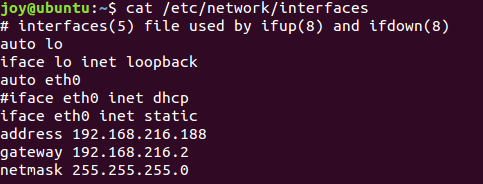
这里面添加:
dns-nameservers xxx.xxx.xxx.xxx xxx.xxx.xxx.xxx
的方式添加
那么现在我们的interfaces为
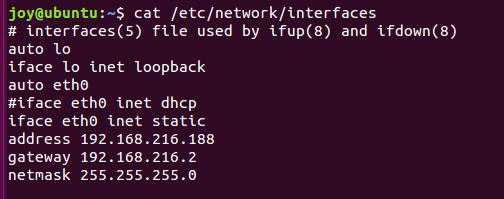
dns的配置为:

设置好了,重启下服务
/etc/init.d/networking restart
需要root用户权限

如果还没生效就重启下ubuntu
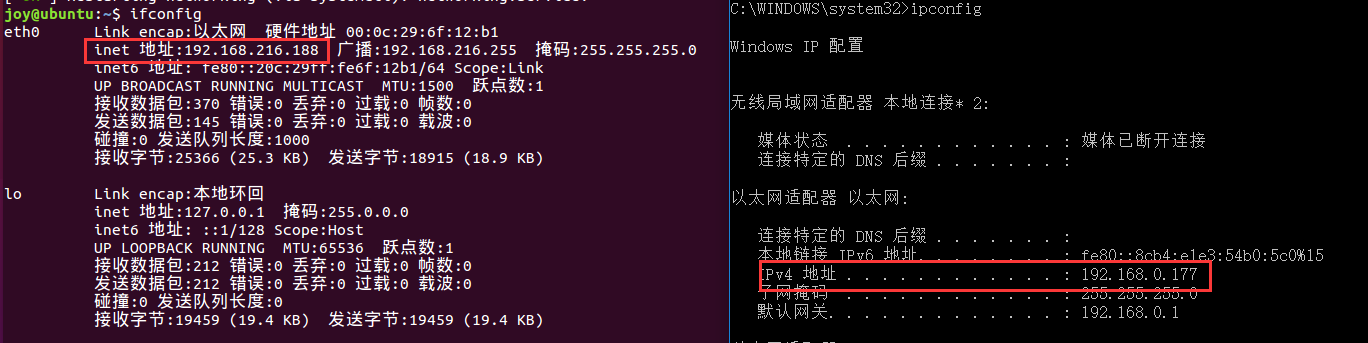
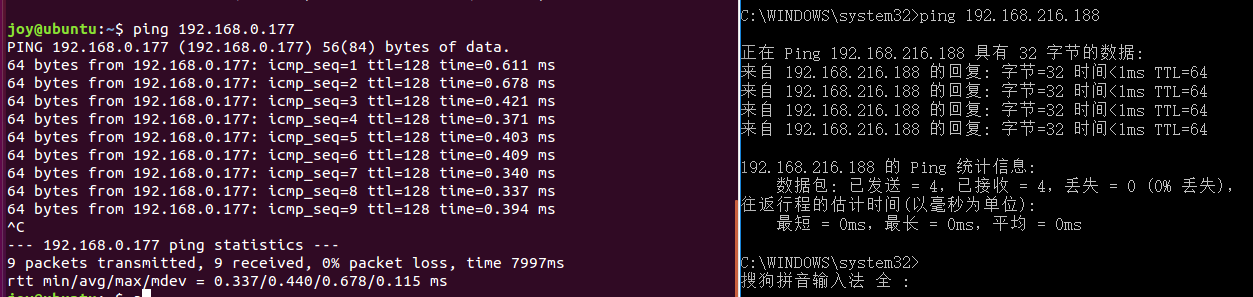
互ping都是通的了
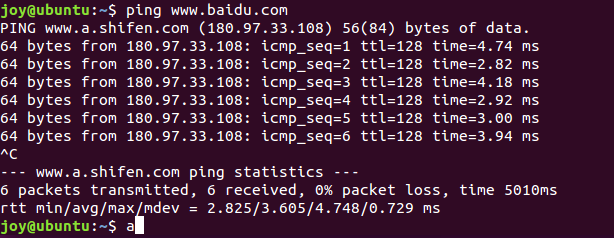
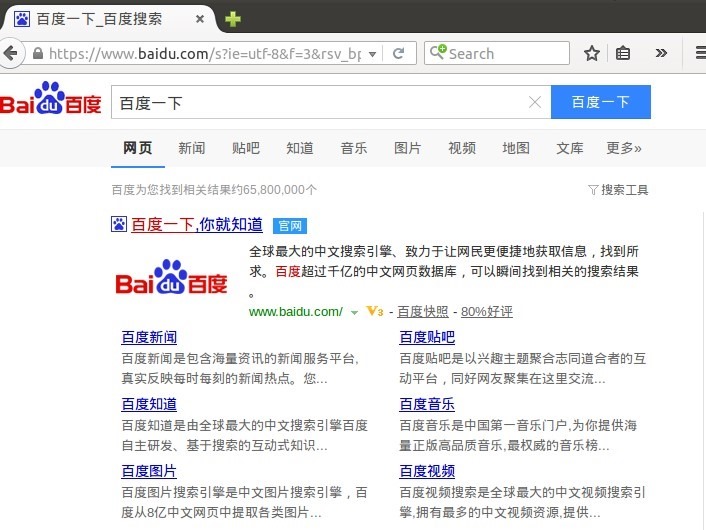
而且,也是可以上网的了
ubuntu 15.10 设置静态ip 分配固定ip 设置dns 设置网关 命令行配置ip 固定ip不生效怎么办的更多相关文章
- Ubuntu 15.10搭建IPSec L2TP服务器
以下步骤完全使用于Ubuntu 14.04版本 首先安装以下所需包 sudo apt-get install openswan xl2tpd ppp lsof!注意!Ubuntu 15.10会提示无法 ...
- 安装Ubuntu 15.10后要做的事
Ubuntu 15.10发布了,带来了很多新特性,同样也依然带着很多不习惯的东西,所以装完系统后还要进行一系列的优化. 1.删除libreoffice libreoffice虽然是开源的,但是Java ...
- 【转】安装Ubuntu 15.10后要做的事
Ubuntu 15.10发布了,带来了很多新特性,同样也依然带着很多不习惯的东西,所以装完系统后还要进行一系列的优化. 1.删除libreoffice libreoffice虽然是开源的,但是Java ...
- Ubuntu 15.10 下Tachyon安装
1 系统环境 Ubuntu 15.10, Java 1.7, Hadoop 2.6.0 HA, Spark-1.4.0 三台机器 spark-1423-0001: Master, Worker spa ...
- 转载:安装Ubuntu 15.10后要做的事
转载:安装Ubuntu 15.10后要做的事 原文转载于:http://blog.csdn.net/skykingf/article/details/45267517 Ubuntu 15.10发布了, ...
- Ubuntu 15.10 x64 安装 Android SDK
操作系统:Ubuntu 15.10 x64 目标:安装 Android SDK 本文最后更新时间:2015-11-3 安装32位库文件 2013年9月的iPhone 5s是第一款64位手机,而Andr ...
- Ubuntu 15.10安装elementary desktop
elementaryOS的风格类似于macos,基于Ubuntu改造,个人比较喜欢其界面理念,简单清晰.因此下载了elementaryOS Freya使用,使用过程中,各个软件版本的升级比较落后,比如 ...
- Ubuntu 15.10 x64 安装 Android SDK(转)
操作系统:Ubuntu 15.10 x64 目标:安装 Android SDK 本文最后更新时间:2015-11-3 安装32位库文件 2013年9月的iPhone 5s是第一款64位手机,而Andr ...
- ubuntu 15.10 安装swift开发环境 2016/4/17
ubuntu 15.10 64位 下载地址 https://swift.org/download/#using-downloads 1.首先在ubuntu终端上 (ctl+alt+t打开) 下载cla ...
随机推荐
- 如何用python下载一张图片
如何用python下载一张图片 这里要用到的主要工具是requests这个工具,需要先安装这个库才能使用,该库衍生自urllib这个库,但是要比它更好用.多数人在做爬虫的时候选择它,是个不错的选择. ...
- 【安全性测试】解决关于appscan基于登录会话检测失败问题
有些问题久了忽然就想通怎么解决了,很神奇.这次要说的是,关于appscan无法检测到会话的问题,因为在百度上一直找不到相关的解决方法,这个问题困扰了我很久,今天终于找到方法解决了! 日常配置扫描内容: ...
- HTMl、CSS、JS的区别:
HTMl.CSS.JS的区别: Html:决定网页的结构和内容----[结构] Css:控制页面的表现样式,如:美化页面----[表现] Js:控制网页的行为,如:给页面加动态的效果----[行为]
- Maven 插件之 docker-maven-plugin 的使用
目录 docker-maven-plugin 介绍环境.软件准备Demo 示例 配置 DOCKER_HOST示例构建镜像 指定构建信息到 POM 中构建使用 Dockerfile 构建使用命令绑定 D ...
- angular.uppercase()
<!DOCTYPE html> <html> <head> <meta charset="UTF-8"> <title> ...
- CentOS 7.3/Linux .net core sdk 安装
执行下列命令,安装.NET Core SDK(微软官方教程地址 https://www.microsoft.com/net/learn/get-started/linuxcentos) 点开链接,选择 ...
- Mac软件安装提示程序已损坏解决方案
---恢复内容开始--- 最近下载好的Mac软件安装时,系统跳出该程序已损坏: 嗯……估计是因为下载了破解版,被系统屏蔽,重设一下安全设置就好: 很兴奋的打开系统偏好设置->安全性与隐私: 然而 ...
- cadence电源和地平面的处理
覆铜是PCB布线的常用操作,下面总结覆铜的方法以及电源层分割的方法 PCB设计中,经常面临电源.地噪声的挑战,在高速数字系统中,电源和地的设计非常关键!电源和地的主要作用有: 一,为数字信号提供稳定的 ...
- java 的基本数据类型及转换
数据类型精度: byte 8 位short 16 位int 32 位long 64 位float 32 位double 64 位char 16 位 boolean 占几位要看 jvm 的具体实现, 虽 ...
- 【RL-TCPnet网络教程】第31章 Telnet远程登录基础知识
第31章 Telnet远程登录基础知识 本章节为大家讲解Telnet (Teletype Network) 的基础知识,方便后面章节的实战操作. (本章的知识点主要整理自网络) 31.1 ...