
C++ String //string字符串查找和替换 比较 存取 修改单个字符 插入和删除 string字串
  1 //string字符串查找和替换  比较  存取 修改单个字符 插入和删除  string字串

  2 #include <iostream>

  3 #include<string>

  4

  5 using namespace std;

  6 //查找

  7

  8 void test01()

  9 {

 10     string str1 = "abcdefg";

 11

 12     int pos =str1.find("de");

 13

 14     if (pos == -1)

 15     {

 16         cout << "没有找到<<endl;" <<endl;

 17     }

 18     else

 19     {

 20         cout << "找到字符串的位置,pos=" << pos << endl;

 21     }

 22

 23     cout << "pos = " << pos << endl;

 24

 25     //rfind 和 find 区别

 26     //rfind从右往左查找    find从左往右查找

 27     pos = str1.rfind("de");

 28     cout << "pos" << pos << endl;

 29

 30

 31

 32 }

 33

 34 //替换

 35 void test02()

 36 {

 37     string str1 = "abcdefg";

 38

 39     //从1号位置起 3个字符 替换为“1111”

 40     str1.replace(1, 3, "2222");

 41     cout << "str1 = " << str1 << endl;

 42 }

 43

 44 //比较

 45  // = 0    >1    <-1

 46 void test03()

 47 {

 48     string str3 = "xhello";

 49     string str4 = "hellllo";

 50

 51     if (str3.compare(str4) == 0)

 52     {

 53         cout << "str1等于 str2" << endl;

 54     }

 55     else if (str3.compare(str4) > 0)

 56     {

 57         cout << "str3 大于 str4 " << endl;

 58     }

 59     else

 60     {

 61         cout << "str3 小于 str4 " << endl;

 62     }

 63

 64 }

 65

 66 //string 字符存取

 67 void test04()

 68 {

 69     string str = "hello";

 70     //cout << "str = " << str << endl;

 71

 72     //第一种通过[]访问单个字符

 73     for (int i = 0; i < str.size(); i++)

 74     {

 75         cout << str[i] << " ";

 76     }

 77     cout << endl;

 78

 79     //第二种通过at访问单个字符

 80     for (int i = 0; i < str.size(); i++)

 81     {

 82         cout << str.at(i) << " ";

 83     }

 84     cout << endl;

 85

 86     //修改单个字符

 87     str[0] = 'x';

 88     cout << "str = " << str << endl;

 89

 90     str.at(1) = 'z';

 91     cout << "str = " << str << endl;

 92

 93 }

 94

 95 //string 插入和删除

 96

 97 void test05()

 98 {

 99     string str8 = "hello";

100

101     //插入

102     str8.insert(1, "111");

103     cout << "str8 = " << str8 << endl;

104

105     //删除

106     str8.erase(1, 3);

107     cout << "str8 = " << str8 << endl;

108

109 }

110

111 //string 求字串

112 void test6()

113 {

114     string str = "ancdef";

115

116     string subStr = str.substr(1, 3);

117

118     cout << "subStr = " << subStr << endl;

119 }

120

121 //使用操作

122 void test7()

123 {

124     string email = "zhangsan@qq.com";

125     //从邮件地址中 获取 用户信息

126

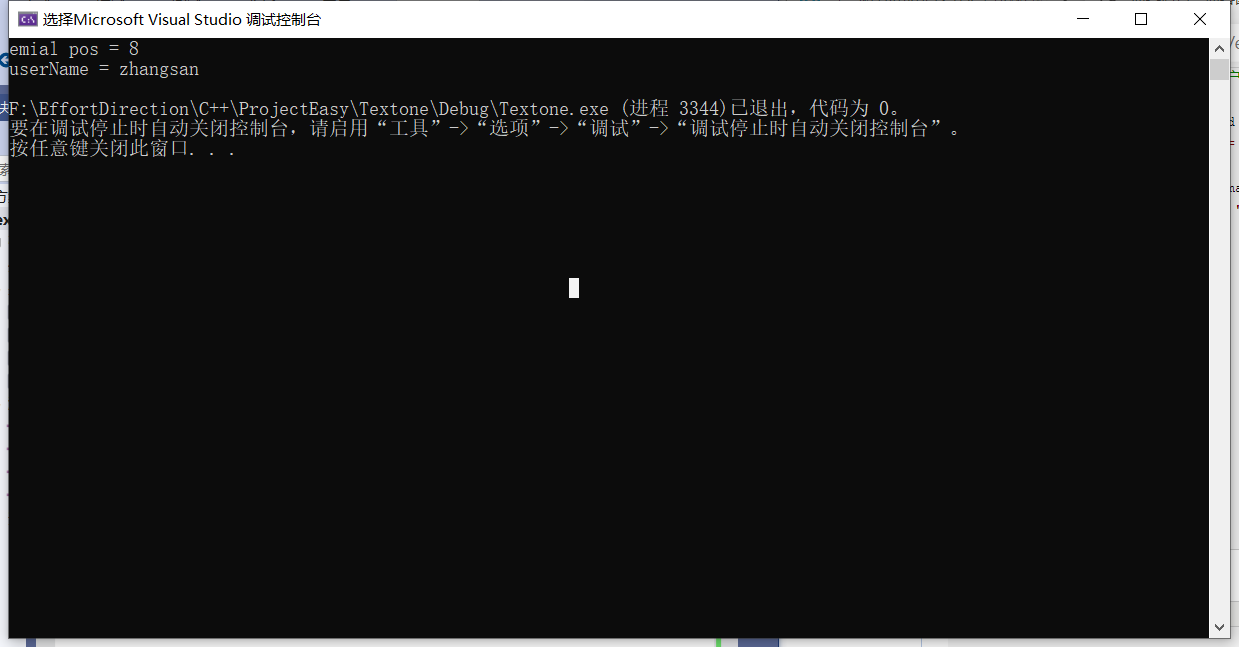
127     int pos = email.find("@"); //8

128     cout << "emial pos = " << pos << endl;

129

130     string userName = email.substr(0, pos);

131     cout << "userName = " << userName << endl;

132 }

133

134 int main()

135 {

136     //test01();

137     //test02();

138     //test03();

139

140     //test04();

141

142     //test05();

143     //test6();

144     test7();

145 }
C++ String //string字符串查找和替换 比较 存取 修改单个字符 插入和删除 string字串的更多相关文章
- Java实验项目三——递归实现字符串查找和替换操作
Program:按照下面要求实现字符串的操作: (1)设计一个提供下面字符串操作的类 1)编写一个方法,查找在一个字符串中指定字符串出现的次数. 2)编写一个方法,参数(母字符串,目标字符串,替换字符 ...
- 萌新笔记——C++里将string类字符串(utf-8编码)分解成单个字(可中英混输)
最近在建词典,使用Trie字典树,需要把字符串分解成单个字.由于传入的字符串中可能包含中文或者英文,它们的字节数并不相同.一开始天真地认为中文就是两个字节,于是很happy地直接判断当前位置的字符的A ...
- C++里将string类字符串(utf-8编码)分解成单个字(可中英混输)
最近在建词典,使用Trie字典树,需要把字符串分解成单个字.由于传入的字符串中可能包含中文或者英文,它们的字节数并不相同.一开始天真地认为中文就是两个字节,于是很happy地直接判断当前位置的字符的A ...
- linux makefile字符串操作函数 替换subst、模式替换patsubst、去首尾空格strip、查找字符串findstring、过滤filter、反过滤filter-out、排序函数sort、取单词word、取单词串wordlist、个数统计words
1.1 字符操作函数使用 在Makefile中可以使用函数来处理变量,从而让我们的命令或是规则更为的灵活和具有智能.make所支持的函数也不算很多,不过已经足够我们的操作了.函数调用后,函 ...
- string.Format字符串格式说明
先举几个简单的应用案例: 1.格式化货币(跟系统的环境有关,中文系统默认格式化人民币,英文系统格式化美元) string.Format("{0:C}",0.2) 结果为:¥0.20 ...
- string.Format字符串格式说明(转)
转自:http://blog.csdn.net/dl020840504/article/details/8921875 先举几个简单的应用案例: 1.格式化货币(跟系统的环境有关,中文系统默认格式 ...
- string.Format字符串格式化说明(转)
string.Format字符串格式化说明 www.111cn.net 编辑:Crese 来源:转载 先举几个简单的应用案例: 1.格式化货币(跟系统的环境有关,中文系统默认格式化人民币,英文系统 ...
- [C/C++] String Reverse 字符串 反转
#include <iostream> #include <string> #include <algorithm> #include <cstring> ...
- 345. Reverse Vowels of a String翻转字符串中的元音字母
[抄题]: Write a function that takes a string as input and reverse only the vowels of a string. Example ...
- Word查找和替换通配符(完全版)
Word查找栏代码·通配符一览表 序号 清除使用通配符复选框 勾选使用通配符复选框 特殊字符 代码 特殊字符 代码or通配符 1 任意单个字符 ^? 任意单个字符 ? 2 任意数字 ^# 任意数字(单 ...
随机推荐
- 【解决一个小问题】macbook m2 上交叉编译 gozstd
作者:张富春(ahfuzhang),转载时请注明作者和引用链接,谢谢! cnblogs博客 zhihu Github 公众号:一本正经的瞎扯 已知 zstd 是一个优秀的压缩库,gozstd封装了这个 ...
- 【JS 逆向百例】元素ID定位加密位置,某麻将数据逆向
声明 本文章中所有内容仅供学习交流,抓包内容.敏感网址.数据接口均已做脱敏处理,严禁用于商业用途和非法用途,否则由此产生的一切后果均与作者无关,若有侵权,请联系我立即删除! 逆向目标 目标:某在线麻将 ...
- IM开源项目OpenIM部署文档-从准备工作到nginx配置
IM开源项目OpenIM部署文档-从准备工作到nginx配置 2022-11-14 22:27·OpenIM 一.准备工作 运行环境 linux系统即可, Ubuntu 7.5.0-3ubuntu1~ ...
- PaddleHub实战篇{词法分析模型LAC、情感分类ERNIE Tiny}训练、部署【三】
相关文章: 基础知识介绍: [一]ERNIE:飞桨开源开发套件,入门学习,看看行业顶尖持续学习语义理解框架,如何取得世界多个实战的SOTA效果?_汀.的博客-CSDN博客_ernie模型 百度飞桨: ...
- 【7】vscode不同的窗口样式和颜色插件peacock、设置打开多个窗口、md文件打开方式和预览以及插入目录
相关文章: [1]VScode中文界面方法-------超简单教程 [2]VScode搭建python和tensorflow环境 [3]VSCode 主题设置推荐,自定义配色方案,修改注释高亮颜色 [ ...
- centos离线安装chrony
环境 CentOS Linux release 7.9.2009 (Core) 工具 chrony-2.2.1.tar.gz 下载地址:https://download.tuxfamily.org/c ...
- Windows配置PHP的MongoDB扩展
环境 Windows 10 PHP 5.6.40/8.1.11 配置 下载MongoDB扩展 下载地址:https://pecl.php.net/package/mongodb 下载PHP版本对应的扩 ...
- Python中的UnboundLocalError是什么错误?如何解决?
在一个月黑风高的夜晚,我们满心欢喜地写出以下代码: money = 10000 # 当前的财产,单位为元 def add_money(value): money += value print('当 ...
- idea报错 Error running GctlBrpApplication. Command line is too long. Shorten the command line and rerun.解决方案
idea新导入项目有时候会出现以下报错,解决方法如下: 一:报错截图,报错原因是命令行太长,让缩短命令长度再运行. 二:解决方法如下:在剪头标记位置加入代码: <property name=&q ...
- Pandas数据合并
目录 1) 在单个键上进行合并操作 2) 在多个键上进行合并操作 使用how参数合并 1) left join 2) right join 3) outer join(并集) 4) inner joi ...