
Havoc插件编写
配置文件的webhook支持discord,所以尝试使用钉钉和企业微信。
WebHook {

	Discord {

		Url = ""

		AvatarUrl = ""

		User = "announcer"

	}

}
服务端中判断如果配置了webhook会在自身添加agent之前就转发给discord了。
func (t *Teamserver) AgentAdd(Agent *agent.Agent) []*agent.Agent {

	if Agent != nil {

		if t.WebHooks != nil {

			t.WebHooks.NewAgent(Agent.ToMap())

		}

	}

...

}
可以看到在上线时,server的控制台上会有上线的信息。
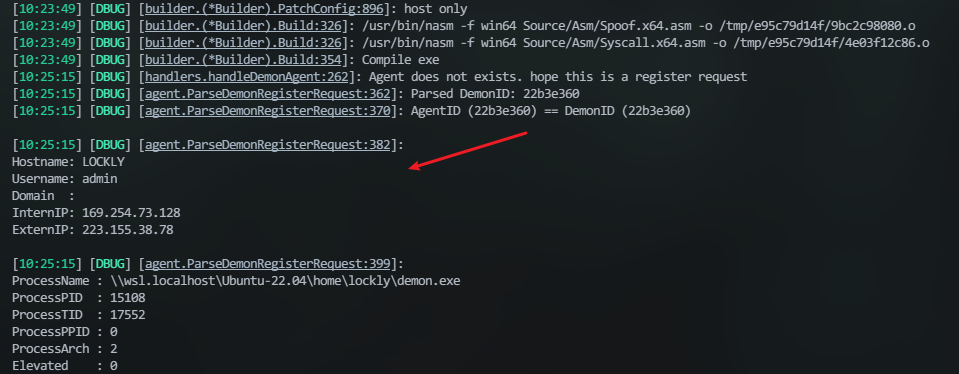
借鉴一个老哥的做法:起个子程序来开服务端,同时监听并捕获这个信息:
    process = subprocess.Popen(['./havoc', 'server', '--profile', './profiles/havoc.yaotl', '-v', '--debug'],

                               stdout=subprocess.PIPE,

                               stderr=subprocess.STDOUT,

                               text=True)

    capture = False

// 获取到前四行即可

        if "[DBUG] [agent.ParseDemonRegisterRequest:382]" in line:

            capture = True

            captured_text = ""

            line_count = 0

            continue

        if capture:

            if line_count < 5:

                captured_text += line + '\n'

                line_count += 1

            else: #

                send_messages('New connection!\n'+captured_text.strip())

                capture = False
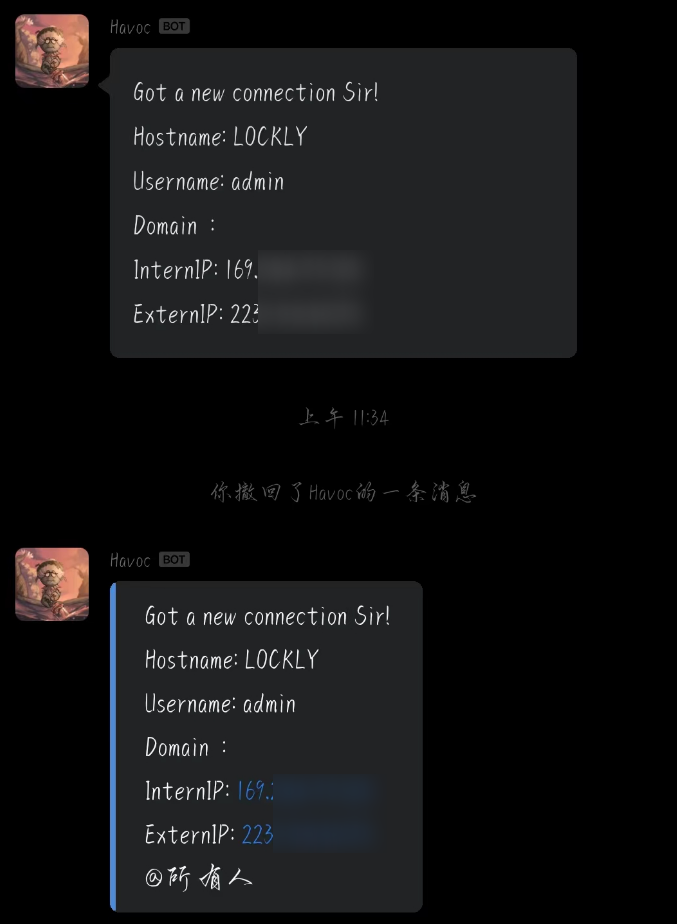
然后根据官方文档 发送text类型的消息,markdown可以但是在微信中不能正常显示。
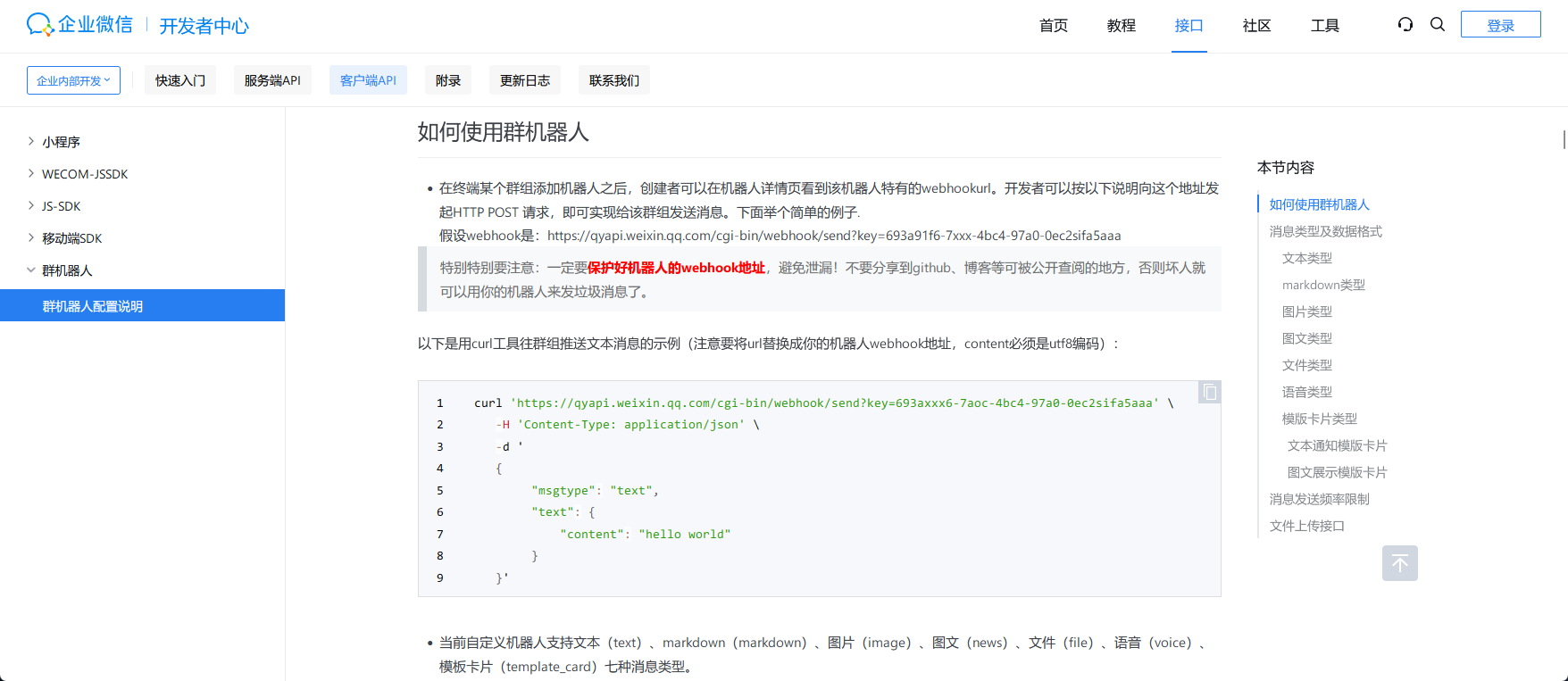
上面是markdown下面是text文本,代码也上传了:gayhub
但这样并不是很好,而翻官方文档,里面有提供对客户端api的详细说明,主要涉及到havoc和havocui这两个。
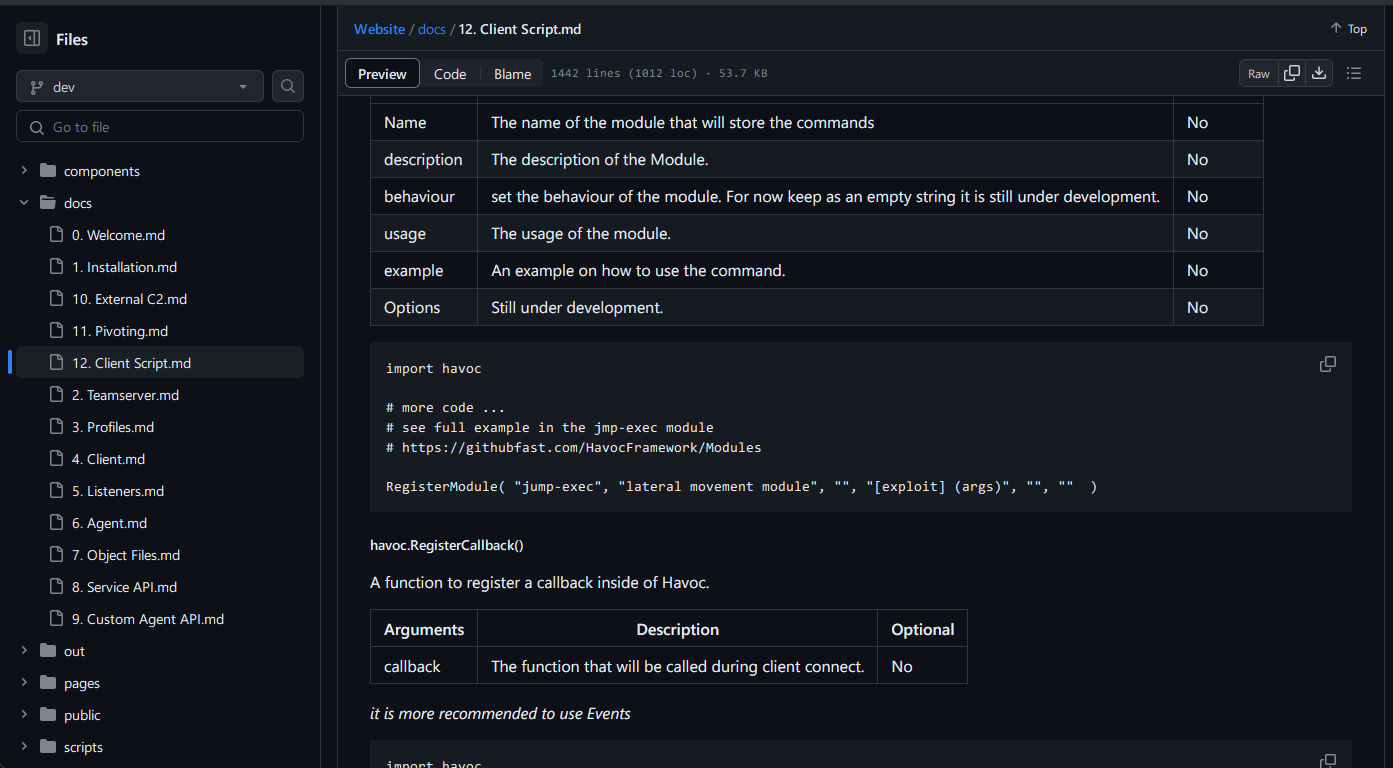
对于ui可以直接在客户端的console中尝试他的效果:
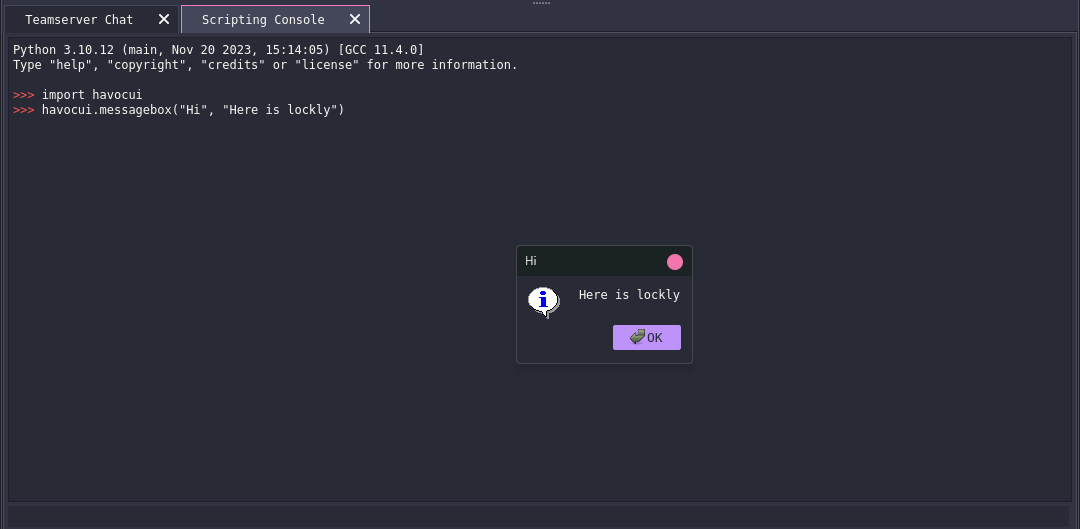
像获取demons的数量可以用havoc.GetDemons()
文档中介绍了一些比较常用的api,在\client\src\Havoc\PythonApi有更多的调用方向,比如下面的:
PyMemberDef PyDemonClass_members[] = {

        { "Listener",       T_STRING, offsetof( PyDemonClass, Listener ),    0, "Listener name" },

        { "DemonID",        T_STRING, offsetof( PyDemonClass, DemonID ),     0, "Listener name" },

        { "ExternalIP",     T_STRING, offsetof( PyDemonClass, ExternalIP ),  0, "External IP" },

        { "InternalIP",     T_STRING, offsetof( PyDemonClass, InternalIP ),  0, "Internal IP" },

        { "User",           T_STRING, offsetof( PyDemonClass, User ),        0, "Username" },

        { "Computer",       T_STRING, offsetof( PyDemonClass, Computer ),    0, "Computer" },

        { "Domain",         T_STRING, offsetof( PyDemonClass, Domain ),      0, "Domain" },

        { "OS",             T_STRING, offsetof( PyDemonClass, OS ),          0, "Windows Version" },

        { "OSBuild",        T_STRING, offsetof( PyDemonClass, OSBuild ),     0, "Windows OS Build" },

        { "OSArch",         T_STRING, offsetof( PyDemonClass, OSArch ),      0, "Windows Architecture" },

        { "ProcessName",    T_STRING, offsetof( PyDemonClass, ProcessName ), 0, "Process Name" },

        { "ProcessID",      T_STRING, offsetof( PyDemonClass, ProcessID ),   0, "Process ID" },

        { "ProcessArch",    T_STRING, offsetof( PyDemonClass, ProcessArch ), 0, "Process Architecture" },

        { "CONSOLE_INFO",   T_INT, offsetof( PyDemonClass, CONSOLE_INFO ),   0, "Console message type info" },

        { "CONSOLE_ERROR",  T_INT, offsetof( PyDemonClass, CONSOLE_ERROR ),  0, "Console message type error" },

        { "CONSOLE_TASK",   T_INT, offsetof( PyDemonClass, CONSOLE_TASK ),   0, "Console message type task" },

        { NULL },

};

PyMethodDef PyDemonClass_methods[] = {

        { "ConsoleWrite",           ( PyCFunction ) DemonClass_ConsoleWrite,           METH_VARARGS, "Prints messages to the demon sessions console" },

        { "ProcessCreate",          ( PyCFunction ) DemonClass_ProcessCreate,          METH_VARARGS, "Creates a Process" },

        { "InlineExecute",          ( PyCFunction ) DemonClass_InlineExecute,          METH_VARARGS, "Executes a coff file in the context of the demon sessions" },

        { "InlineExecuteGetOutput", ( PyCFunction ) DemonClass_InlineExecuteGetOutput, METH_VARARGS, "Executes a coff file in the context of the demon sessions and get the output via a callback" },

        { "DllSpawn",               ( PyCFunction ) DemonClass_DllSpawn,               METH_VARARGS, "Spawn and injects a reflective dll and get output from it" },

        { "DllInject",              ( PyCFunction ) DemonClass_DllInject,              METH_VARARGS, "Injects a reflective dll into a specified process" },

        { "DotnetInlineExecute",    ( PyCFunction ) DemonClass_DotnetInlineExecute,    METH_VARARGS, "Executes a dotnet assembly in the context of the demon sessions" },

        { "Command",                ( PyCFunction ) DemonClass_Command,                METH_VARARGS, "Run a command" },

        { "CommandGetOutput",       ( PyCFunction ) DemonClass_CommandGetOutput,                METH_VARARGS, "Run a command and retreive the output" },

        { "ShellcodeSpawn",         ( PyCFunction ) DemonClass_ShellcodeSpawn,         METH_VARARGS, "Executes shellcode spawning a new process" },

        { NULL },

};
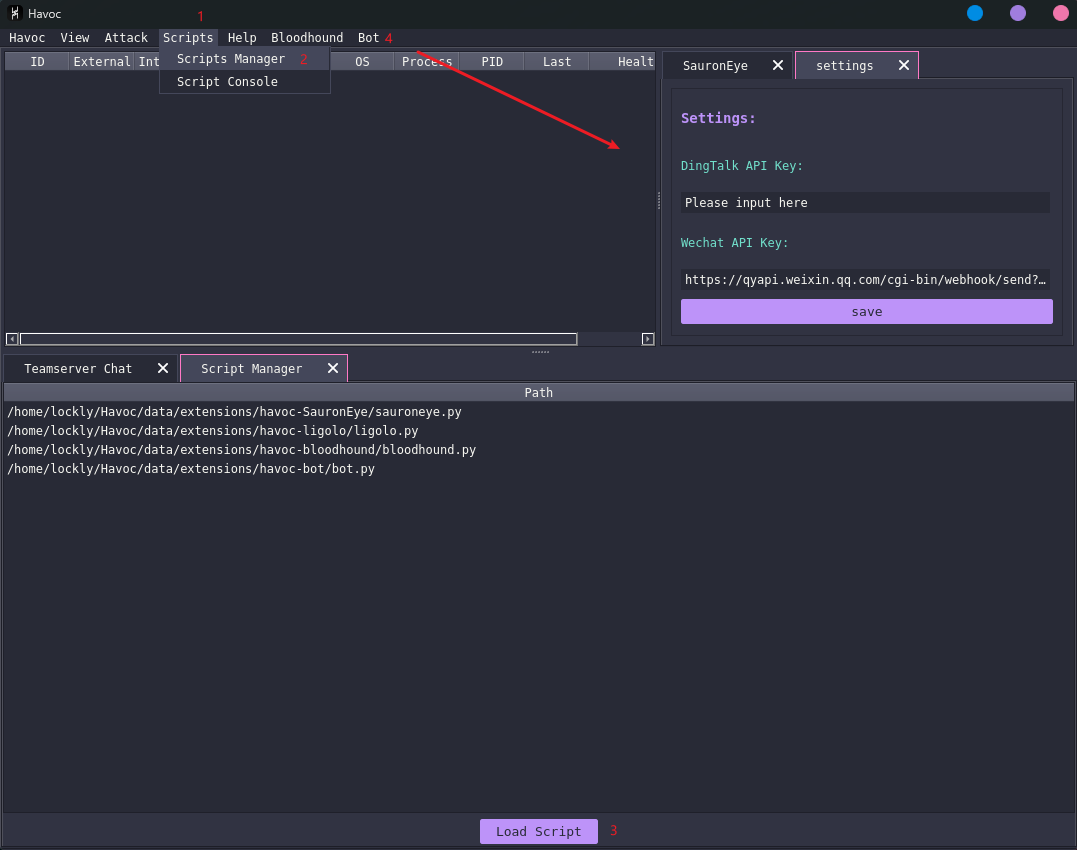
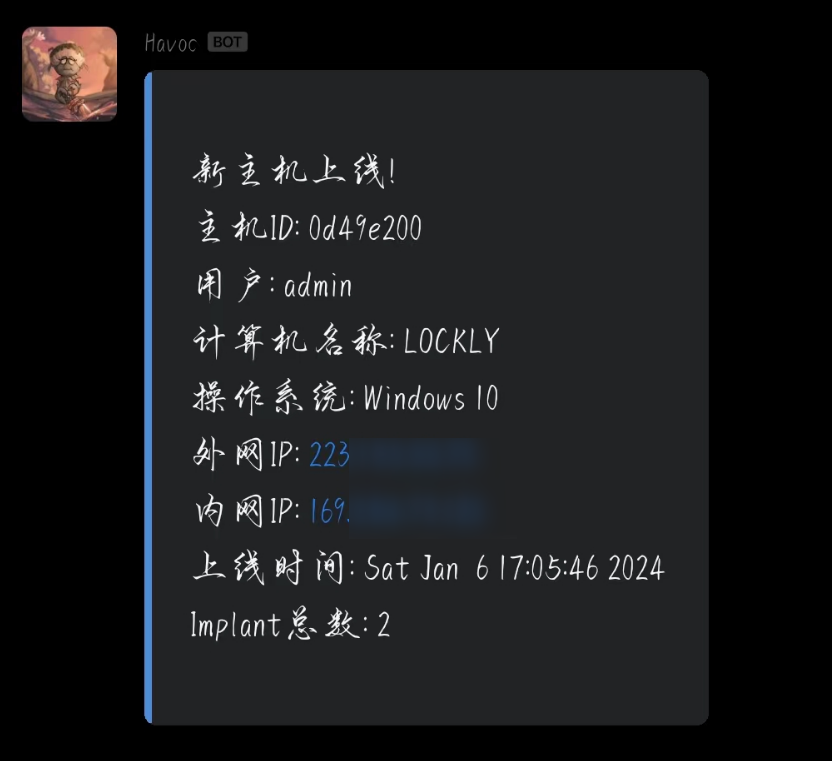
代码的逻辑也很简单,就是通过havoc.Demon(demon_id)获取到这个对象,抽出这里面的对象发送即可。代码可以去仓库看看。最终完成的效果如下:
最后也是正常能提示了,传送门:gayhub(一起交流)
Havoc插件编写的更多相关文章
- jQuery插件编写及链式编程模型小结
JQuery极大的提高了我们编写JavaScript的效率,让我们可以愉快的编写代码,做出各种特效.大多数情况下,我们都是使用别人开发的JQuery插件,今天我们就来看看如何把我们常用的功能做出JQu ...
- Wireshark插件编写
Wireshark插件编写 在抓包的过程中学习了使用wireshark,同时发现wireshark可以进行加载插件,便在网上学习了一下相应的插件开发技术. 需求编写一个私有协议名为SYC,使用UDP端 ...
- typecho插件编写教程1 - 从HelloWorld说起
typecho插件编写教程1 - 从HelloWorld说起 老高 187 5月25日 发布 推荐 0 推荐 收藏 2 收藏,189 浏览 最近老高正在编写一个关于typecho的插件,由于typec ...
- jQuery插件编写及链式编程模型
jQuery插件编写及链式编程模型小结 JQuery极大的提高了我们编写JavaScript的效率,让我们可以愉快的编写代码,做出各种特效.大多数情况下,我们都是使用别人开发的JQuery插件,今天我 ...
- vue插件编写与实战
关于 微信公众号:前端呼啦圈(Love-FED) 我的博客:劳卜的博客 知乎专栏:前端呼啦圈 前言 热爱vue开发的同学肯定知道awesome-vue 这个github地址,里面包含了数以千计的vue ...
- chart.js angular组件封装(ng6)、实战配置、插件编写
前言 项目需要使用chart.js插件,由于项目是使用angular开发,那么我第一步就是先把chart.js改造成angular组件来使用. 本项目代码都可以在github上下载:项目git地址 a ...
- Gulp:插件编写入门
之前挖了个坑,准备写篇gulp插件编写入门的科普文,之后迟迟没有动笔,因为不知道该肿么讲清楚Stream这货,毕竟,gulp插件的实现不像grunt插件的实现那么直观. 好吧,于是决定单刀直入了.文中 ...
- 关于chrome插件编写的小结
一个插件的大致目录结构如下: 其中manifest文件最为重要,它定义/指明插件应用的相关信息(权限.版本.功能说明等),点此查看Manifest的详情>> 这里有一篇chrome官方 ...
- chrome插件编写基本入门
chrome插件编写基本入门 http://igeekbar.com/igeekbar/post/331.htm #精选JAVASCRIPTCHROME 作为一名程序猿,怎么能不会写chrome插件 ...
- [Linux实用工具]munin-node插件配置和插件编写
前面介绍了2篇munin使用的相关文章: [Linux实用工具]Linux监控工具munin的安装和配置 [Linux实用工具]Linux监控工具munin的展示(Nginx) 这次介绍一下mun ...
随机推荐
- 「tricks」平凡二分幻术
其实这个的标题叫 平凡线段树上二分幻术,因为这是一个民科在乱叫. 如标题所言,这个东西确实非常 trivial.碍于网络上没有一个成体系的文章供参考就只能自己来炒炒冷饭. 如果出了什么 bug 就当个 ...
- 各种SQL连接符Join
一.连接符分类,内连接,外连接 1.内连接:Inner Join简写Join. 2.外连接:Left Outer Join 简写Left Join:Right Outer Join 简写Right J ...
- ModuleNotFoundError: No module named 'qrcode'
W File "/usr/lib/python3/dist-packages/pip/_internal/resolution/resolvelib/candidates.py", ...
- FragmentStatePagerAdapter
public abstract class FragmentStatePagerAdapter extends PagerAdapter java.lang.Object ↳ android.s ...
- 造轮子之asp.net core identity
在前面我们完成了应用最基础的功能支持以及数据库配置,接下来就是我们的用户角色登录等功能了,在asp.net core中原生Identity可以让我们快速完成这个功能的开发,在.NET8中,asp.ne ...
- NW排错
fist date VM备份失败时: NW server上(linux): > nsradmin >p type : nsr recover > cd /nsr/logs >n ...
- 【v2v迁移】Xen2kvm 迁移-linux篇
迁移环境: 源平台:华为FusionComputeV100R006C10SPC101 目标平台:基于KVM虚拟化的云平台,本文以原生的libvirt为例 虚拟机:centos 7.6 具体操作步骤: ...
- codeforce 827div4
第一次在codeforce上打题,补一下题记录成长 D题 分析:求数组中两个互质的数的最大下标和: 思路:观察到数据范围n是2e5暴力做n^2会超时,再观察数据a[i]最大为1000,所以这2e5个数 ...
- List集合异常:list All elements are null
查询数据库,返回空数据,但是List中显示有一个数据,点开以后显示 All elements are null ObjectUtils.isEmpty 和 List.isEmpty判断都失败,后续会 ...
- DO、DTO、BO、AO、VO、POJO定义和转换的正确姿势
一.引言DO.DTO.BO.AO.VO.POJO的概念看似简单,但是想区分好或者理解好也不容易,本文简单梳理一下. 通过各层POJO的使用,有助于提高代码的可读性和可维护性. ------------ ...