
步步为营-69-Razor基础
作用:进一步将HTML代码和C#代码进行解耦
1.1 引用程序集(RazorEngine.dll,System.Web.Razor.dll)
1.1.1 可以从http://razorengine.codeplex.com/ 上下载
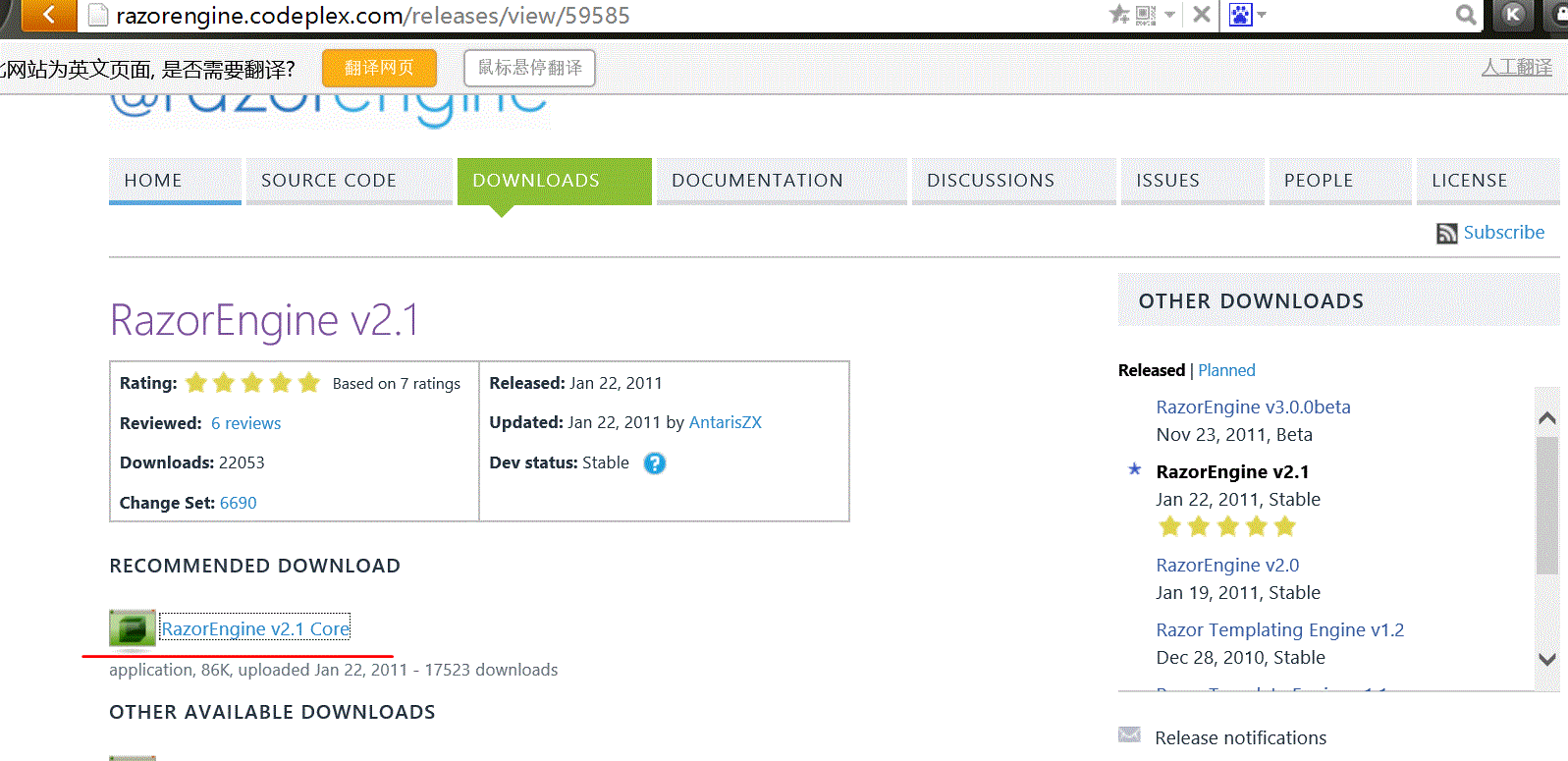
1.1.2 也可以NuGet程序包安装(建议使用第一种,因为这个安装完成后只有System.Web.Razor.dll这一个,)

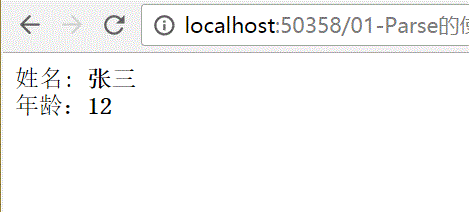
1.2 Parse的使用
<!DOCTYPE html>

<html xmlns="http://www.w3.org/1999/xhtml">

<head>

<meta http-equiv="Content-Type" content="text/html; charset=utf-8"/>

    <title></title>

</head>

<body>

    姓名: <b>@Model.Name</b>

    <!--姓名2: <b>@Model.Name</b>-->


    </br>

   年龄:<b>@Model.Age</b>

</body>

</html>
html
using RazorEngine;

using System;

using System.Collections.Generic;

using System.IO;

using System.Linq;

using System.Web;

using System.Web.Razor;

namespace _04_RazorTest

{

    /// <summary>

    /// _01_Parse的使用 的摘要说明

    /// </summary>

    public class _01_Parse的使用 : IHttpHandler

    {

        public void ProcessRequest(HttpContext context)

        {

            context.Response.ContentType = "text/html";

            //01获取要想要使用的HTML

            string html = File.ReadAllText(AppDomain.CurrentDomain.BaseDirectory+"01-Parse的使用.html");

            html = Razor.Parse(html, new { Name="张三",Age =});

            context.Response.Write(html);

        }

        public bool IsReusable

        {

            get

            {

                return false;

            }

        }

    }

}
ashx
1.3 通过Razor还可以直接在html中写C#代码
<!DOCTYPE html>

<html xmlns="http://www.w3.org/1999/xhtml">

<head>

<meta http-equiv="Content-Type" content="text/html; charset=utf-8"/>

    <title></title>

</head>

<body>

  @{

    for(int  i=;i<Model;i++){

        if(i%==)

        {

             <b>@i</b>

        }

    }

    }

</body>

</html>
html
using RazorEngine;

using System;

using System.Collections.Generic;

using System.IO;

using System.Linq;

using System.Web;

using System.Web.Razor;

namespace _04_RazorTest

{

    /// <summary>

    /// _01_Parse的使用 的摘要说明

    /// </summary>

    public class _02_Parse的使用_2 : IHttpHandler

    {

        public void ProcessRequest(HttpContext context)

        {

            context.Response.ContentType = "text/html";

            //01获取要想要使用的HTML

            string html = File.ReadAllText(AppDomain.CurrentDomain.BaseDirectory+"02-Parse的使用-2.html");

            html = Razor.Parse(html, );

            context.Response.Write(html);

        }

        public bool IsReusable

        {

            get

            {

                return false;

            }

        }

    }

}
ashx

1.4 类似母版页
using RazorEngine;

using System;

using System.Collections.Generic;

using System.IO;

using System.Linq;

using System.Web;

namespace _04_RazorTest

{

    /// <summary>

    /// _03_类似母版页 的摘要说明

    /// </summary>

    public class _03_类似母版页 : IHttpHandler

    {

        public void ProcessRequest(HttpContext context)

        {

            context.Response.ContentType = "text/html";

            //01 获取HTML页

            string html = File.ReadAllText(AppDomain.CurrentDomain.BaseDirectory+"03-类似母版页.html");

            string top = File.ReadAllText(AppDomain.CurrentDomain.BaseDirectory+"03-Top.html");

            //02 编译 替换

            Razor.Compile( top,"Top");

            //03 必须先Compile,再Parse

           html= Razor.Parse(html, new {Name = "张三" });

            context.Response.Write(html);

        }

        public bool IsReusable

        {

            get

            {

                return false;

            }

        }

    }

}
ashx
<!DOCTYPE html>

<html xmlns="http://www.w3.org/1999/xhtml">

<head>

<meta http-equiv="Content-Type" content="text/html; charset=utf-8"/>

    <title></title>

</head>

<body>

    @Include("Top")

    <hr />

    姓名: <b>@Model.Name</b>

</body>

</html>
03-类似母版页.html
<!DOCTYPE html>

<html xmlns="http://www.w3.org/1999/xhtml">

<head>

<meta http-equiv="Content-Type" content="text/html; charset=utf-8"/>

    <title></title>

</head>

<body>

    <b>这是标题行</b>

</body>

</html>
Top.html

1.5 对Razor的封装
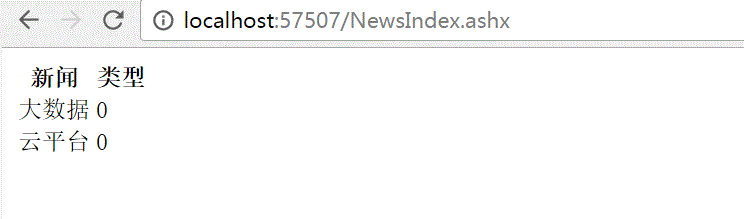
1.5.1 正常不使用Razor的代码实现
<!DOCTYPE html>

<html xmlns="http://www.w3.org/1999/xhtml">

<head>

<meta http-equiv="Content-Type" content="text/html; charset=utf-8"/>

    <title></title>

</head>

<body>

    <table >

        <thead><th>新闻</th><th>类型</th></thead>

        $content

    </table>

</body>

</html>
html
using System;

using System.Collections.Generic;

using System.Data;

using System.IO;

using System.Linq;

using System.Text;

using System.Web;

namespace _03_新闻

{

    /// <summary>

    /// NewsIndex 的摘要说明

    /// </summary>

    public class NewsIndex : IHttpHandler

    {

        public void ProcessRequest(HttpContext context)

        {

            context.Response.ContentType = "text/html";

            string sql = "select * from TypeInfo";

            DataTable dt = SqlHelper.ExecuteTable(sql);

            int count = dt.Rows.Count;

            StringBuilder sb = new StringBuilder();

            if (count > )

            {

                foreach (DataRow dr in dt.Rows)

                {

                    sb.Append("<tr>");

                    sb.Append("<td>");

                    sb.Append(dr["TypeTitle"]);

                    sb.Append("</td>");

                    sb.Append("<td>");

                    sb.Append(dr["TypeParentId"]);

                    sb.Append("</td>");

                    sb.Append("</tr>");

                }

            }

            else {

                sb.Append("<tr>");

                sb.Append("<td>");

                sb.Append("没有数据");

                sb.Append("</td>");

                sb.Append("</tr>");

            }

            string html = File.ReadAllText(Path.Combine(AppDomain.CurrentDomain.BaseDirectory,"NewsIndex.html"));

            html = html.Replace("$content",sb.ToString());

            context.Response.Write(html);

        }

        public bool IsReusable

        {

            get

            {

                return false;

            }

        }

    }

}
ashx
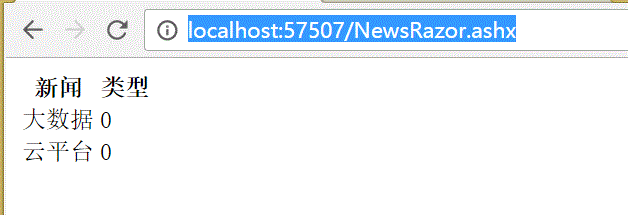
1.5.2 通过Razor的代码实现
1.5.2.1 封装RazorHelper类
using RazorEngine;

using System;

using System.Collections.Generic;

using System.Data;

using System.IO;

using System.Linq;

using System.Web;

namespace _03_新闻

{

    public static class RazorHelper

    {

        #region 01 渲染

        public static void Render(string modelName ,object obj,params IncludeType[] ps)

        {

            #region 01Compile

            //01-01 首先进行Compile                 -- Razor.Compile(top,"Top");

            //--需要两个参数,所以封装一个内部类,

            //--由于传递来的个数不确定,所以使用params

            if (ps.Length > )

            {

                int count = ps.Length;

                for (int i = ; i < count; i++)

                {

                    IncludeType t1 = ps[i];

                    string temp;

                    //确定是文件

                    if (t1.IsFile)

                    {

                        temp = File.ReadAllText(AppDomain.CurrentDomain.BaseDirectory + "View\\" + t1.Content);

                    }

                    else

                    {

                        temp = t1.Content;

                    }

                    //关键一步

                    Razor.Compile(temp, t1.Title);

                }

            }

            #endregion

            #region 02 Parse

            // html= Razor.Parse(html, new {Name = "张三" });

            string html = File.ReadAllText(AppDomain.CurrentDomain.BaseDirectory+"View\\"+modelName);

            html = Razor.Parse(html,obj);

            #endregion

            #region 03 输出响应流

            HttpContext.Current.Response.Write(html);

            #endregion

        }

        #endregion

        #region 02 定义一个母版页的类型

        /// <summary>

        /// 定义一个母版页的类型 Razor.Compile(Content,Title)时候用

        /// </summary>

        public class IncludeType

        {

            //02-01 定义标题Razor.Compile(Content,Title);

            public string Title { get; set; }

            //02-02 定义内容

            public string Content { get; set; }

            //02-03 定义是否是文件(文件,字符串)

            public bool IsFile { get; set; }

        }

        #endregion

    }

}
RazorHelper
<!DOCTYPE html>

@using System.Data;

<html xmlns="http://www.w3.org/1999/xhtml">

<head>

<meta http-equiv="Content-Type" content="text/html; charset=utf-8"/>

    <title></title>

</head>

<body>

    <table>

        <thead>

        <th>新闻</th>

        <th>类型</th>

        </thead>

        @{

           DataTable dt = Model as DataTable; <!--这一句代码很重要-->

           if(dt.Rows.Count >){

                int count = dt.Rows.Count;

                for(int i=;i<count;i++)

               {

                <tr>

                    <td> @dt.Rows[i]["TypeTitle"]</td>

                    <td>@dt.Rows[i]["TypeParentId"]</td>

                </tr>

                }

            }else

            {

            <tr>

                <td>没有数据,</td>

            </tr>

            }

        }

</table>

</body>

</html>
html
using System;

using System.Collections.Generic;

using System.Data;

using System.Linq;

using System.Web;

namespace _03_新闻

{

    /// <summary>

    /// NewsRazor 的摘要说明

    /// </summary>

    public class NewsRazor : IHttpHandler

    {

        public void ProcessRequest(HttpContext context)

        {

             context.Response.ContentType = "text/html";

            string sql = "select * from TypeInfo";

            DataTable dt = SqlHelper.ExecuteTable(sql);

            int count = dt.Rows.Count;

            RazorHelper.Render("ModelNewsShow.html", dt);

        }

        public bool IsReusable

        {

            get

            {

                return false;

            }

        }

    }

}
NewsRazor
1.5.2.2 进一步完善--母版页
只需要改3处
01-添加Top页面
<!DOCTYPE html>
<html xmlns="http://www.w3.org/1999/xhtml">
<head>
<meta http-equiv="Content-Type" content="text/html; charset=utf-8"/>
<title></title>
</head>
<body>
<a href="#">添加</a>
<a href="#">修改</a>
</body>
</html>
Top.html
02- 修改html页面
<!DOCTYPE html>

@using System.Data;

<html xmlns="http://www.w3.org/1999/xhtml">

<head>

<meta http-equiv="Content-Type" content="text/html; charset=utf-8"/>

    <title></title>

</head>

<body>

    @Include("Top")

    <br />

    <table>

        <thead>

        <th>新闻</th>

        <th>类型</th>

        </thead>

        @{

           DataTable dt = Model as DataTable; <!--这一句代码很重要-->

           if(dt.Rows.Count >){

                int count = dt.Rows.Count;

                for(int i=;i<count;i++)

               {

                <tr>

                    <td> @dt.Rows[i]["TypeTitle"]</td>

                    <td>@dt.Rows[i]["TypeParentId"]</td>

                </tr>

                }

            }else

            {

            <tr>

                <td>没有数据,</td>

            </tr>

            }

        }

</table>

</body>

</html>
html
@Include("Top")
03-修改NewRazor.ashx调用处
using System;

using System.Collections.Generic;

using System.Data;

using System.Linq;

using System.Web;

namespace _03_新闻

{

    /// <summary>

    /// NewsRazor 的摘要说明

    /// </summary>

    public class NewsRazor : IHttpHandler

    {

        public void ProcessRequest(HttpContext context)

        {

             context.Response.ContentType = "text/html";

            string sql = "select * from TypeInfo";

            DataTable dt = SqlHelper.ExecuteTable(sql);

            //int count = dt.Rows.Count;

            RazorHelper.Render("ModelNewsShow.html", dt, new RazorHelper.IncludeType { Title ="Top",Content="Top.html",IsFile = true});

        }

        public bool IsReusable

        {

            get

            {

                return false;

            }

        }

    }

}
NewsRazor
RazorHelper.Render("ModelNewsShow.html", dt, new RazorHelper.IncludeType { Title ="Top",Content="Top.html",IsFile = true});

步步为营-69-Razor基础的更多相关文章
- Razor基础语法简介
http://blog.csdn.net/pasic/article/details/7072340 Razor的出现,使页面看起更加简洁,Razor的页面后缀为:.cshtml Razor基础语法: ...
- Razor基础语法
原文:Razor基础语法 一.介绍 Razor是ASP.NET MVC视图引擎的代号,支持.cshtml和.vbhtml两种模板文件,符号@标记服务端代码的开始,比以前asp.net的< ...
- Razor基础语法一
目录: 什么是Razor? 渲染HTML Razor语法 隐式 Razor 表达式 显式 Razor 表达式 什么是Razor? Razor是基于服务端代码转换成网页的标记语法.语法主要包括Razor ...
- MVC Razor基础
@ 可以编写一条C#语句@{} 可以编写一组C#语句@: 将文字内容直接输出到页面上去@() 在一句中将一段C#代码包括起来,证明这一句完整的C#代码 Razor解决路径问题: Html.Action ...
- 搜索引擎 ElasticSearch 之 步步为营2 【基础概念】
在正式学习 ElasticSearch 之前,首先看一下 ElasticSearch 中的基本概念. 这些概念将在以后的章节中出现多次,所以花15分钟理解一下是非常值得的. 英文好的同学,请直接移步官 ...
- Razor基础,视图里如何调用controller里的函数
1.单行代码书写 @代码 2.多行代码书写 @{ //@加个大括号就可以在里面写C#代码了. C#代码第一行 C#代码第二行 } 3.Razor模板引擎会自动判别代码块,但是当代码存在二义性的时候,可 ...
- day 69 Django基础五之django模型层(一)单表操作
Django基础五之django模型层(一)单表操作 本节目录 一 ORM简介 二 单表操作 三 章节作业 四 xxx 一 ORM简介 MVC或者MVC框架中包括一个重要的部分,就是ORM,它实现 ...
- 步步为营-35-SQL语言基础
SQL 结构化查询语言(Structured Query Language) DDL DML DCL 在此不再对其进行详细解释 1 DDL 数据库定义语言 1.1 创建数据库脚本 --DDL crea ...
- Blazor 003 : Razor的基础语法
上文,我们通过剖析一个最简单的 Blazor WASM 项目,讲明白了 Razor 文件是什么,以及它被转译成 C#后长什么样子.也介绍了 Razor 中最简单的一个语法:Razor Expressi ...
- UI设计师零基础入门到精通精品视频教程【155课高清完整版】
[福吧资源网分享]课程是非常完整的,也是非常零基础的,适合任何学员,有需要的可以下载看看!课程目录:第1章 Adobe Photoshop CS6课时1 Adobe Photoshop CS6入门基础 ...
随机推荐
- JavaSE学习总结(七)—— 集合
一.为什么需要集合 如果要将100个学生成绩存放到程序中,怎么做? 首先想到是数组 int[] scores=new int[100]; 然而,长度是固定的,比如是101个学生成绩,这个数组就不能用了 ...
- Dubbo的负载均衡
背景 Dubbo是一个分布式服务框架,能避免单点故障和支持服务的横向扩容.一个服务通常会部署多个实例.如何从多个服务 Provider 组成的集群中挑选出一个进行调用,就涉及到一个负载均衡的策略. 几 ...
- UVALive 4254 Processor(二分)
题目链接 题意 有n个任务,每个任务有三个参数ri,di和wi,表示必须在时刻[ri,di]之内执行,工作量为wi.处理器执行速度可以变化,当执行速度为s时,工作量为wi.处理器的速度可以变化,当执行 ...
- js中常用事件
鼠标事件 /* onclick:点击某个对象时触发 ondblclick:双击某个对象时触发 onmouseover:鼠标移入某个元素时触发 onmouseout:鼠标移出某个元素时触发 onmous ...
- 词典的实现(3)--使用JAVA类库ArrayList实现Map数据结构
1,在词典的实现(2)-借助顺序表(数组)实现词典文章中使用了自定义的数组代替ArrayList,并实现了Map数据结构的基本功能.而借助JAVA类库ArrayList类的一些方法可以更加容易地实现M ...
- 四、移植 JZ2440 开发板
4.1 移植第一步 前面已经分析过了 .config 的过程,可以知道移植需要用到的文件: .config 文件 arch/arm/cpu 下的文件 board 目录 .config 文件是根据后面 ...
- android AsyncHttpClient使用
1.www.github.com下载jar包 loopj/android-async-http 将下载好的文件导入项目中 2.main.xml <?xml version="1.0&q ...
- Java EE之Hibernate异常总结【3】Disabling contextual LOB creation as createClob() method threw error java.lang.reflect.InvocationTargetException
参考文献:https://stackoverflow.com/questions/4588755/disabling-contextual-lob-creation-as-createclob-met ...
- django错误笔记(xadmin)——AttributeError: 'Settings' object has no attribute 'TEMPLATE_CONTEXT_PROCESSORS'
使用Xadmin,执行makemigrations和migrate时运行报错提示: AttributeError: 'Settings' object has no attribute 'TEMPLA ...
- MySQL— pymysql and SQLAlchemy
目录 一.pymysql 二.SQLAlchemy 一.pymysql pymsql是Python中操作MySQL的模块,其使用方法和MySQLdb几乎相同. 1. 下载安装 #在终端直接运行 pip ...