
hbase启动后子节点的regionserver不能启动
启动hbase后,主节点的进程正常,但是子节点的regionserver进程会自动挂掉
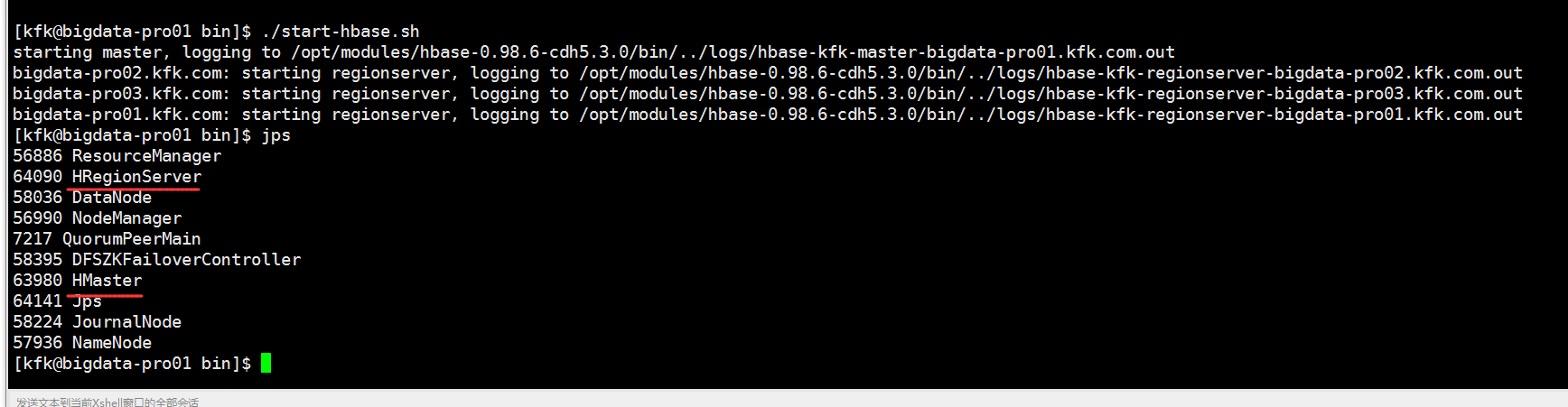
然后我们看看子节点的情况
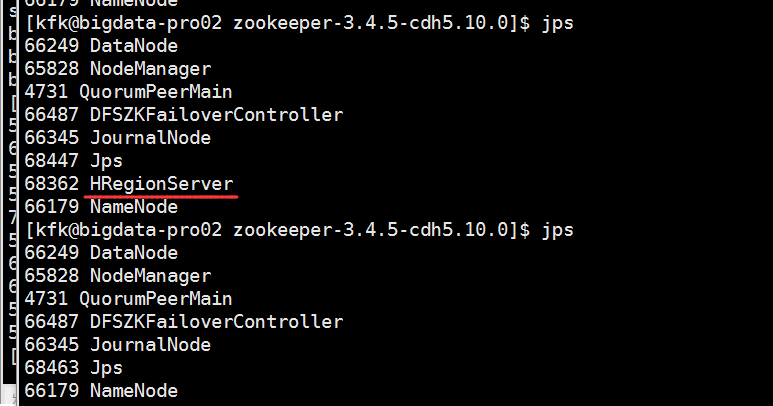
可以看到挂掉了
我们这样解决问题,先把hadoop目录下的这个两个文件放到hbase的conf目录下
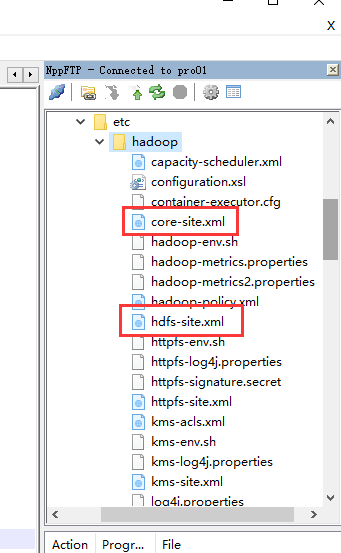
core-site.xml
<?xml version="1.0" encoding="UTF-8"?>

<?xml-stylesheet type="text/xsl" href="configuration.xsl"?>

<!--

  Licensed under the Apache License, Version 2.0 (the "License");

  you may not use this file except in compliance with the License.

  You may obtain a copy of the License at

    http://www.apache.org/licenses/LICENSE-2.0

  Unless required by applicable law or agreed to in writing, software

  distributed under the License is distributed on an "AS IS" BASIS,

  WITHOUT WARRANTIES OR CONDITIONS OF ANY KIND, either express or implied.

  See the License for the specific language governing permissions and

  limitations under the License. See accompanying LICENSE file.

-->

<!-- Put site-specific property overrides in this file. -->

<configuration>

        <property>

            <name>fs.defaultFS</name>

            <value>hdfs://ns</value>

        </property>

   <property>

            <name>hadoop.http.staticuser.user</name>

            <value>kfk</value>

    </property>

    <property>

            <name>hadoop.tmp.dir</name>

            <value>/opt/modules/hadoop-2.6./data/tmp</value>

    </property>

</configuration>
hdfs-site.xml
<?xml version="1.0" encoding="UTF-8"?>

<?xml-stylesheet type="text/xsl" href="configuration.xsl"?>

<!--

  Licensed under the Apache License, Version 2.0 (the "License");

  you may not use this file except in compliance with the License.

  You may obtain a copy of the License at

    http://www.apache.org/licenses/LICENSE-2.0

  Unless required by applicable law or agreed to in writing, software

  distributed under the License is distributed on an "AS IS" BASIS,

  WITHOUT WARRANTIES OR CONDITIONS OF ANY KIND, either express or implied.

  See the License for the specific language governing permissions and

  limitations under the License. See accompanying LICENSE file.

-->

<!-- Put site-specific property overrides in this file. -->

<configuration>

   <property>

     <name>dfs.nameservices</name>

     <value>ns</value>

   </property>

   <property>

     <name>dfs.ha.namenodes.ns</name>

     <value>nn1,nn2</value>

   </property>

    <property>

     <name>dfs.namenode.rpc-address.ns.nn1</name>

     <value>bigdata-pro01.kfk.com:</value>

   </property>

    <property>

     <name>dfs.namenode.rpc-address.ns.nn2</name>

     <value>bigdata-pro02.kfk.com:</value>

     </property>

     <property>

     <name>dfs.namenode.http-address.ns.nn1</name>

     <value>bigdata-pro01.kfk.com:</value>

     </property>

     <property>

     <name>dfs.namenode.http-address.ns.nn2</name>

     <value>bigdata-pro02.kfk.com:</value>

     </property>

      <property>

         <name>dfs.namenode.shared.edits.dir</name>

         <value>qjournal://bigdata-pro01.kfk.com:8485;bigdata-pro02.kfk.com:8485;bigdata-pro03.kfk.com:8485/ns</value>

     </property>

      <property>

         <name>dfs.journalnode.edits.dir</name>

         <value>/opt/modules/hadoop-2.6./data/jn</value>

     </property>

      <property>

         <name>dfs.client.failover.proxy.provider.ns</name>

         <value>org.apache.hadoop.hdfs.server.namenode.ha.ConfiguredFailoverProxyProvider</value>

     </property>

     <property>

         <name>dfs.ha.fencing.methods</name>

         <value>sshfence</value>

     </property>

     <property>

         <name>dfs.ha.fencing.ssh.private-key-files</name>

         <value>/home/kfk/.ssh/id_rsa</value>

     </property>

     <property>

         <name>dfs.ha.automatic-failover.enabled.ns</name>

         <value>true</value>

     </property>

      <property>

         <name>ha.zookeeper.quorum</name>

         <value>bigdata-pro01.kfk.com:,bigdata-pro02.kfk.com:,bigdata-pro03.kfk.com:</value>

     </property>

   <property>

     <name>dfs.replication</name>

     <value></value>

   </property>

   <property>

     <name>dfs.permissions.enabled</name>

     <value>false</value>

   </property>

</configuration>
我这里说的是每一个节点都要这么做,不是单单说主节点!!!!
然后检查hbase的conf目录下的hbase-site.xml文件的这个地方一定要跟core-site.xml的一样
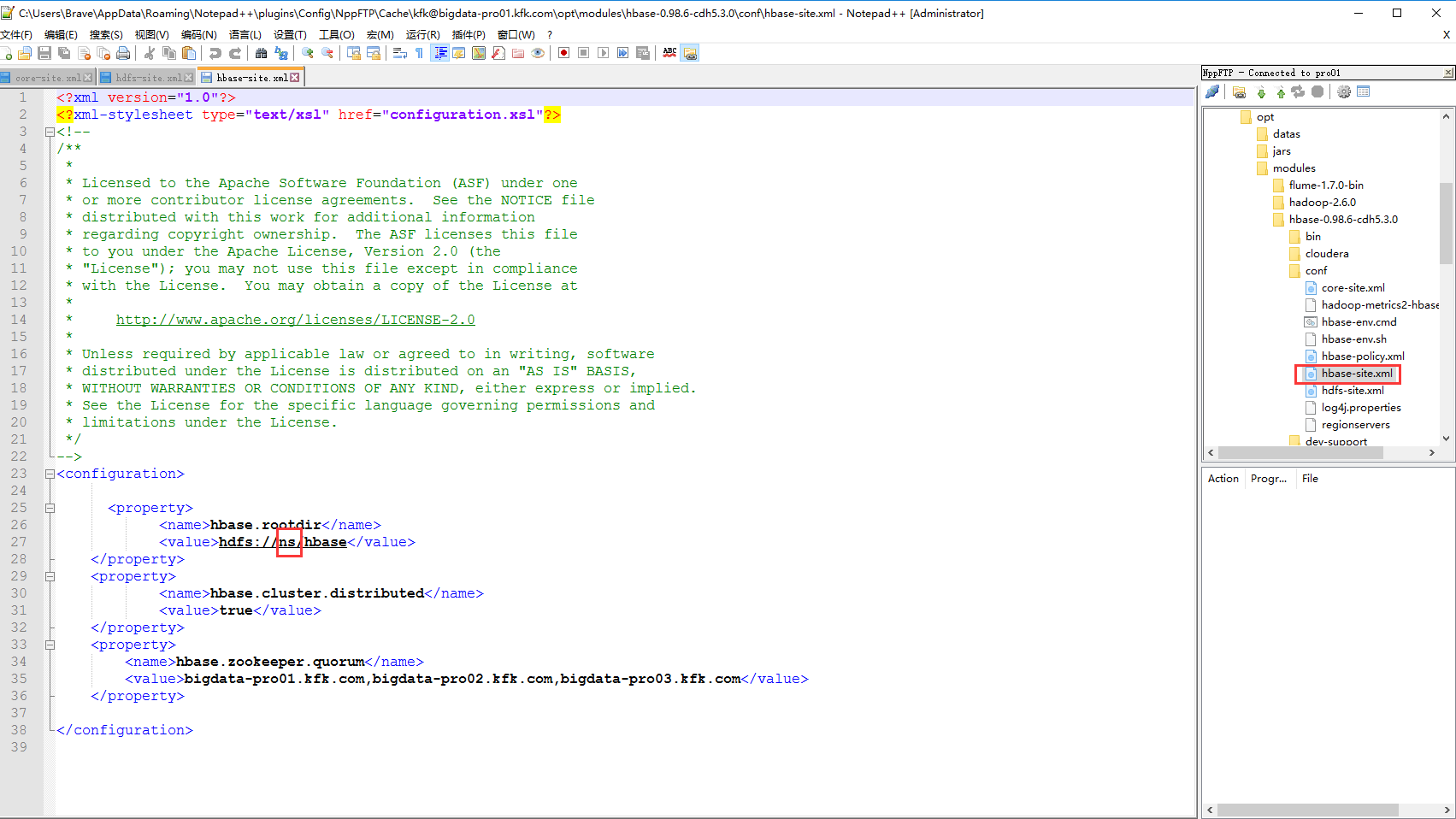
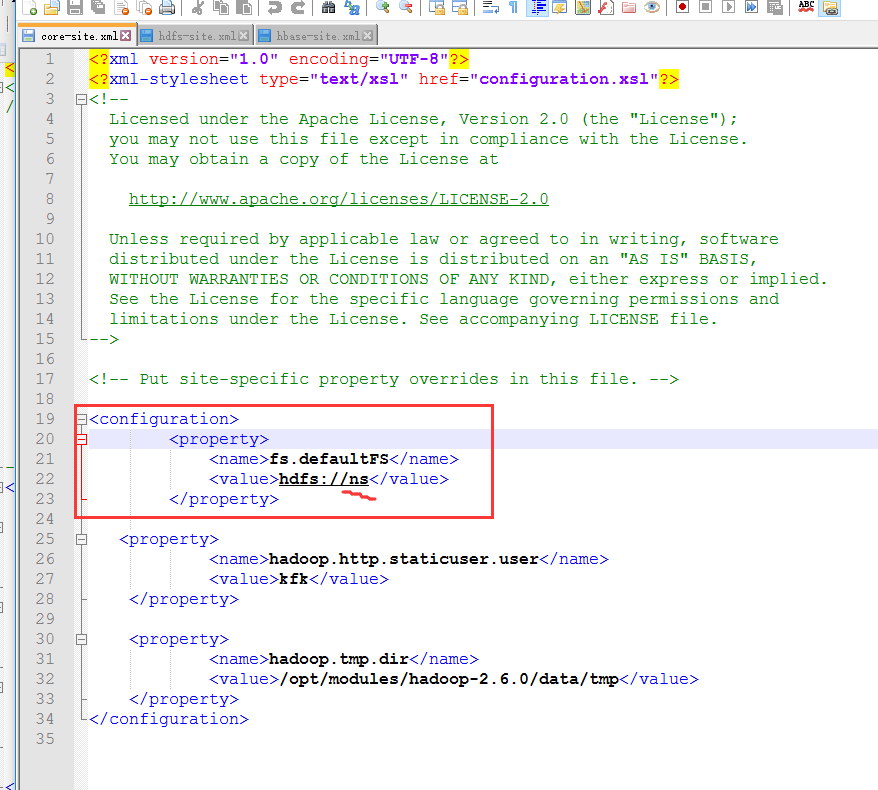
因为我之前在hbase-site.xml配置的是主节点的主机名,现在改了,这里也是所有节点都要改
然后再重启hbase
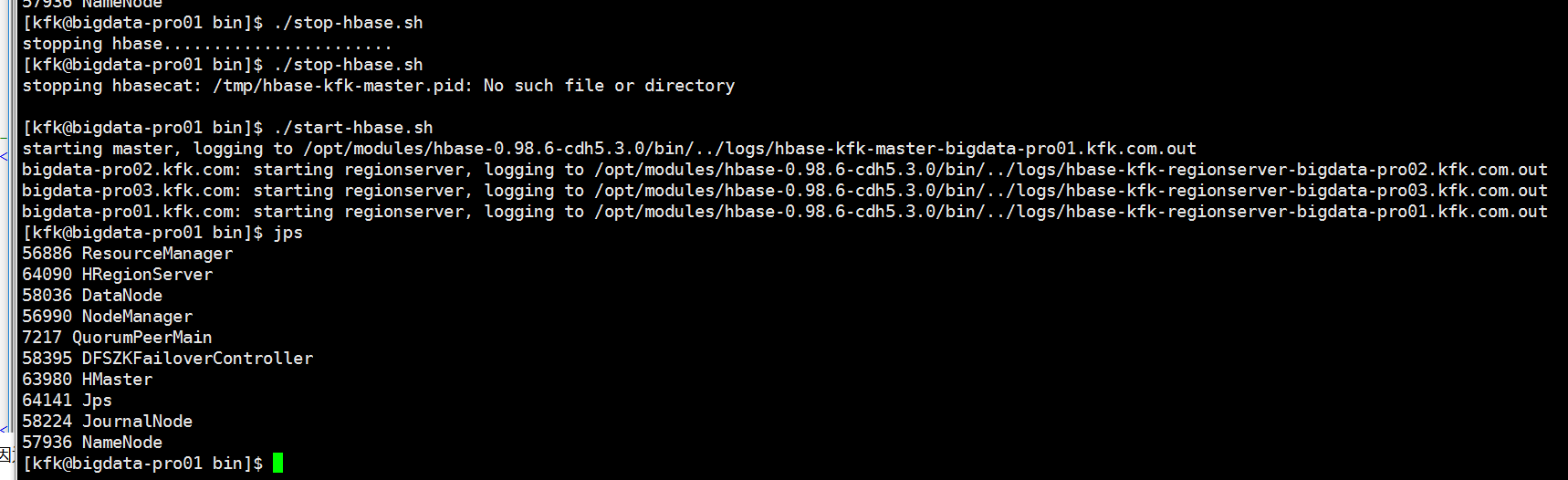
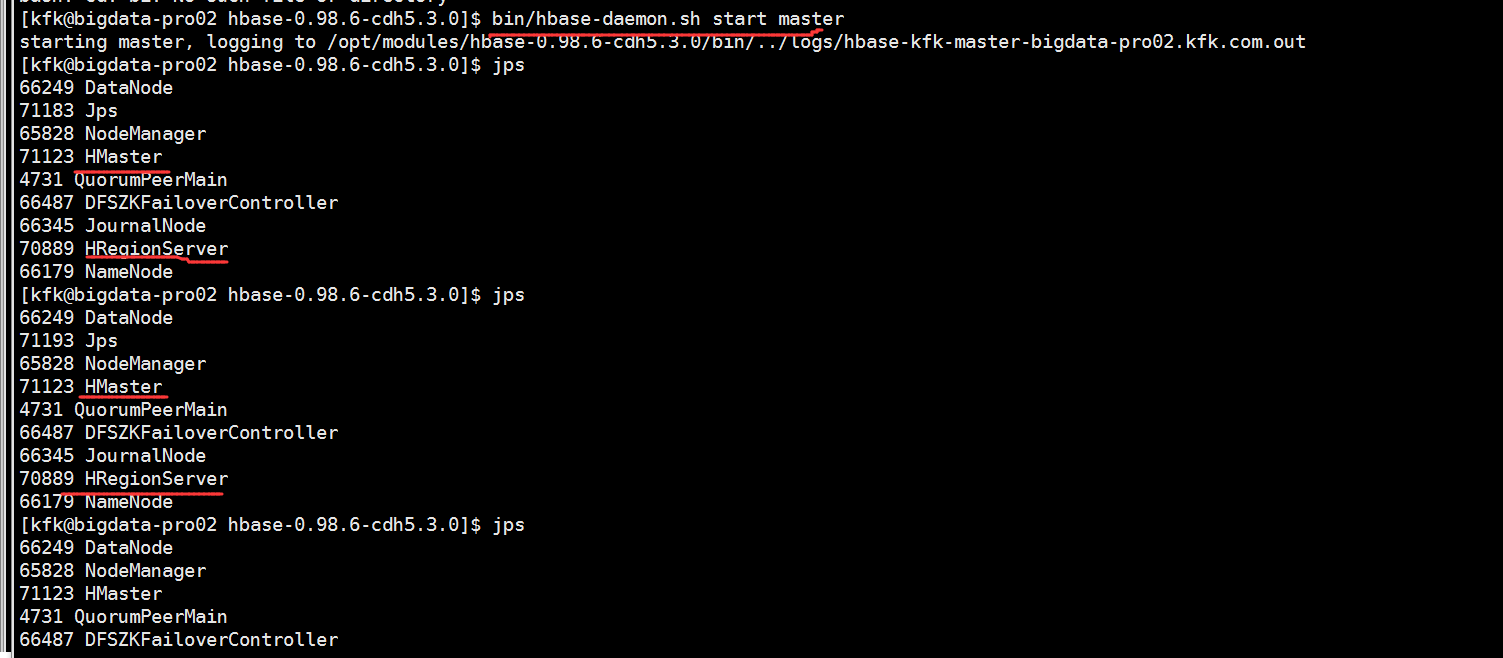
看看子节点的进程
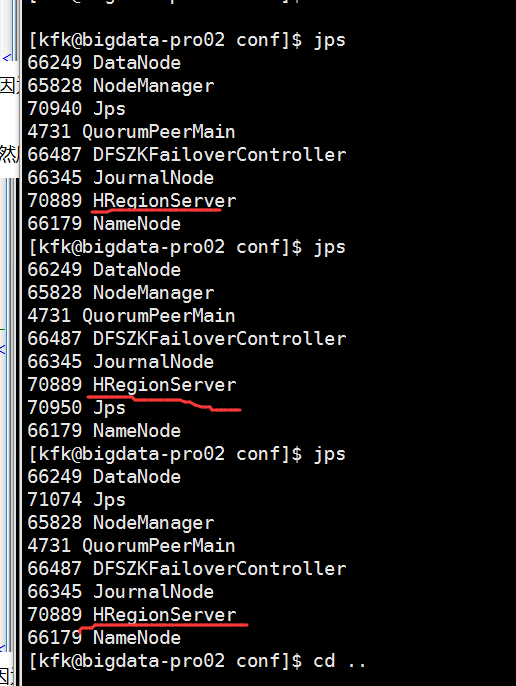
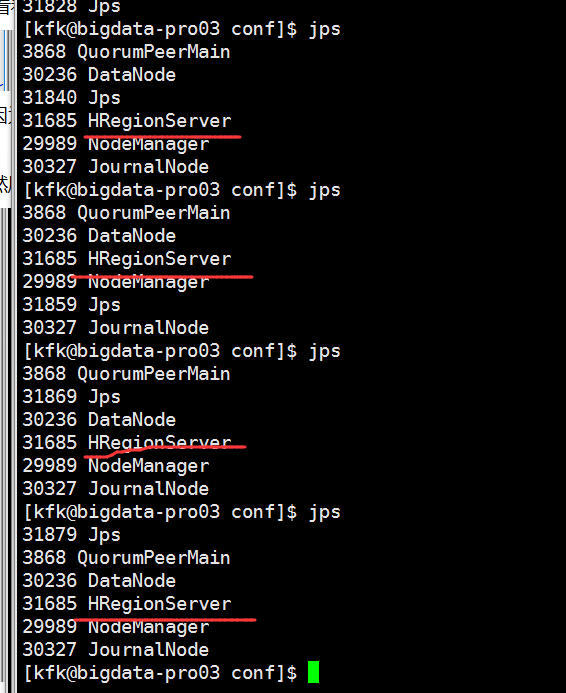
ok没问题,再启动一下节点2的Hmaster进程
在浏览器打开测试页面
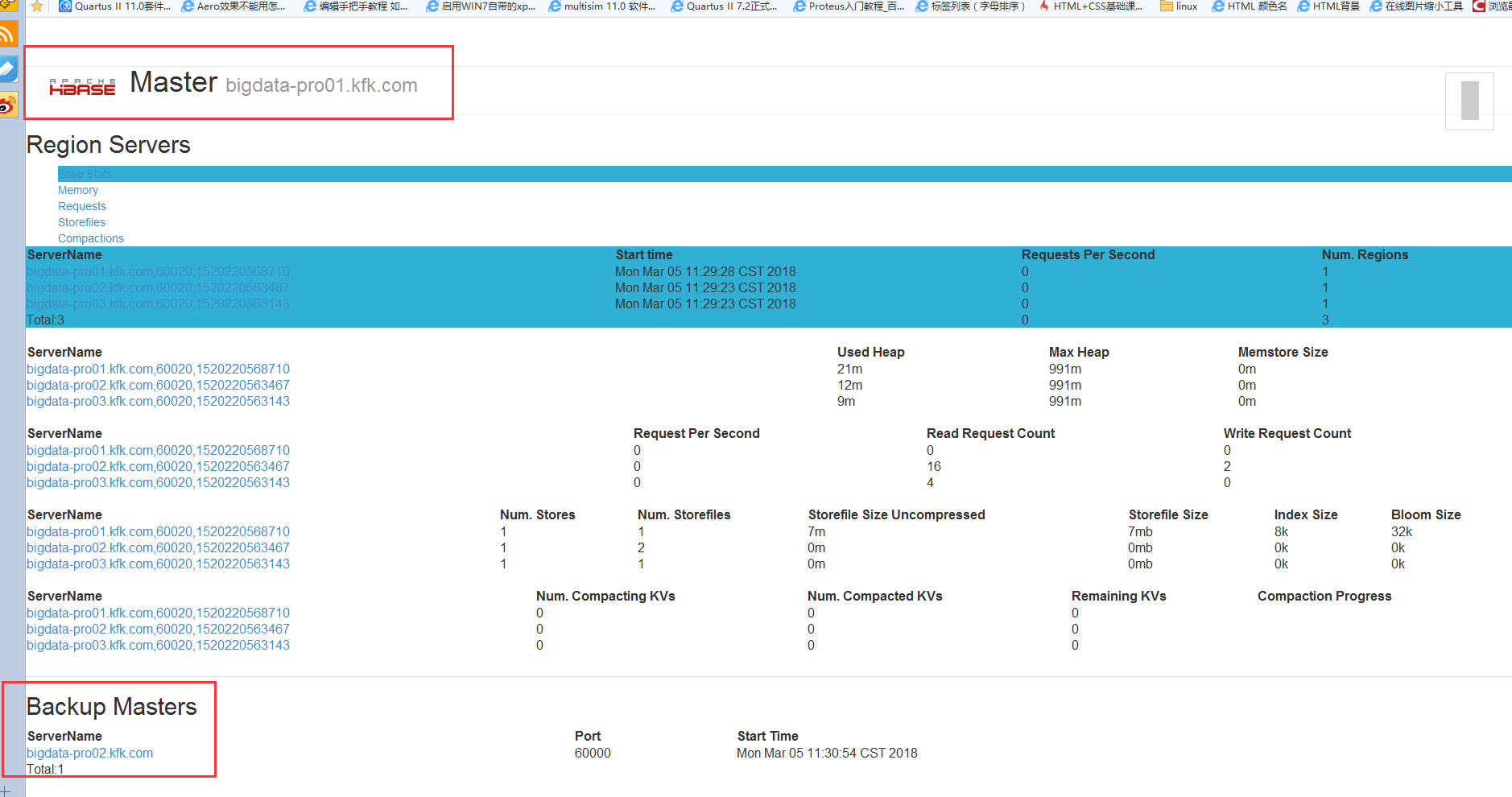
问题解决了!!!!
hbase启动后子节点的regionserver不能启动的更多相关文章
- 分布式集群HBase启动后某节点的HRegionServer自动消失问题
详细问题 我这里是,我的这个slave1的HRegionServer 进程启动后,不久自动消失. 去查看日志,排查问题: 发现问题: 解决办法 [hadoop@master h ...
- ionic2 关于启动后白屏问题跟app启动慢的问题
问题描述: 在ionic2下创建的项目打包生成apk,运行在真机上,进入启动页然后有5秒左右的白屏情况才进入首页,在真实项目中更严重,启动画面后更有时候十几秒都是白屏,体验性非常差. 在各种搜索之下, ...
- ATMS中去拉起新的进程,并在新进程启动后调用attachApplication时,resume待启动的Activity
相关文章: ATMS中去pause Activity A. 目录 ATMS拉起新进程 堆栈 resumeTopActivityInnerLocked:1684, ActivityStack start ...
- hbase集群中其中某个regionserver 没有启动
第一步: date命令查看各个机器的时间 发现linux02机器时间差了2个多小时 第二步:ntpdate pool.ntp.org 修改错误时间的机器 第三步: 重启 hbase
- dell r710 安装ubuntu 12.04 server 启动后进入initramfs解决办法
dell r710 安装ubuntu 12.04 server 启动后进入initramfs解决办法 grub 启动菜单后加入 rootdelay=90, 如下:/boot/vmlinuz-2.6.3 ...
- Hbase HRegionServer启动后自动关闭
突然发现HBASE无法使用了. 然后看到在分布式的情况下,节点上的HRegionServer启动后自动关闭. 同步时间就能解决这个问题. 网上同步时间 1. 安装ntpdate工具 sudo apt ...
- weblogic启动报错之建域时未指定AdminServer的监听IP的引起的子节点启动故障
各子节点不能启动,查看日志,报错如下: Unable to establish JMX Connectivity with the Adminstration Server AdminServer a ...
- HBase的多节点集群详细启动步骤(3或5节点)(分为Zookeeper自带还是外装)
HBase的多节点集群详细启动步骤(3或5节点)分为: 1.HBASE_MANAGES_ZK的默认值是false(zookeeper外装)(推荐) 2.HBASE_MANAGES_ZK的默认值是tru ...
- hadoop namenode又一次格式化以后hbase的hmaster进程启动后立即消失
hadoop的 namenode又一次格式化以后.重新启动hbase.发现它的hmaster进程启动后立即消失,查看一大堆日志,最后在zookeeper的日志里发现例如以下问题 Unable to r ...
随机推荐
- hbase 相关
----------------------------------------hbase的 安装---------------------------------------- 本地安装: 1 解压 ...
- PHP 对象转数组 Object转array
//调用这个函数,将其幻化为数组,然后取出对应值 public static function object_array($array) { if(is_object($array)) { $arra ...
- Jmeter -- HTTP Request Defaults HTTP请求默认值
一.HTTP Request Defaults的作用: 该组件可以为我们的http请求设置默认的值.假如,我们创建一个测试计划有很多个请求且都是发送到相同的server,这时我们只需添加一个Http ...
- 大数据离线分析平台 JSSDK数据收集引擎编写
JsSDK设计规则在js sdk中我们需要收集launch.pageview.chargeRequest和eventDuration四种数据,所以我们需要在js中写入四个方法来分别收集这些数据,另外我 ...
- Spring Cloud 快速教程
官方:http://projects.spring.io/spring-cloud/ 中文:https://springcloud.cc/ https://blog.csdn.net/forezp/a ...
- kettle判断是否是数据首行(第一行)
可以用组件:分析查询(Analytic Query) 后面可以通过判断pre_id 是否为空值(null)判断.
- .net(C#)常见面试题
1. 简述 private. protected. public. internal 修饰符的访问权限. 答 . private : 私有成员, 在类的内部才可以访问. protected : 保护成 ...
- msp430及stm32中基本的C编程知识
为什么我使用P1OUT ^= 0x01;和P1OUT = 0x01 ^是异或计算符号 所以 每次运算都是反转的.而不不加这个运算符就是一直保持1的状态. p1out|=bit6的意思p1out的值如果 ...
- 基于C#的PISDK研究(代码)
本篇文章主要利用PISDK从PI服务器取数,介绍多种取数方法. 首先需要一些基础的代码,比如获取PI服务的: 1 2 3 4 5 6 7 8 9 10 11 12 13 14 15 16 17 18 ...
- variable 'QJsonArray array' has initializer but incomplete type
variable "xxx" has initializer but incomplete type 编译报以上错误 分析:“xxx”对应的类型没有找到,没包含定义该变量类型的头文 ...